- 1Windows10 Docker 容器使用,每个步骤作者亲测,细节记录最全教程_win10系统的容器
- 2⭐算法入门⭐《递推 - 二维》简单01 —— LeetCode 118. 杨辉三角_二维递推
- 3springboot014校园管理系统的设计与实现_基于springboot的班级管理系统的设计与实现
- 4Java MongoDB:(十三)MongoDB 的文档操作-Limit 函数与 Skip 函数_java集成mongo分页查询的skip和limit有什么区别
- 5Matlab常用求解数学规划模型代码_matlab数学模型代码
- 6基于树莓派4B与STM32的UART串口通信实验(代码开源)_树莓派4b串口波特率
- 7【图论·习题】走廊泼水节(Kruscal算法逆推)
- 8力扣hot100 柱状图中最大的矩形 单调栈
- 9MSB 和 LSB_spi msb
- 10Spring-Boot导入配置文件与取值
springcloud微服务探索之完整demo的记录与分析_springcloud 完整demo
赞
踩
Erueka服务器的建立
Spring Cloud Eureka是Spring Cloud Netflix微服务套件中的一部分,它基于Netflix Eureka做了二次封装。主要负责完成微服务架构中的服务治理功能。什么事服务注册:在服务治理框架中,通常都会构建一个注册中心,每个服务单元向注册中心登记自己提供的服务,包括服务的主机与端口号、服务版本号、通讯协议等一些附加信息。注册中心按照服务名分类组织服务清单,同时还需要以心跳检测的方式去监测清单中的服务是否可用,若不可用需要从服务清单中剔除,以达到排除故障服务的效果。
项目都是基于springboot项目的,
1.建立项目
2.配置pom文件
- <dependencies>
- <dependency>
- <groupId>org.springframework.cloud</groupId>
- <artifactId>spring-cloud-starter</artifactId>
- </dependency>
- <dependency>
- <groupId>org.springframework.cloud</groupId>
- <artifactId>spring-cloud-starter-eureka-server</artifactId>
- </dependency>
- </dependencies>
3.书写配置文件
- server:
- port: 1000
- eureka:
- instance:
- hostname: localhost
- client:
- register-with-eureka: false
- fetch-registry: false
- spring:
- application:
- name: eureka-server
在默认配置下,Eureka Server会将自己也作为客户端来尝试注册自己,我们需要禁用它的客户端禁用行为。
下面是一个Eureka Server的application.properites的相关配置:
#服务注册中心端口号
server.port=1110
#服务注册中心实例的主机名
eureka.instance.hostname=localhost
#是否向服务注册中心注册自己
eureka.client.register-with-eureka=false
#是否检索服务
eureka.client.fetch-registry=false
#服务注册中心的配置内容,指定服务注册中心的位置
启动项目
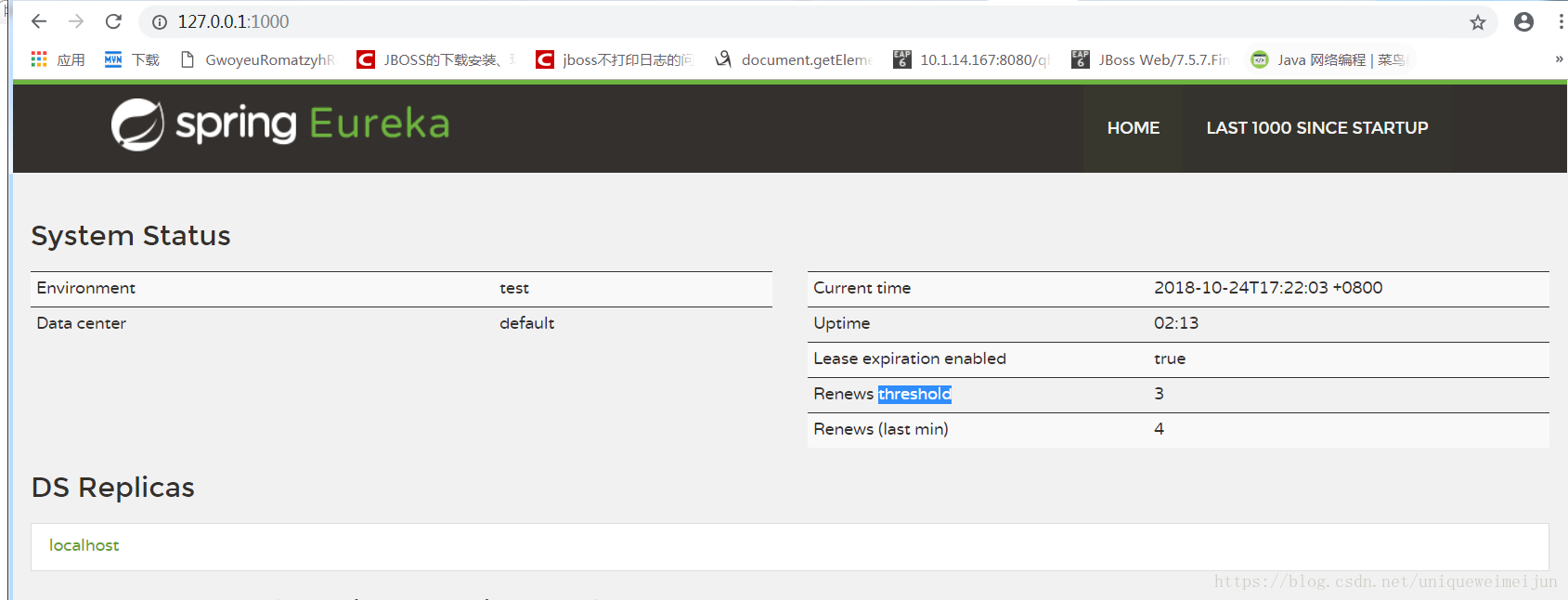
4.测试,输入地址栏地址
客户端项目建立:
1.新建springboot项目
2.pom文件和上边一只
3.配置文件(yml文件)
- eureka:
- client:
- serviceUrl:
- defaultZone: http://127.0.0.1:1000/eureka/
- spring:
- application:
- name: client-service1
- server:
- port: 2000a
4.启动类和controller放在一起(简单方便)
- package com.eureka;
-
- import org.springframework.boot.SpringApplication;
- import org.springframework.boot.autoconfigure.EnableAutoConfiguration;
- import org.springframework.boot.autoconfigure.SpringBootApplication;
- import org.springframework.cloud.netflix.eureka.EnableEurekaClient;
- import org.springframework.cloud.netflix.eureka.server.EnableEurekaServer;
- import org.springframework.context.annotation.ComponentScan;
- import org.springframework.context.annotation.Configuration;
- import org.springframework.web.bind.annotation.RequestMapping;
- import org.springframework.web.bind.annotation.RequestMethod;
- import org.springframework.web.bind.annotation.RestController;
- @Configuration
- @ComponentScan
- @EnableEurekaClient
- @EnableAutoConfiguration
- @RestController
- public class ApplicationClient{
- public static void main(String[] args) {
- SpringApplication.run(ApplicationClient.class, args);
- }
- @RequestMapping(value = "hello",method = RequestMethod.GET)
- public String hello(){
- return "你好,世界";
- }
-
- }

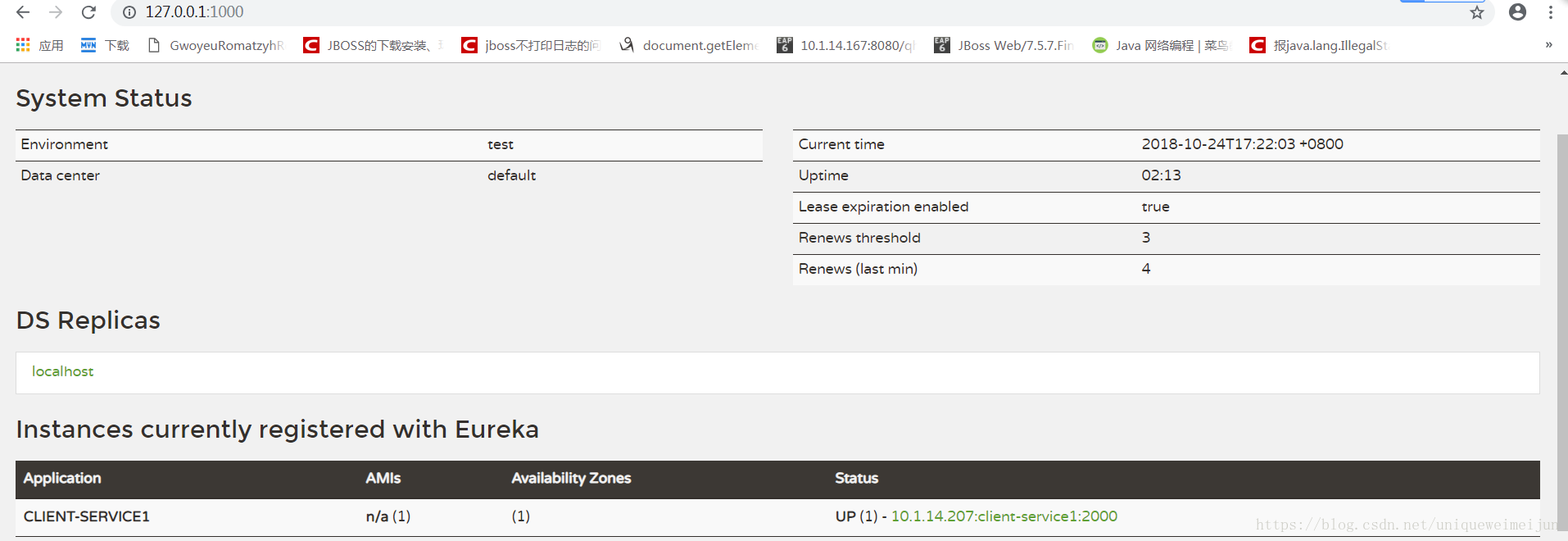
启动项目,再次查看上边的服务地址,结果如下:
Feign客户端项目建立
1.建立springboot项目
2.pom文件
- <project xmlns="http://maven.apache.org/POM/4.0.0" xmlns:xsi="http://www.w3.org/2001/XMLSchema-instance" xsi:schemaLocation="http://maven.apache.org/POM/4.0.0 http://maven.apache.org/xsd/maven-4.0.0.xsd">
- <parent>
- <groupId>org.springframework.boot</groupId>
- <artifactId>spring-boot-starter-parent</artifactId>
- <version>1.5.6.RELEASE</version>
- </parent>
- <modelVersion>4.0.0</modelVersion>
- <groupId>com.feign.demo</groupId>
- <artifactId>feign</artifactId>
- <version>0.0.1-SNAPSHOT</version>
- <build>
- <plugins>
- <plugin>
- <groupId>org.springframework.boot</groupId>
- <artifactId>spring-boot-maven-plugin</artifactId>
- </plugin>
- </plugins>
- </build>
- <properties>
- <project.build.sourceEncoding>UTF-8</project.build.sourceEncoding>
- <project.reporting.outputEncoding>UTF-8</project.reporting.outputEncoding>
- <java.version>1.8</java.version>
- </properties>
- <dependencies>
- <dependency>
- <groupId>org.springframework.cloud</groupId>
- <artifactId>spring-cloud-starter-feign</artifactId>
- </dependency>
- <dependency>
- <groupId>org.springframework.cloud</groupId>
- <artifactId>spring-cloud-starter-eureka</artifactId>
- </dependency>
- <dependency>
- <groupId>org.springframework.boot</groupId>
- <artifactId>spring-boot-starter-test</artifactId>
- <scope>test</scope>
- </dependency>
- </dependencies>
- <dependencyManagement>
- <dependencies>
- <dependency>
- <groupId>org.springframework.cloud</groupId>
- <artifactId>spring-cloud-dependencies</artifactId>
- <version>Camden.SR6</version>
- <type>pom</type>
- <scope>import</scope>
- </dependency>
- </dependencies>
- </dependencyManagement>
-
-
-
- </project>
2. 配置文件
- server:
- port: 8081
- eureka:
- client:
- serviceUrl:
- defaultZone: http://localhost:1000/eureka/
3.启动类,controller,接口
- package com.feign.demo;
-
- import org.springframework.boot.SpringApplication;
- import org.springframework.boot.autoconfigure.EnableAutoConfiguration;
- import org.springframework.boot.autoconfigure.SpringBootApplication;
- import org.springframework.cloud.netflix.eureka.EnableEurekaClient;
- import org.springframework.cloud.netflix.feign.EnableFeignClients;
- import org.springframework.context.annotation.ComponentScan;
- import org.springframework.context.annotation.Configuration;
-
- @Configuration
- @ComponentScan
- @EnableAutoConfiguration
- @EnableEurekaClient
- @EnableFeignClients
- @SpringBootApplication
- public class FeignApplication {
- public static void main(String[] args) {
- SpringApplication.run(FeignApplication.class, args);
- }
- }
-
-
-
- package com.feign.demo;
- import org.springframework.beans.factory.annotation.Autowired;
- import org.springframework.web.bind.annotation.RequestMapping;
- import org.springframework.web.bind.annotation.RequestMethod;
- import org.springframework.web.bind.annotation.RestController;
- @RestController
- public class HelloController {
- @Autowired
- private IHello iHello;
- @RequestMapping(value = "gethello",method = RequestMethod.GET)
- public String getHello(){
- return iHello.getHello();
- }
- }
-
-
- package com.feign.demo;
-
- import org.springframework.cloud.netflix.feign.FeignClient;
- import org.springframework.web.bind.annotation.RequestMapping;
- import org.springframework.web.bind.annotation.RequestMethod;
-
- @FeignClient("client-service1")
- public interface IHello {
- @RequestMapping(value = "/hello",method = RequestMethod.GET)
- String getHello();
- }
-
-
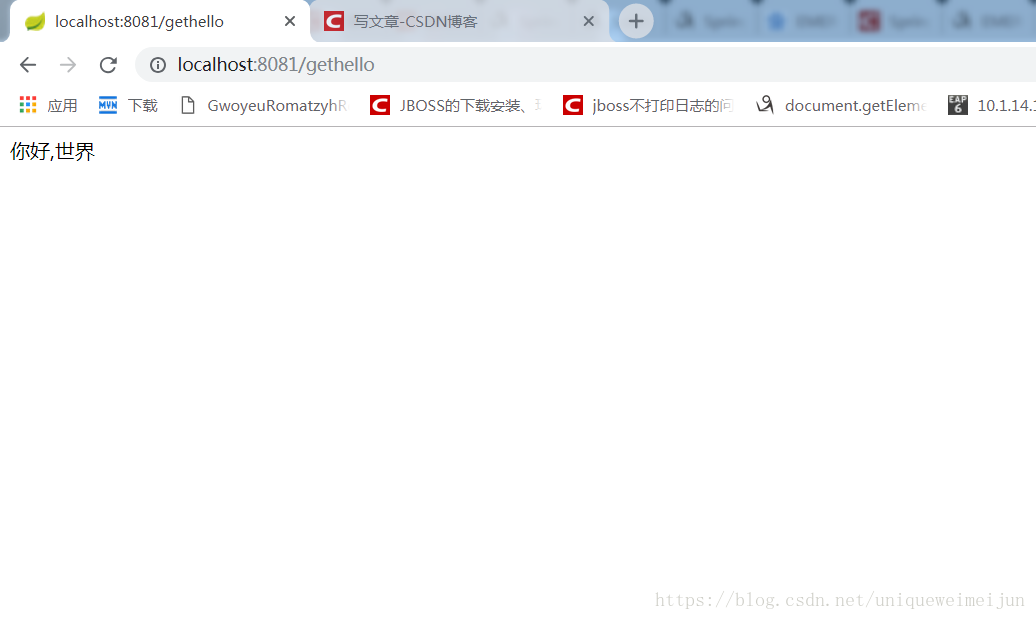
@FeignClient("client-service1")里边参数是调用服务的服务名称。在具体方法里可以通过RequestMapping来直接请求对应服务的url.
4.访问controller接口