- 1Pytest测试用例参数化
- 2【目标检测】评价指标:mAP概念及其代码实现(yolo源码/pycocotools)
- 3分类预测 | OOA-SVM鱼鹰算法优化支持向量机的多变量输入数据分类预测
- 4PyTorch的ONNX结合MNIST手写数字数据集的应用(.pth和.onnx的转换与onnx运行时)_invalid_argument : invalid feed input name:input
- 5vue基础——自定义按键修饰符_vue全局按键修饰报错
- 6Eclipse中Web项目找不到类解决办法_eclipse看不到ibatis.basedao类
- 7灰度图恢复(100%用例)C卷(Java&&Python&&C++&&Node.js&&C语言)
- 8示例程序001--模板匹配_模板匹配c语言代码
- 9分奖金(python)_分奖金问题算法python
- 10Egret使用心得_egret cost
HoloToolkit/unity远程实时传输视频_unity实时录像上传
赞
踩
0 微软Hololens开发包MixedRealityToolkit-unity
https://github.com/Microsoft/MixedRealityToolkit-Unity/releases
https://github.com/microsoft/MixedRealityToolkit-Unity.
0-1 Windows Mixed Reality documentation
1, 服务器

windows+R
cmd
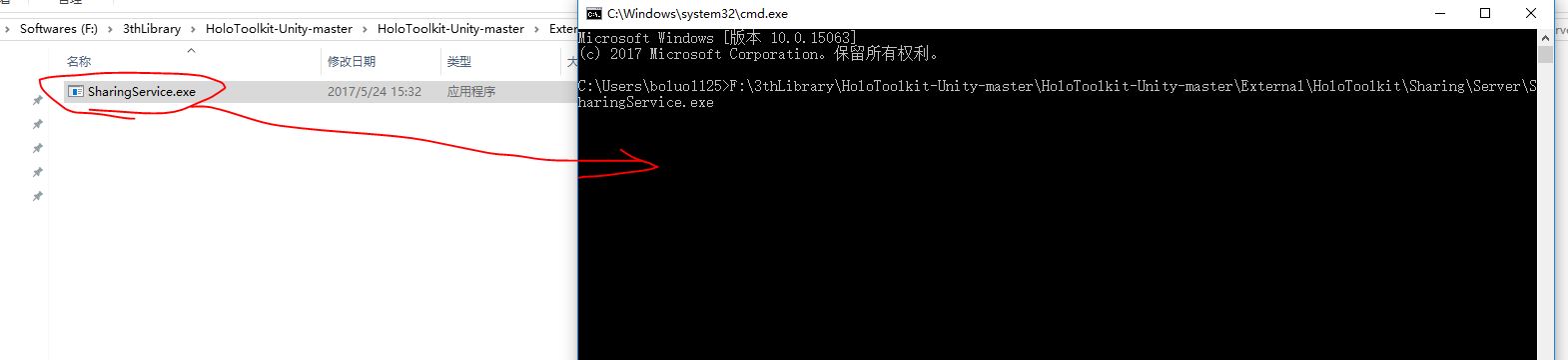
把x.exe拖入到黑窗口中
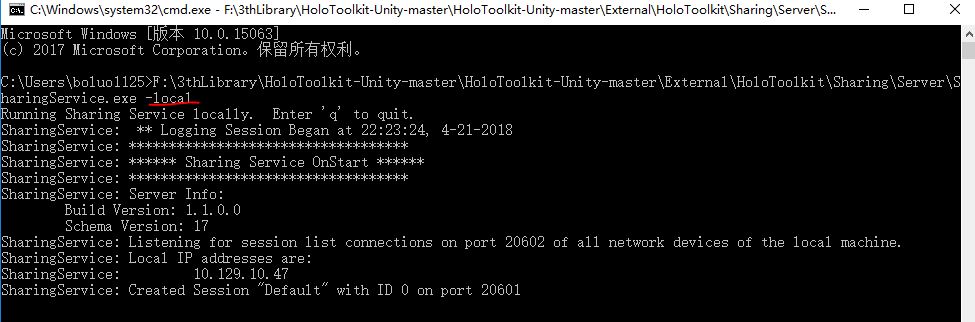
再输入 -local
则服务器会运行起来
2 local客户端
a,导入 HoloToolkit.unitypackage
b,拖入预制体sharing
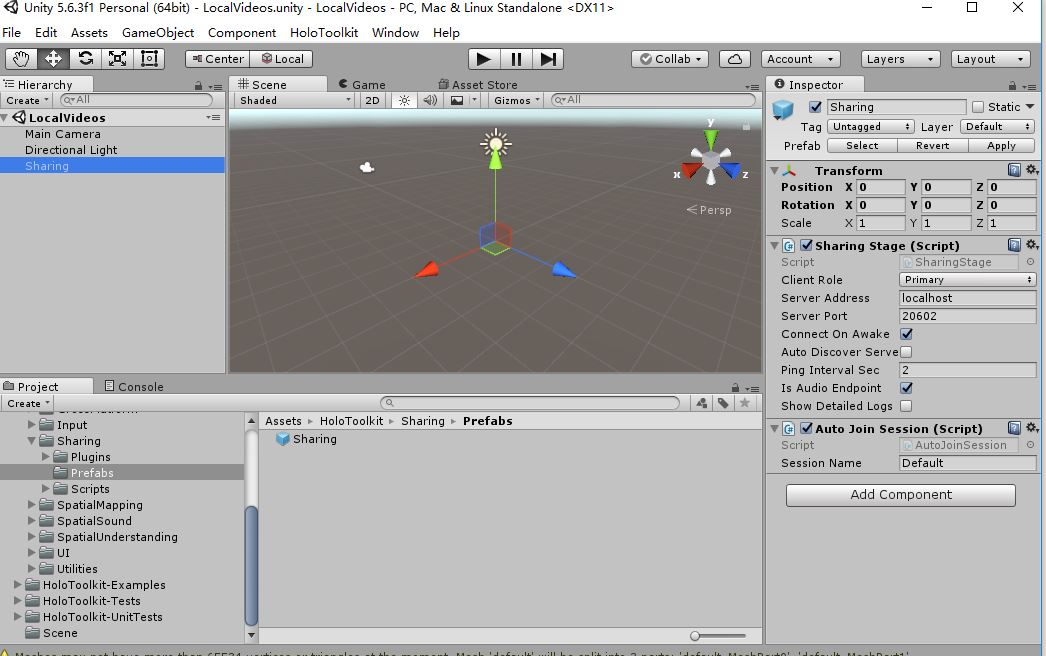
c 添加三个脚本
打开并显示相机 cameraView.cs
A devices[0].name 或 devices[i].name
B 视频传输时编码和解码都用的是unity自带的功能
(Texture2D
viewTexture)
cameraView.viewTexture.EncodeToJPG();
viewTexture.LoadImage(currentFrame);
- using System.Collections;
- using System.Collections.Generic;
- using UnityEngine;
-
- public class cameraView : MonoBehaviour {
-
- public GameObject cameraViewPlan;
-
- public static Texture2D viewTexture;
- public static WebCamTexture viewTextureCamera;
-
- // Use this for initialization
- void Start () {
-
- WebCamDevice[] devices = WebCamTexture.devices;
- viewTextureCamera = new WebCamTexture("Creative GestureCam", 1280, 720, 30);
- viewTexture = new Texture2D(viewTextureCamera.width, viewTextureCamera.height);
- viewTextureCamera.Play();
-
-
- }
-
- // Update is called once per frame
- void Update () {
-
-
- viewTexture.SetPixels(viewTextureCamera.GetPixels());
- viewTexture.Apply();
-
- GetComponent<Renderer>().material.mainTexture = viewTexture;
- }
- }

下面两个脚本只要修改这两个脚本就好
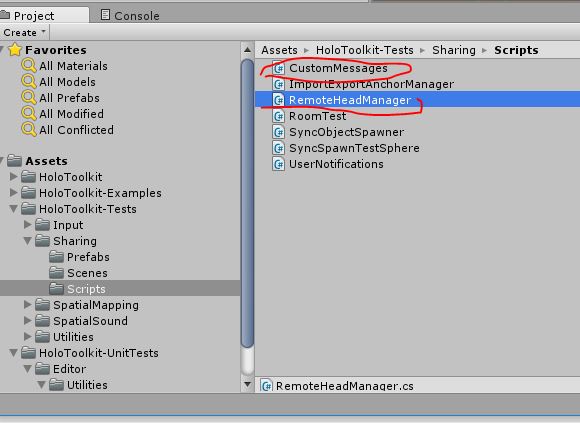
LocalCustomMessagesManger.cs
发送数据
- public void SendMessage()
- {
- // If we are connected to a session, broadcast our head info
- if (serverConnection != null && serverConnection.IsConnected())
- {
- // Create an outgoing network message to contain all the info we want to send
- NetworkOutMessage msg = CreateMessage((byte)TestMessageID.StringMessageID);
-
- //send video
- byte[] currentColorFrameByteArray = cameraView.viewTexture.EncodeToJPG();
-
- msg.Write(currentColorFrameByteArray.Length);
- msg.WriteArray(currentColorFrameByteArray, (uint)(currentColorFrameByteArray.Length));
- //AppendTransform();调用这个函数就可以继续传值了
-
- // Send the message as a broadcast, which will cause the server to forward it to all other users in the session.
- serverConnection.Broadcast(
- msg,
- MessagePriority.Immediate,
- MessageReliability.UnreliableSequenced,
- MessageChannel.Avatar);
- }
- }
d, 挂脚本
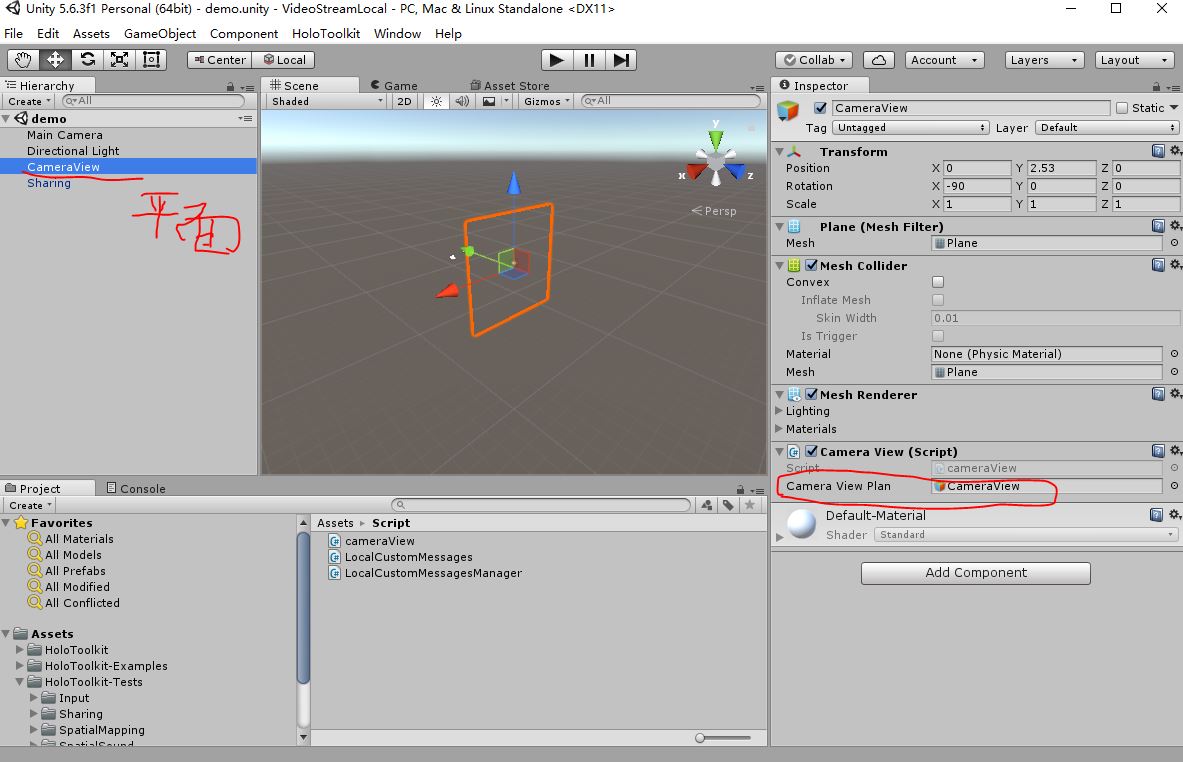
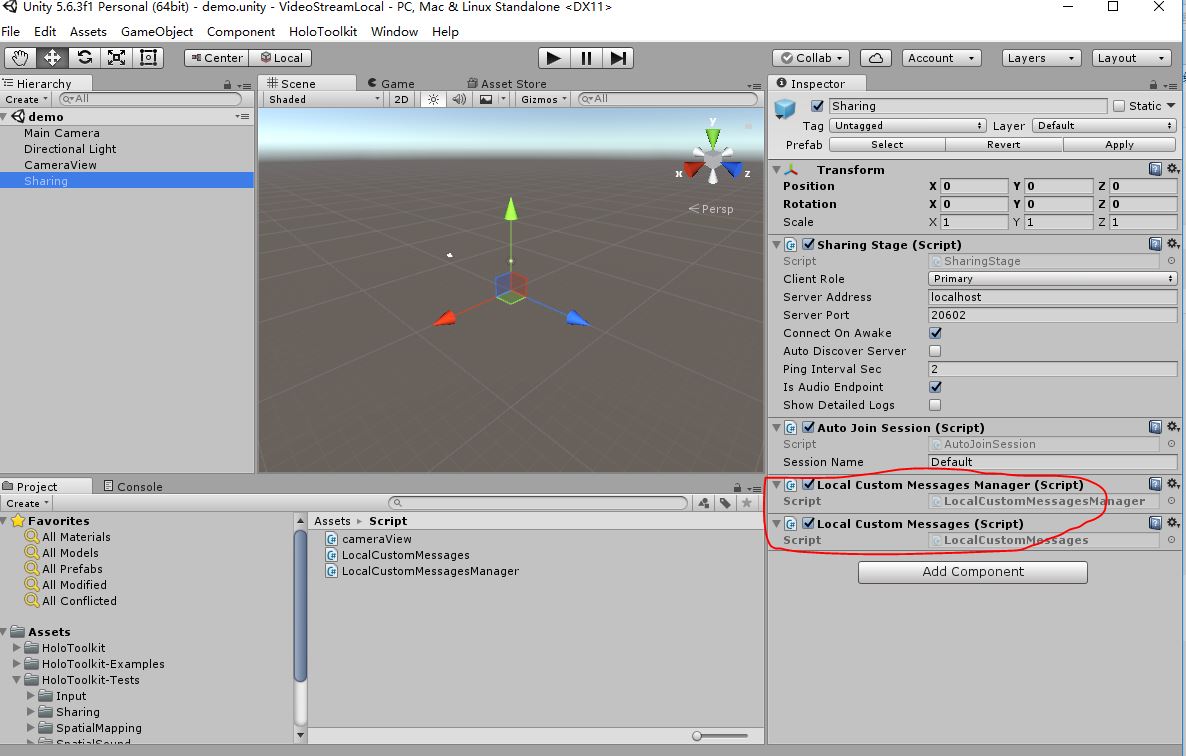
3 remote client
a, cameraView.cs
- using System.Collections;
- using System.Collections.Generic;
- using UnityEngine;
-
- public class cameraView : MonoBehaviour {
-
- public GameObject cameraViewPlan;
-
- public static byte[] currentFrame;
- private Texture2D viewTexture;
-
- // Use this for initialization
- void Start () {
-
- currentFrame = new byte[1280 * 720 * 4];
- viewTexture = new Texture2D(1280, 720);
- }
-
- // Update is called once per frame
- void Update () {
-
- viewTexture.LoadImage(currentFrame);
- viewTexture.Apply();
-
- GetComponent<Renderer>().material.mainTexture = viewTexture;
- }
- }
如果在本地端不显示则把这两句注释
viewTexture.Apply();
GetComponent<Renderer>().material.mainTexture = viewTexture;
b,LocalCustomMessagesManager.cs
接受数据
- /// <summary>
- /// Called when a remote user sends a message.
- /// </summary>
- /// <param name="msg"></param>
- private void UpdateMessage(NetworkInMessage msg)
- {
- // Parse the message
- long userID = msg.ReadInt64();
- //接受视频
-
- int colorFrameLength = msg.ReadInt32();
-
- if (colorFrameLength > 1)
- {
- msg.ReadArray(cameraView.currentFrame, (uint)colorFrameLength);
- } ///后面继续写接受的,发送和接受的顺序要对应上不然会出错
- }
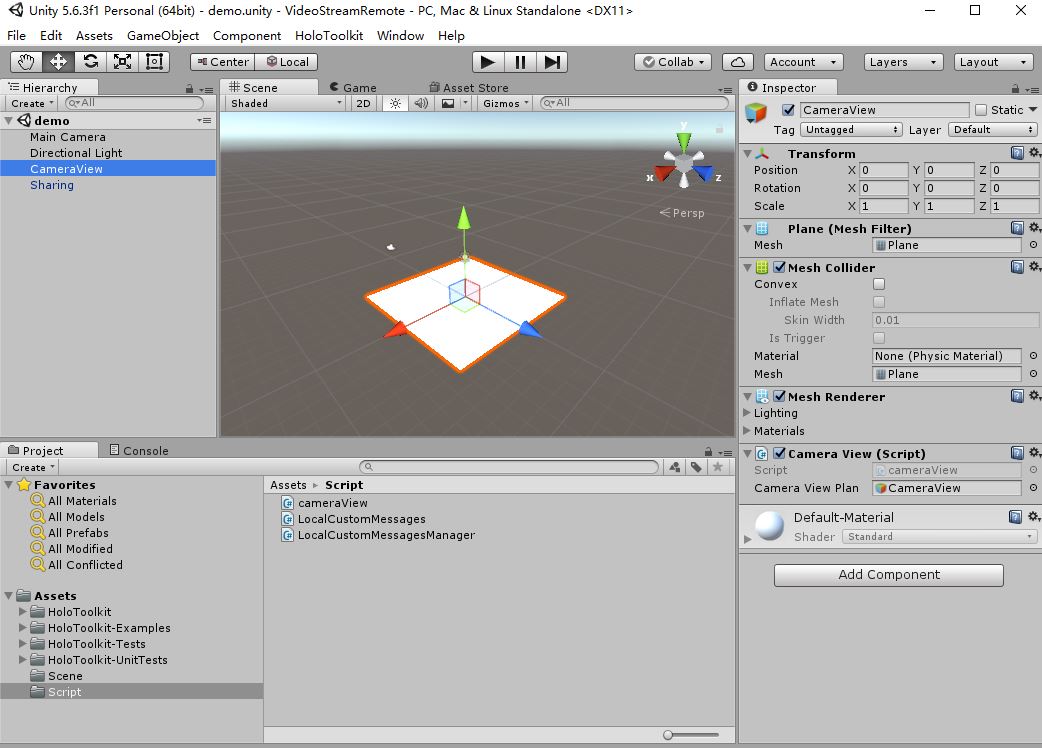
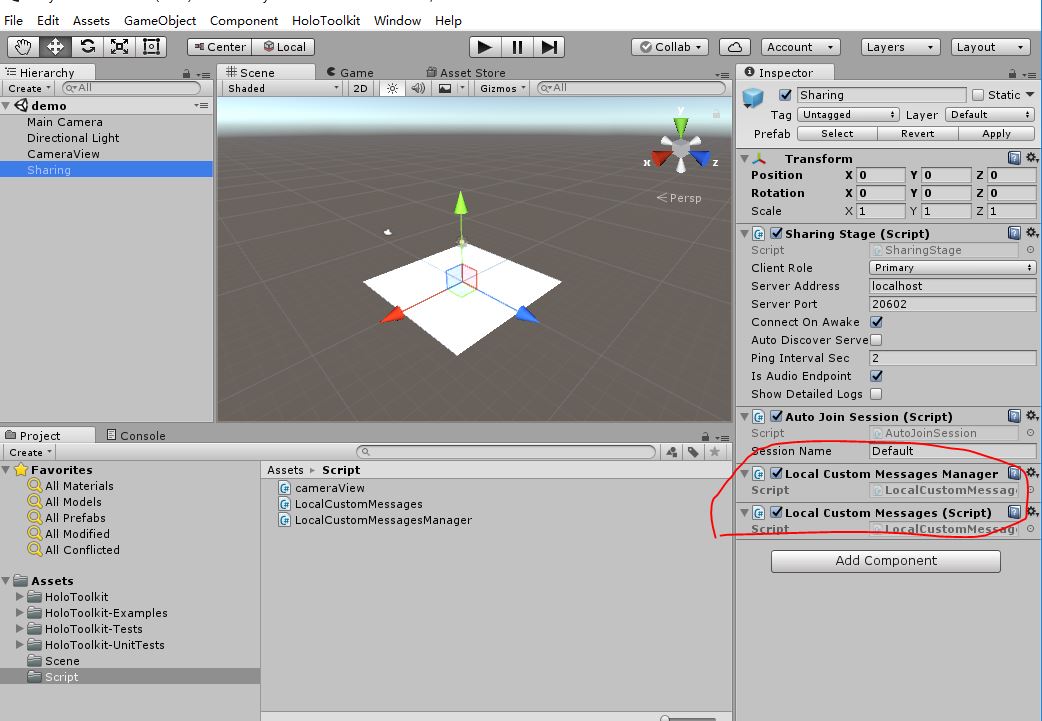
这个IP要把localhost修改为服务器的IP
HoloToolkit5.5.0 API详解