
热门标签
热门文章
- 1在众多的材质中选择灰口铸铁铸造划线平台、铸铁平台等的原因——河北北重
- 215 个非常流行的VsCode插件,让你的编码效率倍增!_vscode代码补全插件
- 3外星人入侵游戏-(创新版)
- 4若依框架——前后端分离版
- 5Untiy 使用RotateAround()方法实现物体围绕某个点或者某个物体旋转_unity围绕旋转
- 6error: subprocess-exited-with-error(fasttext)_fasttext error: subprocess-exited-with-error
- 7jetson nano 配置yolov5_jsetonn nano miniconda
- 8阿里云 WindowsServer 使用之 配置 SQL Server 允许远程连接
- 9GMap.NET使用教程
- 10【Linux】Linux 系统编程——cd 命令
当前位置: article > 正文
vue-element-admin动态路由且传参_eleadmin传参
作者:AI算法诗人 | 2024-02-04 14:15:21
赞
踩
eleadmin传参
单个动态路由,props对象模式
- {
- path: "/turbinesId",
- name: "Turbines",
- props: { turbinesId: data.turbinesId, turbinesName: data.turbinesName, other: 'welcome'},
- components: () => import("../views/turbines.vue"),
- }
接收页面
- export default {
- name: "Turbines",
- props: ["turbinesId", "turbinesName", "other"],//props也可以写成对象的形式
- mounted() {
- console.log("Info", this.$props);
- console.log("Info-----", this.turbinesId, this.turbinesName, this.other);
- },
- };
二、循环增加动态路由
代码如下:

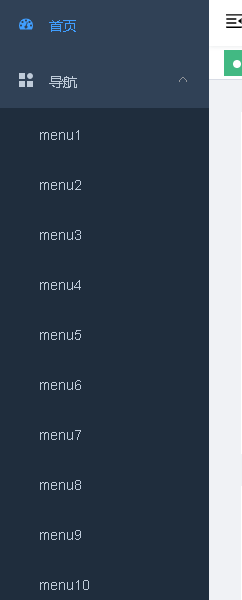
效果就是下面这样子
声明:本文内容由网友自发贡献,不代表【wpsshop博客】立场,版权归原作者所有,本站不承担相应法律责任。如您发现有侵权的内容,请联系我们。转载请注明出处:https://www.wpsshop.cn/article/detail/58970
推荐阅读



相关标签

