
热门标签
热门文章
- 1【学习笔记】简单的连通性状压DP——插头DP(不学以为是天书)
- 2【Python基础篇】【5.数据类型 - 整型 int 】二进制、八进制、十六进制,进制转换,超详细_phyhon整形化二、八、十二进制
- 3江科大stm32学习笔记8——光敏传感器控制蜂鸣器
- 4c#反射用法
- 5JavaScript随机数_js随机数函数
- 6Springboot 统计 代码执行耗时时间 ,玩法多到眼花_springboot 接口耗时监控
- 7基于本地仓库搭建nexus私服_nexus 免费版本部署
- 8AIGC实战——改进循环神经网络
- 9回归预测 | MATLAB实现LSTM(长短期记忆神经网络)多输入单输出_出错 pb (第 22 行) input_test = input(train_n+1:train_
- 10SpringBoot项目中配置Tomcat、Mysql、Redis、MongoDB_springboot讲诸如redis、mysql等地址独立配置文件在按环境加载
当前位置: article > 正文
爬虫实战-抓取微博用户文本数据并生成词云(小白入门)_微博浏览器开发者工具中没有getindex
作者:算法编织者2 | 2024-02-03 14:45:47
赞
踩
微博浏览器开发者工具中没有getindex
作为爬虫小白,代码偏向简单,大佬勿喷~
本次使用语言:Python
本次使用库:requests、wordcloud、jieba
思路
通过尝试,在网页版微博死活找不出文本url(可能是能力有限),在移动端微博找到了,所以推荐大家爬取移动端微博数据。
移动端微博网址:https://m.weibo.cn/
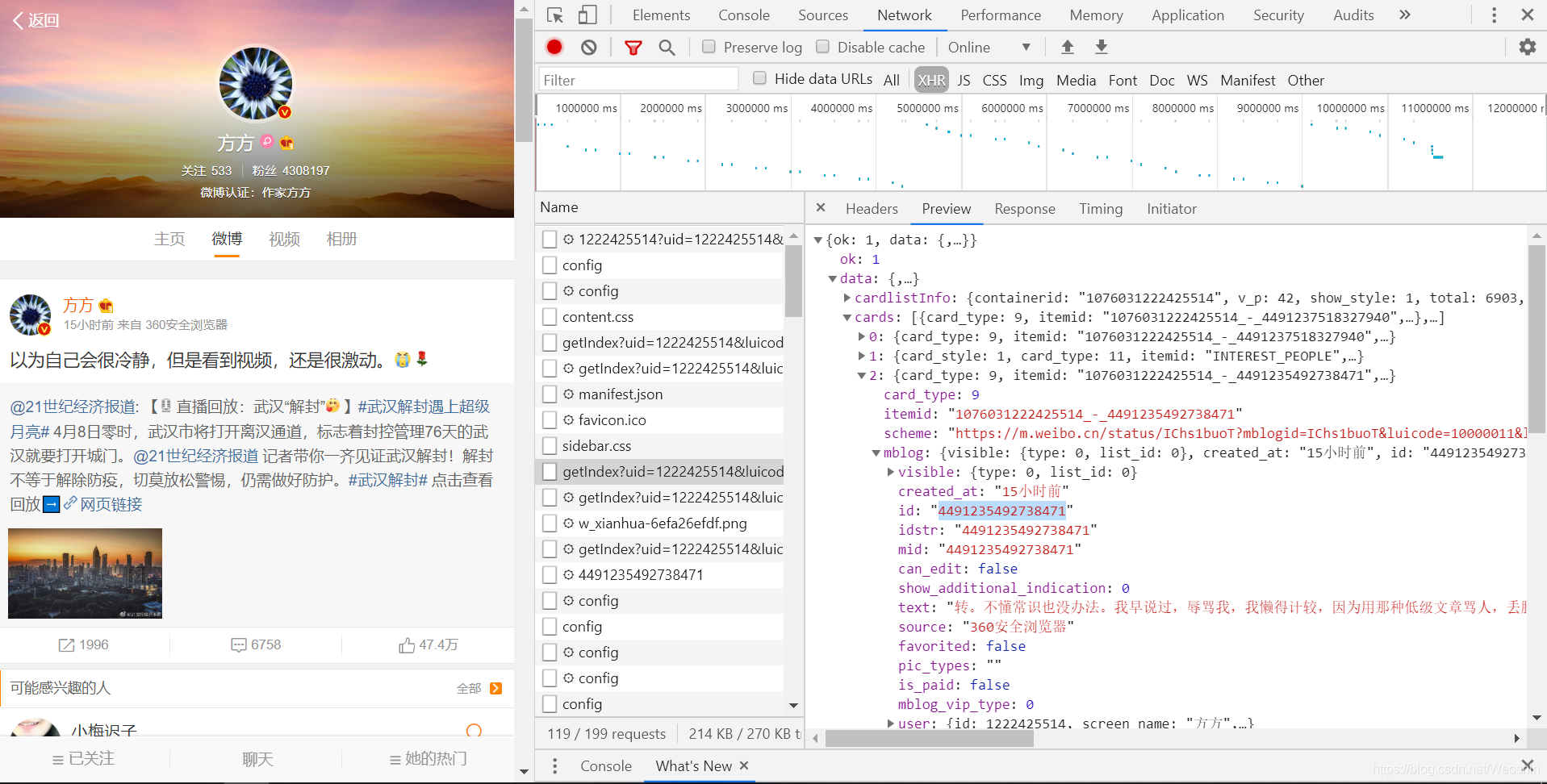
1.此次爬取的是“方方”的文本,进入开发者模式,找到名为"getIndex…“的接口。可以看到Preview里有id和text。
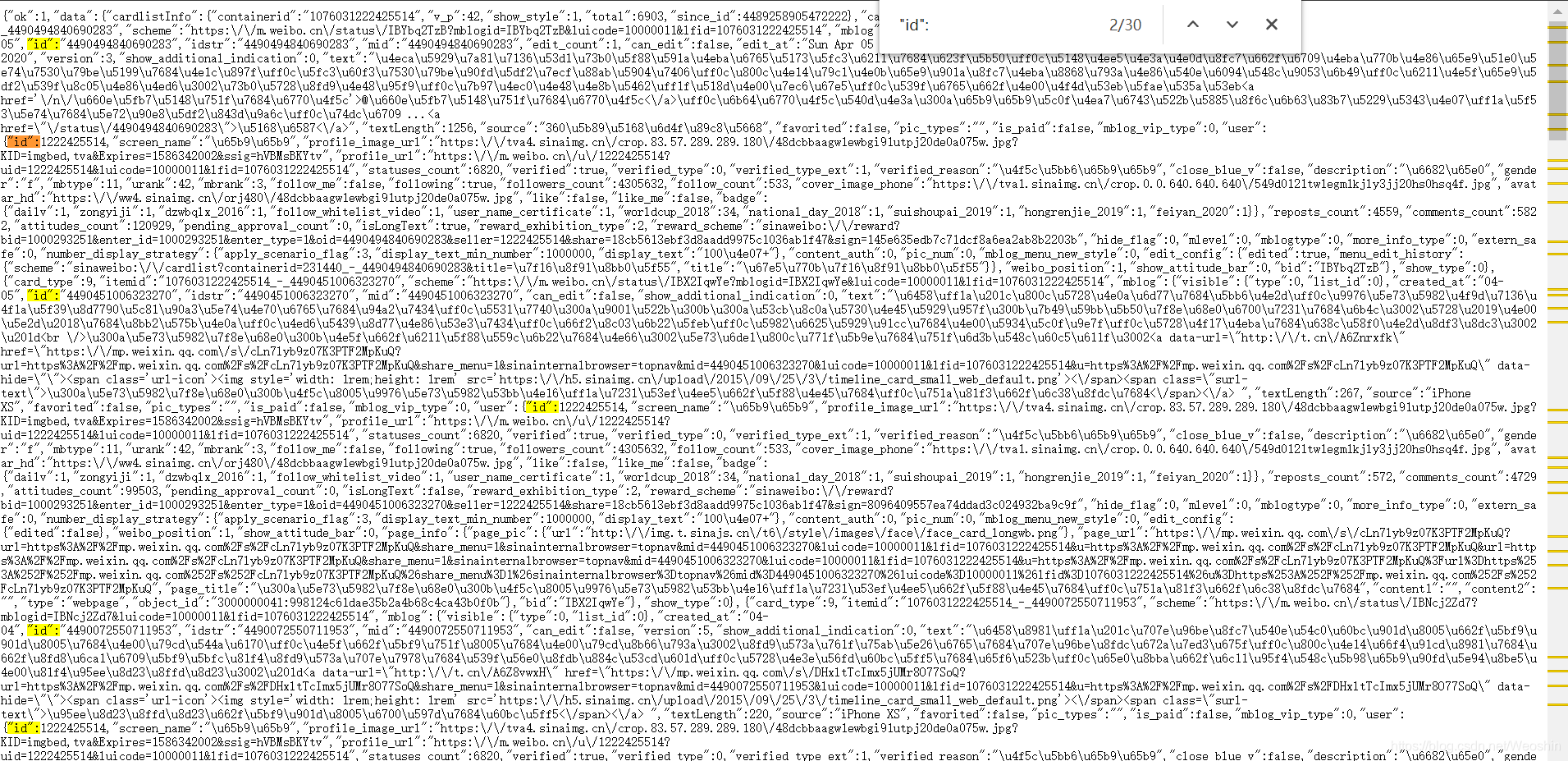
2.进入此url,发现没有中文text,对此疑惑不解。搜索id发现有多个匹配,推断id为微博的编号。
此外,在url后加上"&page="可以实现翻页。
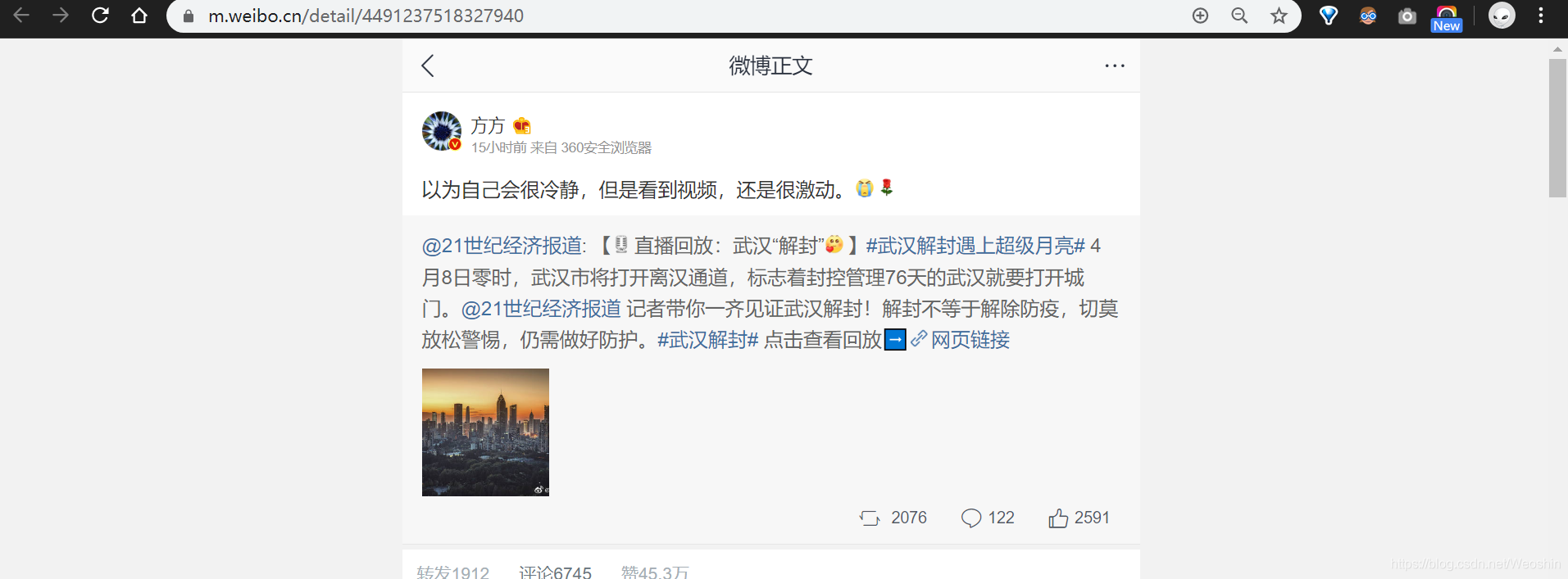
3.为了找到text,点击单个微博,发现网址后面跟了一串数字,推测可能是ID。然后查看网页源代码,发现url跟的确实是ID,并且此url中包含了发布时间"created_at”,文本"text"。好,我们需要爬取的内容就基于此url了。

4.将爬取的text进行清理使之剩下中文,然后使用jieba分词,最后生成词云。
代码
import requests
import re
from matplotlib import pyplot as plt
from wordcloud import WordCloud
import matplotlib.pyplot as plt  #绘制图像的模块
import  jieba                    #jieba分词
plt.rcParams['font.sans-serif']=['SimHei'] #解决中文乱码

'''
~总思路:(找接口是真的麻烦)
0.网页版微博找了半天没找到接口,在移动端可以找到,移动端微博:https://m.weibo.cn/
1.Chrome浏览器的开发者工具下找到getIndex?网址。
2.先爬取微博ID存入列表。
3.然后找到每个ID相对应的微博url,爬取微博内容和发布时间。
4.清理数据,只剩下中文。
5.利用jieba分词。
6.画出词云。
'''
'''
函数说明:
getID():爬取微博ID
getText():爬取微博的文本即发表时间
clearText():清理文本,只保留中文
makeWordCloud():分词,绘图
'''
def getID(ID):
    print("爬取微博ID")
#    ID = []
    for p in range(0,5): #自己设置页数
        #经过尝试,在网址后面加“&page=”可以翻页
        URL = "https://m.weibo.cn/api/container/getIndex?uid=1222425514&luicode=10000011&lfid=231093_-_selffollowed&type=uid&value=1222425514&containerid=1076031222425514"+"&page="+str(p)
        try:
            r = requests.get(url = URL, headers = header)
            r.raise_for_status()
            r.encoding = r.apparent_encoding
            IDD = re.findall('"id":"(.*?)"',r.text) #匹配id,IDD为当前页面的所有id
            ID += IDD #将当前页面的id加入到总ID列表
        except:
            print("爬取失败")
    print(ID)
    return ID

def getText(ID, text):
    print("每条微博的text爬取:")
    text = []
    textsingle = []
    for i in range(len(ID)):
        print("ID:"+ID[i])
        #url后加微博ID可查看此微博的信息,其中text为文本,created_at为发表时间
        url = "https://m.weibo.cn/detail/"+ID[i]
        print(url)
        try:
            r = requests.get(url = url, headers = header)
            r.raise_for_status()
            r.encoding = r.apparent_encoding
            createTime = re.findall('"created_at": "(.*?)"',r.text) #匹配发表时间
            print("create at:"+createTime[0])
            print("~ ~ ~ ~ ~ ~ ~")
            textsingle = re.findall('"text": "(.*?)"',r.text) #匹配此微博文本
            text += textsingle #将此微博文本加入总微博文本列表
        except:
            print("爬取失败")
    TEXT = ''
    for i in range(len(text)):
        TEXT = TEXT + text[i] #将列表转换成字符型TEXT,便于分词
    print("爬取微博个数:"+str(len(ID)))
    return TEXT

def clearText(TEXT):
    rule = re.compile(u"[^\u4e00-\u9fa5]") #匹配非中文字符
    TEXT = rule.sub('',TEXT) #将非中文字符替换为空
    return TEXT

def makeWordCloud(TEXT):
    cut_text = " ".join(jieba.cut(TEXT)) #jieba分词,空格字符分隔
    print(cut_text)
    wordcloud = WordCloud(
       #设置字体,不然会出现口字乱码,文字的路径是电脑的字体一般路径,可以换成别的
       font_path="C:/Windows/Fonts/simfang.ttf",
       #设置了背景,宽高
       background_color="white",width=1000,height=880).generate(cut_text)

    plt.imshow(wordcloud, interpolation="bilinear")
    plt.axis("off")
    plt.show()

def main():
    header = {
        'user-agent':'Mozilla/5.0 (Windows NT 10.0; Win64; x64) AppleWebKit/537.36 (KHTML, like Gecko) Chrome/70.0.3538.77 Safari/537.36'
        }
    ID = []
    text = []
    ID = getID(ID)
    text = getText(ID,text)
    text = clearText(text)
    makeWordCloud(text)

main()

- 1
- 2
- 3
- 4
- 5
- 6
- 7
- 8
- 9
- 10
- 11
- 12
- 13
- 14
- 15
- 16
- 17
- 18
- 19
- 20
- 21
- 22
- 23
- 24
- 25
- 26
- 27
- 28
- 29
- 30
- 31
- 32
- 33
- 34
- 35
- 36
- 37
- 38
- 39
- 40
- 41
- 42
- 43
- 44
- 45
- 46
- 47
- 48
- 49
- 50
- 51
- 52
- 53
- 54
- 55
- 56
- 57
- 58
- 59
- 60
- 61
- 62
- 63
- 64
- 65
- 66
- 67
- 68
- 69
- 70
- 71
- 72
- 73
- 74
- 75
- 76
- 77
- 78
- 79
- 80
- 81
- 82
- 83
- 84
- 85
- 86
- 87
- 88
- 89
- 90
- 91
- 92
- 93
- 94
- 95
- 96
- 97
- 98
结果
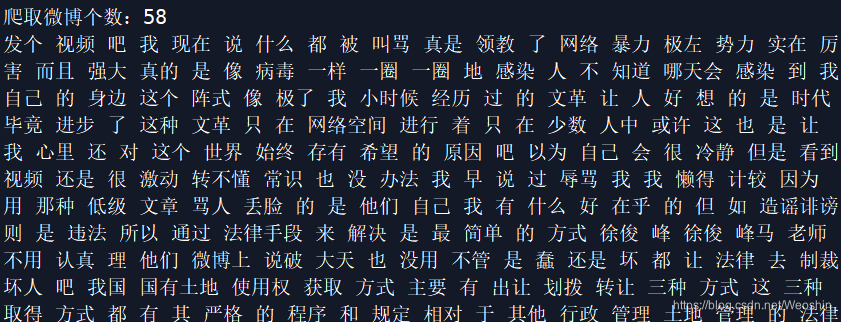
(此例子爬取页数为5页,爬取微博条数为58,微博发布时间从2020.3.31 - 2020.4.8)
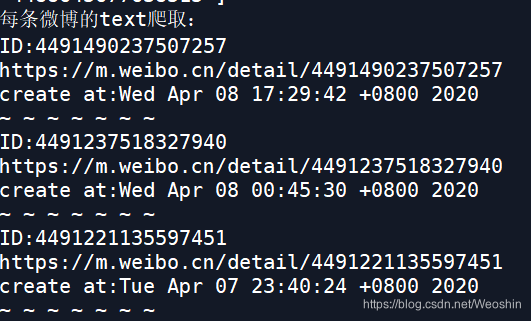
分词结果:
词云:

附加网址:
如何生成词云
https://mp.weixin.qq.com/s/FUwQ4jZu6KMkjRvEG3UfGw
声明:本文内容由网友自发贡献,不代表【wpsshop博客】立场,版权归原作者所有,本站不承担相应法律责任。如您发现有侵权的内容,请联系我们。转载请注明出处:https://www.wpsshop.cn/article/detail/56963
推荐阅读
相关标签

