
热门标签
热门文章
- 1盘点2023年Q3的开源模型,这些值得推荐!_exllamav2hf
- 2在Flask中实现websocket_flask websocket
- 3关于“React 和 Vue 该用哪个”我真的栓Q_react vue 选型
- 4网络安全工具——Wireshark抓包工具_抓包工具wireshark
- 5数学基础--均值、方差、标准差、协方差_均值和标准差
- 6自回归模型(Autoregressive model)(auto)
- 7SpringBoot多数据源切换,AOP实现动态数据源切换_dynamicdatasource.adddatasource()
- 8西瓜视频登录页面_69av
- 9Qt - Clion使用cmake运行QtCreator创建的qmake项目,无改动切换自如_clion 创建qmake 项目
- 10Git使用总结_git topic
当前位置: article > 正文
MiNiGPT4安装记录_minigpt4 个人部署 runtimeerror: probability tensor con
作者:思考机器3 | 2024-02-03 19:15:05
赞
踩
minigpt4 个人部署 runtimeerror: probability tensor contains either `inf`, `n
装conda
wget https://repo.anaconda.com/archive/Anaconda3-5.3.0-Linux-x86_64.sh
chmod +x Anaconda3-5.3.0-Linux-x86_64.sh
./Anaconda3-5.3.0-Linux-x86_64.sh
export PATH=~/anaconda3/bin:$PATH # 或者写到环境保护变量
# 不会弄看这吧 https://blog.csdn.net/wyf2017/article/details/118676765
- 1
- 2
- 3
- 4
- 5
下载代码装依赖
git clone https://github.com/Vision-CAIR/MiniGPT-4.git
cd MiniGPT-4
conda env create -f environment.yml
source activate minigpt4
- 1
- 2
- 3
- 4
拉模型
apt-get install git-lfs
git lfs install
- 1
- 2
可选的模型List:
- V0
git lfs clone https://huggingface.co/lmsys/vicuna-13b-delta-v0  # more powerful, need at least 24G gpu memory
# or
git lfs clone https://huggingface.co/lmsys/vicuna-7b-delta-v0  # smaller, need 12G gpu memory
- 1
- 2
- 3
- V1
git lfs clone https://huggingface.co/lmsys/vicuna-13b-delta-v1.1  # more powerful, need at least 24G gpu memory
# or
git lfs clone https://huggingface.co/lmsys/vicuna-7b-delta-v1  # smaller, need 12G gpu memory
- 1
- 2
- 3
- LLama模型
git lfs clone https://huggingface.co/decapoda-research/llama-13b-hf
# or
git lfs clone https://huggingface.co/decapoda-research/llama-7b-hf
- 1
- 2
- 3
这里后文用的v0,7b的以及llama-7b-hf
所以执行:
# 下载好慢,建议开两个终端一起拉
git lfs clone https://huggingface.co/lmsys/vicuna-7b-delta-v0
git lfs clone https://huggingface.co/decapoda-research/llama-7b-hf
- 1
- 2
- 3
下好了长这样:


模型关联
安装关联工具
git clone https://github.com/lm-sys/FastChat.git

# 退回v0.1.10版本,如果是v1的模型,可以不用考虑
cd FastChat
git checkout f34f28cedcb8906fd026f22ec3ef41435a8e24ac

# python3 -m pip install --upgrade pip  # enable PEP 660 support
python3 -m pip install -e .
- 1
- 2
- 3
- 4
- 5
- 6
- 7
- 8
改个小bug:
vim llama-7b-hf/tokenizer_config.json
# 把下图圈起来的改成LlamaTokenizer
- 1
- 2

合并模型:
python3 -m fastchat.model.apply_delta --base ./llama-7b-hf --target ./vicuna_weight/ --delta ./vicuna-7b-delta-v0
- 1
下载minigpt4的权重
谷歌云盘prerained_minigpt4_7b.pth
谷歌云盘pretrained_minigpt4.pth
或者csdn的资源:
csdn
配置权重路径
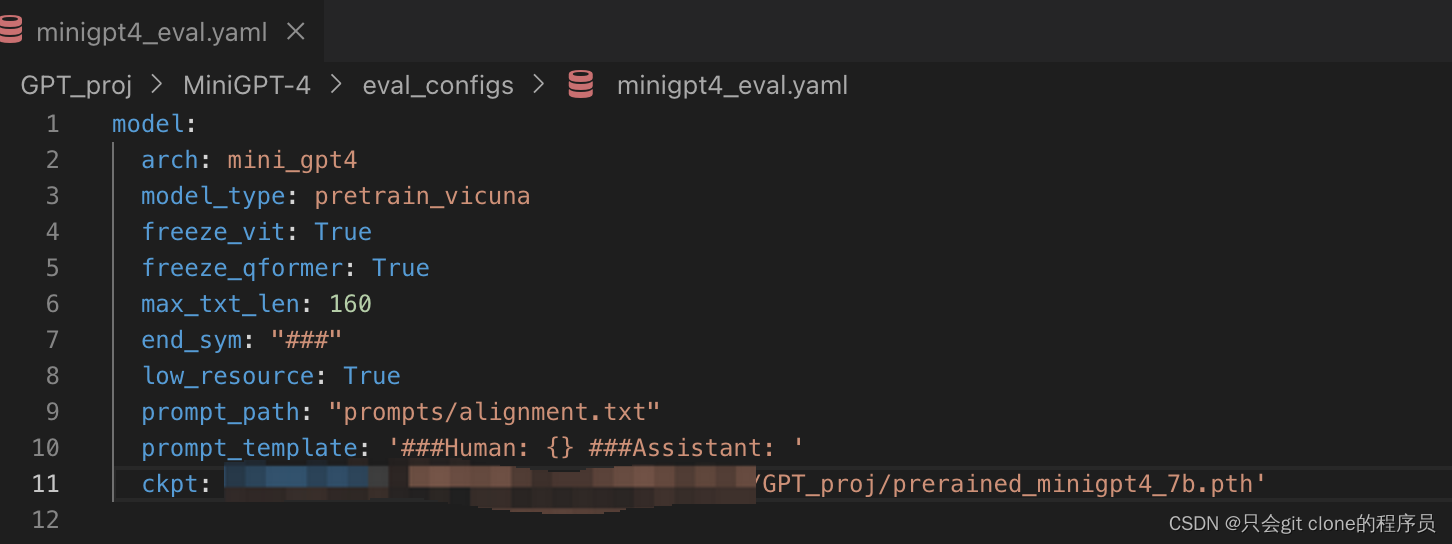
修改eval_configs/minigpt4_eval.yaml的ckpt字段,改成prerained_minigpt4_7b.pth的路径:
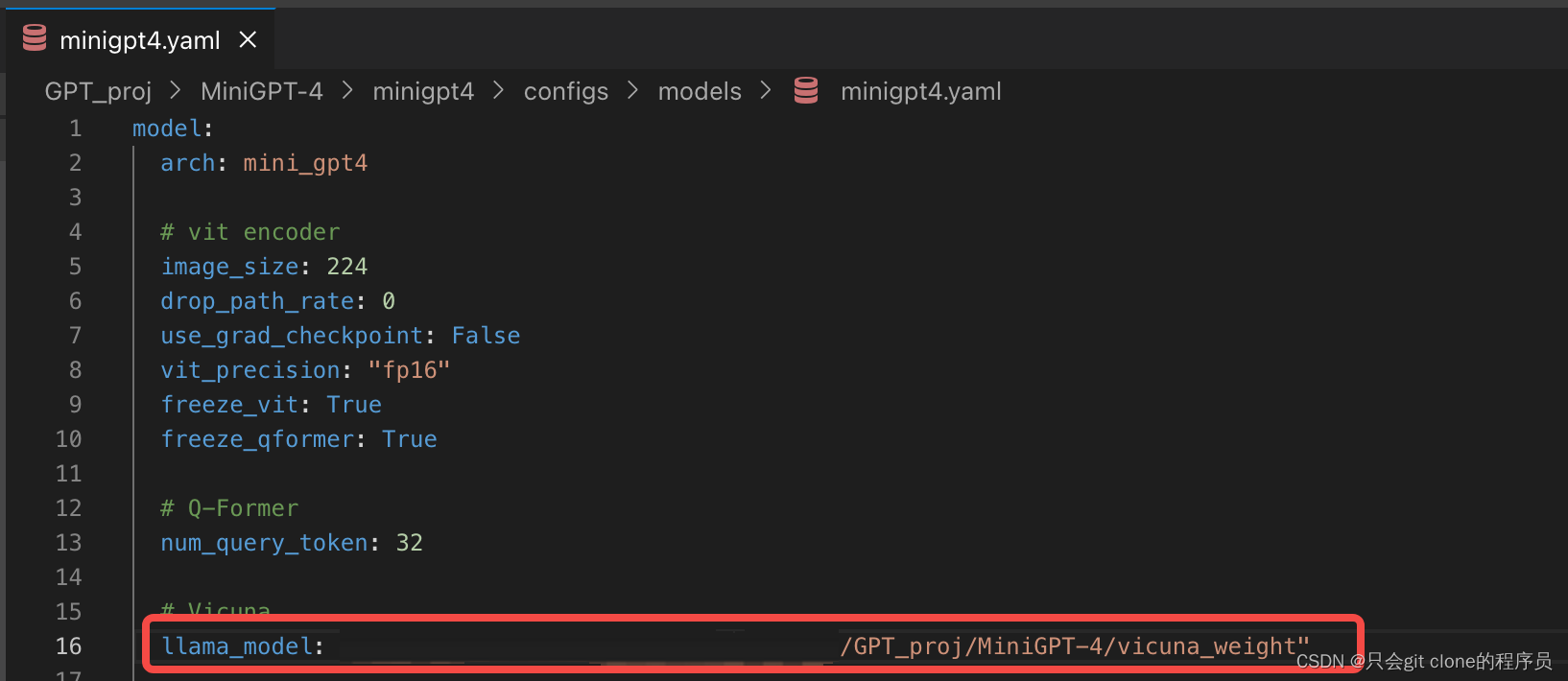
修改minigpt4/configs/models/minigpt4.yaml的llama_model字段,改成合并模型的权重
启动
python3 demo.py --cfg-path eval_configs/minigpt4_eval.yaml --gpu-id 0
- 1
可能的报错
httpx.InvalidURL: Invalid port:
解决:csdn
cuda_setup is not defined
解决:pip install bitsandbytes==0.38.1
ImportError: libGL.so.1: cannot open shared object file: No such file or directory
解决:apt-get update && apt-get install -y python3-opencv
RuntimeError: probability tensor contains either
inf,nanor element < 0
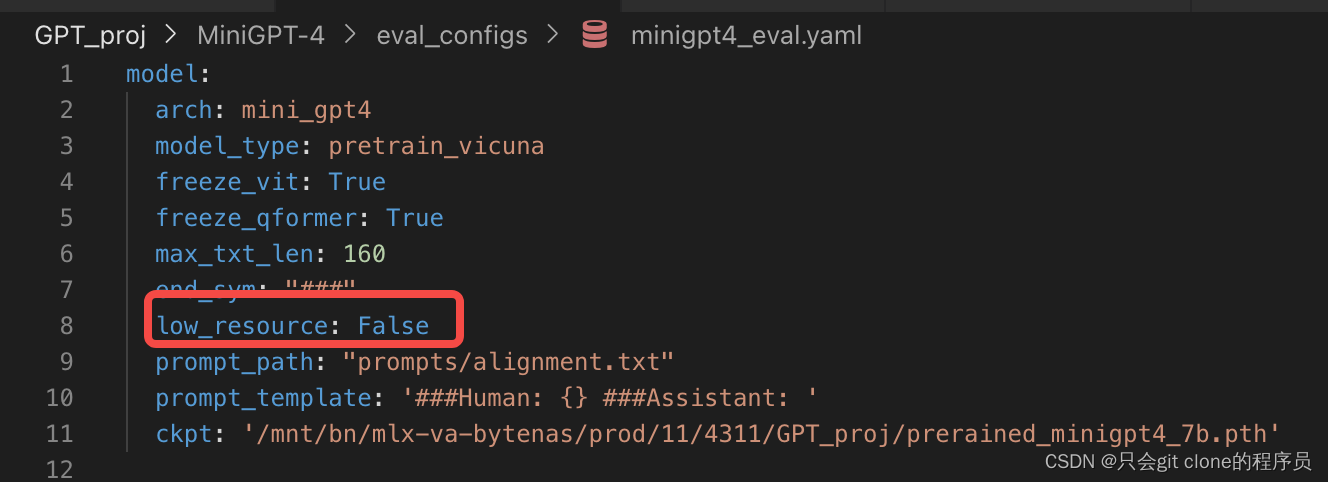
解决:minigpt4/conversation/conversation.py第155行删除do_sample=True但是这样会导致输出为空…
第二种解决方案需要16GB的显卡资源:如下设置该字段为False即可(错误原因是8bit量化的问题,应该是浮点数截断了导致全0或者全NaN):
推荐阅读
相关标签

