- 1网络编程『简易TCP网络程序』
- 2《HTML 简易速速上手小册》第2章:HTML 的标签和元素(2024 最新版)
- 3MySQL锁定状态查看相关命令_mysql table in_use
- 4反编译软件Hopper Disassembler for Mac十六进制模式的介绍
- 5Ubuntu NVIDIA-Docker安装_ubuntu安装nvidia-docker
- 6【单片机/嵌入式】最完整学习路线_csdn 单片机 最完整学习路线
- 7上手第一关,手把手教你安装kafka与可视化工具kafka-eagle_kafka可视化工具
- 8Git - 导出(archive)、忽略(gitignore)、隐藏(Stash)、合并冲突(merge)的解决方法
- 9pytorch tril 用法并导出onnx demo
- 10芯片生产封装过程简介及概念_芯片 bump ball是什么
appium+python adb shell模拟点击事件(input tap)_adb shell input tap
赞
踩
前言
此篇文章大部分内容为转载,部分内容本人细化,加工!
appium有时候定位一个元素很难定位到,或者说明明定位到这个元素了,却无法点击,这个时候该怎么办呢?
求助大神是没用的,点击不了就是点击不了,appium不是万能的,这个时候应该转换思路,换其它的方法去点击,比如我们可以用adb去执行点击事件
input事件
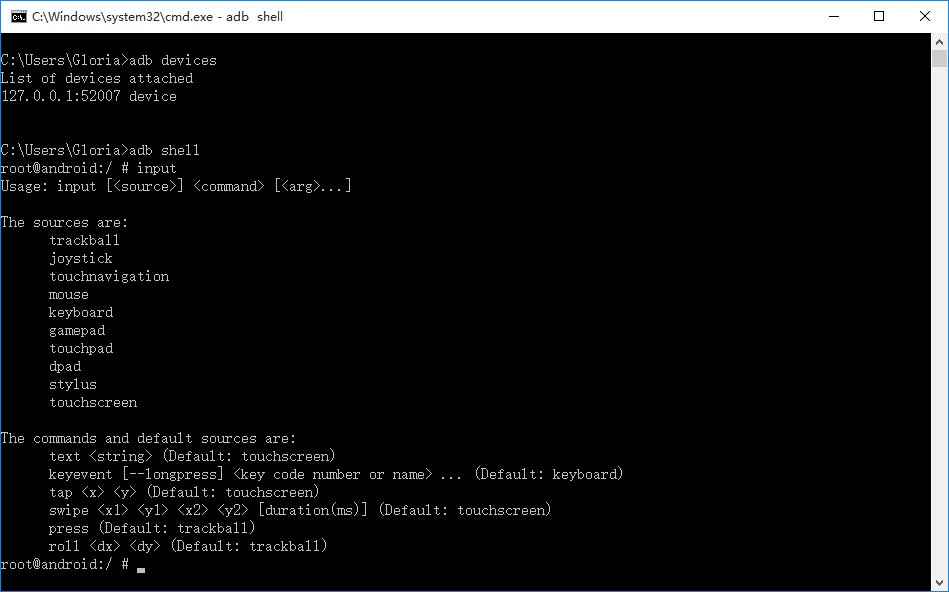
1.先查看input事件语法有哪些,首先确保手机连上电脑(我这里是电脑上打开的手机模拟器)
- > adb device
- > adb shell
- > input
- C:\Users\Gloria>adb devices
- List of devices attached
- 127.0.0.1:52007 device
-
-
- C:\Users\Gloria>adb shell
- root@android:/ # input
- Usage: input [<source>] <command> [<arg>...]
-
- The sources are:
- trackball
- joystick
- touchnavigation
- mouse
- keyboard
- gamepad
- touchpad
- dpad
- stylus
- touchscreen
-
- The commands and default sources are:
- text <string> (Default: touchscreen)
- keyevent [--longpress] <key code number or name> ... (Default: keyboard)
- tap <x> <y> (Default: touchscreen)
- swipe <x1> <y1> <x2> <y2> [duration(ms)] (Default: touchscreen)
- press (Default: trackball)
- roll <dx> <dy> (Default: trackball)
- root@android:/ #

2.input可以实现的功能
-
输入文本信息:input text yoyo
-
物理按键操作: input keyevent KEYCODE_VOLUME_DOWN
-
点击(DOWN_UP)操作:input tap 500 500
-
模拟滑动操作:input swipe 200 500 400 500
-
模拟轨迹球操作 input roll 100 200
input tap
1.input tap实现的是DOWN_UP事件,也就是点击操作,后面两个参数是点击的坐标x,y
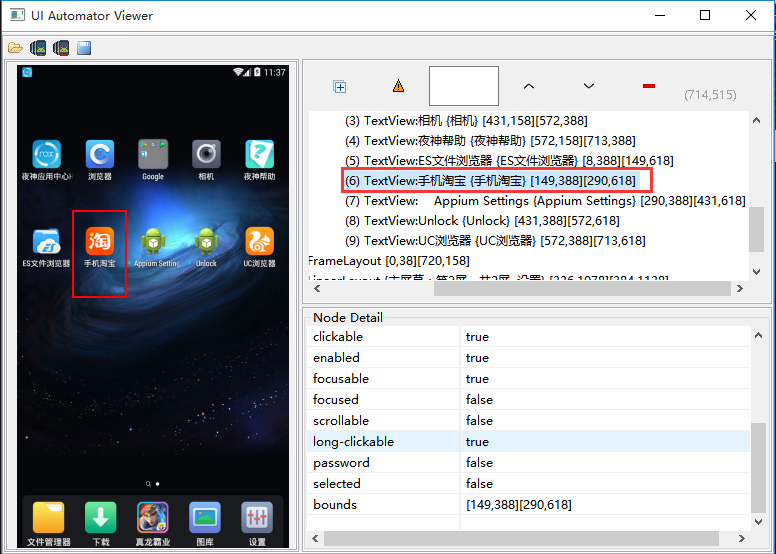
这里解释一下bounds值,工具中查看的bounds值是两个坐标,第一个[149,388]代表左上角的坐标;[290,618]代表右下角的坐标
2.举个例子:点击淘宝app的icon图标,先查看坐标[149,388][290,618],大概可以算出需要点击的点为(200, 500)
这里再解释下(200,500)怎么来的,由上面的加黑字体解释可以得出,这个图标的中心位置就可以取两个x坐标的中点,和两个y坐标的中点;如149和290取中间的 200;388和618取中间的500。
打开cmd,输入adb执行,这个时候可以看到淘宝app已经启动了
> adb shell input tap 200 500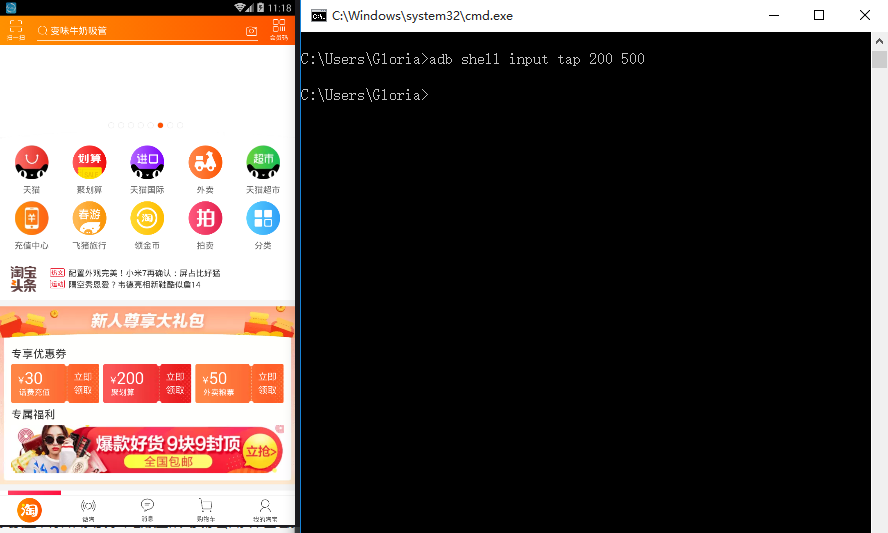
3.再继续点击淘宝上的‘我的淘宝’按钮 (600, 1250)
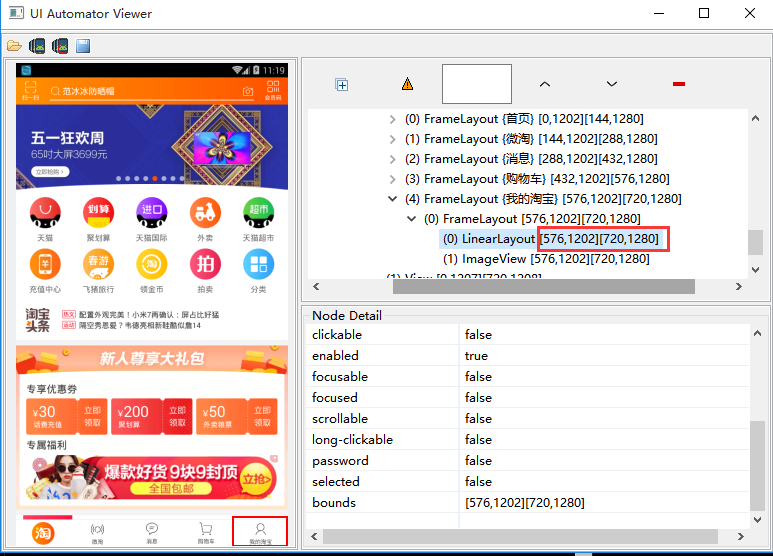
> adb shell input tap 600 1250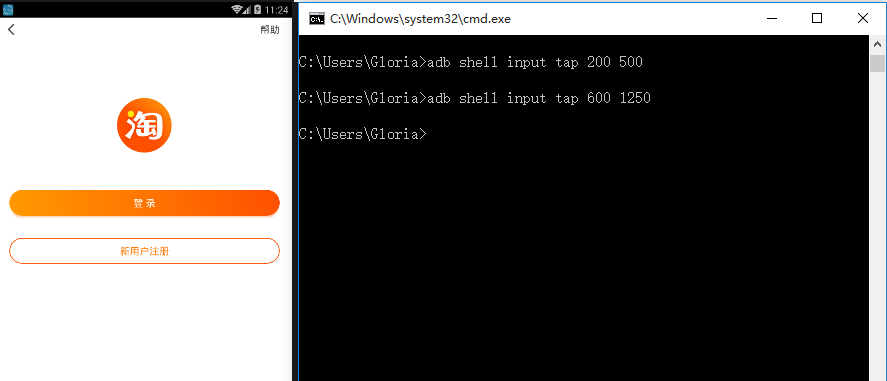
python执行adb命令
1.这里针对我的桌面布局,第一步点击百度阅读app,第二部点击我的进入“我的”页面
- #coding:utf-8
- from appium import webdriver
- import time
- import os
-
- #执行第一个adb command
- adb1 = 'adb shell input tap 150 1350' # 这里的坐标根据你的桌面app布局,我的是百度阅读
- os.system(adb1)
-
- time.sleep(5)
- #执行第二个adb comman
- adb2 = 'adb shell input tap 980 1810' # 进入”我的“页面
- os.system(adb2)
-