
热门标签
热门文章
- 1小发猫火车头插件【php源码】_火车头插件大全
- 2Unity之TimeLine自定义_unity程序调用timelineasset
- 3Kafka教程(一)---------------kafka环境的部署(单机版/集群版)_kafka自带(zk)单机搭建
- 4AttributeError: module 'cv2.cv2' has no attribute 'face' 模块'cv2.cv2'没有属性'face'_attributeerror: module 'cv2' has no attribute 'fac
- 5Embedded Browser(ZFBrowser)使用相关问题(不安全证书链接)_zfbrowser不能播放视频
- 62023年美赛C题 预测Wordle结果Predicting Wordle Results这题太简单了吧_eerie在2023年3月1日玩家猜测次数预测结果
- 7python opencv kcf_pybind11—目标跟踪demo(KCF,python version)
- 8vue+element实现动态表格:根据后台返回的属性名和字段动态生成可变表格_后端返回前端动态表格
- 9Unity RenderStreaming 云渲染3.1.0-exp.6 食用手册_unity云渲染教程
- 10粗糙集matlab,粗糙集理论权重确定方法用matlab实现
当前位置: article > 正文
【小白学习keras教程】九、keras 使用GPU和Callbacks模型保存_keras保存模型使用gpu
作者:算法编织者2 | 2024-02-01 12:18:03
赞
踩
keras保存模型使用gpu
@Author:Runsen
GPU
文档: https://keras.io/getting-started/faq/#how-can-i-run-keras-on-gpu
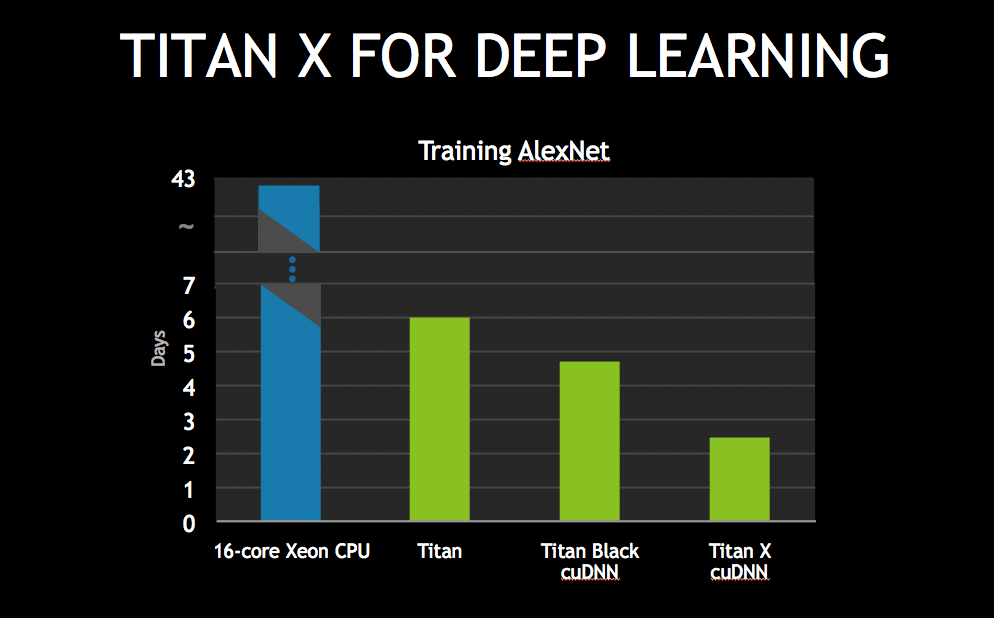
安装GPU
-
首先,下载并安装CUDA&CuDNN(假设您使用的是NVIDIA gpu)
-
安装url: https://developer.nvidia.com/cudnn
-
然后,通过在cmd或terminal中键入以下命令来安装tensorflow gpu(启用gpu的tensorflow版本)
-
pip install tensorflow gpu -
然后检查机器正在使用GPU设备
-
在下面例子中,我有一个GPU设备(其名称为“/device:GPU:0”)
-
如果使用的是Google Colab,只需将运行时类型更改为“GPU”
import tensorflow as tf
from tensorflow- 1
声明:本文内容由网友自发贡献,不代表【wpsshop博客】立场,版权归原作者所有,本站不承担相应法律责任。如您发现有侵权的内容,请联系我们。转载请注明出处:https://www.wpsshop.cn/article/detail/53751?site
推荐阅读
相关标签

