
热门标签
热门文章
- 1雨林木风系统封装工具封装xp_Windows 这样定制自己的系统映像,重装便捷又省时...
- 2深入理解volatile的三大特性----------简单易懂
- 3Elasticsearch_elasticsearch 数据集
- 4正则表达式-限定位数的正数_正则表达式限制位数
- 5git 提交代码规范总结_git 修改代码使用stylem
- 6softether 使用方法_什么是重装系统?工控机重装系统的几种方法
- 7若依源码解析:RuoYi-Vue登录和鉴权的实现_若依后端鉴权
- 8小米电脑管家安装教程_小米电脑管家怎么安装
- 9Windows系统安装Java环境_windows安装java环境
- 10【启发式算法】Python实现禁忌搜索算法求解TSP问题
当前位置: article > 正文
01. Tensorflow2发展历史及环境搭建_tensorflow发展历程
作者:思考机器4 | 2024-02-01 11:04:00
赞
踩
tensorflow发展历程
1. 发展历史
1.1. 前世今生
- 2015.9发布0.1版本
- 2017.2发布1.0版本
- 2019春发布2.0版本
1.2. 同一时期人工智能其他库的发展
1.2.1. 2015年
- Scikit-learn
- Machine learning, No GPU
- Caffe
- 2013, 第一个面向深度学习的框架
- No auto-grad, C++
- Keras
- wrapper
- Theano
- 开发难,调试难
- Torch
- Lua语言
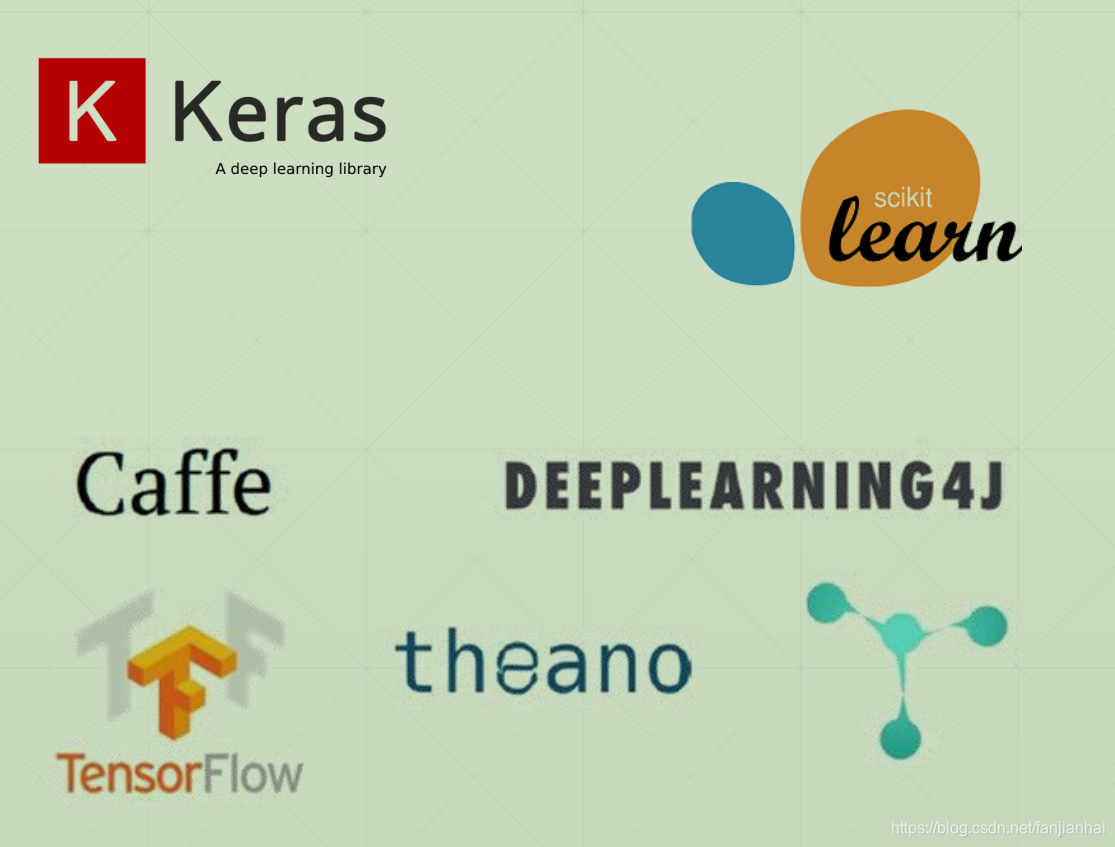
- Lua语言
1.2.2. tensorflow
- Caffe
- Facebook,Caffe2 → PyTorch
- Torch → PyTorch
- Theano
- Google, → TensorFlow
- → TensorFlow 2
- Chainer
- MXNet
1.3. TensorFlow vs PyTorch
1.3.1. TensorFlow1 vs PyTorch
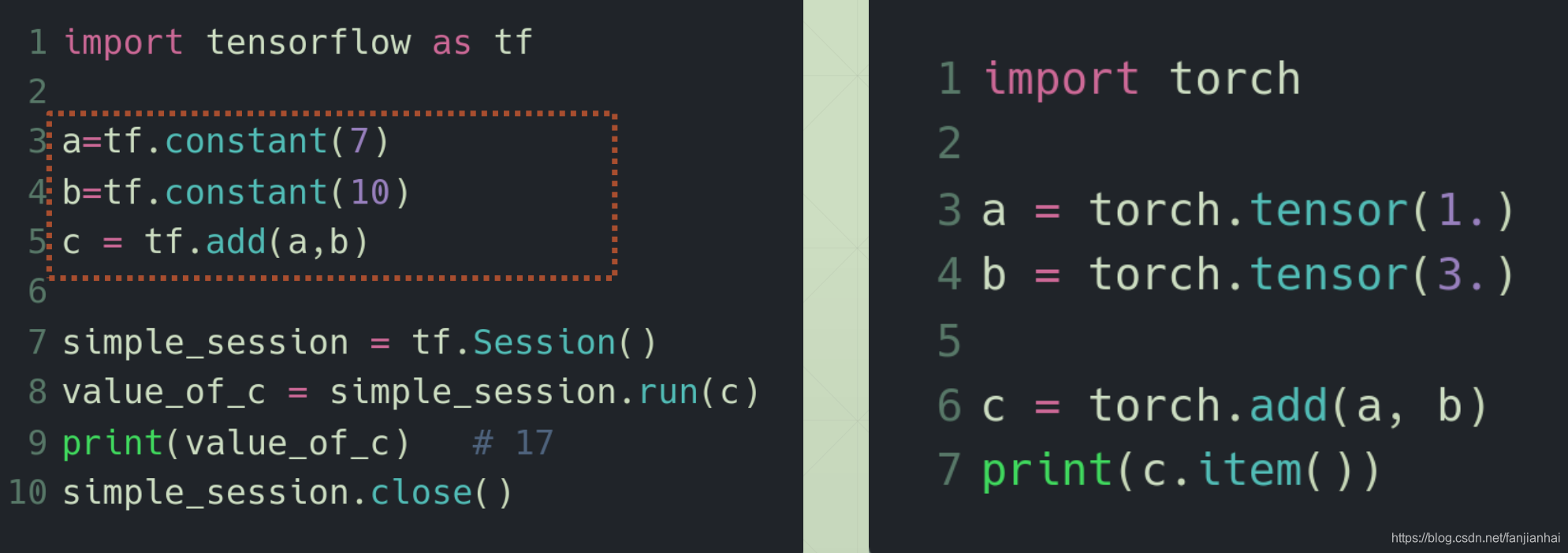
- TF 1.x Sucks.
- 调试困难
- API混乱
- 入门困难,入了门依旧困难
- 大批研究人员者转向PyTorch

1.3.2. TensorFlow2 vs PyTorch
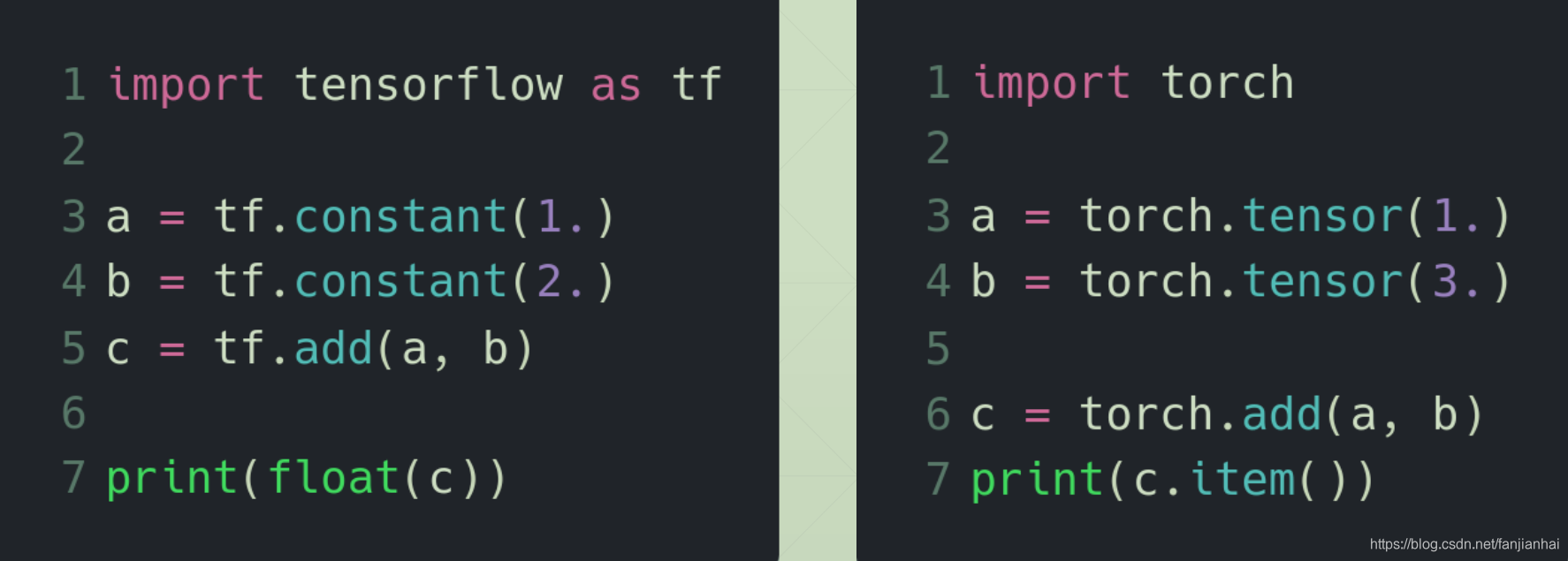
- 2019年
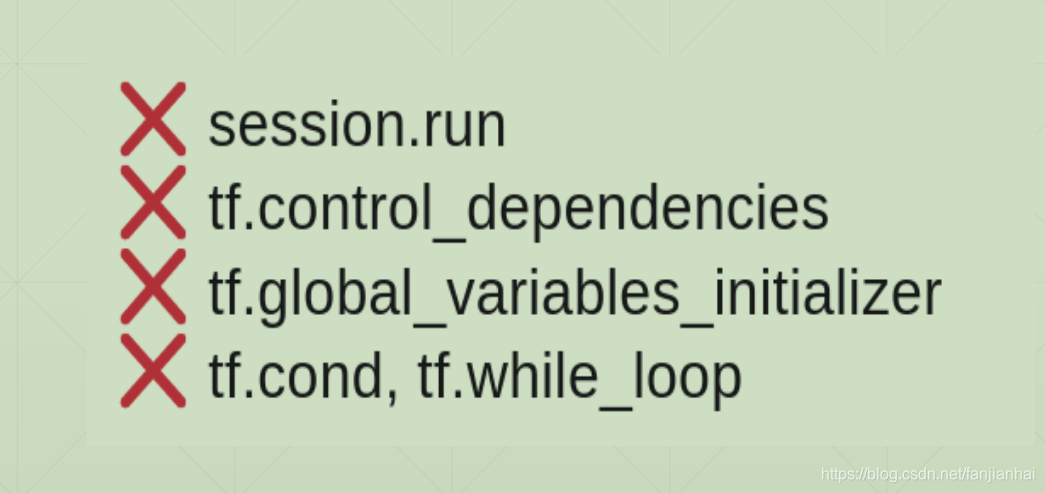
- TensorFlow 2.0 is coming!
- TF+Keras
- Easy to use

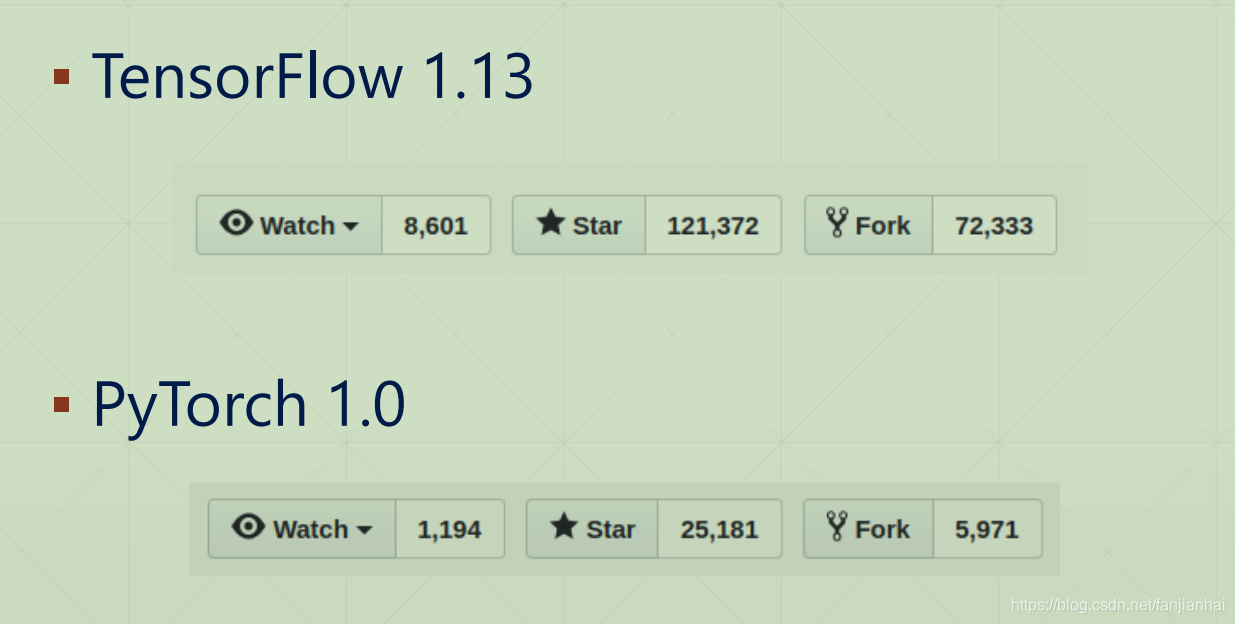
- Github
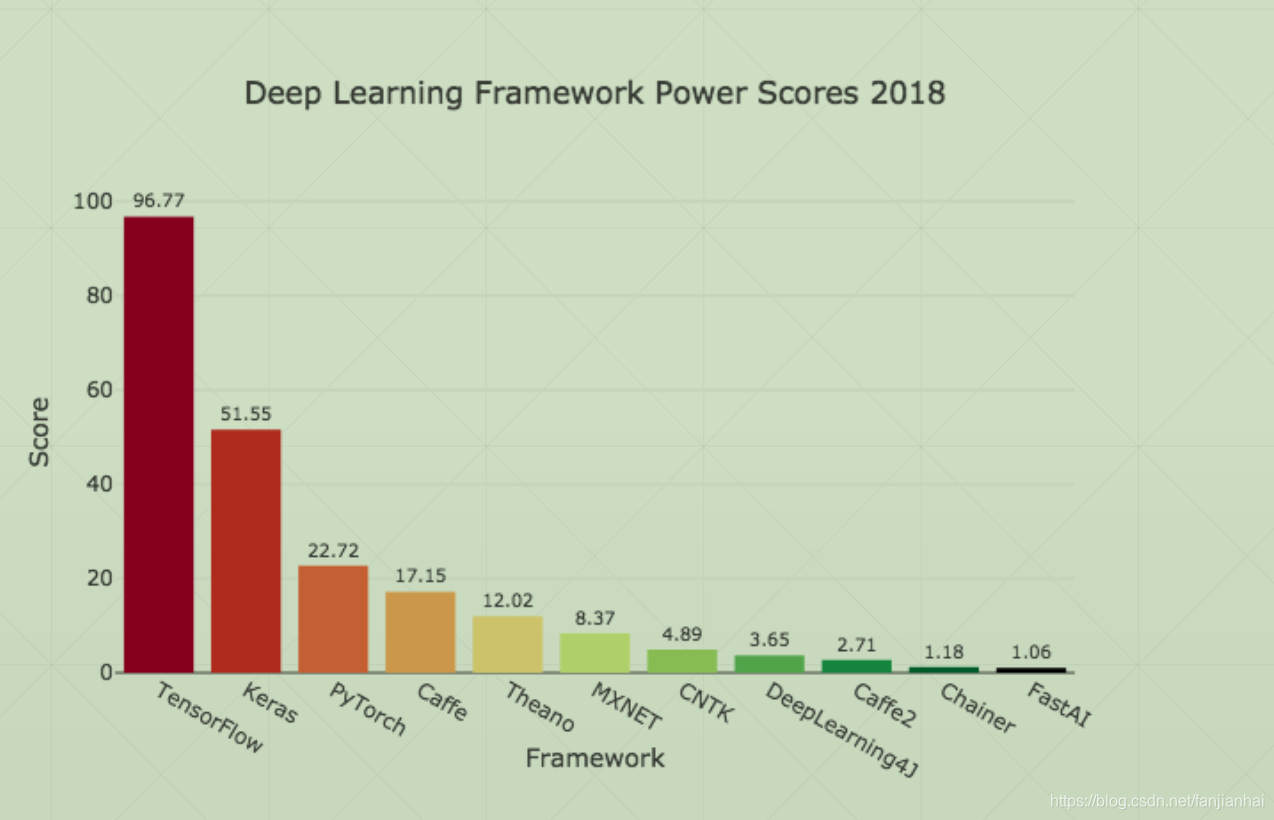
- Power Scores
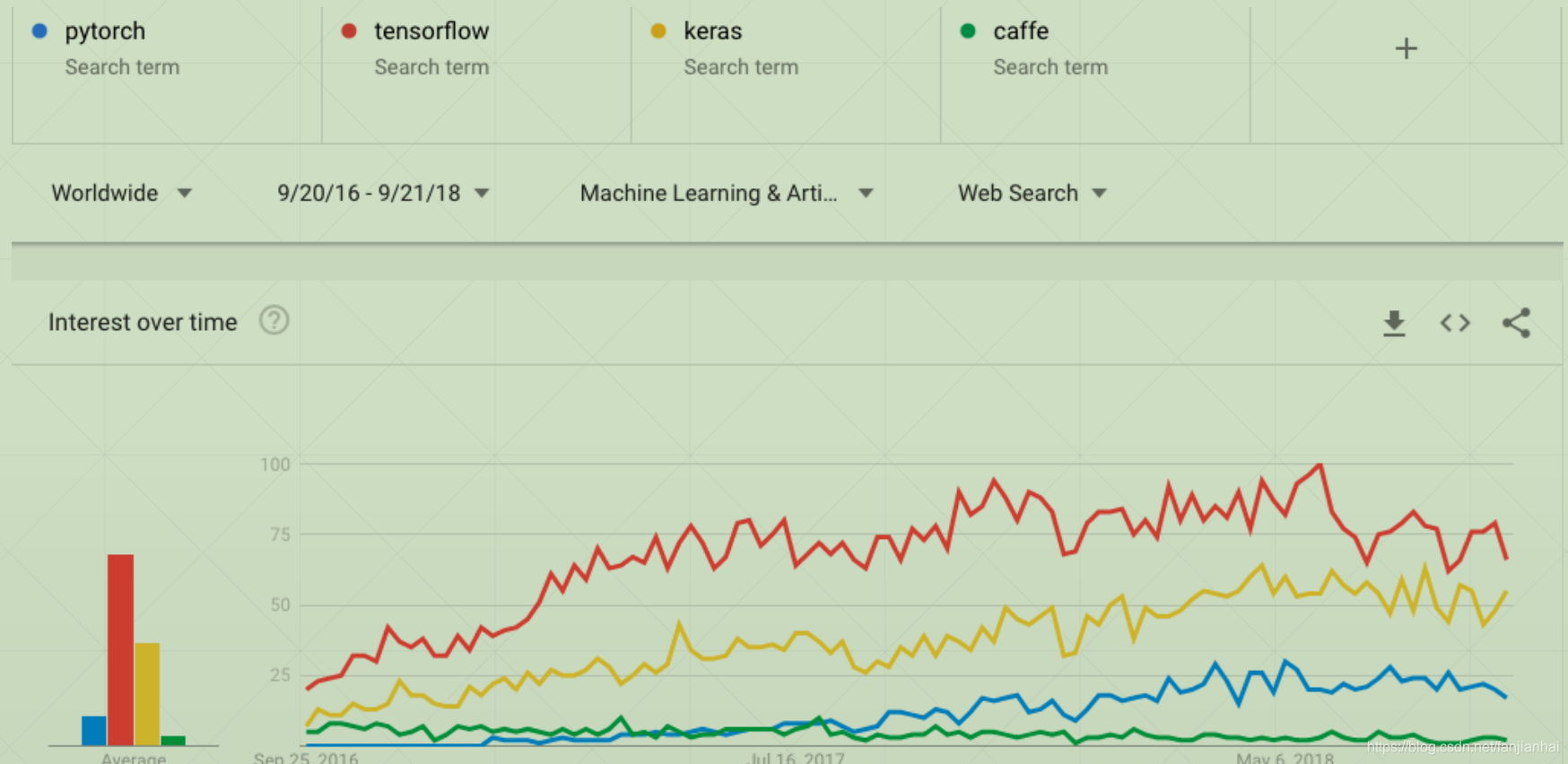
- Trends
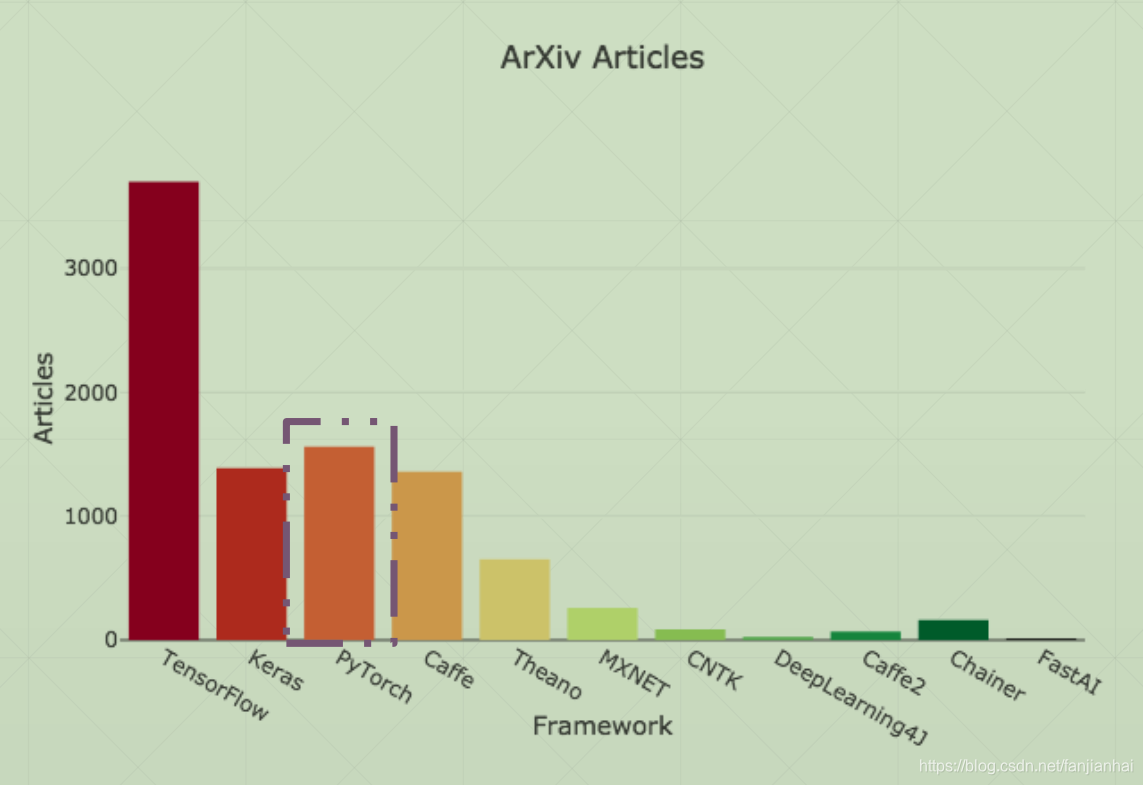
- Paper mentions
1.4. TensorFlow eco-system

- TensorFlow 2.0
- @tf.function
- TensorFlow Lite
- TensorFlow.JS
- TensorFlow Extended
- TensorFlow Prob
- TPU Cloud
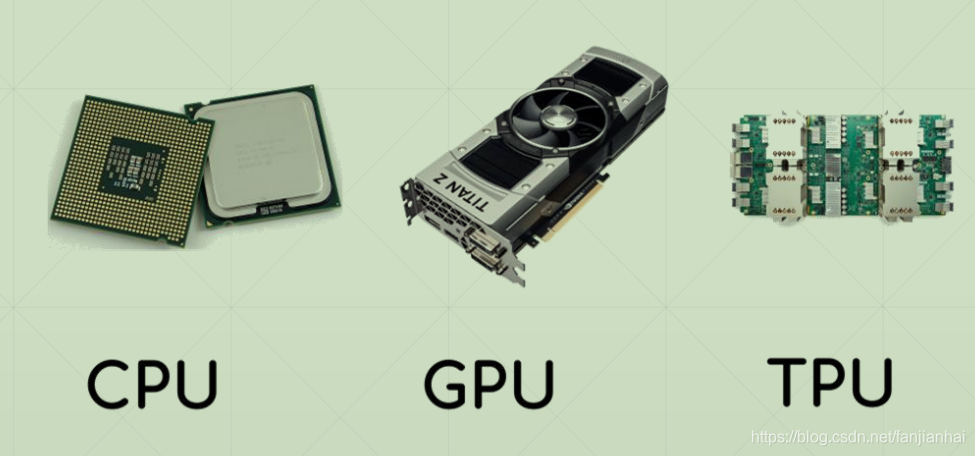
1.4. 为什么要使用TensorFlow
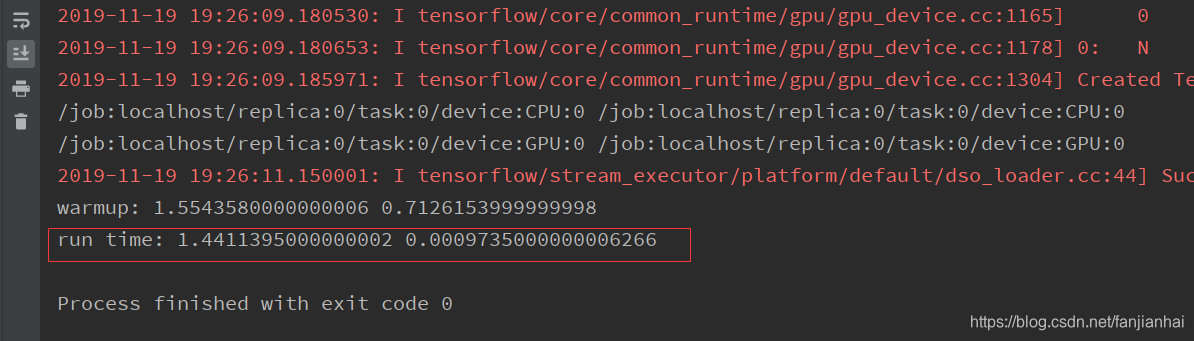
1.4.1. GPU加速
import tensorflow as tf
import timeit

with tf.device('/cpu:0'):
    cpu_a = tf.random.normal([10000, 1000])
    cpu_b = tf.random.normal([1000, 2000])
    print(cpu_a.device, cpu_b.device)

with tf.device('/gpu:0'):
    gpu_a = tf.random.normal([10000, 1000])
    gpu_b = tf.random.normal([1000, 2000])
    print(gpu_a.device, gpu_b.device)


def cpu_run():
    with tf.device('/cpu:0'):
        c = tf.matmul(cpu_a, cpu_b)
    return c


def gpu_run():
    with tf.device('/gpu:0'):
        c = tf.matmul(gpu_a, gpu_b)
    return c


# warm up
cpu_time = timeit.timeit(cpu_run, number=10)
gpu_time = timeit.timeit(gpu_run, number=10)
print('warmup:', cpu_time, gpu_time)

cpu_time = timeit.timeit(cpu_run, number=10)
gpu_time = timeit.timeit(gpu_run, number=10)
print('run time:', cpu_time, gpu_time)

- 1
- 2
- 3
- 4
- 5
- 6
- 7
- 8
- 9
- 10
- 11
- 12
- 13
- 14
- 15
- 16
- 17
- 18
- 19
- 20
- 21
- 22
- 23
- 24
- 25
- 26
- 27
- 28
- 29
- 30
- 31
- 32
- 33
- 34
- 35
1.4.2. 自动求导
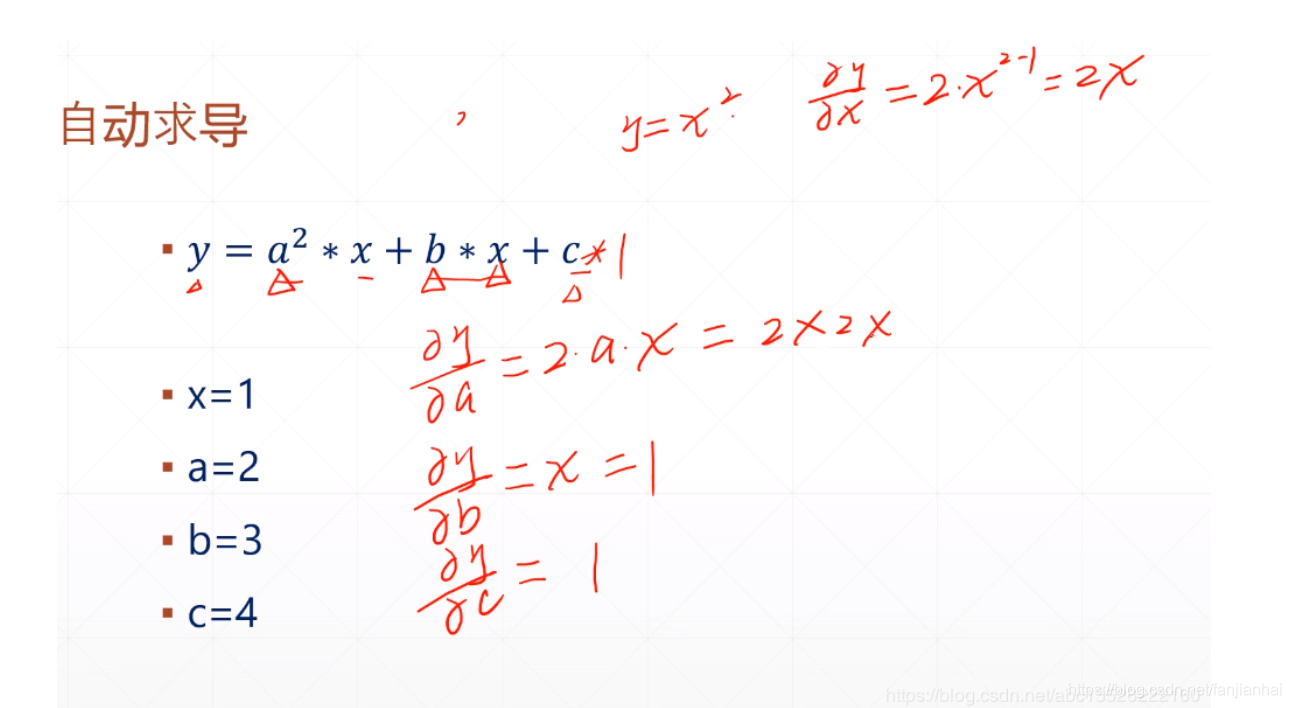
- 代码实现
import tensorflow as tf

x = tf.constant(1.)
a = tf.constant(2.)
b = tf.constant(3.)
c = tf.constant(4.)

with tf.GradientTape() as tape:
    tape.watch([a, b, c])
    y = a ** 2 * x + b * x + c

[dy_da, dy_db, dy_dc] = tape.gradient(y, [a, b, c])
print(dy_da, dy_db, dy_dc)
- 1
- 2
- 3
- 4
- 5
- 6
- 7
- 8
- 9
- 10
- 11
- 12
- 13
- 14
- 结果

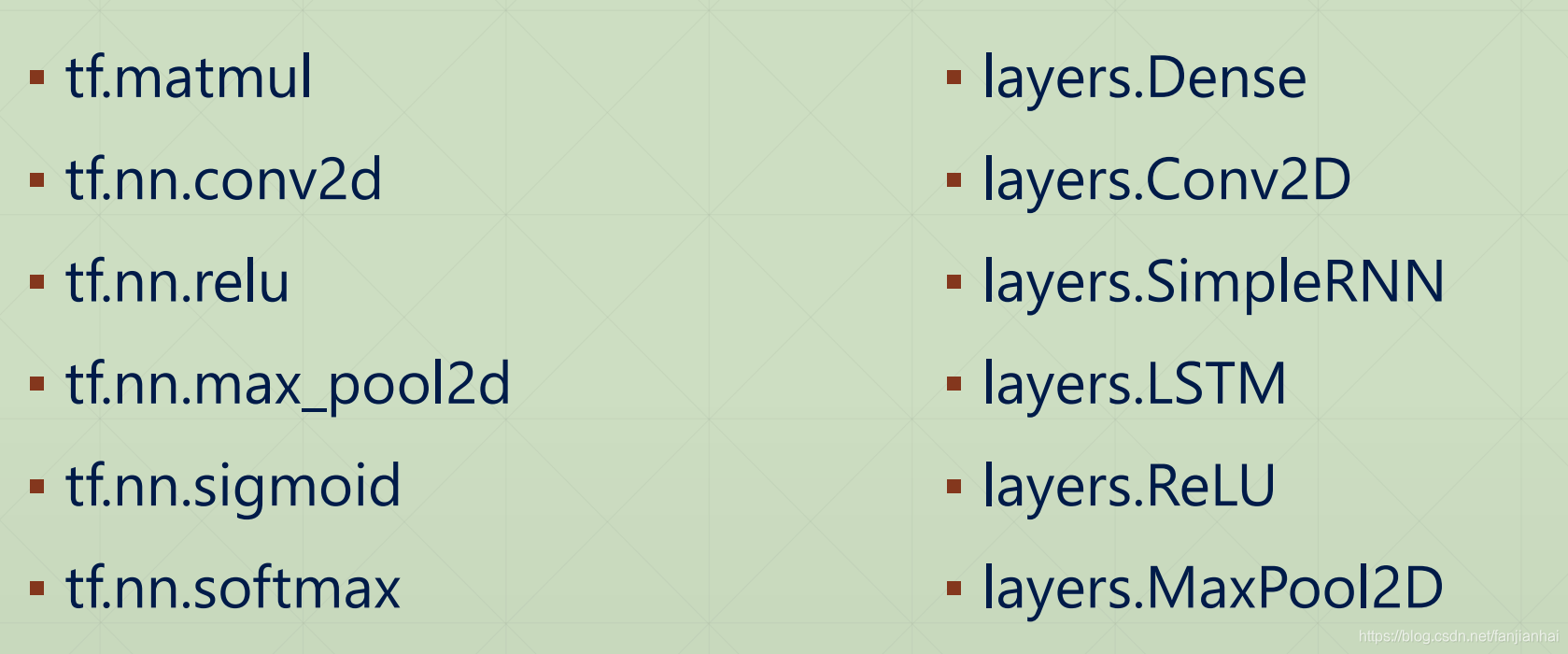
1.4.3. 神经网络Layers
2. 桌面显卡性能天梯图
3. 开发环境搭建
3.1. Platform
- Windows 10
- Or Ubuntu 16.04/18.04
- Anaconda, Python 3.7
- CUDA 10.0
- cuDNN
- TensorFlow 2.0
- PyCharm

3.2. ANACONDA Python:3.7
- 官网下载
- 镜像网站
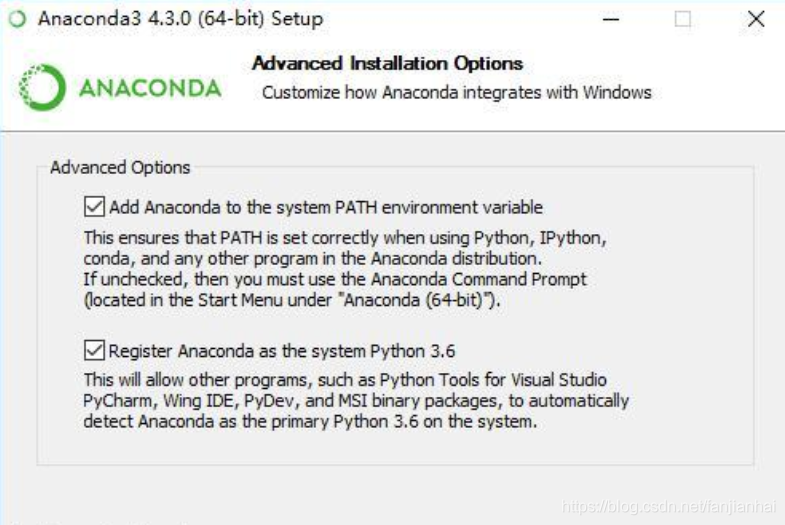
- 下载好之后就跟安装一般的软件没啥区别,选择自己安装的文件夹,下一步就ok,需要注意下图中的两项都需要勾选:
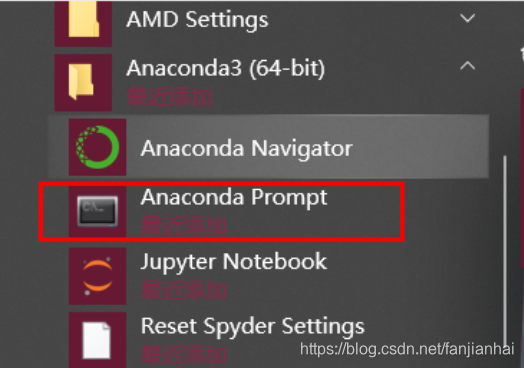
- 运行 开始菜单->Anaconda3—>Anaconda Prompt :
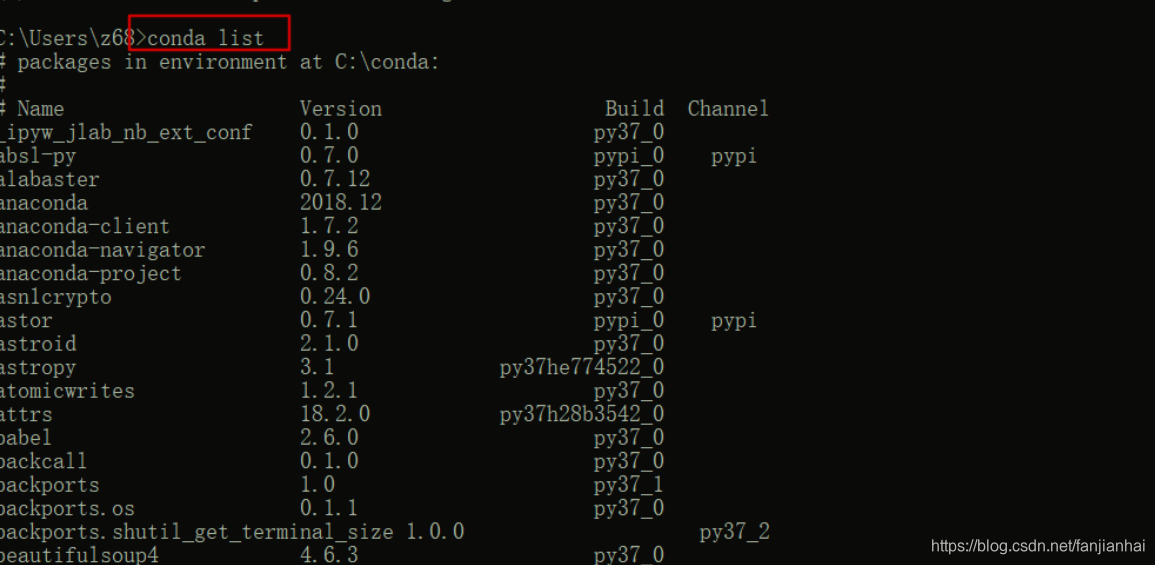
- Anaconda安装确认
3.3. CUDA 10.0
3.3.1. 步骤
- NVIDIA显卡
- GTX 1060 6GB
- GTX 1080Ti 11GB
- CUDA安装
- 驱动
- CUPTI
- cuDNN安装
- PATH配置
3.3.2. cuda安装
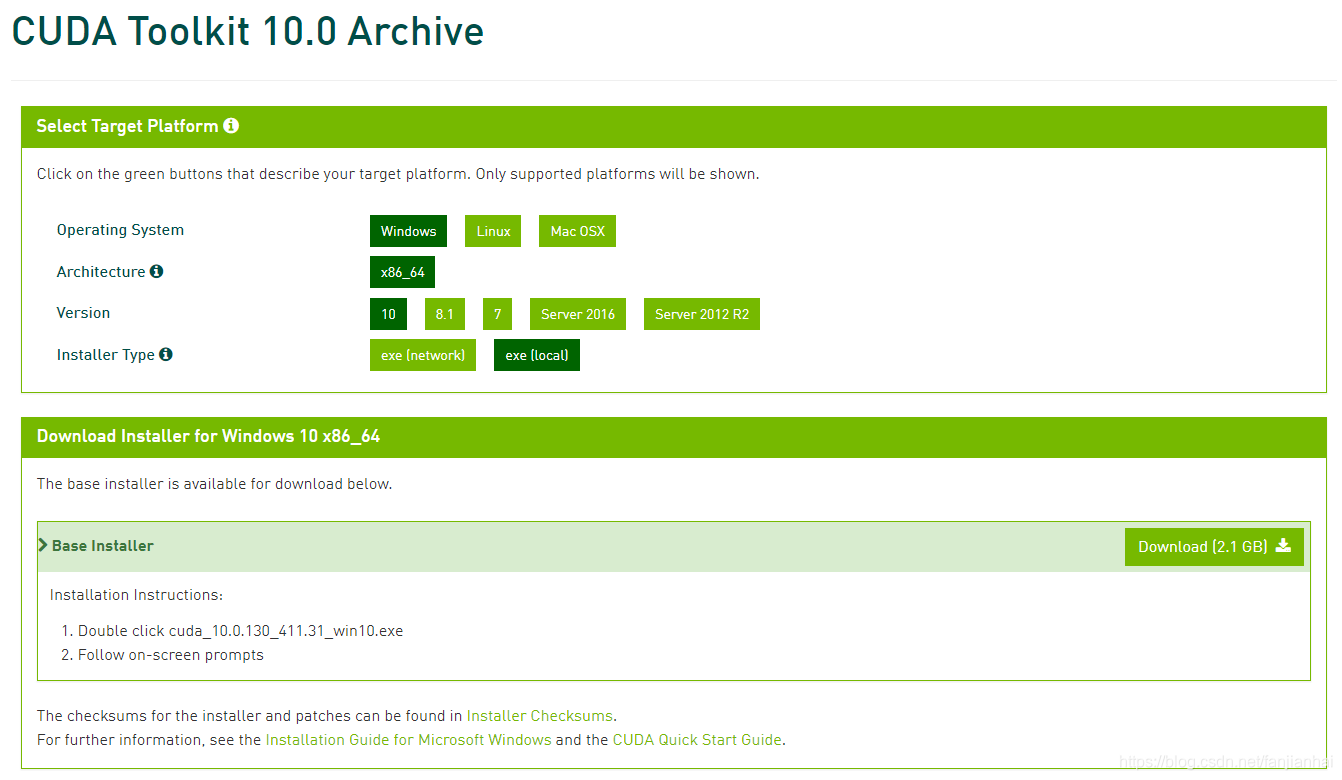
- 此步骤适用于安装 TensorFlow-GPU版本;这个步骤最是容易出错的。下载链接:CUDA Toolkit 10.0 Archive
- 找到对应的cudnn版本下载,下载链接:cudnn
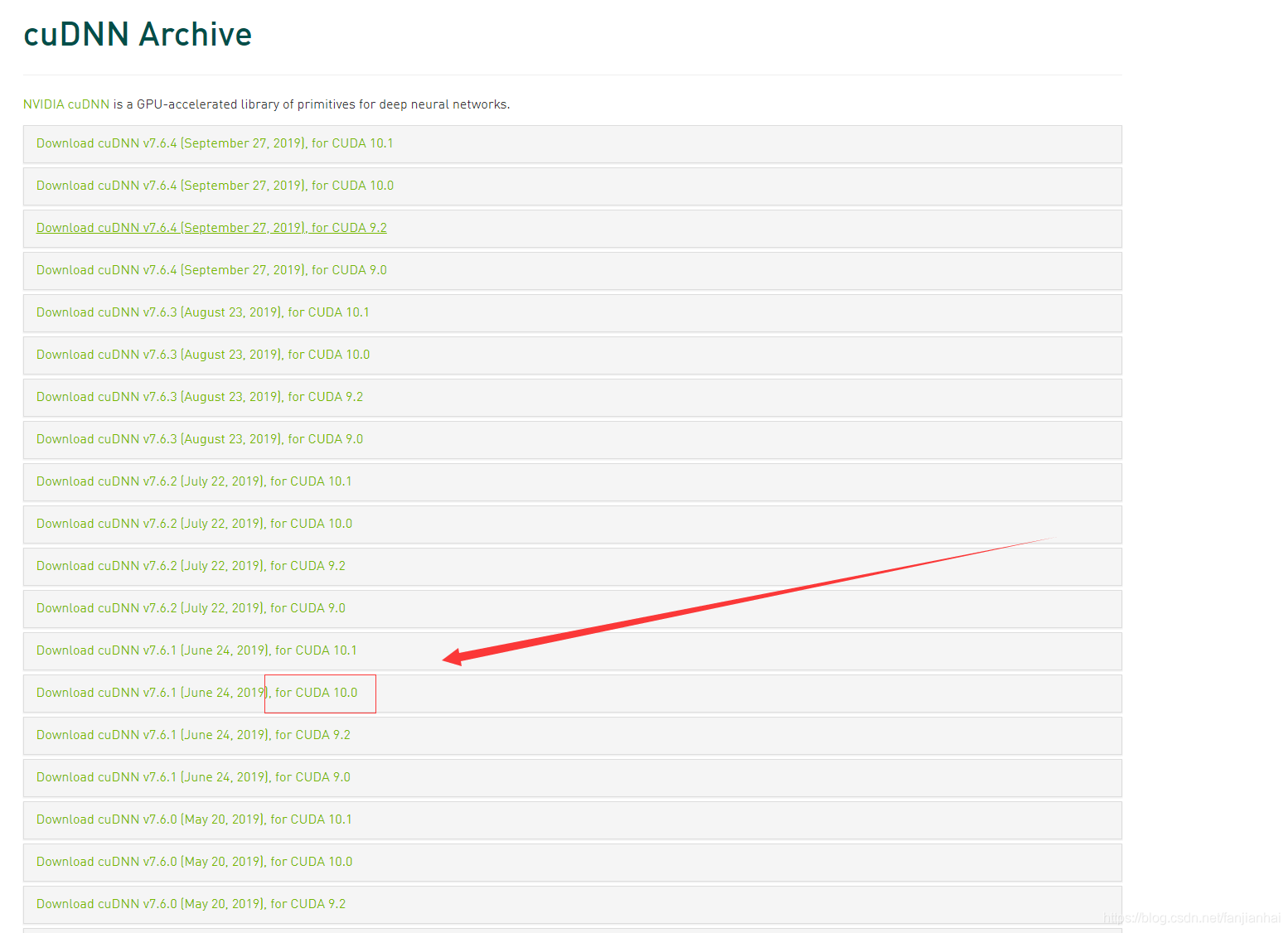
- 也可以直接从我百度云链接下载;链接提取码:y4bt;先安装cuda,双击.exe文件执行;
-
选择custom(自定义)
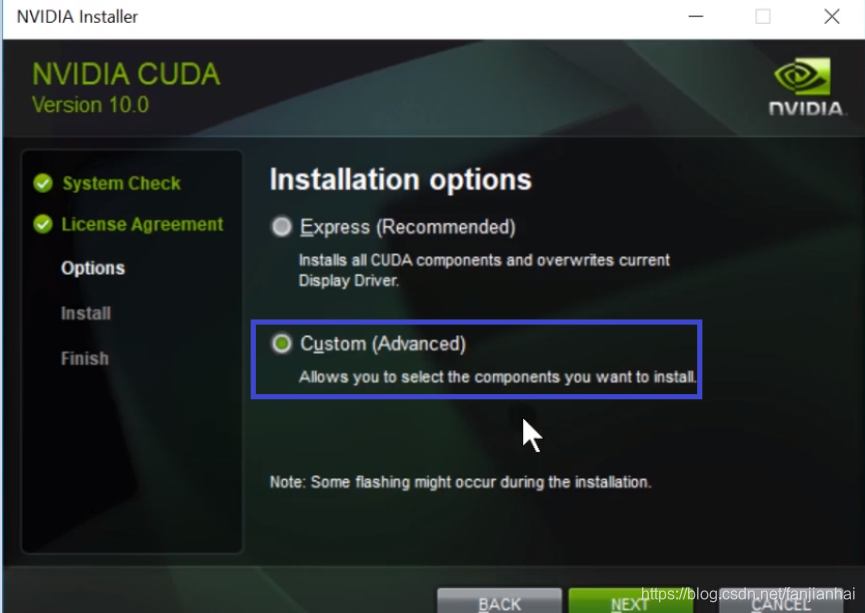
-
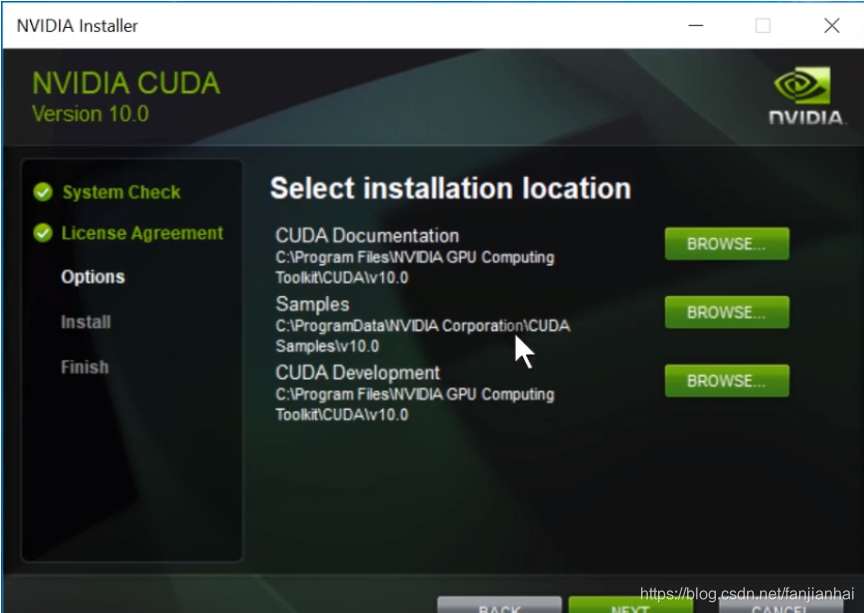
这里特别注意一下几点:1. 就是电脑本身的显卡驱动号;2. 就是自己的电脑有没有安装visual stuio;首先把Nvidia GeForce应用程序关掉,这个没什么用。
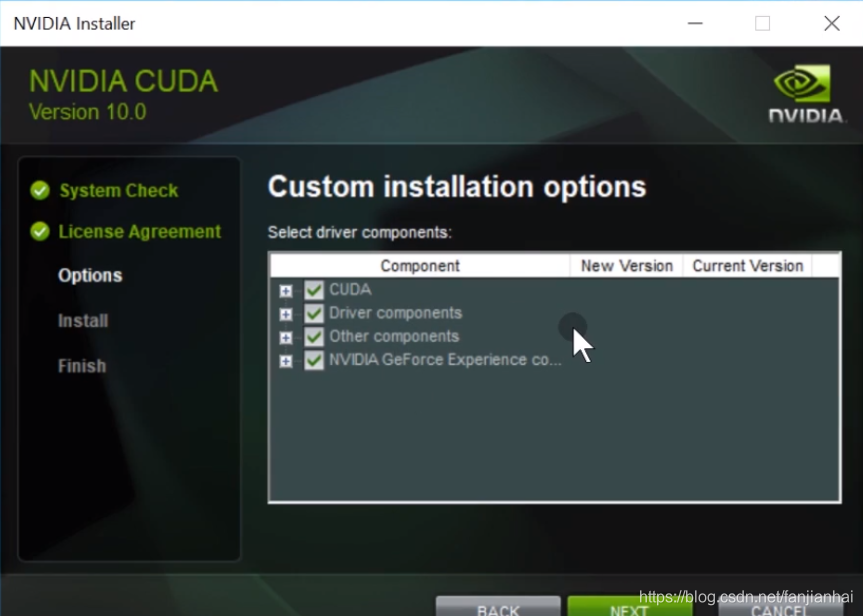
-
把cuda中的visual studio integration去掉,这里因为我们自己的电脑没有安装visual stuio如果安装了。如果我们自己的电脑装了visual stuio如果安装了可以不用去掉。
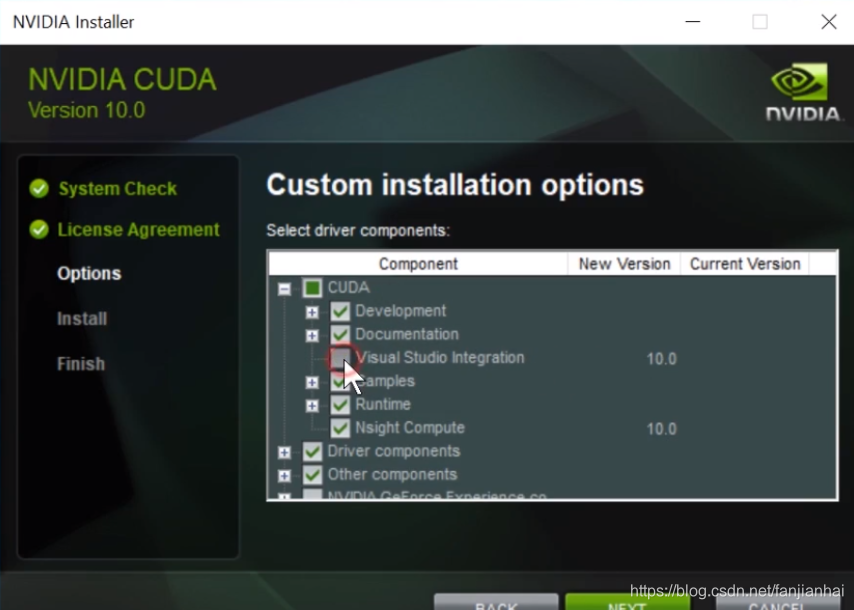
-
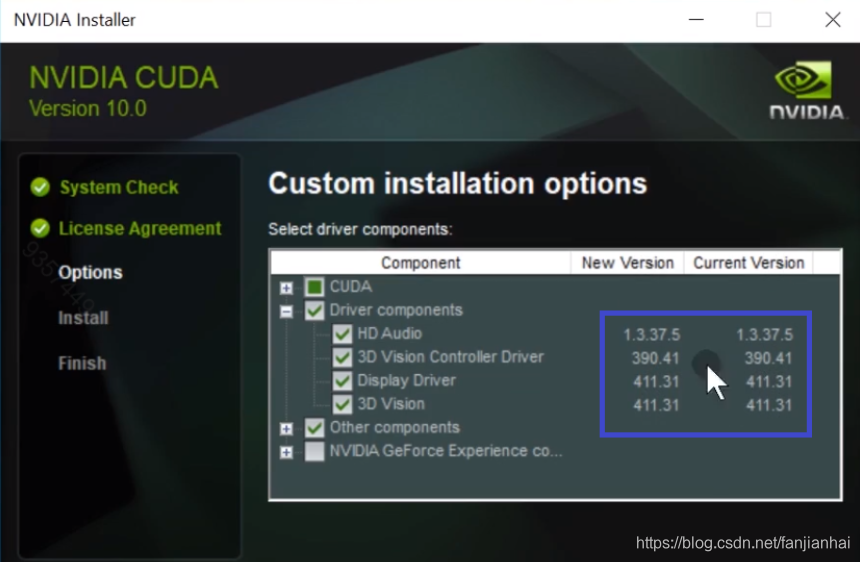
这里也要注意左边一列新的驱动版本和当前驱动版本;需要保证左边一列(display driver)的驱动版本号,大于等于当前版本驱动号,否则有可能出错。要是满足了,这一列可以去掉勾,不用安装了
-
3.3.3. 环境变量的配置
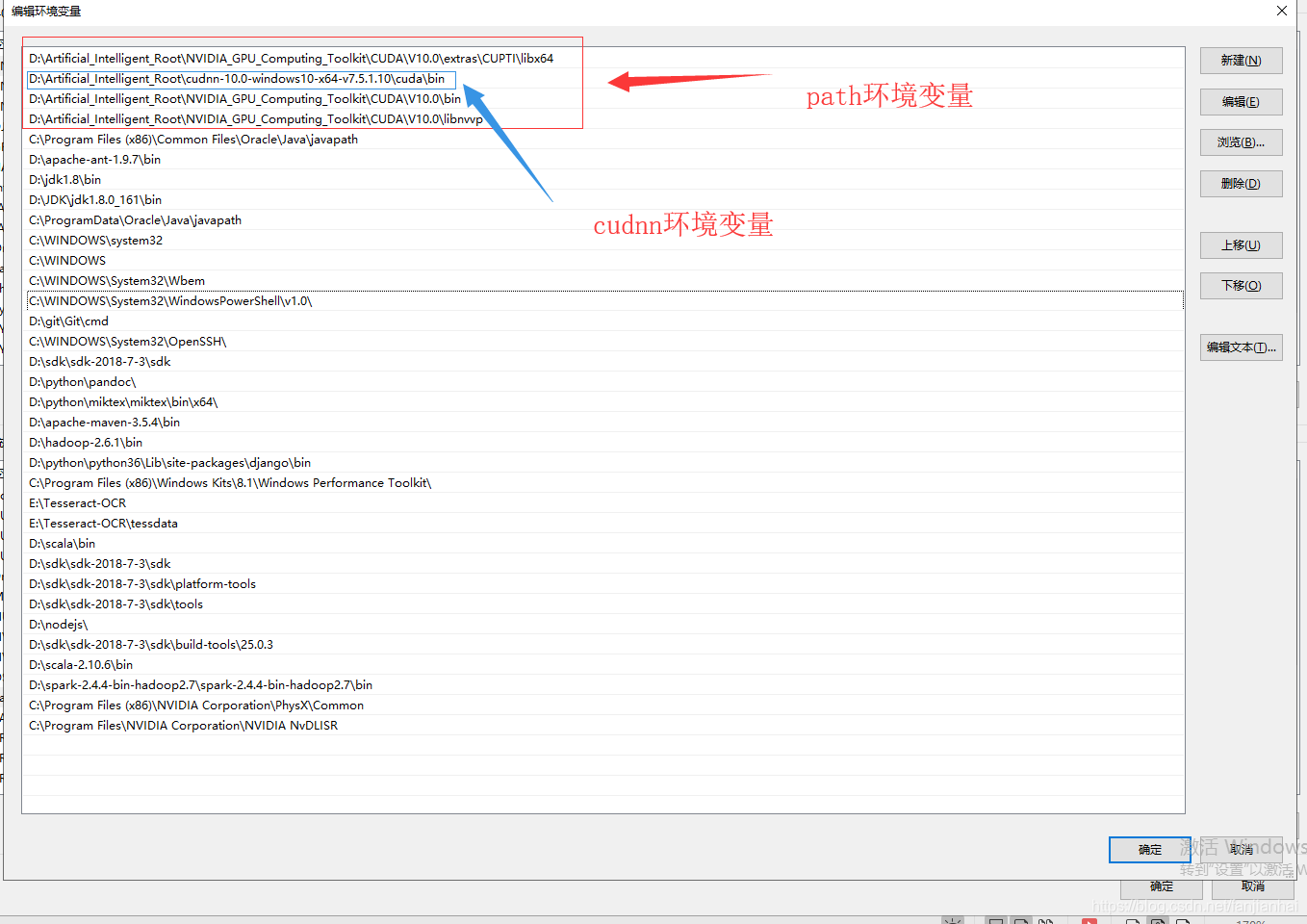
- 注意:
- 4行缺一不可
- 4行必须位于顶部
- cudnn直接解压就可以
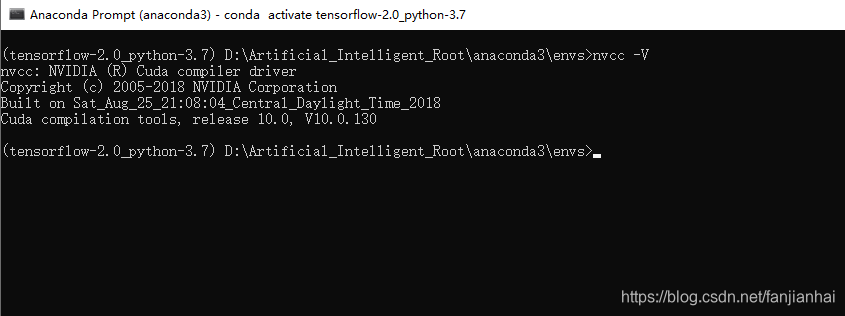
3.3.4. CUDA 测试
3.4. TensorFlow安装
-
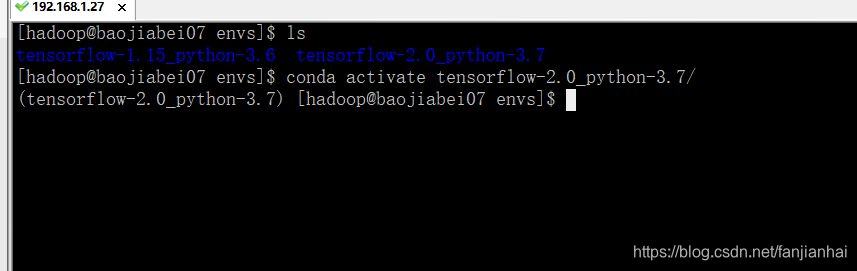
通过anaconda创建虚拟环境
conda create -n tensorflow-2.0_python-3.7 python=3.7 -
然后进入刚刚创建好的环境
conda activate tensorflow-2.0_python-3.7
-
安装tensorflow

-
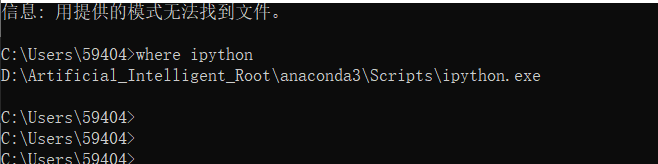
查看conda中Python的安装路径
where ipython
-
TensorFlow测试
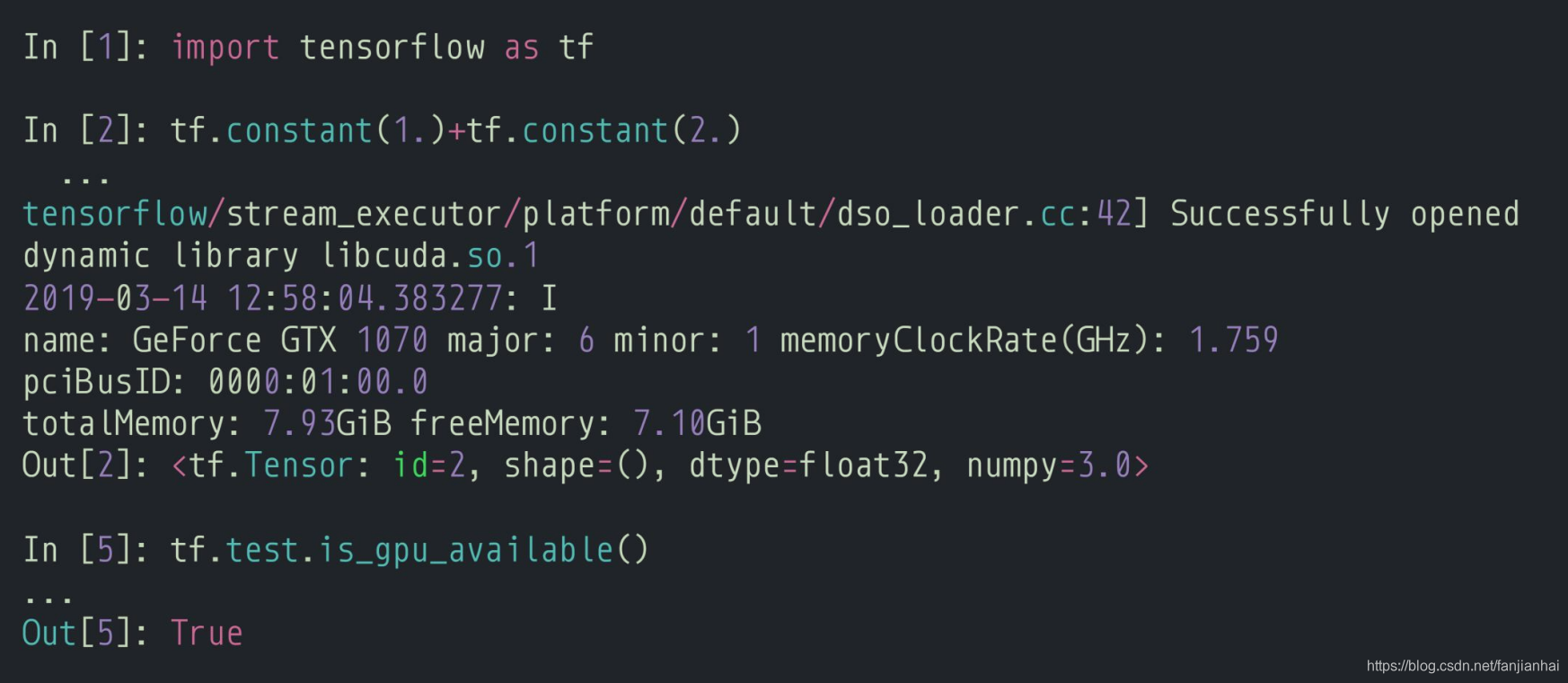
- 代码实现:
import tensorflow as tf import os os.environ['TF_CPP_MIN_LOG_LEVEL'] = '2' a = tf.constant(1.) b = tf.constant(2.) print(a + b) print("GPU:", tf.test.is_gpu_available())- 1
- 2
- 3
- 4
- 5
- 6
- 7
- 8
- 9
3.5. PyCharm安装
- 跟其普通开发软件安装差不多, 随着版本迭代,可能界面稍微变化一下,自行百度解决一下。
4. 需要全套课程视频+PPT+代码资源可以私聊我
- 方式1:
CSDN私信我! - 方式2:
QQ邮箱:594042358@qq.com或者直接加我QQ:594042358!
声明:本文内容由网友自发贡献,不代表【wpsshop博客】立场,版权归原作者所有,本站不承担相应法律责任。如您发现有侵权的内容,请联系我们。转载请注明出处:https://www.wpsshop.cn/article/detail/53460
推荐阅读

相关标签

