
热门标签
热门文章
- 1更新Microsoft.PowerShell遇到 尝试更新源失败: winget_尝试更新源失败: winget
- 2[MySQL] SQL优化之性能分析
- 3powershell一行代码批量修改文件名(附命令详解)_命令控制程序批量处理文件名称代码
- 42022-2024年最全的计算机软件毕业设计选题大全:1000个热门选题推荐✅_毕设 csdn
- 5基于微信山西太原某大学球馆预约预约小程序系统设计与实现 研究背景和意义、国内外现状
- 6ssm+mysql校园信息交流平台的设计与实现-计算机毕业设计源码28259_校园空间数据库管理系统开发
- 7深度学习框架-keras_.keras
- 8linux nohup命令如何使用?_linux中nohup怎么用
- 9FaceChain V2,Human AIGC开源应用平台
- 10Java连接Mysql报错:javax.net.ssl.SSLException: Received fatal alert: internal_error_caused by: javax.net.ssl.sslexception: received fa
当前位置: article > 正文
从nexus下载所有jar包方法 迁移到其他nexus中_nexus导出所有
作者:程序性能提升者 | 2024-01-30 19:42:02
赞
踩
nexus导出所有
起因:最近因为阿里云提供了私有仓库服务,所以想停掉自己搭建的个人私服,于是涉及到了一个迁移问题。
途径是通过调用nexus自己的api来实现下载所有jar包
首先在API中获得json文件
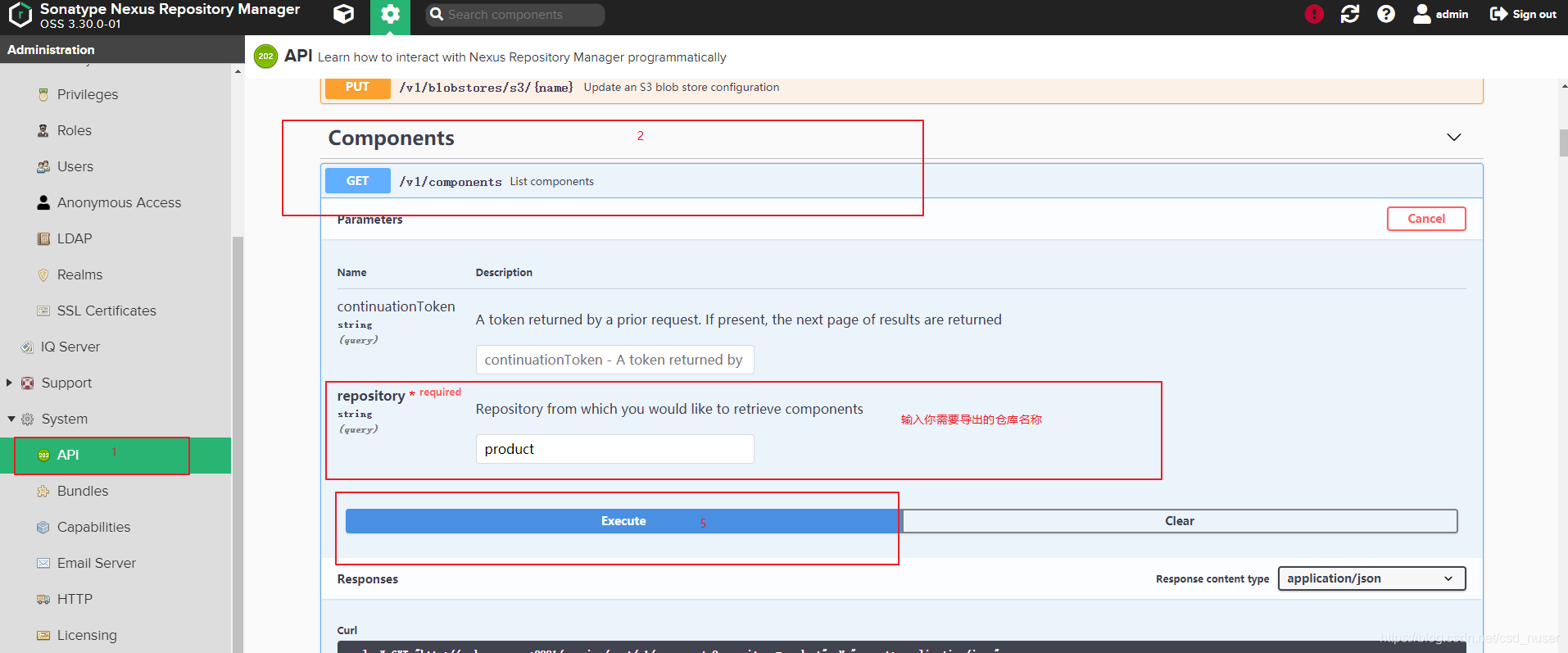
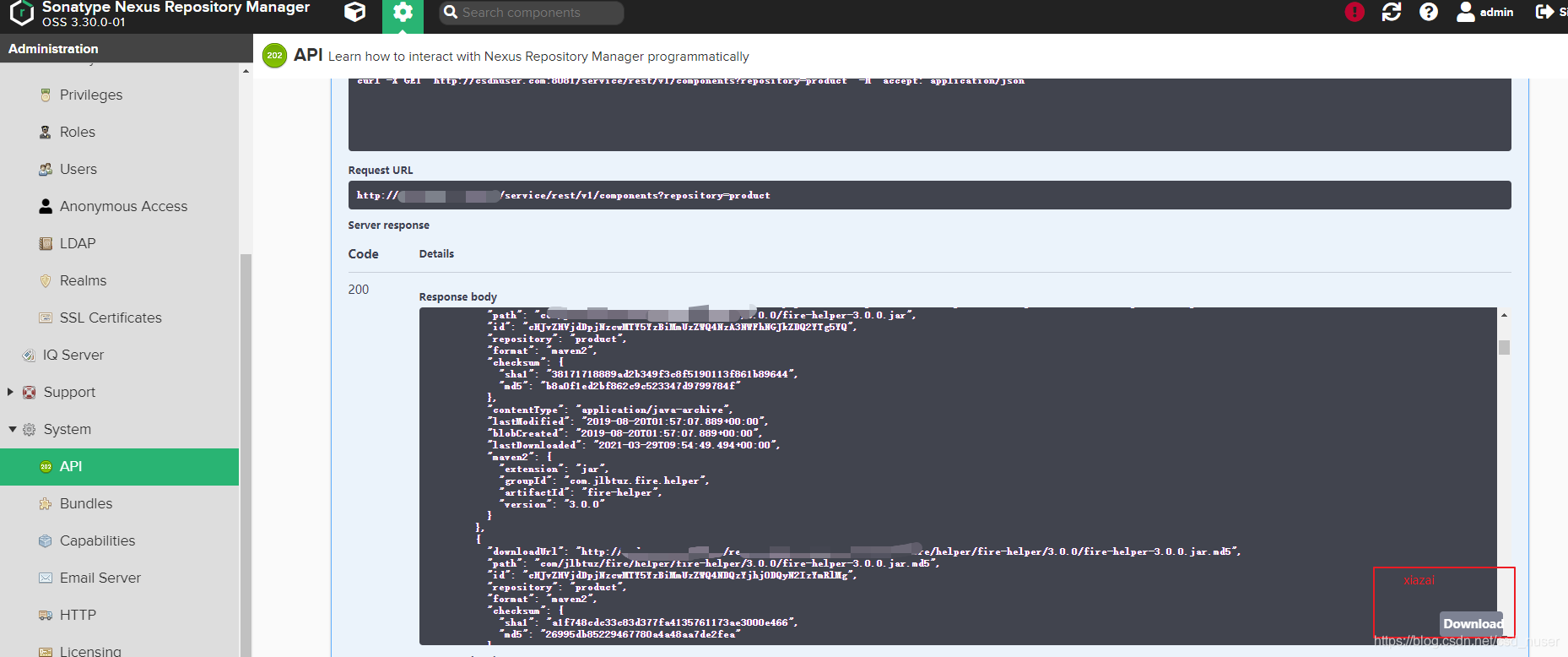
然后开始解析文件并下载
下载代码贴图,如果仓库需要权限验证,建议先改成匿名访问。
package com.jlbtuz.tools.nexus;

import com.fasterxml.jackson.databind.ObjectMapper;
import com.fire.helper.base.StringHelper;
import org.apache.commons.io.FileUtils;

import java.io.BufferedReader;
import java.io.File;
import java.io.FileReader;
import java.io.IOException;
import java.net.MalformedURLException;
import java.net.URL;
import java.util.HashMap;
import java.util.List;
import java.util.Map;

public class DownloadJar {

    private static final String initPath = "D:\\nexusd\\";
//    private static final String filePath = "D:\\project-owner\\tools\\nexus-util\\src\\main\\resources\\product.json";
    private static final String filePath = "D:\\project-owner\\tools\\nexus-util\\src\\main\\resources\\fire.json";
//    private static final String filePath = "/close/tmp/product.json";

    public HashMap<String, Object> readJson() throws IOException {

        ObjectMapper objectMapper = new ObjectMapper();


        FileReader fileReader = new FileReader(filePath);
        BufferedReader bufferedReader = new BufferedReader(fileReader);
        StringBuffer sb = new StringBuffer();
        String s = "";
        while (StringHelper.isNotEmpty(s = bufferedReader.readLine())) {
            sb.append(s.trim());
        }
        return objectMapper.readValue(sb.toString(), HashMap.class);
    }

    public void download() throws IOException {
        HashMap<String, Object> stringStringHashMap = readJson();

        List<Map> list = (List) stringStringHashMap.get("items");

        for (Map map : list) {
            List<Map> assets = (List<Map>) map.get("assets");
            for (Map dMap : assets) {
                String url = StringHelper.valueOf(dMap.get("downloadUrl"));
                String path = StringHelper.valueOf(dMap.get("path"));
                genFile(url, initPath + path);
            }
        }

    }


    private void genFile(final String urlStr, final String path) {
        System.out.println(path);

        URL url = null;
        try {
            url = new URL(urlStr);
            String tempFileName = path;

            // 先创建文件夹
            File t = new File(path);
            t.getParentFile().mkdirs();
            File temp = new File(tempFileName);
            FileUtils.copyURLToFile(url, temp);
        } catch (MalformedURLException e) {
            e.printStackTrace();
        } catch (IOException e) {
            e.printStackTrace();
        }

    }


    public static void main(String args[]) throws IOException {
        new DownloadJar().download();
    }
}

- 1
- 2
- 3
- 4
- 5
- 6
- 7
- 8
- 9
- 10
- 11
- 12
- 13
- 14
- 15
- 16
- 17
- 18
- 19
- 20
- 21
- 22
- 23
- 24
- 25
- 26
- 27
- 28
- 29
- 30
- 31
- 32
- 33
- 34
- 35
- 36
- 37
- 38
- 39
- 40
- 41
- 42
- 43
- 44
- 45
- 46
- 47
- 48
- 49
- 50
- 51
- 52
- 53
- 54
- 55
- 56
- 57
- 58
- 59
- 60
- 61
- 62
- 63
- 64
- 65
- 66
- 67
- 68
- 69
- 70
- 71
- 72
- 73
- 74
- 75
- 76
- 77
- 78
- 79
- 80
- 81
- 82
pom文件
<?xml version="1.0" encoding="UTF-8"?>
<project xmlns="http://maven.apache.org/POM/4.0.0"
         xmlns:xsi="http://www.w3.org/2001/XMLSchema-instance"
         xsi:schemaLocation="http://maven.apache.org/POM/4.0.0 http://maven.apache.org/xsd/maven-4.0.0.xsd">
    <modelVersion>4.0.0</modelVersion>

    <groupId>com.jlbtuz.tools</groupId>
    <artifactId>nexus-util</artifactId>
    <version>1.0.1</version>

    <properties>
        <maven.compiler.source>8</maven.compiler.source>
        <maven.compiler.target>8</maven.compiler.target>
    </properties>

    <dependencies>
        <dependency>
            <groupId>com.jlbtuz.fire.helper</groupId>
            <artifactId>fire-helper</artifactId>
            <version>3.0.0</version>
        </dependency>
        <dependency>
            <groupId>org.jsoup</groupId>
            <artifactId>jsoup</artifactId>
            <version>1.11.3</version>
        </dependency>
        <dependency>
            <groupId>com.fasterxml.jackson.core</groupId>
            <artifactId>jackson-databind</artifactId>
            <version>2.11.3</version>
        </dependency>
        <!-- https://mvnrepository.com/artifact/commons-io/commons-io -->
        <dependency>
            <groupId>commons-io</groupId>
            <artifactId>commons-io</artifactId>
            <version>2.8.0</version>
        </dependency>
    </dependencies>

</project>
- 1
- 2
- 3
- 4
- 5
- 6
- 7
- 8
- 9
- 10
- 11
- 12
- 13
- 14
- 15
- 16
- 17
- 18
- 19
- 20
- 21
- 22
- 23
- 24
- 25
- 26
- 27
- 28
- 29
- 30
- 31
- 32
- 33
- 34
- 35
- 36
- 37
- 38
- 39
- 40
接下来使用阿里云工具迁移仓库就可以了
参考
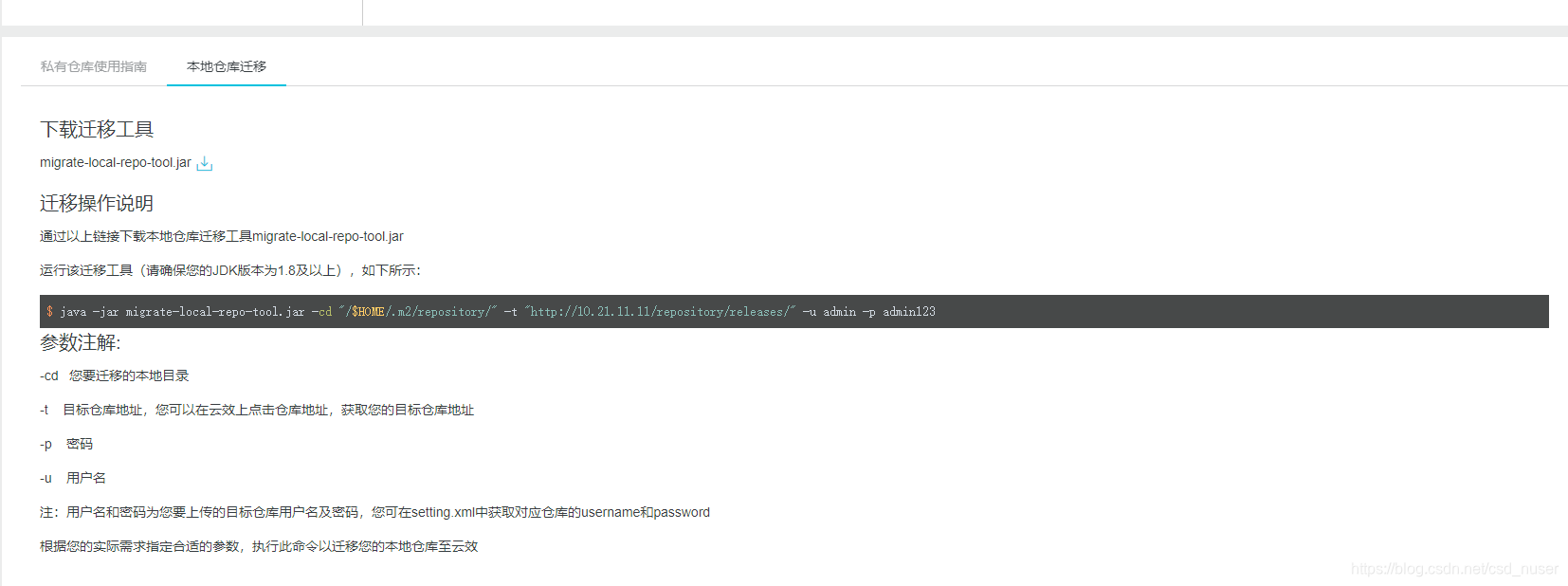
$ java -jar migrate-local-repo-tool.jar -cd "/$HOME/.m2/repository/" -t "http://10.21.11.11/repository/releases/" -u admin -p admin123
参数注解:
-cd   您要迁移的本地目录

-t    目标仓库地址,您可以在云效上点击仓库地址,获取您的目标仓库地址

-p    密码

-u    用户名
- 1
- 2
- 3
- 4
- 5
- 6
- 7
- 8
- 9
注意此处的用户名密码,需要下载setting.xml文件,在里面获取密码。
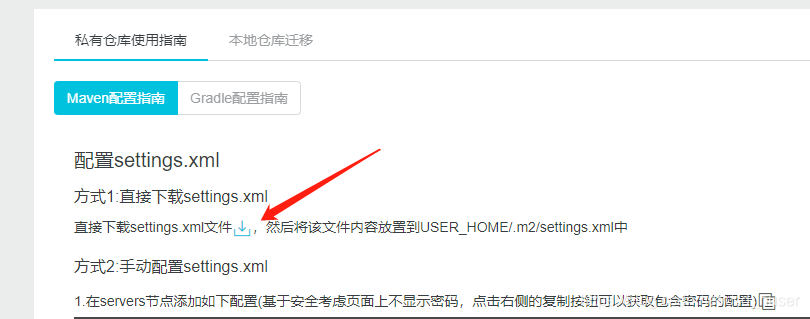
后来经过测试,可以用这个jar包迁移任意仓库目录。
这个jar包在阿里云的代码仓库里面,一下地址需要自行注册
https://repomanage.rdc.aliyun.com/my/repo
声明:本文内容由网友自发贡献,不代表【wpsshop博客】立场,版权归原作者所有,本站不承担相应法律责任。如您发现有侵权的内容,请联系我们。转载请注明出处:https://www.wpsshop.cn/article/detail/48743
推荐阅读
相关标签

