- 1分布式爬虫scrapy-redis所踩过的坑_scrapy_redis的坑
- 2Flask项目实战01_flask项目实例
- 3K8s学习(8)---Pod详解(Pod生命周期)_k8s pod invalid
- 4云计算时代操作系统K8s 之pod 生命周期综述_k8s pod的生命周期
- 5Java8 时间字符串校验是否为对应的日期格式_java判断日期字符串格式
- 6【Docker Desktop】Windows11家庭版安装docker desktop和WSl2(Ubuntu22.04)并完成迁移,配置国内镜像_docker win11配置和使用
- 7Android P 屏保和休眠相关知识
- 8啥是Python之禅
- 9网络游戏防沉迷实名认证系统常见错误_sys req partner auth error
- 1032单片机实现呼吸灯_32呼吸灯
本地maven批量导入nexus maven仓库中_如何把常用的 maven 库放到 nexus
赞
踩
1、在本地的maven仓库中创建两个脚本

mavenimport.sh里边的内容是:
#!/bin/bash
# copy and run this script to the root of the repository directory containing files
# this script attempts to exclude uploading itself explicitly so the script name is important
# Get command line params
while getopts ":r:u:p:" opt; do
case $opt in
r) REPO_URL="$OPTARG"
;;
u) USERNAME="$OPTARG"
;;
p) PASSWORD="$OPTARG"
;;
esac
donefind . -type f -not -path './mavenimport\.sh*' -not -path '*/\.*' -not -path '*/\^archetype\-catalog\.xml*' -not -path '*/\^maven\-metadata\-local*\.xml' -not -path '*/\^maven\-metadata\-deployment*\.xml' | sed "s|^\./||" | xargs -I '{}' curl -u "$USERNAME:$PASSWORD" -X PUT -v -T {} ${REPO_URL}/{} ;
startup.sh里边的内容是:
./mavenimport.sh -u admin -p 123456 -r http://192.168.142.144:8081/repository/maven-releases/
-u 后边是nexus的用户名
-p 后边是nexus用户名的密码
-r 后边是nexus中maven仓库的地址
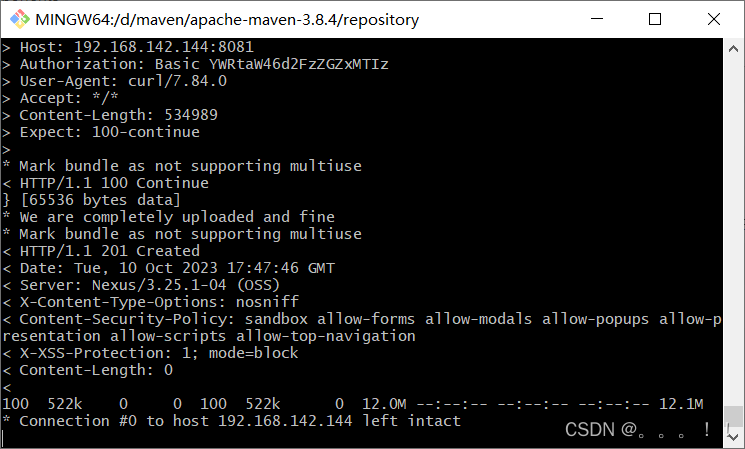
2、在本地打开git bash,并且切换到本地maven仓库的路径下,执行startup.sh,下边的图片就是显示往nexus中下载