赞
踩
1.安装mac-docker desktop 官网下载安装 Download Docker Desktop | Docker
2.安装后查看版本
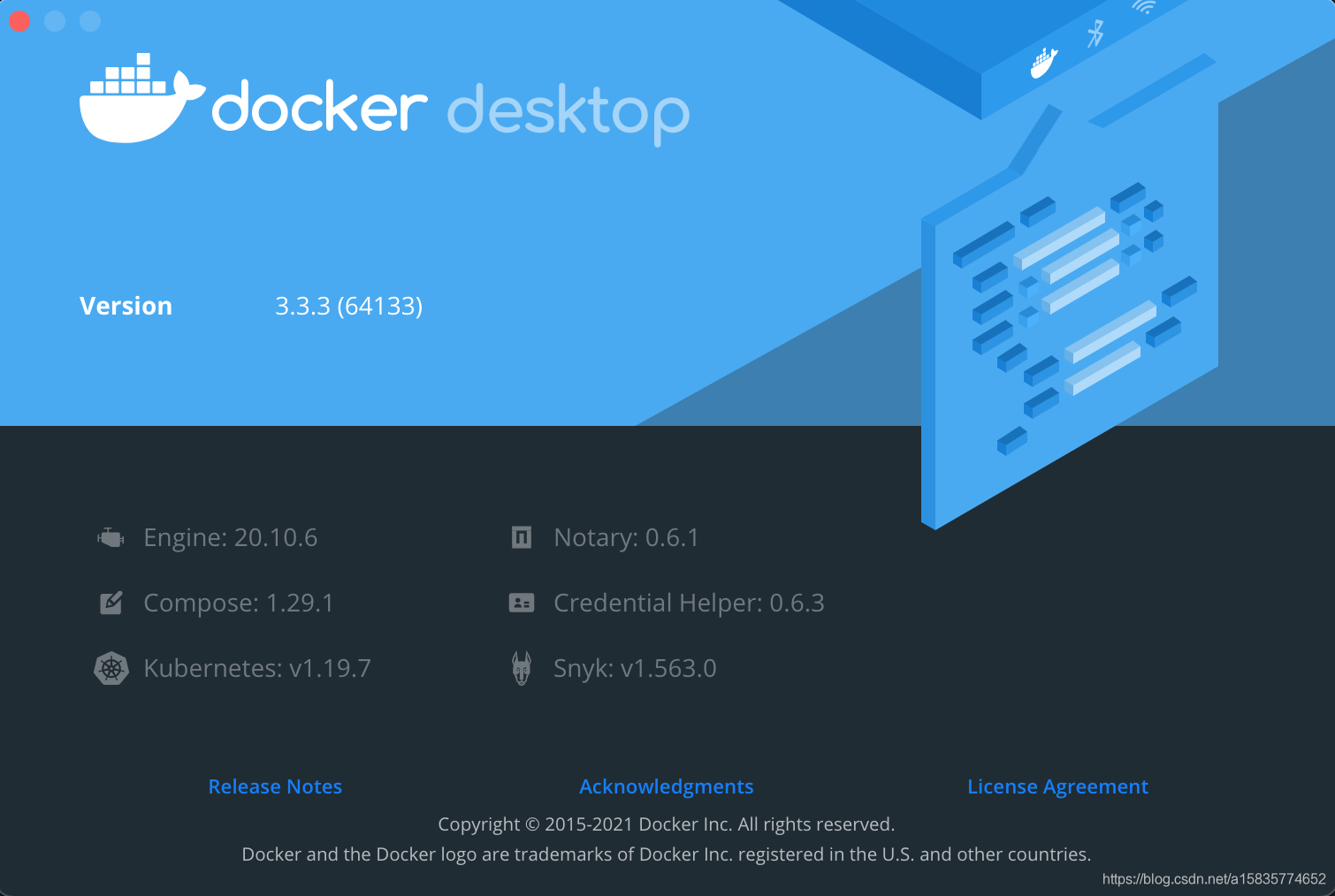
此文kubenetes版本为1.19.7 如果不是该版本需要自行修改配置
其他版本 可以参考 https://github.com/AliyunContainerService/k8s-for-docker-desktop
3.如果想启动kubenetes 是很简单的 前提 可以科学上网 而且网速够快 设置里修改enable kubenetes 勾选打开 然后就是静静的等待
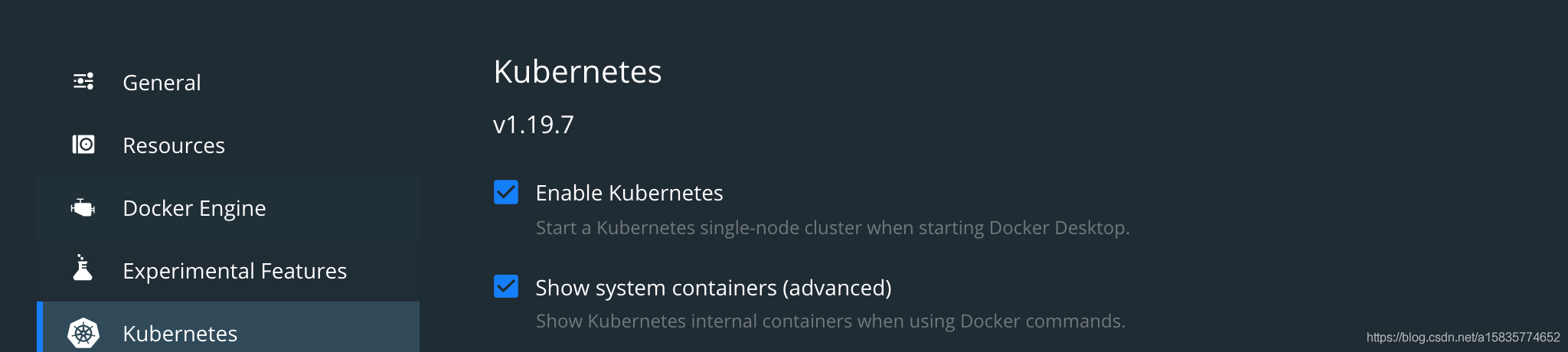
4.如果想体验一把kubenetes 又不能科学上网 没有稳定的高网速 只能找国内的镜像 刚好国内有阿里云存在同步的镜像 我们可以直接使用 注意:没有下载镜像之前和没有第三部的条件 先不要开启kubenetes 开启了的话默认开始下载 会卡住
5.首先下载好kubenetes 1.19.7 所需镜像 然后在开启
6.创建下载镜像文件 vim load_images.sh
#!/bin/bash set -e KUBE_VERSION=v1.19.7 KUBE_PAUSE_VERSION=3.2 ETCD_VERSION=3.4.13-0 COREDNS_VERSION=1.7.0 GCR_URL=k8s.gcr.io ALIYUN_URL=registry.cn-hangzhou.aliyuncs.com/google_containers # get images images=(kube-proxy:${KUBE_VERSION} kube-scheduler:${KUBE_VERSION} kube-controller-manager:${KUBE_VERSION} kube-apiserver:${KUBE_VERSION} pause:${KUBE_PAUSE_VERSION} etcd:${ETCD_VERSION} coredns:${COREDNS_VERSION}) for imageName in ${images[@]} ; do docker pull $ALIYUN_URL/$imageName docker tag $ALIYUN_URL/$imageName $GCR_URL/$imageName docker rmi $ALIYUN_URL/$imageName done # show images docker images
7.授予文件可执行权限 chmod +x ./load_images.sh
8.执行完成可看到镜像已经下载好
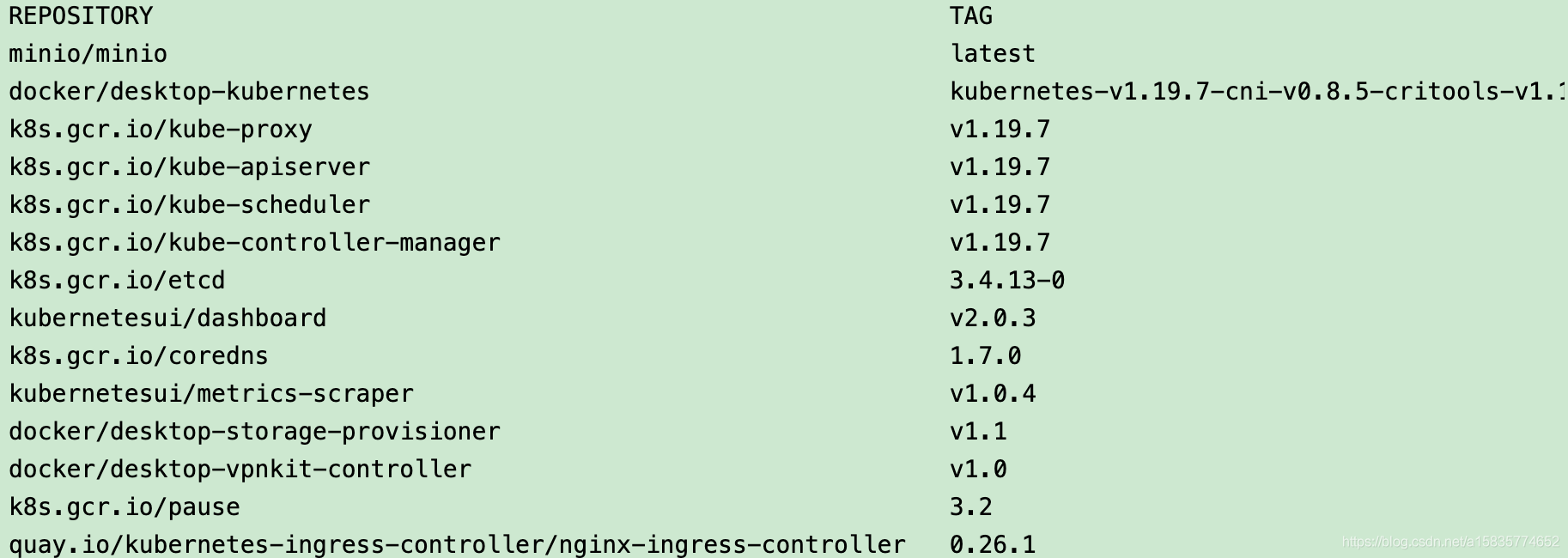
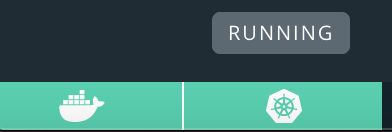
9.这时候 镜像准备就绪 可以打开 enable kubenetes 注意需要重启docker 如果没有看到kubenetes 为running
10.安装kubenetes 控制工具 kubectl
11.下载 kubernetes 1.19.7 下载地址:kubernetwindowses-client-darwin-amd64.tar.gz
12. 解压 tar -zxvf kubernetwindowses-client-darwin-amd64.tar.gz
13. 移动文件到系统特定目录下 并且给本用户授权
chmod u+x && mv kubectl /usr/local/bin/kubectl
14.配置kubectl 使用桌面版的k8s上下文
```shell
#docker-desktop 替换为自己的上下文
kubectl config set-context docker-desktop
kubectl config use-context docker-desktop
```
15. 查看kubectl version
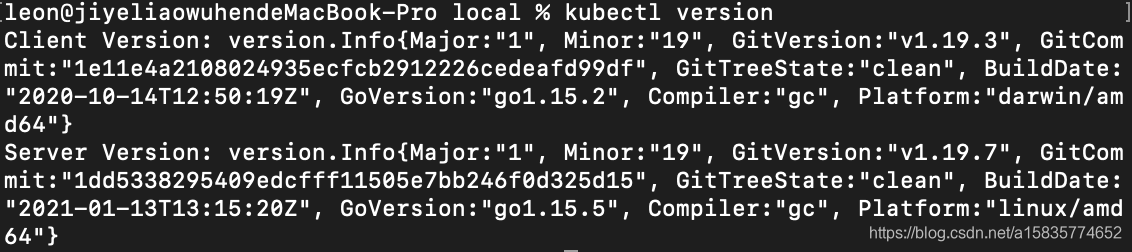
16.查看一波node
kubectl -n kube-system get node

17.查看pod
kubectl -n kube-system get pod
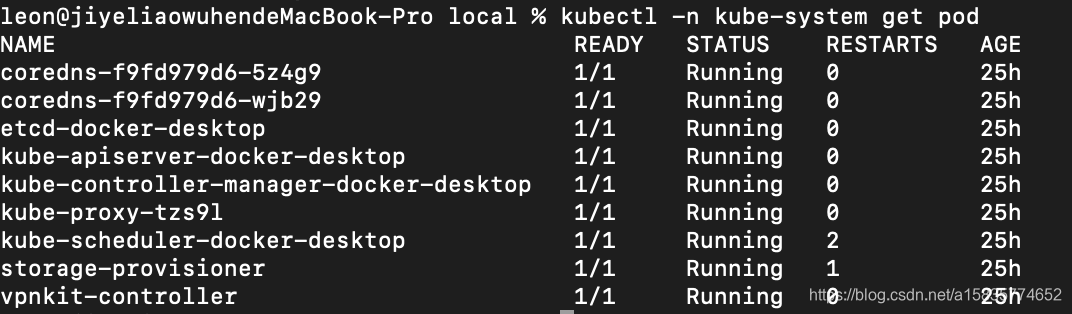
18.安装dashboard (可选)图形化界面方便查看 官网如 https://github.com/kubernetes/dashboard
19.下载dashboard 所需镜像 新建拉取镜像脚本
vim load_dashboard_images.sh
#!/bin/bash
set -e
KUBE_DASHBOARD_VERSION=v2.0.3
METRICS_SCRAPER=v1.0.4
KUBENETESUI_URL=kubernetesui
ALIYUN_KUBENETESUI_URL=registry.cn-hangzhou.aliyuncs.com/kubernetes_ns
# get images (ui)
imagesui=(dashboard:${KUBE_DASHBOARD_VERSION}
metrics-scraper:${METRICS_SCRAPER})
for imageName in ${imagesui[@]} ; do
docker pull $ALIYUN_KUBENETESUI_URL/$imageName
docker tag $ALIYUN_KUBENETESUI_URL/$imageName $KUBENETESUI_URL/$imageName
docker rmi $ALIYUN_KUBENETESUI_URL/$imageName
done
# show images
docker images
20.运行后可以看到 已经下载好的镜像

安装步骤如下
To deploy Dashboard, execute following command:
kubectl apply -f https://raw.githubusercontent.com/kubernetes/dashboard/v2.2.0/aio/deploy/recommended.yaml
可能由于网络原因下载不到 recommended.yaml 现在提供一个该文件 直接复制到本地既可
# Copyright 2017 The Kubernetes Authors. # # Licensed under the Apache License, Version 2.0 (the "License"); # you may not use this file except in compliance with the License. # You may obtain a copy of the License at # # http://www.apache.org/licenses/LICENSE-2.0 # # Unless required by applicable law or agreed to in writing, software # distributed under the License is distributed on an "AS IS" BASIS, # WITHOUT WARRANTIES OR CONDITIONS OF ANY KIND, either express or implied. # See the License for the specific language governing permissions and # limitations under the License. apiVersion: v1 kind: Namespace metadata: name: kubernetes-dashboard --- apiVersion: v1 kind: ServiceAccount metadata: labels: k8s-app: kubernetes-dashboard name: kubernetes-dashboard namespace: kubernetes-dashboard --- kind: Service apiVersion: v1 metadata: labels: k8s-app: kubernetes-dashboard name: kubernetes-dashboard namespace: kubernetes-dashboard spec: ports: - port: 443 targetPort: 8443 selector: k8s-app: kubernetes-dashboard --- apiVersion: v1 kind: Secret metadata: labels: k8s-app: kubernetes-dashboard name: kubernetes-dashboard-certs namespace: kubernetes-dashboard type: Opaque --- apiVersion: v1 kind: Secret metadata: labels: k8s-app: kubernetes-dashboard name: kubernetes-dashboard-csrf namespace: kubernetes-dashboard type: Opaque data: csrf: "" --- apiVersion: v1 kind: Secret metadata: labels: k8s-app: kubernetes-dashboard name: kubernetes-dashboard-key-holder namespace: kubernetes-dashboard type: Opaque --- kind: ConfigMap apiVersion: v1 metadata: labels: k8s-app: kubernetes-dashboard name: kubernetes-dashboard-settings namespace: kubernetes-dashboard --- kind: Role apiVersion: rbac.authorization.k8s.io/v1 metadata: labels: k8s-app: kubernetes-dashboard name: kubernetes-dashboard namespace: kubernetes-dashboard rules: # Allow Dashboard to get, update and delete Dashboard exclusive secrets. - apiGroups: [""] resources: ["secrets"] resourceNames: ["kubernetes-dashboard-key-holder", "kubernetes-dashboard-certs", "kubernetes-dashboard-csrf"] verbs: ["get", "update", "delete"] # Allow Dashboard to get and update 'kubernetes-dashboard-settings' config map. - apiGroups: [""] resources: ["configmaps"] resourceNames: ["kubernetes-dashboard-settings"] verbs: ["get", "update"] # Allow Dashboard to get metrics. - apiGroups: [""] resources: ["services"] resourceNames: ["heapster", "dashboard-metrics-scraper"] verbs: ["proxy"] - apiGroups: [""] resources: ["services/proxy"] resourceNames: ["heapster", "http:heapster:", "https:heapster:", "dashboard-metrics-scraper", "http:dashboard-metrics-scraper"] verbs: ["get"] --- kind: ClusterRole apiVersion: rbac.authorization.k8s.io/v1 metadata: labels: k8s-app: kubernetes-dashboard name: kubernetes-dashboard rules: # Allow Metrics Scraper to get metrics from the Metrics server - apiGroups: ["metrics.k8s.io"] resources: ["pods", "nodes"] verbs: ["get", "list", "watch"] --- apiVersion: rbac.authorization.k8s.io/v1 kind: RoleBinding metadata: labels: k8s-app: kubernetes-dashboard name: kubernetes-dashboard namespace: kubernetes-dashboard roleRef: apiGroup: rbac.authorization.k8s.io kind: Role name: kubernetes-dashboard subjects: - kind: ServiceAccount name: kubernetes-dashboard namespace: kubernetes-dashboard --- apiVersion: rbac.authorization.k8s.io/v1 kind: ClusterRoleBinding metadata: name: kubernetes-dashboard roleRef: apiGroup: rbac.authorization.k8s.io kind: ClusterRole name: kubernetes-dashboard subjects: - kind: ServiceAccount name: kubernetes-dashboard namespace: kubernetes-dashboard --- kind: Deployment apiVersion: apps/v1 metadata: labels: k8s-app: kubernetes-dashboard name: kubernetes-dashboard namespace: kubernetes-dashboard spec: replicas: 1 revisionHistoryLimit: 10 selector: matchLabels: k8s-app: kubernetes-dashboard template: metadata: labels: k8s-app: kubernetes-dashboard spec: containers: - name: kubernetes-dashboard image: kubernetesui/dashboard:v2.2.0 imagePullPolicy: Always ports: - containerPort: 8443 protocol: TCP args: - --auto-generate-certificates - --namespace=kubernetes-dashboard # Uncomment the following line to manually specify Kubernetes API server Host # If not specified, Dashboard will attempt to auto discover the API server and connect # to it. Uncomment only if the default does not work. # - --apiserver-host=http://my-address:port volumeMounts: - name: kubernetes-dashboard-certs mountPath: /certs # Create on-disk volume to store exec logs - mountPath: /tmp name: tmp-volume livenessProbe: httpGet: scheme: HTTPS path: / port: 8443 initialDelaySeconds: 30 timeoutSeconds: 30 securityContext: allowPrivilegeEscalation: false readOnlyRootFilesystem: true runAsUser: 1001 runAsGroup: 2001 volumes: - name: kubernetes-dashboard-certs secret: secretName: kubernetes-dashboard-certs - name: tmp-volume emptyDir: {} serviceAccountName: kubernetes-dashboard nodeSelector: "kubernetes.io/os": linux # Comment the following tolerations if Dashboard must not be deployed on master tolerations: - key: node-role.kubernetes.io/master effect: NoSchedule --- kind: Service apiVersion: v1 metadata: labels: k8s-app: dashboard-metrics-scraper name: dashboard-metrics-scraper namespace: kubernetes-dashboard spec: ports: - port: 8000 targetPort: 8000 selector: k8s-app: dashboard-metrics-scraper --- kind: Deployment apiVersion: apps/v1 metadata: labels: k8s-app: dashboard-metrics-scraper name: dashboard-metrics-scraper namespace: kubernetes-dashboard spec: replicas: 1 revisionHistoryLimit: 10 selector: matchLabels: k8s-app: dashboard-metrics-scraper template: metadata: labels: k8s-app: dashboard-metrics-scraper annotations: seccomp.security.alpha.kubernetes.io/pod: 'runtime/default' spec: containers: - name: dashboard-metrics-scraper image: kubernetesui/metrics-scraper:v1.0.6 ports: - containerPort: 8000 protocol: TCP livenessProbe: httpGet: scheme: HTTP path: / port: 8000 initialDelaySeconds: 30 timeoutSeconds: 30 volumeMounts: - mountPath: /tmp name: tmp-volume securityContext: allowPrivilegeEscalation: false readOnlyRootFilesystem: true runAsUser: 1001 runAsGroup: 2001 serviceAccountName: kubernetes-dashboard nodeSelector: "kubernetes.io/os": linux # Comment the following tolerations if Dashboard must not be deployed on master tolerations: - key: node-role.kubernetes.io/master effect: NoSchedule volumes: - name: tmp-volume emptyDir: {}
Alternatively, you can install Dashboard using Helm as described at kubernetes-dashboard 6.0.8 · helm/k8s-dashboard.
To access Dashboard from your local workstation you must create a secure channel to your Kubernetes cluster. Run the following command:
kubectl proxy
Now access Dashboard at:
安装成功后效果如下

通过以下脚本,配置访问控制台所需的令牌。
- TOKEN=$(kubectl -n kube-system describe secret default| awk '$1=="token:"{print $2}')
- kubectl config set-credentials docker-desktop --token="${TOKEN}"
- echo $TOKEN
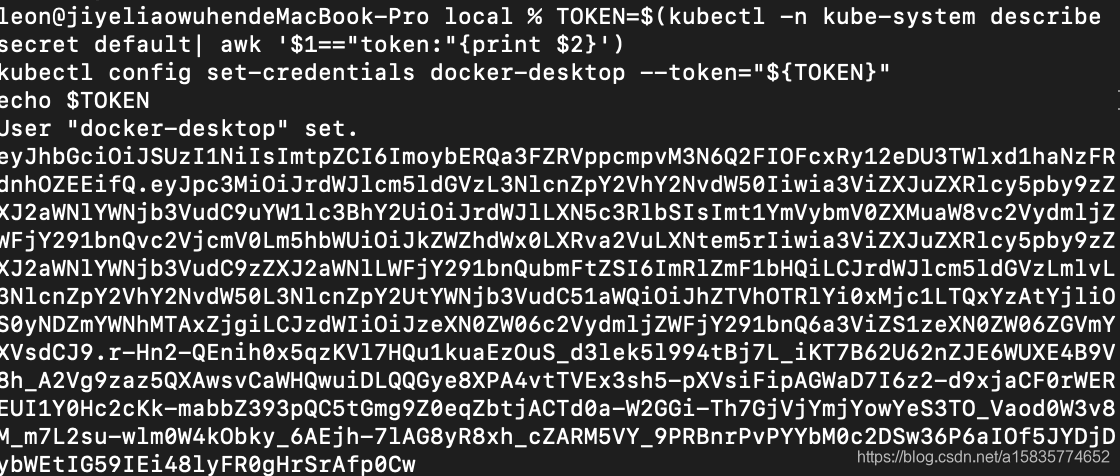
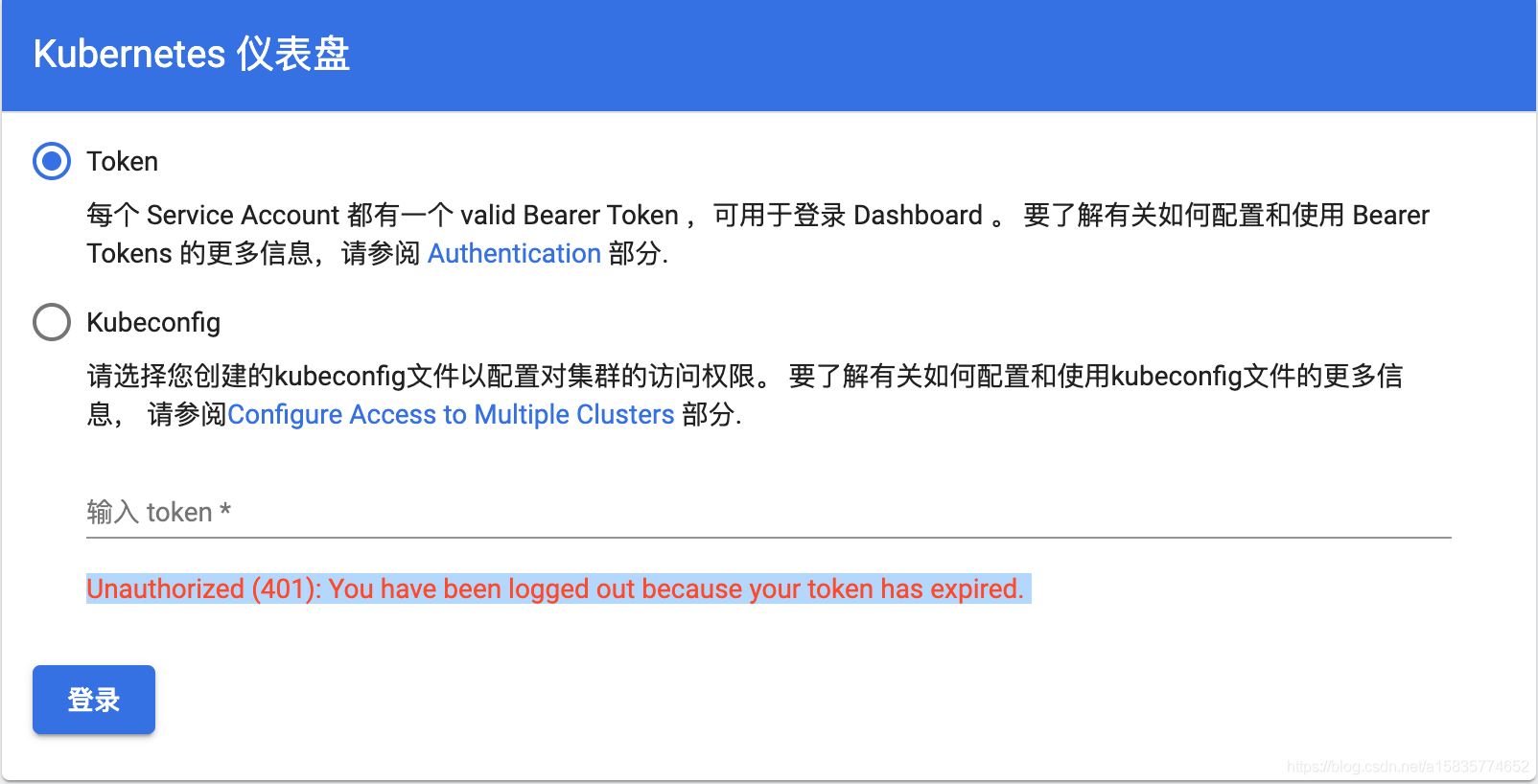
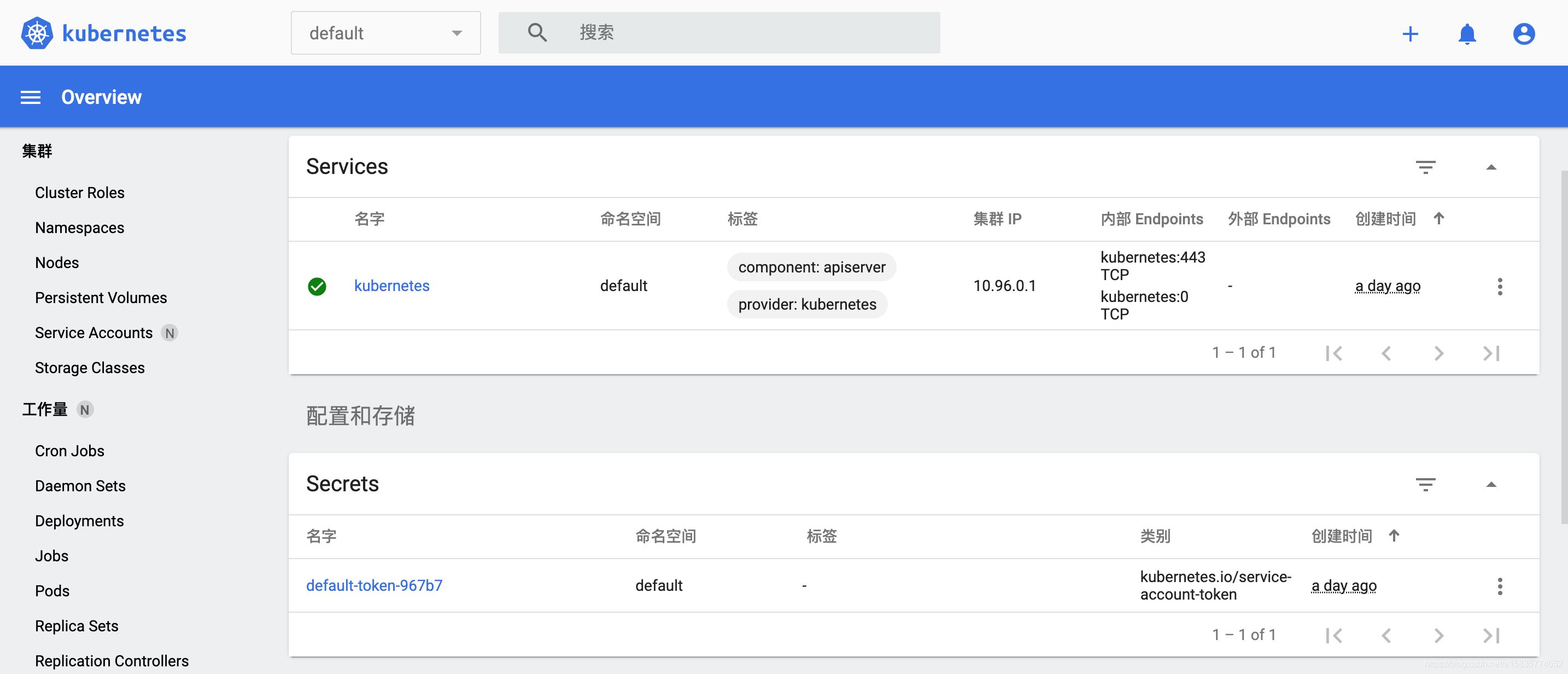
复制上述生成的令牌 选择token登录 粘贴到输入框 点击登录 既可登录成功
登录后界面如下
本文中参考的内容
Copyright © 2003-2013 www.wpsshop.cn 版权所有,并保留所有权利。