
热门标签
热门文章
- 1linux脚本-使用top命令监控进程cpu与mem占用_top监控脚本
- 2品达通用权限系统-Day03
- 3在浏览器中输入www.taobao.com后执行的全部过程_avtaobao
- 4[ 环境搭建篇 ] 安装python环境并配置环境变量(附python3.10.3安装包)_python环境变量的配置
- 5科大讯飞星火认知大模型来了,和ChatGPT比怎么样_星火认知和chat gpt
- 6陆奇万字长文,讲透企业数字化转型!
- 7jupyter notebooks打开的是百度网盘_jupyter notebook 网盘
- 8安装rasterio包,gdal包、pyproj包_rasterio whl文件安装
- 9Eclipse怎么导出可执行jar文件_eclipse如何导出可执行文件
- 10maven离线安装easyexcel要把easyexcel内部依赖的jar包一并导入_easyexcel.jar
当前位置: article > 正文
Unity 绕物体旋转两种方式_unity rotatearound
作者:代码维护者 | 2024-01-17 09:05:28
赞
踩
unity rotatearound
前言
项目上遇到一个要绕物体旋转的问题,还要可以动态修改旋转中心和旋转半径。
第一种方式
使用Unity自带的API RotateAround
有两个问题
- 物体移动的时候无法准确跟随
- 无法修改圆的半径
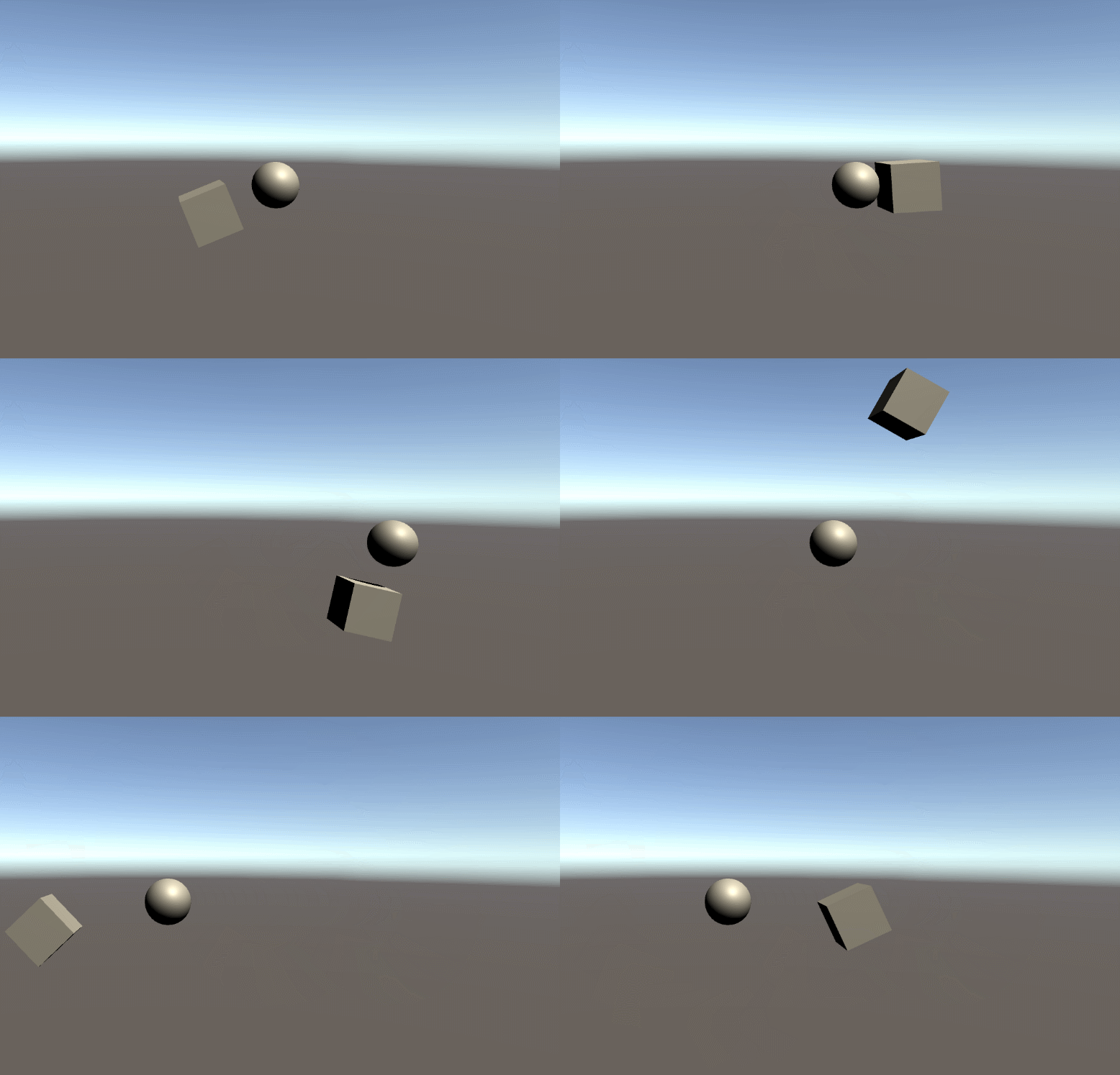
using System.Collections;
using System.Collections.Generic;
using UnityEngine;
public class ItemScript : MonoBehaviour
{
	//中心点
	public Transform center;
	//转动速度
	public float rotationSpeed=10;
	void Update() {
		//跟随center转圈圈
		this.transform.RotateAround(center.position, Vector3.forward, Time.deltaTime * rotationSpeed);
	}
}
- 1
- 2
- 3
- 4
- 5
- 6
- 7
- 8
- 9
- 10
- 11
- 12
- 13
- 14
第二种方式
可以动态修改中心点的位置和旋转半径
已知圆心坐标:(x0,y0)
半径:r
角度:a
则圆上任一点为:(x1,y1)
则
x1 = x0 + r * cos( a )
y1 = y0 + r * sin( a )
作者:初同学
链接: https://www.jianshu.com/p/ba69d991f1af
来源:简书
著作权归作者所有。商业转载请联系作者获得授权,非商业转载请注明出处。
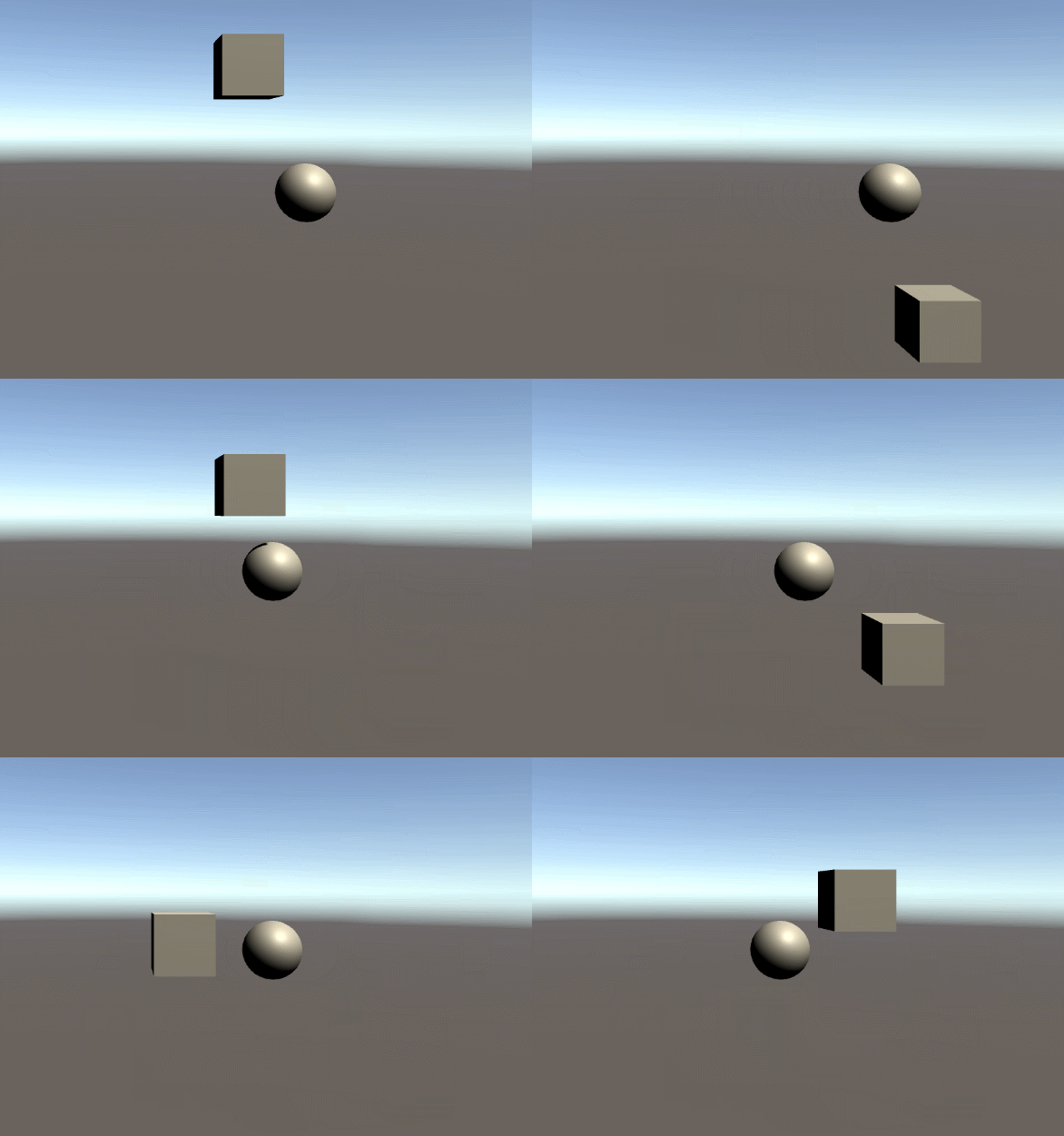
using System.Collections;
using System.Collections.Generic;
using UnityEngine;
public class ItemScript : MonoBehaviour
{
	//转动速度
	public float speed = 1;
	//转动的位置
	public float progress = 0;
	//中心点
	public Transform center;
	//半径
	public float radius = 3;
	void Update() {
		progress += Time.deltaTime * speed;
	    if (progress>=360)
	    {
	        progress -= 360;
	    }
	    float x1 = center.position.x + radius * Mathf.Cos(progress);
	    float y1 = center.position.y + radius * Mathf.Sin(progress);
	    this.transform.position = new Vector3(x1, y1);
	}
}

- 1
- 2
- 3
- 4
- 5
- 6
- 7
- 8
- 9
- 10
- 11
- 12
- 13
- 14
- 15
- 16
- 17
- 18
- 19
- 20
- 21
- 22
- 23
- 24
随机环绕
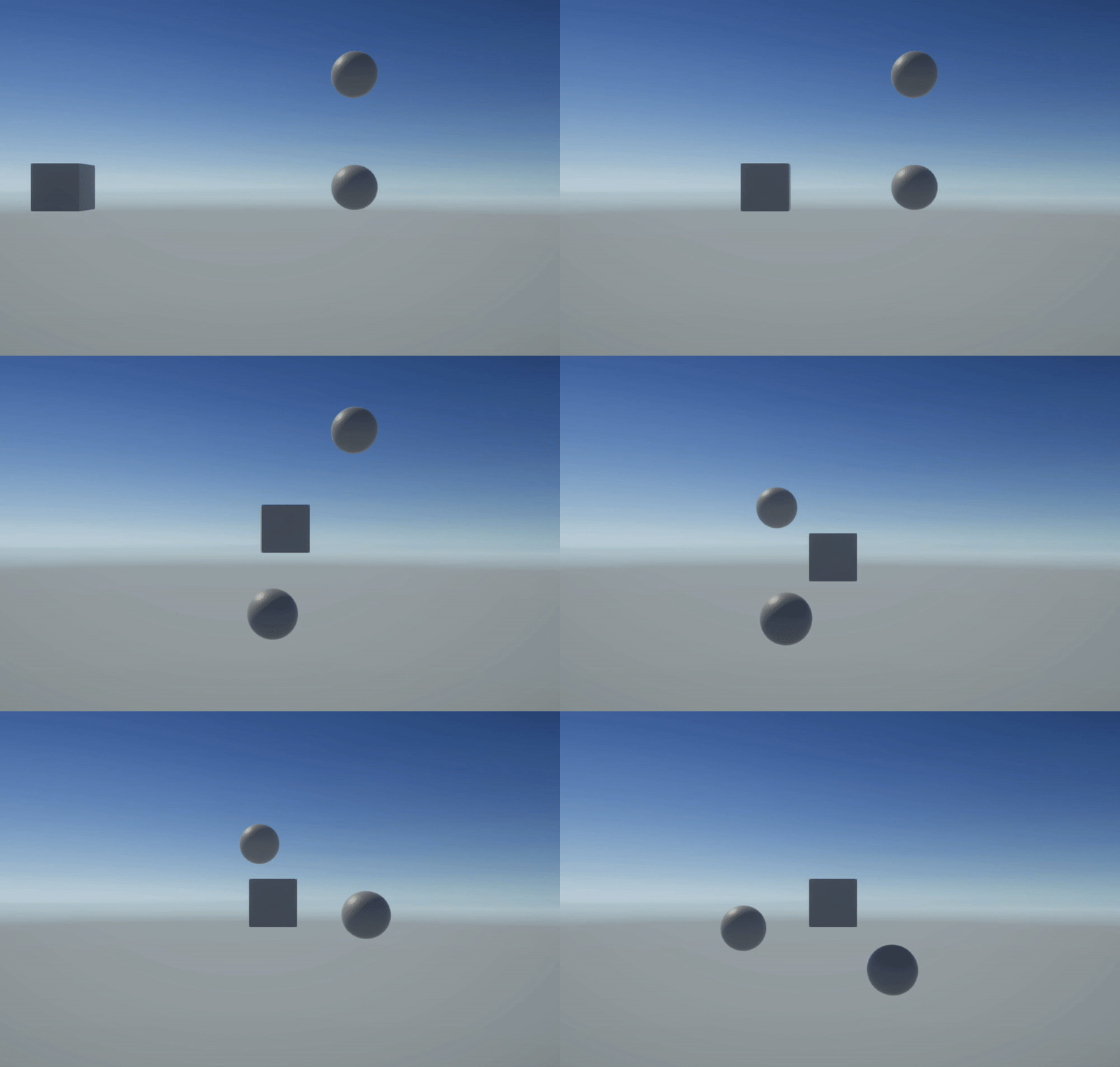
	//中心点
    public Transform center;
    //旋转速度
    public float rotationSpeed=5;
    //半径
    public float rotationRadius = 2;
    //转动的位置
    public float progress = 0;
	public float randAng = 0;
    public Vector3 randZhou;

	private void Start()
    {
        randAng= Random.Range(0, 181);
        randZhou = new Vector3(Random.Range(-1f,1f), Random.Range(-1f, 1f), Random.Range(-1f, 1f));
    }

	void Update()
    {
        //跟随center转圈圈
        progress += Time.deltaTime * rotationSpeed;
        if (progress >= 360)
        {
            progress -= 360;
        }
        float x1 = center.position.x + rotationRadius * Mathf.Cos(progress);
        float y1 = center.position.y + rotationRadius * Mathf.Sin(progress);
        Vector3 tmp = RotateRound(new Vector3 (x1,y1), center.position, randZhou, randAng);
        this.transform.position = tmp;
    }

	/// <summary>
    /// 围绕某点旋转指定角度
    /// </summary>
    /// <param name="position">自身坐标</param>
    /// <param name="center">旋转中心</param>
    /// <param name="axis">围绕旋转轴</param>
    /// <param name="angle">旋转角度</param>
    /// <returns></returns>
    public Vector3 RotateRound(Vector3 position, Vector3 center, Vector3 axis, float angle)
    {
        return Quaternion.AngleAxis(angle, axis) * (position - center) + center;
    }
- 1
- 2
- 3
- 4
- 5
- 6
- 7
- 8
- 9
- 10
- 11
- 12
- 13
- 14
- 15
- 16
- 17
- 18
- 19
- 20
- 21
- 22
- 23
- 24
- 25
- 26
- 27
- 28
- 29
- 30
- 31
- 32
- 33
- 34
- 35
- 36
- 37
- 38
- 39
- 40
- 41
- 42
- 43
声明:本文内容由网友自发贡献,不代表【wpsshop博客】立场,版权归原作者所有,本站不承担相应法律责任。如您发现有侵权的内容,请联系我们。转载请注明出处:https://www.wpsshop.cn/article/detail/40729
推荐阅读
相关标签

