
- 1Ubuntu系统d435i相机驱动与realsense-ros安装_相机驱动之前需要安装ros,安装过程见我之前
- 2【TCP】四次挥手(终止连接)
- 3Ubuntu18.04及以上开机自启动脚本设置方法_ubuntu 1804 kaijiziqid daisudo
- 4YOLOv8实战——安装篇_yolov8安装
- 5Chapter 8 - 2. Congestion Management in TCP Storage Networks
- 6为什么不建议对Intel Realsense的D400 Series和T265进行标定(Calibration)_t265 dynamic calibration
- 7前端学习之——react篇(渲染列表)
- 8学IT毕业后该去哪个城市?哪个岗位薪资高?哪些公司待遇好?_上海 武汉哪个地方更适合计算机行业
- 9iOS 如何将证书和描述文件给其他人进行真机调试(Provisioning profile "描述文件的名字" doesn't include the currently selected devic...
- 10第十届蓝桥杯C++B组题解_第十届蓝桥杯国赛真题c++ b组
Three 之 three.js (webgl)使用BufferGeometry (CPU) 根据位置和移动向量简单实现持续生成运动的简单粒子particle运动效果_更新 buffergeometry中的position
赞
踩
Three 之 three.js (webgl)使用 BufferGeometry 根据位置和移动向量简单实现持续生成运动的简单粒子particle运动效果
目录
Three 之 three.js (webgl)使用 BufferGeometry 根据位置和移动向量简单实现持续生成运动的简单粒子particle运动效果
一、简单介绍
Three js 开发的一些知识整理,方便后期遇到类似的问题,能够及时查阅使用。
本节介绍, three.js (webgl) 中,使用 BufferGeometry ,添加位置和移动方向数据,结合 shader,简单实现类似 particle 的粒子运动效果,这里主要的逻辑在js脚本,而非 shader 中,所以这里算是 cpu 中,使用BufferGeometry 实现简单粒子效果,如果有不足之处,欢迎指出,或者你有更好的方法,欢迎留言。
BufferGeometry 官网相关介绍:three.js docs
BufferGeometry 官网使用案例:three.js examples
二、实现原理
1、把位置和移动向量等数据,首先会重新把数据整理成两波数据,以便于模拟粒子一波波出现的效果
2、然后把数据传入给 BufferGeometry 对应的 setAttribute 属性中
3、并结合 ShaderMaterial 控制显示粒子大小旋转等数据显示
4、在 Animation 中结合 Clock 的 time 来控制 BufferGeometry 每个点的移动和 alpha 透明度,从而实现粒子效果的持续生成运动
- // 位置更新
- const positionArray = this.geometry.attributes.position.array;
- const translateArray = this.geometry.attributes.windDirection.array;
- const pointTimeArray = this.geometry.attributes.pointTime.array;
- const ss = 0.03
- for (var i = 0,j=0; i < positionArray.length,j<pointTimeArray.length; i+=3,j++) {
- var useTime = pointTimeArray[j] > 0.1 ? time2 : time;
- // console.log("useTime ", useTime)
- positionArray[i] =
- this.positions[i]+ translateArray[i] * useTime * ss
- positionArray[i+1] = this.positions[i+1]+ translateArray[i+1] * useTime * ss
- positionArray[i+2] = this.positions[i+2]+ translateArray[i+2] * useTime * ss
- }
- this.geometry.attributes.position.needsUpdate = true;
-
- // 更新颜色 Alpha
- const colorArray = this.geometry.attributes.color.array;
- const colorLenght = colorArray.length;
- const halfcolorLenght = colorLenght/2
- for (var i = 0; i < colorLenght; i+=4) {
- if(i < halfcolorLenght){
- if(time < this.maxRecordTime/2){
- colorArray[i+3] = time/this.maxRecordTime *2
- }else if(time > this.maxRecordTime * 2 / 3){
- colorArray[i+3] = (this.maxRecordTime - time)/this.maxRecordTime * 3
- }
- }else{
- if(time2 < this.maxRecordTime/2){
- colorArray[i+3] = time2/this.maxRecordTime * 3
- }else if(time2 > this.maxRecordTime * 2 / 3){
- colorArray[i+3] = (this.maxRecordTime - time2)/this.maxRecordTime * 3
- }
- }
- }
-
- this.geometry.attributes.color.needsUpdate = true;
-
- // 旋转更新
- const rotAngArray = this.geometry.attributes.rotAngle.array;
- const rotAngLenght = rotAngArray.length;
- for (var i = 0; i < rotAngArray.length; i++) {
- rotAngArray[i] += (Math.random()) * 0.04
- }
- this.geometry.attributes.rotAngle.needsUpdate = true;
三、注意事项
1、这里只进行了两波数据来模拟粒子效果的不断生成效果,可能根据需要自行拓展三波及以上的不断生成效果,达到使用吧
2、这里传入不同 png 图片可以简单实现不同的粒子效果,比如绿叶、红花、雪花、气泡等
3、其中,粒子的大小和颜色、旋转等也能自行控制
四、效果预览


五、实现步骤
1、为了方便学习,这里是基于 Github 代码,进行开发的,大家可以下载官网代码,很多值得学习的案例
GitHub - mrdoob/three.js: JavaScript 3D Library.
gitcode:mirrors / mrdoob / three.js · GitCode

2、创建 BufferGeometry 模拟粒子效果的脚本,来管理粒子效果的生成
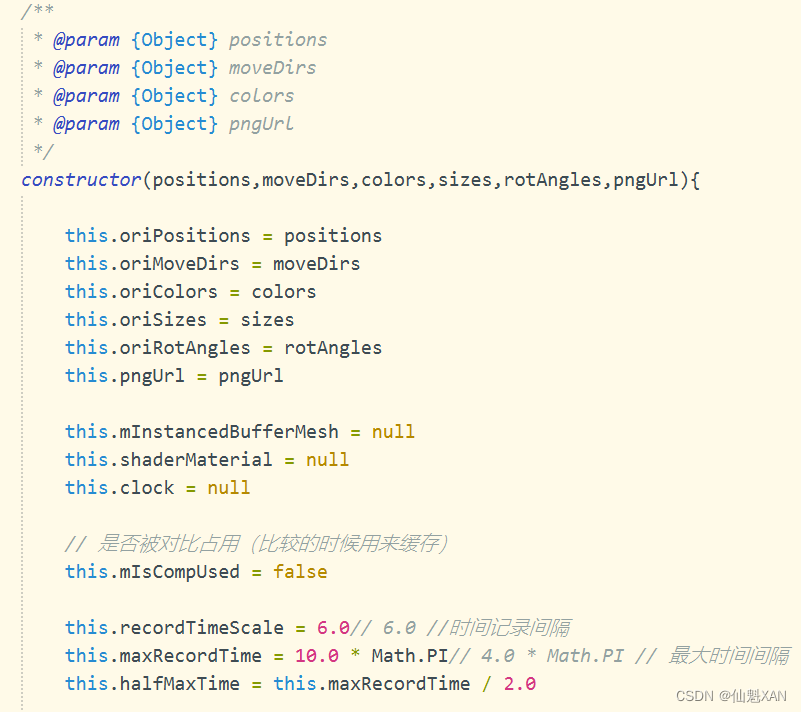
3、在上面的基础上,添加一个 html ,用来实现案例效果,引入相关包
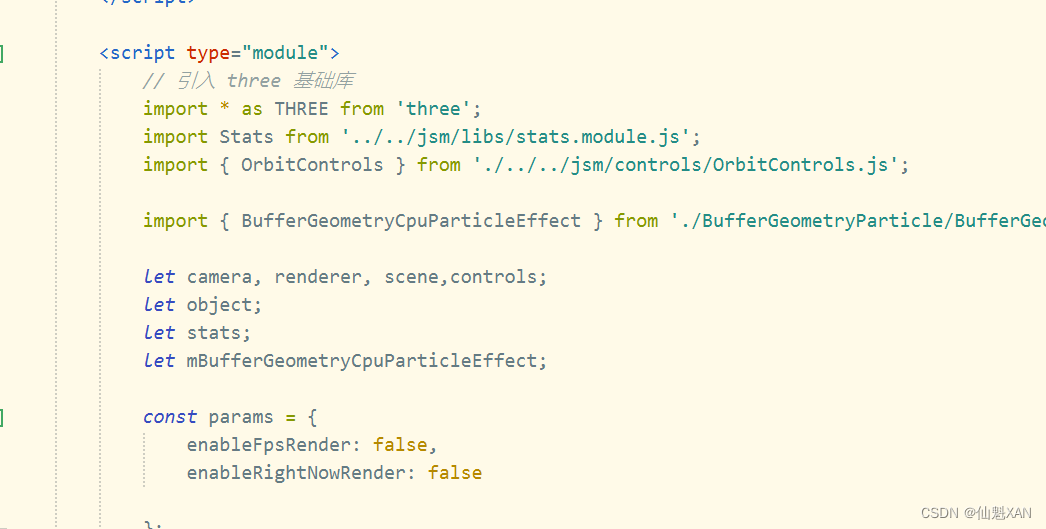
4、创建基础场景
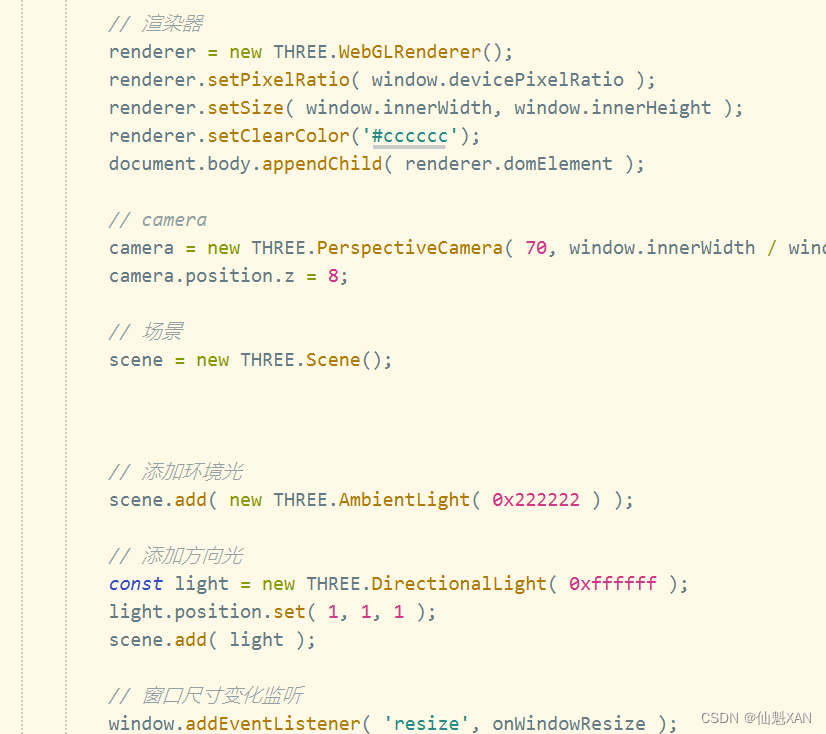
5、构建 位置、移动向量、粒子大小、颜色、旋转等数据,并传入粒子图片,创建 BufferGeometryCpuParticleEffect
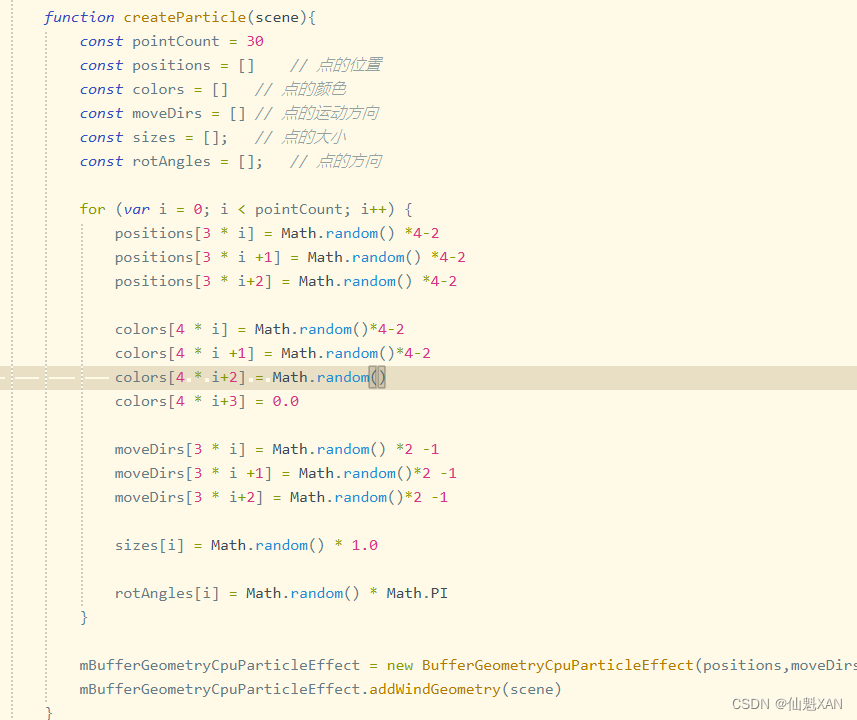
6、完成其他的基础代码编写,运行脚本,效果如下

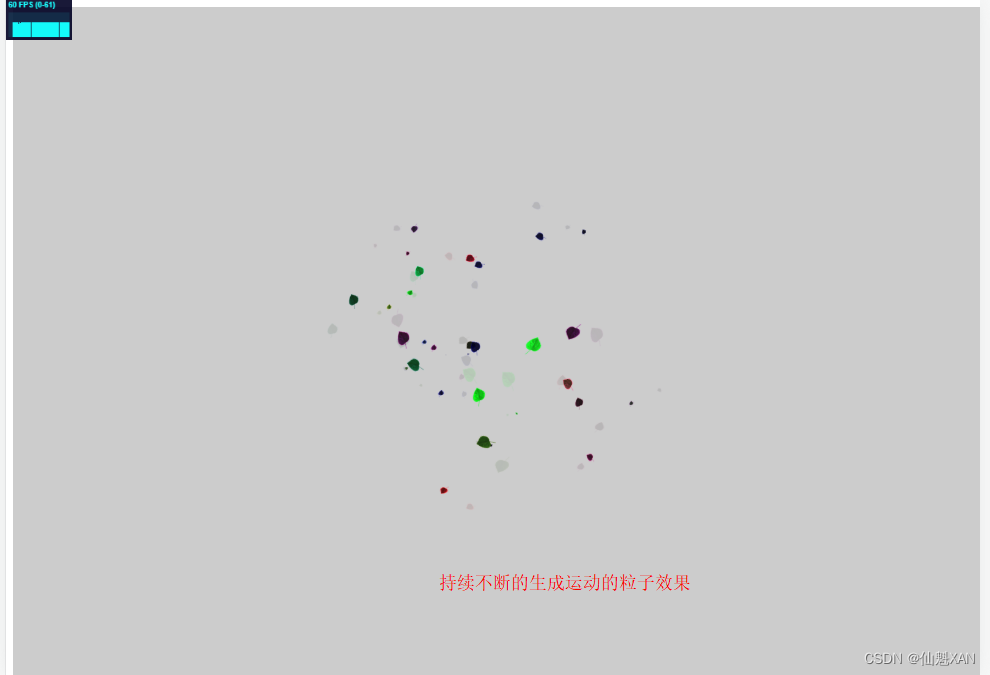

六、关键代码
1、TestBufferGeometryCpuParticleEffect.html
- <!DOCTYPE html>
- <html lang="en">
- <head>
- <title>TestBufferGeometryCpuParticleEffect</title>
- <meta charset="utf-8">
- <meta name="viewport" content="width=device-width, user-scalable=no, minimum-scale=1.0, maximum-scale=1.0">
- <link type="text/css" rel="stylesheet" href="main.css">
- </head>
- <body>
-
- <!-- Import maps polyfill -->
- <!-- Remove this when import maps will be widely supported -->
- <script async src="https://unpkg.com/es-module-shims@1.3.6/dist/es-module-shims.js"></script>
-
- <script type="importmap">
- {
- "imports": {
- "three": "../../../build/three.module.js"
- }
- }
- </script>
-
- <script type="module">
- // 引入 three 基础库
- import * as THREE from 'three';
- import Stats from '../../jsm/libs/stats.module.js';
- import { OrbitControls } from './../../jsm/controls/OrbitControls.js';
-
- import { BufferGeometryCpuParticleEffect } from './BufferGeometryParticle/BufferGeometryCpuParticleEffect.js'
-
- let camera, renderer, scene,controls;
- let object;
- let stats;
- let mBufferGeometryCpuParticleEffect;
-
- const params = {
- enableFpsRender: false,
- enableRightNowRender: false
-
- };
-
- init();
- animate();
-
- function init() {
-
- // 渲染器
- renderer = new THREE.WebGLRenderer();
- renderer.setPixelRatio( window.devicePixelRatio );
- renderer.setSize( window.innerWidth, window.innerHeight );
- renderer.setClearColor('#cccccc');
- document.body.appendChild( renderer.domElement );
-
- // camera
- camera = new THREE.PerspectiveCamera( 70, window.innerWidth / window.innerHeight, 1, 1000 );
- camera.position.z = 8;
-
- // 场景
- scene = new THREE.Scene();
-
-
-
- // 添加环境光
- scene.add( new THREE.AmbientLight( 0x222222 ) );
-
- // 添加方向光
- const light = new THREE.DirectionalLight( 0xffffff );
- light.position.set( 1, 1, 1 );
- scene.add( light );
-
- // 窗口尺寸变化监听
- window.addEventListener( 'resize', onWindowResize );
-
-
-
- stats = new Stats();
- document.body.appendChild( stats.dom );
-
- controls = new OrbitControls( camera, renderer.domElement );
-
- createParticle(scene)
- }
-
- function createParticle(scene){
- const pointCount = 30
- const positions = [] // 点的位置
- const colors = [] // 点的颜色
- const moveDirs = [] // 点的运动方向
- const sizes = []; // 点的大小
- const rotAngles = []; // 点的方向
-
- for (var i = 0; i < pointCount; i++) {
- positions[3 * i] = Math.random() *4-2
- positions[3 * i +1] = Math.random() *4-2
- positions[3 * i+2] = Math.random() *4-2
-
- colors[4 * i] = Math.random()*4-2
- colors[4 * i +1] = Math.random()*4-2
- colors[4 * i+2] = Math.random()
- colors[4 * i+3] = 0.0
-
- moveDirs[3 * i] = Math.random() *2 -1
- moveDirs[3 * i +1] = Math.random()*2 -1
- moveDirs[3 * i+2] = Math.random()*2 -1
-
- sizes[i] = Math.random() * 1.0
-
- rotAngles[i] = Math.random() * Math.PI
- }
-
- mBufferGeometryCpuParticleEffect = new BufferGeometryCpuParticleEffect(positions,moveDirs,colors,sizes,rotAngles,'textures/left.png')
- mBufferGeometryCpuParticleEffect.addWindGeometry(scene)
- }
-
- function onWindowResize() {
-
- // camera 更新 aspect
- camera.aspect = window.innerWidth / window.innerHeight;
- camera.updateProjectionMatrix();
-
- // 渲染器更新大小
- renderer.setSize( window.innerWidth, window.innerHeight );
-
- }
-
-
- function animate() {
-
- requestAnimationFrame( animate );
-
- renderer.render( scene, camera );
- mBufferGeometryCpuParticleEffect.instancingGeometryUpdate()
- stats.update();
- controls.update()
- }
-
- </script>
- </body>
- </html>
2、BufferGeometryCpuParticleEffect
- import {
- BufferGeometry,
- InstancedBufferAttribute,
- Mesh,
- CircleGeometry,
- ShaderMaterial,
- NormalBlending,
- DoubleSide,
- Clock,
- Points,
- Float32BufferAttribute,TextureLoader,Color,DynamicDrawUsage,Object3D
-
- } from 'three'
-
-
- export class BufferGeometryCpuParticleEffect {
- /**
- * @param {Object} positions
- * @param {Object} moveDirs
- * @param {Object} colors
- * @param {Object} pngUrl
- */
- constructor(positions,moveDirs,colors,sizes,rotAngles,pngUrl){
-
- this.oriPositions = positions
- this.oriMoveDirs = moveDirs
- this.oriColors = colors
- this.oriSizes = sizes
- this.oriRotAngles = rotAngles
- this.pngUrl = pngUrl
-
- this.mInstancedBufferMesh = null
- this.shaderMaterial = null
- this.clock = null
-
- // 是否被对比占用(比较的时候用来缓存)
- this.mIsCompUsed = false
-
- this.recordTimeScale = 6.0// 6.0 //时间记录间隔
- this.maxRecordTime = 10.0 * Math.PI// 4.0 * Math.PI // 最大时间间隔
- this.halfMaxTime = this.maxRecordTime / 2.0
-
- this.isMeshVisible = false
-
- this.uniforms = null
- this.geometry = null
- }
- /**
- * 风速效果
- * @param scene
- * @returns {null}
- */
- addWindGeometry(
- scene
- ){
-
- this.uniforms = {
-
- pointTexture: { value: new TextureLoader().load( this.pngUrl ) },
- time:{value: 0.0},
- timeTwo:{value: 0.0},
- maxTime: { value: this.maxRecordTime },
- };
-
- const pointCount = this.oriPositions.length / 3
- this.positions = [] // 点的位置
- const colors = [] // 点的颜色
- const translateArray = [] // 点的运动方向
- const pointTime = [] // 点的波数
- const sizes = []; // 点的大小
- const rotAngles = []; // 点的方向
-
- const createPointTimeParticel = (n)=>{
- for (var i = 0; i < pointCount; i++) {
- this.positions.push(
- this.oriPositions[3*i],
- this.oriPositions[3*i+1],
- this.oriPositions[3*i+2],
- )
-
- colors.push(
- this.oriColors[4*i],
- this.oriColors[4*i+1],
- this.oriColors[4*i+2],
- this.oriColors[4*i+3],
- )
-
- translateArray.push(
- this.oriMoveDirs[3*i],
- this.oriMoveDirs[3*i+1],
- this.oriMoveDirs[3*i+2],
- )
-
- sizes.push(
- this.oriSizes[i]
- )
-
- rotAngles.push(
- this.oriRotAngles[i]
- )
-
- pointTime.push(n)
- }
-
- }
-
- createPointTimeParticel(0.0)
- createPointTimeParticel(1.0)
-
- const shaderMaterial = new ShaderMaterial( {
-
- uniforms: this.uniforms,
- vertexShader: `
- attribute float size;
- attribute vec4 windDirection;
- attribute float pointTime;
- attribute float rotAngle;
- varying vec4 vColor;
- varying float vRotAngle;
- void main() {
- vColor = color;
- vRotAngle = rotAngle;
- vec4 mvPosition = modelViewMatrix * vec4( position, 1.0 );
- gl_PointSize = size * ( 300.0 / - mvPosition.z );
- gl_Position = projectionMatrix * mvPosition;
- }
- `,
- fragmentShader: `
- uniform sampler2D pointTexture;
- varying vec4 vColor;
- varying float vRotAngle;
- void main() {
- gl_FragColor = vec4( vColor);
- // gl_FragColor = gl_FragColor * texture2D( pointTexture, gl_PointCoord );
- // uv 旋转
- vec2 uv = gl_PointCoord.xy - vec2(0.5, 0.5);
- float angle = vRotAngle;
- uv = vec2(uv.x *cos(angle) - uv.y * sin(angle),uv.x *sin(angle) + uv.y*cos(angle));
- uv += vec2(0.5, 0.5);
- gl_FragColor = gl_FragColor * texture2D( pointTexture, uv );
- }
- `,
-
- blending: NormalBlending,
- depthTest: false,
- transparent: true,
- vertexColors: true,
-
- } );
-
- this.geometry = new BufferGeometry();
-
- this.geometry.setAttribute( 'position', new Float32BufferAttribute(
- this.positions, 3 ).setUsage( DynamicDrawUsage ) );
- this.geometry.setAttribute( 'color', new Float32BufferAttribute( colors, 4 ).setUsage( DynamicDrawUsage ) );
- this.geometry.setAttribute( 'size', new Float32BufferAttribute( sizes, 1 ).setUsage( DynamicDrawUsage ) );
- this.geometry.setAttribute(
- 'windDirection',
- new InstancedBufferAttribute(new Float32Array(translateArray), 3)
- )
- this.geometry.setAttribute(
- 'pointTime',
- new InstancedBufferAttribute(new Float32Array(pointTime), 1)
- )
-
- this.geometry.setAttribute(
- 'rotAngle',
- new Float32BufferAttribute(new Float32Array(rotAngles), 1).setUsage( DynamicDrawUsage )
- )
-
- var particleSystem = new Points( this.geometry, shaderMaterial );
- this.mInstancedBufferMesh = particleSystem
- scene.add( particleSystem );
- if (this.clock == null) {
- this.clock = new Clock()
- }
- this.timeRecord = this.clock.getElapsedTime() * this.recordTimeScale //第一波风速时间记录
- this.timeRecord2 = 0.0 //第二波风速时间记录
-
- this.shaderMaterial = shaderMaterial
- return this.mInstancedBufferMesh
- }
-
- instancingGeometryUpdate(){
- if(this.clock === null){
- return
- }
-
-
- if (this.mInstancedBufferMesh != null && this.shaderMaterial != null) {
-
- if(this.mInstancedBufferMesh.visible === false ){
-
- return
- }
- if( this.isMeshVisible === false){
- this.timeRecord = this.clock.getElapsedTime() * this.recordTimeScale //第一波风速时间记录
- this.timeRecord2 = 0.0 //第二波风速时间记录
- this.startTime2 = false
- this.isMeshVisible = true
- }
-
- const current = this.clock.getElapsedTime() * this.recordTimeScale
- const time = current - this.timeRecord
-
- if (!this.startTime2 && time > this.halfMaxTime) {
- this.startTime2 = true
- this.timeRecord2 = this.timeRecord + this.halfMaxTime
- }
- const time2 = current - this.timeRecord2
- if (time > this.maxRecordTime) {
- this.timeRecord = current
-
- }
- if (time2 > this.maxRecordTime) {
- this.timeRecord2 = this.timeRecord + this.halfMaxTime
-
- }
-
- this.shaderMaterial.uniforms['time'].value = time
-
- if (this.startTime2) {
- this.shaderMaterial.uniforms['timeTwo'].value = time2
- }
-
- this.updatePostionAndColorAlpha(time,time2)
- }
- }
-
- /**
- * 更新对应波数的粒子
- * @param {Object} time
- * @param {Object} time2
- */
- updatePostionAndColorAlpha(time,time2){
- // 位置更新
- const positionArray = this.geometry.attributes.position.array;
- const translateArray = this.geometry.attributes.windDirection.array;
- const pointTimeArray = this.geometry.attributes.pointTime.array;
- const ss = 0.03
- for (var i = 0,j=0; i < positionArray.length,j<pointTimeArray.length; i+=3,j++) {
- var useTime = pointTimeArray[j] > 0.1 ? time2 : time;
- // console.log("useTime ", useTime)
- positionArray[i] =
- this.positions[i]+ translateArray[i] * useTime * ss
- positionArray[i+1] = this.positions[i+1]+ translateArray[i+1] * useTime * ss
- positionArray[i+2] = this.positions[i+2]+ translateArray[i+2] * useTime * ss
- }
- this.geometry.attributes.position.needsUpdate = true;
-
- // 更新颜色
- const colorArray = this.geometry.attributes.color.array;
- const colorLenght = colorArray.length;
- const halfcolorLenght = colorLenght/2
- for (var i = 0; i < colorLenght; i+=4) {
- if(i < halfcolorLenght){
- if(time < this.maxRecordTime/2){
- colorArray[i+3] = time/this.maxRecordTime *2
- }else if(time > this.maxRecordTime * 2 / 3){
- colorArray[i+3] = (this.maxRecordTime - time)/this.maxRecordTime * 3
- }
- }else{
- if(time2 < this.maxRecordTime/2){
- colorArray[i+3] = time2/this.maxRecordTime * 3
- }else if(time2 > this.maxRecordTime * 2 / 3){
- colorArray[i+3] = (this.maxRecordTime - time2)/this.maxRecordTime * 3
- }
- }
- }
-
- this.geometry.attributes.color.needsUpdate = true;
-
- // 旋转更新
- const rotAngArray = this.geometry.attributes.rotAngle.array;
- const rotAngLenght = rotAngArray.length;
- for (var i = 0; i < rotAngArray.length; i++) {
- rotAngArray[i] += (Math.random()) * 0.04
- }
- this.geometry.attributes.rotAngle.needsUpdate = true;
- }
- }
七、源码
根据需要可下载工程代码,地址:Three之three.js使用BufferGeometry(CPU)根据简单粒子particle运动效果代码工程

