
热门标签
热门文章
- 1Linux文件系统与日志管理
- 2Linux中CPU亲和性
- 3比较稳妥的荣品 rk3399刷机,顺便解决无法进入刷入系统问题以及短接针脚刷机麻烦的问题
- 4选择排序 | 冒泡排序 | C语言(详解)
- 5【Spring Boot 3】【数据源】自定义JPA多数据源_springboot3 jpa 多数据源
- 6Jupyter Notebook本地部署并实现公网远程访问内网Jupyter服务器【内网穿透】_本地化部署 内网
- 7全网最全的 Java 技术栈内容梳理(持续更新中)_java技术栈
- 8KubeSphere 接入外部 Elasticsearch 最佳实践_kubesphere 外置es
- 9【最全】PS各个版本下载安装及小试牛刀教程(PhotoShop CS3 ~~ PhotoShop 2022)_ps csdn
- 10LeetCode2859. Sum of Values at Indices With K Set Bits
当前位置: article > 正文
springBoot整合mongodb-jpa_springboot mongodb jpa
作者:沉思者 | 2024-02-02 18:07:36
赞
踩
springboot mongodb jpa
第1步:基于maven新建springBoot工程
- <parent>
- <groupId>org.springframework.boot</groupId>
- <artifactId>spring-boot-starter-parent</artifactId>
- <version>1.5.8.RELEASE</version>
- <relativePath/> <!-- lookup parent from repository -->
- </parent>
- <modelVersion>4.0.0</modelVersion>
-
- <groupId>com.springcloud</groupId>
- <artifactId>mogodb_springboot_jpa</artifactId>
- <version>1.1.0</version>
- <build>
- <plugins>
- <plugin>
- <groupId>org.apache.maven.plugins</groupId>
- <artifactId>maven-compiler-plugin</artifactId>
- <configuration>
- <source>8</source>
- <target>8</target>
- </configuration>
- </plugin>
- </plugins>
- </build>
-
- <dependencies>
- <dependency>
- <groupId>org.springframework.boot</groupId>
- <artifactId>spring-boot-starter-web</artifactId>
- </dependency>
-
- <!-- Apache Lang3 -->
- <dependency>
- <groupId>org.apache.commons</groupId>
- <artifactId>commons-lang3</artifactId>
- <version>3.9</version>
- </dependency>
-
- <dependency>
- <groupId>org.springframework.boot</groupId>
- <artifactId>spring-boot-starter-data-mongodb</artifactId>
- <version>2.2.2.RELEASE</version>
- </dependency>
-
- <!-- JSON 解析器和生成器 -->
- <dependency>
- <groupId>com.alibaba</groupId>
- <artifactId>fastjson</artifactId>
- <version>1.2.74</version>
- </dependency>
-
-
- <!--Jackson required包-->
- <dependency>
- <groupId>com.fasterxml.jackson.core</groupId>
- <artifactId>jackson-core</artifactId>
- <version>2.11.2</version>
- </dependency>
- <dependency>
- <groupId>com.fasterxml.jackson.core</groupId>
- <artifactId>jackson-databind</artifactId>
- <version>2.11.2</version>
- </dependency>
- <dependency>
- <groupId>com.fasterxml.jackson.core</groupId>
- <artifactId>jackson-annotations</artifactId>
- <version>2.11.2</version>
- </dependency>
-
- <dependency>
- <groupId>javax.servlet</groupId>
- <artifactId>servlet-api</artifactId>
- <version>2.5</version>
- <scope>provided</scope>
- </dependency>
- </dependencies>

第2步:配置application.properties文件
- server.port=8090
- spring.application.name=mongodb-8090
- spring.data.mongodb.host=192.168.42.22
- spring.data.mongodb.port=27017
- spring.data.mongodb.database=db_resume
第3步:编写实体类,并在实体类上面加上注解 @Docment("集合名")
- package com.springcloud.domian.bean;
-
- import org.apache.commons.lang3.builder.ToStringBuilder;
-
- import java.math.BigDecimal;
- import java.util.Date;
-
-
- public class Resume {
-
- private String id;
-
- private String name;
-
- private String city;
-
- private Date birthday;
-
- private BigDecimal expectSalary;
-
- public Resume() {
- }
-
- @Override
- public String toString() {
- return ToStringBuilder.reflectionToString(this);
- }
-
- public String getId() {
- return id;
- }
-
- public void setId(String id) {
- this.id = id;
- }
-
- public String getName() {
- return name;
- }
-
- public void setName(String name) {
- this.name = name;
- }
-
- public String getCity() {
- return city;
- }
-
- public void setCity(String city) {
- this.city = city;
- }
-
- public Date getBirthday() {
- return birthday;
- }
-
- public void setBirthday(Date birthday) {
- this.birthday = birthday;
- }
-
- public BigDecimal getExpectSalary() {
- return expectSalary;
- }
-
- public void setExpectSalary(BigDecimal expectSalary) {
- this.expectSalary = expectSalary;
- }
- }
第4步:编写Repository接口, 继承MongoRepository
- package com.springcloud.repository;
-
- import com.springcloud.domian.bean.Resume;
- import org.springframework.data.mongodb.repository.MongoRepository;
-
-
- public interface ResumeRepository extends MongoRepository<Resume, String> {
- }
第5步: 从Spring容器中获取Repository对象进行数据操作
- package com.springcloud.service.impl;
-
- import com.springcloud.domian.bean.Resume;
- import com.springcloud.repository.ResumeRepository;
- import com.springcloud.service.IResumeService;
- import org.springframework.beans.factory.annotation.Autowired;
- import org.springframework.data.domain.Example;
- import org.springframework.data.domain.ExampleMatcher;
- import org.springframework.data.domain.Page;
- import org.springframework.data.domain.PageRequest;
- import org.springframework.data.domain.Pageable;
- import org.springframework.data.domain.Sort;
- import org.springframework.stereotype.Service;
-
- import java.math.BigDecimal;
- import java.text.ParseException;
- import java.text.SimpleDateFormat;
- import java.util.Objects;
-
- @Service
- public class ResumeServiceImpl implements IResumeService {
-
- @Autowired
- private ResumeRepository resumeRepository;
-
- @Override
- public Resume findByName(String name) {
- Resume resume = new Resume();
- resume.setName(name);
- Example<Resume> resumeExample = Example.of(resume);
-
- return resumeRepository.findOne(resumeExample);
- }
-
- @Override
- public Resume insertResume(Integer no) throws ParseException {
- Resume resume = new Resume();
- SimpleDateFormat sdf = new SimpleDateFormat("yyyy-MM-dd");
- resume.setName("李" + no);
- resume.setCity("hk" + no);
- resume.setBirthday(sdf.parse("1996-03-14"));
- resume.setExpectSalary(new BigDecimal("15000"));
- resumeRepository.insert(resume);
- return resume;
- }
-
- @Override
- public Boolean updateResume(String id, String name) {
- Resume resume = resumeRepository.findOne(id);
- resume.setName(name);
- Resume save = resumeRepository.save(resume);
- return (Objects.nonNull(save) ? Boolean.TRUE : Boolean.FALSE);
- }
-
- @Override
- public Boolean deleteResume(String id) {
- resumeRepository.delete(id);
- return Boolean.TRUE;
- }
-
- /**
- * 分页查询
- *
- * @param name
- * @param currentPage
- * @param pageSize
- * @return
- */
- @Override
- public Page<Resume> listByName(String name, int currentPage, int pageSize) {
- Sort sort = new Sort(Sort.Direction.DESC, "city");
- Pageable pageable = new PageRequest(currentPage - 1, pageSize, sort);
-
- //创建匹配器,即如何使用查询条件
- ExampleMatcher matcher = ExampleMatcher.matching()
- .withStringMatcher(ExampleMatcher.StringMatcher.CONTAINING)
- .withIgnoreCase(true)
- .withMatcher("name", ExampleMatcher.GenericPropertyMatchers.contains())
- .withIgnorePaths("pageNum", "pageSize");
-
- //创建实例
- Resume resume = new Resume();
- resume.setName(name);
- Example<Resume> example = Example.of(resume, matcher);
- Page<Resume> resumes = resumeRepository.findAll(example, pageable);
- return resumes;
- }
- }
测试结果:
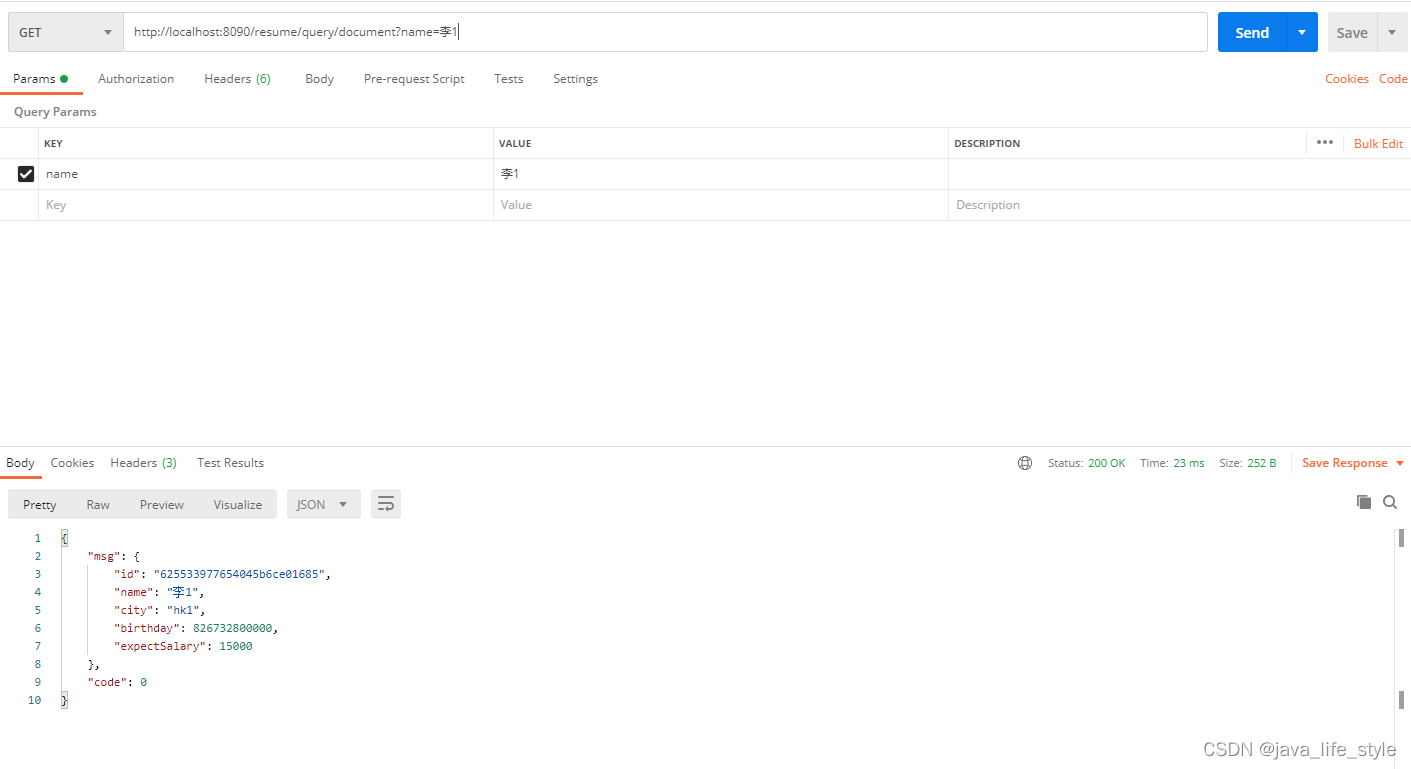
① 查询document: http://localhost:8090/resume/query/document?name=李1
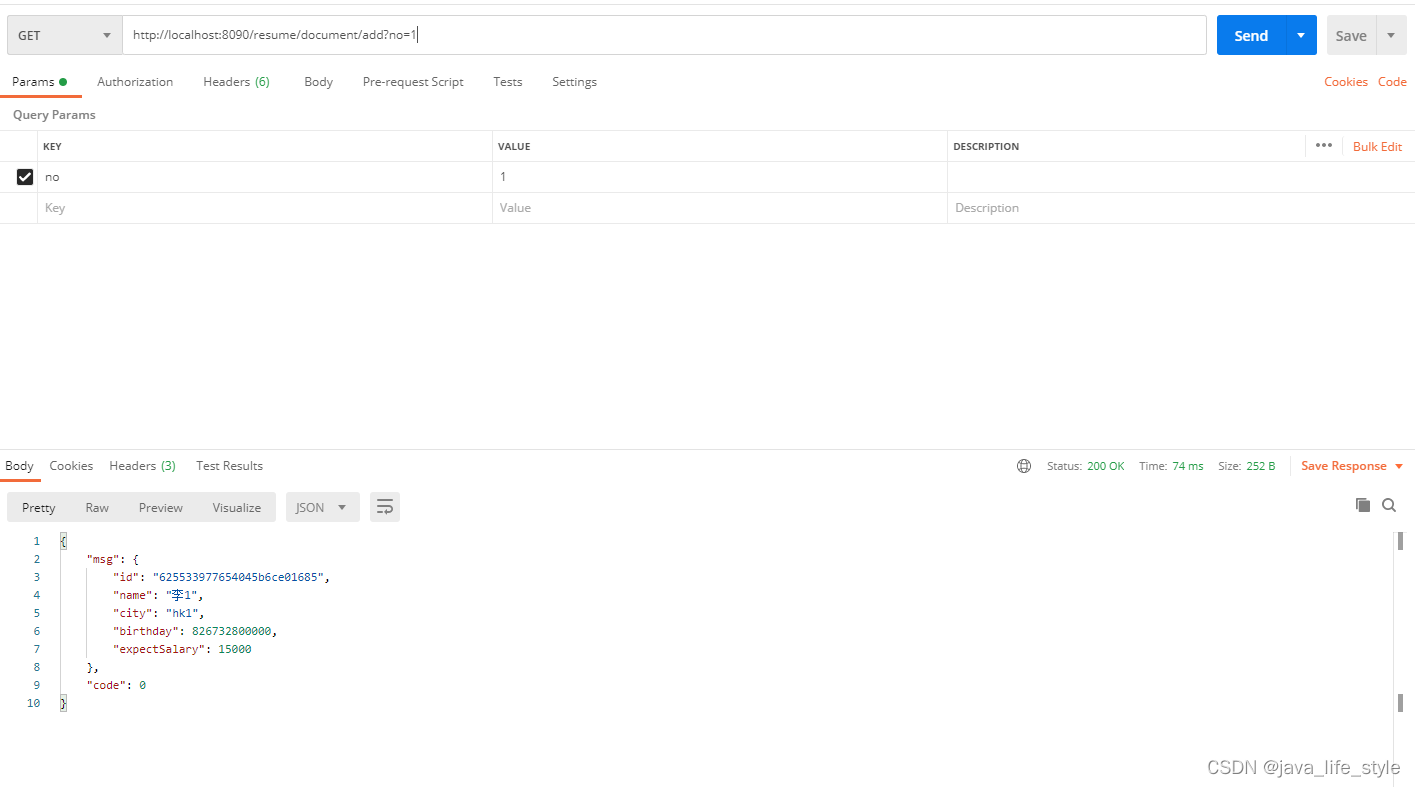
② 新增document: http://localhost:8090/resume/document/add?no=1
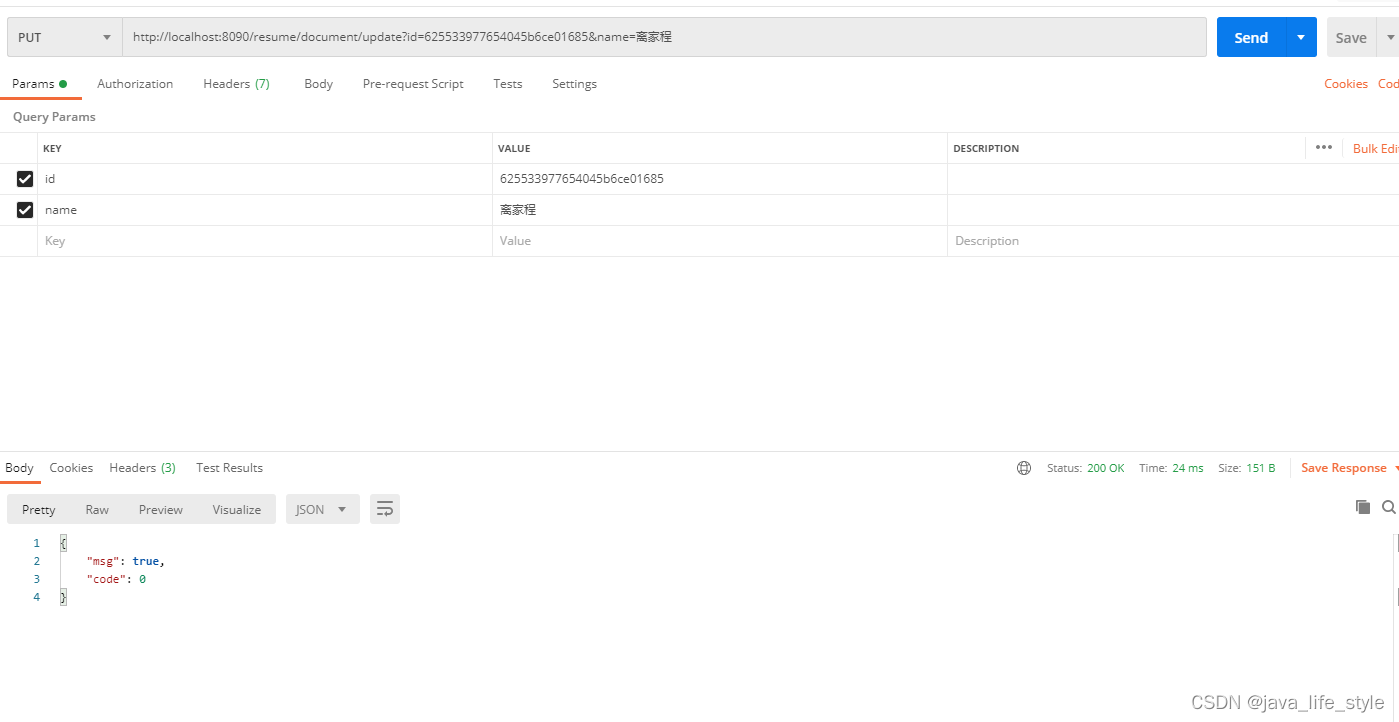
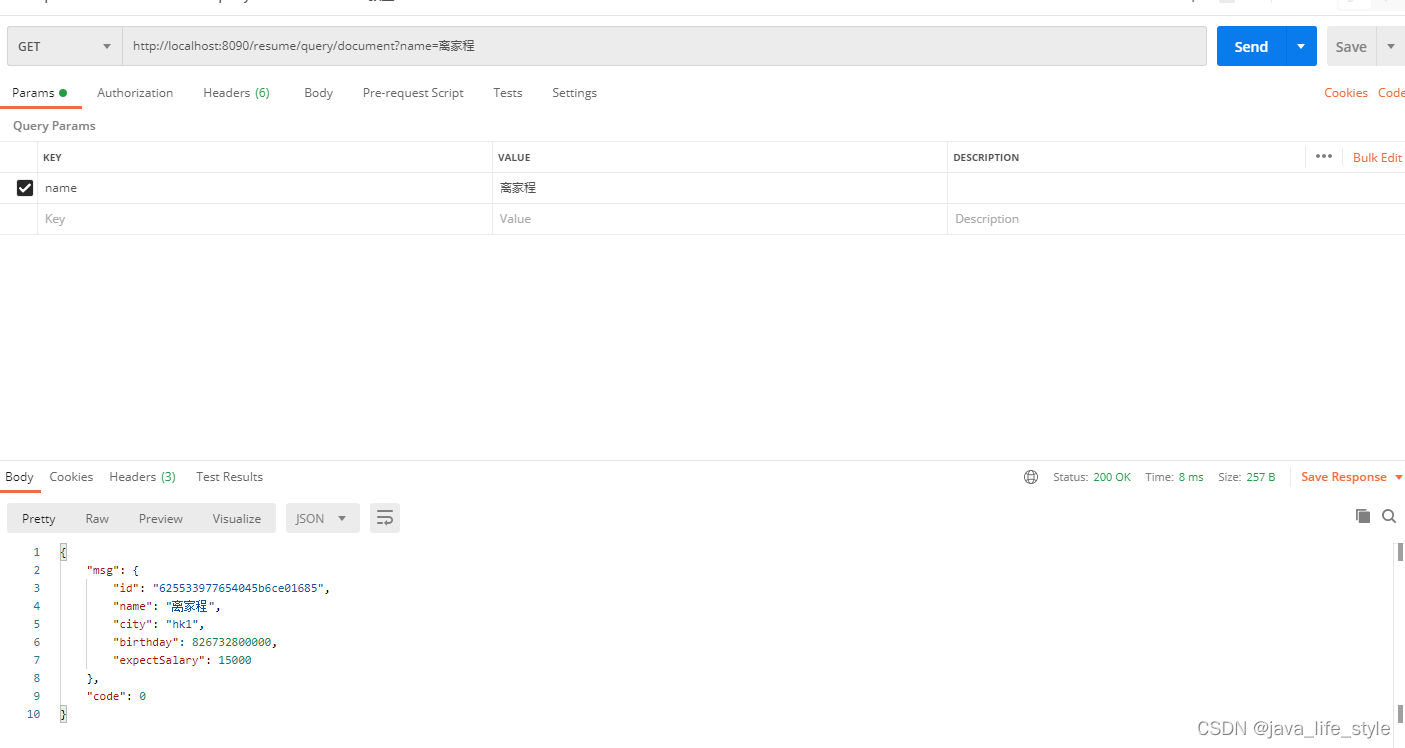
③ 更新document:
http://localhost:8090/resume/document/update?id=625533977654045b6ce01685&name=离家程
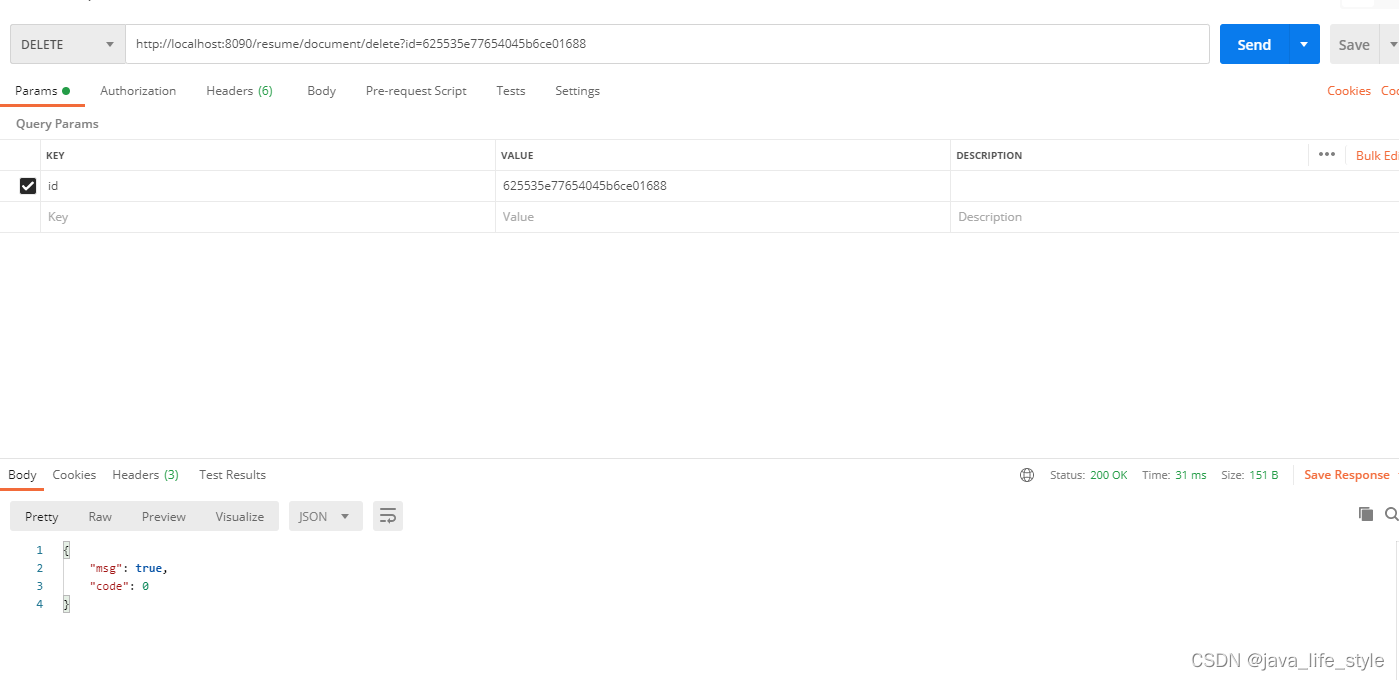
④ 删除document:
http://localhost:8090/resume/document/delete?id=625535e77654045b6ce01688
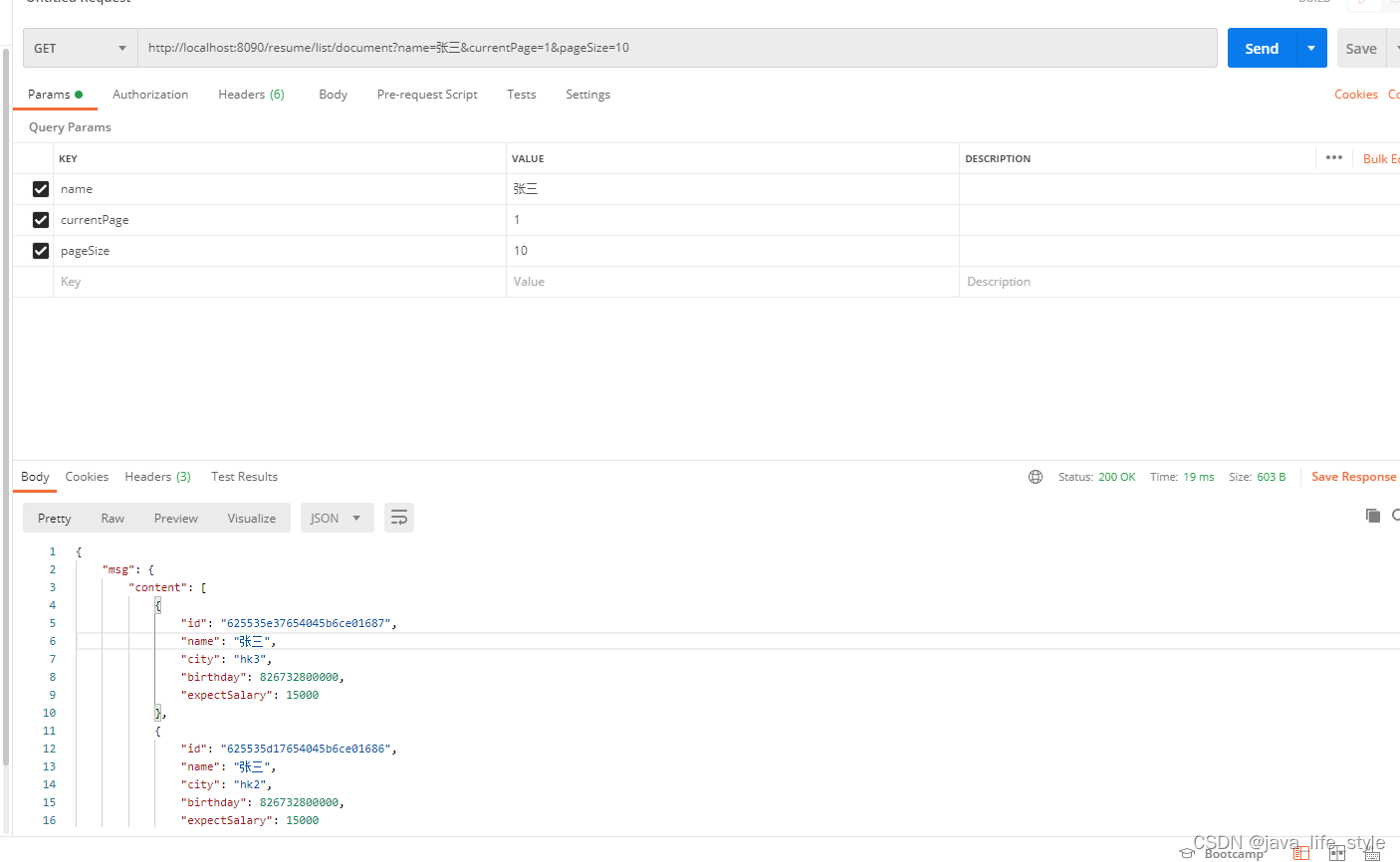
⑤ 分页查询document:
http://localhost:8090/resume/list/document?name=张三¤tPage=1&pageSize=10
总结
在进行分页查询的时候,需要特别注意的是,传递的分页参数的page是从0开始的,即0代表是第1页,要是不注意的话,就会造成查不到数据,或者是查询的数据不准确,需要做代码上的兼容,即:
Pageable pageable = new PageRequest(currentPage - 1, pageSize, sort);声明:本文内容由网友自发贡献,不代表【wpsshop博客】立场,版权归原作者所有,本站不承担相应法律责任。如您发现有侵权的内容,请联系我们。转载请注明出处:https://www.wpsshop.cn/article/detail/55953
推荐阅读



相关标签

