
热门标签
热门文章
- 1《尚硅谷数据结构》-归并排序_归并排序尚硅谷
- 2深拷贝的应用场景_深拷贝应用场景
- 3IAAS平台运维_设置控制节点主机名controller;计算节点主机名:compute。执行命令以及执行结果截
- 4存储虚拟化概述_存储虚拟化依赖什么硬件或协议
- 5confusionchart()混淆矩阵绘图函数介绍(MATLAB)_matlab混淆矩阵
- 6idou教你学Istio10 : 如何用Istio实现K8S Egress流量管理
- 7docker与docker-compose的区别_docker和docker compose区别
- 8spring boot 、vue-simple-uploader 实现分片、断点上传_vue simple uploader 关闭分片
- 9minio分布式部署_minio_volumes
- 10【首发独家】华为OD机试 - 打印文件、打印机队列(C 语言解题)_华为机考打印文件c语言实现
当前位置: article > 正文
eclipse提示:“The superclass “javax.servlet.http.HttpServlet“ was not found on the Java“解决办法_eclipse the superclass java.servlet
作者:思考机器3 | 2024-02-02 17:11:45
赞
踩
eclipse the superclass java.servlet
eclipse提示:"The superclass “javax.servlet.http.HttpServlet” was not found on the Java"解决办法
新建jsp页面老提示:
Multiple annotations found at this line: The superclass “javax.servlet.http.HttpServlet” was not found on the Java Build Path
步骤:
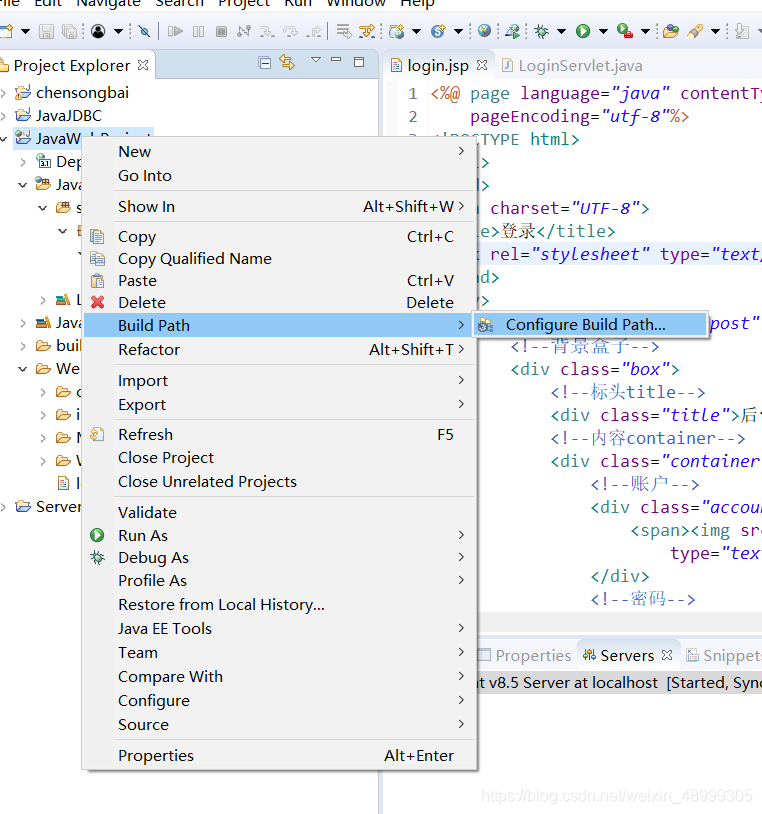
1、右键项目-build path
2、选择configure build path…
3、选择 java build path
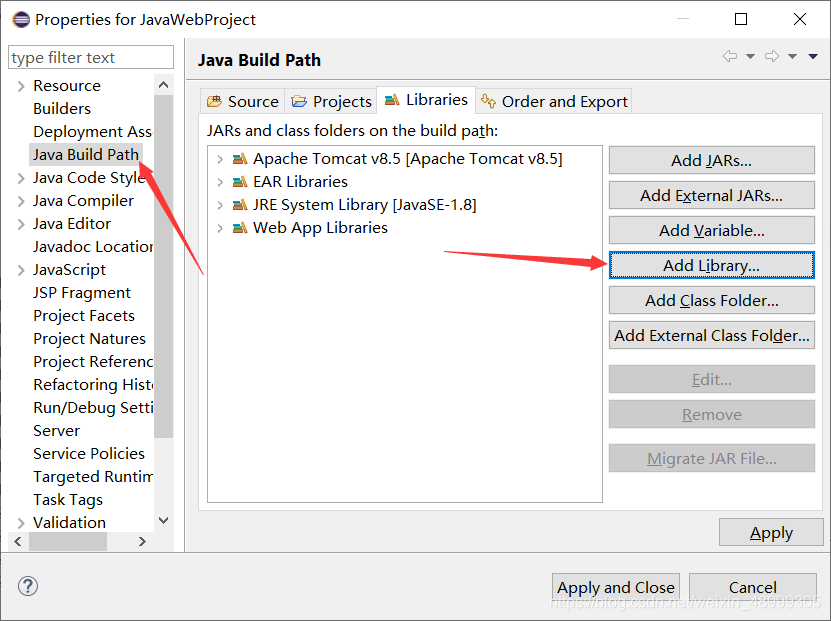
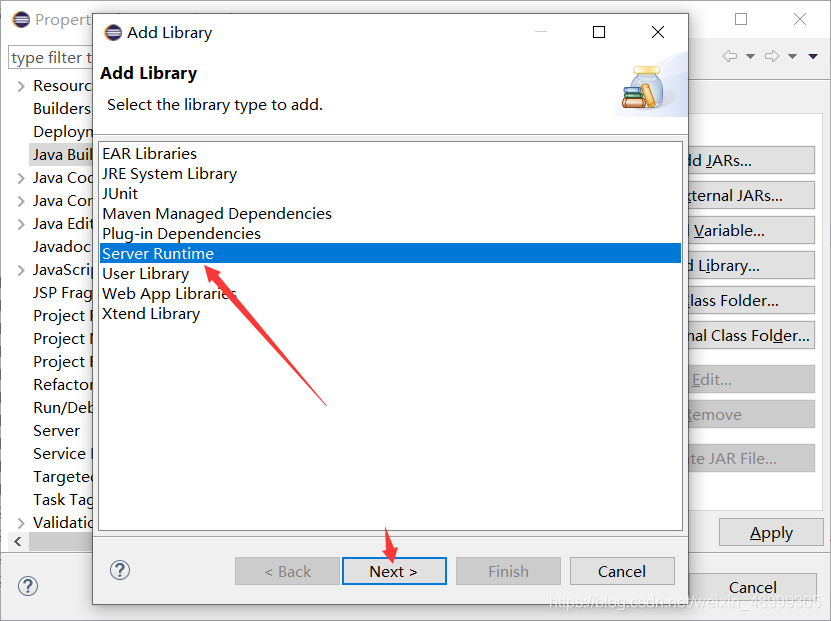
4、Add Library –> server Runtime -> Next
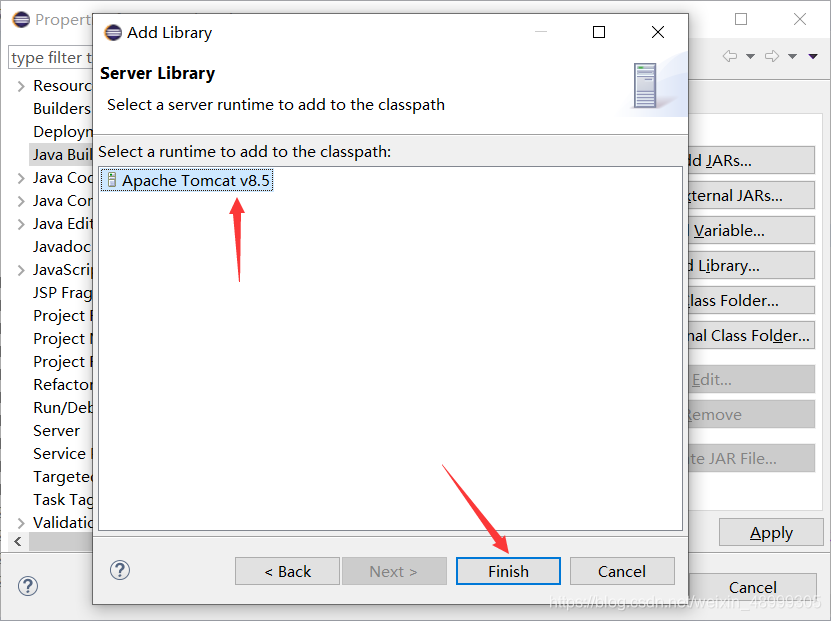
5、选择 Server runtime (我的是 Tomcat 8.5) –>完成
声明:本文内容由网友自发贡献,不代表【wpsshop博客】立场,版权归原作者所有,本站不承担相应法律责任。如您发现有侵权的内容,请联系我们。转载请注明出处:https://www.wpsshop.cn/article/detail/55881
推荐阅读

相关标签

