
热门标签
热门文章
- 1springboot中使用EasyExcel实现Excel 导入导出_easyexcel导入excel
- 2RTC技术|弹幕互动玩法方案&低延时传输引擎的体验优化
- 3flask与html进行简单交互第一弹_html调用flask接口
- 4C语言将a,b的值对换(采用指针交换)_c语言指针交换变量a和b的值
- 52023最新WSL搭建深度学习平台教程(适用于Docker-gpu、tensorflow-gpu、pytorch-gpu)_windows11 wsl 可以用来跑大模型么?
- 6OpenCV4.x图像处理实例-YOLO v8检测与识别物体_opencv yolov8
- 7Python的PyQt框架的使用-资源文件夹的使用_pyqt5导入文件夹作为img.prc
- 8【linux温故】CFS调度
- 9简单整理SpringCloudAlibaba+SpringSecurity+JWT_springcloudalibaba+springsctiry
- 10C语言冒泡排序介绍
当前位置: article > 正文
后端返回url实现预览和下载文件(目前只支持图片和pdf文档)_excel 下载url变预览
作者:编程革命者 | 2024-02-02 13:20:02
赞
踩
excel 下载url变预览
最近新接触的一个node+express的项目,要做一个在线预览和下载的功能。费了好大的劲,总算是写的差不多了,下面总结一下:
一:首先是通过url预览(以后可能还会让预览word、xlsx文件,这种方法就不能用了,还得另寻他法)
- 这次并没有调取接口,是在列表的操作列有一个预览按钮。然后后端将文件的url、type、id都在列表的每条数据里返给了我们
- 点击预览的时候需要弹框展示,这里用到的是layui的模态框
- 我们拿到文件url,在弹框完成时,将url赋值给弹框里的元素。(我们项目中是要预览N个文件的,所以弹框里用的轮播组件)
- 赋值时判断文件类型,如果是图片:赋值给img的src;如果是pdf:赋值给object的data
- 只要把url赋上值,只要url能用,不出意外就可以预览了(涉及到样式什么的可以自己调试)
二:其次是使用预览的url实现下载功能。(亲测图片和pdf可行)
- 因为这个url是预览用的,所以使用普通的a链接、iframe等都不行。
- 拿到路径后可以先在前端转一下,转成文件流,然后再使用a链接下载
三:贴图
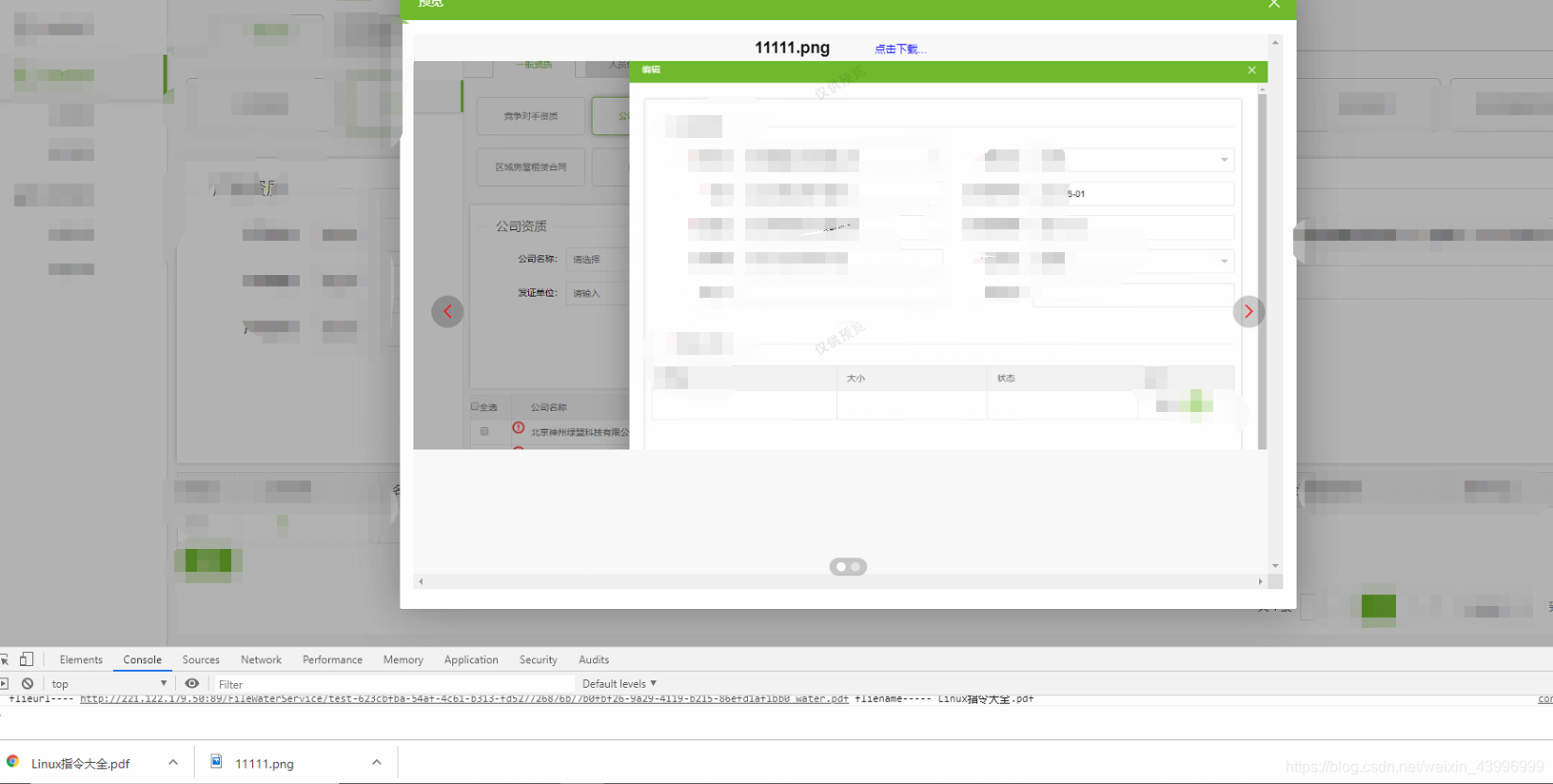
四:贴代码(这是我自己项目里的代码,大家看上面的思路就可)
<!-- 预览弹框 -->
<div id="previewBox" style="display: none;">
    <div class="layui-carousel" id="test1">
        <div class="previewCarousel" carousel-item style="overflow: scroll;">
			<!-- 预览的内容 -->
        </div>
    </div>
</div>

// 文件预览
    function filePreview(data) {  // data是列表数据
        // 点击预览按钮
        $('.previewApt').on('click',function(){
            var qInfoIDFlag = $(this).data('flie');
            var attachmentArr = [];
            data.forEach(function(item){
                if(item.QInfoID == qInfoIDFlag){
                    attachmentArr = item.Attachment;
                    return;
                }
            })
            $('#test1 .previewCarousel').empty(); // 销毁预览容器里的所有元素
            var addOpenedit = layer.open({
                type: 1,
                title: "预览",
                closeBtn: 1,
                skin: "pop-set",
                area: ["1000px","700px"],
                maxHeight:"800px",
                moveType: 1,
                resize: false,
                isOutAnim: true,
                scrollbar: true,
                anim: 1,
                content: $('#previewBox').html(),
                success: function (layero, index) {
                    var children = '',content = '';
                    attachmentArr.forEach(function(item){
                        if(item.FileSuffix == 'pdf'){
                            content = '<div><div style="width: 100%;height: 30px;line-height: 30px;text-align: center;font-size: 18px;font-weight: 700;">'+item.FileName+'.'+item.FileSuffix+'<a data-flieurl="'+item.WaterUrl+'" data-fliename="'+item.FileName+'.'+item.FileSuffix+'" class="downloadFlie" style="color: blue;font-size: 12px;font-weight: 500;margin-left: 50px;cursor: pointer;">点击下载...</a></div><object type="text/x-scriptlet" data="'+item.WaterUrl+'" width=100% height=570 id="content_info"></object></div>'
                        }else{
                            content = '<div><div style="width: 100%;height: 30px;line-height: 30px;text-align: center;font-size: 18px;font-weight: 700;">'+item.FileName+'.'+item.FileSuffix+'<a data-flieurl="'+item.WaterUrl+'" data-fliename="'+item.FileName+'.'+item.FileSuffix+'" class="downloadFlie" style="color: blue;font-size: 12px;font-weight: 500;margin-left: 50px;cursor: pointer;">点击下载...</a></div><img style="width: 100%;" src="'+item.WaterUrl+'"  alt="附件预览" /></div>'
                        }
                        children += '<div>'+content+'</div>';
                    })
                    $('#test1 .previewCarousel').append(children);
                    //建造实例
                    carousel.render({
                        elem: $(layero).find('#test1')
                        ,width: '100%' //设置容器宽度
                        ,arrow: 'always' //始终显示箭头
                        ,height:'620px'
                        ,autoplay:false
                        ,anim: 'fade' //切换动画方式
                    });
                    $(layero).find('.downloadFlie').on('click',function(){
                        var flieurl = $(this).data('flieurl');
                        var fliename = $(this).data('fliename');
                        getFileAndDownload(fliename,flieurl);
                    })
                    // console.log(layero, index);
                    $(layero).find('.returnBtn').on('click', function () {
                        layer.close(index);
                    })
                 	$(layero).find('.register-sub a').attr('href','javascript:void(0)').on('click', function () {
                        layer.close(index);
                    })

                    // 下载方法
                    function getFileAndDownload(fileName, url) {
                        var x = new XMLHttpRequest();
                        x.open("GET", url, true);
                        x.responseType = 'blob';
                        x.onload = function (e) {
                            var blob = x.response;
                            if ('msSaveOrOpenBlob' in navigator) {//IE导出
                                window.navigator.msSaveOrOpenBlob(blob, fileName);
                            }
                            else {
                                var a = document.createElement('a');
                                a.download = fileName;
                                a.href = URL.createObjectURL(blob);
                                $("body").append(a);
                                a.click();
                                $(a).remove();
                            }
                        };
                        x.send();
                    }
                }
            });

        })
    }

- 1
- 2
- 3
- 4
- 5
- 6
- 7
- 8
- 9
- 10
- 11
- 12
- 13
- 14
- 15
- 16
- 17
- 18
- 19
- 20
- 21
- 22
- 23
- 24
- 25
- 26
- 27
- 28
- 29
- 30
- 31
- 32
- 33
- 34
- 35
- 36
- 37
- 38
- 39
- 40
- 41
- 42
- 43
- 44
- 45
- 46
- 47
- 48
- 49
- 50
- 51
- 52
- 53
- 54
- 55
- 56
- 57
- 58
- 59
- 60
- 61
- 62
- 63
- 64
- 65
- 66
- 67
- 68
- 69
- 70
- 71
- 72
- 73
- 74
- 75
- 76
- 77
- 78
- 79
- 80
- 81
- 82
- 83
- 84
- 85
- 86
- 87
- 88
- 89
- 90
- 91
- 92
- 93
- 94
声明:本文内容由网友自发贡献,不代表【wpsshop博客】立场,版权归原作者所有,本站不承担相应法律责任。如您发现有侵权的内容,请联系我们。转载请注明出处:https://www.wpsshop.cn/article/detail/55424
推荐阅读
相关标签

