
- 1[记录]开发Hololens时Unity报错缺少UnityEngine.VR命名空间的问题
- 2Oracle分析SQL执行调优
- 3STM32 1-5
- 4unity3d 动态合批设置_Unity技术分享(82)|动态合批|渲染模块|animationclip.framerate...
- 5程序设计-从字符串中提取数字并按正序输出(Java)_java提取string中所有数字组合成新的
- 6常用的爆款抓包工具综合对比(选择最合适的抓包工具才是最重要的!)_抓包工具哪个好用
- 7【设计模式】适配器模式怎么理解?
- 8镜像的优化_powermill镜像项目里的优化是什么意思
- 9免费简单好用的 webshell 在线检测:支持 php、jsp、asp等多格式文件
- 10postman工具使用中,遇到的简单疑问_postman有缓存吗
html中验证码随机线条,vue实现随机验证码功能(完整代码)
赞
踩
vue实现随机验证码功能(完整代码)
发布时间:2020-10-22 17:18:46
来源:脚本之家
阅读:123
作者:遇你温柔如初
效果图:

1.html代码
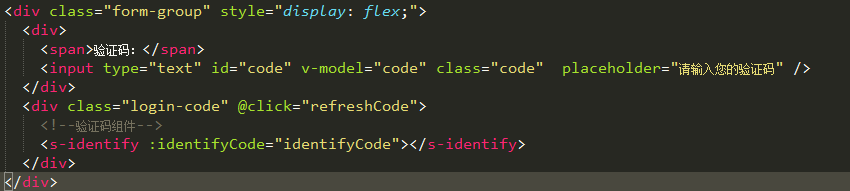
验证码:
2.css样式
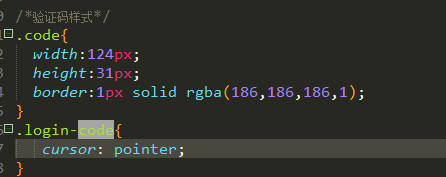
/*验证码样式*/
.code{
width:124px;
height:31px;
border:1px solid rgba(186,186,186,1);
}
.login-code{
cursor: pointer;
}
CSS 代码
3.js引入验证码组件,并且定义三个变量。
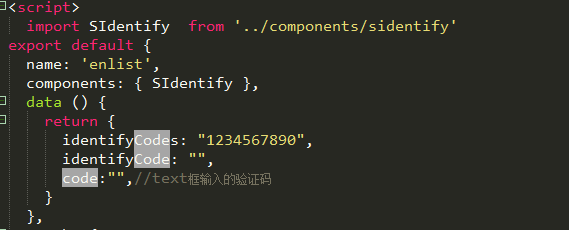
import SIdentify from '../components/sidentify'
components: { SIdentify },
data () {
return {
identifyCodes: "1234567890",
identifyCode: "",
code:"",//text框输入的验证码
}
},
引入验证码组件,以及需要定义的变量
4.mounted里的代码

mounted(){
this.identifyCode = "";
this.makeCode(this.identifyCodes, 4);
},
mounted代码
5.在created里初始化验证码
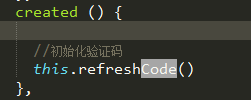
6.methods里添加以下方法。
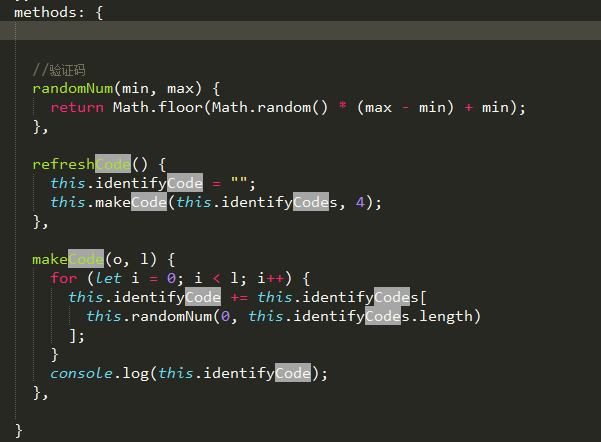
//验证码
randomNum(min, max) {
return Math.floor(Math.random() * (max - min) + min);
},
refreshCode() {
this.identifyCode = "";
this.makeCode(this.identifyCodes, 4);
},
makeCode(o, l) {
for (let i = 0; i < l; i++) {
this.identifyCode += this.identifyCodes[
this.randomNum(0, this.identifyCodes.length)
];
}
console.log(this.identifyCode);
},
需要用到的方法
在提交表单的时候对验证码进行判断。
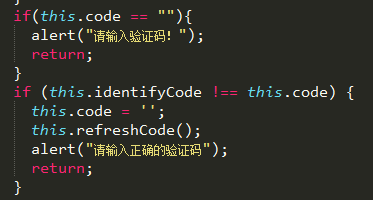
sidentify.vue组件代码:
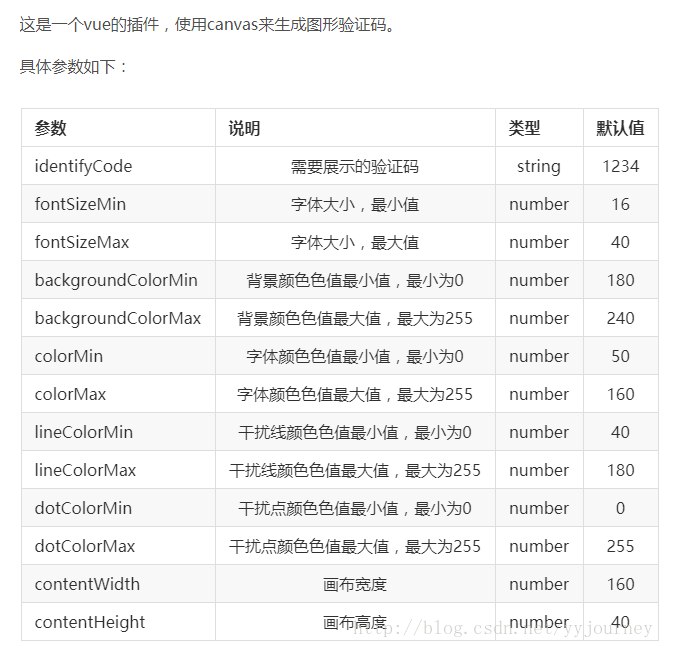
代码:
export default {
name: 'SIdentify',
props: {
identifyCode: {
type: String,
default: '1234'
},
fontSizeMin: {
type: Number,
default: 25
},
fontSizeMax: {
type: Number,
default: 30
},
backgroundColorMin: {
type: Number,
default: 255
},
backgroundColorMax: {
type: Number,
default: 255
},
colorMin: {
type: Number,
default: 0
},
colorMax: {
type: Number,
default: 160
},
lineColorMin: {
type: Number,
default: 100
},
lineColorMax: {
type: Number,
default: 255
},
dotColorMin: {
type: Number,
default: 0
},
dotColorMax: {
type: Number,
default: 255
},
contentWidth: {
type: Number,
default: 112
},
contentHeight: {
type: Number,
default: 31
}
},
methods: {
// 生成一个随机数
randomNum(min, max) {
return Math.floor(Math.random() * (max - min) + min)
},
// 生成一个随机的颜色
randomColor(min, max) {
let r = this.randomNum(min, max)
let g = this.randomNum(min, max)
let b = this.randomNum(min, max)
return 'rgb(' + r + ',' + g + ',' + b + ')'
},
drawPic() {
let canvas = document.getElementById('s-canvas')
let ctx = canvas.getContext('2d')
ctx.textBaseline = 'bottom'
// 绘制背景
ctx.fillStyle = this.randomColor(this.backgroundColorMin, this.backgroundColorMax)
ctx.fillRect(0, 0, this.contentWidth, this.contentHeight)
// 绘制文字
for (let i = 0; i < this.identifyCode.length; i++) {
this.drawText(ctx, this.identifyCode[i], i)
}
this.drawLine(ctx)
this.drawDot(ctx)
},
drawText(ctx, txt, i) {
ctx.fillStyle = this.randomColor(this.colorMin, this.colorMax)
ctx.font = this.randomNum(this.fontSizeMin, this.fontSizeMax) + 'px SimHei'
let x = (i + 1) * (this.contentWidth / (this.identifyCode.length + 1))
let y = this.randomNum(this.fontSizeMax, this.contentHeight - 5)
var deg = this.randomNum(-45, 45)
// 修改坐标原点和旋转角度
ctx.translate(x, y)
ctx.rotate(deg * Math.PI / 180)
ctx.fillText(txt, 0, 0)
// 恢复坐标原点和旋转角度
ctx.rotate(-deg * Math.PI / 180)
ctx.translate(-x, -y)
},
drawLine(ctx) {
// 绘制干扰线
for (let i = 0; i < 5; i++) {
ctx.strokeStyle = this.randomColor(this.lineColorMin, this.lineColorMax)
ctx.beginPath()
ctx.moveTo(this.randomNum(0, this.contentWidth), this.randomNum(0, this.contentHeight))
ctx.lineTo(this.randomNum(0, this.contentWidth), this.randomNum(0, this.contentHeight))
ctx.stroke()
}
},
drawDot(ctx) {
// 绘制干扰点
for (let i = 0; i < 80; i++) {
ctx.fillStyle = this.randomColor(0, 255)
ctx.beginPath()
ctx.arc(this.randomNum(0, this.contentWidth), this.randomNum(0, this.contentHeight), 1, 0, 2 * Math.PI)
ctx.fill()
}
}
},
watch: {
identifyCode() {
this.drawPic()
}
},
mounted() {
this.drawPic()
}
}
.s-canvas {
height: 38px;
}
.s-canvas canvas{
margin-top: 1px;
margin-left: 8px;
}
这篇文章是我参考别人写的,很感谢那个博主。
总结
以上所述是小编给大家介绍的vue实现随机验证码功能,希望对大家有所帮助,如果大家有任何疑问请给我留言,小编会及时回复大家的。在此也非常感谢大家对亿速云网站的支持!
如果你觉得本文对你有帮助,欢迎转载,烦请注明出处,谢谢!
![[HTML]Web前端开发技术12(HTML5、CSS3、JavaScript )——喵喵画网页](https://csdnimg.cn/release/cmsfe/public/img/lazyLogo2.1882d7f4.png)

