
热门标签
热门文章
- 1【好书推荐-第二期】《实战AI大模型 》:带你走进大模型GPTs、AIGC的世界(李开复、周鸿祎、颜水成倾力推荐)
- 2文心一言眼里的Java世界
- 3混合整数线性规划——选址问题(决策变量0-1问题)MATLAB_matlab 0-1变量
- 4国内外知名安全厂商防火墙默认登录地址、用户名、密码大全,建议收藏备用!_登录密码大全
- 52023年VSCode插件最新推荐(54款)
- 6Uipath调用VBA
- 7极域工具包 1.1正式发布!窗口化极域,解键盘锁,适配学生机房管理助手7.4-7.5!
- 8【数据结构】二叉树的顺序结构实现及时间复杂度计算(二)_平衡二叉树的时间复杂度计算
- 9Linux之基本指令操作
- 10【MySQL | TCP】宝塔面板结合内网穿透实现公网远程访问
当前位置: article > 正文
关于Creo中ui editor创建的对话框加载问题_creo ui editor 作用
作者:cp456 | 2024-02-01 17:37:31
赞
踩
creo ui editor 作用
ProUIDialogCreate()创建对话框
| ProUIDialogCreate | ( | |
| char* dialog_name | ||
| /* (In) | ||
| The name of the dialog | ||
| */ | ||
| char* resource | ||
| /* (In) | ||
| The name of the resource file | ||
| */ | ||
其中 dialog_name 为对话框的名称 如下:

resource为资源文件的名称
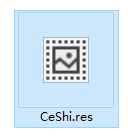
建议两个名称命名一样的
char *dialog_CeShi="CeShi";
ProUIDialogCreate(dialog_CeShi,dialog_CeShi); 即可完成创建对话框
注意 :对话框的资源文件 上图的“CeShi.res”文件 最好放在自定义的文件夹中的 ../text\chinese_cn\resource中 否则无法自动找到资源文件 对话框创建不成功!
声明:本文内容由网友自发贡献,不代表【wpsshop博客】立场,版权归原作者所有,本站不承担相应法律责任。如您发现有侵权的内容,请联系我们。转载请注明出处:https://www.wpsshop.cn/article/detail/54404
推荐阅读
相关标签

