- 1pip版本升级和常用操作_python.exe -m pip install --upgrade pip
- 2向Linux上传项目源代码_如何将源代码上传到linux服务器
- 3华为认证HCIP是什么?有什么用?_hcip是什么证书
- 4Docker从入门到实战:Docker快速部署、Dockerfile编写、容器间通信及共享数据实战、Docker-compose详解_dockerfile 应用的如何编写
- 5java 启动spark,spark各类节点启动JVM设置
- 6【C语言】深入浅出谈指针:理解指针、指针定义和指针代码实例swap(代码详细注释,含易错实例以及改进办法):利用指针进行交换数值,以及出现数值不改变的改进方法---透彻理解‘*‘指针_c语言指针交换变量a和b的值
- 7Docker镜像构建(docker build命令、Dockerfile)_docker build cmd
- 8JS正则表达式可以为空但不可以输入特殊字符可以输入逗号(自用)_特殊字符正则,可以输入逗号
- 9js高级—tab栏切换(面向对象做法)_nav tabs js切换
- 10Arduino的运行机制_arduino可以有多个loop
Java开发环境搭建(进阶配置五 ——版本控制工具之GIT)_程序开发 版本控制
赞
踩
与CVS、SVN等集中式版本控制工具不同,Git是分布式版本控制工具。开发人员通过Checkout从中心版本库Copy一个完整的版本库到本地,就算不联网也可以进行commit、update等操作,而且每次操作都是在本地进行,因而速度非常快。同时可以通过Push操作把代码提交到远程仓库,通过pull操作从远程仓库拉取最新代码。
基于Git的代码托管平台有GitHub、GitLab、Coding.net、开源中国、CSDN、Bitbucket等。其中用户量最多、使用最广泛的当属GitHub,它常常搭配GitHub for Windows(一款针对GitHub平台的Git客户端软件,当然也可以用它来访问其他Git服务器)一起使用。另外,GitHub还是一个大型的开源社区网站,号称程序员最爱逛的网站。
常用的Git客户端:GitHub for windows、TortoiseGit、msysGit(也叫Git for Windows,Git在Windows的客户端)等,前两者都基于后者,GitHub for Windows内置了一个msysGit,所以不需要单独安装。
也可以搭建自己的Git服务器(类似GitHub的代码托管平台):由于GitHub上托管私有项目需要收费,所以我们可以借助一些开源的工具来搭建一个类似的平台,我们选择在Windows中比较常用的Gitblit;
一. GitHub:
- 注册:
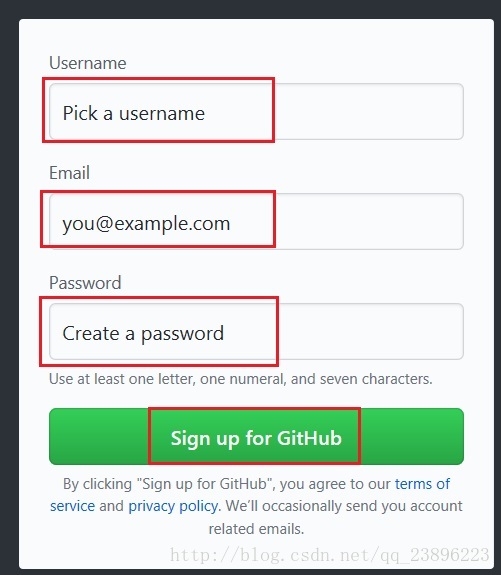
百度搜索:github,点击链接进入官网
输入用户名、邮箱、密码点击注册按钮
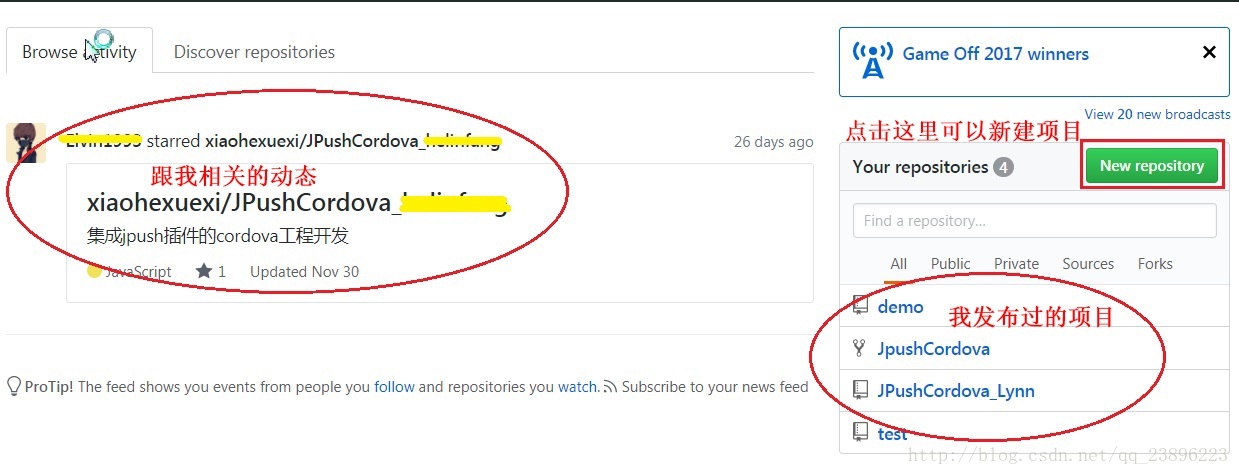
完成注册以及相关的设置之后就可以进入个人主页:
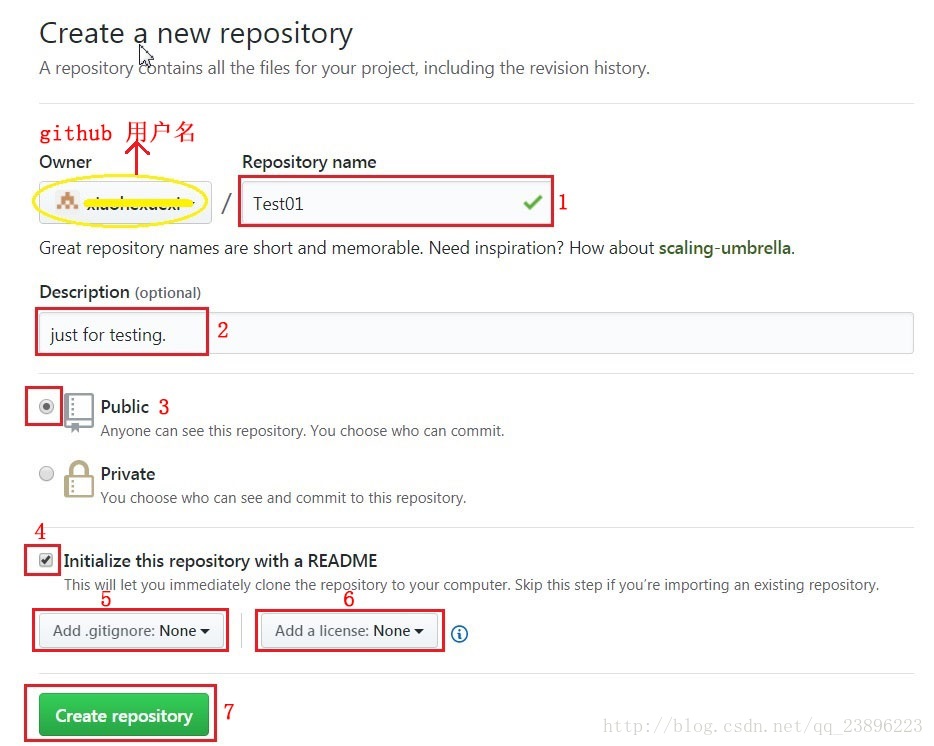
- 新建项目
进入个人主页后点击New repository 可以创建一个新项目
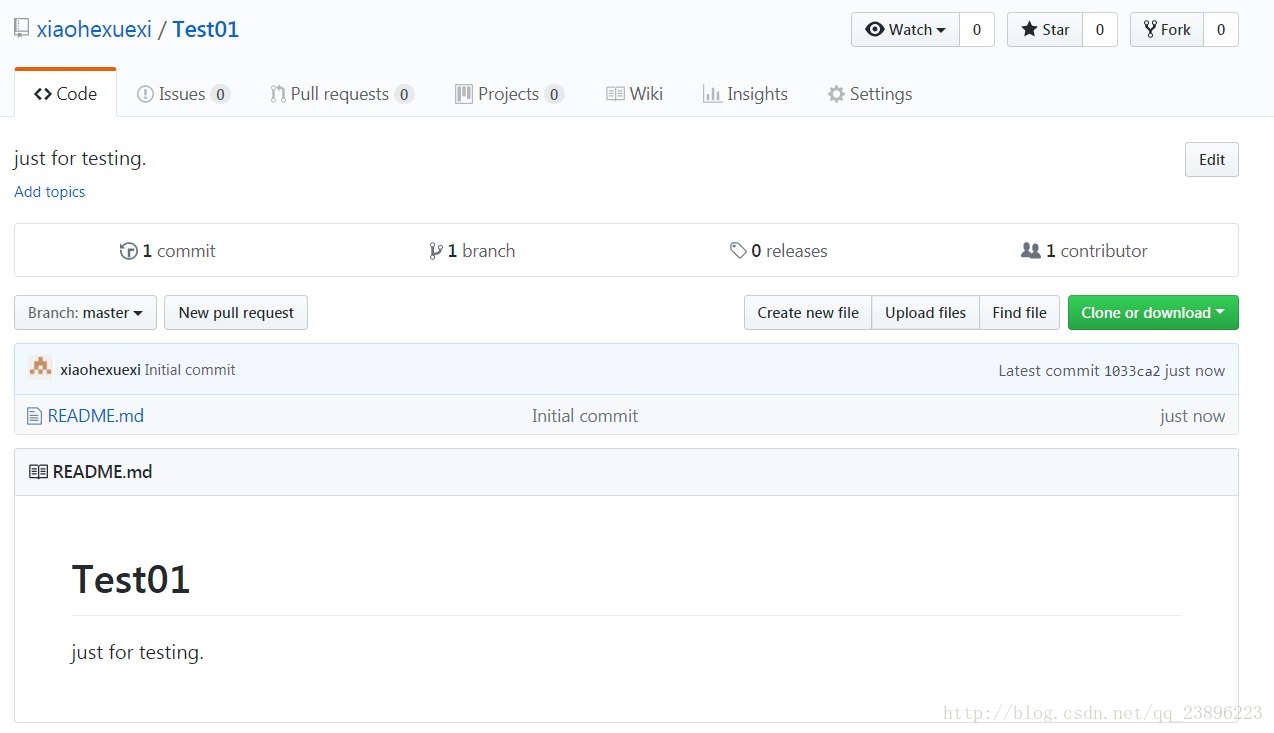
创建完成后会进入项目主页,
- 下载GitHub客户端(GitHub for Windows 也叫GitHub Desktop)
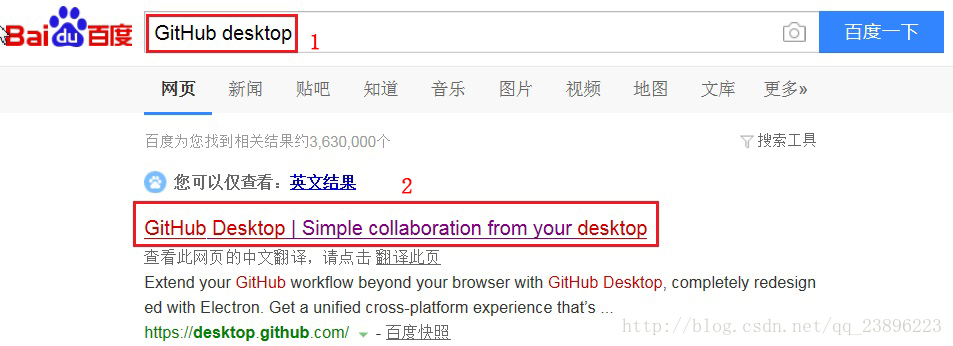
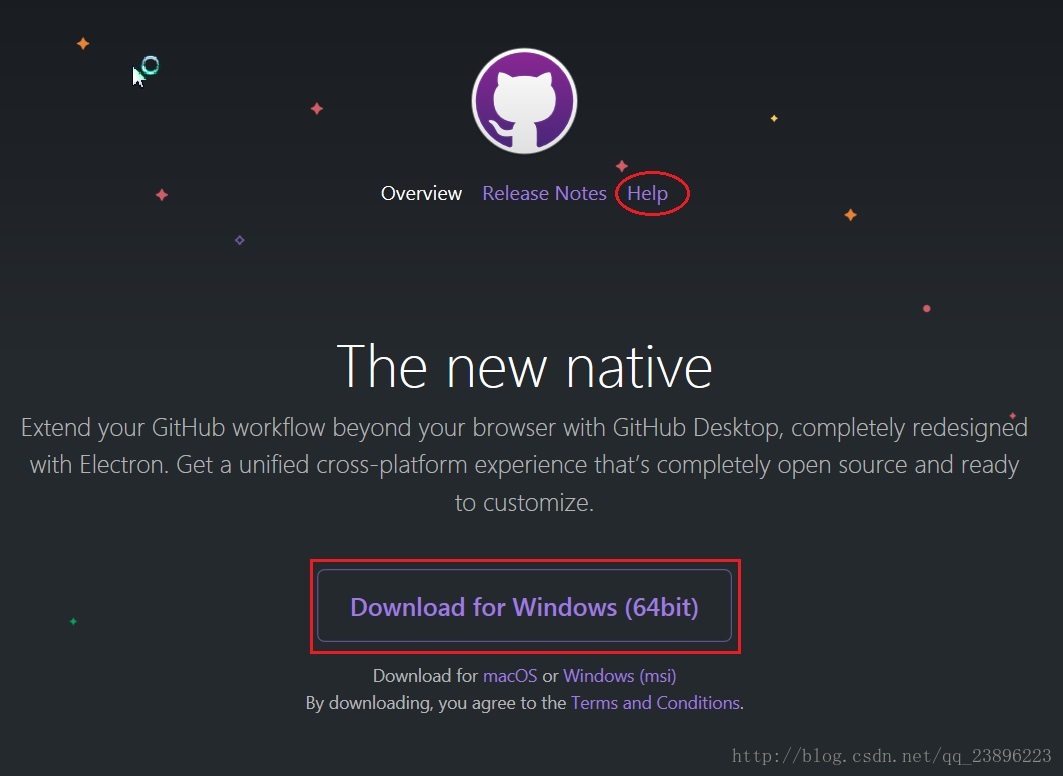
百度搜索github desktop,点击进入下载页面
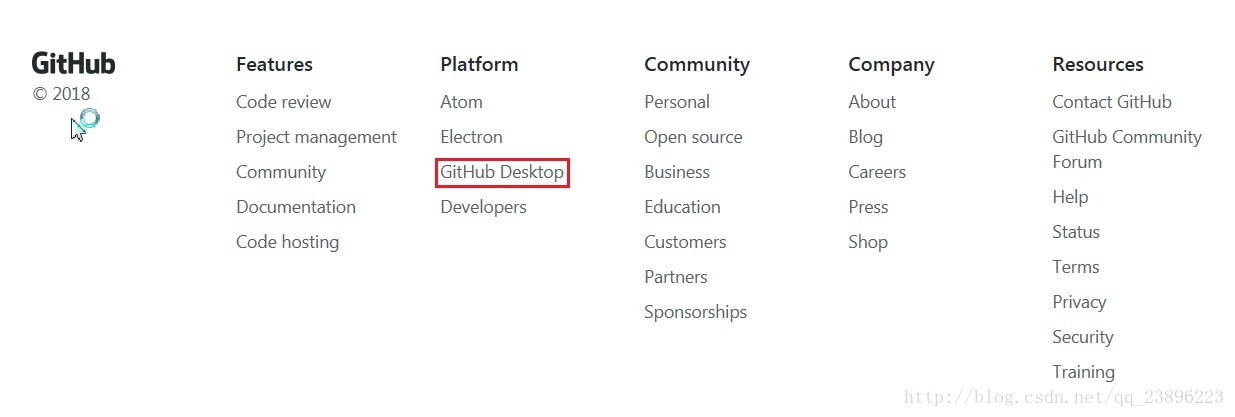
当然也可以通过github官网进入(直接拉到最低端)
进入下载页面后直接点击下载
如果你想下载32位的,回答是没有,因为官网说了没有Installing GitHub Desktop
下载完成后如下图
- 安装GitHub Desktop
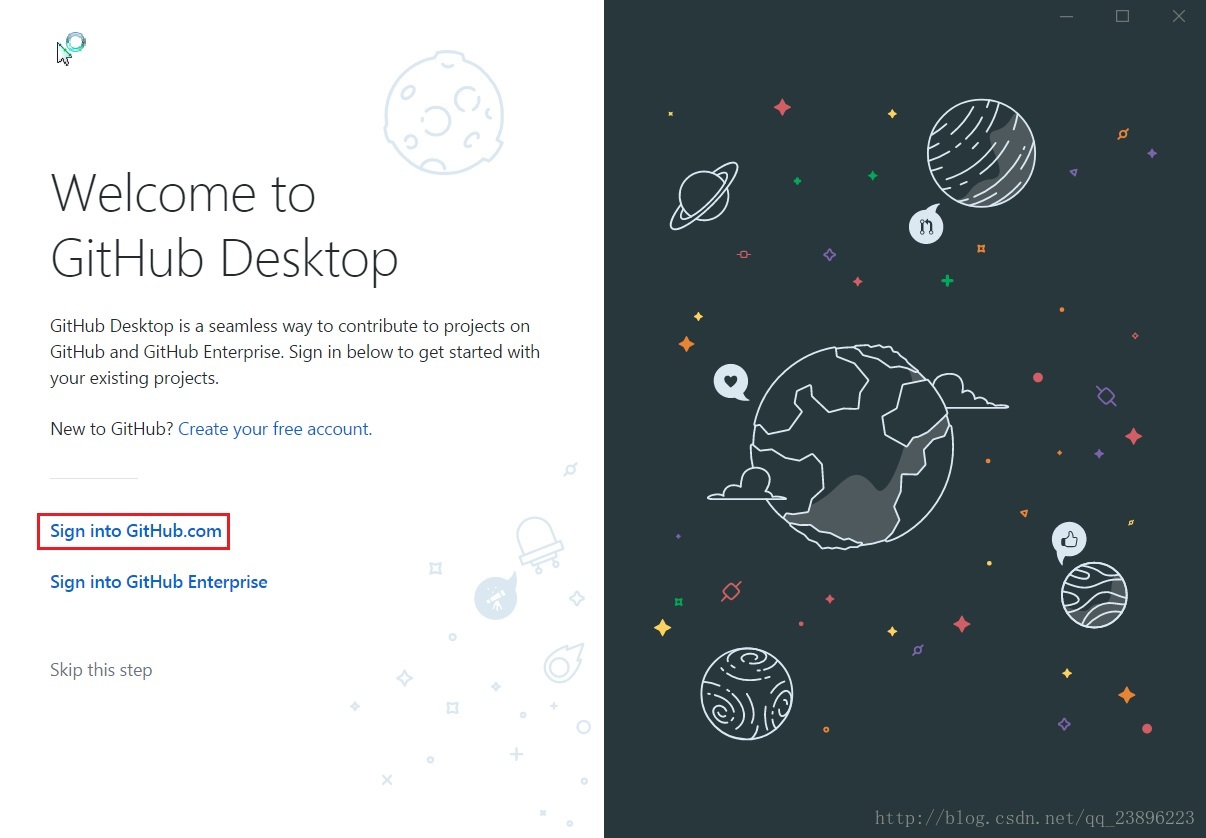
双击下载好的exe文件
选择Sign into GitHub.com
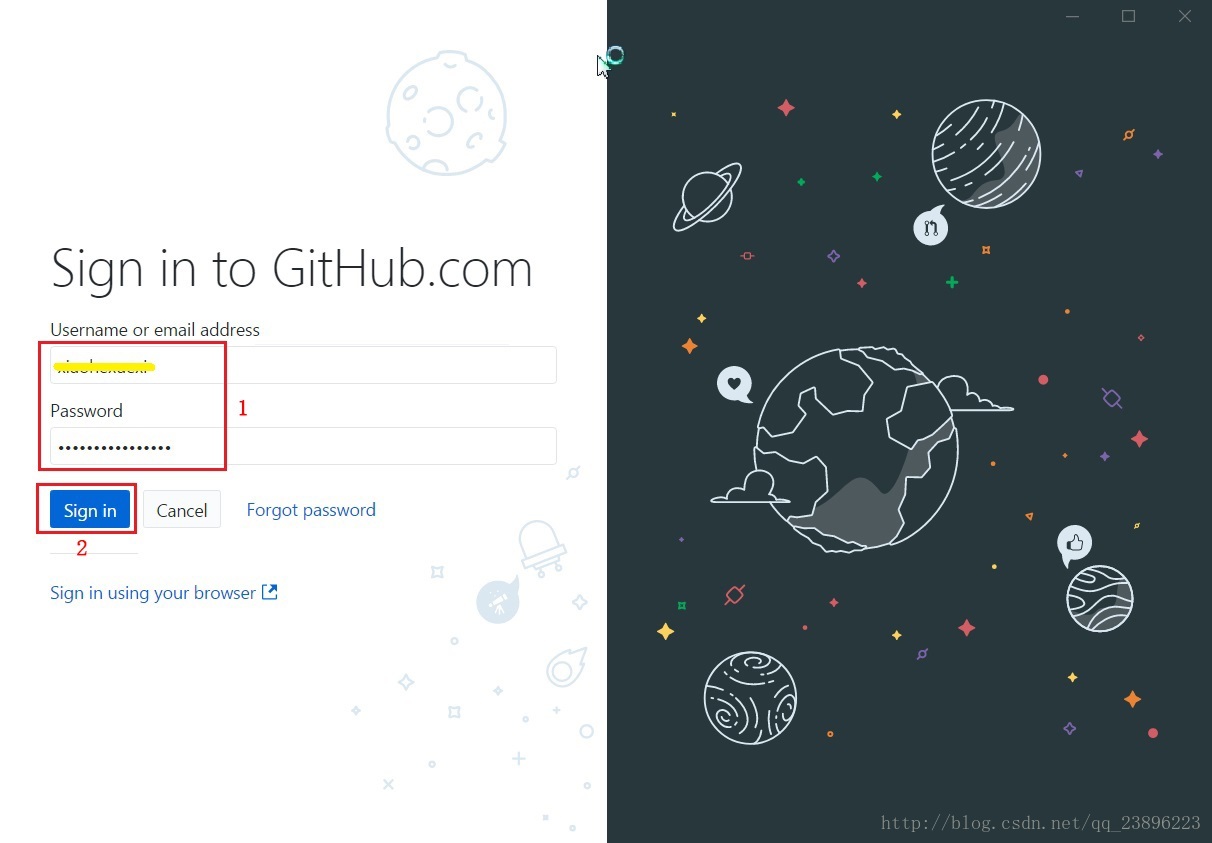
填入在网页端注册的用户名和密码,然后点击Sign in
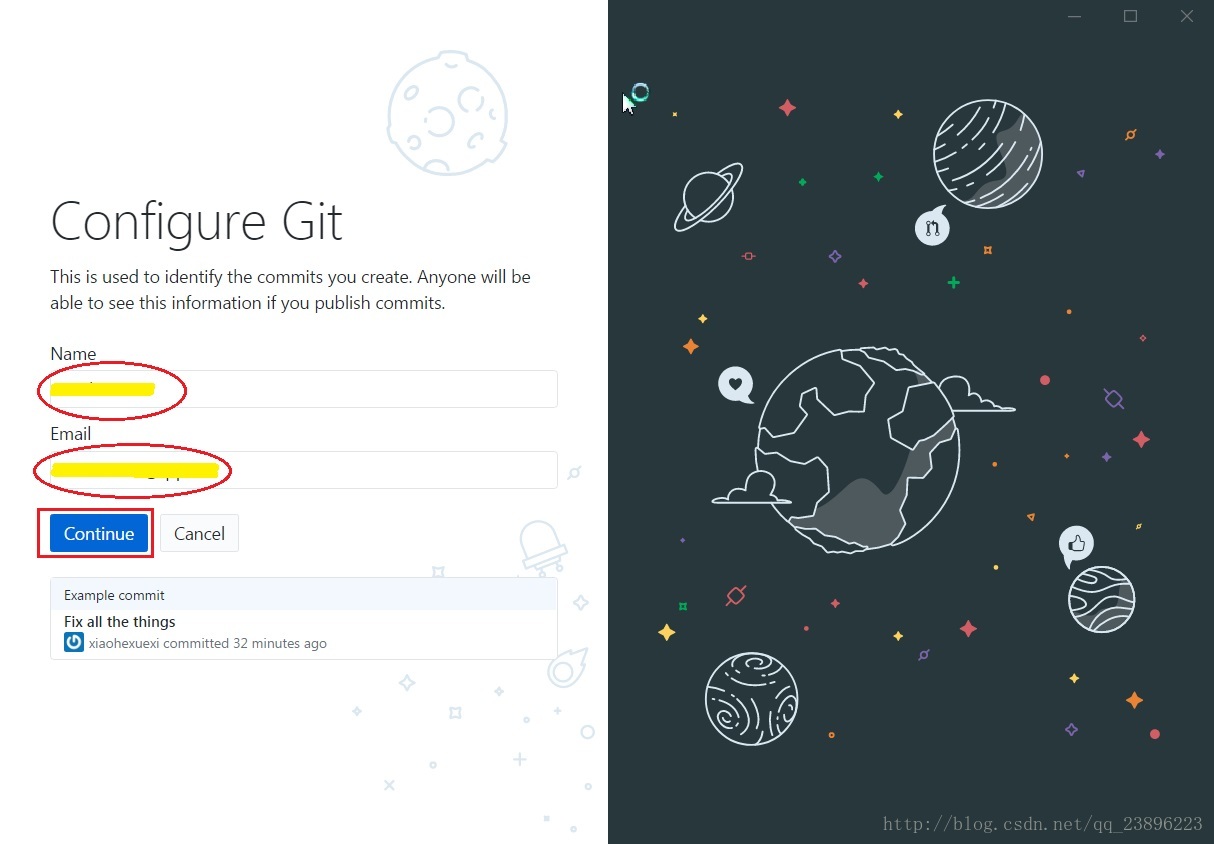
之后会显示你的用户名和邮箱用来确认,直接点击Continue即可
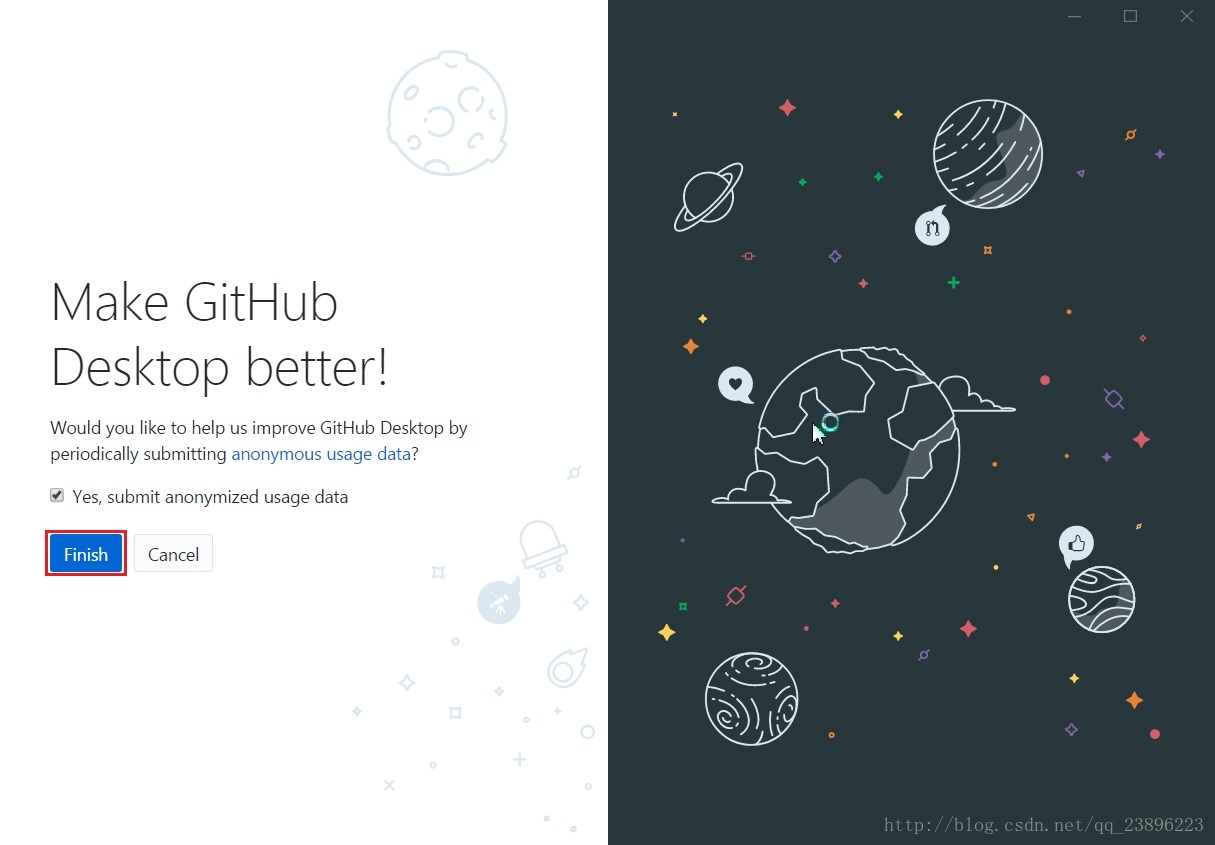
保持原有设置,直接点击Finish
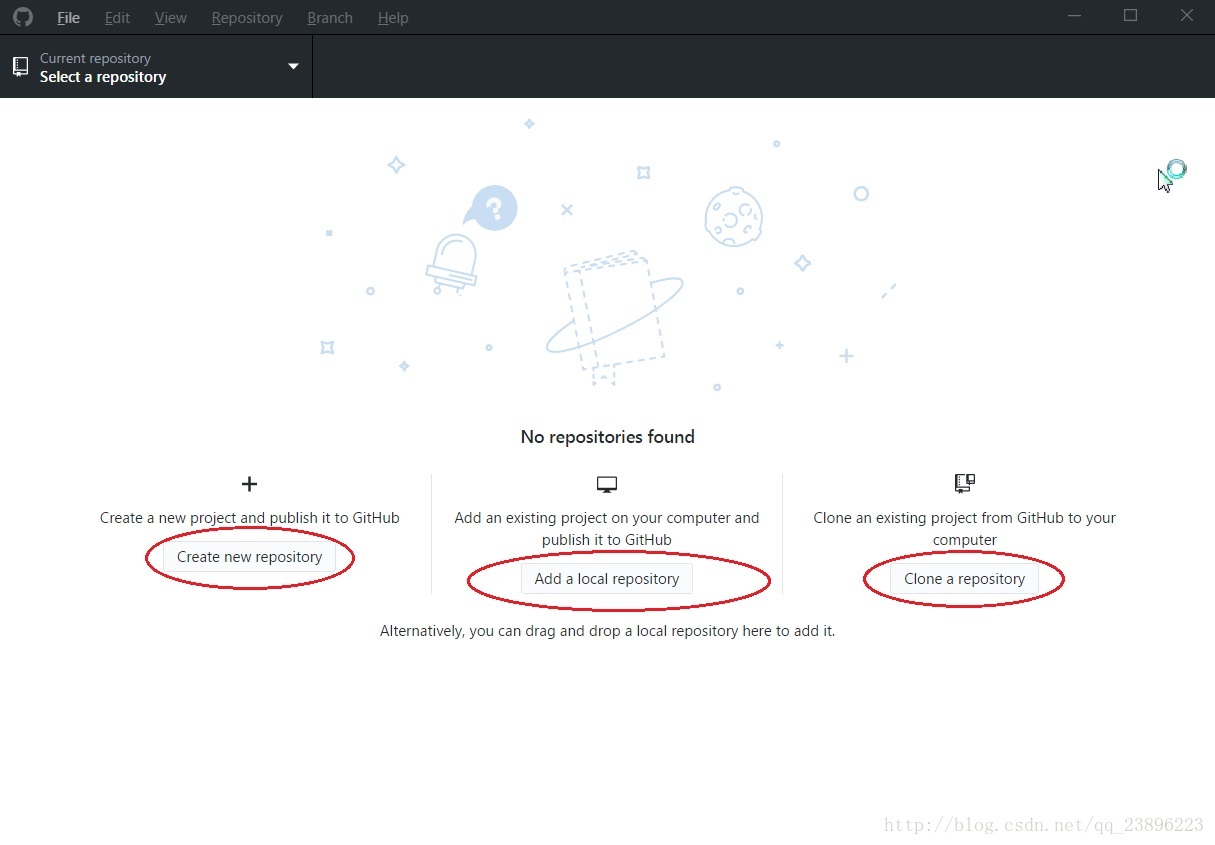
安装完成后,如下图,可进行一些操作
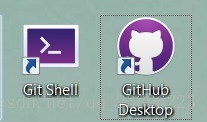
桌面上会出现两个图标
- 简单使用
安装完成后自动到客户端主页,也可以直接双击桌面上的GitHub Desktop上述步骤圈出了三个地方,分别对应创一个先项目,从本地导入一个已经存在的项目,从GitHub上Checkout一个已经存在的项目,细节如下
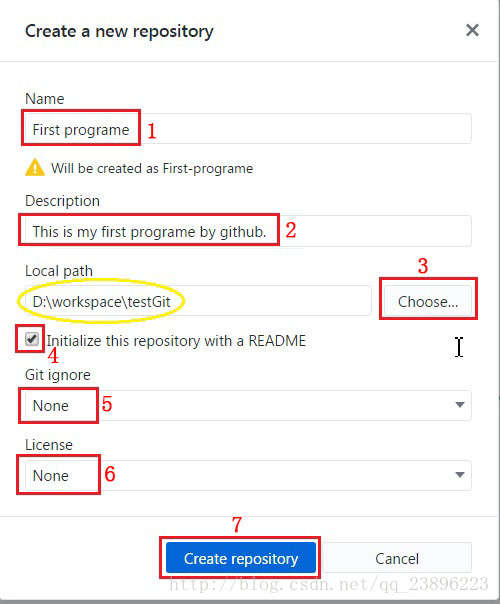
1)创建新项目:
点击 Create new repository
创建完成后如下:
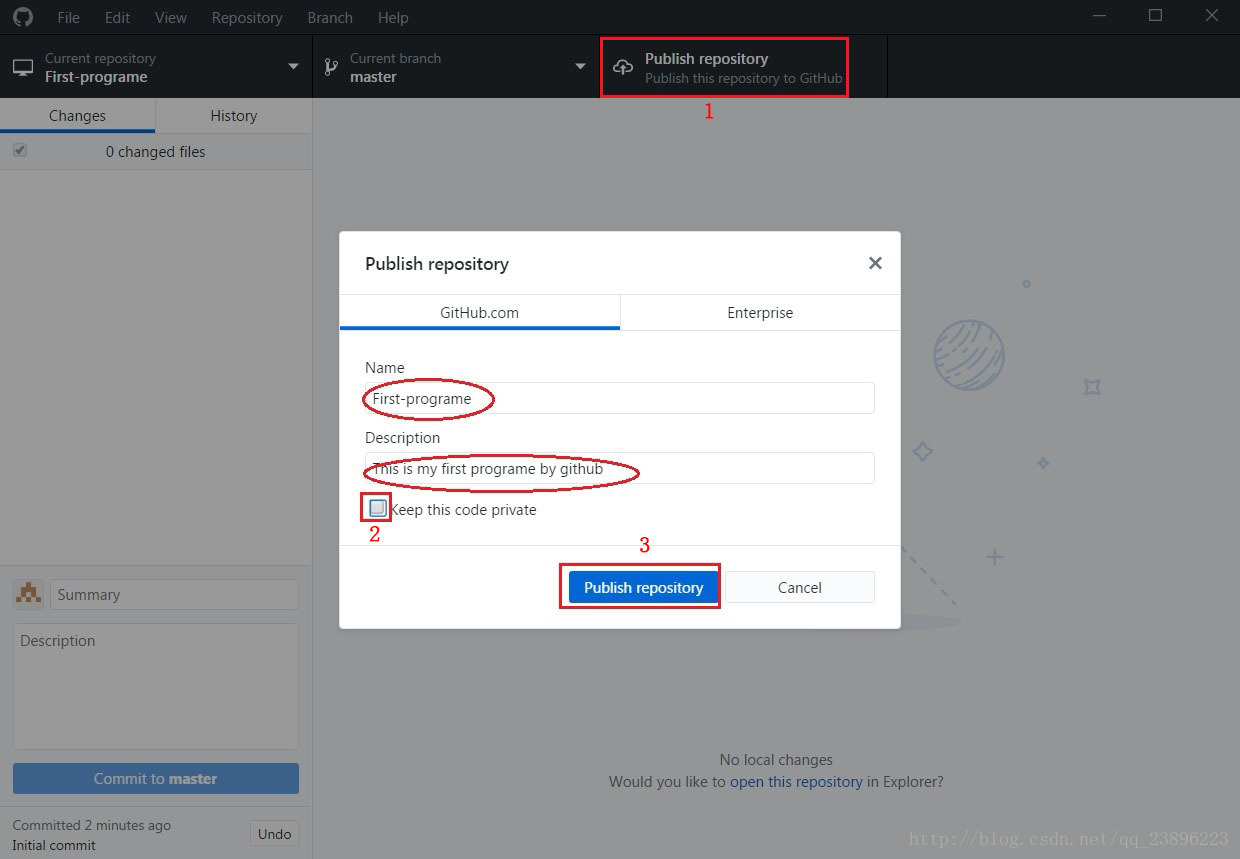
现在只是在本地创建了仓库,需要push到服务器端
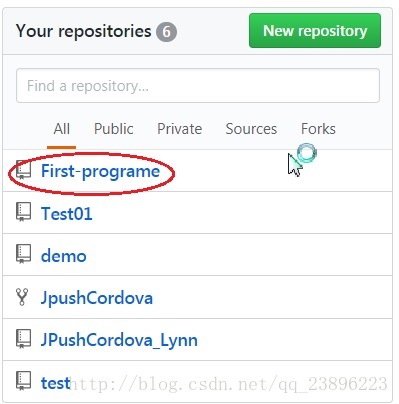
操作完成后,在github网页上会看到这个项目
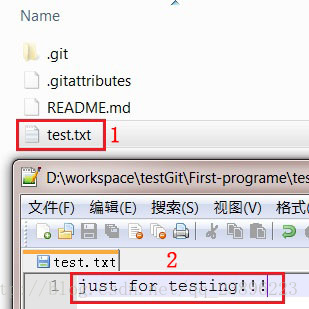
新建一个test.txt的文件并写上内容
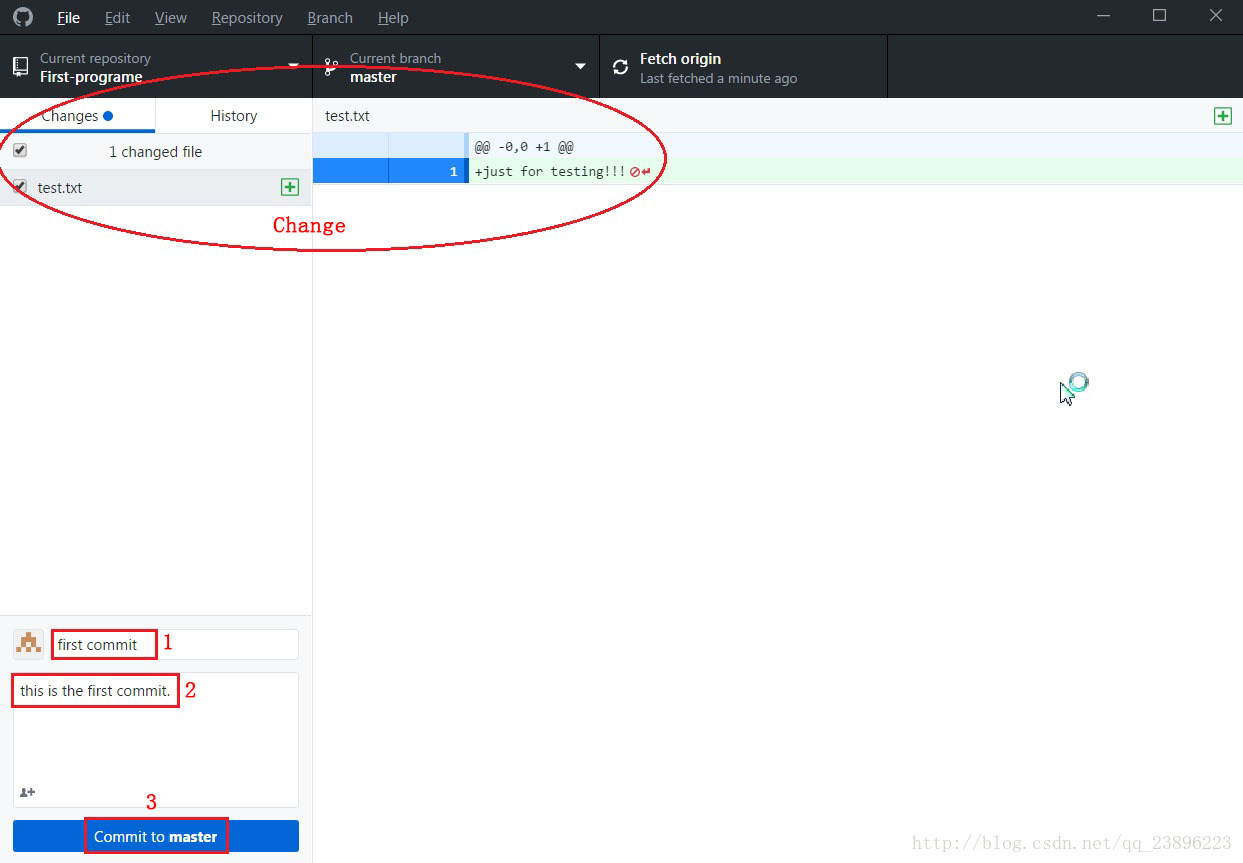
会有一个change,这一步只是commit到了本地仓库
想要同步到网站上还需要如下操作:
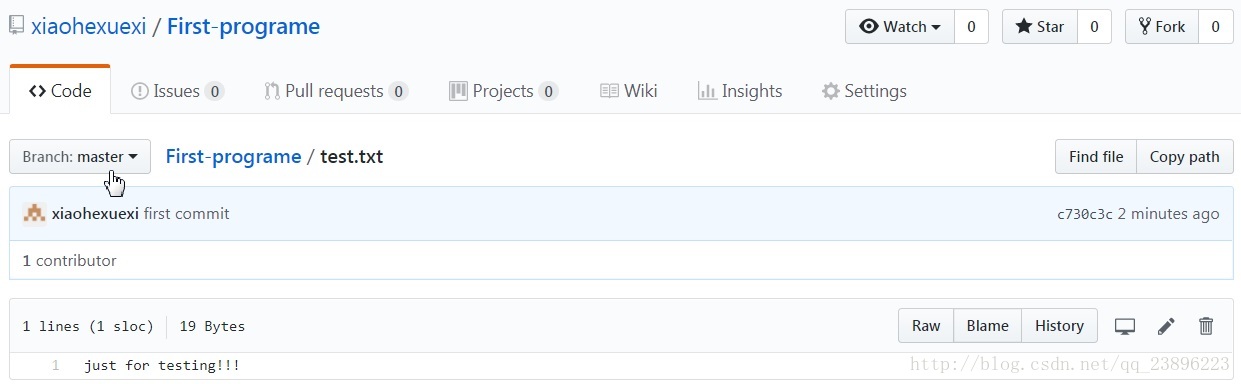
就可以在网站上看到如下更新:
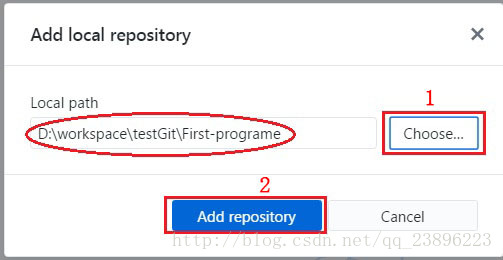
2)从本地导入已经存在的项目:
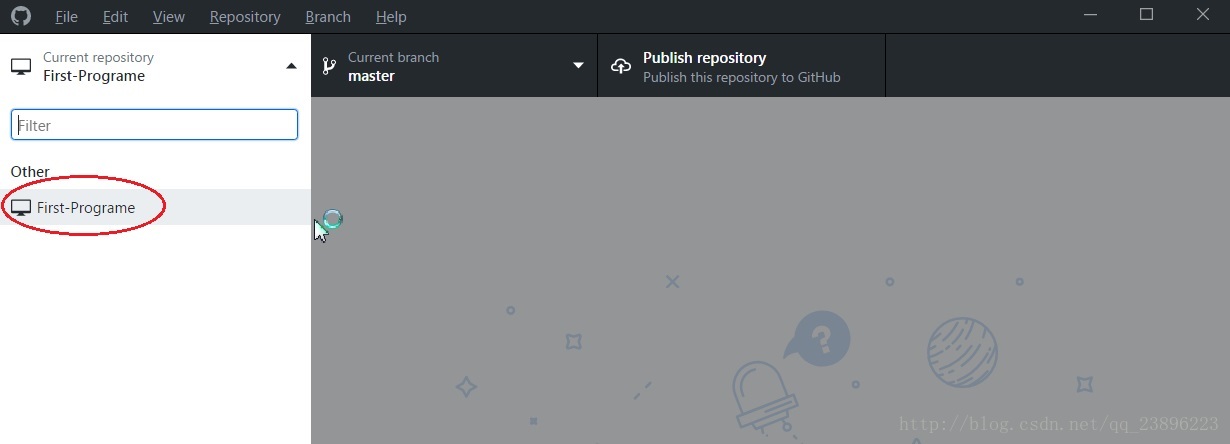
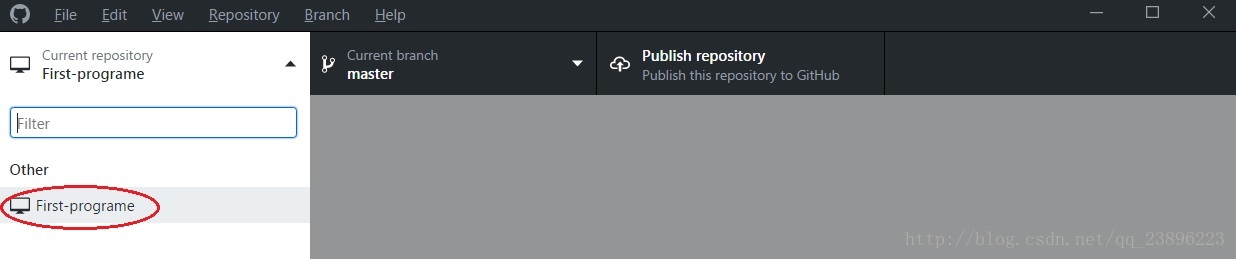
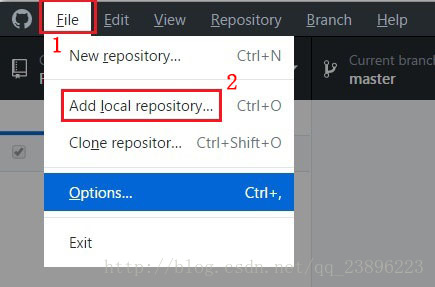
由于已经存在仓库了所以再次打开Github客户端时与首次打开有点不同,此时需要导入已经存在的仓库,
选择路径
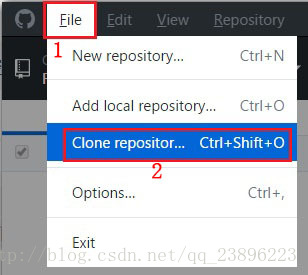
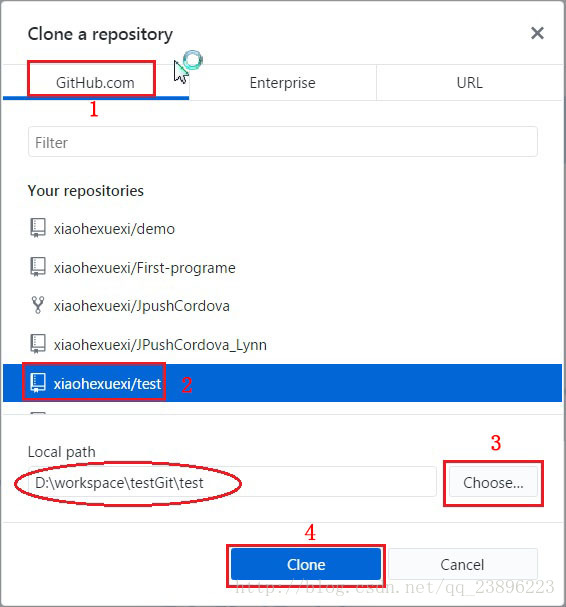
3)从GitHub上面导入已经存在的项目:
选择要clone的项目
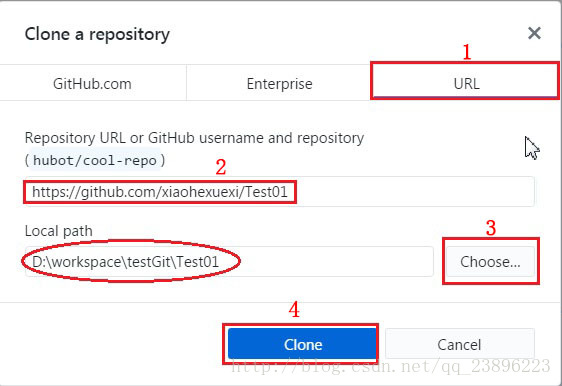
第二种方式
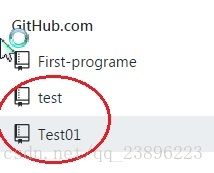
导入成功后如下:
之后的操作与上述步骤一致
二. Gitblit,TortoiseGit 和 msysGit(不是很常用,略):
Gitlib:可以借助Gitlib搭建一个自己的代码托管平台,Gitlib是基于Java的git管理工具,所以在安装之前请确保JDK已经安装。
TortoiseGit 和 msysGit:不怎么常用的git工具。



三. Git命令行:
Eclipse和Idea都提供了Git的图形界面客户端。我比较习惯用命令行,所以在转用Idea之前我都用git bash(http://git-scm.com/downloads 由此下载并安装,按需要选择配置SSH )。 分享一些经常用的git命令行吧。
git status
git status >> <log_path>
git clone <repo_name>
git checkout <branch_name>
git checkout -b <branch_nmae>
git checkout -b <branch_name> origin/<branch_name>
git checkout .
git checkout -- <file_path>
git checkout <commit_id> <file_path>

git tag <tag_name>
git push origin <tag_name>
git tag -d <tag_name>
git push --delete origin <tag_name>

git branch
git branch -m <old_branch_name> <new_branch_name>
git push origin :<old_branch_name>
git push --set-upstream origin <new_branch_name>
git push -u <new_branch_name>
git branch | xargs git branch -d    -->xargs代表因此错误
git branch | grep 'dev*' | xargs git branch -d --> grep是查找
git branch -d <branch_name>
git branch -r -d origin/<branch_name>

git merge dev
git merge dev >> <log_path>
git merge --abort

git reset --hard <commit_id>  -->让HEAD指向该commit,该commit之后的所有记录将被清除。
git revert <commit_id>  -->是用一次新的commit来回到之前的commit状态,会产生一次新的commit,中间的记录会被保留。

- 1
- 2
- 3
- 4
- 5
- 6
- 7
- 8
- 9
- 10
- 11
- 12
- 13
- 14
- 15
- 16
- 17
- 18
- 19
- 20
- 21
- 22
- 23
- 24
- 25
- 26
- 27
- 28
- 29
- 30
- 31