
SpringBoot基础学习之整合SpringSercurity框架
赞
踩
前言:
小伙伴们,大家好,我是狂奔の蜗牛rz,当然你们可以叫我蜗牛君,我是一个学习Java半年多时间的小菜鸟,同时还有一个伟大的梦想,那就是有朝一日,成为一个优秀的Java架构师。
这个SpringBoot基础学习系列用来记录我学习SpringBoot框架基础知识的全过程 (这个系列是参照B站狂神的SpringBoot最新教程来写的,由于是之前整理的,但当时没有发布出来,所以有些地方可能有错误,希望大家能够及时指正!)
之后我将会尽量以一天一更的速度更新这个系列,还没有学习SpringBoot的小伙伴可以参照我的博客学习一下;当然学习过的小伙伴,也可以顺便跟我一起复习一下基础。最后,希望能够和大家一同进步吧!加油吧!少年们!
今天我们来到了SpringBoot基础学习的第九站:整合SpringSercurity框架, 主要内容是关于SpringSercurity框架的简单入门。废话不多说,让我们开始今天的学习内容吧,
7. 整合SpringSercurity框架
7.1 SpringSercurity初步认识
7.1.1 安全问题思考
1.安全是否重要?
很重要,在Web网站开发中,安全应该第一位
2.通常使用哪些简单方式来保证安全?
例如我们会经常使用的过滤器和拦截器等手段,来对未通过用户身份的人进行拦截和过滤,避免出现非法登录登情况,避免造成网站的信息泄露和财产损失
3.安全属于功能性需求吗?
安全属于非功能性需求,因为安全只是为了保证网站的用户信息的安全性,并非我们Web网站的核心业务功能
4.安全应该在什么时候考虑?
做网站的时候,安全应该设计之初就考虑
- 如果网站的系统存在漏洞,可能会出现隐私泄露问题
- 架构一旦确定,再去修改就很难了,可能需要修改大量代码
5.还可以使用哪些技术保证安全
使用SpringSecurity和Shrio等框架技术
7.1.2 SpringSecurity基本概念
1.SpringSecurity官方解释
原文:
Spring Security is a powerful and highly customizable (可定制化) authentication (验证) and access-control (权限控制) framework. It is the de-facto (实际上) standard for securing Spring-based applications.
译文:
Spring Security 是一个功能强大并且可高度定制化的身份验证和权限控制框架,它实际上是一个保护Spring基础应用的标准
原文:
Spring Security is a framework that focuses on providing both authentication (身份验证) and authorization (授权) to Java applications. Like all Spring projects, the real power of Spring Security is found in how easily it can be extended to meet custom requirements
译文:
Spring Sercurity 是一个专注于为Java应用程序、提供身份验证和授权的框架。与所有的Spring项目一样,Spring Sercurity的真正强大之处是,可以很容易地去扩展它来满足定制需求
2.Spring Security简介
简介:
Spring Sercurity是针对Spring项目的安全框架,也是Spring Boot底层安全模块的技术选型,它可以实现强大的Web安全控制,对于安全控制,我们仅需要引入spring-boot-starter-security模块,进行少量的配置,即可实现强大的安全管理
记住几个类:
- WebSercurityConfigurerAdapter:Web安全配置适配器,即自定义Sercurity策略
- AuthenticationMangerBuilder:验证管理修筑器,即自定义认证策略
- @EnableWebSecurity:开启WebSecurity模式
Spring Sercurity的两个主要目标是 “认证” 和 “授权” (访问控制),“认证” (Authentication) “授权” (Authorization) 这个概念是通用的,而不是只在 Spring Security 中存在
总结:
- Spring Sercurity是一个提供认证和授权的可高定制化的安全框架
- 核心是把权限赋给角色,而不是赋给具体的用户
- 用户只需要通过获取角色就能够获取相应的权限
3.SpringSecurity和Shrio区别
-
它们很像,除了类不一样,名字不一样
-
都具有认证和授权 (不同身份具有不同权限),比如说功能权限、访问权限、菜单权限
-
如果使用拦截器或者过滤器,会有大量的原生代码,导致代码冗余
从MVC到SSH,再到SSM,到现如今的Spring Boot,不仅体现框架思想的重要性,同时也体现AOP的思想,使用横切,自定义配置类
7.2 搭建项目基本环境
7.2.1 创建Spring Boot应用
1.创建Spring Initializr项目

2.设置项目基本信息

3.选择项目资源依赖

4.选择项目存放位置

5.项目创建成功
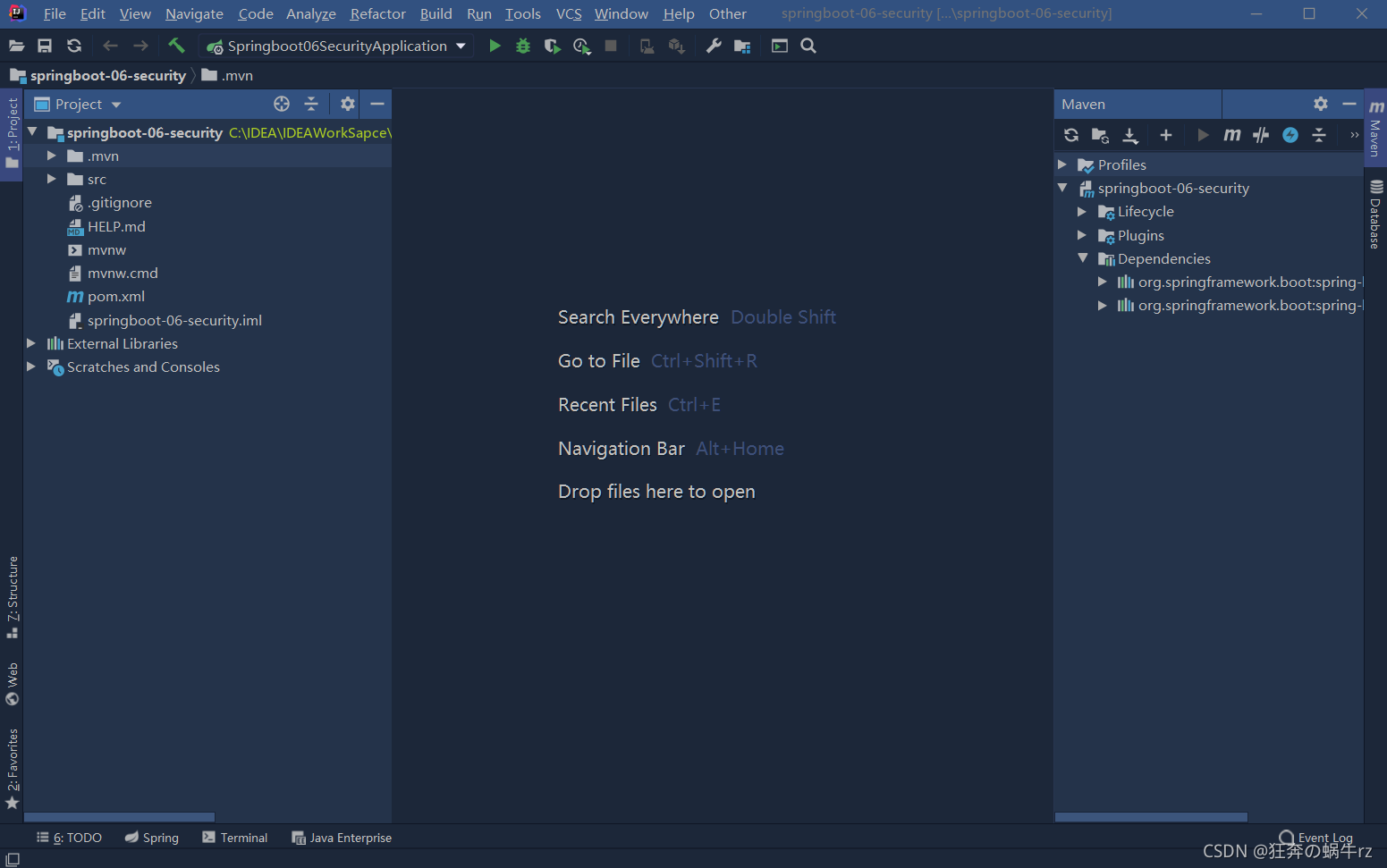
6.删除多余项目文件

7.2.2 引入资源依赖和编写配置文件
1.引入相关资源依赖
- 引入spring security的资源依赖
<!-- spring boot security资源依赖 -->
<dependency>
    <groupId>org.springframework.boot</groupId>
    <artifactId>spring-boot-starter-security</artifactId>
</dependency>
- 1
- 2
- 3
- 4
- 5
- 引入thymeleaf资源依赖
<!-- 引入thymeleaf资源依赖,基于3.x版本 -->
<dependency>
    <groupId>org.thymeleaf</groupId>
    <artifactId>thymeleaf-spring5</artifactId>
</dependency>
<dependency>
    <groupId>org.thymeleaf.extras</groupId>
    <artifactId>thymeleaf-extras-java8time</artifactId>
</dependency>
- 1
- 2
- 3
- 4
- 5
- 6
- 7
- 8
- 9
- 引入security-thymeleaf整合资源依赖
<!-- security-thymeleaf整合包 -->
<!-- https://mvnrepository.com/artifact/org.thymeleaf.extras/thymeleaf-extras-springsecurity5 -->
<dependency>
    <groupId>org.thymeleaf.extras</groupId>
    <artifactId>thymeleaf-extras-springsecurity5</artifactId>
    <version>3.0.4.RELEASE</version>
</dependency>
- 1
- 2
- 3
- 4
- 5
- 6
- 7
- 查看资源是否正确导入
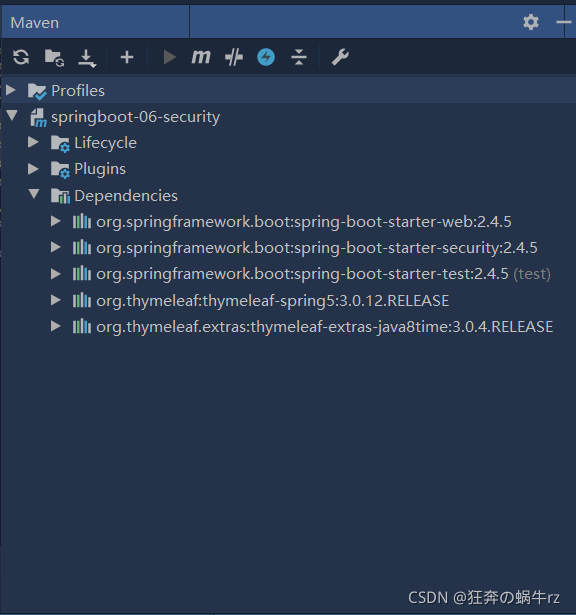
- 引入所有相关资源依赖后的pom.xml配置文件
<?xml version="1.0" encoding="UTF-8"?>
<project xmlns="http://maven.apache.org/POM/4.0.0" xmlns:xsi="http://www.w3.org/2001/XMLSchema-instance"
         xsi:schemaLocation="http://maven.apache.org/POM/4.0.0 https://maven.apache.org/xsd/maven-4.0.0.xsd">
    <modelVersion>4.0.0</modelVersion>
    <parent>
        <groupId>org.springframework.boot</groupId>
        <artifactId>spring-boot-starter-parent</artifactId>
        <version>2.4.5</version>
        <relativePath/> <!-- lookup parent from repository -->
    </parent>
    <groupId>com.kuang</groupId>
    <artifactId>springboot-06-security</artifactId>
    <version>0.0.1-SNAPSHOT</version>
    <name>springboot-06-security</name>
    <description>Demo project for Spring Boot</description>
    <properties>
        <java.version>1.8</java.version>
    </properties>
    <dependencies>
        <!-- spring boot web资源依赖 -->
        <dependency>
            <groupId>org.springframework.boot</groupId>
            <artifactId>spring-boot-starter-web</artifactId>
        </dependency>
        <!-- spring boot security资源依赖 -->
        <dependency>
            <groupId>org.springframework.boot</groupId>
            <artifactId>spring-boot-starter-security</artifactId>
        </dependency>
        <!-- spring boot test资源依赖 -->
        <dependency>
            <groupId>org.springframework.boot</groupId>
            <artifactId>spring-boot-starter-test</artifactId>
            <scope>test</scope>
            <exclusions>
                <exclusion>
                    <groupId>org.junit.vintage</groupId>
                    <artifactId>junit-vintage-engine</artifactId>
                </exclusion>
            </exclusions>
        </dependency>
        <!-- 引入thymeleaf资源依赖,基于3.x版本 -->
        <dependency>
            <groupId>org.thymeleaf</groupId>
            <artifactId>thymeleaf-spring5</artifactId>
        </dependency>
        <dependency>
            <groupId>org.thymeleaf.extras</groupId>
            <artifactId>thymeleaf-extras-java8time</artifactId>
        </dependency>
        <!-- security-thymeleaf整合包 -->
        <!-- https://mvnrepository.com/artifact/org.thymeleaf.extras/thymeleaf-extras-springsecurity5 -->
        <dependency>
            <groupId>org.thymeleaf.extras</groupId>
            <artifactId>thymeleaf-extras-springsecurity5</artifactId>
            <version>3.0.4.RELEASE</version>
        </dependency>
    </dependencies>

    <build>
        <plugins>
            <plugin>
                <groupId>org.springframework.boot</groupId>
                <artifactId>spring-boot-maven-plugin</artifactId>
            </plugin>
        </plugins>
    </build>

</project>

- 1
- 2
- 3
- 4
- 5
- 6
- 7
- 8
- 9
- 10
- 11
- 12
- 13
- 14
- 15
- 16
- 17
- 18
- 19
- 20
- 21
- 22
- 23
- 24
- 25
- 26
- 27
- 28
- 29
- 30
- 31
- 32
- 33
- 34
- 35
- 36
- 37
- 38
- 39
- 40
- 41
- 42
- 43
- 44
- 45
- 46
- 47
- 48
- 49
- 50
- 51
- 52
- 53
- 54
- 55
- 56
- 57
- 58
- 59
- 60
- 61
- 62
- 63
- 64
- 65
- 66
- 67
- 68
- 69
2.编写核心配置文件
# 修改Tomcat端口号
server.port=8888
# 关闭模板引擎缓存
spring.thymeleaf.cache=false
- 1
- 2
- 3
- 4
7.2.3 引入相关静态资源
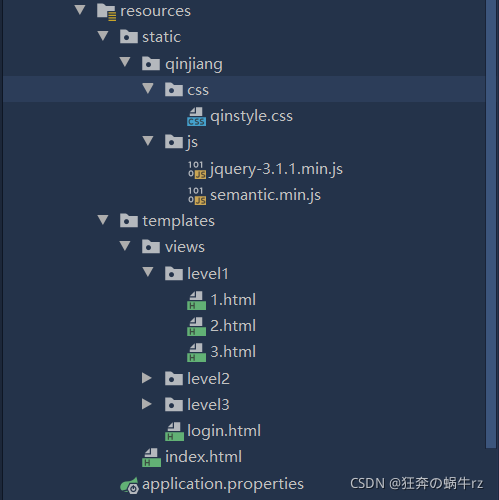
1.项目基本结构
2.编写静态页面
这里只给出index主页和login登录页的代码,该项目的其他静态资源可以去这个链接进行下载:https://gitee.com/ENNRIAAA/spring-security-material
- 编写index.xml
<!DOCTYPE html>
<html lang="en" xmlns:th="http://www.thymeleaf.org">
<head>
    <meta charset="UTF-8">
    <meta name="viewport" content="width=device-width, initial-scale=1, maximum-scale=1">
    <title>首页</title>
    <!--semantic-ui-->
    <link href="https://cdn.bootcss.com/semantic-ui/2.4.1/semantic.min.css" rel="stylesheet">
    <link th:href="@{/qinjiang/css/qinstyle.css}" rel="stylesheet">
</head>
<body>

<!-- 主容器 -->
<div class="ui container">
    <div class="ui segment" id="index-header-nav" th:fragment="nav-menu">
        <div class="ui secondary menu">
            <a class="item"  th:href="@{/index}">首页</a>

            <!-- 登录注销 -->
            <div class="right menu">
                <!-- 未登录 -->
                <a class="item" th:href="@{/toLogin}">
                    <i class="address card icon"></i> 登录
                </a>
                <!-- 已登录
                <a th:href="@{/usr/toUserCenter}">
                    <i class="address card icon"></i> admin
                </a>
                -->
            </div>
        </div>
    </div>

    <div class="ui segment" style="text-align: center">
        <h3>Spring Security Study by 秦疆</h3>
    </div>

    <div>
        <br>
        <div class="ui three column stackable grid">
            <div class="column">
                <div class="ui raised segment">
                    <div class="ui">
                        <div class="content">
                            <h5 class="content">Level 1</h5>
                            <hr>
                            <div><a th:href="@{/level1/1}"><i class="bullhorn icon"></i> Level-1-1</a></div>
                            <div><a th:href="@{/level1/2}"><i class="bullhorn icon"></i> Level-1-2</a></div>
                            <div><a th:href="@{/level1/3}"><i class="bullhorn icon"></i> Level-1-3</a></div>
                        </div>
                    </div>
                </div>
            </div>

            <div class="column">
                <div class="ui raised segment">
                    <div class="ui">
                        <div class="content">
                            <h5 class="content">Level 2</h5>
                            <hr>
                            <div><a th:href="@{/level2/1}"><i class="bullhorn icon"></i> Level-2-1</a></div>
                            <div><a th:href="@{/level2/2}"><i class="bullhorn icon"></i> Level-2-2</a></div>
                            <div><a th:href="@{/level2/3}"><i class="bullhorn icon"></i> Level-2-3</a></div>
                        </div>
                    </div>
                </div>
            </div>

            <div class="column">
                <div class="ui raised segment">
                    <div class="ui">
                        <div class="content">
                            <h5 class="content">Level 3</h5>
                            <hr>
                            <div><a th:href="@{/level3/1}"><i class="bullhorn icon"></i> Level-3-1</a></div>
                            <div><a th:href="@{/level3/2}"><i class="bullhorn icon"></i> Level-3-2</a></div>
                            <div><a th:href="@{/level3/3}"><i class="bullhorn icon"></i> Level-3-3</a></div>
                        </div>
                    </div>
                </div>
            </div>

        </div>
    </div>
</div>


<script th:src="@{/qinjiang/js/jquery-3.1.1.min.js}"></script>
<script th:src="@{/qinjiang/js/semantic.min.js}"></script>

</body>
</html>
- 1
- 2
- 3
- 4
- 5
- 6
- 7
- 8
- 9
- 10
- 11
- 12
- 13
- 14
- 15
- 16
- 17
- 18
- 19
- 20
- 21
- 22
- 23
- 24
- 25
- 26
- 27
- 28
- 29
- 30
- 31
- 32
- 33
- 34
- 35
- 36
- 37
- 38
- 39
- 40
- 41
- 42
- 43
- 44
- 45
- 46
- 47
- 48
- 49
- 50
- 51
- 52
- 53
- 54
- 55
- 56
- 57
- 58
- 59
- 60
- 61
- 62
- 63
- 64
- 65
- 66
- 67
- 68
- 69
- 70
- 71
- 72
- 73
- 74
- 75
- 76
- 77
- 78
- 79
- 80
- 81
- 82
- 83
- 84
- 85
- 86
- 87
- 88
- 89
- 90
- 91
- 92
- 编写login.html
<!DOCTYPE html>
<html lang="en" xmlns:th="http://www.thymeleaf.org">
<head>
    <meta charset="UTF-8">
    <meta name="viewport" content="width=device-width, initial-scale=1, maximum-scale=1">
    <title>登录</title>
    <!--semantic-ui-->
    <link href="https://cdn.bootcss.com/semantic-ui/2.4.1/semantic.min.css" rel="stylesheet">
</head>
<body>

<!--主容器-->
<div class="ui container">
    <div class="ui segment">

        <div style="text-align: center">
            <h1 class="header">登录</h1>
        </div>

        <div class="ui placeholder segment">
            <div class="ui column very relaxed stackable grid">
                <div class="column">
                    <div class="ui form">
                        <form th:action="@{/usr/login}" method="post">
                            <div class="field">
                                <label>Username</label>
                                <div class="ui left icon input">
                                    <input type="text" placeholder="Username" name="username">
                                    <i class="user icon"></i>
                                </div>
                            </div>
                            <div class="field">
                                <label>Password</label>
                                <div class="ui left icon input">
                                    <input type="password" name="password">
                                    <i class="lock icon"></i>
                                </div>
                            </div>
                            <input type="submit" class="ui blue submit button"/>
                        </form>
                    </div>
                </div>
            </div>
        </div>

        <div style="text-align: center">
            <div class="ui label">
                </i>注册
            </div>
            <br><br>
            <small>blog.kuangstudy.com</small>
        </div>

        <div class="ui segment" style="text-align: center">
            <h3>Spring Security Study by 秦疆</h3>
        </div>

    </div>
</div>

<script th:src="@{/qinjiang/js/jquery-3.1.1.min.js}"></script>
<script th:src="@{/qinjiang/js/semantic.min.js}"></script>

</body>
</html>
- 1
- 2
- 3
- 4
- 5
- 6
- 7
- 8
- 9
- 10
- 11
- 12
- 13
- 14
- 15
- 16
- 17
- 18
- 19
- 20
- 21
- 22
- 23
- 24
- 25
- 26
- 27
- 28
- 29
- 30
- 31
- 32
- 33
- 34
- 35
- 36
- 37
- 38
- 39
- 40
- 41
- 42
- 43
- 44
- 45
- 46
- 47
- 48
- 49
- 50
- 51
- 52
- 53
- 54
- 55
- 56
- 57
- 58
- 59
- 60
- 61
- 62
- 63
- 64
- 65
7.2.4 编写控制器类和页面访问测试
1.编写RouterController控制器类
package com.kuang.controller;

import org.springframework.stereotype.Controller;
import org.springframework.web.bind.annotation.PathVariable;
import org.springframework.web.bind.annotation.RequestMapping;

// 使用@Controller注解,实现Controller接口,托管给Spring容器管理
@Controller
public class RouterController {

    // 跳转主页
    /**
     * 使用@RequestMapping,设置请求映射路径
     * 如果包含多个请求,使用{},请求之前使用,隔开
     */
    @RequestMapping({"/","/index"})
    public String index() {
        return "index";
    }

    // 跳转登录页
    @RequestMapping("/goLogin")
    public String toLogin() {
        return "views/login";
    }

    // 跳转level下的页面
    @RequestMapping("/goLevel1/{id}")
    // 使用@PathVariable注解,将id绑定到请求模板上
    public String toLevel1(@PathVariable("id") int id) {
        // 使用id遍历level下的多个页面
        return "views/level1/"+id;
    }

    // 跳转level2下的页面
    @RequestMapping("/goLevel2/{id}")
    public String toLevel2(@PathVariable("id") int id) {
        return "views/level2/"+id;
    }

    // 跳转level3下的页面
    @RequestMapping("/goLevel3/{id}")
    public String toLevel3(@PathVariable("id") int id) {
        return "views/level3/"+id;
    }
}
- 1
- 2
- 3
- 4
- 5
- 6
- 7
- 8
- 9
- 10
- 11
- 12
- 13
- 14
- 15
- 16
- 17
- 18
- 19
- 20
- 21
- 22
- 23
- 24
- 25
- 26
- 27
- 28
- 29
- 30
- 31
- 32
- 33
- 34
- 35
- 36
- 37
- 38
- 39
- 40
- 41
- 42
- 43
- 44
- 45
- 46
2. 页面访问测试
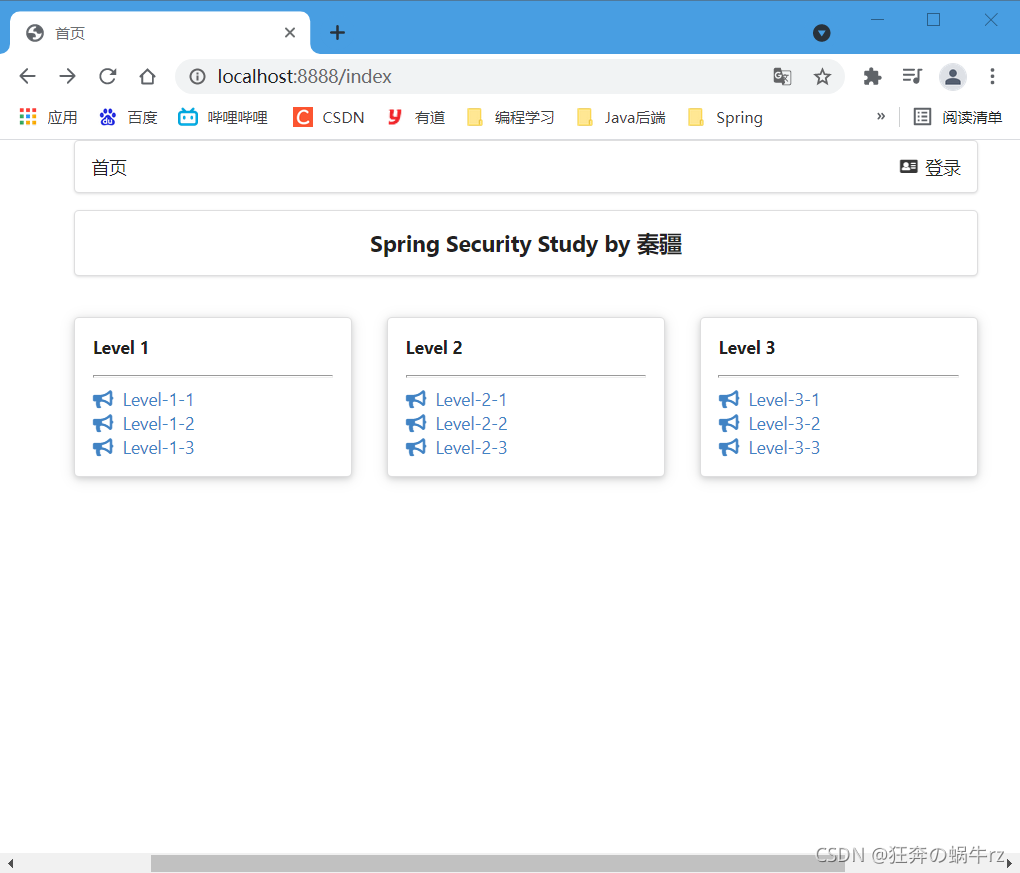
结果:访问主页成功!
7.3 完善项目基本功能
7.3.1 了解Servlet Application和Java Configuration
Spring Security官方文档地址链接:https://docs.spring.io/spring-security/site/docs/5.2.10.RELEASE/reference/html5/
1.Servlet Application的使用
- 如果公司的项目开发还停留在SSM阶段,查看Spring Security官方文档中的Servlet Application相关内容
官方文档地址链接:https://docs.spring.io/spring-security/site/docs/5.2.10.RELEASE/reference/html5/#servlet-applications
2.Java Configuration的使用
- 如果使用Spring Boot进行开发,查看Spring Security官方文档中的Java Configuration相关内容
官方文档地址链接:https://docs.spring.io/spring-security/site/docs/5.2.10.RELEASE/reference/html5/#jc
7.3.2 编写自定义SecurityConfig配置类
1.实现授权功能
在进行自定义SecurityConfig配置类前,我们首先了解一下WebSecurityConfigurerAdapter类和HttpSecurity类,即Web安全配置适配器的源码和HTTP安全这两个类
1-1 查看WebSecurityConfigurerAdapter类源码
//  Web安全配置适配器
public abstract class WebSecurityConfigurerAdapter implements WebSecurityConfigurer<WebSecurity> {

     //  ...(忽略前面部分代码)...

     // configure方法,参数为HttpSecurity
    protected void configure(HttpSecurity http) throws Exception {

        this.logger.debug("Using default configure(HttpSecurity). If subclassed this will potentially override subclass configure(HttpSecurity).");
        // 如果是http的授权请求,则请求中的任何请求都通过的验证
        http.authorizeRequests((requests) -> {
            ((AuthorizedUrl)requests.anyRequest()).authenticated();
        });
        // http的登录请求
        http.formLogin();
        // http的主页请求
        http.httpBasic();
    }

    // ...(省略后面部分代码)...

}
- 1
- 2
- 3
- 4
- 5
- 6
- 7
- 8
- 9
- 10
- 11
- 12
- 13
- 14
- 15
- 16
- 17
- 18
- 19
- 20
- 21
- 22
1-2 查看HttpSecurity类源码
// HttpSecurity类
public final class HttpSecurity extends AbstractConfiguredSecurityBuilder<DefaultSecurityFilterChain, HttpSecurity>
		implements SecurityBuilder<DefaultSecurityFilterChain>, HttpSecurityBuilder<HttpSecurity> {

   //  ...(忽略前面部分代码)...

    // 如果验证失败,转发请求到登录页面
    // 登录验证
   	public FormLoginConfigurer<HttpSecurity> formLogin() throws Exception {
		return getOrApply(new FormLoginConfigurer<>());
	}

   // ...(省略后面部分代码)...

}
- 1
- 2
- 3
- 4
- 5
- 6
- 7
- 8
- 9
- 10
- 11
- 12
- 13
- 14
- 15
1-3 编写SecurityConfig安全配置类
package com.kuang.config;

import org.springframework.security.config.annotation.web.builders.HttpSecurity;
import org.springframework.security.config.annotation.web.configuration.EnableWebSecurity;
import org.springframework.security.config.annotation.web.configuration.WebSecurityConfiguration;
import org.springframework.security.config.annotation.web.configuration.WebSecurityConfigurerAdapter;

/**
 * 使用@EnableWebSecurity注解,开启Web Security模式
 * 本质上是AOP思想的体现:即实现拦截器功能
 */
//继承WebSecurityConfigurerAdapter类(Web安全配置适配器),自定义Security策略
public class SecurityConfig extends WebSecurityConfigurerAdapter {

    /**
     * 1.授权:
     * 重写configure方法,参数为HttpSecurity
     * 主要体现了链式编程的思想
     */
    @Override
    protected void configure(HttpSecurity http) throws Exception {
        //首页所有人可以访问,功能页只有对应权限的人才能访问
        //请求授权(责任链模式),匹配相关的页面和角色
        http.authorizeRequests()
                .antMatchers("/").permitAll()
                .antMatchers("/level1/**").hasRole("admin")
                .antMatchers("/level2/**").hasRole("vip")
                .antMatchers("/level3/**").hasRole("user");
        //没有权限默认会到登录页面,需要开启登录的页面
        http.formLogin();
    }

}
- 1
- 2
- 3
- 4
- 5
- 6
- 7
- 8
- 9
- 10
- 11
- 12
- 13
- 14
- 15
- 16
- 17
- 18
- 19
- 20
- 21
- 22
- 23
- 24
- 25
- 26
- 27
- 28
- 29
- 30
- 31
- 32
- 33
2.实现认证功能
2-1 不连接数据库实现认证
package com.kuang.config;

import com.sun.org.apache.xpath.internal.operations.And;
import org.springframework.security.config.annotation.authentication.builders.AuthenticationManagerBuilder;
import org.springframework.security.config.annotation.web.builders.HttpSecurity;
import org.springframework.security.config.annotation.web.configuration.EnableWebSecurity;
import org.springframework.security.config.annotation.web.configuration.WebSecurityConfiguration;
import org.springframework.security.config.annotation.web.configuration.WebSecurityConfigurerAdapter;
import org.springframework.security.crypto.bcrypt.BCryptPasswordEncoder;

/**
 * 使用@EnableWebSecurity注解,开启Web Security模式
 * 本质上是AOP思想的体现:即实现拦截器功能
 */
@EnableWebSecurity
//继承WebSecurityConfigurerAdapter类(Web安全配置适配器),自定义Security策略
public class SecurityConfig extends WebSecurityConfigurerAdapter {

    /**
     * 1.授权:
     * 重写configure方法,参数为HttpSecurity
     * 主要体现了链式编程的思想
     */
    @Override
    protected void configure(HttpSecurity http) throws Exception {
        // 首页所有人可以访问,功能页只有对应权限的人才能访问
        // 请求授权(责任链模式),匹配相关的页面和角色
        http.authorizeRequests()
                // 如果匹配到"/"请求,允许所有角色访问
                .antMatchers("/").permitAll()
                // 如果匹配到"/level1/**"请求,允许"admin"角色访问
                .antMatchers("/goLevel1/**").hasRole("admin")
                // 如果匹配到"/goLevel2**"请求,允许"vip"角色访问
                .antMatchers("/goLevel2/**").hasRole("vip")
                // 如果匹配到"/goLevel3/**"请求,允许"user"角色访问
                .antMatchers("/goLevel3/**").hasRole("user");
        // 没有权限默认会到登录页面,需要开启登录的页面
        http.formLogin();
    }

    /**
     * Spring Boot 2.1.x 可以直接使用,密码编码:PasswordEncoder
     * 在Spring Security 5.0+ 新增了很多加密方法
     */
    /**
     * 2.认证:
     * 重写configure方法,参数为AuthenticationManagerBuilder(认证管理构筑器),自定义认证策略
     */
    @Override
    protected void configure(AuthenticationManagerBuilder auth) throws Exception {
        // 这些数据正常应该从数据库中读取
        auth.inMemoryAuthentication().passwordEncoder(new BCryptPasswordEncoder())
                // user01用户,拥有角色"user"的权限
                .withUser("user01").password(new BCryptPasswordEncoder().encode("123456")).roles("user")
                // 使用and连接多个用户的认证设置
                // admin01用户,拥有角色"user'、"vip"和"admin"的权限
                .and()
                .withUser("admin01").password(new BCryptPasswordEncoder().encode("123456")).roles("user","vip","admin")
                .and()
                // user02用户,拥有角色"user"和"vip的权限
                .withUser("user02").password(new BCryptPasswordEncoder().encode("123456")).roles("user","vip");
    }

}
- 1
- 2
- 3
- 4
- 5
- 6
- 7
- 8
- 9
- 10
- 11
- 12
- 13
- 14
- 15
- 16
- 17
- 18
- 19
- 20
- 21
- 22
- 23
- 24
- 25
- 26
- 27
- 28
- 29
- 30
- 31
- 32
- 33
- 34
- 35
- 36
- 37
- 38
- 39
- 40
- 41
- 42
- 43
- 44
- 45
- 46
- 47
- 48
- 49
- 50
- 51
- 52
- 53
- 54
- 55
- 56
- 57
- 58
- 59
- 60
- 61
- 62
- 63
- 64
2-2 与数据库连接实现认证
- 如果要连接数据库进行进行认证,需要使用Spring Security中的JDBC Authentication
官网地址:https://docs.spring.io/spring-security/site/docs/5.2.10.RELEASE/reference/html5/#jc-authentication-jdbc
// 自动装配数据源
@Autowired
private DataSource dataSource;
// 自动装配全局配置
@Autowired
public void configureGlobal(AuthenticationManagerBuilder auth) throws Exception {
    // 确保密码是被正确编码的
    UserBuilder users = User.withDefaultPasswordEncoder();
    auth
        // JDBC认证
        .jdbcAuthentication()
            // 数据源
            .dataSource(dataSource)
             // 默认的数据库
            .withDefaultSchema()
             // 表中的普通用户名,密码和角色
            .withUser(users.username("user").password("password").roles("USER"))
        // 表中的管理员用户名,密码和角色
       .withUser(users.username("admin").password("password").roles("USER","ADMIN"));
}
- 1
- 2
- 3
- 4
- 5
- 6
- 7
- 8
- 9
- 10
- 11
- 12
- 13
- 14
- 15
- 16
- 17
- 18
- 19
- 20
3.用户权限测试
3-1 使用admin01用户进行权限测试
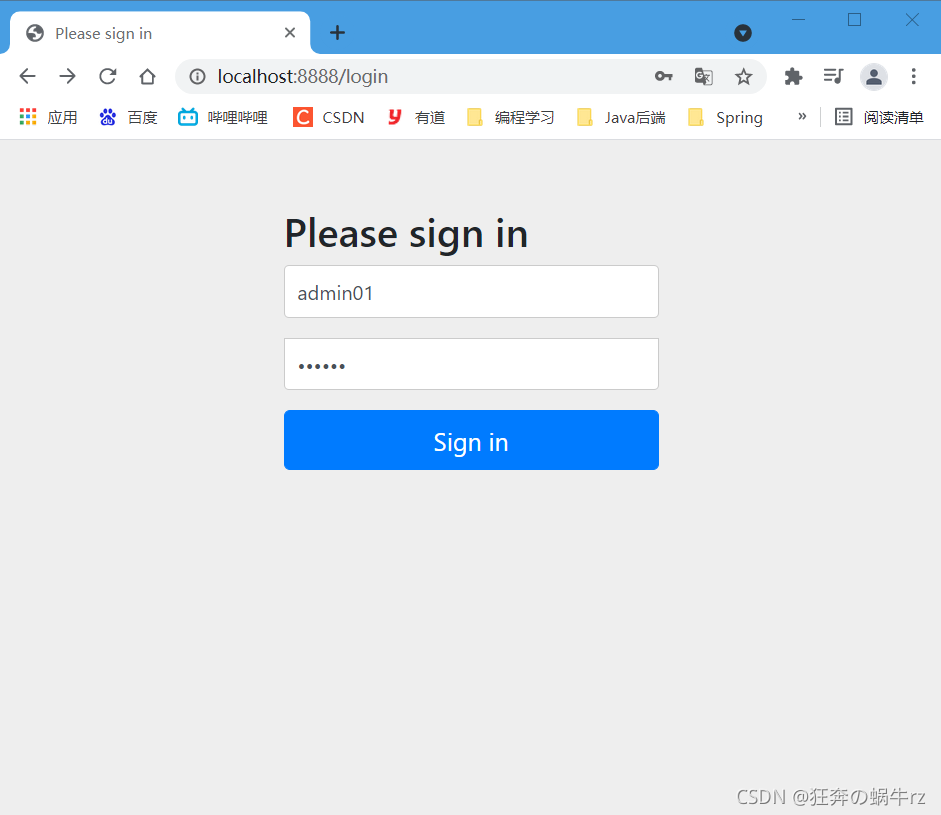
admin01用户具有管理员、VIP和普通用户的权限,因此它应该可以访问所有页面;为了进行验证,我们分别选取level1、level2和level3下的1、2、3页面进行访问测试
- 使用admin01账户进行登录
- 访问level1下的1页面
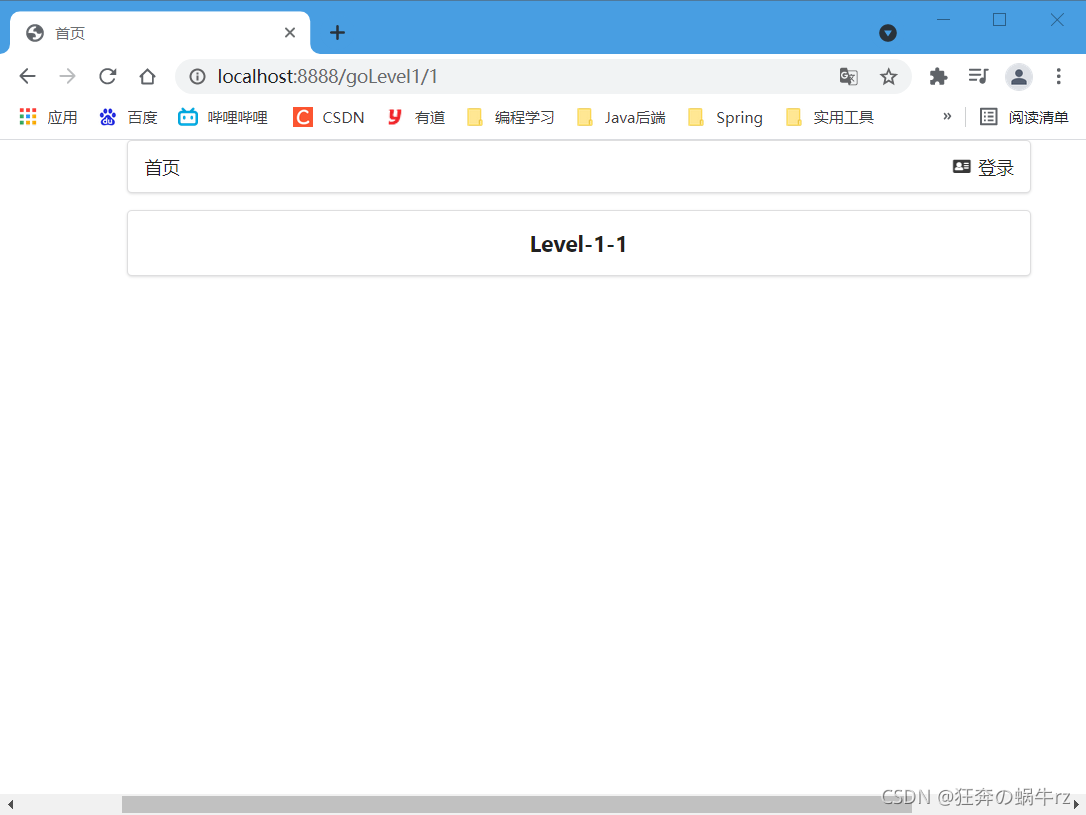
结果:访问成功!
- 访问leve2下的2页面

结果:=访问成功!
- 访问level3下的3页面
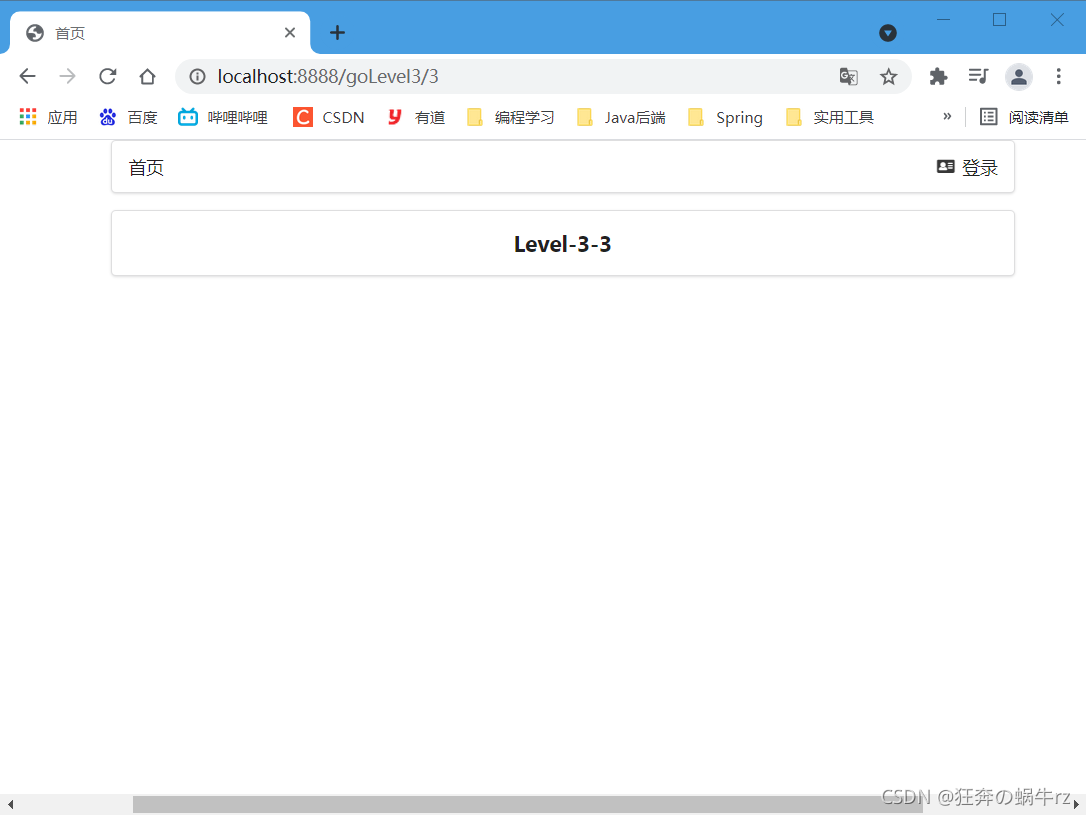
结果:访问成功!
总结:
使用admin01用户登录后,可以访问所有的页面,与我们预期结果相同
3-2 使用user01用户进行权限测试
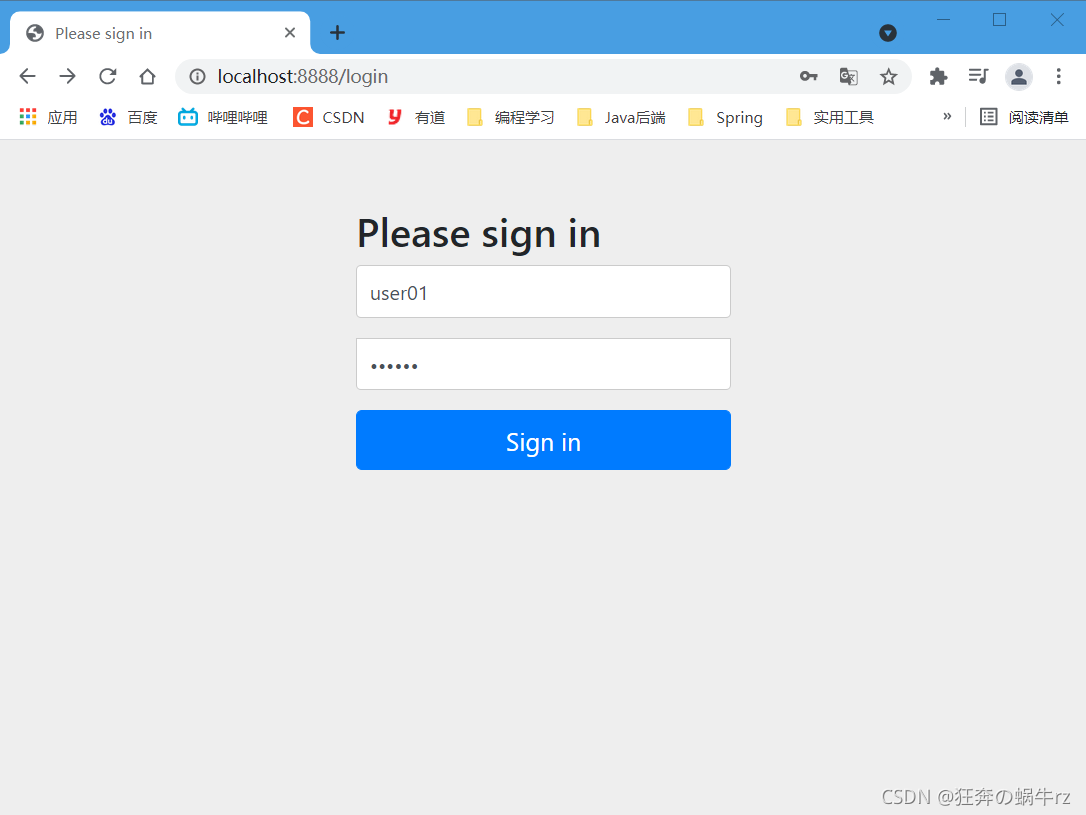
由于user01用户只具有普通用户的权限,因此它应该只能访问level3下的所有页面;为了进行验证,我们分别选取level1、level2和level3下的1、2、3页面进行访问测试
- 使用user01用户进行登录
- 访问level1下的1页面

结果:访问失败,出现403禁止访问提示!
- 访问leve2下的2页面

结果:访问失败,出现403禁止访问提示!
- 访问level3下的3页面

结果:访问成功!
总结:
与我们的预期相同,user01只能访问level3下的所有页面,而level1和level2下的页面禁止访问!
3-3 使用user02用户进行权限测试
由于user02用户具有普通用户和VIP的权限,因此它应该能够访问level2和level3下的所有页面,为了进行验证,我们分别选取level1、level2和level3下的1、2、3页面进行访问测
- 使用user02用户进行登录
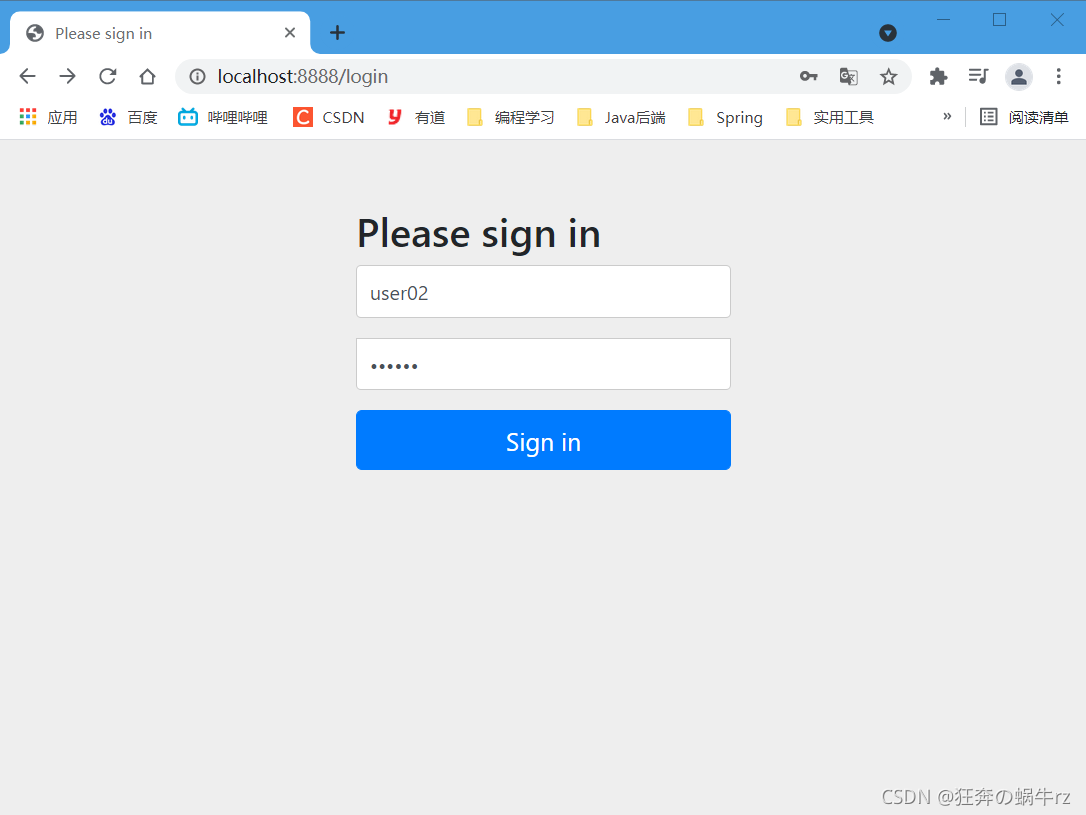
- 访问level1下的1页面

结果:访问失败,出现403禁止访问提示!
- 访问leve2下的2页面
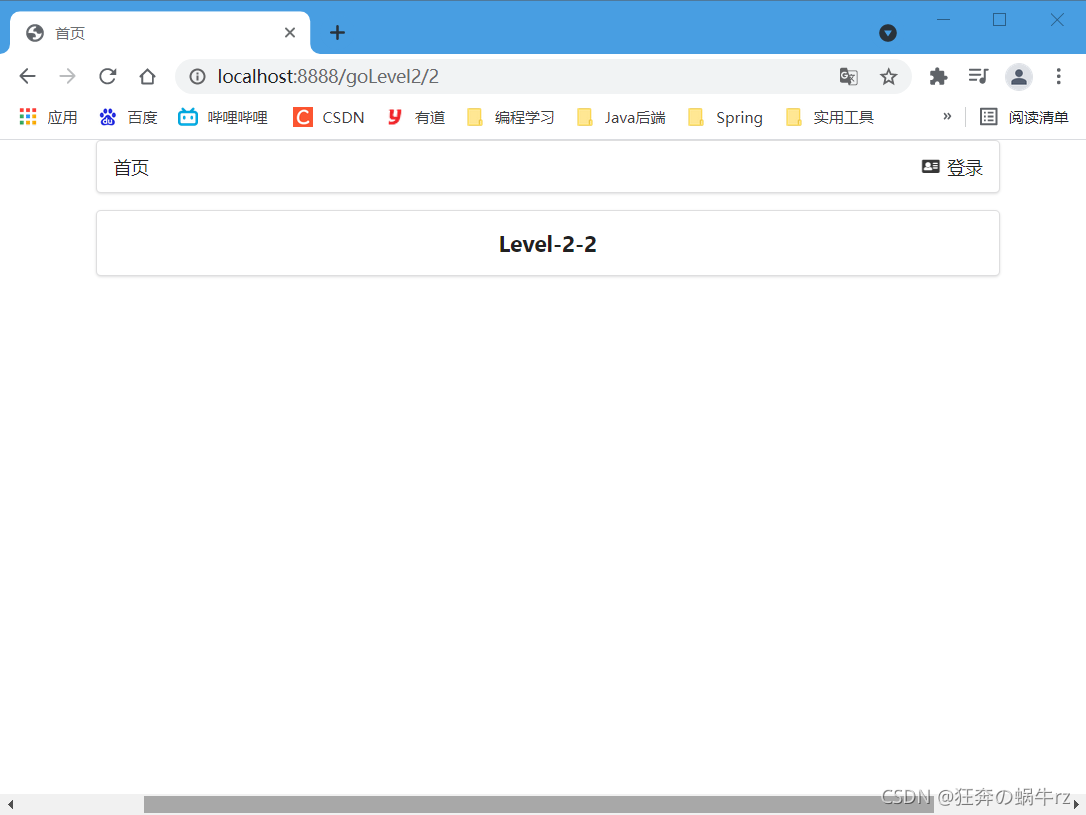
结果:访问成功!
- 访问level3下的3页面
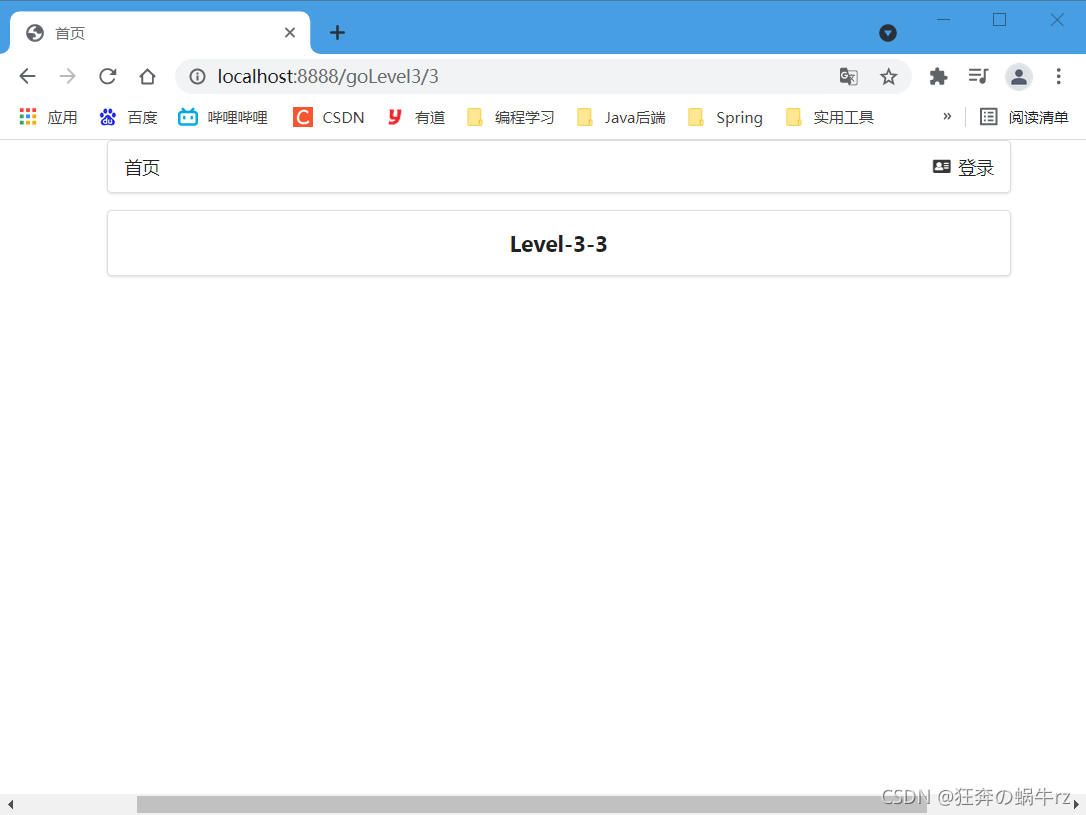
结果:访问成功!
总结:
与我们的预期相同,user02能够访问level2和level3下的所有页面,而level1下的页面禁止访问!
7.3.3 实现注销功能
1.查看logout方法源码
- 查看HttpSecurity类中logout方法源码
// HttpSecurity类
public final class HttpSecurity extends AbstractConfiguredSecurityBuilder<DefaultSecurityFilterChain, HttpSecurity>
		implements SecurityBuilder<DefaultSecurityFilterChain>, HttpSecurityBuilder<HttpSecurity> {
    /**
     * 如果匹配到"/logout"请求,退出当前用户后,使Session变为无效,
     * 然后将会清除用户认证,重定向到登录页面
     */
    // 用户注销
    public LogoutConfigurer<HttpSecurity> logout() throws Exception {
		return getOrApply(new LogoutConfigurer<>());
	}
- 1
- 2
- 3
- 4
- 5
- 6
- 7
- 8
- 9
- 10
- 11
-
源码中对logout相关参数的介绍
如果要设置注销成功后跳转到首页,可以使用logoutSuccessUrl,设置退出成功请求"/",退出后跳转到主页;
使用deleteCookie,设置其值为"remove",表示移除Cookie;
使用invalidateHttpSession,设置其值为false,表示销毁Session;
// 设置退出登录的请求和退出登录成功的请求
http.logout().logoutUrl("/custom-logout").logoutSuccessUrl("/logout-success")
    // 设置移除Cookie和销毁Session
    .deleteCookies("remove").invalidateHttpSession(false);
- 1
- 2
- 3
- 4
2.编写SecurityConfig实现注销功能
- 修改SecurityConfig类的configure方法实现注销功能
package com.kuang.config;

import com.sun.org.apache.xpath.internal.operations.And;
import org.springframework.security.config.annotation.authentication.builders.AuthenticationManagerBuilder;
import org.springframework.security.config.annotation.web.builders.HttpSecurity;
import org.springframework.security.config.annotation.web.configuration.EnableWebSecurity;
import org.springframework.security.config.annotation.web.configuration.WebSecurityConfiguration;
import org.springframework.security.config.annotation.web.configuration.WebSecurityConfigurerAdapter;
import org.springframework.security.crypto.bcrypt.BCryptPasswordEncoder;

/**
 * 使用@EnableWebSecurity注解,开启Web Security模式
 * 本质上是AOP思想的体现:即实现拦截器功能
 */
@EnableWebSecurity
// 继承WebSecurityConfigurerAdapter类(Web安全配置适配器),自定义Security策略
public class SecurityConfig extends WebSecurityConfigurerAdapter {

    /**
     * 1.授权:
     * 重写configure方法,参数为HttpSecurity
     * 主要体现了链式编程的思想
     */
    @Override
    protected void configure(HttpSecurity http) throws Exception {
        /**
         * 请求授权(责任链模式),匹配相关的页面和角色
         * 注意: 首页所有人可以访问,功能页只有对应权限的人才能访问
         */
        http.authorizeRequests()
                // 如果匹配到"/"请求,允许所有角色访问
                .antMatchers("/").permitAll()
                // 如果匹配到"/level1/**"请求,允许"admin"角色访问
                .antMatchers("/goLevel1/**").hasRole("admin")
                // 如果匹配到"/goLevel2**"请求,允许"vip"角色访问
                .antMatchers("/goLevel2/**").hasRole("vip")
                // 如果匹配到"/goLevel3/**"请求,允许"user"角色访问
                .antMatchers("/goLevel3/**").hasRole("user");
        // 注销,开启了注销功能,跳转登录页
        http.logout().logoutSuccessUrl("/login");
    }

    /**
     * 2.认证:
     * 认证的相关代码与7.3.2的2中的代码一致,这里就省略不写了
     */
    @Override
    protected void configure(AuthenticationManagerBuilder auth) throws Exception {

         //...(省略后面部分代码)...

    }
}
- 1
- 2
- 3
- 4
- 5
- 6
- 7
- 8
- 9
- 10
- 11
- 12
- 13
- 14
- 15
- 16
- 17
- 18
- 19
- 20
- 21
- 22
- 23
- 24
- 25
- 26
- 27
- 28
- 29
- 30
- 31
- 32
- 33
- 34
- 35
- 36
- 37
- 38
- 39
- 40
- 41
- 42
- 43
- 44
- 45
- 46
- 47
- 48
- 49
- 50
- 51
- 52
- 53
3.改进注销功能
3-1 CSRF跨站请求伪造
CSRF(cross site request forgery),跨站请求伪造,也称"One Click Attack"或者Session Riding,通过编写为CSRF或者XSRF,是一种对网站的恶意利用
3-2 修改SecurityConfig类
package com.kuang.config;

import com.sun.org.apache.xpath.internal.operations.And;
import org.springframework.security.config.annotation.authentication.builders.AuthenticationManagerBuilder;
import org.springframework.security.config.annotation.web.builders.HttpSecurity;
import org.springframework.security.config.annotation.web.configuration.EnableWebSecurity;
import org.springframework.security.config.annotation.web.configuration.WebSecurityConfiguration;
import org.springframework.security.config.annotation.web.configuration.WebSecurityConfigurerAdapter;
import org.springframework.security.crypto.bcrypt.BCryptPasswordEncoder;

/**
 * 使用@EnableWebSecurity注解,开启Web Security模式
 * 本质上是AOP思想的体现:即实现拦截器功能
 */
@EnableWebSecurity
// 继承WebSecurityConfigurerAdapter类(Web安全配置适配器),自定义Security策略
public class SecurityConfig extends WebSecurityConfigurerAdapter {

    /**
     * 1.授权:
     * 重写configure方法,参数为HttpSecurity
     * 链式编程的思想
     */
    @Override
    protected void configure(HttpSecurity http) throws Exception {
        /**
         * 请求授权(责任链模式),匹配相关的页面和角色
         * 注意: 首页所有人可以访问,功能页只有对应权限的人才能访问
         */
        http.authorizeRequests()
                // 如果匹配到"/"请求,允许所有角色访问
                .antMatchers("/").permitAll()
                // 如果匹配到"/level1/**"请求,允许"admin"角色访问
                .antMatchers("/goLevel1/**").hasRole("admin")
                // 如果匹配到"/goLevel2**"请求,允许"vip"角色访问
                .antMatchers("/goLevel2/**").hasRole("vip")
                // 如果匹配到"/goLevel3/**"请求,允许"user"角色访问
                .antMatchers("/goLevel3/**").hasRole("user");
        // 防止网站攻击:get和post请求
        http.csrf().disable(); //关闭跨站请求伪造功能
        // 开启注销功能,退出成功后跳转登录页,并且移除Cookie和销毁Session
     http.logout().deleteCookies("remove").invalidateHttpSession(false).logoutSuccessUrl("/login");
    }

    /**
     * 2.认证:
     * 认证的相关代码与7.3.2的2中的代码一致,这里就省略不写了
     */
    @Override
    protected void configure(AuthenticationManagerBuilder auth) throws Exception {

        //...(省略后面部分代码)...

    }
}
- 1
- 2
- 3
- 4
- 5
- 6
- 7
- 8
- 9
- 10
- 11
- 12
- 13
- 14
- 15
- 16
- 17
- 18
- 19
- 20
- 21
- 22
- 23
- 24
- 25
- 26
- 27
- 28
- 29
- 30
- 31
- 32
- 33
- 34
- 35
- 36
- 37
- 38
- 39
- 40
- 41
- 42
- 43
- 44
- 45
- 46
- 47
- 48
- 49
- 50
- 51
- 52
- 53
- 54
- 55
4.修改主页和访问测试
4-1 修改indx.html主页
<!DOCTYPE html>
<html lang="en" xmlns:th="http://www.thymeleaf.org"
      xmlns:sec="http://www.thymeleaf.org/thymeleaf-extras-springsecurity5">
<head>
    <meta charset="UTF-8">
    <meta name="viewport" content="width=device-width, initial-scale=1, maximum-scale=1">
    <title>首页</title>
    <!--semantic-ui-->
    <link href="https://cdn.bootcss.com/semantic-ui/2.4.1/semantic.min.css" rel="stylesheet">
    <link th:href="@{/qinjiang/css/qinstyle.css}" rel="stylesheet">
</head>
<body>

<!-- 主容器 -->
<div class="ui container">

    <div class="ui segment" id="index-header-nav" th:fragment="nav-menu">
        <div class="ui secondary menu">

              <a class="item" th:href="@{/index}">首页</a>

               <!-- 登录注销 -->
               <div class="right menu">
                    <a class="item" th:href="@{/goLogin}">
                        <i class="address card icon"></i> 登录
                    </a>
                </div>

                <div>
                    <a class="item" th:href="@{/logout}">
                        <i class="sign-out icon"></i> 注销
                    </a>
                </div>

        </div>
    </div>

    <div class="ui segment" style="text-align: center">
        <h3>Spring Security Study by 秦疆</h3>
    </div>

    <div>
        <br>
        <div class="ui three column stackable grid">

            <div class="column">
                <div class="ui raised segment">
                    <div class="ui">
                        <div class="content">
                            <h5 class="content">goLevel 1</h5>
                            <hr>
                            <div><a th:href="@{/goLevel1/1}"><i class="bullhorn icon"></i> goLevel-1-1</a></div>
                            <div><a th:href="@{/goLevel1/2}"><i class="bullhorn icon"></i> goLevel-1-2</a></div>
                            <div><a th:href="@{/goLevel1/3}"><i class="bullhorn icon"></i> goLevel-1-3</a></div>
                        </div>
                    </div>
                </div>
            </div>

            <div class="column">
                <div class="ui raised segment">
                    <div class="ui">
                        <div class="content">
                            <h5 class="content">goLevel 2</h5>
                            <hr>
                            <div><a th:href="@{/goLevel2/1}"><i class="bullhorn icon"></i> goLevel-2-1</a></div>
                            <div><a th:href="@{/goLevel2/2}"><i class="bullhorn icon"></i> goLevel-2-2</a></div>
                            <div><a th:href="@{/goLevel2/3}"><i class="bullhorn icon"></i> goLevel-2-3</a></div>
                        </div>
                    </div>
                </div>
            </div>

            <div class="column">
                <div class="ui raised segment">
                    <div class="ui">
                        <div class="content">
                            <h5 class="content">goLevel 3</h5>
                            <hr>
                            <div><a th:href="@{/goLevel3/1}"><i class="bullhorn icon"></i> goLevel-3-1</a></div>
                            <div><a th:href="@{/goLevel3/2}"><i class="bullhorn icon"></i> goLevel-3-2</a></div>
                            <div><a th:href="@{/goLevel3/3}"><i class="bullhorn icon"></i> goLevel-3-3</a></div>
                        </div>
                    </div>
                </div>
            </div>

        </div>
    </div>

</div>

<script th:src="@{/qinjiang/js/jquery-3.1.1.min.js}"></script>
<script th:src="@{/qinjiang/js/semantic.min.js}"></script>

</body>
</html>
- 1
- 2
- 3
- 4
- 5
- 6
- 7
- 8
- 9
- 10
- 11
- 12
- 13
- 14
- 15
- 16
- 17
- 18
- 19
- 20
- 21
- 22
- 23
- 24
- 25
- 26
- 27
- 28
- 29
- 30
- 31
- 32
- 33
- 34
- 35
- 36
- 37
- 38
- 39
- 40
- 41
- 42
- 43
- 44
- 45
- 46
- 47
- 48
- 49
- 50
- 51
- 52
- 53
- 54
- 55
- 56
- 57
- 58
- 59
- 60
- 61
- 62
- 63
- 64
- 65
- 66
- 67
- 68
- 69
- 70
- 71
- 72
- 73
- 74
- 75
- 76
- 77
- 78
- 79
- 80
- 81
- 82
- 83
- 84
- 85
- 86
- 87
- 88
- 89
- 90
- 91
- 92
- 93
- 94
- 95
- 96
- 97
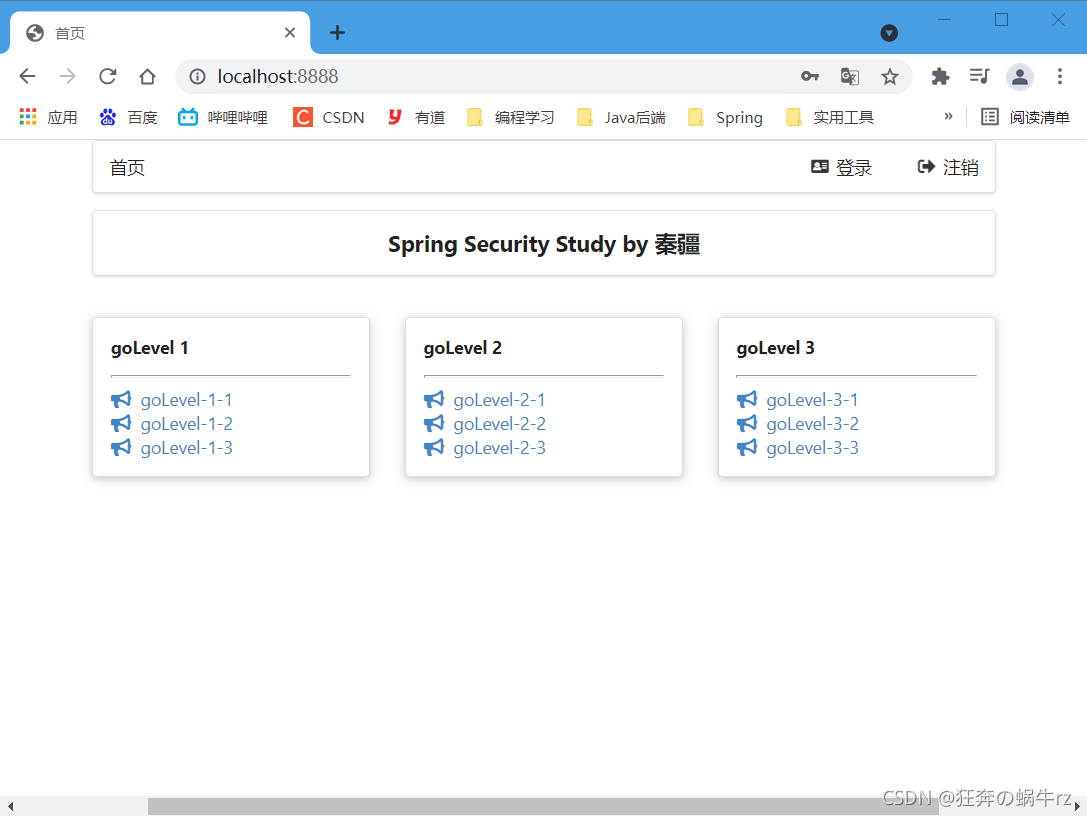
4-2 访问主页
4-3 注销登录
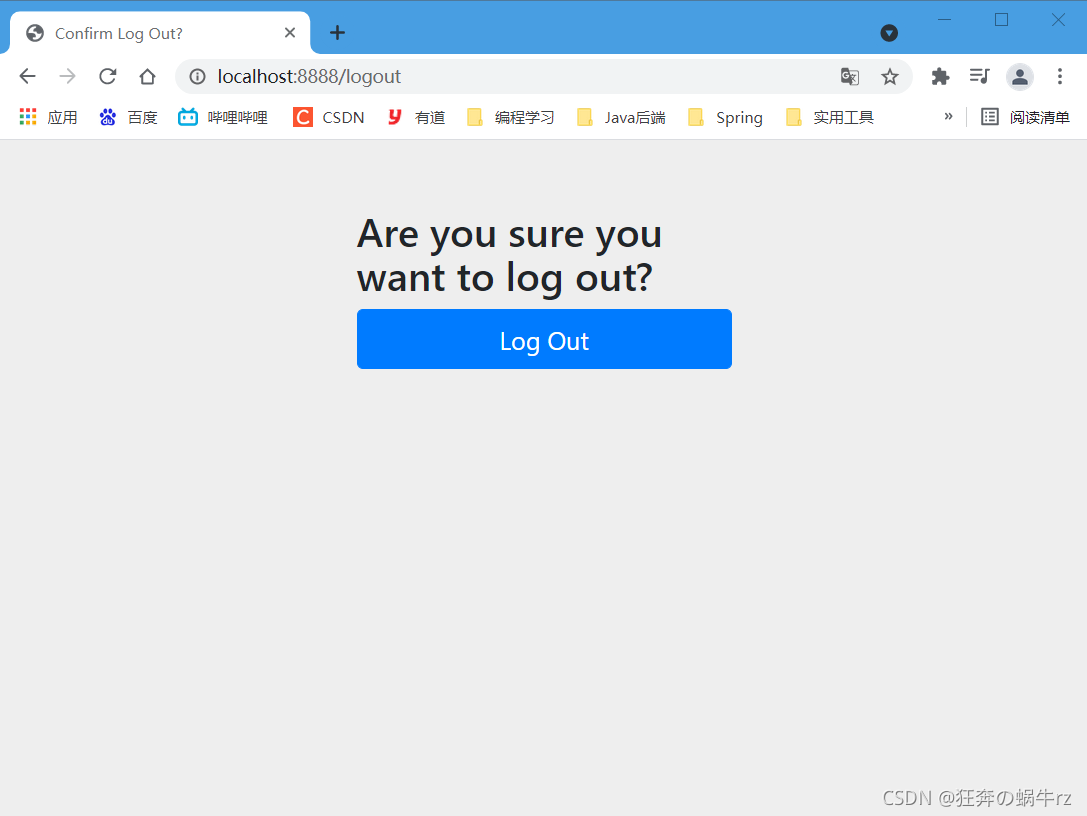
4-4 跳转登录页
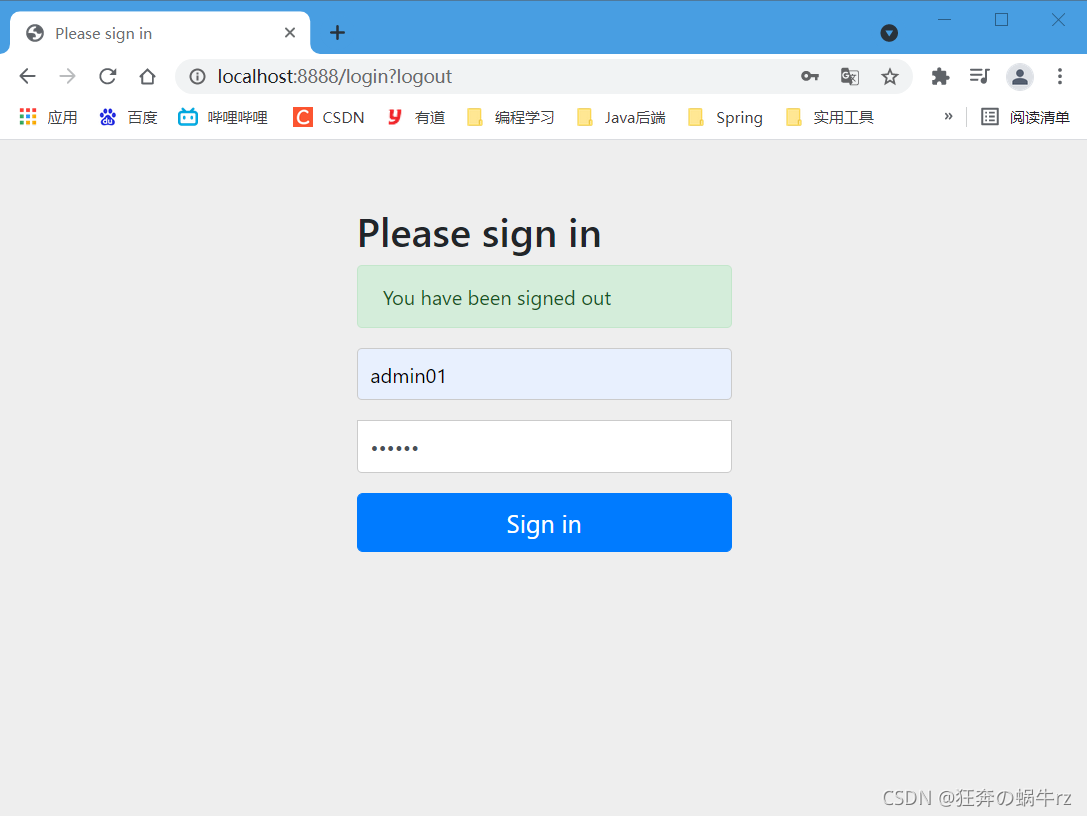
7.3.4 自定义登录页和记住我
1.登录相关参数介绍
http.authorizeRequests().antMatchers("/**").hasRole("USER").and().formLogin()
    .usernameParameter("username") // 用户输入框的默认参数是username
    .passwordParameter("password") // 密码输入框的默认参数password
    // 可以自定义登录成功页面
    .loginPage("/authentication/login") // 默认是HTTP get方式的/login请求
    // 自定义登录失败页
    .failureUrl("/authentication/login?failed") // 默认是/login?error请求
    // 登录的验证请求
    .loginProcessingUrl("/authentication/login/process"); // 默认是/login请求
- 1
- 2
- 3
- 4
- 5
- 6
- 7
- 8
- 9
2.修改SecurityConfig类自定义登录
package com.kuang.config;

import com.sun.org.apache.xpath.internal.operations.And;
import org.springframework.security.config.annotation.authentication.builders.AuthenticationManagerBuilder;
import org.springframework.security.config.annotation.web.builders.HttpSecurity;
import org.springframework.security.config.annotation.web.configuration.EnableWebSecurity;
import org.springframework.security.config.annotation.web.configuration.WebSecurityConfiguration;
import org.springframework.security.config.annotation.web.configuration.WebSecurityConfigurerAdapter;
import org.springframework.security.crypto.bcrypt.BCryptPasswordEncoder;

/**
 * 使用@EnableWebSecurity注解,开启Web Security模式
 * 本质上是AOP思想的体现:即实现拦截器功能
 */
@EnableWebSecurity
// 继承WebSecurityConfigurerAdapter类(Web安全配置适配器),自定义Security策略
public class SecurityConfig extends WebSecurityConfigurerAdapter {

    /**
     * 1.授权:
     * 重写configure方法,参数为HttpSecurity
     * 链式编程的思想
     */
    @Override
    protected void configure(HttpSecurity http) throws Exception {
        /**
         * 请求授权(责任链模式),匹配相关的页面和角色
         * 注意: 首页所有人可以访问,功能页只有对应权限的人才能访问
         */
        http.authorizeRequests()
                // 如果匹配到"/"请求,允许所有角色访问
                .antMatchers("/").permitAll()
                // 如果匹配到"/level1/**"请求,允许"admin"角色访问
                .antMatchers("/goLevel1/**").hasRole("admin")
                // 如果匹配到"/goLevel2**"请求,允许"vip"角色访问
                .antMatchers("/goLevel2/**").hasRole("vip")
                // 如果匹配到"/goLevel3/**"请求,允许"user"角色访问
                .antMatchers("/goLevel3/**").hasRole("user");
        // 没有权限默认会到登录页面,需要开启登录的页面,默认是/login请求
http.formLogin().usernameParameter("uname").passwordParameter("pwd").loginPage("/").failureUrl("/goLogin").loginProcessingUrl("/login");
        // 防止网站攻击:get和post请求
        http.csrf().disable(); //关闭跨站请求伪造功能
        // 注销,开启了注销功能,跳转首页
  http.logout().deleteCookies("remove").invalidateHttpSession(false).logoutSuccessUrl("/");
        // 开启记住我功能,使用rememberMeParameter来设置记住我参数
        http.rememberMe().rememberMeParameter("remember");

    }

    /**
     * 2.认证:
     * 认证的相关代码与7.3.2的2中的代码一致,这里就省略不写了
     */
    @Override
    protected void configure(AuthenticationManagerBuilder auth) throws Exception {

         //...(省略后面部分代码)...

    }
}
- 1
- 2
- 3
- 4
- 5
- 6
- 7
- 8
- 9
- 10
- 11
- 12
- 13
- 14
- 15
- 16
- 17
- 18
- 19
- 20
- 21
- 22
- 23
- 24
- 25
- 26
- 27
- 28
- 29
- 30
- 31
- 32
- 33
- 34
- 35
- 36
- 37
- 38
- 39
- 40
- 41
- 42
- 43
- 44
- 45
- 46
- 47
- 48
- 49
- 50
- 51
- 52
- 53
- 54
- 55
- 56
- 57
- 58
- 59
- 60
3.修改登录页和主页
3-1 修改登录页
<!DOCTYPE html>
<html lang="en" xmlns:th="http://www.thymeleaf.org">
<head>
    <meta charset="UTF-8">
    <meta name="viewport" content="width=device-width, initial-scale=1, maximum-scale=1">
    <title>登录</title>
    <!--semantic-ui-->
    <link href="https://cdn.bootcss.com/semantic-ui/2.4.1/semantic.min.css" rel="stylesheet">
</head>
<body>

<!-- 主容器 -->
<div class="ui container">
    <div class="ui segment">

        <div style="text-align: center">
            <h1 class="header">登录</h1>
        </div>

        <div class="ui placeholder segment">
            <div class="ui column very relaxed stackable grid">
                <div class="column">
                    <div class="ui form">
                        <!-- 登录成功(身份验证通过)后,进入到对应权限的主页去 -->
                        <form th:action="@{/login}" method="post">
                            <div class="field">
                                <label>Username</label>
                                <div class="ui left icon input">
                                    <!-- 如果前端用户名的参数为uname -->
                                    <input type="text" placeholder="uname" name="username">
                                    <i class="user icon"></i>
                                </div>
                            </div>
                            <div class="field">
                                <label>Password</label>
                                <div class="ui left icon input">
                                    <!--如果前端密码的参数为pwd-->
                                    <input type="password" name="pwd">
                                    <i class="lock icon"></i>
                                </div>
                            </div>
                            <!-- 记住我 -->
                            <div class="field">
                                <input type="checkbox" value="remember">记住我
                            </div>
                            <input type="submit" class="ui blue submit button"/>
                        </form>
                    </div>
                </div>
            </div>
        </div>

        <div style="text-align: center">
            <div class="ui label">
                </i>注册
            </div>
            <br><br>
            <small>blog.kuangstudy.com</small>
        </div>

        <div class="ui segment" style="text-align: center">
            <h3>Spring Security Study by 秦疆</h3>
        </div>

    </div>
</div>

<script th:src="@{/qinjiang/js/jquery-3.1.1.min.js}"></script>
<script th:src="@{/qinjiang/js/semantic.min.js}"></script>

</body>
</html>
- 1
- 2
- 3
- 4
- 5
- 6
- 7
- 8
- 9
- 10
- 11
- 12
- 13
- 14
- 15
- 16
- 17
- 18
- 19
- 20
- 21
- 22
- 23
- 24
- 25
- 26
- 27
- 28
- 29
- 30
- 31
- 32
- 33
- 34
- 35
- 36
- 37
- 38
- 39
- 40
- 41
- 42
- 43
- 44
- 45
- 46
- 47
- 48
- 49
- 50
- 51
- 52
- 53
- 54
- 55
- 56
- 57
- 58
- 59
- 60
- 61
- 62
- 63
- 64
- 65
- 66
- 67
- 68
- 69
- 70
- 71
- 72
3-2 修改主页
<!DOCTYPE html>
<html lang="en" xmlns:th="http://www.thymeleaf.org"
      xmlns:sec="http://www.thymeleaf.org/thymeleaf-extras-springsecurity5">
<head>
    <meta charset="UTF-8">
    <meta name="viewport" content="width=device-width, initial-scale=1, maximum-scale=1">
    <title>首页</title>
    <!-- semantic-ui -->
    <link href="https://cdn.bootcss.com/semantic-ui/2.4.1/semantic.min.css" rel="stylesheet">
    <link th:href="@{/qinjiang/css/qinstyle.css}" rel="stylesheet">
</head>
<body>

<!-- 主容器 -->
<div class="ui container">
    <div class="ui segment" id="index-header-nav" th:fragment="nav-menu">
        <div class="ui secondary menu">
            <a class="item" th:href="@{/index}">首页</a>

            <!-- 登录注销 -->
            <div class="right menu">
                <!--如果未登录,显示登录按钮-->
                <div sec:authorize="!isAuthenticated()">
                    <a class="item" th:href="@{/goLogin}">
                        <i class="address card icon"></i> 登录
                    </a>
                </div>

                <!-- 如果登录了,显示用户名、角色和注销按钮 -->
                <!-- 用户登录认证过了,显示用户名和角色 -->
                <div sec:authorize="isAuthenticated()" class="block-inline">
                    <a class="item">
                        <!-- 获取用户的名字 -->
                        用户名:<span sec:authentication="name"></span>
                        <!-- 获取用户的权限 -->
                        角色:<span sec:authentication="principal.authorities"></span>
                    </a>
                </div>
                <!-- 用户登录认证过了,显示注销按钮 -->
                <div sec:authorize="isAuthenticated()" class="block-inline">
                    <a class="item" th:href="@{/logout}">
                        <i class="sign-out icon"></i> 注销
                    </a>
                </div>
            </div>
        </div>
    </div>

    <div class="ui segment" style="text-align: center">
        <h3>Spring Security Study by 秦疆</h3>
    </div>

    <div>
        <br>
        <div class="ui three column stackable grid">

            <!-- 给"admin"角色授权,可以访问level1下的页面 -->
            <div class="column" sec:authorize="hasRole('admin')">
                <div class="ui raised segment">
                    <div class="ui">
                        <div class="content">
                            <h5 class="content">goLevel 1</h5>
                            <hr>
                            <div><a th:href="@{/goLevel1/1}"><i class="bullhorn icon"></i> goLevel-1-1</a></div>
                            <div><a th:href="@{/goLevel1/2}"><i class="bullhorn icon"></i> goLevel-1-2</a></div>
                            <div><a th:href="@{/goLevel1/3}"><i class="bullhorn icon"></i> goLevel-1-3</a></div>
                        </div>
                    </div>
                </div>
            </div>

            <!-- 给"vip"角色授权,可以访问level2下的页面 -->
            <div class="column" sec:authorize="hasRole('vip')">
                <div class="ui raised segment">
                    <div class="ui">
                        <div class="content">
                            <h5 class="content">goLevel 2</h5>
                            <hr>
                            <div><a th:href="@{/goLevel2/1}"><i class="bullhorn icon"></i> goLevel-2-1</a></div>
                            <div><a th:href="@{/goLevel2/2}"><i class="bullhorn icon"></i> goLevel-2-2</a></div>
                            <div><a th:href="@{/goLevel2/3}"><i class="bullhorn icon"></i> goLevel-2-3</a></div>
                        </div>
                    </div>
                </div>
            </div>

            <!-- 给"user"角色授权,可以访问level3下的页面 -->
            <div class="column" sec:authorize="hasRole('user')">
                <div class="ui raised segment">
                    <div class="ui">
                        <div class="content">
                            <h5 class="content">goLevel 3</h5>
                            <hr>
                            <div><a th:href="@{/goLevel3/1}"><i class="bullhorn icon"></i> goLevel-3-1</a></div>
                            <div><a th:href="@{/goLevel3/2}"><i class="bullhorn icon"></i> goLevel-3-2</a></div>
                            <div><a th:href="@{/goLevel3/3}"><i class="bullhorn icon"></i> goLevel-3-3</a></div>
                        </div>
                    </div>
                </div>
            </div>

        </div>
    </div>
</div>

<script th:src="@{/qinjiang/js/jquery-3.1.1.min.js}"></script>
<script th:src="@{/qinjiang/js/semantic.min.js}"></script>

</body>
</html>
- 1
- 2
- 3
- 4
- 5
- 6
- 7
- 8
- 9
- 10
- 11
- 12
- 13
- 14
- 15
- 16
- 17
- 18
- 19
- 20
- 21
- 22
- 23
- 24
- 25
- 26
- 27
- 28
- 29
- 30
- 31
- 32
- 33
- 34
- 35
- 36
- 37
- 38
- 39
- 40
- 41
- 42
- 43
- 44
- 45
- 46
- 47
- 48
- 49
- 50
- 51
- 52
- 53
- 54
- 55
- 56
- 57
- 58
- 59
- 60
- 61
- 62
- 63
- 64
- 65
- 66
- 67
- 68
- 69
- 70
- 71
- 72
- 73
- 74
- 75
- 76
- 77
- 78
- 79
- 80
- 81
- 82
- 83
- 84
- 85
- 86
- 87
- 88
- 89
- 90
- 91
- 92
- 93
- 94
- 95
- 96
- 97
- 98
- 99
- 100
- 101
- 102
- 103
- 104
- 105
- 106
- 107
- 108
- 109
- 110
4.页面访问测试
4-1 使用admin01登录访问主页
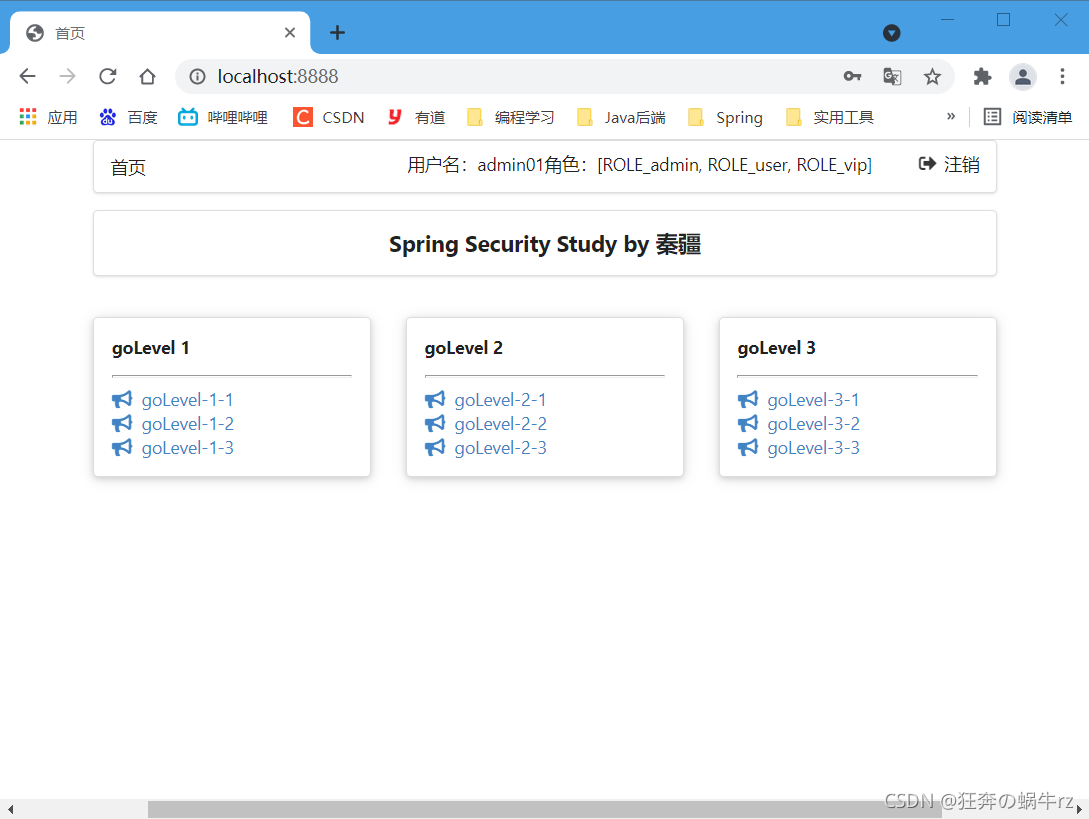
4-2 使用user01登录访问主页

4-3 使用user02登录访问主页
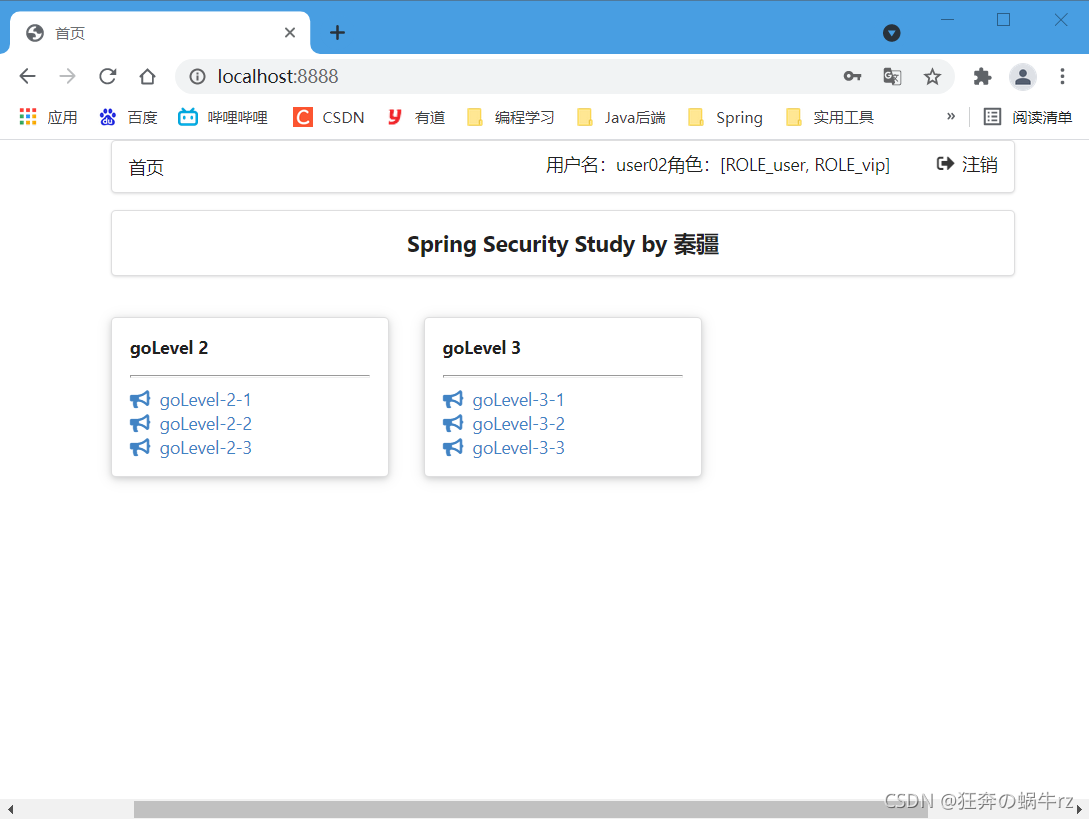
好了,今天的有关 SpringBoot基础学习之整合SpringSercurity框架 的学习就到此结束啦,欢迎小伙伴们积极学习和讨论,喜欢的可以给蜗牛君点个关注,顺便来个一键三连,我们下期见,拜拜啦!
参考视频链接:https://www.bilibili.com/video/BV1PE411i7CV(【狂神说Java】SpringBoot最新教程IDEA版通俗易懂)



