
微服务 SpringBoot 整合 Redis GEO 实现附近商户功能
赞
踩
⛄引言
本文参考黑马 点评项目
在点评项目中 如何 实现 附近商家的查询呢,展示出距离自己5公里内的商户,这样的功能如何实现?
答案是可以采用Redis 来实现,当然可能有很多实现方式,本文主要介绍如何使用Redis实现 附近商户的搜索功能
♨️广播站
CSDN博客之星参选博主:Bug终结者
我正在参加年度博客之星评选,请大家帮我投票打分,您的每一分都是对我的支持与鼓励。
链接:https://bbs.csdn.net/topics/611387239

感谢您的支持!!!
一、Redis GEO 数据结构用法
⛅GEO基本语法、指令
GEO 就是 GeoLocation 的简写形式,代表地理坐标。Redis在3.2版本中加入了对GEO的支持,允许存储地理坐标信息,帮助我们根据经纬度来检索数据。
常见的命令
- GEOADD:添加一个地理空间信息,包含:经度(longitude)、纬度(latitude)、值(member)
- GEODIST:计算指定的两个点之间的距离并返回
- GEOHASH:将指定member的坐标转为hash字符串形式并返回
- GEOPOS:返回指定member的坐标
- GEORADIUS:指定圆心、半径,找到该圆内包含的所有member,并按照与圆心之间的距离排序后返回。6.以后已废弃
- GEOSEARCH:在指定范围内搜索member,并按照与指定点之间的距离排序后返回。范围可以是圆形或矩形。6.2.新功能
- GEOSEARCHSTORE:与GEOSEARCH功能一致,不过可以把结果存储到一个指定的key。 6.2.新功能
⚡使用GEO存储经纬度、查询距离
本篇博文 Redis版本为 6.2版本
进入redis 查询 geo相关指令
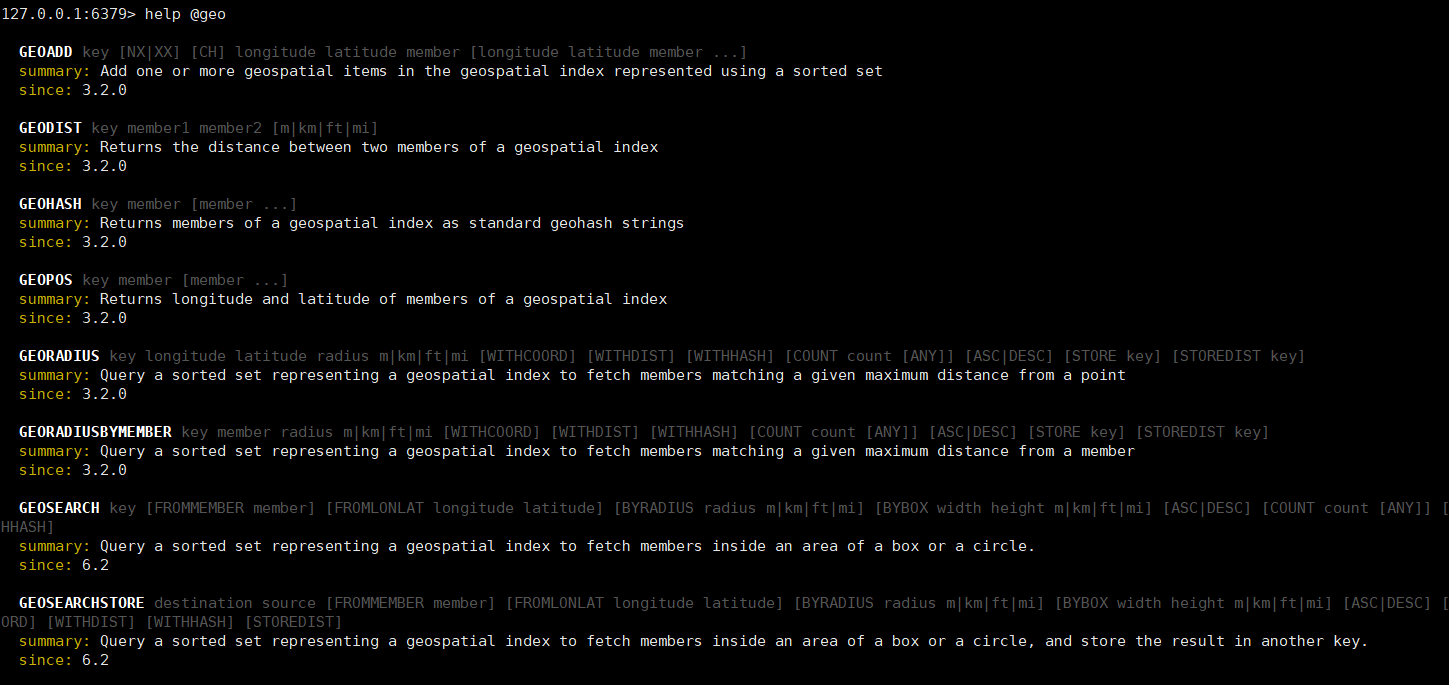
使用 GEO 完成以下功能 实现两点之间的距离查询,以及指定范围内的地点
需求如下
- 使用 GEO 添加 北京 (天安门 116.397469 39.908821 、故宫 116.397027 39.918056、北海公园 116.389977 39.933144) 经纬度
- 查询 天安门 与 故宫之间的距离
- 在以上添加的地点中查询 天安门广场 (116.397827 39.90374) 附近2公里的地点
GEOADD 添加

GEOPOS 查看指定地点 经纬度信息

GEOHASH 查看指定地址 经纬度HASH值

拓展: GEOPOS 和 GEOHASH 的区别在于 GEOHASH 节约了 经纬度存储的 内存、减少不必要的内存消耗,从而提升性能
GEODIST 查看 天安门 与故宫之间的距离

GEOSEARCH 查询 天安门广场 附近 2公里的地点

二、SpringBoot 整合Redis 导入 店铺数据 到GEO
编写SpringBoot 单元测试进行导入Redis数据
@Resource
private IShopService shopService;

@Resource
private StringRedisTemplate stringRedisTemplate;

@Test
void loadShopData() {
    //1. 查询店铺信息
    List<Shop> shopList = shopService.list();
    //2. 把店铺分组,按照typeId分组、typeId一致的放在一个集合
    Map<Long, List<Shop>> map = shopList.stream().collect(Collectors.groupingBy(Shop::getTypeId));
    //3. 分批完成写入redis
    for (Map.Entry<Long, List<Shop>> entry : map.entrySet()) {
        //3.1 获取类型id
        Long typeId = entry.getKey();
        String key = RedisConstants.SHOP_GEO_KEY + typeId;
        //3.2 获取同类型的店铺的集合
        List<Shop> value = entry.getValue();
        List<RedisGeoCommands.GeoLocation<String>> locations = new ArrayList<>(value.size());
        //3.3 写入redis GEOADD key 经度 维度 member
        for (Shop shop : value) {
            locations.add(new RedisGeoCommands.GeoLocation<>(
                shop.getId().toString(),
                new Point(shop.getX(), shop.getY())));
        }
        stringRedisTemplate.opsForGeo().add(key, locations);
    }

}

- 1
- 2
- 3
- 4
- 5
- 6
- 7
- 8
- 9
- 10
- 11
- 12
- 13
- 14
- 15
- 16
- 17
- 18
- 19
- 20
- 21
- 22
- 23
- 24
- 25
- 26
- 27
- 28
- 29
- 30
运行完毕,查看Redis即可

三、SpringBoot 整合 Redis 实现 附近商户功能
☁️需求介绍
基于黑马点评项目实现 附近商户查询功能
- 采用GEO 数据结构实现附近商户查询
- 完成分页功能
思路分析:
通过传输过来的 x、y 经纬度,然后我们根据该经纬度去查询redis中附近的商户,查出后即可返回,进行封装,查出来的结果进行循环添加至 Shop 地点距离,即可完成。
⚡核心源码
ShopController
@GetMapping("/of/type")
public Result queryShopByType(
    @RequestParam("typeId") Integer typeId,
    @RequestParam(value = "current", defaultValue = "1") Integer current,
    @RequestParam(value = "x", required = false) Double x,
    @RequestParam(value = "y", required = false) Double y) {
    return shopService.queryShopByType(typeId, current, x, y);
}
- 1
- 2
- 3
- 4
- 5
- 6
- 7
- 8
ShopService
@Override
public Result queryShopByType(Integer typeId, Integer current, Double x, Double y) {
    //1. 判断是否需要坐标查询
    if (x == null || y == null) {
        // 不需要坐标查询,按数据库查询
        Page<Shop> page = query()
            .eq("type_id", typeId)
            .page(new Page<>(current, SystemConstants.DEFAULT_PAGE_SIZE));
        // 返回数据
        return Result.ok(page.getRecords());
    }
    //2. 计算分页参数
    int form = (current - 1) * SystemConstants.DEFAULT_PAGE_SIZE;
    int end = current * SystemConstants.DEFAULT_PAGE_SIZE;
    //3. 查询redis,按照距离排序、分页 结果:shopId、distance
    String key = RedisConstants.SHOP_GEO_KEY + typeId;
    GeoResults<RedisGeoCommands.GeoLocation<String>> results = stringRedisTemplate.opsForGeo().search(
        key,
        GeoReference.fromCoordinate(x, y),
        new Distance(5000),
        RedisGeoCommands.GeoSearchCommandArgs.newGeoSearchArgs().includeDistance().limit(end));
    //4. 解析id
    if (results == null) {
        return Result.ok(Collections.emptyList());
    }
    List<GeoResult<RedisGeoCommands.GeoLocation<String>>> content = results.getContent();
    //4.1 截取from => end
    List<Long> ids = new ArrayList<>(content.size());
    Map<String, Distance> distanceMap = new HashMap<>(content.size());
    if (content.size() <= form) {
        return Result.ok(Collections.emptyList());
    }
    content.stream().skip(form).forEach(result -> {
        //4.2 获取店铺id
        String shopIdStr = result.getContent().getName();
        ids.add(Long.valueOf(shopIdStr));
        //4.2 获取距离
        Distance distance = result.getDistance();
        distanceMap.put(shopIdStr, distance);
    });
    //5. 根据id查询shop
    String idStr = StrUtil.join(",", ids);
    List<Shop> shops = query().in("id", ids).last("ORDER BY FIELD(id," + idStr + ")").list();
    // 循环将 商品距离放入对象距离属性中
    shops.forEach(shop -> {
        shop.setDistance(distanceMap.get(shop.getId().toString()).getValue());
    });
    //6. 返回结果
    return Result.ok(shops);
}
- 1
- 2
- 3
- 4
- 5
- 6
- 7
- 8
- 9
- 10
- 11
- 12
- 13
- 14
- 15
- 16
- 17
- 18
- 19
- 20
- 21
- 22
- 23
- 24
- 25
- 26
- 27
- 28
- 29
- 30
- 31
- 32
- 33
- 34
- 35
- 36
- 37
- 38
- 39
- 40
- 41
- 42
- 43
- 44
- 45
- 46
- 47
- 48
- 49
- 50
进行测试
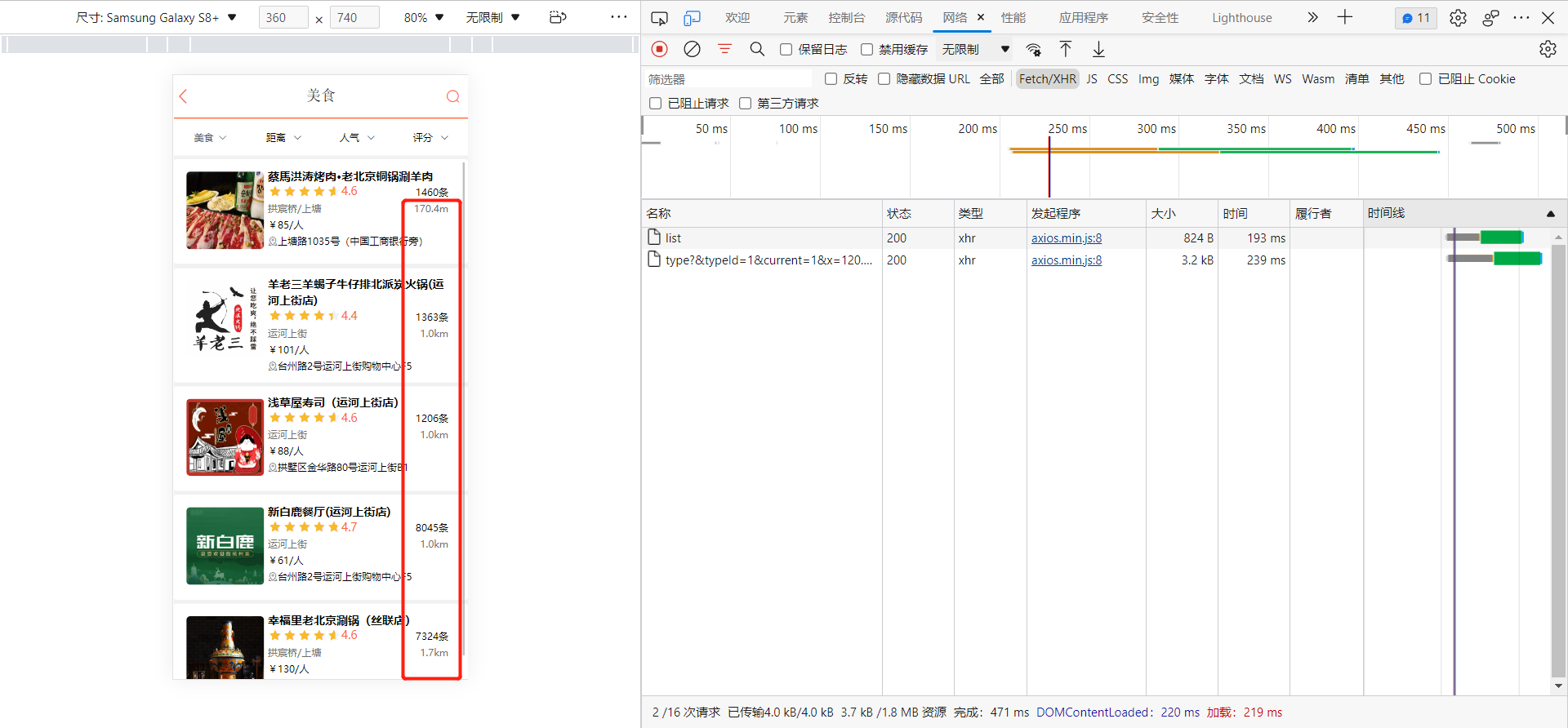
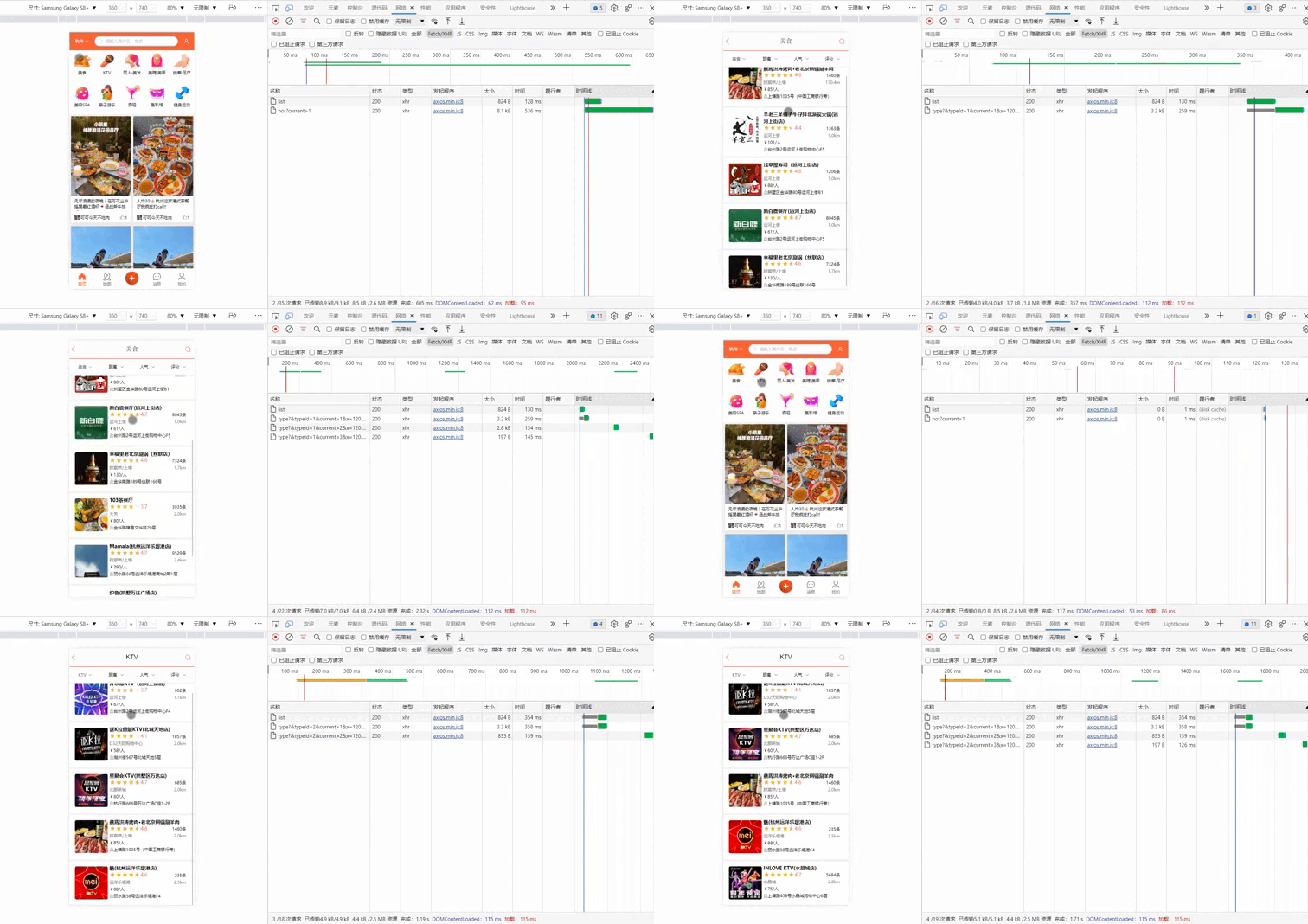
✅附近商户效果图
⛵小结
以上就是【Bug 终结者】对 微服务 SpringBoot 整合 Redis 实现附近商户功能 的简单介绍,附近商户搜索,是很常见的功能,掌握GEO即可完成该类似的需求,并高质量完成开发,加油! 认真练习,提升技术。 技术改变世界!!!
如果这篇【文章】有帮助到你,希望可以给【Bug 终结者】点个赞
声明:本文内容由网友自发贡献,不代表【wpsshop博客】立场,版权归原作者所有,本站不承担相应法律责任。如您发现有侵权的内容,请联系我们。转载请注明出处:https://www.wpsshop.cn/article/detail/34965
![[ 云计算 | AWS 实践 ] 使用 Java 更新现有 Amazon S3 对象](https://img-blog.csdnimg.cn/direct/f6b4b45ef01445aa9a147e7c5f1a8f15.png?x-oss-process=image/resize,m_fixed,h_300,image/format,png)



Copyright © 2003-2013 www.wpsshop.cn 版权所有,并保留所有权利。

