
- 1顺序表oj--移除元素&&删除重复项&&合并两个有序数组_合并数组并删除相同项
- 2【无捆绑,可修改主页】系统之家 win7 32位&64位极度纯净版系统(每月更新)_win764位无捆绑
- 3Leecode刷题【1数组专题4】80. 删除排序数组中的重复项II (以及通用解法)_宫水三叶 leecode
- 4Codeforces Round #700 (Div. 2)-B. The Great Hero-题解-一行实现向上取整
- 5几乎完美安装! NVIDIA Jetson Nano B01 Ubuntu 18.04.3 LTS 的 ROS 安装和菜鸟的踩坑记录【会继续完善】_jetson nano b01可以装安卓系统
- 62014年蓝桥杯c/c++B组省赛真题解析_十四届蓝桥杯c++b题解
- 7vue提取公共方法,并解决不能使用this的问题(获取调用该方法的实例this)_vue公共方法获取this
- 8MySQL 函数参考手册(MySQL 数值函数)
- 9Inter RealSenseT265说明文档_realsenset265技术文档
- 10纯 CSS 实现十个还不错的 Loading 效果_css加载进度条动画平滑
# ROS 终端常见错误集锦_tf2_sensor_msgsconfig.cmake
赞
踩
ROS 终端常见错误集锦
一、ROS “is neither a launch file in package”报错
未找到你的package配置文件,运行
rospack find [package 名]
- 1
查找包是否存在:查看能否找到包,找不到的话把你的包拷贝到workspace路径下,cd到你的workspace路径;
然后运行
catkin_make
source devel/setup.bash
- 1
- 2
现在再次运行
rospack find [package 名]
- 1
检查你的package是否能被找到,不出意外能够找到。你再运行你的程序就不会报错了
二、catkin_make 常见错误
tf2_sensor_msgsConfig.cmake
tf2_sensor_msgs-config.cmake
参考:https://blog.csdn.net/qq_35315454/article/details/82706703[傳送門] (https://blog.csdn.net/qq_35315454/article/details/82706703)
sudo apt-get install ros-kinetic-tf2-sensor-msgschuansongmen
Door
Door
Could not find a package configuration file provided by “xxxxxxxxxxx“ with any of the following name
ROS catkin_make编译遇到的问题
缺少配置文件
    解决方法
    注意事项
- 1
- 2
- 3
缺少配置文件
在catkin_make的时候出现了以下问题:
Could not find a package configuration file provided by “xxxxxxxxxxx” with any of the following names:
xxxxxxxxxxxConfig.cmake
xxxxxxxxxxx-Config.cmake
翻译过来的意思是:找不到“ ×××××××××”提供的程序包配置文件
具有以下任何名称:
xxxxxxxxxxxConfig.cmake
xxxxxxxxxxx-Config.cmake
问题在于缺少配置文件,因此吧缺失的东西下载好之后,再catkin_make编译就好了
解决方法
sudo apt-get install ros-kinetic(indigo)-xxxxxxxx
注:kinetic和indigo取决于你ros安装的版本,后面的xxxxxxxxx是你所缺失的配置文件,有时候系统会提示缺少"move_base_msgs",此时正确的办法应该是:
sudo apt-get install ros-kinetic(indigo)-move-base-msgs
(ubuntu16.04及以上的版本可以直接使用sudo apt install ros-kinetic(indigo)-move-base-msgs)
注意事项
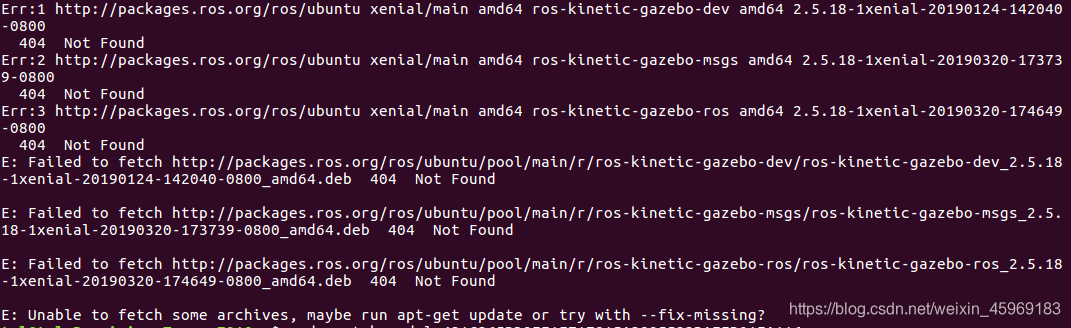
有时候在使用上述方法时会遇到无法下载的情况,出现什么非stable版本,不允许下载的情况。网上有挺多教程,有时候看起来会比较麻烦,可以直接通过软件与更新->选择中国的服务器->重新载入
载入完成后—>sudo apt-get update

