
热门标签
热门文章
- 1华为云云耀云服务器L实例评测|Python Selenium加Chrome Driver构建UI自动化测试实践
- 2Stable Diffusion XL搭建
- 3Stable Diffusion——尝试如何正确的使用【AnimateDiff】生成动图——4种方法测试
- 4简单易懂:SSM入门级项目整合实例教程+附项目源码_ssm框架项目免费实例源码
- 5Android保存图片到相册,兼容Android10及以上版本_android 保存图片到相册
- 6RabbitMQ安装、端口修改、基本操作详解!_rabbitmq修改端口
- 7【从零开始学习Linux】一文带你了解yum周边生态及vim常见模式
- 8HarmonyOS云开发基础认证【最新题库 满分答案】_harmonyos应用开发者基础认证答案
- 9selenium查找网页如何处理网站资源一直加载非常卡或者失败的情况_selenium网页有时刷新不出来
- 10Python Get()函数用法介绍_python中get函数用法
当前位置: article > 正文
python222网站实战(SpringBoot+SpringSecurity+MybatisPlus+thymeleaf+layui)-ckeditor集成图片上传实现
作者:代码创作者 | 2024-01-31 08:23:15
赞
踩
python222网站实战(SpringBoot+SpringSecurity+MybatisPlus+thymeleaf+layui)-ckeditor集成图片上传实现
锋哥原创的Springboot+Layui python222网站实战:
python222网站实战课程视频教程(SpringBoot+Python爬虫实战) ( 火爆连载更新中... )_哔哩哔哩_bilibilipython222网站实战课程视频教程(SpringBoot+Python爬虫实战) ( 火爆连载更新中... )共计23条视频,包括:python222网站实战课程视频教程(SpringBoot+Python爬虫实战) ( 火爆连载更新中... )、第2讲 架构搭建实现、第3讲 页面系统属性动态化设计实现等,UP主更多精彩视频,请关注UP账号。 https://www.bilibili.com/video/BV1yX4y1a7qM/ckeditor默认是不支持本地图片上传的。我们需要设置下,开启本地图片上传。
找到ckeditor/plugins/image/dialogs/image.js文件 打开
然后搜索 id:"Upload",hidden 默认值是!0 我们改成0即可
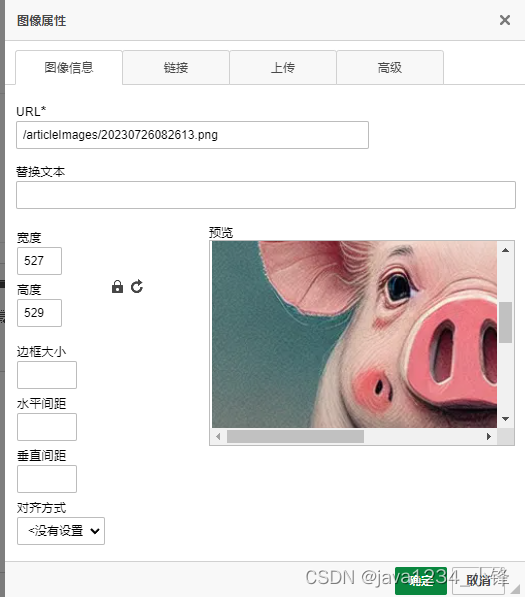
刷新页面,点击那个上传图片图标,

然后我们配置下上传后台请求路径
找到ckeditor下的config.js 打开
config.filebrowserImageUploadUrl="/admin/article/ckeditorUpload";配置下
帖子图片请求和本地图片要做一个虚拟路径映射配置。
application.yml配置:
articleImagesFilePath: D:\\articleImages\\WebAppConfigurer
加下:
- @Value("${articleImagesFilePath}")
- private String articleImagesFilePath;
registry.addResourceHandler("/articleImages/**").addResourceLocations("file:"+articleImagesFilePath); // 自定义帖子映射ArticleAdminController加下 文件处理方法;
- @Value("${articleImagesFilePath}")
- private String articleImagesFilePath;
- /**
- * 上传图片
- * @param file
- * @return
- */
- @RequestMapping("/ckeditorUpload")
- public Map<String,Object> ckeditorUpload(@RequestParam("upload") MultipartFile file, String CKEditorFuncNum)throws Exception{
- Map<String, Object> resultMap = new HashMap<>();
-
- // 获取文件名
- String fileName = file.getOriginalFilename();
- // 获取文件的后缀名
- String suffixName = fileName.substring(fileName.lastIndexOf("."));
- String newFileName= DateUtil.getCurrentDateStr()+suffixName;
- FileUtils.copyInputStreamToFile(file.getInputStream(), new File(articleImagesFilePath+newFileName));
-
- resultMap.put("uploaded",1);
- resultMap.put("fileName",newFileName);
- resultMap.put("url","/articleImages/"+newFileName);
-
- return resultMap;
- }

声明:本文内容由网友自发贡献,不代表【wpsshop博客】立场,版权归原作者所有,本站不承担相应法律责任。如您发现有侵权的内容,请联系我们。转载请注明出处:https://www.wpsshop.cn/article/detail/49984?site
推荐阅读


相关标签

