
热门标签
热门文章
- 1Flutter零碎_flutter 反编译
- 2入职5G网络优化工程师,税后9k,周末双休,你也可以!—分享优橙小故事_5g网络优化工程师一天上几小时班
- 3博客系统总结_个人博客管理系统开发总结
- 4【已解决】安装cv2时Building wheel for opencv-python终端卡死_building wheel for opencv-python (pep 517)
- 5uniapp权限检查,拉起系统授权_plus.android.requestpermissions
- 6平面切分 python 蓝桥杯_蓝桥杯平面切分python
- 7GitHub进不去或者响应满的轻松提速教程_github.com 的响应时间过长。
- 8uniapp:检查通知权限,并提示是否打开,点击跳转设置,开启通知权限_uniapp弹出通知权限
- 9Unity中,图片 替换 光标 —— 疑问解答_unity textmeshpro - input field 如何替换光标图片
- 10java 判断 string null_Java 多个String(字符串)判断是否null(空值)简单方法代码
当前位置: article > 正文
CSS 实用工具: Google Fonts API 引入免费字体库
作者:数据科学灵魂 | 2024-01-30 19:26:40
赞
踩
google fonts api
CSS 实用工具: Google Fonts API 引入免费字体库
正文
今天给大家分享一个有趣的工具,写 Web 的时候常常找不到有什么字体是好看的或是要一直去找。本篇将给大家介绍一个免费的字体库,由 Google 提供的 API
1. Google Fonts 使用
首先点击去上面那个网站
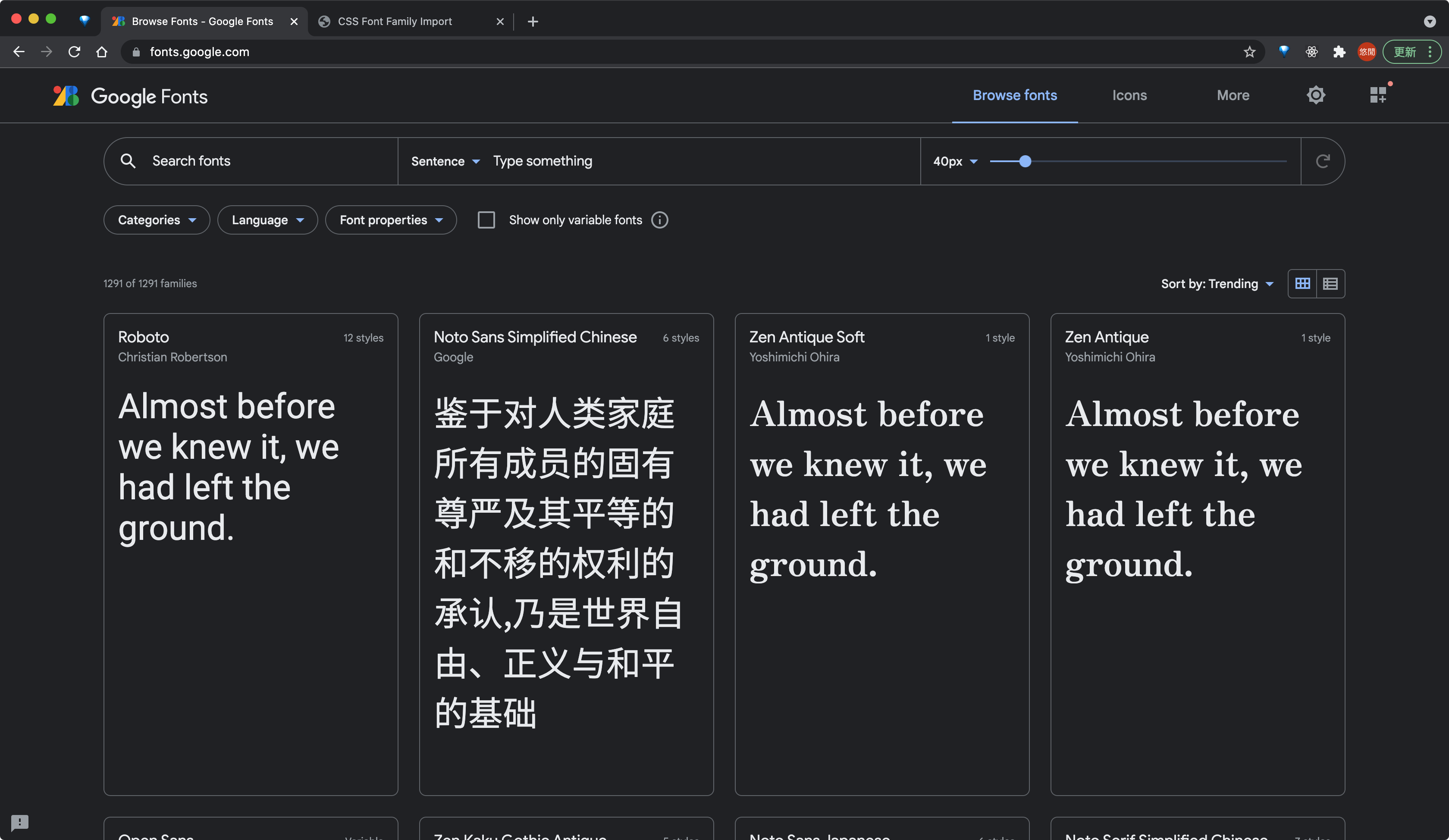
将会看到有很多字体可以选择,点进去你想要的字体
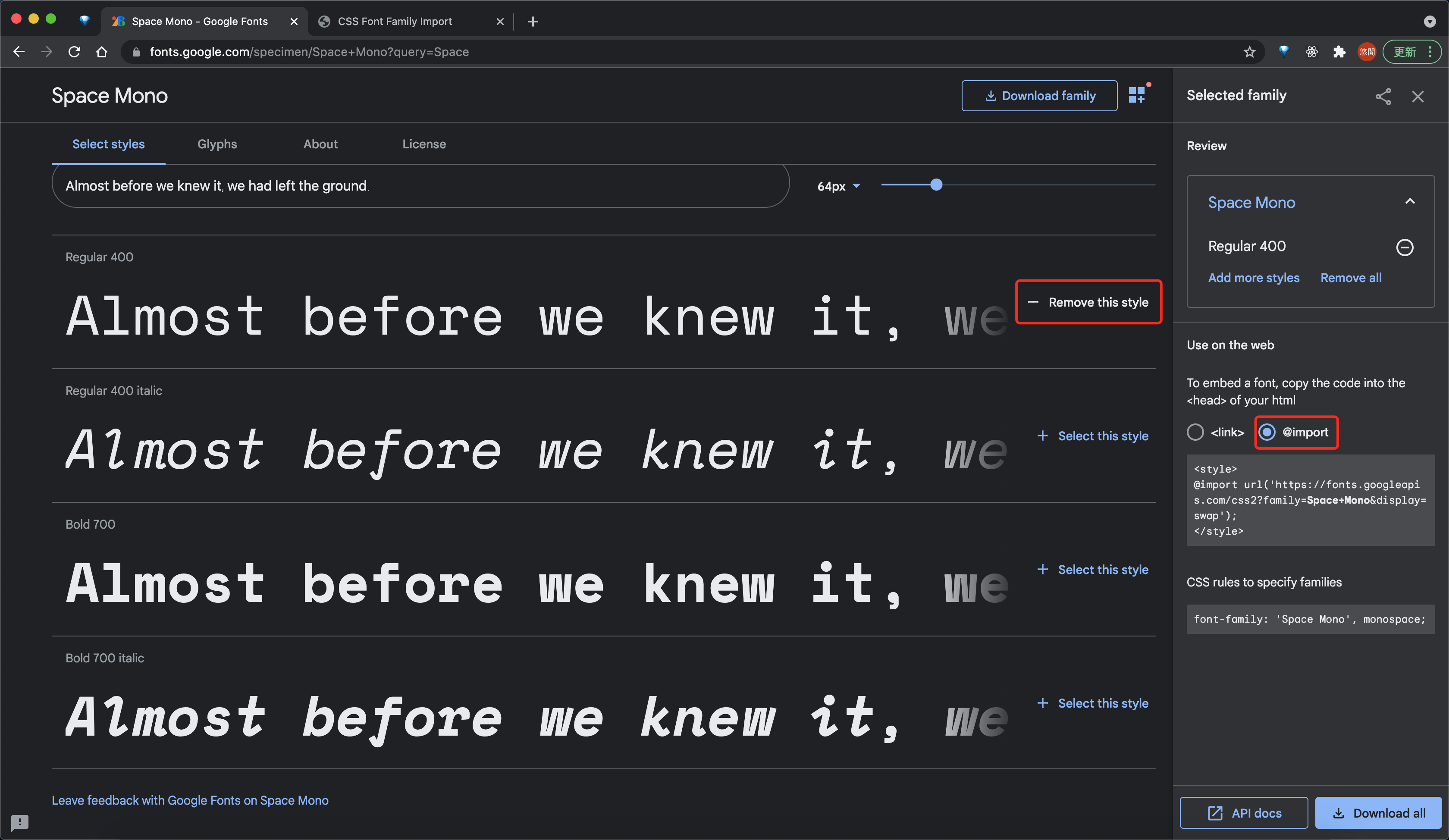
然后点击 select this style,你可以一次选中多个字体,然后在代码中一次导入
接下来在右侧选择 @import 复制下面的内容到 css 如下
@import url('https://fonts.googleapis.com/css2?family=Space+Mono&family=Trispace&family=Zen+Antique+Soft&display=swap');
- 1
2. 在代码中引入字体 & 效果
最后你就可以在你的 css 文件中使用想相关字体了
index.css
@import url('https://fonts.googleapis.com/css2?family=Space+Mono&family=Trispace&family=Zen+Antique+Soft&display=swap');

.font1 {
  font-family: 'Space Mono', monospace;
}

.font2 {
  font-family: 'Trispace', sans-serif;
}

.font3 {
  font-family: 'Zen Antique Soft', serif;
}
- 1
- 2
- 3
- 4
- 5
- 6
- 7
- 8
- 9
- 10
- 11
- 12
- 13
- 效果

其他资源
参考连接
| Title | Link |
|---|---|
| Google Fonts API | https://fonts.google.com/ |
完整代码示例
https://github.com/superfreeeee/Blog-code/tree/main/front_end/css/css_font_family_import
声明:本文内容由网友自发贡献,不代表【wpsshop博客】立场,版权归原作者所有,本站不承担相应法律责任。如您发现有侵权的内容,请联系我们。转载请注明出处:https://www.wpsshop.cn/article/detail/48523?site
推荐阅读
相关标签

