
热门标签
热门文章
- 1正则表达式匹配数字、字母和下划线_正则表达式匹配下划线
- 2FlexArray 存储虚拟化软件_存储虚拟软件
- 3Django REST 框架详解 09 | 权限组件_django permission_classes
- 4编程实例分享,电玩城计时电玩店计时收费管理系统软件,可以控制电视电源计时程序
- 5十二届蓝桥杯python青少年组第五题——密室逃脱_有一个密室逃脱游戏,有100间密室连在一排。密室编号
- 6python threading和multiprocessing模块基本用法实例分析_python signal multiprocessing
- 7Elasticsearch 基本使用(四)聚合查询_es聚合查询
- 8在pytorch中的双线性采样(Bilinear Sample)
- 9Linux内核同步机制之Per-CPU变量___per_cpu_offset
- 10Problem-263A-Codeforces- Beautiful Matrix_you've got a 5
当前位置: article > 正文
批量上传Maven仓库jar包到Nexus3.x私服_nuxus批量导入jar包
作者:编程变革者 | 2024-01-30 19:26:13
赞
踩
nuxus批量导入jar包
批量上传Maven仓库jar包到Nexus3.x私服
1.手动mvn命令上传单个Jar ,可通过nexus自带上传
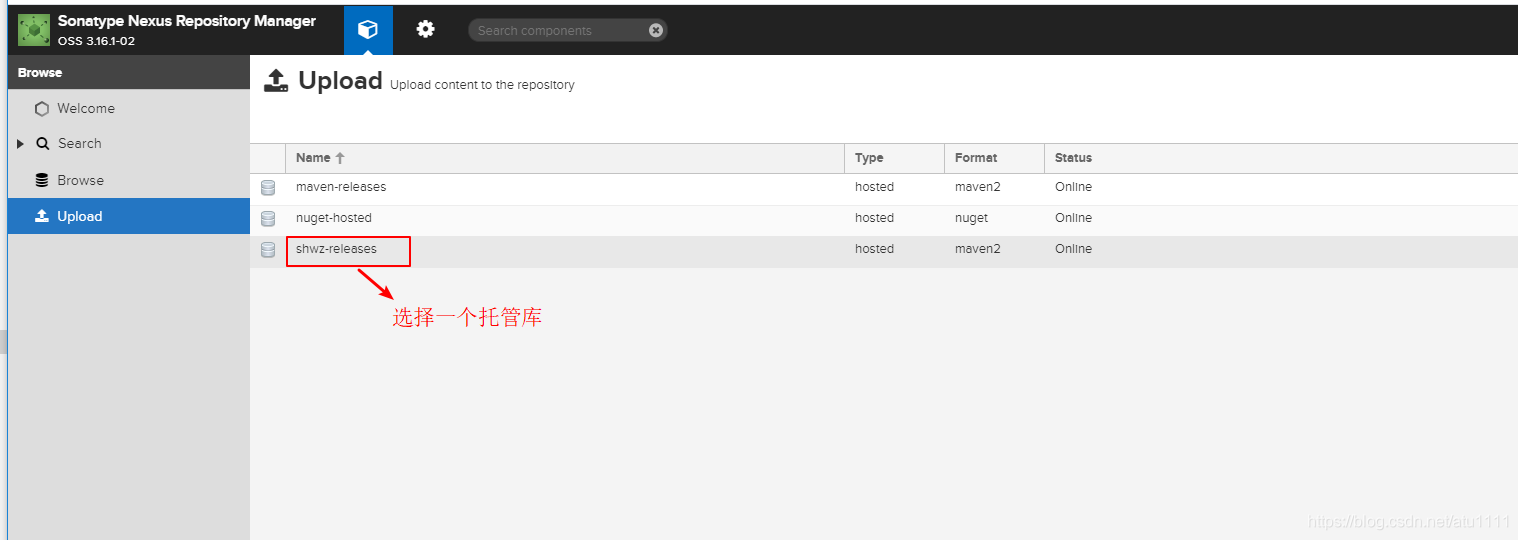
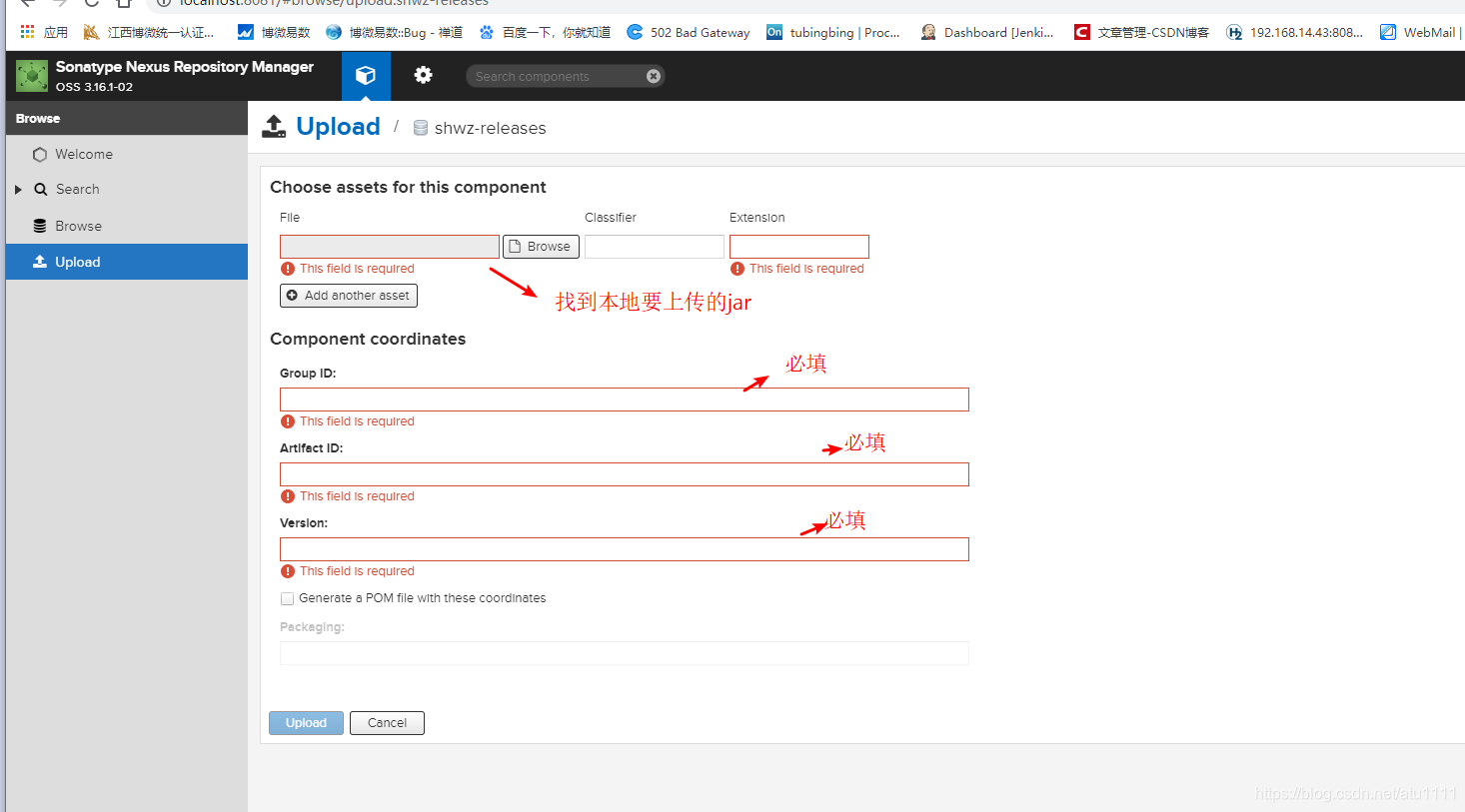
示例:
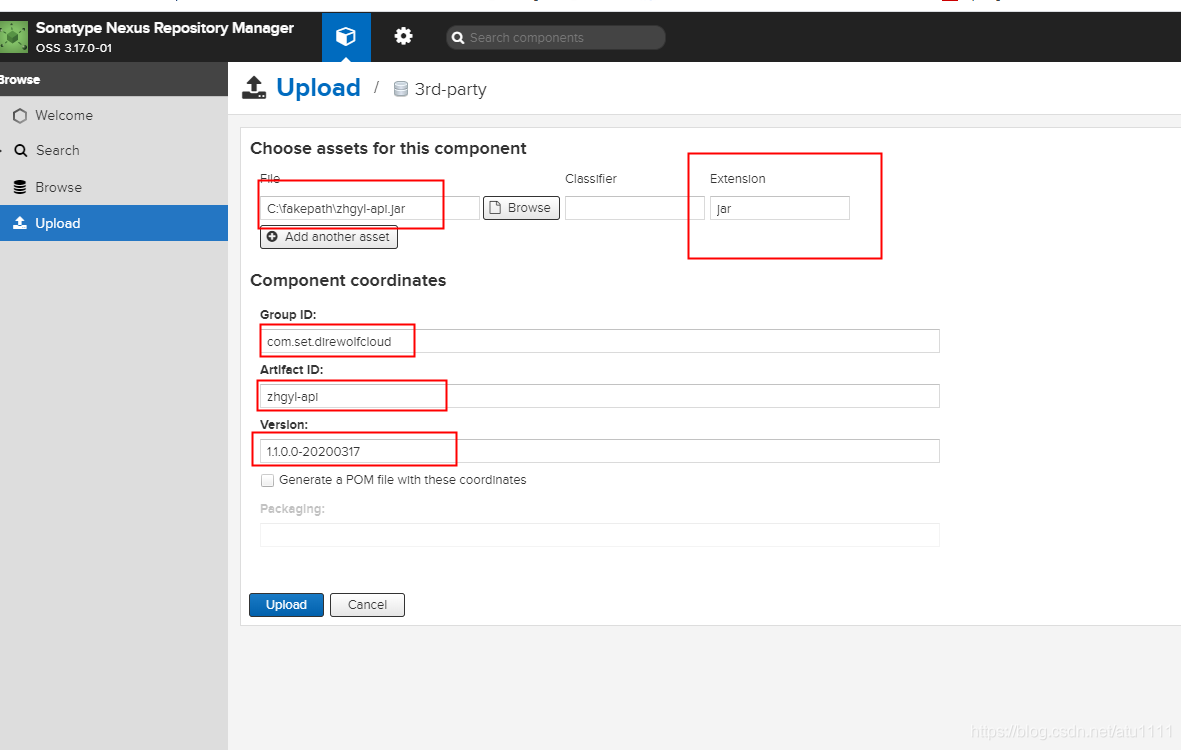
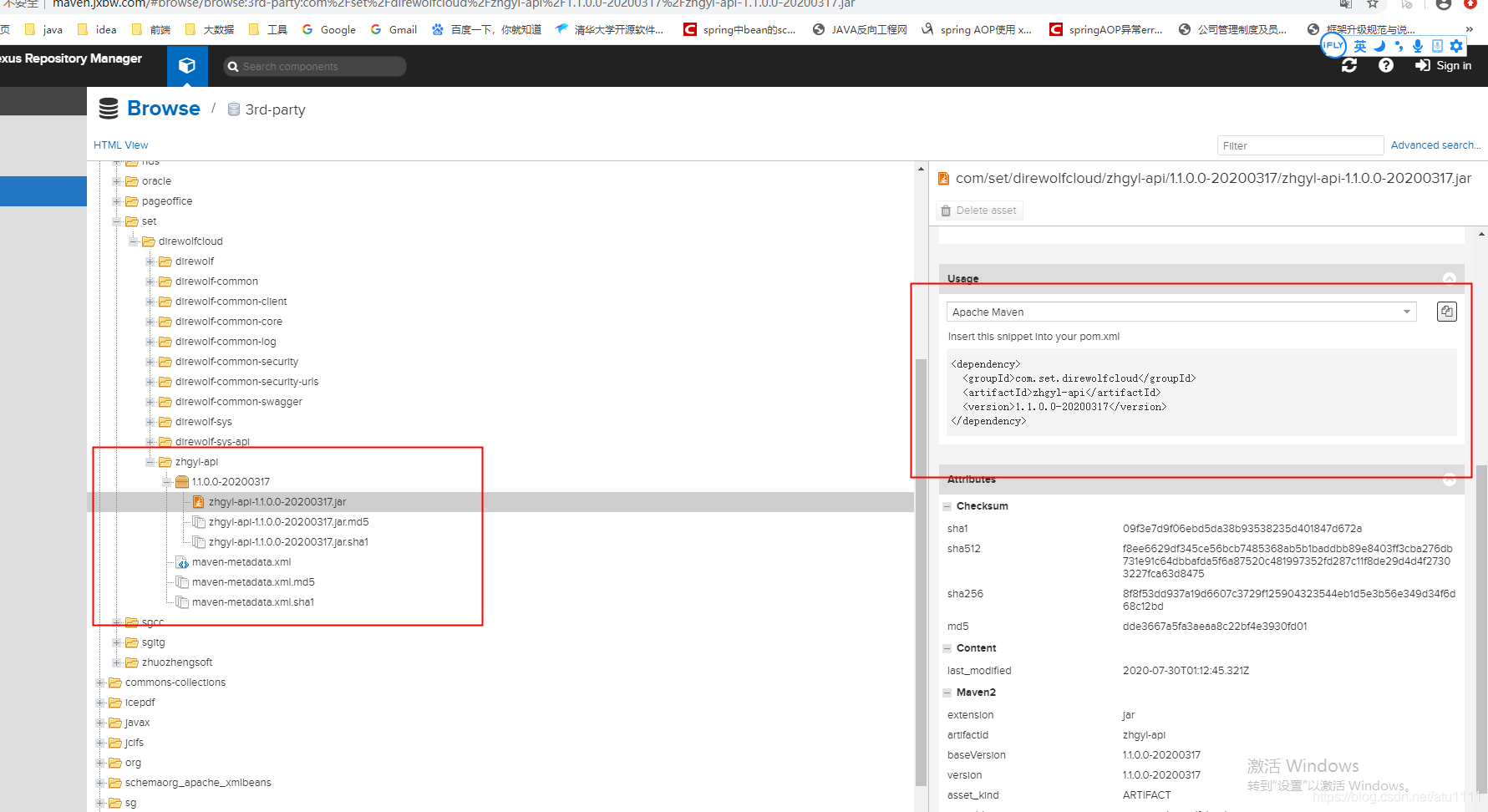
2.,在eclipse上,使用deploy命令,批量上传
不适合上传公司项目的本地仓库,个人的本地仓库没有问题
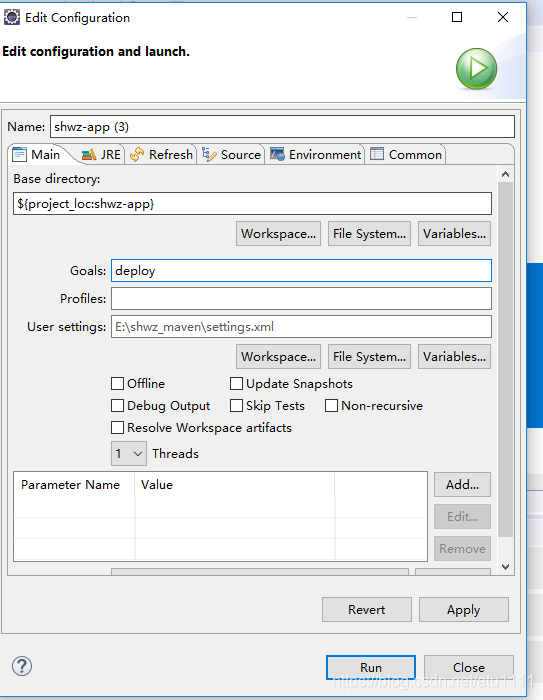
pom.xml 要有如下配置:
    <distributionManagement>
		<repository>
			<id>maven-releases</id>
			<name>shwz-releases</name>
			<url>http://localhost:8081/repository/shwz-releases/</url>
		</repository>
		<snapshotRepository>
			<id>shwz-snapshots</id>
			<name>Snapshot</name>
			<url>http://localhost:8081/repository/shwz-snapshots/</url>
		</snapshotRepository>
	</distributionManagement>
- 1
- 2
- 3
- 4
- 5
- 6
- 7
- 8
- 9
- 10
- 11
- 12
3.创建touch mavenimport.sh脚本,批量上传
1.先将本地maven/repository仓库打一个完整的zip压缩包
2.上传到linux目录,如:/opt
3.解压repository.zip
4.进入repository目录
5.创建touch mavenimport.sh脚本,写入以下内容;
#!/bin/bash
# copy and run this script to the root of the repository directory containing files
# this script attempts to exclude uploading itself explicitly so the script name is important
# Get command line params

while getopts ":r:u:p:" opt; do
	case $opt in
		r) REPO_URL="$OPTARG"
		;;
		u) USERNAME="$OPTARG"
		;;
		p) PASSWORD="$OPTARG"
		;;
	esac
done

find . -type f -not -path './mavenimport\.sh*' -not -path '*/\.*' -not -path '*/\^archetype\-catalog\.xml*' -not -path '*/\^maven\-metadata\-local*\.xml' -not -path '*/\^maven\-metadata\-deployment*\.xml' | sed "s|^\./||" | xargs -I '{}' curl -u "$USERNAME:$PASSWORD" -X PUT -v -T {} ${REPO_URL}/{} ;

- 1
- 2
- 3
- 4
- 5
- 6
- 7
- 8
- 9
- 10
- 11
- 12
- 13
- 14
- 15
- 16
- 17
6.输入chmod a+x mavenimport.sh进行可执行授权
7.执行导入命令
./mavenimport.sh -u admin -p admin123 -r http://192.168.6.52:8081/repository/shwz-releases/
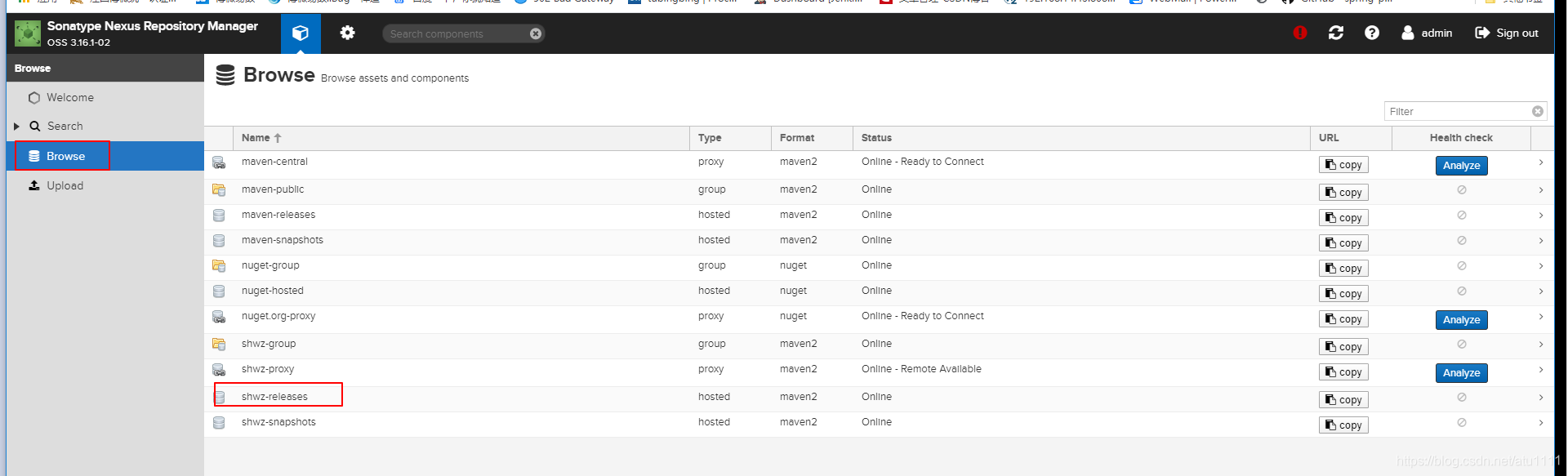
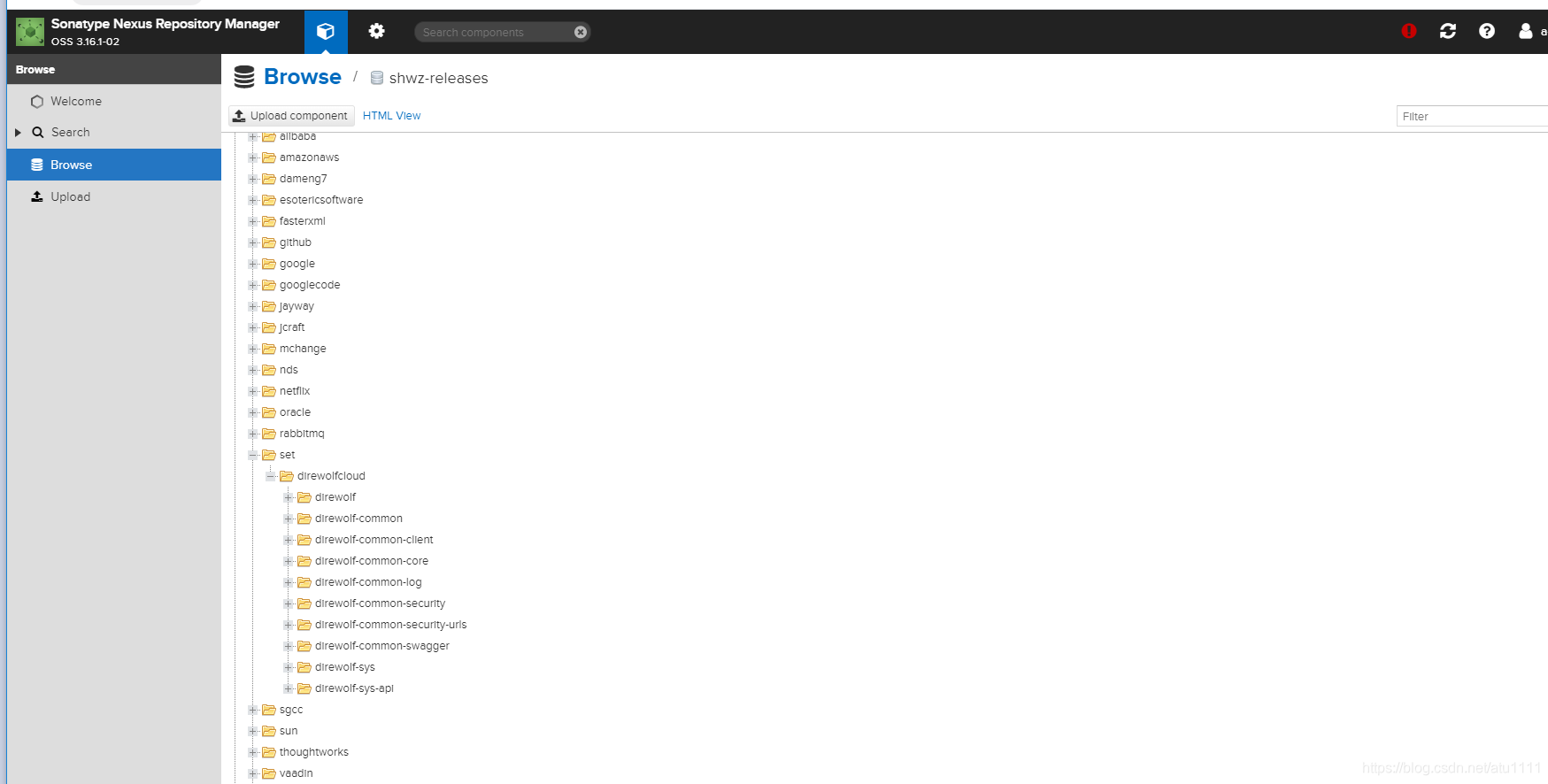
8.等待全部导入完毕后,在Nexus上刷新即可看到已导入的jar
本文内容由网友自发贡献,转载请注明出处:【wpsshop博客】
推荐阅读

相关标签

