
热门标签
热门文章
- 1东方财富单页tables数据爬取selenium_python 跟踪涨停板
- 22024美国大学生数学建模比赛E题思路代码解析模型分析_2024美赛e题
- 3java依赖大全_javax依赖
- 4C++判断一个数是不是质数_c++判断质数
- 5unity中TMP_Text文字显示波浪和上下移动
- 6成功解决安装rasterio库报错问题_rasterio装不上
- 7开源vs闭源,处在大模型洪流中,向何处去?_闭源优势
- 8VNC Viewer安装教程(保姆级安装)
- 9机器学习概述_机器学习中的目标值是什么
- 10kubernetes集群配置Cgroups驱动_exec-opts": ["native.cgroupdriver=systemd"]
当前位置: article > 正文
SpringBoot整合EasyCaptcha图形验证码
作者:代码维护者 | 2024-01-30 08:43:33
赞
踩
SpringBoot整合EasyCaptcha图形验证码
简介
EasyCaptcha:https://github.com/ele-admin/EasyCaptcha
Java图形验证码,支持gif、中文、算术等类型,可用于Java Web、JavaSE等项目。
添加依赖
<dependency>
    <groupId>com.github.whvcse</groupId>
    <artifactId>easy-captcha</artifactId>
    <version>1.6.2</version>
</dependency>
- 1
- 2
- 3
- 4
- 5
需求分析
前后端分离,前端使用 Vue3 开发,后端使用 Spring Boot 开发。组件首次挂载时,获取验证码。点击图片刷新获取验证码,验证码存储到 Redis 数据库中。
代码实现
前端
api
/**
 * 后端响应的验证码参数格式
 */
export interface CaptchaResponse {
  /**
   * redis中的验证码缓存key
   */
  captchaKey: string;
  /**
   * 验证码图片Base64字符串
   */
  captchaBase64: string;
}
- 1
- 2
- 3
- 4
- 5
- 6
- 7
- 8
- 9
- 10
- 11
- 12
- 13
/**
 * 获取验证码api
 */
export function getCaptchaApi(): AxiosPromise<CaptchaResponse> {
  return request({
    url: '/auth/captcha',
    method: 'get'
  })
}
- 1
- 2
- 3
- 4
- 5
- 6
- 7
- 8
- 9
- 10
vue组件
<el-form-item prop="verCode">
  <el-input placeholder="验证码" size="large" style="width: 67%;" :prefix-icon="Aim" v-model="loginForm.verCode">
  </el-input>
  <div class="login-code">
    <el-image :src="captchaResponse.captchaBase64" style="height: 38px;" @click="getCaptcha" title="刷新图片验证码">
      <template #error>
        <div class="image-slot">
          <el-icon color="#A1A4AB"><icon-picture /></el-icon>
        </div>
      </template>
    </el-image>
  </div>
</el-form-item>

<script setup lang='ts'>
/**
 * 后端响应的验证码参数
 */
const captchaResponse = ref<CaptchaResponse>({
  captchaKey: '', // redis中的验证码缓存key
  captchaBase64: '', // 验证码图片Base64字符串
})
/**
 * 获取图片验证码
 */
function getCaptcha() {
  getCaptchaApi().then((response) => {
    captchaResponse.value = response.data
  }).catch((error) => {
    return Promise.reject(error)
  })
}
/**
 * 组件挂载时,获取图片验证码
 */
onMounted(() => {
  getCaptcha()

})
</script>

- 1
- 2
- 3
- 4
- 5
- 6
- 7
- 8
- 9
- 10
- 11
- 12
- 13
- 14
- 15
- 16
- 17
- 18
- 19
- 20
- 21
- 22
- 23
- 24
- 25
- 26
- 27
- 28
- 29
- 30
- 31
- 32
- 33
- 34
- 35
- 36
- 37
- 38
- 39
- 40
后端
package com.lcloud.controller;

import com.lcloud.dto.UserLoginDTO;
import com.lcloud.response.Response;
import com.lcloud.service.AuthService;
import com.lcloud.vo.CaptchaVO;
import com.lcloud.vo.UserLoginVO;
import com.wf.captcha.SpecCaptcha;
import io.swagger.v3.oas.annotations.Operation;
import io.swagger.v3.oas.annotations.tags.Tag;
import lombok.extern.slf4j.Slf4j;
import org.springframework.beans.factory.annotation.Autowired;
import org.springframework.data.redis.core.RedisTemplate;
import org.springframework.web.bind.annotation.*;

import java.util.UUID;

@Slf4j
@RestController
@RequestMapping("/auth")
@Tag(name = "授权管理")
public class AuthController {

    @Autowired
    private RedisTemplate<String, Object> redisTemplate;

    /**
     * 获取图片验证码
     *
     * @return 图片验证码的key和base64编码字符串
     * @throws Exception 抛出异常
     */
    @GetMapping("/captcha")
    @Operation(summary = "获取图片验证码")
    public Response<CaptchaVO> captcha() throws Exception {
        // 设置图片验证码的属性(宽、高、长度、字体)
        SpecCaptcha specCaptcha = new SpecCaptcha(100, 38, 4);
        specCaptcha.setFont(1);
        // 图片验证码转换成base64编码字符串
        String captchaBase64 = specCaptcha.toBase64();
        // 图片验证码结果
        String key = UUID.randomUUID().toString();
        //log.info("key: {}", key);
        String verCode = specCaptcha.text().toLowerCase();
        // (key,value)=》(uuid,verCode)存入redis
        redisTemplate.opsForValue().set(key, verCode);
        // 返回图片验证码的key和base64编码字符串
        CaptchaVO captchaVO = CaptchaVO.builder().captchaKey(key).captchaBase64(captchaBase64).build();
        return Response.success(captchaVO);
    }
}
- 1
- 2
- 3
- 4
- 5
- 6
- 7
- 8
- 9
- 10
- 11
- 12
- 13
- 14
- 15
- 16
- 17
- 18
- 19
- 20
- 21
- 22
- 23
- 24
- 25
- 26
- 27
- 28
- 29
- 30
- 31
- 32
- 33
- 34
- 35
- 36
- 37
- 38
- 39
- 40
- 41
- 42
- 43
- 44
- 45
- 46
- 47
- 48
- 49
- 50
- 51
测试
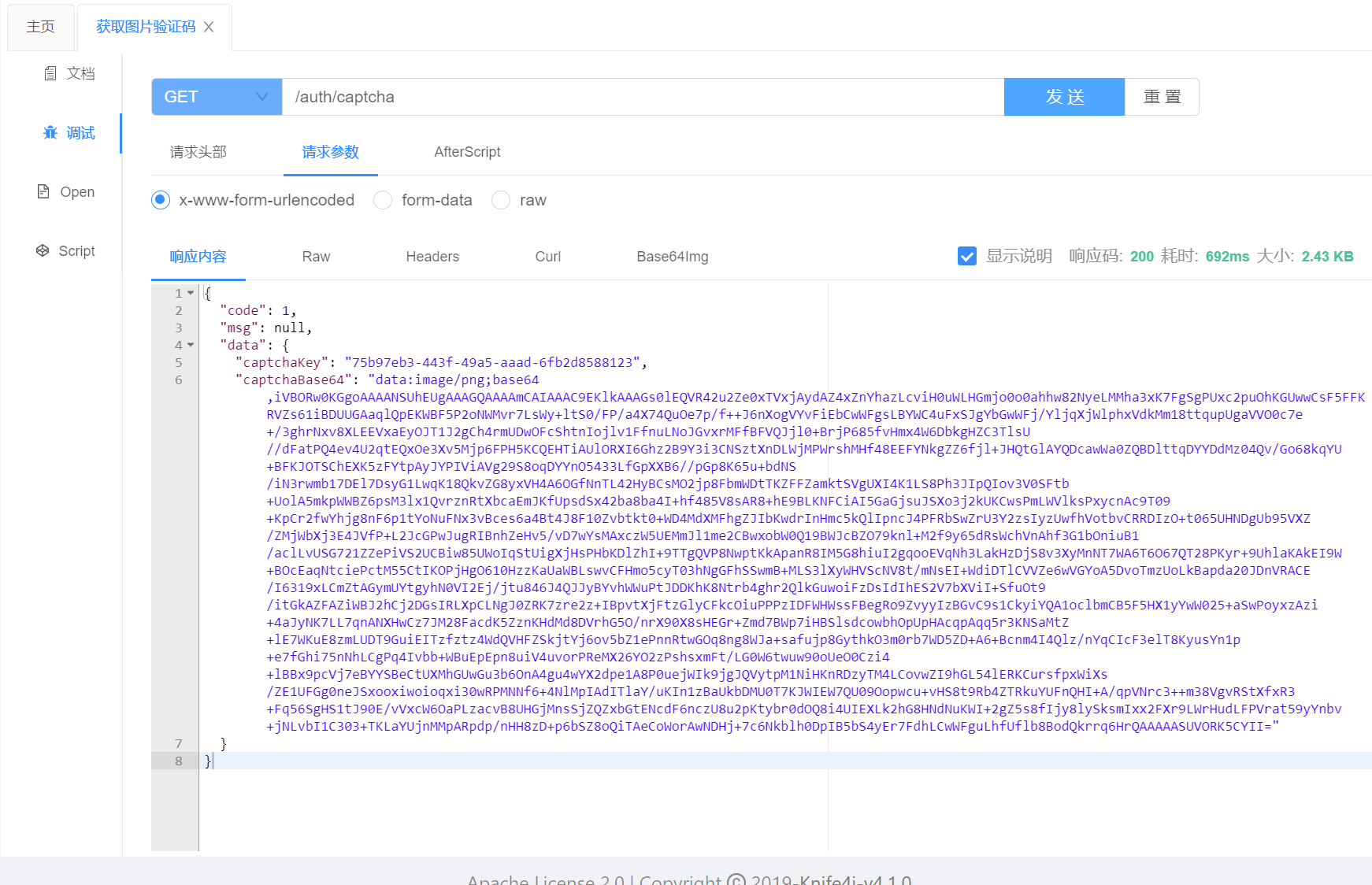
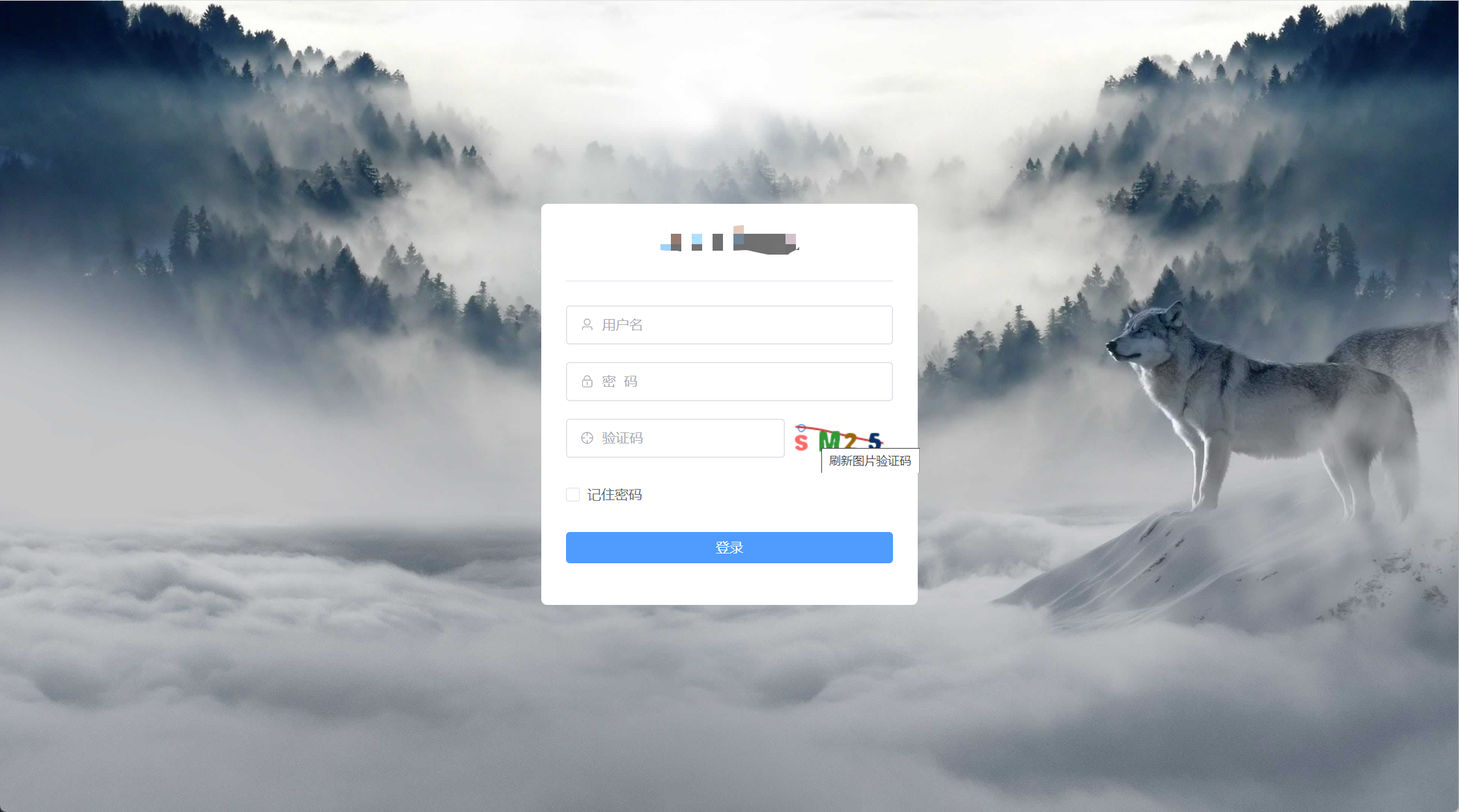
声明:本文内容由网友自发贡献,不代表【wpsshop博客】立场,版权归原作者所有,本站不承担相应法律责任。如您发现有侵权的内容,请联系我们。转载请注明出处:https://www.wpsshop.cn/article/detail/45873
推荐阅读

相关标签

