
- 1牛刀小试 - C++ 推箱子小游戏
- 2Dubbo支持几种负载均衡策略_dubbo内置负载均衡策略 经常使用的是
- 3golang基础小记(13)——自定义类型和类型别名(type)_golang .type()==string
- 42023最新pytorch安装(超详细版)
- 5【FAQ】HarmonyOS JavaUI中使用terminate()后重新打开AbilitySlice页面存在缓存_harmony terminate
- 6微信小程序共享停车位预约系统设计与实现
- 7AI嵌入式K210项目(18)-卷积人工神经网络硬件加速器 KPU
- 8是面试官放水,还是公司实在是太缺人?这都没挂,华为原来这么容易进..._华为内推容易进吗
- 9Python:核心知识点整理大全11-笔记
- 10C++(初阶)入门学习内容_初中c++
关于Ubuntu18.04/20.04安装后的一系列环境配置过程的总结_ubuntu18.04安装后
赞
踩
因某些原因,本博客以后将在以下网址更新~
目录
5.安装Nvidia驱动(有可能会损坏系统,如果损坏可以重装并看看网上的其他教程,除了这种安装方法还有其他安装方法,自行上网了解)
9.安装opencv-3.4.16和opencv_contrib-3.4.16(Ubuntu18.04),Ubuntu20.04请装opencv-4.2.0及其扩展模块:
17.安装darknet版yolov3及darknet-ros工作空间
18.Azure Kinect SDK-v1.4.0的安装(Ubuntu18.04)
26.安装CarlaUE4(必须是Carla的UE仓库里的carla分支才可以通过安装Carla时的编译)
27.安装Carla0.9.13(添加fisheye sensor模块)
本文所有用到的文件打包供大家下载(不含代码){Updating}:
链接:
https://pan.baidu.com/s/1PgmWHKl8oyX_cWYx_uZJrg?pwd=zwz4
提取码:
zwz4
--来自百度网盘超级会员v4的分享
1.注意
刚进入系统一段时间,系统会通知更新到新版本系统(Ubuntu18.04),选择否,之后会询问是否更新系统组件(大概400mb),选择是。
阻止软件更新弹窗:
打开终端输入:
sudo chmod a-x /usr/bin/update-notifier将关机时间从90秒换为5秒:
打开终端输入:
sudo gedit /etc/systemd/system.conf
将:
#DefaultTimeoutStopSec=90s改为:
DefaultTimeoutStopSec=5s 保存退出,打开终端输入:
sudo systemctl daemon-reload打开终端输入:
sudo gedit ~/.bashrc- # 找到以下代码段,修改如下:
- if [ "$color_prompt" = yes ]; then
- #PS1='${debian_chroot:+($debian_chroot)}\[\033[01;32m\]\u@\h\[\033[00m\]:\[\033[01;34m\]\w\[\033[00m\]\$ '
- PS1='${debian_chroot:+($debian_chroot)}\[\033[01;32m\]\u@\h\[\033[00m\]:\[\033[01;34m\]\w$(git_branch)\[\033[00m\]\$ '
- else
- #PS1='${debian_chroot:+($debian_chroot)}\u@\h:\w\$ '
- PS1='${debian_chroot:+($debian_chroot)}\u@\h:\W$(git_branch)\$ '
- fi
-
- # 在最后加入如下代码段:
- git_branch()
- {
- branch=`git rev-parse --abbrev-ref HEAD 2>/dev/null`
- if [ "${branch}" != "" ]
- then
- if [ "${branch}" = "(no branch)" ]
- then
- branch="(`git rev-parse --short HEAD`...)"
- fi
- #echo -e " \033[01;36m[$branch]\033[0m " # 天蓝色字体
- #echo -e " \033[46;37m[$branch]\033[0m " # 天蓝色背景,白色字体
- echo -e " \033[1;43;37m[$branch]\033[0m " # 黄色背景,白色字体
- fi
- }

之后保存退出
source ~/.bashrc 这样就可以更清晰的显示git分支~
2.更换国内源
sudo gedit /etc/apt/sources.list 将原本的注释掉,在最下方加入:
# 中科大源(Ubuntu 18.04)
deb https://mirrors.ustc.edu.cn/ubuntu/ bionic main restricted universe multiverse
deb-src https://mirrors.ustc.edu.cn/ubuntu/ bionic main restricted universe multiverse
deb https://mirrors.ustc.edu.cn/ubuntu/ bionic-security main restricted universe multiverse
deb-src https://mirrors.ustc.edu.cn/ubuntu/ bionic-security main restricted universe multiverse
deb https://mirrors.ustc.edu.cn/ubuntu/ bionic-updates main restricted universe multiverse
deb-src https://mirrors.ustc.edu.cn/ubuntu/ bionic-updates main restricted universe multiverse
deb https://mirrors.ustc.edu.cn/ubuntu/ bionic-backports main restricted universe multiverse
deb-src https://mirrors.ustc.edu.cn/ubuntu/ bionic-backports main restricted universe multiverse
## Not recommended
# deb https://mirrors.ustc.edu.cn/ubuntu/ bionic-proposed main restricted universe multiverse
# deb-src https://mirrors.ustc.edu.cn/ubuntu/ bionic-proposed main restricted universe multiverse
# 中科大源(Ubuntu 20.04)
deb https://mirrors.ustc.edu.cn/ubuntu/ focal main restricted universe multiverse
deb-src https://mirrors.ustc.edu.cn/ubuntu/ focal main restricted universe multiverse
deb https://mirrors.ustc.edu.cn/ubuntu/ focal-security main restricted universe multiverse
deb-src https://mirrors.ustc.edu.cn/ubuntu/ focal-security main restricted universe multiverse
deb https://mirrors.ustc.edu.cn/ubuntu/ focal-updates main restricted universe multiverse
deb-src https://mirrors.ustc.edu.cn/ubuntu/ focal-updates main restricted universe multiverse
deb https://mirrors.ustc.edu.cn/ubuntu/ focal-backports main restricted universe multiverse
deb-src https://mirrors.ustc.edu.cn/ubuntu/ focal-backports main restricted universe multiverse
## Not recommended
# deb https://mirrors.ustc.edu.cn/ubuntu/ focal-proposed main restricted universe multiverse
# deb-src https://mirrors.ustc.edu.cn/ubuntu/ focal-proposed main restricted universe multiverse
或(寻找属于自己的发行版):
https://mirrors.ustc.edu.cn/repogen/ https://mirrors.ustc.edu.cn/repogen/
sudo apt-get update anaconda镜像源(~/.condarc):
channels:
- defaults
show_channel_urls: true
default_channels:
- https://mirrors.tuna.tsinghua.edu.cn/anaconda/pkgs/main
- https://mirrors.tuna.tsinghua.edu.cn/anaconda/pkgs/r
- https://mirrors.tuna.tsinghua.edu.cn/anaconda/pkgs/msys2
custom_channels:
conda-forge: https://mirrors.tuna.tsinghua.edu.cn/anaconda/cloud
msys2: https://mirrors.tuna.tsinghua.edu.cn/anaconda/cloud
bioconda: https://mirrors.tuna.tsinghua.edu.cn/anaconda/cloud
menpo: https://mirrors.tuna.tsinghua.edu.cn/anaconda/cloud
pytorch: https://mirrors.tuna.tsinghua.edu.cn/anaconda/cloud
pytorch-lts: https://mirrors.tuna.tsinghua.edu.cn/anaconda/cloud
simpleitk: https://mirrors.tuna.tsinghua.edu.cn/anaconda/cloud
deepmodeling: https://mirrors.tuna.tsinghua.edu.cn/anaconda/cloud/
nvidia: https://mirrors.cernet.edu.cn/anaconda-extra/cloud/
envs_dirs:
- /home/m0rtzz/Program_Files/anaconda3/envs
3.设置/home文件夹下为英文
export LANG=en_USxdg-user-dirs-gtk-update编辑选择右边的Update Names
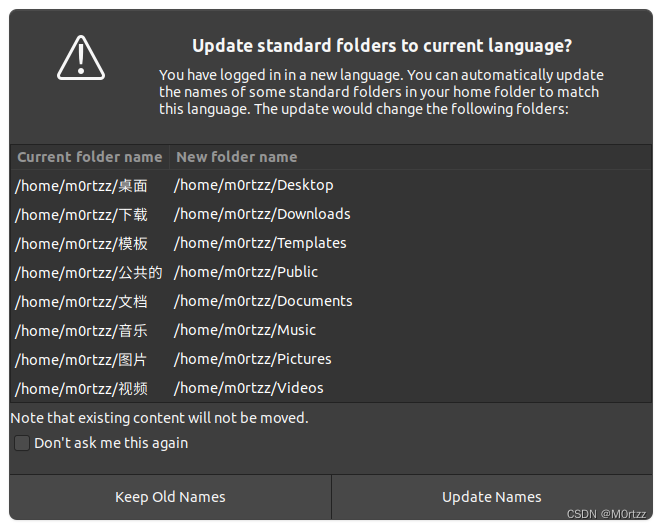
之后执行以下语句:
export LANG=zh_CNreboot勾选不要在次询问我,并选择保留旧的名称
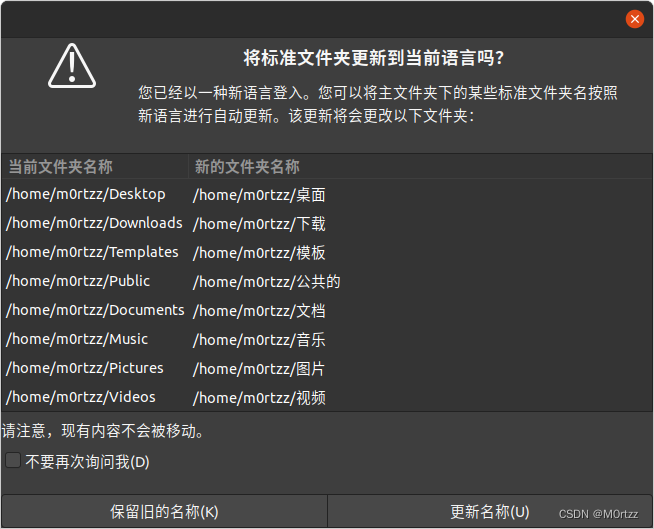
4.禁用Nouveau驱动
sudo gedit /etc/modprobe.d/blacklist.conf输入
- blacklist nouveau
- options nouveau modeset=0
保存后关闭,打开终端,输入:
sudo update-initramfs -ureboot5.安装Nvidia驱动(有可能会损坏系统,如果损坏可以重装并看看网上的其他教程,除了这种安装方法还有其他安装方法,自行上网了解)
打开终端,输入:
sudo apt-get install gcc g++ makesudo ubuntu-drivers devices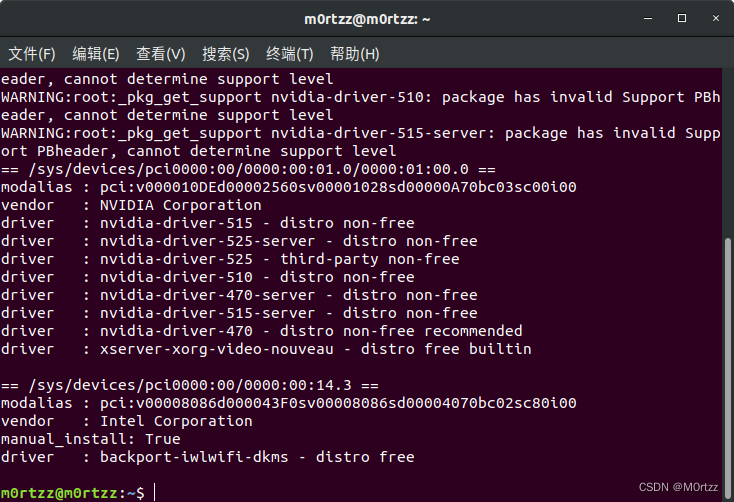
寻找带有recommended的版本,输入
sudo apt-get install nvidia-driver-* nvidia-settings nvidia-prime(*是你的版本号)
sudo apt-get updatesudo apt-get upgradereboot 验证版本
nvidia-smi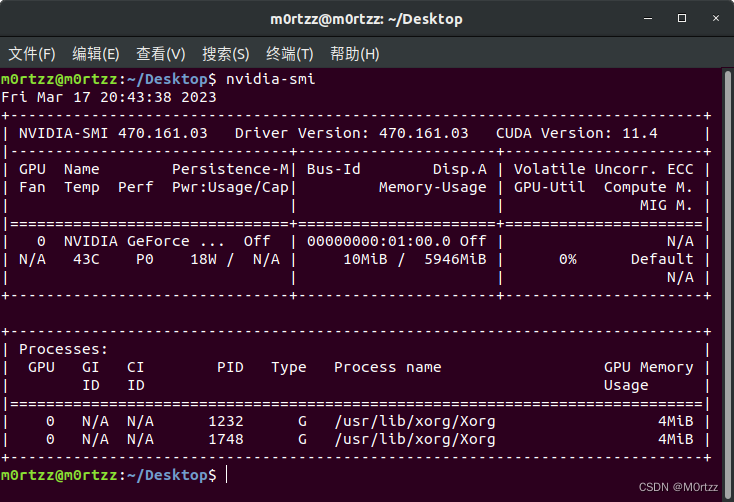
6.cuda安装:
https://developer.nvidia.com/cuda-toolkit-archivehttps://developer.nvidia.com/cuda-toolkit-archive
选择和上一步nvidia-smi显示的cuda版本对应的进行安装,官方有教程
安装好之后打开终端输入
sudo gedit ~/.bashrc 在最后输入
- #cuda
- export LD_LIBRARY_PATH=$LD_LIBRARY_PATH:/usr/local/cuda/lib64
- export PATH=$PATH:/usr/local/cuda/bin
- export CUDA_HOME=/usr/local/cuda #cuda的软连接库,可以设置多版本共存指向
保存后关闭,打开终端,输入:
source ~/.bashrcsudo gedit /etc/profile 在最后加入
- #cuda
- export PATH=/usr/local/cuda/bin:$PATH
- export PATH=/usr/local/cuda/bin:$PATH
保存后关闭,打开终端,输入:
source /etc/profile 验证cuda版本
nvcc -V 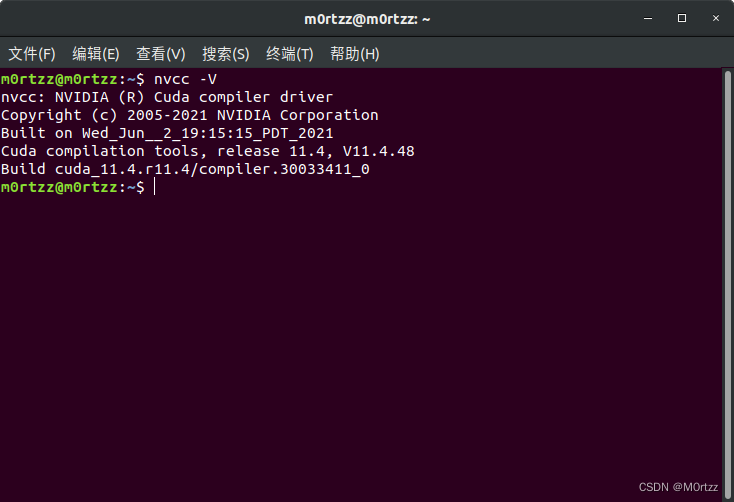
安装成功!
7.cudnn安装:
同样需要选择与刚才安装cuda对应的版本下载,下载好后进入文件所在目录打开终端
tar -xvf cudnn-*-linux-x64-*.tgz 打开终端:
- sudo cp -r cuda/include/* /usr/local/cuda/include/
- sudo cp cuda/lib64/libcudnn* /usr/local/cuda/lib64/
- sudo chmod a+r /usr/local/cuda/include/cudnn.h
- sudo chmod a+r /usr/local/cuda/lib64/libcudnn*
- sudo ln -sf /usr/local/cuda-11.4/targets/x86_64-linux/lib/libcudnn_adv_train.so.8.0.1 /usr/local/cuda-11.4/targets/x86_64-linux/lib/libcudnn_adv_train.so.8
- sudo ln -sf /usr/local/cuda-11.4/targets/x86_64-linux/lib/libcudnn_ops_infer.so.8.0.1 /usr/local/cuda-11.4/targets/x86_64-linux/lib/libcudnn_ops_infer.so.8
- sudo ln -sf /usr/local/cuda-11.4/targets/x86_64-linux/lib/libcudnn_cnn_train.so.8.0.1 /usr/local/cuda-11.4/targets/x86_64-linux/lib/libcudnn_cnn_train.so.8
- sudo ln -sf /usr/local/cuda-11.4/targets/x86_64-linux/lib/libcudnn_adv_infer.so.8.0.1 /usr/local/cuda-11.4/targets/x86_64-linux/lib/libcudnn_adv_infer.so.8
- sudo ln -sf /usr/local/cuda-11.4/targets/x86_64-linux/lib/libcudnn_ops_train.so.8.0.1 /usr/local/cuda-11.4/targets/x86_64-linux/lib/libcudnn_ops_train.so.8
- sudo ln -sf /usr/local/cuda-11.4/targets/x86_64-linux/lib/libcudnn_cnn_infer.so.8.0.1 /usr/local/cuda-11.4/targets/x86_64-linux/lib/libcudnn_cnn_infer.so.8
- sudo ln -sf /usr/local/cuda-11.4/lib64/libcudnn.so.8 /usr/local/cuda-11.4/lib64/libcudnn.so.8.2.2
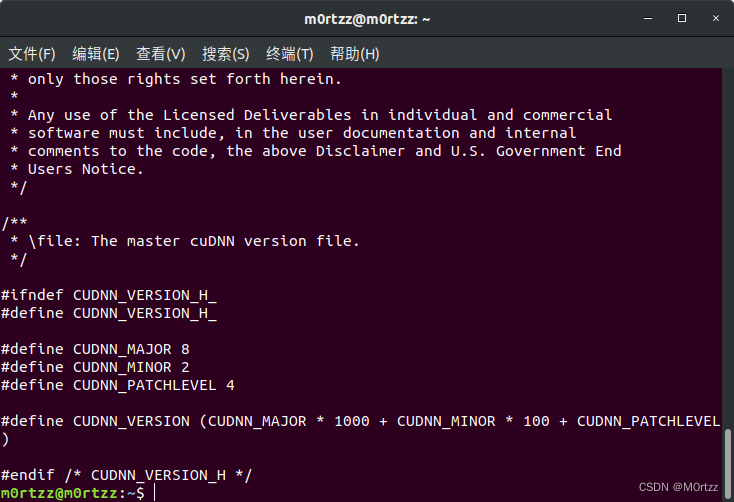
验证是否安装成功
cat /usr/local/cuda/include/cudnn_version.h
8.安装ROS(有些图忘记截了)
设置中科大源
sudo sh -c '. /etc/lsb-release && echo "deb http://mirrors.ustc.edu.cn/ros/ubuntu/ `lsb_release -cs` main" > /etc/apt/sources.list.d/ros-latest.list'
设置公钥
sudo apt-key adv --keyserver 'hkp://keyserver.ubuntu.com:80' --recv-key C1CF6E31E6BADE8868B172B4F42ED6FBAB17C654
sudo apt update
sudo apt install ros-melodic-desktop-full
- echo "source /opt/ros/melodic/setup.bash" >> ~/.bashrc
- source ~/.bashrc
sudo apt install python-rosdep python-rosinstall python-rosinstall-generator python-wstool build-essential
sudo apt-get install python3-pip
使用阿里镜像源加速pip下载:
sudo pip3 install rosdepc -i https://mirrors.aliyun.com/pypi/simple/- sudo rosdepc init
- rosdepc update
sudo chmod 777 -R ~/.ros/ roscore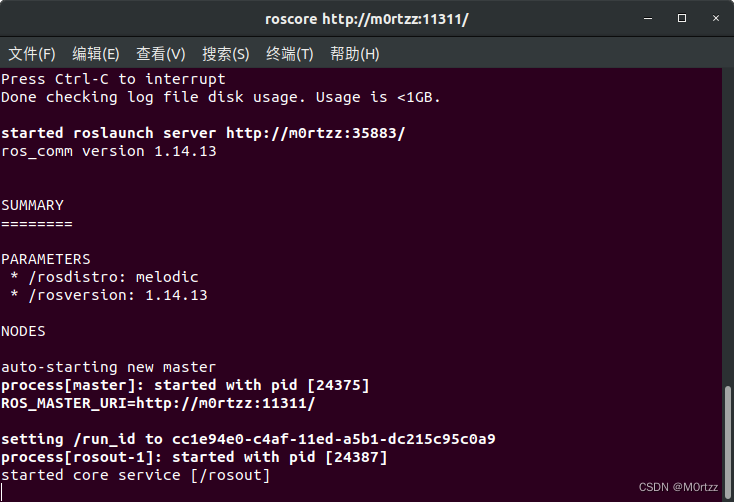
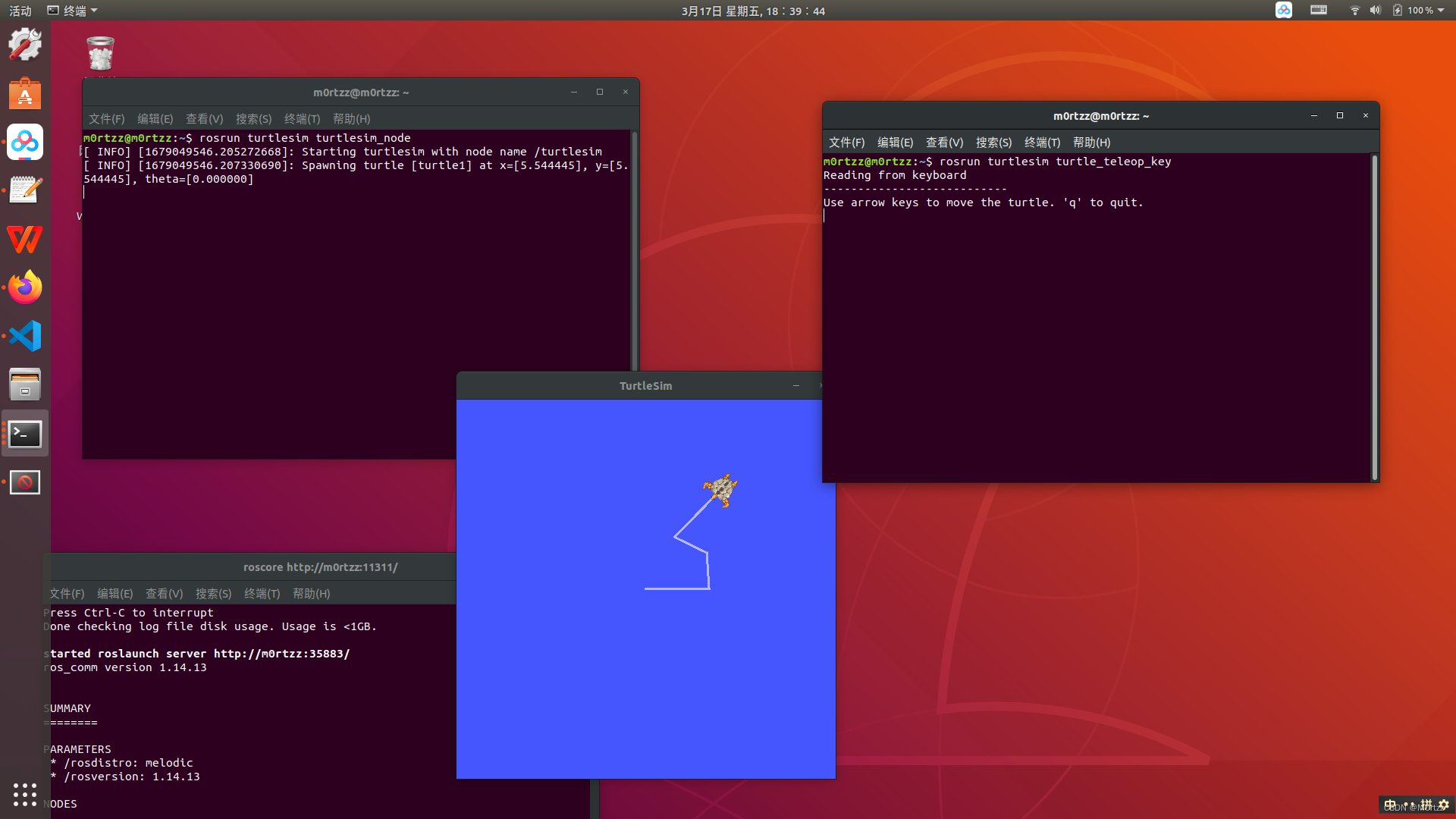
再新建两个终端,分别输入
rosrun turtlesim turtlesim_noderosrun turtlesim turtle_teleop_key 在rosrun turtlesim turtle_teleop_key所在终端点击一下任意位置,然后使用↕↔小键盘控制,看小海龟会不会动,如果会动则安装成功
9.安装opencv-3.4.16和opencv_contrib-3.4.16(Ubuntu18.04),Ubuntu20.04请装opencv-4.2.0及其扩展模块:
虽然使用cv_bridge时某些shared object有可能和ROS自带的opencv-3.2.0版本冲突,但实测安装3.2.0对cuda的兼容性太差导致无法使用深度相机,所以安装官网最近更新过的OpenCV3.4.16
经尝试多版本Ubuntu和OpenCV,装Ubuntu20.04,ROS noetic和OpenCV4.2.0及其扩展模块才能解决将彩色图像转换为网络所需的输入Blob后前馈时抛出的(raised OpenCV exception,error: (-215:Assertion failed)等等)。
git clone -b 3.4.16 https://gitee.com/KylenWrt/opencv.git opencv-3.4.16
cd opencv-3.4.16git clone -b 3.4.16 https://gitee.com/zsy26226/opencv_contrib.git opencv_contrib-3.4.16 安装所需依赖库,打开终端,输入:
- sudo add-apt-repository "deb http://security.ubuntu.com/ubuntu xenial-security main"
- sudo apt update
- sudo apt install libjasper1 libjasper-dev
sudo apt-get install build-essential cmake git libgtk2.0-dev pkg-config libavcodec-dev libavformat-dev libswscale-dev python-dev python-numpy libtbb2 libtbb-dev libjpeg-dev libpng-dev libtiff-dev libdc1394-22-dev liblapacke-dev checkinstallsudo apt-get install liblapacke-dev checkinstall进入opencv-3.4.16文件夹,打开终端,输入:
mkdir buildcd build 接下来编译安装,注意此命令的OPENCV_EXTRA_MODULES_PATH=后边的路径是你电脑下的绝对路径,请自行修改
cmake -D CMAKE_BUILD_TYPE=RELEASE -D WITH_GTK_2_X=ON -D OPENCV_ENABLE_NONFREE=ON -D OPENCV_GENERATE_PKGCONFIG=YES -D OPENCV_EXTRA_MODULES_PATH=/home/m0rtzz/Program_Files/opencv-3.4.16/opencv_contrib-3.4.16/modules -D WITH_CUDA=ON -D WITH_CUDNN=ON -D WITH_FFMPEG=ON -D WITH_OPENGL=ON -D WITH_NVCUVID=ON -D -DENABLE_PRECOMPILED_HEADERS=OFF -D CMAKE_EXE_LINKER_FLAGS=-lcblas -DWITH_LAPACK=OFF -j16 ..过程中会出现IPPICV: Download: ippicv_2020_lnx_intel64_20191018_general.tgz
解决方法:
cd ../ && mkdir downloads cd downloads && pwd
复制绝对路径后:
打开这个ippicv.cmake
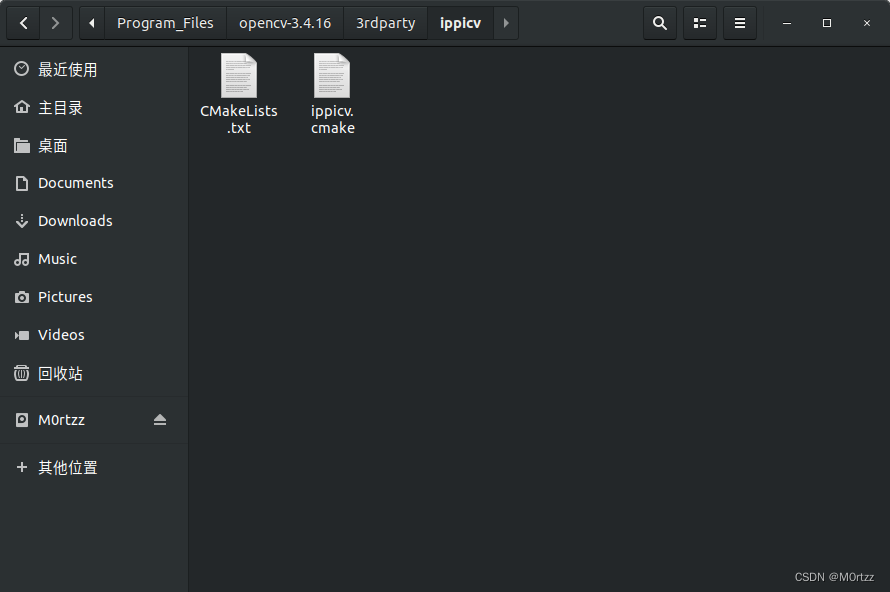
把绝对路径复制进去: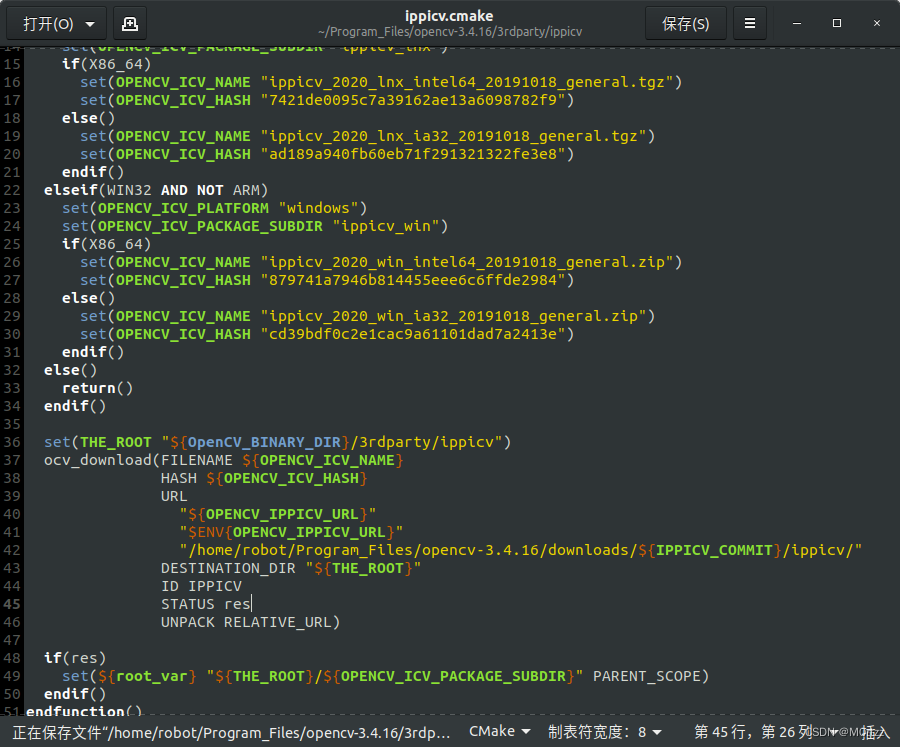
然后把下面网址下载的文件cp进去就行了(或者开头百度云分享链接中自取~)
cmake -D CMAKE_BUILD_TYPE=RELEASE -D WITH_GTK_2_X=ON -D OPENCV_ENABLE_NONFREE=ON -D OPENCV_GENERATE_PKGCONFIG=YES -D OPENCV_EXTRA_MODULES_PATH=/home/m0rtzz/Program_Files/opencv-3.4.16/opencv_contrib-3.4.16/modules -D WITH_CUDA=ON -D WITH_CUDNN=ON -D WITH_FFMPEG=ON -D WITH_OPENGL=ON -D WITH_NVCUVID=ON -D -DENABLE_PRECOMPILED_HEADERS=OFF -D CMAKE_EXE_LINKER_FLAGS=-lcblas -DWITH_LAPACK=OFF -j16 ..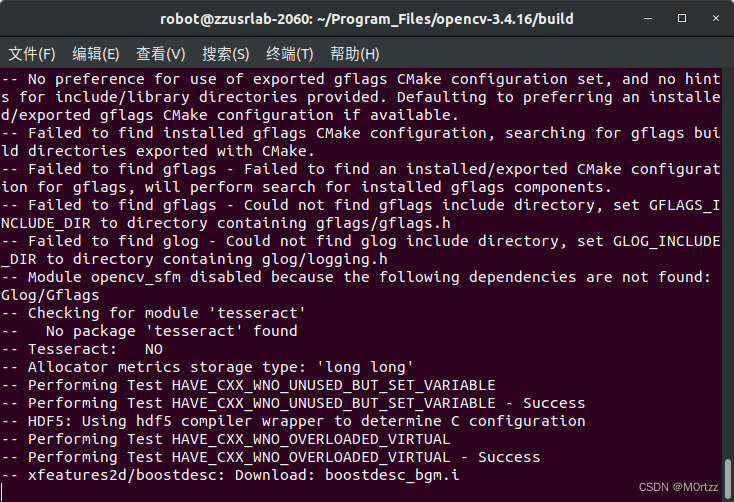 这些.i文件需要在国外下载,网上说下载好文件直接把他们放进相对应的目录下就行,实测不行(建议科学的上网,想试试网上说法的:
cmake -D CMAKE_BUILD_TYPE=RELEASE -D WITH_GTK_2_X=ON -D OPENCV_ENABLE_NONFREE=ON -D OPENCV_GENERATE_PKGCONFIG=YES -D OPENCV_EXTRA_MODULES_PATH=/home/m0rtzz/Program_Files/opencv-3.4.16/opencv_contrib-3.4.16/modules -D WITH_CUDA=ON -D WITH_CUDNN=ON -D WITH_FFMPEG=ON -D WITH_OPENGL=ON -D WITH_NVCUVID=ON -D -DENABLE_PRECOMPILED_HEADERS=OFF -D CMAKE_EXE_LINKER_FLAGS=-lcblas -DWITH_LAPACK=OFF -j16 ..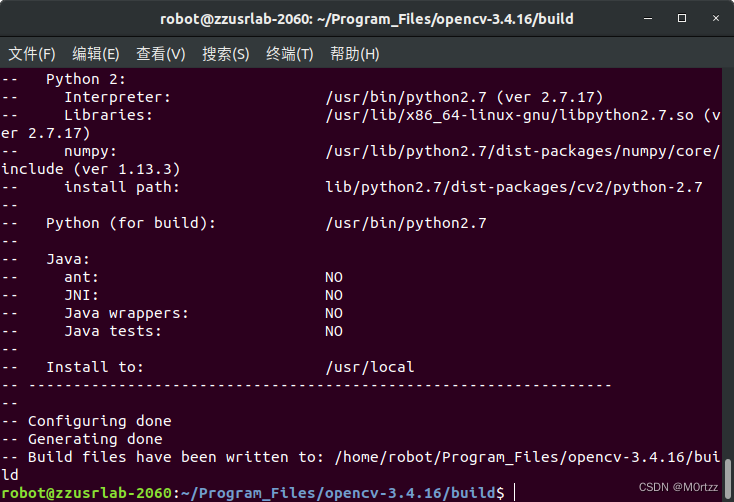
sudo make -j16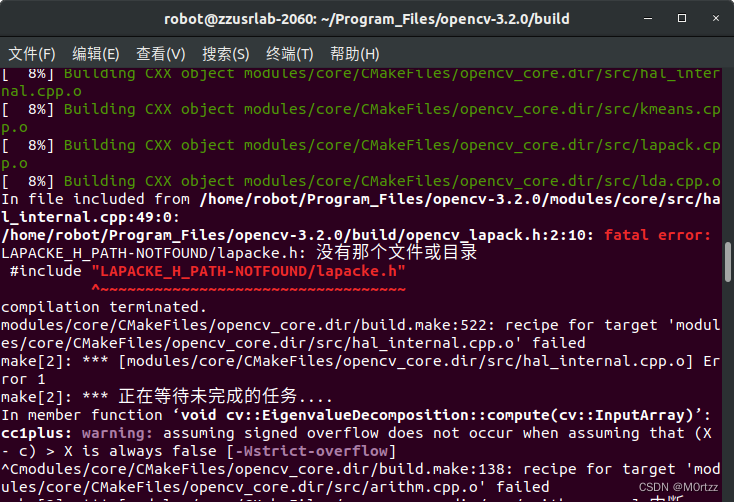 打开那个头文件,把报错所在行改为:
#include "lapacke.h"sudo make -j16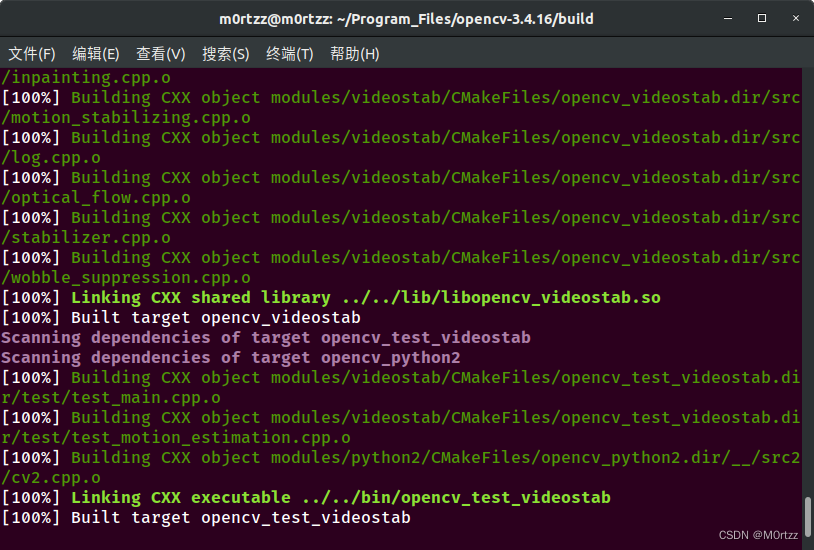
sudo make install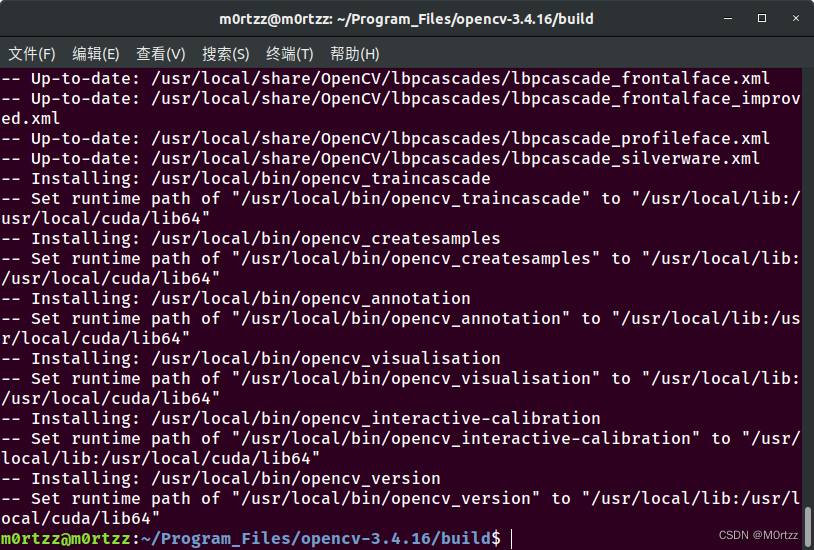
sudo gedit /etc/ld.so.conf.d/opencv.conf
加入
/usr/local/lib
保存后关闭,打开终端,输入:
sudo ldconfig
sudo gedit /etc/bash.bashrc
加入
- PKG_CONFIG_PATH=$PKG_CONFIG_PATH:/usr/local/lib/pkgconfig
- export PKG_CONFIG_PATH
保存后关闭,打开终端,输入:
source /etc/bash.bashrc
测试
- cd ../samples/cpp/example_cmake
- cmake -j8 .
- sudo make -j8
- ./opencv_example
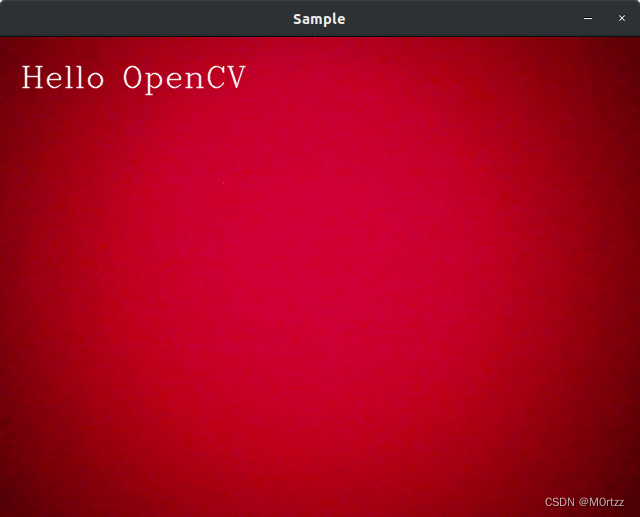
安装成功!
设置cv_bridge的版本:
sudo gedit /opt/ros/melodic/share/cv_bridge/cmake/cv_bridgeConfig.cmake- # generated from catkin/cmake/template/pkgConfig.cmake.in
-
- # append elements to a list and remove existing duplicates from the list
- # copied from catkin/cmake/list_append_deduplicate.cmake to keep pkgConfig
- # self contained
- macro(_list_append_deduplicate listname)
- if(NOT "${ARGN}" STREQUAL "")
- if(${listname})
- list(REMOVE_ITEM ${listname} ${ARGN})
- endif()
-
- list(APPEND ${listname} ${ARGN})
- endif()
- endmacro()
-
- # append elements to a list if they are not already in the list
- # copied from catkin/cmake/list_append_unique.cmake to keep pkgConfig
- # self contained
- macro(_list_append_unique listname)
- foreach(_item ${ARGN})
- list(FIND ${listname} ${_item} _index)
-
- if(_index EQUAL -1)
- list(APPEND ${listname} ${_item})
- endif()
- endforeach()
- endmacro()
-
- # pack a list of libraries with optional build configuration keywords
- # copied from catkin/cmake/catkin_libraries.cmake to keep pkgConfig
- # self contained
- macro(_pack_libraries_with_build_configuration VAR)
- set(${VAR} "")
- set(_argn ${ARGN})
- list(LENGTH _argn _count)
- set(_index 0)
-
- while(${_index} LESS ${_count})
- list(GET _argn ${_index} lib)
-
- if("${lib}" MATCHES "^(debug|optimized|general)$")
- math(EXPR _index "${_index} + 1")
-
- if(${_index} EQUAL ${_count})
- message(FATAL_ERROR "_pack_libraries_with_build_configuration() the list of libraries '${ARGN}' ends with '${lib}' which is a build configuration keyword and must be followed by a library")
- endif()
-
- list(GET _argn ${_index} library)
- list(APPEND ${VAR} "${lib}${CATKIN_BUILD_CONFIGURATION_KEYWORD_SEPARATOR}${library}")
- else()
- list(APPEND ${VAR} "${lib}")
- endif()
-
- math(EXPR _index "${_index} + 1")
- endwhile()
- endmacro()
-
- # unpack a list of libraries with optional build configuration keyword prefixes
- # copied from catkin/cmake/catkin_libraries.cmake to keep pkgConfig
- # self contained
- macro(_unpack_libraries_with_build_configuration VAR)
- set(${VAR} "")
-
- foreach(lib ${ARGN})
- string(REGEX REPLACE "^(debug|optimized|general)${CATKIN_BUILD_CONFIGURATION_KEYWORD_SEPARATOR}(.+)$" "\\1;\\2" lib "${lib}")
- list(APPEND ${VAR} "${lib}")
- endforeach()
- endmacro()
-
- if(cv_bridge_CONFIG_INCLUDED)
- return()
- endif()
-
- set(cv_bridge_CONFIG_INCLUDED TRUE)
-
- # set variables for source/devel/install prefixes
- if("FALSE" STREQUAL "TRUE")
- set(cv_bridge_SOURCE_PREFIX /tmp/binarydeb/ros-melodic-cv-bridge-1.13.1)
- set(cv_bridge_DEVEL_PREFIX /tmp/binarydeb/ros-melodic-cv-bridge-1.13.1/.obj-x86_64-linux-gnu/devel)
- set(cv_bridge_INSTALL_PREFIX "")
- set(cv_bridge_PREFIX ${cv_bridge_DEVEL_PREFIX})
- else()
- set(cv_bridge_SOURCE_PREFIX "")
- set(cv_bridge_DEVEL_PREFIX "")
- set(cv_bridge_INSTALL_PREFIX /opt/ros/melodic)
- set(cv_bridge_PREFIX ${cv_bridge_INSTALL_PREFIX})
- endif()
-
- # warn when using a deprecated package
- if(NOT "" STREQUAL "")
- set(_msg "WARNING: package 'cv_bridge' is deprecated")
-
- # append custom deprecation text if available
- if(NOT "" STREQUAL "TRUE")
- set(_msg "${_msg} ()")
- endif()
-
- message("${_msg}")
- endif()
-
- # flag project as catkin-based to distinguish if a find_package()-ed project is a catkin project
- set(cv_bridge_FOUND_CATKIN_PROJECT TRUE)
-
- # if(NOT "include;/usr/include;/usr/include/opencv " STREQUAL " ")
- # set(cv_bridge_INCLUDE_DIRS "")
- # set(_include_dirs "include;/usr/include;/usr/include/opencv")
- if(NOT "include;/usr/local/include/opencv;/usr/local/include/opencv2 " STREQUAL " ")
- set(cv_bridge_INCLUDE_DIRS "")
- set(_include_dirs "include;/usr/local/include/opencv;/usr/local/include/opencv;/usr/local/include/;/usr/include")
-
- if(NOT "https://github.com/ros-perception/vision_opencv/issues " STREQUAL " ")
- set(_report "Check the issue tracker 'https://github.com/ros-perception/vision_opencv/issues' and consider creating a ticket if the problem has not been reported yet.")
- elseif(NOT "http://www.ros.org/wiki/cv_bridge " STREQUAL " ")
- set(_report "Check the website 'http://www.ros.org/wiki/cv_bridge' for information and consider reporting the problem.")
- else()
- set(_report "Report the problem to the maintainer 'Vincent Rabaud <vincent.rabaud@gmail.com>' and request to fix the problem.")
- endif()
-
- foreach(idir ${_include_dirs})
- if(IS_ABSOLUTE ${idir} AND IS_DIRECTORY ${idir})
- set(include ${idir})
- elseif("${idir} " STREQUAL "include ")
- get_filename_component(include "${cv_bridge_DIR}/../../../include" ABSOLUTE)
-
- if(NOT IS_DIRECTORY ${include})
- message(FATAL_ERROR "Project 'cv_bridge' specifies '${idir}' as an include dir, which is not found. It does not exist in '${include}'. ${_report}")
- endif()
- else()
- message(FATAL_ERROR "Project 'cv_bridge' specifies '${idir}' as an include dir, which is not found. It does neither exist as an absolute directory nor in '\${prefix}/${idir}'. ${_report}")
- endif()
-
- _list_append_unique(cv_bridge_INCLUDE_DIRS ${include})
- endforeach()
- endif()
-
- # set(libraries "cv_bridge;/usr/lib/x86_64-linux-gnu/libopencv_core.so.3.2.0;/usr/lib/x86_64-linux-gnu/libopencv_imgproc.so.3.2.0;/usr/lib/x86_64-linux-gnu/libopencv_imgcodecs.so.3.2.0")
- set(libraries "cv_bridge;/usr/local/lib/libopencv_core.so.3.4.16;/usr/local/lib/libopencv_imgproc.so.3.4.16;/usr/local/lib/libopencv_imgcodecs.so.3.4.16")
-
- foreach(library ${libraries})
- # keep build configuration keywords, target names and absolute libraries as-is
- if("${library}" MATCHES "^(debug|optimized|general)$")
- list(APPEND cv_bridge_LIBRARIES ${library})
- elseif(${library} MATCHES "^-l")
- list(APPEND cv_bridge_LIBRARIES ${library})
- elseif(${library} MATCHES "^-")
- # This is a linker flag/option (like -pthread)
- # There's no standard variable for these, so create an interface library to hold it
- if(NOT cv_bridge_NUM_DUMMY_TARGETS)
- set(cv_bridge_NUM_DUMMY_TARGETS 0)
- endif()
-
- # Make sure the target name is unique
- set(interface_target_name "catkin::cv_bridge::wrapped-linker-option${cv_bridge_NUM_DUMMY_TARGETS}")
-
- while(TARGET "${interface_target_name}")
- math(EXPR cv_bridge_NUM_DUMMY_TARGETS "${cv_bridge_NUM_DUMMY_TARGETS}+1")
- set(interface_target_name "catkin::cv_bridge::wrapped-linker-option${cv_bridge_NUM_DUMMY_TARGETS}")
- endwhile()
-
- add_library("${interface_target_name}" INTERFACE IMPORTED)
-
- if("${CMAKE_VERSION}" VERSION_LESS "3.13.0")
- set_property(
- TARGET
- "${interface_target_name}"
- APPEND PROPERTY
- INTERFACE_LINK_LIBRARIES "${library}")
- else()
- target_link_options("${interface_target_name}" INTERFACE "${library}")
- endif()
-
- list(APPEND cv_bridge_LIBRARIES "${interface_target_name}")
- elseif(TARGET ${library})
- list(APPEND cv_bridge_LIBRARIES ${library})
- elseif(IS_ABSOLUTE ${library})
- list(APPEND cv_bridge_LIBRARIES ${library})
- else()
- set(lib_path "")
- set(lib "${library}-NOTFOUND")
-
- # since the path where the library is found is returned we have to iterate over the paths manually
- foreach(path /opt/ros/melodic/lib;/opt/ros/melodic/lib)
- find_library(lib ${library}
- PATHS ${path}
- NO_DEFAULT_PATH NO_CMAKE_FIND_ROOT_PATH)
-
- if(lib)
- set(lib_path ${path})
- break()
- endif()
- endforeach()
-
- if(lib)
- _list_append_unique(cv_bridge_LIBRARY_DIRS ${lib_path})
- list(APPEND cv_bridge_LIBRARIES ${lib})
- else()
- # as a fall back for non-catkin libraries try to search globally
- find_library(lib ${library})
-
- if(NOT lib)
- message(FATAL_ERROR "Project '${PROJECT_NAME}' tried to find library '${library}'. The library is neither a target nor built/installed properly. Did you compile project 'cv_bridge'? Did you find_package() it before the subdirectory containing its code is included?")
- endif()
-
- list(APPEND cv_bridge_LIBRARIES ${lib})
- endif()
- endif()
- endforeach()
-
- set(cv_bridge_EXPORTED_TARGETS "")
-
- # create dummy targets for exported code generation targets to make life of users easier
- foreach(t ${cv_bridge_EXPORTED_TARGETS})
- if(NOT TARGET ${t})
- add_custom_target(${t})
- endif()
- endforeach()
-
- set(depends "rosconsole;sensor_msgs")
-
- foreach(depend ${depends})
- string(REPLACE " " ";" depend_list ${depend})
-
- # the package name of the dependency must be kept in a unique variable so that it is not overwritten in recursive calls
- list(GET depend_list 0 cv_bridge_dep)
- list(LENGTH depend_list count)
-
- if(${count} EQUAL 1)
- # simple dependencies must only be find_package()-ed once
- if(NOT ${cv_bridge_dep}_FOUND)
- find_package(${cv_bridge_dep} REQUIRED NO_MODULE)
- endif()
- else()
- # dependencies with components must be find_package()-ed again
- list(REMOVE_AT depend_list 0)
- find_package(${cv_bridge_dep} REQUIRED NO_MODULE ${depend_list})
- endif()
-
- _list_append_unique(cv_bridge_INCLUDE_DIRS ${${cv_bridge_dep}_INCLUDE_DIRS})
-
- # merge build configuration keywords with library names to correctly deduplicate
- _pack_libraries_with_build_configuration(cv_bridge_LIBRARIES ${cv_bridge_LIBRARIES})
- _pack_libraries_with_build_configuration(_libraries ${${cv_bridge_dep}_LIBRARIES})
- _list_append_deduplicate(cv_bridge_LIBRARIES ${_libraries})
-
- # undo build configuration keyword merging after deduplication
- _unpack_libraries_with_build_configuration(cv_bridge_LIBRARIES ${cv_bridge_LIBRARIES})
-
- _list_append_unique(cv_bridge_LIBRARY_DIRS ${${cv_bridge_dep}_LIBRARY_DIRS})
- list(APPEND cv_bridge_EXPORTED_TARGETS ${${cv_bridge_dep}_EXPORTED_TARGETS})
- endforeach()
-
- set(pkg_cfg_extras "cv_bridge-extras.cmake")
-
- foreach(extra ${pkg_cfg_extras})
- if(NOT IS_ABSOLUTE ${extra})
- set(extra ${cv_bridge_DIR}/${extra})
- endif()
-
- include(${extra})
- endforeach()
opencv-3.4.4cmake命令:
cmake -D CMAKE_BUILD_TYPE=BUILD -D CMAKE_INSTALL_PREFIX=/usr/local -D WITH_GTK_2_X=ON -D OPENCV_ENABLE_NONFREE=ON -D OPENCV_GENERATE_PKGCONFIG=YES -D OPENCV_EXTRA_MODULES_PATH=/home/m0rtzz/Program_Files/opencv-3.4.4/opencv_contrib-3.4.4/modules -D WITH_CUDA=ON -D WITH_CUDNN=ON -D WITH_FFMPEG=ON -D WITH_OPENGL=ON -D WITH_NVCUVID=ON -D -DENABLE_PRECOMPILED_HEADERS=OFF -D CMAKE_EXE_LINKER_FLAGS=-lcblas -DWITH_LAPACK=OFF -D WITH_OPENMP=ON -D BUILD_TESTS=OFF -D WITH_OPENGL=ON -D BUILD_opencv_xfeatures2d=ON -D CUDA_nppicom_LIBRARY=stdc++ -DENABLE_PRECOMPILED_HEADERS=OFF -DENABLE_PRECOMPILED_HEADERS=OFF -D CUDA_ARCH_BIN=8.6 -D CUDA_nppicom_LIBRARY=stdc++ -D CUDA_GENERATION=Auto -D CUDA_HOST_COMPILER:FILEPATH=/usr/bin/gcc-7 -j16 ..
opencv-4.2.0cmake命令(Ubuntu20.04装这个):
cmake -D CMAKE_BUILD_TYPE=RELEASE -D OPENCV_GENERATE_PKGCONFIG=ON -D INSTALL_PYTHON_EXAMPLES=ON -D INSTALL_C_EXAMPLES=ON -D OPENCV_EXTRA_MODULES_PATH=/home/m0rtzz/Program_Files/opencv-4.2.0/opencv_contrib-4.2.0/modules -D WITH_V4L=ON -D WITH_QT=ON -D WITH_GTK=ON -D WITH_VTK=ON -D WITH_OPENGL=ON -D WITH_OPENMP=ON -D BUILD_EXAMPLES=ON -D WITH_CUDA=ON -D WITH_CUDNN=ON -D BUILD_TIFF=ON -D ENABLE_PRECOMPILED_HEADERS=OFF -D OPENCV_ENABLE_NONFREE=ON -D CUDA_GENERATION=Auto -D CUDA_CUDA_LIBRARY=/usr/local/cuda-11.7/lib64/stubs/libcuda.so -D CUDA_TOOLKIT_ROOT_DIR=0 -D CUDNN_LIBRARY=/usr/local/cuda-11.7/lib64/libcudnn.so -D WITH_ADE=OFF ..
或:
cmake -D CMAKE_BUILD_TYPE=RELEASE -D OPENCV_GENERATE_PKGCONFIG=ON -D INSTALL_PYTHON_EXAMPLES=ON -D INSTALL_C_EXAMPLES=ON -D OPENCV_EXTRA_MODULES_PATH=/home/m0rtzz/Program_Files/opencv-4.2.0/opencv_contrib-4.2.0/modules -D WITH_V4L=ON -D WITH_QT=ON -D WITH_GTK=ON -D WITH_VTK=ON -D WITH_OPENGL=ON -D WITH_OPENMP=ON -D BUILD_EXAMPLES=ON -D WITH_CUDA=ON -D WITH_CUDNN=ON -D BUILD_TIFF=ON -D ENABLE_PRECOMPILED_HEADERS=OFF -D OPENCV_ENABLE_NONFREE=ON -D CUDA_GENERATION=Auto -D WITH_ADE=OFF CUDA_CUDA_LIBRARY=true -D CUDA_nppicom_LIBRARY=true -j16 .. 或:
cmake -D CMAKE_BUILD_TYPE=RELEASE -D OPENCV_GENERATE_PKGCONFIG=ON -D INSTALL_PYTHON_EXAMPLES=ON -D INSTALL_C_EXAMPLES=ON -D OPENCV_EXTRA_MODULES_PATH=/home/m0rtzz/Program_Files/opencv-4.2.0/opencv_contrib-4.2.0/modules -D WITH_V4L=ON -D WITH_QT=ON -D WITH_GTK=ON -D WITH_VTK=OFF -D WITH_OPENGL=ON -D WITH_OPENMP=ON -D BUILD_EXAMPLES=ON -D WITH_CUDA=ON -D WITH_CUDNN=ON -D BUILD_TIFF=ON -D ENABLE_PRECOMPILED_HEADERS=OFF -D OPENCV_ENABLE_NONFREE=ON -D CUDA_GENERATION=Auto -D WITH_ADE=OFF CUDA_CUDA_LIBRARY=true -D CUDNN_LIBRARY=/usr/local/cuda-11.8/lib64/libcudnn.so -DCUDA_ARCH_BIN=Auto CUDA_ARCH_BIN=8.6 -D CUDA_nppicom_LIBRARY=stdc++ -D CUDA_GENERATION=Auto -D CUDA_HOST_COMPILER:FILEPATH=/usr/bin/gcc -j16 ..
+(解决CUDNN8.x编译报错)
https://github.com/opencv/opencv/pull/17685/fileshttps://github.com/opencv/opencv/pull/17685/files如果不执行以下几步,编译darknet_ros会报错:error:‘IplImage’之类的
sudo cp /usr/local/lib/pkgconfig/opencv4.pc /usr/lib/pkgconfig- cd /usr/lib/pkgconfig
- sudo mv opencv4.pc opencv.pc
10.安装protobuf2.6.1
sudo apt-get install libtoolwget https://gitee.com/M0rtzz/protobuf-2.6.1/raw/master/protobuf-2.6.1.tar.gz解压压缩包后进入文件夹,打开终端,输入:
./autogen.sh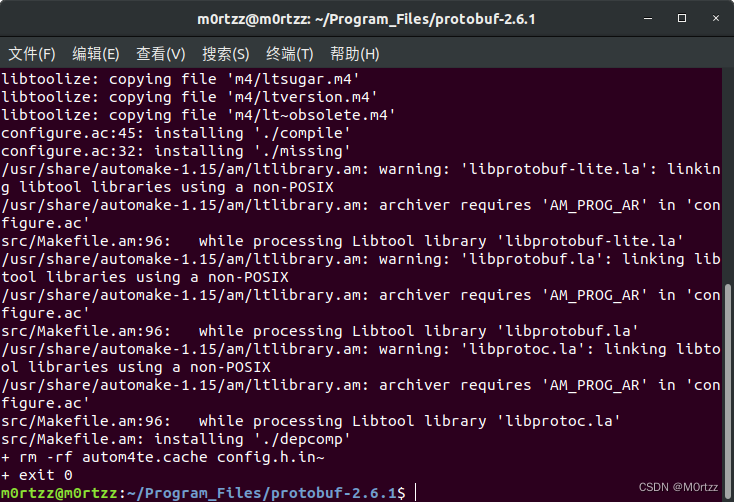
./configure --prefix=/usr/local/protobuf 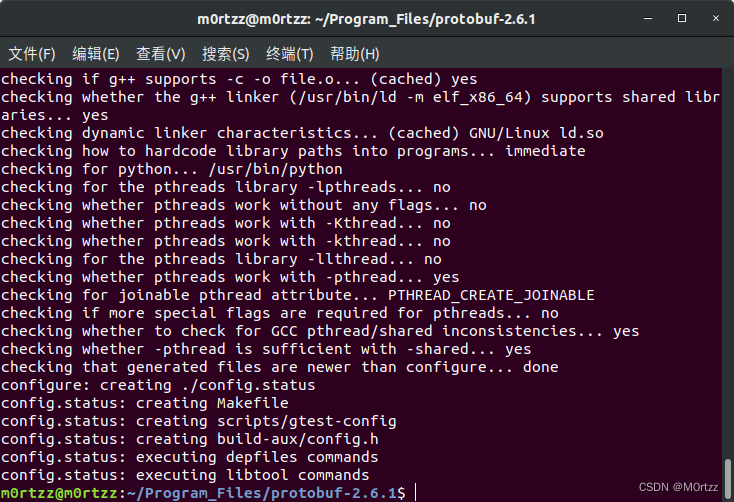
sudo make -j16
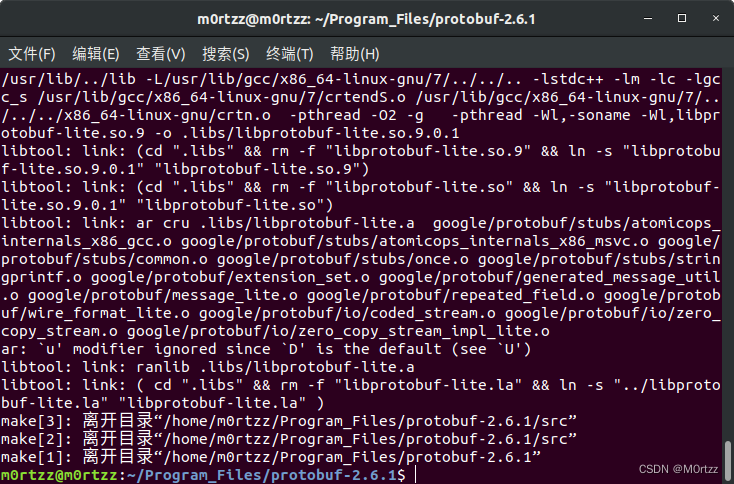
养成make check 的好习惯
sudo make check -j16
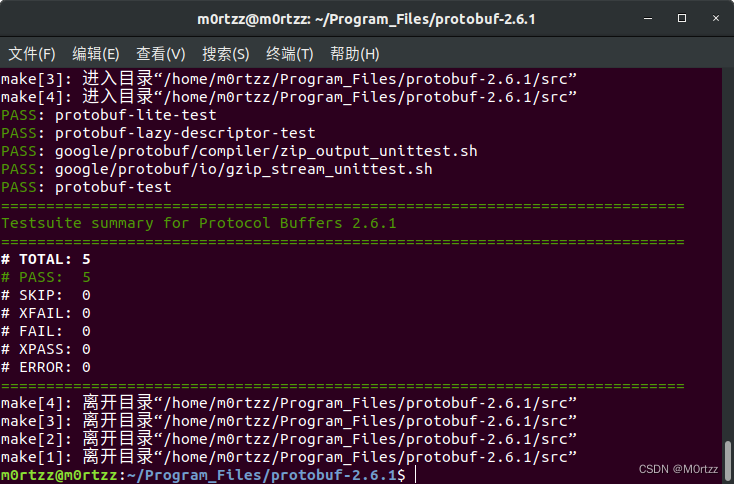
sudo make install
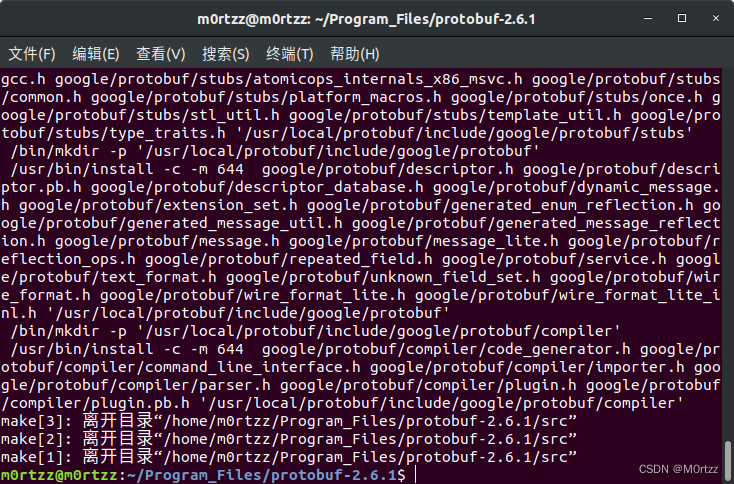
sudo gedit /etc/profile在最后加入:
- #protobuf
- export PATH=$PATH:/usr/local/protobuf/bin/
- export PKG_CONFIG_PATH=/usr/local/protobuf/lib/pkgconfig/
保存后关闭,打开终端,输入:
source /etc/profile
sudo gedit /etc/ld.so.conf在最后一行输入:
/usr/local/protobuf/lib保存后关闭,打开终端,输入:
sudo ldconfig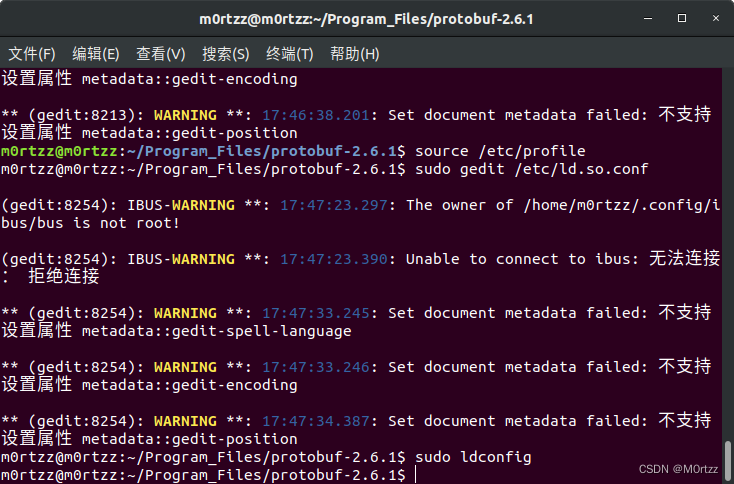
最后验证版本:
protoc --version11.配置OpenBLAS
sudo apt-get install gcc-arm-linux-gnueabihf libnewlib-arm-none-eabi libc6-dev-i386OpenBLAS文件夹最上方百度网盘里有,或者绕开github用gitee进行克隆:
git clone https://gitee.com/HyperChao/OpenBLAS.git OpenBLAScd OpenBLAS
sudo apt-get install gfortransudo make FC=gfortran TARGET=ARMV8 -j16sudo make PREFIX=/usr/local install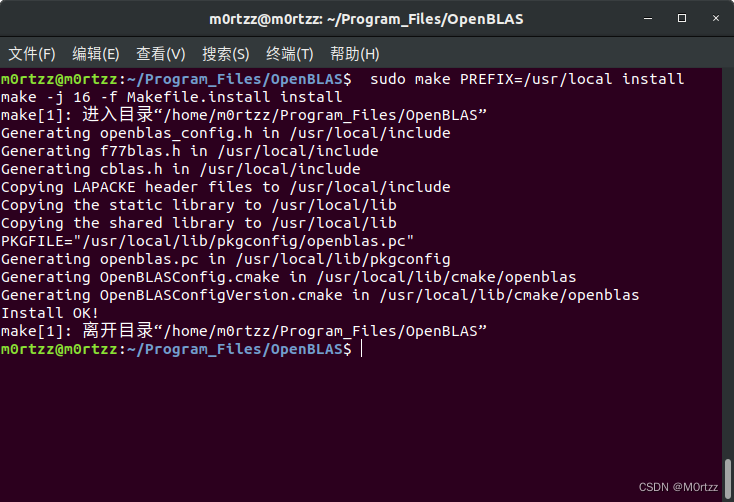
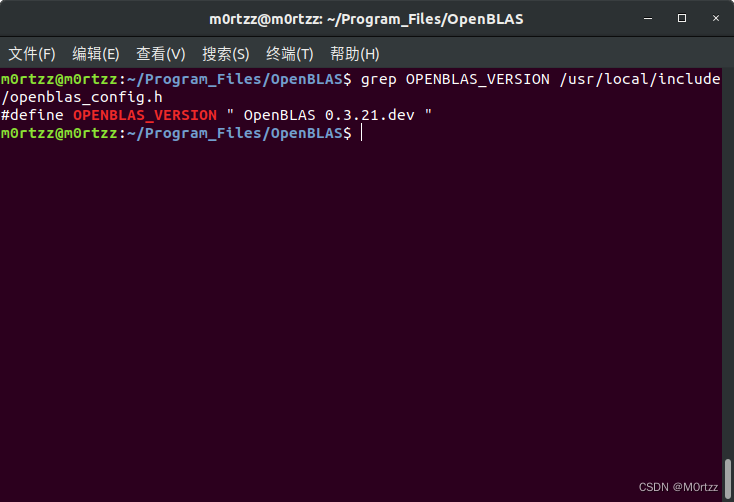
查看版本
grep OPENBLAS_VERSION /usr/local/include/openblas_config.h
12.配置seetaface2工作空间
sudo gedit ~/.bashrc 在最后加入
source /home/m0rtzz/Workspaces/catkin_ws/devel/setup.bash保存后关闭,打开终端,输入:
source ~/.bashrc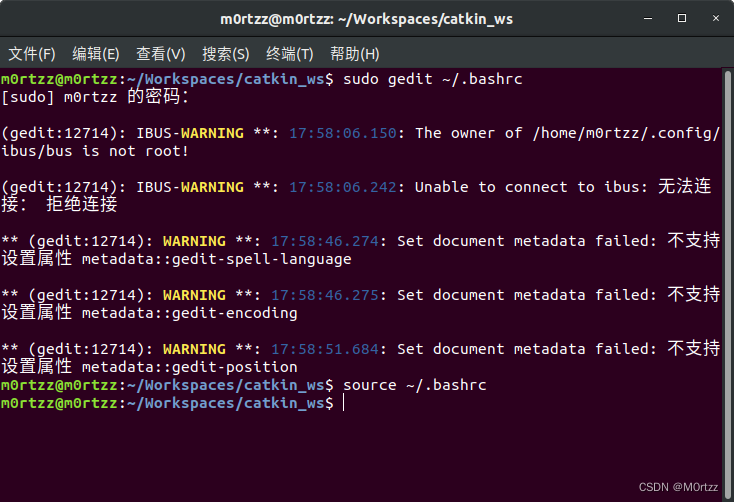
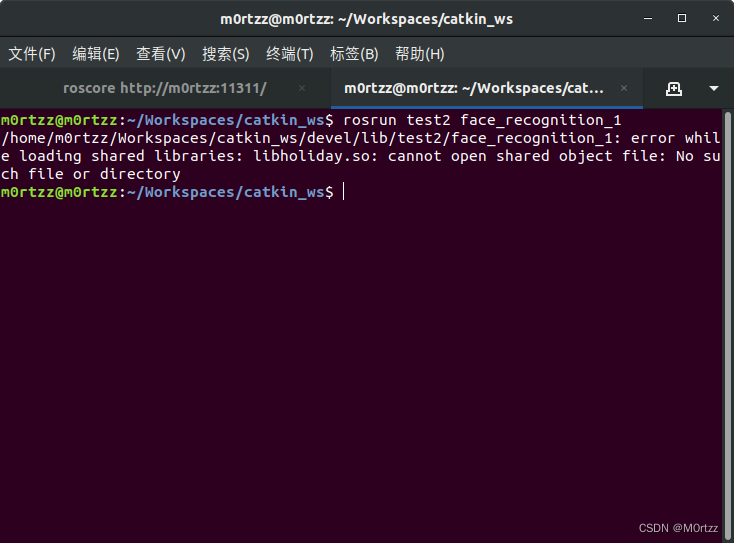
解决办法:
终端输入:
sudo gedit ~/.bashrc加入工作空间下lib文件夹的路径
export LD_LIBRARY_PATH=/home/m0rtzz/Workspaces/catkin_ws/lib:$LD_LIBRARY_PATH
保存后关闭,打开终端,输入:
source ~/.bashrc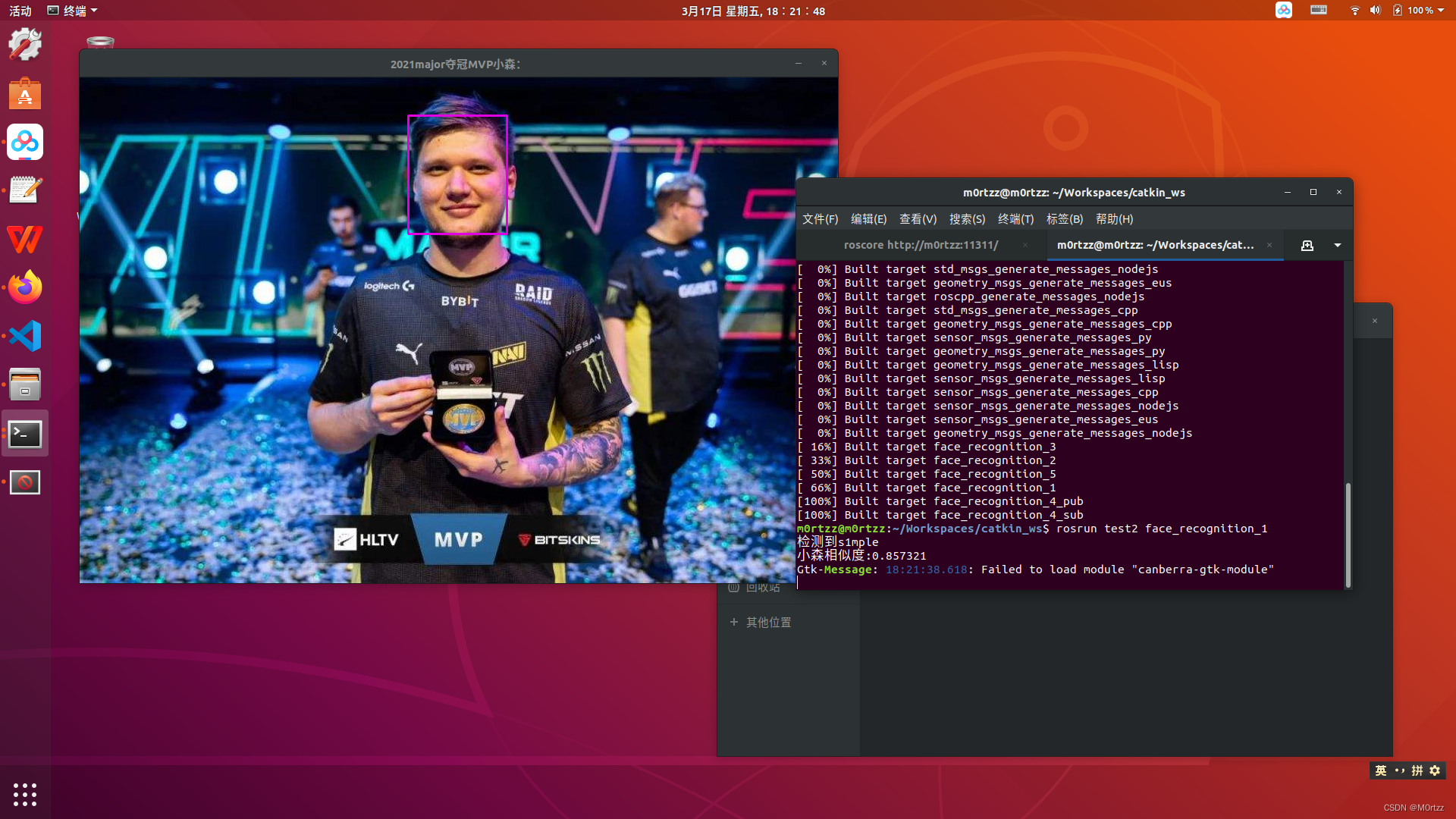
解决!
报错:
Gtk-Message: 15:22:30.610: Failed to load module "canberra-gtk-module"
下方第16小节最后有解决办法~
13.百度智能云
sudo apt-get install curlinclude jsoncpp库的头文件改为
#include "jsoncpp/json/json.h"g++编译
g++ *.cpp -o * -lcurl -ljsoncpp 运行
./*14.使在桌面上右键打开终端时进入Desktop目录
下载下图表格中的下边两个文件
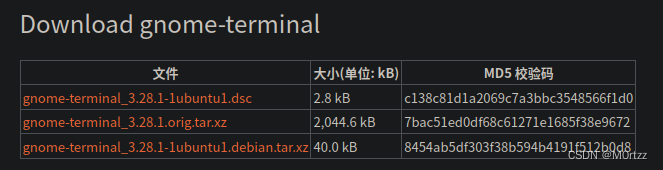
下载好gnome-terminal_3.28.1.orig.tar.xz文件之后解压出一个文件夹gnome-terminal-3.28.1,将gnome-terminal_3.28.1-1ubuntu1.debian.tar.xz 里面debian目录下的文件解压到之前解压出的gnome-terminal-3.28.1目录下
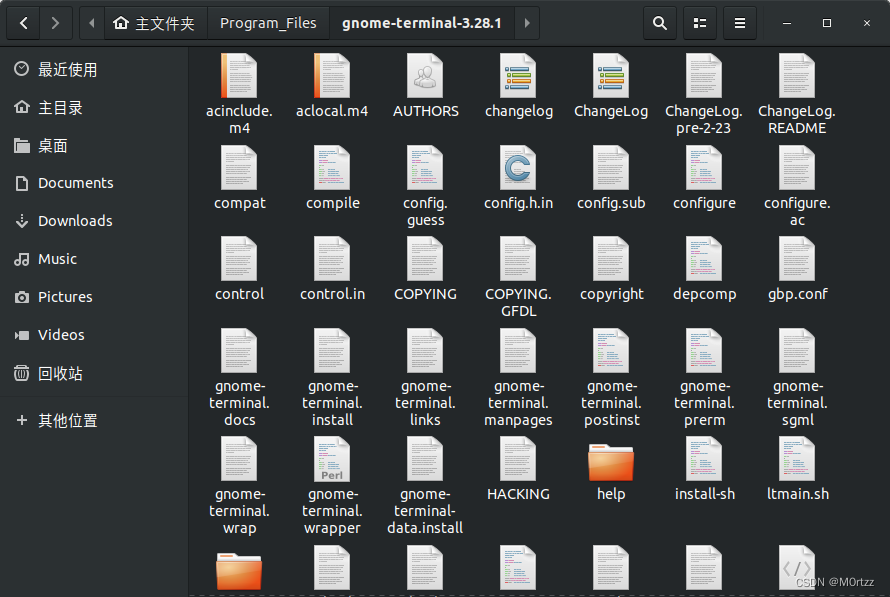
在此目录下打开终端
git apply patches/*.patch
安装依赖
sudo apt install intltool libvte-2.91-dev gsettings-desktop-schemas-dev uuid-dev libdconf-dev libpcre2-dev libgconf2-dev libxml2-utils gnome-shell libnautilus-extension-dev itstool yelp-tools pcre2-utils
打开src/下的terminal-nautilus.c
找到
- static inline gboolean
- desktop_opens_home_dir (TerminalNautilus *nautilus)
- {
- #if 0
- return _client_get_bool (gconf_client,
- "/apps/nautilus-open-terminal/desktop_opens_home_dir",
- NULL);
- #endif
- return TRUE;
- }
改为
- static inline gboolean
- desktop_opens_home_dir (TerminalNautilus *nautilus)
- {
- #if 0
- return _client_get_bool (gconf_client,
- "/apps/nautilus-open-terminal/desktop_opens_home_dir",
- NULL);
- #endif
- return FALSE;
- }
src下打开终端
cd ..
autoreconf --installautoconf./configure --prefix='/usr'sudo make -j8sudo make check -j8sudo make install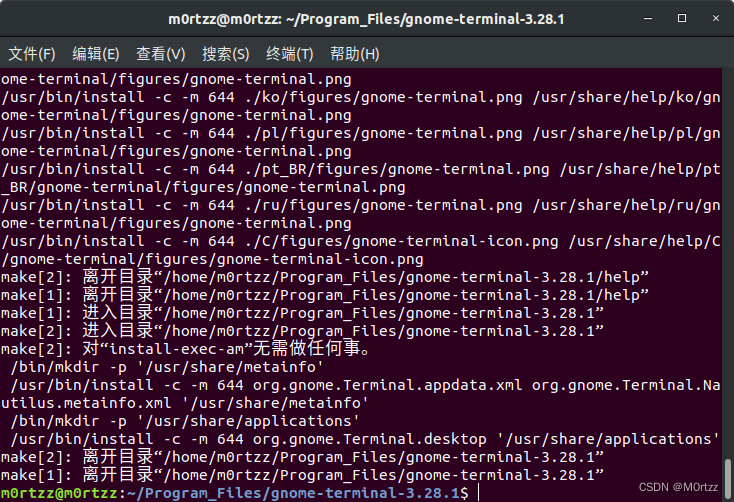
reboot
之后在桌面上打开终端,看看是否生效 ,没生效打开终端
sudo cp /usr/lib/nautilus/extensions-3.0/libterminal-nautilus.so /usr/lib/x86_64-linux-gnu/nautilus/extensions-3.0/
reboot问题解决!
15.同步双系统时间
sudo apt-get install ntpdatesudo ntpdate time.windows.comtimedatectl set-local-rtc 1 --adjust-system-clock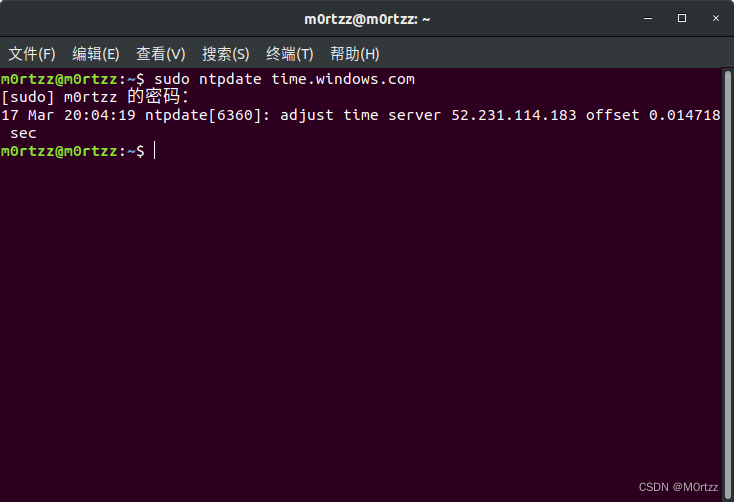
16.启动菜单的默认项
sudo gedit /etc/default/grub 改一下GRUB_DEFAULT=后边的数字,默认是0,windows是第n个就设置为 n-1

保存后关闭,打开终端,输入:
sudo update-grub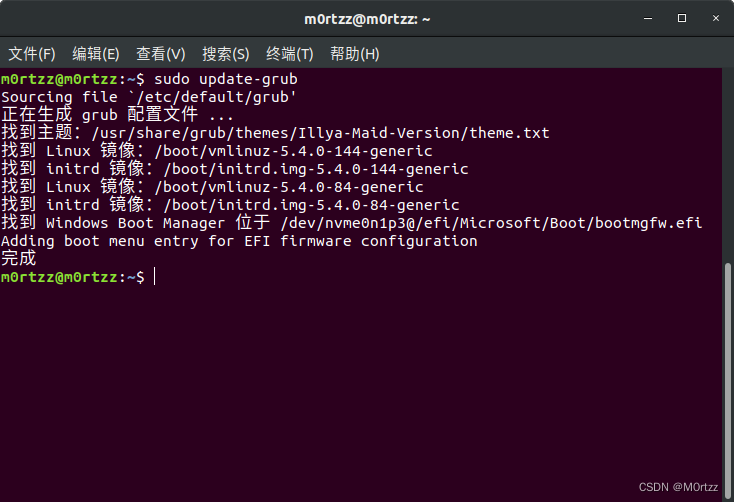
reboot 重启后问题解决~
17.安装darknet版yolov3及darknet-ros工作空间
git clone https://gitcode.net/xyll24/darknet.git darknetcd darknetsudo gedit Makefile 修改以下前几行为:
- GPU=1
- CUDNN=1
- CUDNN_HALF=1
- OPENCV=1
- AVX=0
- OPENMP=1
- LIBSO=1
- ZED_CAMERA=0
- ZED_CAMERA_v2_8=0
然后修改NVCC=后边为nvcc路径:
NVCC=/usr/local/cuda-11.4/bin/nvcc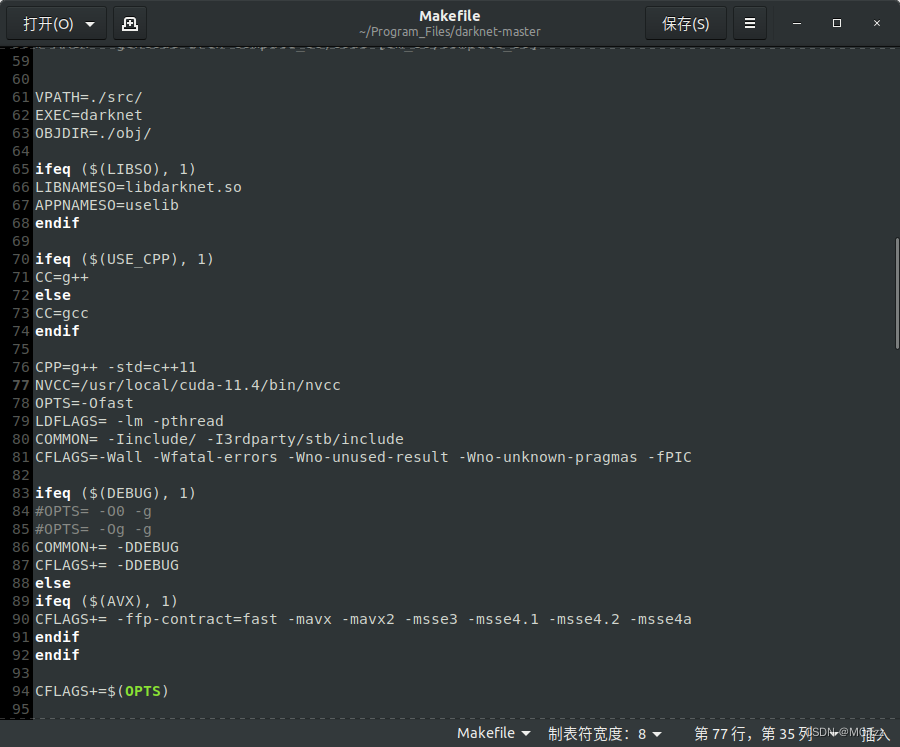
之后保存退出后,打开终端,输入:
sudo gedit /etc/ld.so.conf.d/cuda.conf
加入以下内容后保存退出:
/usr/local/cuda/lib64 打开终端输入:
sudo ldconfigsudo make -j16./darknet输出为:
usage: ./darknet <function>
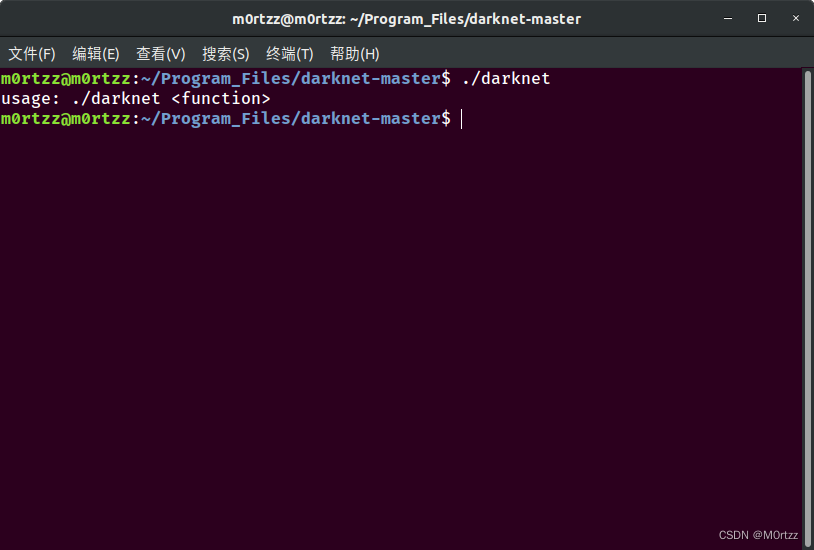
之后我们下载yolov3权重文件:
mkdir weights && cd ./weights && wget https://pjreddie.com/media/files/yolov3.weights
正常wget太慢,我们使用mwget进行安装:
找一个你想安装mwget的地方打开终端,输入:
sudo apt install build-essential
sudo apt upgrade intltool
sudo apt install libssl-dev 之后:
wget http://jaist.dl.sourceforge.net/project/kmphpfm/mwget/0.1/mwget_0.1.0.orig.tar.bz2tar -xjvf mwget_0.1.0.orig.tar.bz2cd mwget_0.1.0.orig./configuresudo make -j8sudo make install 函数报错的话在文件夹中搜索httpplugin.h和ftpplugin.h中加入
#include <string.h>保存后关闭,打开终端,输入:
再次安装:
sudo make -j8sudo make install 之后mwget就安装成功了
我们用mwget多线程获取权重文件:
cd darknet/ && mkdir weights && cd weights/mwget https://pjreddie.com/media/files/yolov3.weights -n16
上方命令是16线程获取 ,速度会快很多
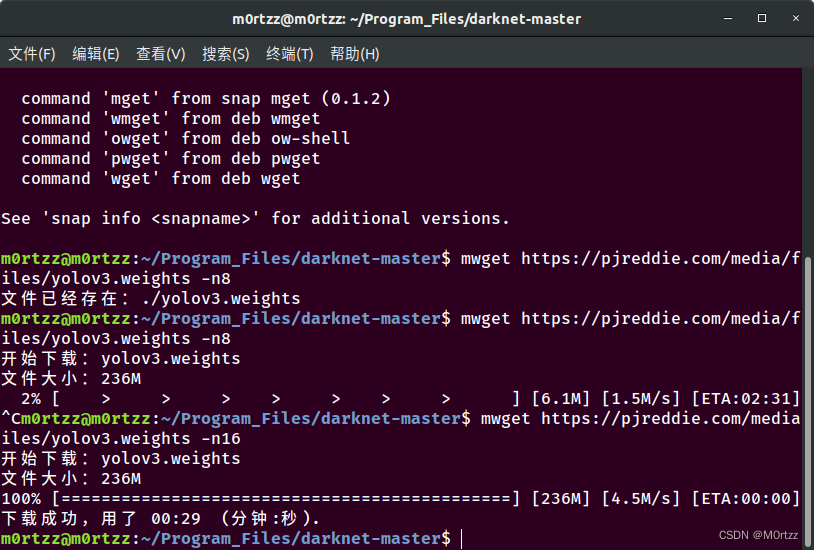
到此为止darknet版yolov3就配置好了
下面我们测试一下:
./darknet detect cfg/yolov3.cfg weights/yolov3.weights data/dog.jpg 输出以下就证明配置没有问题:
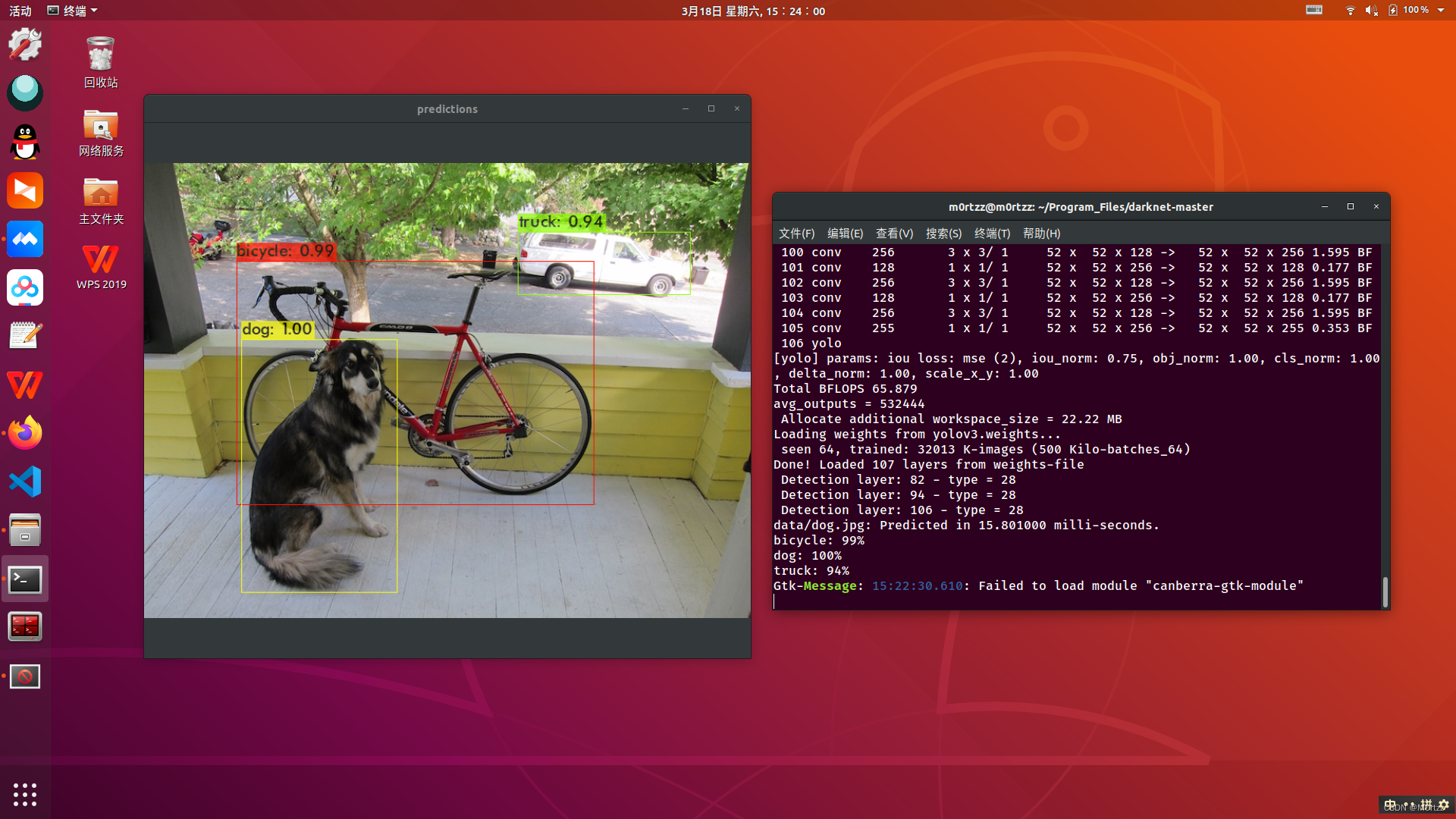
输出的最后一行报错:
Gtk-Message: 15:22:30.610: Failed to load module "canberra-gtk-module"
解决方法:
sudo apt-get install libcanberra-gtk*
安装之后重新运行就不会报错了。
配置 darknet-ros工作空间:
mkdir darknet-ros_test_ws && cd darknet-ros_test_ws/ && mkdir srccd src/ && catkin_init_workspacecd .. && catkin_make -j16cd src/git clone --recursive https://gitee.com/mirrors_leggedrobotics/darknet_ros.git darknet_ros
如果是OpenCV4:
- git clone -b opencv4 --recursive https://github.com/kunaltyagi/darknet_ros.git darknet_ros
- git branch -a
- git checkout remotes/origin/opencv4
- git submodule update --recursive
如果是OpenCV4,视频流只有第一帧是RGB8编码格式,阅读源码后发现在show_image之前调用image.cpp中的rgbgr_image函数循环转换图像编码格式即可解决此问题:
- // @file : image.cpp
- void rgbgr_image(image im)
- {
- int i;
- for(i = 0; i < im.w*im.h; ++i){
- float swap = im.data[i];
- im.data[i] = im.data[i+im.w*im.h*2];
- im.data[i+im.w*im.h*2] = swap;
- }
- }
- // @file : YoloObjectDetector.cpp
- void *YoloObjectDetector::displayInThread(void *ptr)
- {
- // NOTE: Modified by M0rtzz,Solved the problem of displaying video streams as bgr8
- rgbgr_image(buff_[(buffIndex_ + 1) % 3]);
- int c = show_image(buff_[(buffIndex_ + 1) % 3], "YOLO V3", waitKeyDelay_);
- if (c != -1)
- c = c % 256;
- if (c == 27)
- {
- demoDone_ = 1;
- return 0;
- }
- else if (c == 82)
- {
- demoThresh_ += .02;
- }
- else if (c == 84)
- {
- demoThresh_ -= .02;
- if (demoThresh_ <= .02)
- demoThresh_ = .02;
- }
- else if (c == 83)
- {
- demoHier_ += .02;
- }
- else if (c == 81)
- {
- demoHier_ -= .02;
- if (demoHier_ <= .0)
- demoHier_ = .0;
- }
- return 0;
- }
若darknet_ros/darknet文件夹下为空,则:
cd darknet_ros && sudo rm -rf darknetgit clone https://github.com/alexeyab/darknet.git darknet
catkin_make如果编译不过的话(error: ‘IplImage’之类的,之前装OpenCV提到过避免报错的方法),注意以下命令是只编译darknet-ros一个包,若工作空间下有多个包需要一起编译那么把命令中的darknet-ros删除重新执行即可:
catkin_make -j16 darknet_ros --cmake-args -DCMAKE_CXX_FLAGS=-DCV__ENABLE_C_API_CTORS
如果报错nvcc fatal : Unsupported gpu architecture 'compute_30'之类的,是因为CUDA11已经不支持compute_30了,我们将darknet_ros/darknet/Makefile和darknet_ros/darknet_ros/CMakeLists.txt中含有 'compute_30'的行进行注释后重新catkin_make:


18.Azure Kinect SDK-v1.4.0的安装(Ubuntu18.04)
Reference: BkbK-的博客https://bokai.blog.csdn.net/article/details/119115883?spm=1001.2014.3001.5502
git clone -b v1.4.0 https://github.com/microsoft/Azure-Kinect-Sensor-SDK.git Azure-Kinect-Sensor-SDK-v1.4.0
嫌太慢可以使用gitee镜像仓库克隆:
git clone -b v1.4.0 https://gitee.com/javenst/Azure-Kinect-Sensor-SDK.git Azure-Kinect-Sensor-SDK-v1.4.0
sudo dpkg --add-architecture amd64
sudo apt-get update
sudo apt install -y pkg-config ninja-build doxygen clang gcc-multilib g++-multilib python3 nasm cmake libgl1-mesa-dev libsoundio-dev libvulkan-dev libx11-dev libxcursor-dev libxinerama-dev libxrandr-dev libusb-1.0-0-dev libssl-dev libudev-dev mesa-common-dev uuid-dev
从上面的网站下载 libk4a1.2 中 libk4a1.2_1.2.0_amd64.deb文件

解压 .deb 文件,再解压内部的 data.tar.gz和control.tar.gz文件,并进入data文件夹,打开终端输入:
- cd usr/lib/x86_64-linux-gnu
- sudo cp libdepthengine.so.2.0 /usr/lib/x86_64-linux-gnu
随后进入下载好的 Azure-Kinect-Sensor-SDK-v1.4.0文件夹下打开终端输入
- mkdir build && cd build
- cmake -j8 .. -GNinja
注意此步过程中extern/libyuv/src克隆较慢原因是使用了google的网站,我们把对应文件的克隆url改为github的就能正常克隆了,在Azure-Kinect-Sensor-SDK-v1.4.0文件夹下键盘Ctrl+H显示隐藏文件,打开.gitmodules文件,修改libyuv的部分为:
- [submodule "extern/libyuv/src"]
- path = extern/libyuv/src
- url = https://github.com/lemenkov/libyuv.git
保存后关闭
之后打开.git文件夹下的config文件,修改libyuv的部分为:
- [submodule "extern/libyuv/src"]
- active = true
- url = https://github.com/lemenkov/libyuv.git
接下来就能正常克隆了,但是速度还是很慢,请耐心等待~
保存后关闭,打开终端,输入:
cmake -j8 .. -GNinja克隆完成后为如图所示:
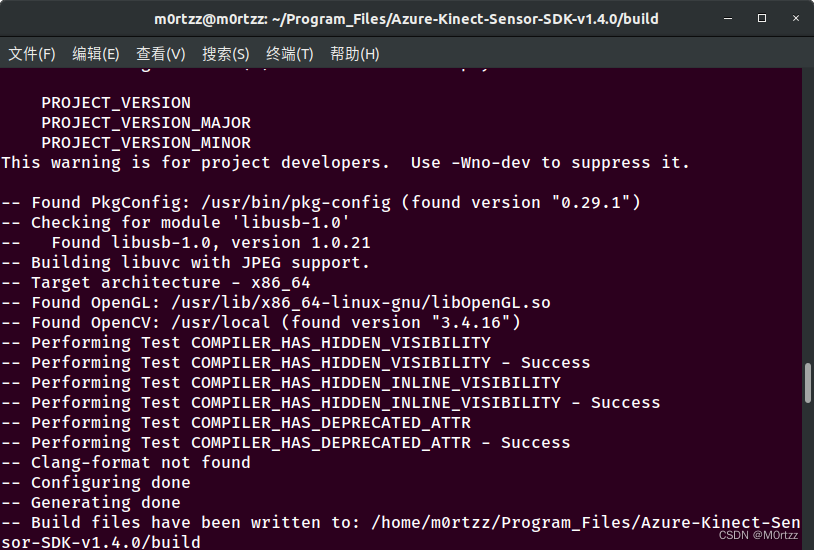
之后输入:
sudo ninja -j8 完成后如下:
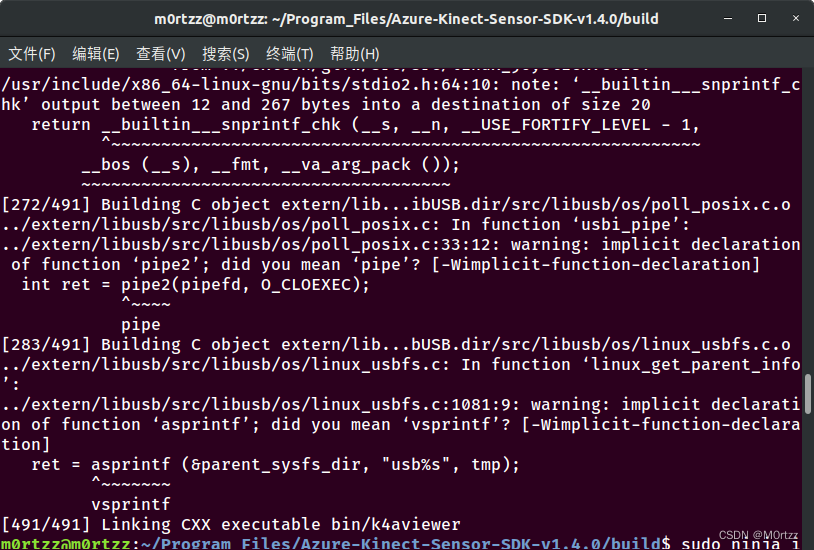
最后输入:
sudo ninja install完成后如下:
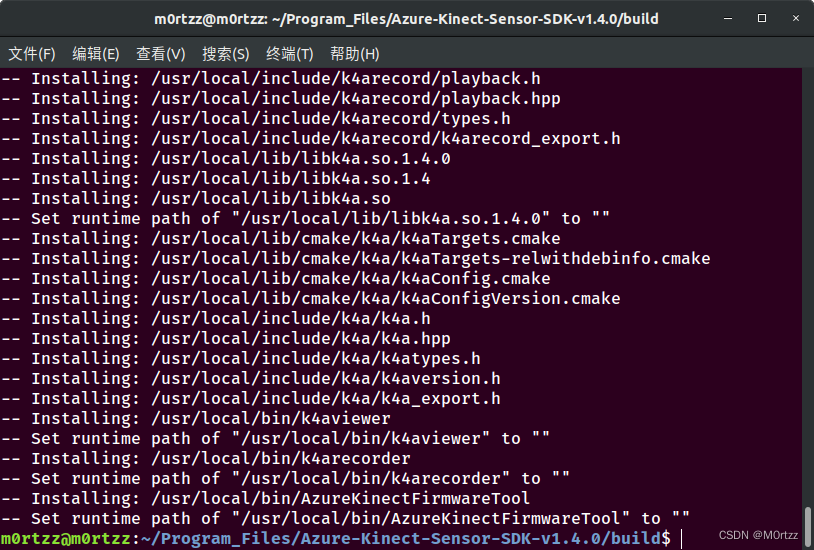
之后安装依赖:
sudo add-apt-repository ppa:ubuntu-toolchain-r/test
sudo apt-get update
sudo gedit /etc/apt/sources.list
在最后一行加入:
- ##gcc-4.9
- deb http://dk.archive.ubuntu.com/ubuntu/ xenial main
- deb http://dk.archive.ubuntu.com/ubuntu/ xenial universe
- ##
保存后关闭,打开终端,输入:
sudo apt-get update
sudo apt-get install gcc-4.9
sudo apt-get upgrade libstdc++6sudo cp /usr/lib/x86_64-linux-gnu/libk4a1.4/libdepthengine.so.2.0 /usr/lib之后测试一下:
sudo ./bin/k4aviewer

授予权限:
cd ../ && sudo cp scripts/99-k4a.rules /etc/udev/rules.d/.
Ubuntu20.04,Reference:
19.配置科大讯飞
sudo apt-get install sox libsox-fmt-all pavucontrol
sudo gedit /usr/include/pcl-1.8/pcl/visualization/cloud_viewer.h
修改一下:
- //line 199左右
- private:
- /** \brief Private implementation. */
- struct CloudViewer_impl;
- //std::auto_ptr<CloudViewer_impl> impl_;
- std::shared_ptr<CloudViewer_impl> impl_;
-
- boost::signals2::connection
- registerMouseCallback (boost::function<void (const pcl::visualization::MouseEvent&)>);
下载所需SDK,将libs/x64/libmsc.so文件拷贝至/usr/lib/下;修改~/.bashrc;
- cmake_minimum_required(VERSION 3.0.2)
- project(tts_voice_test)
- SET(CMAKE_CXX_FLAGS "-std=c++0x")
- find_package(k4a REQUIRED)
- find_package(OpenCV REQUIRED)
- find_package(catkin REQUIRED COMPONENTS
- roscpp
- rospy
- std_msgs
- cv_bridge
- message_generation
- )
-
- generate_messages(
- DEPENDENCIES
- std_msgs
- )
-
- include_directories(
- ~/Workspaces/tts_test_ws/include
- ${catkin_INCLUDE_DIRS}
- )
-
- add_executable(tts_voice_test src/tts_voice_test.cpp)
-
- target_link_libraries(tts_voice_test
- PRIVATE k4a::k4a
- ${OpenCV_LIBRARIES}
- ${PCL_LIBRARIES}
- ${catkin_LIBRARIES}
- ${catkin_LIBRARIES} -lcurl -ljsoncpp -lmsc -lrt -ldl -pthread
- ${catkin_LIBRARIES} /home/m0rtzz/Workspaces/tts_voice_test_ws/libs/x64/libmsc.so -ldl -pthread -lasound
打开终端:
catkin_make若找不到asoundlib.h文件打开终端输入:
sudo apt-get install libasound2-dev编译通过~
20.配置realsense及realsense工作空间
sudo apt-get install ros-melodic-realsense2-camera ros-melodic-rgbd-launch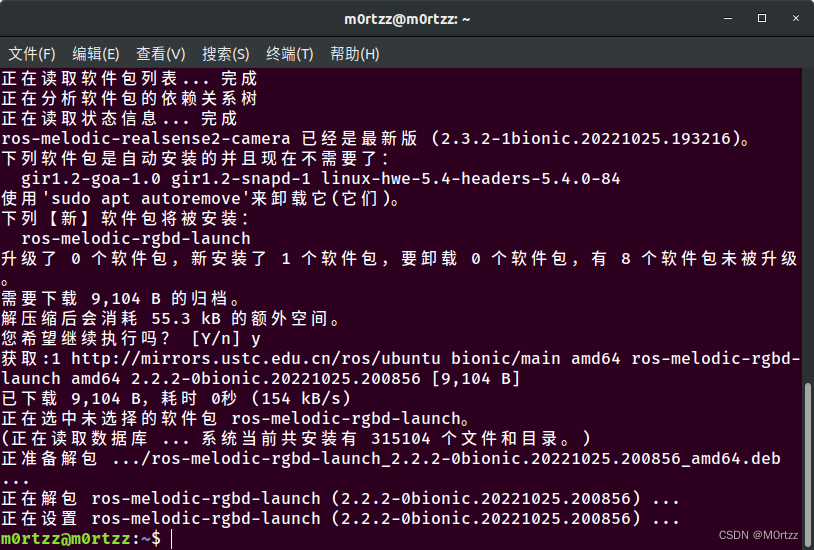
安装realsense sdk:
sudo apt-key adv --keyserver keyserver.ubuntu.com --recv-key F6E65AC044F831AC80A06380C8B3A55A6F3EFCDE || sudo apt-key adv --keyserver hkp://keyserver.ubuntu.com:80 --recv-key F6E65AC044F831AC80A06380C8B3A55A6F3EFCDE
sudo add-apt-repository "deb https://librealsense.intel.com/Debian/apt-repo $(lsb_release -cs) main" -u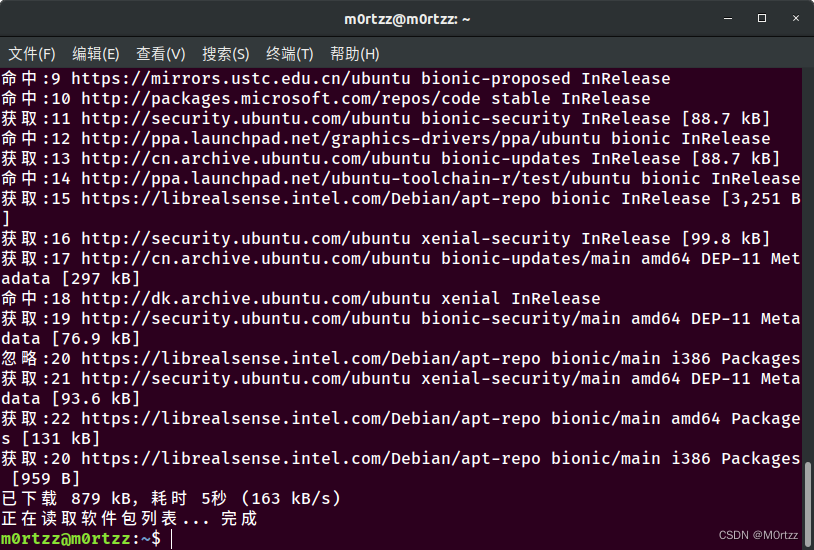
sudo apt-get update 安装realsense lib
sudo apt-get install librealsense2-dkms librealsense2-utils
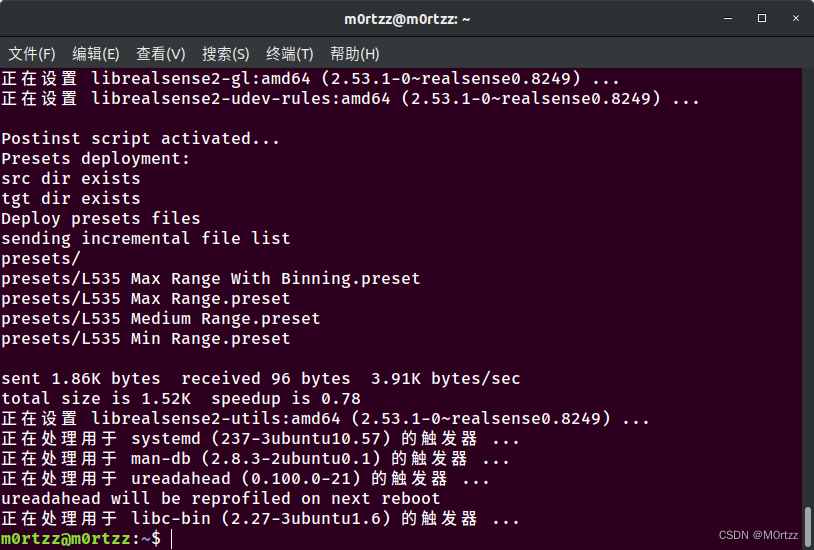
测试:
realsense-viewer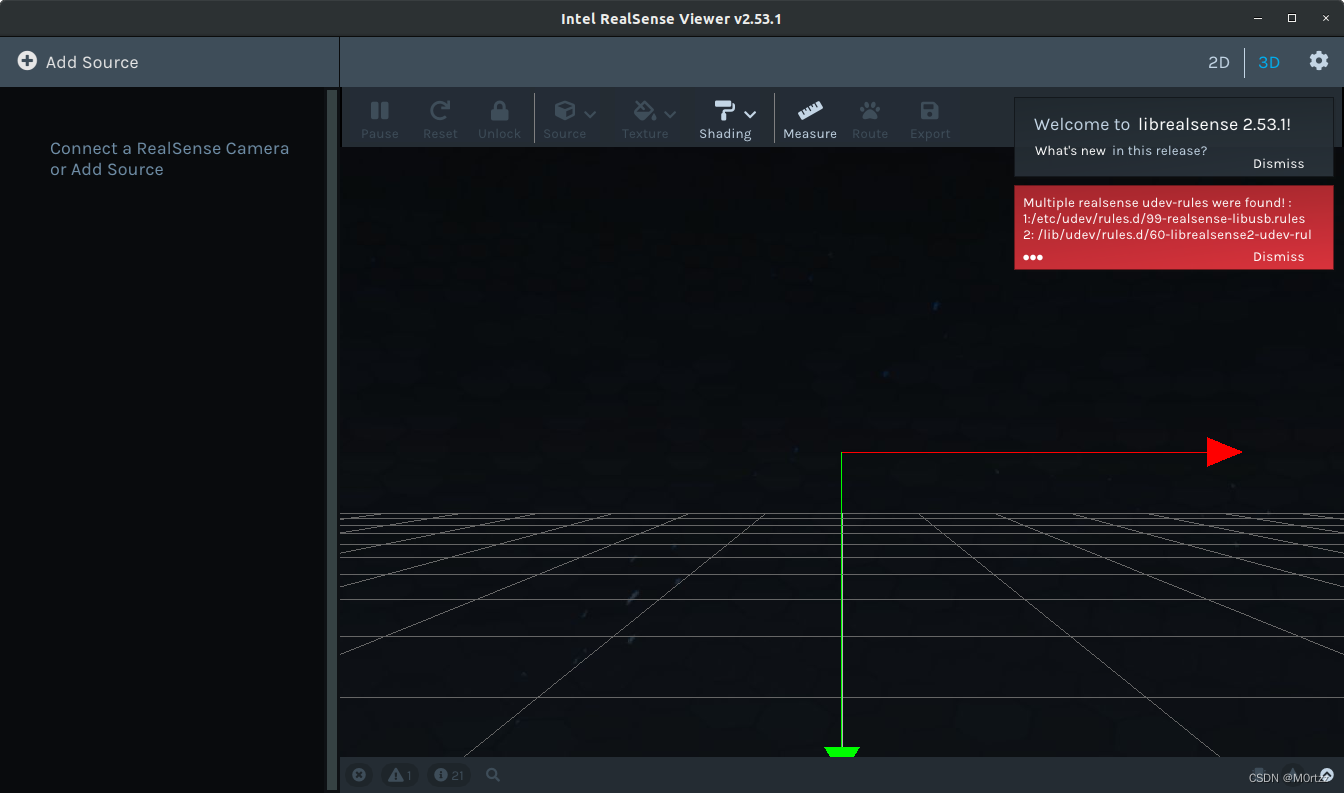
下载lib并指定版本为v2.50.0,否则接下来会与realsense-ros版本冲突导致无法打开摄像头:
git clone -b v2.50.0 https://gitee.com/lhospitallky/librealsense.git librealsense-2.50.0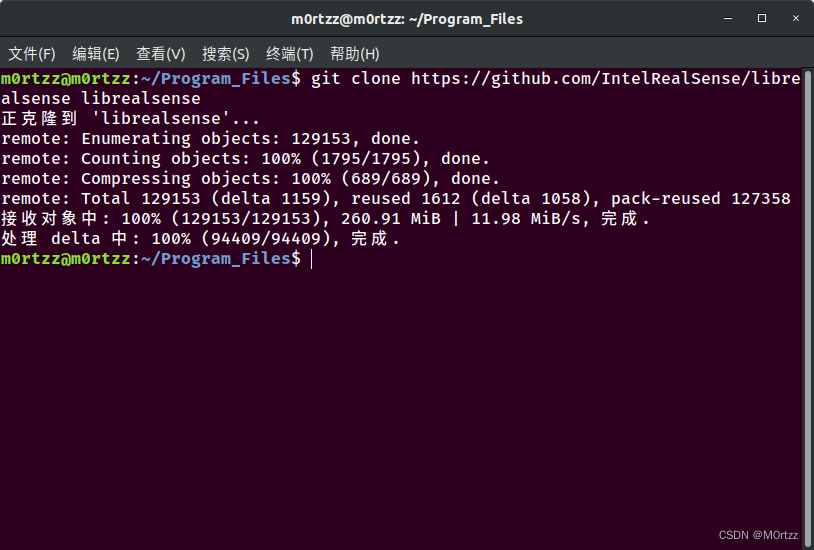 安装依赖:
安装依赖:
sudo apt-get install libudev-dev pkg-config libgtk-3-dev libusb-1.0-0-dev pkg-config libglfw3-dev
进入刚才克隆的librealsense文件夹内:
cd librealsense-2.50.0/./scripts/setup_udev_rules.sh./scripts/patch-realsense-ubuntu-lts.sh 注意:上面的命令可能执行过慢,请耐心等待,或者科学的上网~
完成结果如下:
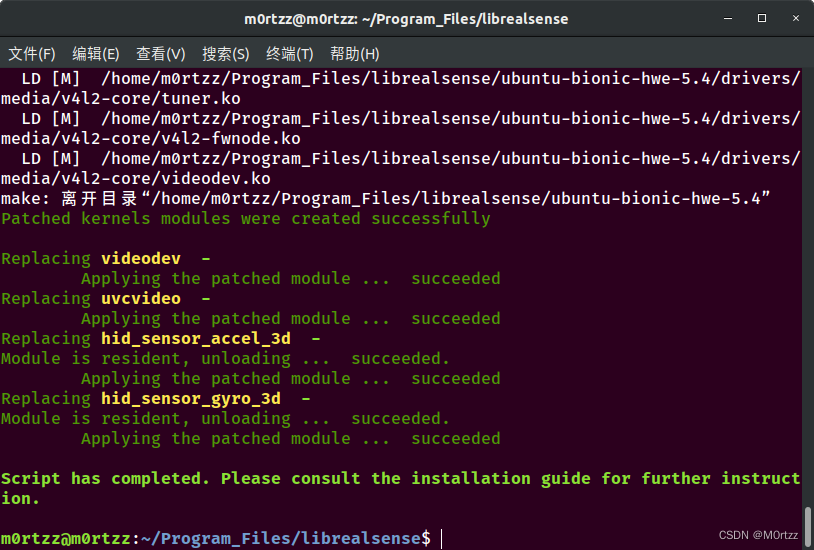
之后输入:
mkdir build && cd build- # @file : CMakeLists.txt
- # NOTE: Modified by M0rtzz
- LINK_LIBRARIES(-lcurl -lcrypto)
cmake -j8 ../ -DCMAKE_BUILD_TYPE=Release -DBUILD_EXAMPLES=true 以下编译过慢,使用CPU最大线程进行make,速度会快很多:
sudo make -j16sudo make install测试:
cd examples/capture
./rs-capture
接下来我们配置realsense工作空间:
创建一个realsense_test_ws文件夹,进入文件夹下,打开终端:
mkdir src && cd src/ 下载功能包:
git clone -b ros1-legacy https://gitee.com/joosoo/realsense-ros.git realsense-ros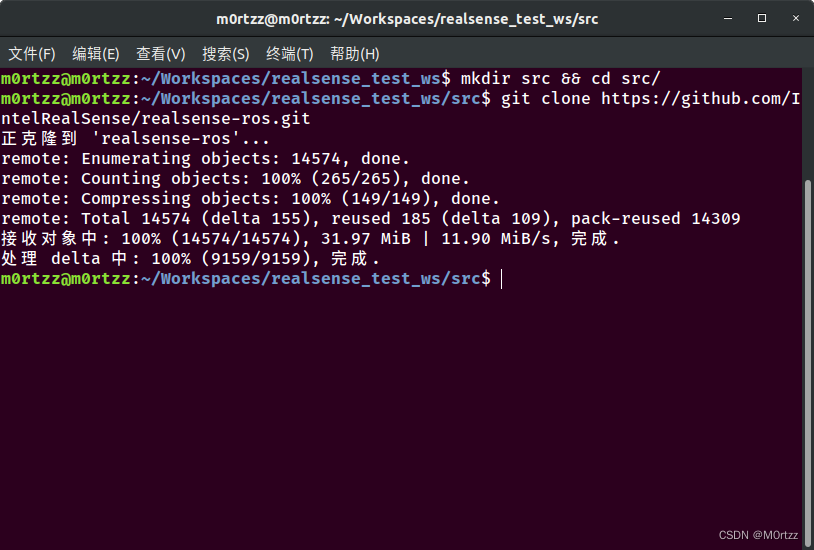
cd ..catkin_make -j16 -DCATKIN_ENABLE_TESTING=False -DCMAKE_BUILD_TYPE=Releasecatkin_make install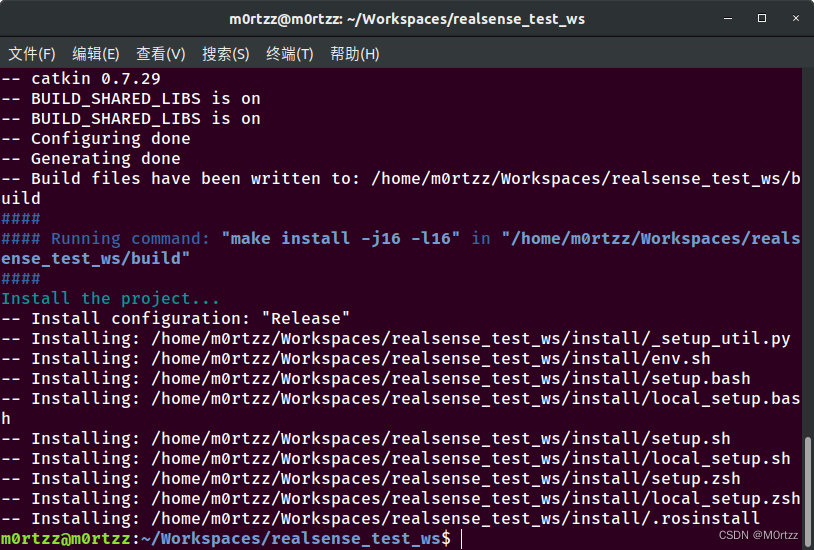
测试:
roslaunch realsense2_camera rs_camera.launch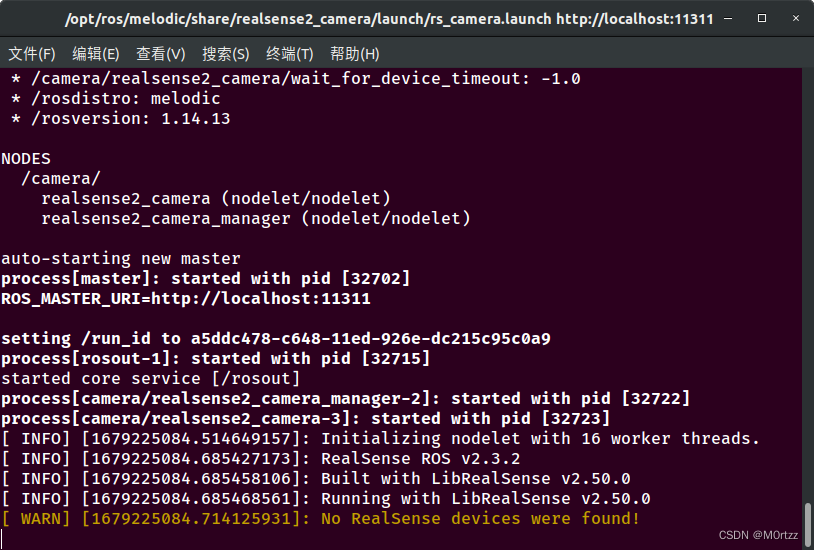
还没安摄像头~
21.配置Kinova机械臂工作空间
mkdir -p kinova_test_ws/srccd kinova_test_ws/src catkin_init_workspace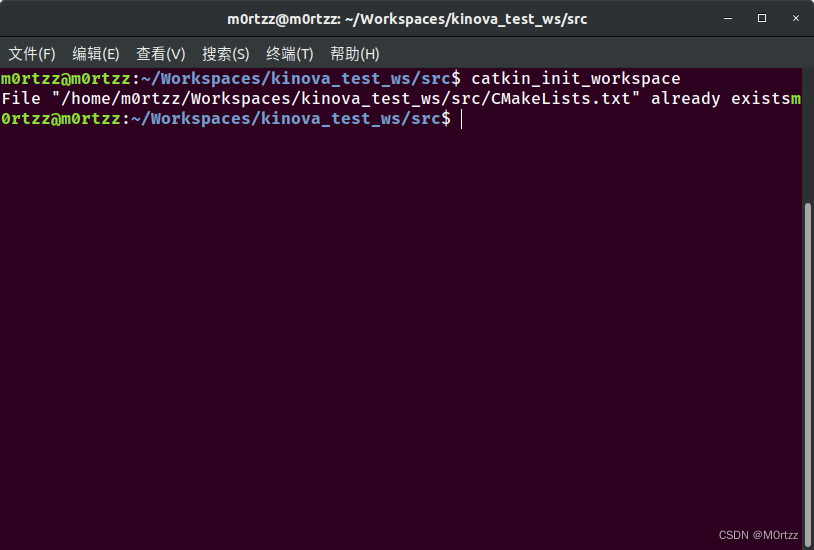
cd ..catkin_makeecho 'source /home/m0rtzz/Workspaces/kinova_test_ws/devel/setup.bash' >> ~/.bashrccd src/git clone https://gitee.com/dva7777/kinova-ros.git kinova-roscd ..安装缺少的moveit中相应的功能包 :
sudo apt-get install ros-melodic-moveit-visual-tools ros-melodic-moveit-ros-planning-interface
catkin_make -j16
sudo cp src/kinova-ros/kinova_driver/udev/10-kinova-arm.rules /etc/udev/rules.d/ 安装Moveit和pr2:
sudo apt-get install ros-melodic-moveit ros-melodic-trac-ik ros-melodic-pr2*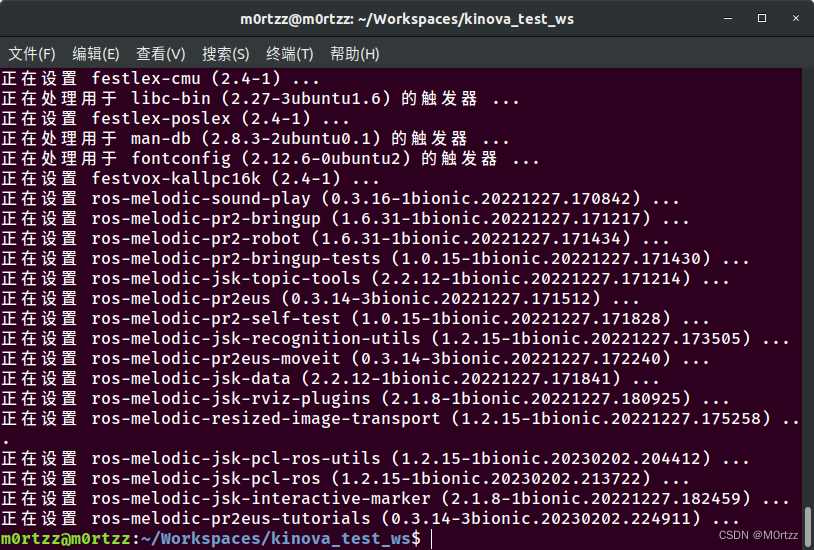 完成~
完成~
22.配置机器人导航(实体)
22.配置机器人导航(实体)安装 Arduino IDE:
https://www.arduino.cc/en/softwarehttps://www.arduino.cc/en/software
下载Linux 64bit安装包
tar -xvf arduino-1.8.19-linux64.tar.xz
sudo mv arduino-1.8.19 /opt
cd /opt/arduino-1.8.19sudo chmod +x install.shsudo ./install.shsudo apt install ros-melodic-move-base* ros-melodic-turtlebot3-* ros-melodic-dwa-local-plannersudo apt-get install ros-melodic-joy ros-melodic-teleop-twist-joy ros-melodic-teleop-twist-keyboard ros-melodic-laser-proc ros-melodic-rgbd-launch ros-melodic-depthimage-to-laserscan ros-melodic-rosserial-arduino ros-melodic-rosserial-python ros-melodic-rosserial-server ros-melodic-rosserial-client ros-melodic-rosserial-msgs ros-melodic-amcl ros-melodic-map-server ros-melodic-move-base ros-melodic-urdf ros-melodic-xacro ros-melodic-compressed-image-transport ros-melodic-rqt-image-view ros-melodic-gmapping ros-melodic-navigation ros-melodic-interactive-markers 安装 gmapping 包(用于构建地图):
sudo apt-get install ros-melodic-gmapping安装地图服务包(用于保存与读取地图):
sudo apt-get install ros-melodic-map-server安装 navigation 包(用于定位以及路径规划):
sudo apt-get install ros-melodic-navigation因tf和tf2迁移问题,需将工作空间内的所有global_costmap_params.yaml和local_costmap_params.yaml文件里的头几行去掉“/”,返回工作空间根目录下重新编译。
Reference:
http://wiki.ros.org/tf2/Migrationhttp://wiki.ros.org/tf2/Migration
 首先创建实体导航工作空间:
mkdir -p navigation_entity_test_ws/src
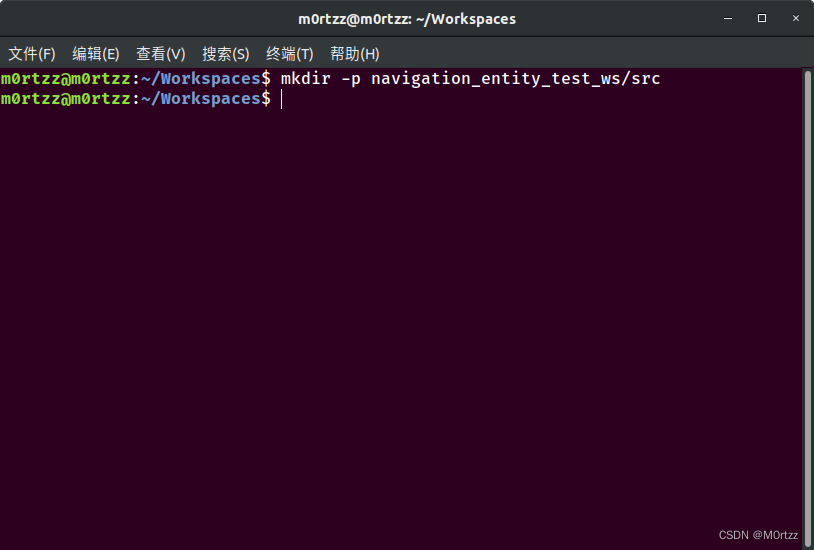
cd navigation_entity_test_ws/src
catkin_create_pkg entity_test roscpp rospy std_msgs gmapping map_server amcl move_base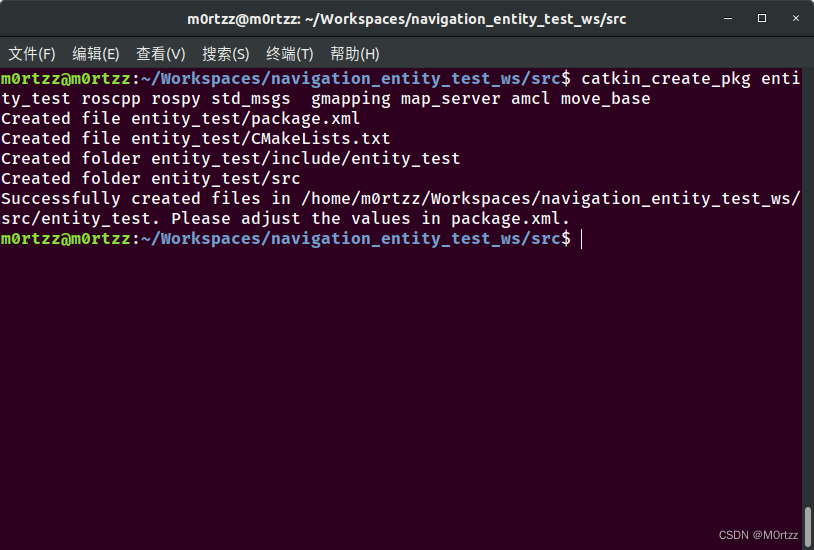
cd .. && catkin_make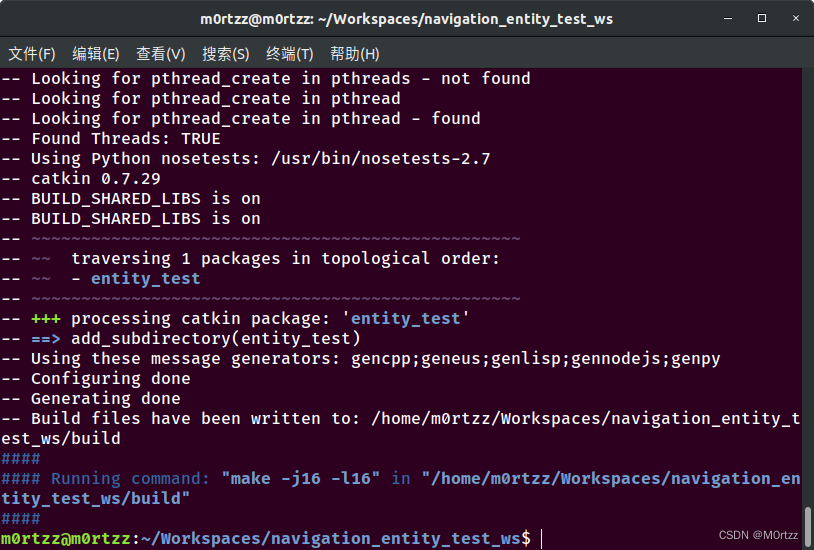
查看一下文件目录,tree命令在下边的PS小节有讲怎么安装
tree .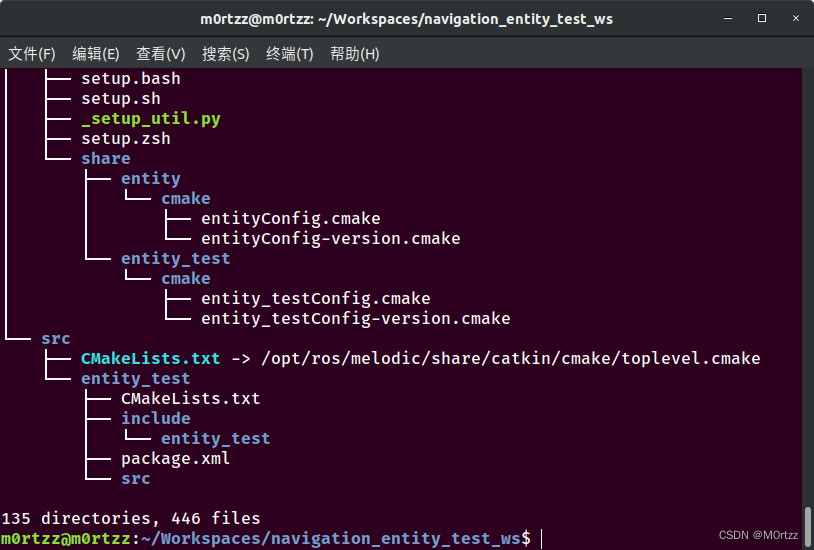
cd src/ && catkin_create_pkg robot_start_test roscpp rospy std_msgs ros_arduino_python usb_cam rplidar_ros
cd robot_start_test/ && mkdir launch && cd launch && touch start_test.launch- <!--@File Name : start_test.launch
- @Brief : 机器人启动文件:
- 1.启动底盘
- 2.启动激光雷达
- 3.启动摄像头
- -->
-
- <launch>
- <include file="$(find ros_arduino_python)/launch/arduino.launch" />
- <include file="$(find usb_cam)/launch/usb_cam-test.launch" />
- <include file="$(find rplidar_ros)/launch/rplidar.launch" />
- </launch>
FIXME:Updating...
接下来创建机器人模型相关的功能包:
cd src/catkin_create_pkg robot_description_test urdf xacro

在功能包下新建 urdf 目录,编写具体的 urdf 文件(code命令是VSCode,没安装的小伙伴下边PS小节有下载网址~):
cd robot_description_test/ && mkdir urdfcd urdf/ && touch {robot.urdf.xacro,robot_base.urdf.xacro,robot_camera.urdf.xacro,robot_laser.urdf.xacro} && code robot.urdf.xacro
将下列代码粘贴进去:
- <!-- File Name : robot.urdf.xacro -->
-
- <robot name="robot_test" xmlns:xacro="http://wiki.ros.org/xacro">
-
- <xacro:include filename="robot_base.urdf.xacro" />
- <xacro:include filename="robot_camera.urdf.xacro" />
- <xacro:include filename="robot_laser.urdf.xacro" />
-
- </robot>
保存退出,打开终端输入:
code robot_base.urdf.xacro将下列代码粘贴进去:
- <!-- File Name : robot_base.urdf.xacro -->
-
- <robot name="robot_test" xmlns:xacro="http://wiki.ros.org/xacro">
-
- <xacro:property name="footprint_radius" value="0.001" />
- <link name="base_footprint">
- <visual>
- <geometry>
- <sphere radius="${footprint_radius}" />
- </geometry>
- </visual>
- </link>
-
- <xacro:property name="base_radius" value="0.1" />
- <xacro:property name="base_length" value="0.08" />
- <xacro:property name="lidi" value="0.015" />
- <xacro:property name="base_joint_z" value="${base_length / 2 + lidi}" />
- <link name="base_link">
- <visual>
- <geometry>
- <cylinder radius="0.1" length="0.08" />
- </geometry>
-
- <origin xyz="0 0 0" rpy="0 0 0" />
-
- <material name="baselink_color">
- <color rgba="1.0 0.5 0.2 0.5" />
- </material>
- </visual>
-
- </link>
-
- <joint name="link2footprint" type="fixed">
- <parent link="base_footprint" />
- <child link="base_link" />
- <origin xyz="0 0 0.055" rpy="0 0 0" />
- </joint>
-
- <xacro:property name="wheel_radius" value="0.0325" />
- <xacro:property name="wheel_length" value="0.015" />
- <xacro:property name="PI" value="3.1415927" />
- <xacro:property name="wheel_joint_z" value="${(base_length / 2 + lidi - wheel_radius) * -1}" />
-
- <xacro:macro name="wheel_func" params="wheel_name flag">
-
- <link name="${wheel_name}_wheel">
- <visual>
- <geometry>
- <cylinder radius="${wheel_radius}" length="${wheel_length}" />
- </geometry>
-
- <origin xyz="0 0 0" rpy="${PI / 2} 0 0" />
-
- <material name="wheel_color">
- <color rgba="0 0 0 0.3" />
- </material>
- </visual>
-
- </link>
-
- <joint name="${wheel_name}2link" type="continuous">
- <parent link="base_link" />
- <child link="${wheel_name}_wheel" />
-
- <origin xyz="0 ${0.1 * flag} ${wheel_joint_z}" rpy="0 0 0" />
- <axis xyz="0 1 0" />
- </joint>
-
- </xacro:macro>
-
- <xacro:wheel_func wheel_name="left" flag="1" />
- <xacro:wheel_func wheel_name="right" flag="-1" />
-
- <xacro:property name="small_wheel_radius" value="0.0075" />
- <xacro:property name="small_joint_z" value="${(base_length / 2 + lidi - small_wheel_radius) * -1}" />
-
- <xacro:macro name="small_wheel_func" params="small_wheel_name flag">
- <link name="${small_wheel_name}_wheel">
- <visual>
- <geometry>
- <sphere radius="${small_wheel_radius}" />
- </geometry>
-
- <origin xyz="0 0 0" rpy="0 0 0" />
-
- <material name="wheel_color">
- <color rgba="0 0 0 0.3" />
- </material>
- </visual>
-
- </link>
-
- <joint name="${small_wheel_name}2link" type="continuous">
- <parent link="base_link" />
- <child link="${small_wheel_name}_wheel" />
-
- <origin xyz="${0.08 * flag} 0 ${small_joint_z}" rpy="0 0 0" />
- <axis xyz="0 1 0" />
- </joint>
-
- </xacro:macro >
- <xacro:small_wheel_func small_wheel_name="front" flag="1"/>
- <xacro:small_wheel_func small_wheel_name="back" flag="-1"/>
-
- </robot>
保存退出,打开终端输入:
code robot_camera.urdf.xacro 将下列代码粘贴进去:
- <!-- File Name : robot_camera.urdf.xacro -->
-
- <robot name="robot_test" xmlns:xacro="http://wiki.ros.org/xacro">
-
- <xacro:property name="camera_length" value="0.02" />
- <xacro:property name="camera_width" value="0.05" />
- <xacro:property name="camera_height" value="0.05" />
- <xacro:property name="joint_camera_x" value="0.08" />
- <xacro:property name="joint_camera_y" value="0" />
- <xacro:property name="joint_camera_z" value="${base_length / 2 + camera_height / 2}" />
-
- <link name="camera">
- <visual>
- <geometry>
- <box size="${camera_length} ${camera_width} ${camera_height}" />
- </geometry>
- <origin xyz="0 0 0" rpy="0 0 0" />
- <material name="black">
- <color rgba="0 0 0 0.8" />
- </material>
- </visual>
- </link>
-
- <joint name="camera2base" type="fixed">
- <parent link="base_link" />
- <child link="camera" />
- <origin xyz="${joint_camera_x} ${joint_camera_y} ${joint_camera_z}" rpy="0 0 0" />
- </joint>
-
- </robot>
保存退出,打开终端输入:
code robot_laser.urdf.xacro 将下列代码粘贴进去:
- <!-- File Name : robot_laser.urdf.xacro -->
-
- <robot name="robot_test" xmlns:xacro="http://wiki.ros.org/xacro">
-
- <xacro:property name="support_radius" value="0.01" />
- <xacro:property name="support_length" value="0.15" />
-
- <xacro:property name="laser_radius" value="0.03" />
- <xacro:property name="laser_length" value="0.05" />
-
- <xacro:property name="joint_support_x" value="0" />
- <xacro:property name="joint_support_y" value="0" />
- <xacro:property name="joint_support_z" value="${base_length / 2 + support_length / 2}" />
-
- <xacro:property name="joint_laser_x" value="0" />
- <xacro:property name="joint_laser_y" value="0" />
- <xacro:property name="joint_laser_z" value="${support_length / 2 + laser_length / 2}" />
-
- <link name="support">
- <visual>
- <geometry>
- <cylinder radius="${support_radius}" length="${support_length}" />
- </geometry>
- <material name="yellow">
- <color rgba="0.8 0.5 0.0 0.5" />
- </material>
- </visual>
-
- </link>
-
- <joint name="support2base" type="fixed">
- <parent link="base_link" />
- <child link="support"/>
- <origin xyz="${joint_support_x} ${joint_support_y} ${joint_support_z}" rpy="0 0 0" />
- </joint>
- <link name="laser">
- <visual>
- <geometry>
- <cylinder radius="${laser_radius}" length="${laser_length}" />
- </geometry>
- <material name="black">
- <color rgba="0 0 0 0.5" />
- </material>
- </visual>
-
- </link>
-
- <joint name="laser2support" type="fixed">
- <parent link="support" />
- <child link="laser"/>
- <origin xyz="${joint_laser_x} ${joint_laser_y} ${joint_laser_z}" rpy="0 0 0" />
- </joint>
- </robot>
保存退出,打开终端:
cd .. && mkdir launchtouch robot_test.launch && code robot_test.launch将下列代码粘贴进去:
- <!-- File Name : robot_test.launch -->
-
- <launch>
- <param name="robot_description" command="$(find xacro)/xacro $(find robot_description_test)/urdf/robot.urdf.xacro" />
- <node pkg="joint_state_publisher" name="joint_state_publisher" type="joint_state_publisher" />
- <node pkg="robot_state_publisher" name="robot_state_publisher" type="robot_state_publisher" />
- </launch>
保存退出,打开终端:
cd ../../../ && echo 'source /home/m0rtzz/Workspaces/navigation_entity_test_ws/devel/setup.bash' >> ~/.bashrc && source ~/.bashrc
测试一下:
roslaunch robot_description_test robot_test.launch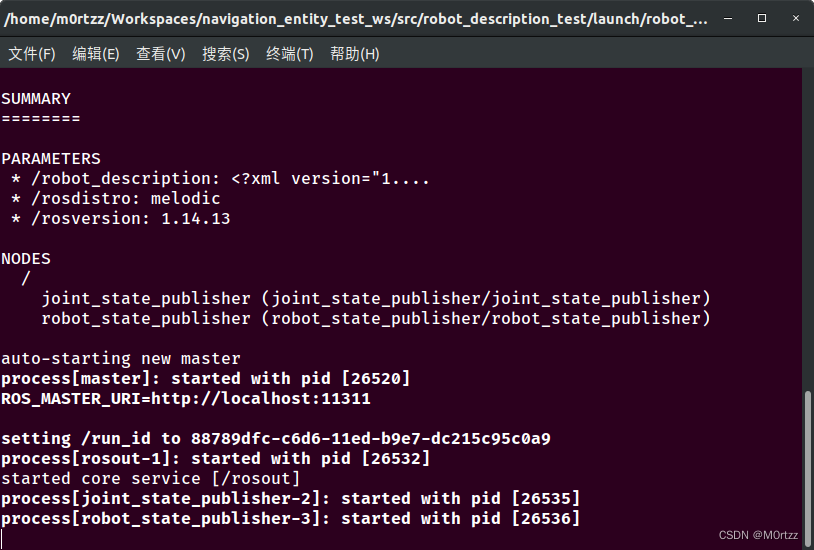
之后Ctrl+Alt+T打开一个新的终端,输入:
rviz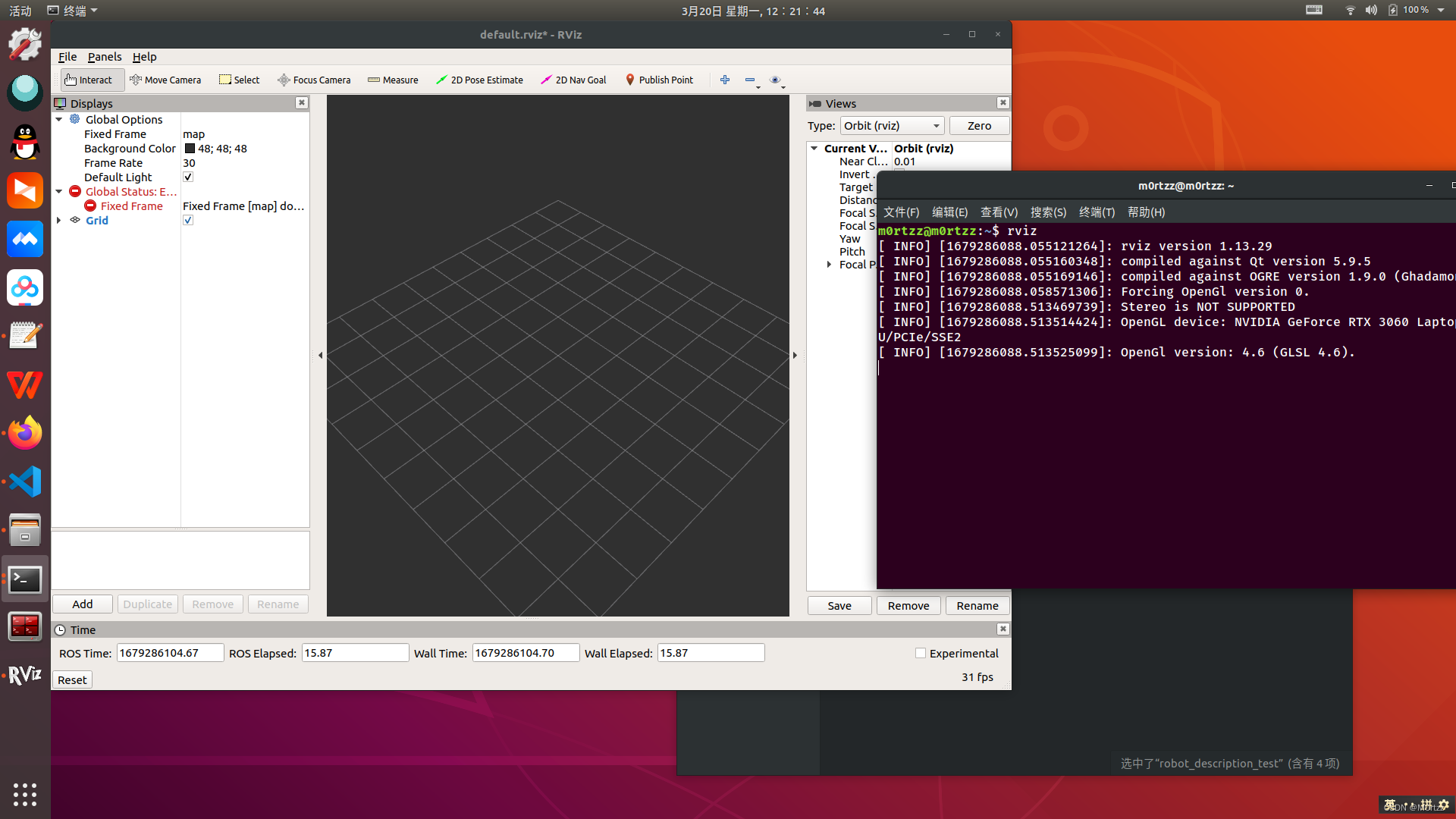
将 Fixed Frame设置为base_footprint: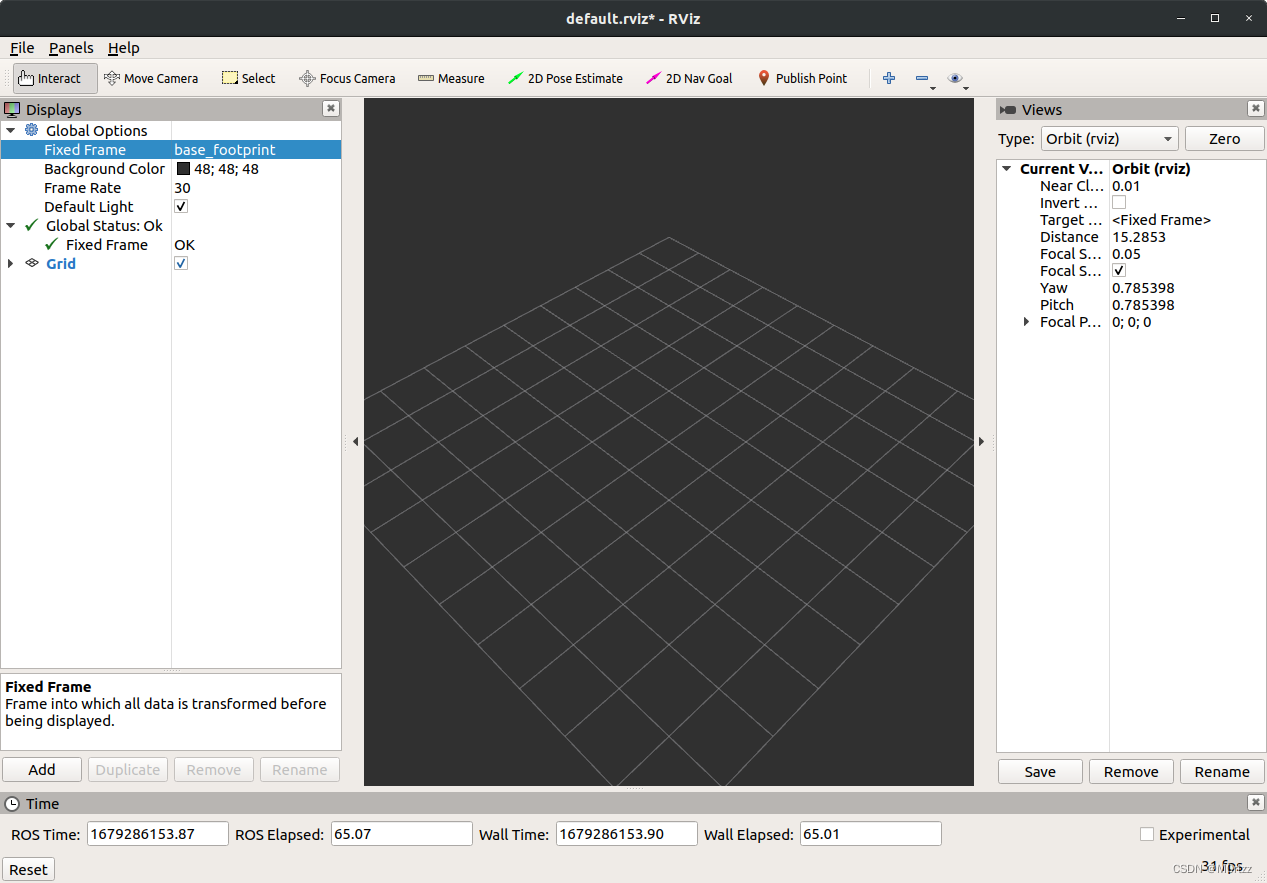
Add一个RobotModel: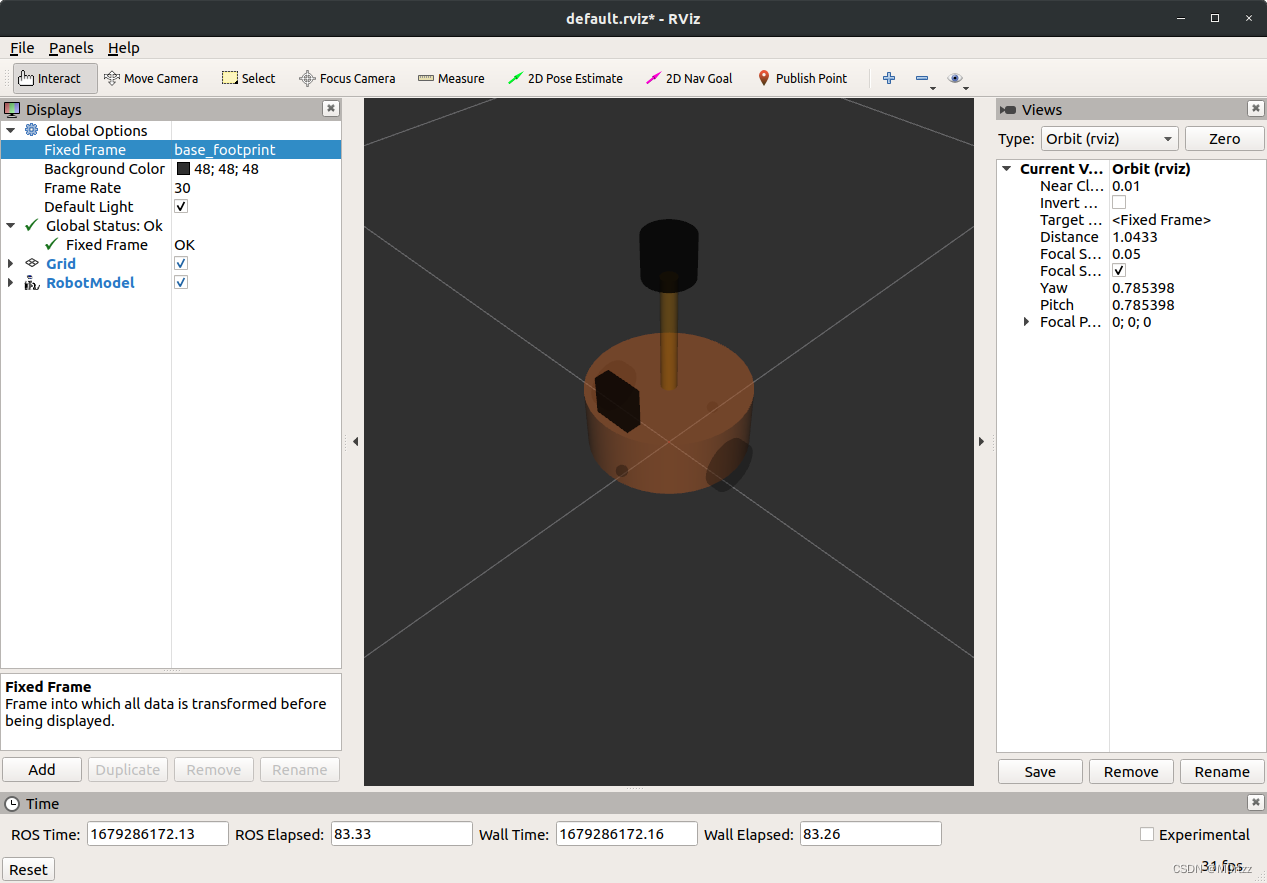
Add一个TF:
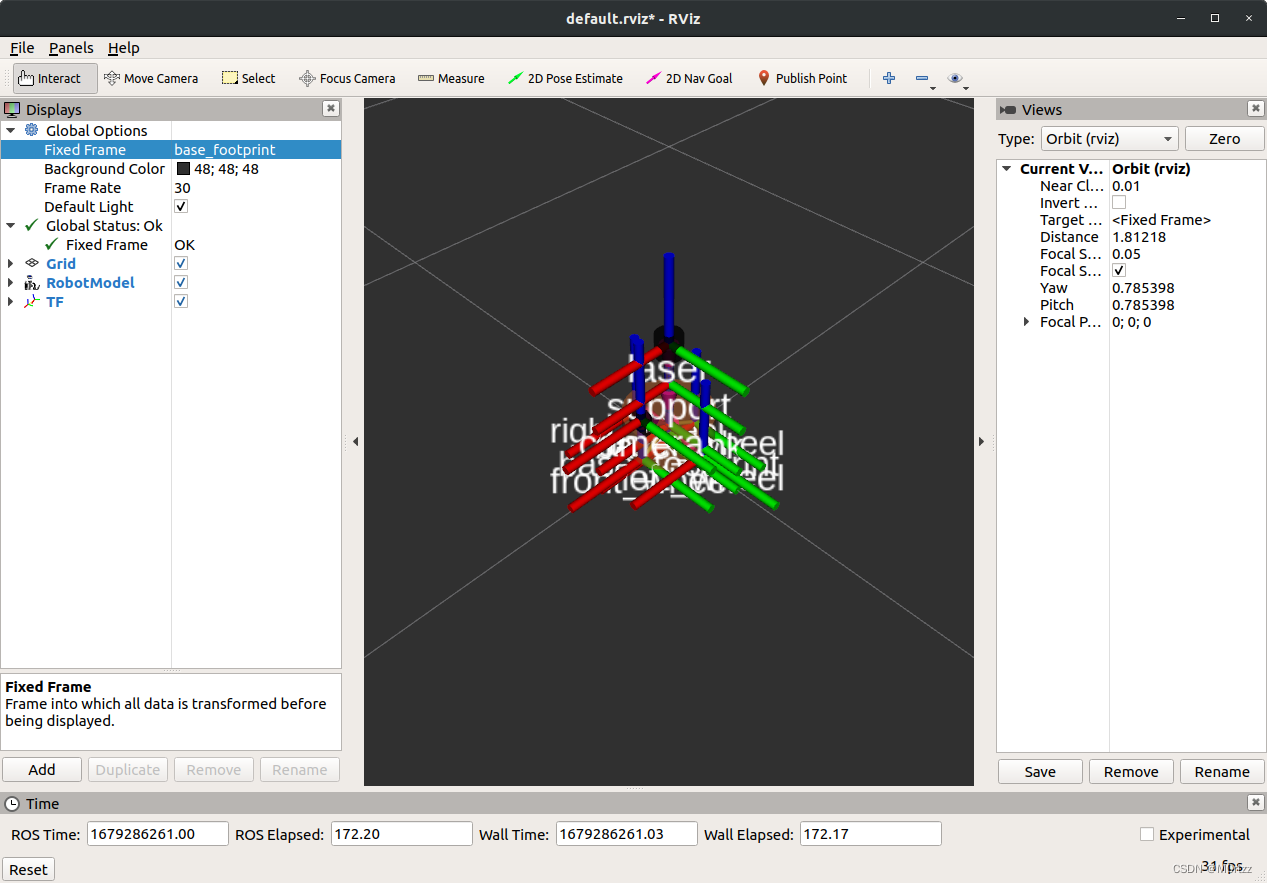
cd src/entity_test/ && mkdir launch && cd launch/
touch gmapping.launch && code gmapping.launch将下列代码粘贴进去:
- <!-- File Name : gmapping.launch -->
-
- <launch>
- <node pkg="gmapping" type="slam_gmapping" name="slam_gmapping" output="screen">
- <remap from="scan" to="scan"/>
- <param name="base_frame" value="base_footprint"/><!--底盘坐标系-->
- <param name="odom_frame" value="odom"/> <!--里程计坐标系-->
- <param name="map_update_interval" value="5.0"/>
- <param name="maxUrange" value="16.0"/>
- <param name="sigma" value="0.05"/>
- <param name="kernelSize" value="1"/>
- <param name="lstep" value="0.05"/>
- <param name="astep" value="0.05"/>
- <param name="iterations" value="5"/>
- <param name="lsigma" value="0.075"/>
- <param name="ogain" value="3.0"/>
- <param name="lskip" value="0"/>
- <param name="srr" value="0.1"/>
- <param name="srt" value="0.2"/>
- <param name="str" value="0.1"/>
- <param name="stt" value="0.2"/>
- <param name="linearUpdate" value="1.0"/>
- <param name="angularUpdate" value="0.5"/>
- <param name="temporalUpdate" value="3.0"/>
- <param name="resampleThreshold" value="0.5"/>
- <param name="particles" value="30"/>
- <param name="xmin" value="-50.0"/>
- <param name="ymin" value="-50.0"/>
- <param name="xmax" value="50.0"/>
- <param name="ymax" value="50.0"/>
- <param name="delta" value="0.05"/>
- <param name="llsamplerange" value="0.01"/>
- <param name="llsamplestep" value="0.01"/>
- <param name="lasamplerange" value="0.005"/>
- <param name="lasamplestep" value="0.005"/>
- </node>
- </launch>
cd .. && mkdir mapcd launch && touch map_save.launch && code map_save.launch
将下列代码粘贴进去:
- <!-- File Name : map_save.launch -->
-
- <launch>
- <arg name="filename" value="$(find entity_test)/map/nav" />
- <node name="map_save" pkg="map_server" type="map_saver" args="-f $(arg filename)" />
- </launch>
touch map_server.launch && code map_server.launch 将下列代码粘贴进去:
- <!-- File Name : map_server.launch -->
-
- <launch>
- <!-- 设置地图的配置文件 -->
- <arg name="map" default="nav.yaml" />
- <!-- 运行地图服务器,并且加载设置的地图-->
- <node name="map_server" pkg="map_server" type="map_server" args="$(find entity_test)/map/$(arg map)"/>
- </launch>
touch amcl.launch && code amcl.launch 将下列代码粘贴进去:
- <!-- File Name : amcl.launch -->
-
- <launch>
- <node pkg="amcl" type="amcl" name="amcl" output="screen">
- <!-- Publish scans from best pose at a max of 10 Hz -->
- <param name="odom_model_type" value="diff"/><!-- 里程计模式为差分 -->
- <param name="odom_alpha5" value="0.1"/>
- <param name="transform_tolerance" value="0.2" />
- <param name="gui_publish_rate" value="10.0"/>
- <param name="laser_max_beams" value="30"/>
- <param name="min_particles" value="500"/>
- <param name="max_particles" value="5000"/>
- <param name="kld_err" value="0.05"/>
- <param name="kld_z" value="0.99"/>
- <param name="odom_alpha1" value="0.2"/>
- <param name="odom_alpha2" value="0.2"/>
- <!-- translation std dev, m -->
- <param name="odom_alpha3" value="0.8"/>
- <param name="odom_alpha4" value="0.2"/>
- <param name="laser_z_hit" value="0.5"/>
- <param name="laser_z_short" value="0.05"/>
- <param name="laser_z_max" value="0.05"/>
- <param name="laser_z_rand" value="0.5"/>
- <param name="laser_sigma_hit" value="0.2"/>
- <param name="laser_lambda_short" value="0.1"/>
- <param name="laser_lambda_short" value="0.1"/>
- <param name="laser_model_type" value="likelihood_field"/>
- <!-- <param name="laser_model_type" value="beam"/> -->
- <param name="laser_likelihood_max_dist" value="2.0"/>
- <param name="update_min_d" value="0.2"/>
- <param name="update_min_a" value="0.5"/>
-
- <param name="odom_frame_id" value="odom"/><!-- 里程计坐标系 -->
- <param name="base_frame_id" value="base_footprint"/><!-- 添加机器人基坐标系 -->
- <param name="global_frame_id" value="map"/><!-- 添加地图坐标系 -->
-
- </node>
- </launch>
cd .. && mkdir param && cd param/ && touch {costmap_common_params.yaml,local_costmap_params.yaml,global_costmap_params.yaml,base_local_planner_params.yaml} && code . 将下列几个代码分别粘贴进去:
- # File Name : global_costmap_params.yaml
-
- global_costmap:
- global_frame: map #地图坐标系
- robot_base_frame: base_footprint #机器人坐标系
- # 以此实现坐标变换
-
- update_frequency: 1.0 #代价地图更新频率
- publish_frequency: 1.0 #代价地图的发布频率
- transform_tolerance: 0.5 #等待坐标变换发布信息的超时时间
-
- static_map: true # 是否使用一个地图或者地图服务器来初始化全局代价地图,如果不使用静态地图,这个参数为false.
- # File Name : local_costmap_params.yaml
-
- local_costmap:
- global_frame: odom #里程计坐标系
- robot_base_frame: base_footprint #机器人坐标系
-
- update_frequency: 10.0 #代价地图更新频率
- publish_frequency: 10.0 #代价地图的发布频率
- transform_tolerance: 0.5 #等待坐标变换发布信息的超时时间
-
- static_map: false #不需要静态地图,可以提升导航效果
- rolling_window: true #是否使用动态窗口,默认为false,在静态的全局地图中,地图不会变化
- width: 3 # 局部地图宽度 单位是 m
- height: 3 # 局部地图高度 单位是 m
- resolution: 0.05 # 局部地图分辨率 单位是 m,一般与静态地图分辨率保持一致
cd ../launch && touch move_base.launch && code move_base.launch将下列代码粘贴进去:
- <!-- File Name : move_base.launch -->
-
- <launch>
-
- <node pkg="move_base" type="move_base" respawn="false" name="move_base" output="screen" clear_params="true">
- <rosparam file="$(find nav)/param/costmap_common_params.yaml" command="load" ns="global_costmap" />
- <rosparam file="$(find nav)/param/costmap_common_params.yaml" command="load" ns="local_costmap" />
- <rosparam file="$(find nav)/param/local_costmap_params.yaml" command="load" />
- <rosparam file="$(find nav)/param/global_costmap_params.yaml" command="load" />
- <rosparam file="$(find nav)/param/base_local_planner_params.yaml" command="load" />
- </node>
-
- </launch>
touch auto_slam.launch && code auto_slam.launch将下列代码粘贴进去:
- <!-- File Name : auto_slam.launch -->
-
- <launch>
- <!-- 启动SLAM节点 -->
- <include file="$(find entity_test)/launch/gmapping.launch" />
- <!-- 运行move_base节点 -->
- <include file="$(find entity_test)/launch/move_base.launch" />
- </launch>
23.安装配置caffe
Reference:
- sudo apt-get install libprotobuf-dev libleveldb-dev libsnappy-dev libopencv-dev libhdf5-serial-dev protobuf-compiler
- sudo apt-get install --no-install-recommends libboost-all-dev
- sudo apt-get install libatlas-base-dev
- sudo apt-get install python-dev
- sudo apt-get install libgflags-dev libgoogle-glog-dev liblmdb-dev
git clone https://gitee.com/quietbirds/caffe.git caffecd caffe/ && sudo cp Makefile.config.example Makefile.config
sudo gedit Makefile.config- ## Refer to http://caffe.berkeleyvision.org/installation.html
- # Contributions simplifying and improving our build system are welcome!
-
- # cuDNN acceleration switch (uncomment to build with cuDNN).
- USE_CUDNN := 1
-
- # CPU-only switch (uncomment to build without GPU support).
- # CPU_ONLY := 1
-
- # uncomment to disable IO dependencies and corresponding data layers
- # USE_OPENCV := 0
- # USE_LEVELDB := 0
- # USE_LMDB := 0
- # This code is taken from https://github.com/sh1r0/caffe-android-lib
- # USE_HDF5 := 0
-
- # uncomment to allow MDB_NOLOCK when reading LMDB files (only if necessary)
- # You should not set this flag if you will be reading LMDBs with any
- # possibility of simultaneous read and write
- # ALLOW_LMDB_NOLOCK := 1
-
- # Uncomment if you're using OpenCV 3
- OPENCV_VERSION := 3
-
- # To customize your choice of compiler, uncomment and set the following.
- # N.B. the default for Linux is g++ and the default for OSX is clang++
- CUSTOM_CXX := g++
-
- # CUDA directory contains bin/ and lib/ directories that we need.
- CUDA_DIR := /usr/local/cuda
- # On Ubuntu 14.04, if cuda tools are installed via
- # "sudo apt-get install nvidia-cuda-toolkit" then use this instead:
- # CUDA_DIR := /usr
-
- # CUDA architecture setting: going with all of them.
- # For CUDA < 6.0, comment the *_50 through *_61 lines for compatibility.
- # For CUDA < 8.0, comment the *_60 and *_61 lines for compatibility.
- # For CUDA >= 9.0, comment the *_20 and *_21 lines for compatibility.
- CUDA_ARCH := #-gencode arch=compute_20,code=sm_20 \
- #-gencode arch=compute_20,code=sm_21 \
- #-gencode arch=compute_30,code=sm_30 \
- -gencode arch=compute_35,code=sm_35 \
- -gencode arch=compute_50,code=sm_50 \
- -gencode arch=compute_52,code=sm_52 \
- -gencode arch=compute_60,code=sm_60 \
- -gencode arch=compute_61,code=sm_61 \
- -gencode arch=compute_61,code=compute_61
-
- # BLAS choice:
- # atlas for ATLAS (default)
- # mkl for MKL
- # open for OpenBlas
- BLAS := open
- # Custom (MKL/ATLAS/OpenBLAS) include and lib directories.
- # Leave commented to accept the defaults for your choice of BLAS
- # (which should work)!
- # BLAS_INCLUDE := /path/to/your/blas
- # BLAS_LIB := /path/to/your/blas
-
- # Homebrew puts openblas in a directory that is not on the standard search path
- # BLAS_INCLUDE := $(shell brew --prefix openblas)/include
- # BLAS_LIB := $(shell brew --prefix openblas)/lib
-
- # This is required only if you will compile the matlab interface.
- # MATLAB directory should contain the mex binary in /bin.
- # MATLAB_DIR := /usr/local
- # MATLAB_DIR := /Applications/MATLAB_R2012b.app
-
- # NOTE: this is required only if you will compile the python interface.
- # We need to be able to find Python.h and numpy/arrayobject.h.
- PYTHON_INCLUDE := /usr/include/python2.7 \
- /usr/lib/python2.7/dist-packages/numpy/core/include
- # Anaconda Python distribution is quite popular. Include path:
- # Verify anaconda location, sometimes it's in root.
- # ANACONDA_HOME := $(HOME)/anaconda
- # PYTHON_INCLUDE := $(ANACONDA_HOME)/include \
- # $(ANACONDA_HOME)/include/python2.7 \
- # $(ANACONDA_HOME)/lib/python2.7/site-packages/numpy/core/include
-
- # Uncomment to use Python 3 (default is Python 2)
- PYTHON_LIBRARIES := boost_python3 python3.6m
- PYTHON_INCLUDE := /usr/include/python3.6m \
- /usr/lib/python3.6/dist-packages/numpy/core/include
-
- # We need to be able to find libpythonX.X.so or .dylib.
- PYTHON_LIB := /usr/lib
- # PYTHON_LIB := $(ANACONDA_HOME)/lib
-
- # Homebrew installs numpy in a non standard path (keg only)
- # PYTHON_INCLUDE += $(dir $(shell python -c 'import numpy.core; print(numpy.core.__file__)'))/include
- # PYTHON_LIB += $(shell brew --prefix numpy)/lib
-
- # Uncomment to support layers written in Python (will link against Python libs)
- WITH_PYTHON_LAYER := 1
-
- # Whatever else you find you need goes here.
- INCLUDE_DIRS := $(PYTHON_INCLUDE) /usr/local/include /usr/include/hdf5/serial/
- LIBRARY_DIRS := $(PYTHON_LIB) /usr/local/lib /usr/lib /usr/lib/x86_64-linux-gnu/hdf5/serial/
-
- # If Homebrew is installed at a non standard location (for example your home directory) and you use it for general dependencies
- # INCLUDE_DIRS += $(shell brew --prefix)/include
- # LIBRARY_DIRS += $(shell brew --prefix)/lib
-
- # NCCL acceleration switch (uncomment to build with NCCL)
- # https://github.com/NVIDIA/nccl (last tested version: v1.2.3-1+cuda8.0)
- # USE_NCCL := 1
-
- # Uncomment to use `pkg-config` to specify OpenCV library paths.
- # (Usually not necessary -- OpenCV libraries are normally installed in one of the above $LIBRARY_DIRS.)
- # USE_PKG_CONFIG := 1
-
- # N.B. both build and distribute dirs are cleared on `make clean`
- BUILD_DIR := build
- DISTRIBUTE_DIR := distribute
-
- # Uncomment for debugging. Does not work on OSX due to https://github.com/BVLC/caffe/issues/171
- # DEBUG := 1
-
- # The ID of the GPU that 'make runtest' will use to run unit tests.
- TEST_GPUID := 0
-
- # enable pretty build (comment to see full commands)
- Q ?= @
sudo gedit Makefile- PROJECT := caffe
-
- CONFIG_FILE := Makefile.config
- # Explicitly check for the config file, otherwise make -k will proceed anyway.
- ifeq ($(wildcard $(CONFIG_FILE)),)
- $(error $(CONFIG_FILE) not found. See $(CONFIG_FILE).example.)
- endif
- include $(CONFIG_FILE)
-
- BUILD_DIR_LINK := $(BUILD_DIR)
- ifeq ($(RELEASE_BUILD_DIR),)
- RELEASE_BUILD_DIR := .$(BUILD_DIR)_release
- endif
- ifeq ($(DEBUG_BUILD_DIR),)
- DEBUG_BUILD_DIR := .$(BUILD_DIR)_debug
- endif
-
- DEBUG ?= 0
- ifeq ($(DEBUG), 1)
- BUILD_DIR := $(DEBUG_BUILD_DIR)
- OTHER_BUILD_DIR := $(RELEASE_BUILD_DIR)
- else
- BUILD_DIR := $(RELEASE_BUILD_DIR)
- OTHER_BUILD_DIR := $(DEBUG_BUILD_DIR)
- endif
-
- # All of the directories containing code.
- SRC_DIRS := $(shell find * -type d -exec bash -c "find {} -maxdepth 1 \
- \( -name '*.cpp' -o -name '*.proto' \) | grep -q ." \; -print)
-
- # The target shared library name
- LIBRARY_NAME := $(PROJECT)
- LIB_BUILD_DIR := $(BUILD_DIR)/lib
- STATIC_NAME := $(LIB_BUILD_DIR)/lib$(LIBRARY_NAME).a
- DYNAMIC_VERSION_MAJOR := 1
- DYNAMIC_VERSION_MINOR := 0
- DYNAMIC_VERSION_REVISION := 0
- DYNAMIC_NAME_SHORT := lib$(LIBRARY_NAME).so
- #DYNAMIC_SONAME_SHORT := $(DYNAMIC_NAME_SHORT).$(DYNAMIC_VERSION_MAJOR)
- DYNAMIC_VERSIONED_NAME_SHORT := $(DYNAMIC_NAME_SHORT).$(DYNAMIC_VERSION_MAJOR).$(DYNAMIC_VERSION_MINOR).$(DYNAMIC_VERSION_REVISION)
- DYNAMIC_NAME := $(LIB_BUILD_DIR)/$(DYNAMIC_VERSIONED_NAME_SHORT)
- COMMON_FLAGS += -DCAFFE_VERSION=$(DYNAMIC_VERSION_MAJOR).$(DYNAMIC_VERSION_MINOR).$(DYNAMIC_VERSION_REVISION)
-
- ##############################
- # Get all source files
- ##############################
- # CXX_SRCS are the source files excluding the test ones.
- CXX_SRCS := $(shell find src/$(PROJECT) ! -name "test_*.cpp" -name "*.cpp")
- # CU_SRCS are the cuda source files
- CU_SRCS := $(shell find src/$(PROJECT) ! -name "test_*.cu" -name "*.cu")
- # TEST_SRCS are the test source files
- TEST_MAIN_SRC := src/$(PROJECT)/test/test_caffe_main.cpp
- TEST_SRCS := $(shell find src/$(PROJECT) -name "test_*.cpp")
- TEST_SRCS := $(filter-out $(TEST_MAIN_SRC), $(TEST_SRCS))
- TEST_CU_SRCS := $(shell find src/$(PROJECT) -name "test_*.cu")
- GTEST_SRC := src/gtest/gtest-all.cpp
- # TOOL_SRCS are the source files for the tool binaries
- TOOL_SRCS := $(shell find tools -name "*.cpp")
- # EXAMPLE_SRCS are the source files for the example binaries
- EXAMPLE_SRCS := $(shell find examples -name "*.cpp")
- # BUILD_INCLUDE_DIR contains any generated header files we want to include.
- BUILD_INCLUDE_DIR := $(BUILD_DIR)/src
- # PROTO_SRCS are the protocol buffer definitions
- PROTO_SRC_DIR := src/$(PROJECT)/proto
- PROTO_SRCS := $(wildcard $(PROTO_SRC_DIR)/*.proto)
- # PROTO_BUILD_DIR will contain the .cc and obj files generated from
- # PROTO_SRCS; PROTO_BUILD_INCLUDE_DIR will contain the .h header files
- PROTO_BUILD_DIR := $(BUILD_DIR)/$(PROTO_SRC_DIR)
- PROTO_BUILD_INCLUDE_DIR := $(BUILD_INCLUDE_DIR)/$(PROJECT)/proto
- # NONGEN_CXX_SRCS includes all source/header files except those generated
- # automatically (e.g., by proto).
- NONGEN_CXX_SRCS := $(shell find \
- src/$(PROJECT) \
- include/$(PROJECT) \
- python/$(PROJECT) \
- matlab/+$(PROJECT)/private \
- examples \
- tools \
- -name "*.cpp" -or -name "*.hpp" -or -name "*.cu" -or -name "*.cuh")
- LINT_SCRIPT := scripts/cpp_lint.py
- LINT_OUTPUT_DIR := $(BUILD_DIR)/.lint
- LINT_EXT := lint.txt
- LINT_OUTPUTS := $(addsuffix .$(LINT_EXT), $(addprefix $(LINT_OUTPUT_DIR)/, $(NONGEN_CXX_SRCS)))
- EMPTY_LINT_REPORT := $(BUILD_DIR)/.$(LINT_EXT)
- NONEMPTY_LINT_REPORT := $(BUILD_DIR)/$(LINT_EXT)
- # PY$(PROJECT)_SRC is the python wrapper for $(PROJECT)
- PY$(PROJECT)_SRC := python/$(PROJECT)/_$(PROJECT).cpp
- PY$(PROJECT)_SO := python/$(PROJECT)/_$(PROJECT).so
- PY$(PROJECT)_HXX := include/$(PROJECT)/layers/python_layer.hpp
- # MAT$(PROJECT)_SRC is the mex entrance point of matlab package for $(PROJECT)
- MAT$(PROJECT)_SRC := matlab/+$(PROJECT)/private/$(PROJECT)_.cpp
- ifneq ($(MATLAB_DIR),)
- MAT_SO_EXT := $(shell $(MATLAB_DIR)/bin/mexext)
- endif
- MAT$(PROJECT)_SO := matlab/+$(PROJECT)/private/$(PROJECT)_.$(MAT_SO_EXT)
-
- ##############################
- # Derive generated files
- ##############################
- # The generated files for protocol buffers
- PROTO_GEN_HEADER_SRCS := $(addprefix $(PROTO_BUILD_DIR)/, \
- $(notdir ${PROTO_SRCS:.proto=.pb.h}))
- PROTO_GEN_HEADER := $(addprefix $(PROTO_BUILD_INCLUDE_DIR)/, \
- $(notdir ${PROTO_SRCS:.proto=.pb.h}))
- PROTO_GEN_CC := $(addprefix $(BUILD_DIR)/, ${PROTO_SRCS:.proto=.pb.cc})
- PY_PROTO_BUILD_DIR := python/$(PROJECT)/proto
- PY_PROTO_INIT := python/$(PROJECT)/proto/__init__.py
- PROTO_GEN_PY := $(foreach file,${PROTO_SRCS:.proto=_pb2.py}, \
- $(PY_PROTO_BUILD_DIR)/$(notdir $(file)))
- # The objects corresponding to the source files
- # These objects will be linked into the final shared library, so we
- # exclude the tool, example, and test objects.
- CXX_OBJS := $(addprefix $(BUILD_DIR)/, ${CXX_SRCS:.cpp=.o})
- CU_OBJS := $(addprefix $(BUILD_DIR)/cuda/, ${CU_SRCS:.cu=.o})
- PROTO_OBJS := ${PROTO_GEN_CC:.cc=.o}
- OBJS := $(PROTO_OBJS) $(CXX_OBJS) $(CU_OBJS)
- # tool, example, and test objects
- TOOL_OBJS := $(addprefix $(BUILD_DIR)/, ${TOOL_SRCS:.cpp=.o})
- TOOL_BUILD_DIR := $(BUILD_DIR)/tools
- TEST_CXX_BUILD_DIR := $(BUILD_DIR)/src/$(PROJECT)/test
- TEST_CU_BUILD_DIR := $(BUILD_DIR)/cuda/src/$(PROJECT)/test
- TEST_CXX_OBJS := $(addprefix $(BUILD_DIR)/, ${TEST_SRCS:.cpp=.o})
- TEST_CU_OBJS := $(addprefix $(BUILD_DIR)/cuda/, ${TEST_CU_SRCS:.cu=.o})
- TEST_OBJS := $(TEST_CXX_OBJS) $(TEST_CU_OBJS)
- GTEST_OBJ := $(addprefix $(BUILD_DIR)/, ${GTEST_SRC:.cpp=.o})
- EXAMPLE_OBJS := $(addprefix $(BUILD_DIR)/, ${EXAMPLE_SRCS:.cpp=.o})
- # Output files for automatic dependency generation
- DEPS := ${CXX_OBJS:.o=.d} ${CU_OBJS:.o=.d} ${TEST_CXX_OBJS:.o=.d} \
- ${TEST_CU_OBJS:.o=.d} $(BUILD_DIR)/${MAT$(PROJECT)_SO:.$(MAT_SO_EXT)=.d}
- # tool, example, and test bins
- TOOL_BINS := ${TOOL_OBJS:.o=.bin}
- EXAMPLE_BINS := ${EXAMPLE_OBJS:.o=.bin}
- # symlinks to tool bins without the ".bin" extension
- TOOL_BIN_LINKS := ${TOOL_BINS:.bin=}
- # Put the test binaries in build/test for convenience.
- TEST_BIN_DIR := $(BUILD_DIR)/test
- TEST_CU_BINS := $(addsuffix .testbin,$(addprefix $(TEST_BIN_DIR)/, \
- $(foreach obj,$(TEST_CU_OBJS),$(basename $(notdir $(obj))))))
- TEST_CXX_BINS := $(addsuffix .testbin,$(addprefix $(TEST_BIN_DIR)/, \
- $(foreach obj,$(TEST_CXX_OBJS),$(basename $(notdir $(obj))))))
- TEST_BINS := $(TEST_CXX_BINS) $(TEST_CU_BINS)
- # TEST_ALL_BIN is the test binary that links caffe dynamically.
- TEST_ALL_BIN := $(TEST_BIN_DIR)/test_all.testbin
-
- ##############################
- # Derive compiler warning dump locations
- ##############################
- WARNS_EXT := warnings.txt
- CXX_WARNS := $(addprefix $(BUILD_DIR)/, ${CXX_SRCS:.cpp=.o.$(WARNS_EXT)})
- CU_WARNS := $(addprefix $(BUILD_DIR)/cuda/, ${CU_SRCS:.cu=.o.$(WARNS_EXT)})
- TOOL_WARNS := $(addprefix $(BUILD_DIR)/, ${TOOL_SRCS:.cpp=.o.$(WARNS_EXT)})
- EXAMPLE_WARNS := $(addprefix $(BUILD_DIR)/, ${EXAMPLE_SRCS:.cpp=.o.$(WARNS_EXT)})
- TEST_WARNS := $(addprefix $(BUILD_DIR)/, ${TEST_SRCS:.cpp=.o.$(WARNS_EXT)})
- TEST_CU_WARNS := $(addprefix $(BUILD_DIR)/cuda/, ${TEST_CU_SRCS:.cu=.o.$(WARNS_EXT)})
- ALL_CXX_WARNS := $(CXX_WARNS) $(TOOL_WARNS) $(EXAMPLE_WARNS) $(TEST_WARNS)
- ALL_CU_WARNS := $(CU_WARNS) $(TEST_CU_WARNS)
- ALL_WARNS := $(ALL_CXX_WARNS) $(ALL_CU_WARNS)
-
- EMPTY_WARN_REPORT := $(BUILD_DIR)/.$(WARNS_EXT)
- NONEMPTY_WARN_REPORT := $(BUILD_DIR)/$(WARNS_EXT)
-
- ##############################
- # Derive include and lib directories
- ##############################
- CUDA_INCLUDE_DIR := $(CUDA_DIR)/include
-
- CUDA_LIB_DIR :=
- # add <cuda>/lib64 only if it exists
- ifneq ("$(wildcard $(CUDA_DIR)/lib64)","")
- CUDA_LIB_DIR += $(CUDA_DIR)/lib64
- endif
- CUDA_LIB_DIR += $(CUDA_DIR)/lib
-
- INCLUDE_DIRS += $(BUILD_INCLUDE_DIR) ./src ./include
- ifneq ($(CPU_ONLY), 1)
- INCLUDE_DIRS += $(CUDA_INCLUDE_DIR)
- LIBRARY_DIRS += $(CUDA_LIB_DIR)
- LIBRARIES := cudart cublas curand
- endif
-
- LIBRARIES += glog gflags protobuf boost_system boost_filesystem m hdf5_serial_hl hdf5_serial
-
- # handle IO dependencies
- USE_LEVELDB ?= 1
- USE_LMDB ?= 1
- # This code is taken from https://github.com/sh1r0/caffe-android-lib
- USE_HDF5 ?= 1
- USE_OPENCV ?= 1
-
- ifeq ($(USE_LEVELDB), 1)
- LIBRARIES += leveldb snappy
- endif
- ifeq ($(USE_LMDB), 1)
- LIBRARIES += lmdb
- endif
- # This code is taken from https://github.com/sh1r0/caffe-android-lib
- ifeq ($(USE_HDF5), 1)
- LIBRARIES += hdf5_hl hdf5
- endif
- ifeq ($(USE_OPENCV), 1)
- LIBRARIES += opencv_core opencv_highgui opencv_imgproc
-
- ifeq ($(OPENCV_VERSION), 3)
- LIBRARIES += opencv_imgcodecs
- endif
-
- endif
- PYTHON_LIBRARIES ?= boost_python python2.7
- WARNINGS := -Wall -Wno-sign-compare
-
- ##############################
- # Set build directories
- ##############################
-
- DISTRIBUTE_DIR ?= distribute
- DISTRIBUTE_SUBDIRS := $(DISTRIBUTE_DIR)/bin $(DISTRIBUTE_DIR)/lib
- DIST_ALIASES := dist
- ifneq ($(strip $(DISTRIBUTE_DIR)),distribute)
- DIST_ALIASES += distribute
- endif
-
- ALL_BUILD_DIRS := $(sort $(BUILD_DIR) $(addprefix $(BUILD_DIR)/, $(SRC_DIRS)) \
- $(addprefix $(BUILD_DIR)/cuda/, $(SRC_DIRS)) \
- $(LIB_BUILD_DIR) $(TEST_BIN_DIR) $(PY_PROTO_BUILD_DIR) $(LINT_OUTPUT_DIR) \
- $(DISTRIBUTE_SUBDIRS) $(PROTO_BUILD_INCLUDE_DIR))
-
- ##############################
- # Set directory for Doxygen-generated documentation
- ##############################
- DOXYGEN_CONFIG_FILE ?= ./.Doxyfile
- # should be the same as OUTPUT_DIRECTORY in the .Doxyfile
- DOXYGEN_OUTPUT_DIR ?= ./doxygen
- DOXYGEN_COMMAND ?= doxygen
- # All the files that might have Doxygen documentation.
- DOXYGEN_SOURCES := $(shell find \
- src/$(PROJECT) \
- include/$(PROJECT) \
- python/ \
- matlab/ \
- examples \
- tools \
- -name "*.cpp" -or -name "*.hpp" -or -name "*.cu" -or -name "*.cuh" -or \
- -name "*.py" -or -name "*.m")
- DOXYGEN_SOURCES += $(DOXYGEN_CONFIG_FILE)
-
-
- ##############################
- # Configure build
- ##############################
-
- # Determine platform
- UNAME := $(shell uname -s)
- ifeq ($(UNAME), Linux)
- LINUX := 1
- else ifeq ($(UNAME), Darwin)
- OSX := 1
- OSX_MAJOR_VERSION := $(shell sw_vers -productVersion | cut -f 1 -d .)
- OSX_MINOR_VERSION := $(shell sw_vers -productVersion | cut -f 2 -d .)
- endif
-
- # Linux
- ifeq ($(LINUX), 1)
- CXX ?= /usr/bin/g++
- GCCVERSION := $(shell $(CXX) -dumpversion | cut -f1,2 -d.)
- # older versions of gcc are too dumb to build boost with -Wuninitalized
- ifeq ($(shell echo | awk '{exit $(GCCVERSION) < 4.6;}'), 1)
- WARNINGS += -Wno-uninitialized
- endif
- # boost::thread is reasonably called boost_thread (compare OS X)
- # We will also explicitly add stdc++ to the link target.
- LIBRARIES += boost_thread stdc++
- VERSIONFLAGS += -Wl,-soname,$(DYNAMIC_VERSIONED_NAME_SHORT) -Wl,-rpath,$(ORIGIN)/../lib
- endif
-
- # OS X:
- # clang++ instead of g++
- # libstdc++ for NVCC compatibility on OS X >= 10.9 with CUDA < 7.0
- ifeq ($(OSX), 1)
- CXX := /usr/bin/clang++
- ifneq ($(CPU_ONLY), 1)
- CUDA_VERSION := $(shell $(CUDA_DIR)/bin/nvcc -V | grep -o 'release [0-9.]*' | tr -d '[a-z ]')
- ifeq ($(shell echo | awk '{exit $(CUDA_VERSION) < 7.0;}'), 1)
- CXXFLAGS += -stdlib=libstdc++
- LINKFLAGS += -stdlib=libstdc++
- endif
- # clang throws this warning for cuda headers
- WARNINGS += -Wno-unneeded-internal-declaration
- # 10.11 strips DYLD_* env vars so link CUDA (rpath is available on 10.5+)
- OSX_10_OR_LATER := $(shell [ $(OSX_MAJOR_VERSION) -ge 10 ] && echo true)
- OSX_10_5_OR_LATER := $(shell [ $(OSX_MINOR_VERSION) -ge 5 ] && echo true)
- ifeq ($(OSX_10_OR_LATER),true)
- ifeq ($(OSX_10_5_OR_LATER),true)
- LDFLAGS += -Wl,-rpath,$(CUDA_LIB_DIR)
- endif
- endif
- endif
- # gtest needs to use its own tuple to not conflict with clang
- COMMON_FLAGS += -DGTEST_USE_OWN_TR1_TUPLE=1
- # boost::thread is called boost_thread-mt to mark multithreading on OS X
- LIBRARIES += boost_thread-mt
- # we need to explicitly ask for the rpath to be obeyed
- ORIGIN := @loader_path
- VERSIONFLAGS += -Wl,-install_name,@rpath/$(DYNAMIC_VERSIONED_NAME_SHORT) -Wl,-rpath,$(ORIGIN)/../../build/lib
- else
- ORIGIN := \$$ORIGIN
- endif
-
- # Custom compiler
- ifdef CUSTOM_CXX
- CXX := $(CUSTOM_CXX)
- endif
-
- # Static linking
- ifneq (,$(findstring clang++,$(CXX)))
- STATIC_LINK_COMMAND := -Wl,-force_load $(STATIC_NAME)
- else ifneq (,$(findstring g++,$(CXX)))
- STATIC_LINK_COMMAND := -Wl,--whole-archive $(STATIC_NAME) -Wl,--no-whole-archive
- else
- # The following line must not be indented with a tab, since we are not inside a target
- $(error Cannot static link with the $(CXX) compiler)
- endif
-
- # Debugging
- ifeq ($(DEBUG), 1)
- COMMON_FLAGS += -DDEBUG -g -O0
- NVCCFLAGS += -G
- else
- COMMON_FLAGS += -DNDEBUG -O2
- endif
-
- # cuDNN acceleration configuration.
- ifeq ($(USE_CUDNN), 1)
- LIBRARIES += cudnn
- COMMON_FLAGS += -DUSE_CUDNN
- endif
-
- # NCCL acceleration configuration
- ifeq ($(USE_NCCL), 1)
- LIBRARIES += nccl
- COMMON_FLAGS += -DUSE_NCCL
- endif
-
- # configure IO libraries
- ifeq ($(USE_OPENCV), 1)
- COMMON_FLAGS += -DUSE_OPENCV
- endif
- ifeq ($(USE_LEVELDB), 1)
- COMMON_FLAGS += -DUSE_LEVELDB
- endif
- ifeq ($(USE_LMDB), 1)
- COMMON_FLAGS += -DUSE_LMDB
- ifeq ($(ALLOW_LMDB_NOLOCK), 1)
- COMMON_FLAGS += -DALLOW_LMDB_NOLOCK
- endif
- endif
- # This code is taken from https://github.com/sh1r0/caffe-android-lib
- ifeq ($(USE_HDF5), 1)
- COMMON_FLAGS += -DUSE_HDF5
- endif
-
- # CPU-only configuration
- ifeq ($(CPU_ONLY), 1)
- OBJS := $(PROTO_OBJS) $(CXX_OBJS)
- TEST_OBJS := $(TEST_CXX_OBJS)
- TEST_BINS := $(TEST_CXX_BINS)
- ALL_WARNS := $(ALL_CXX_WARNS)
- TEST_FILTER := --gtest_filter="-*GPU*"
- COMMON_FLAGS += -DCPU_ONLY
- endif
-
- # Python layer support
- ifeq ($(WITH_PYTHON_LAYER), 1)
- COMMON_FLAGS += -DWITH_PYTHON_LAYER
- LIBRARIES += $(PYTHON_LIBRARIES)
- endif
-
- # BLAS configuration (default = ATLAS)
- BLAS ?= atlas
- ifeq ($(BLAS), mkl)
- # MKL
- LIBRARIES += mkl_rt
- COMMON_FLAGS += -DUSE_MKL
- MKLROOT ?= /opt/intel/mkl
- BLAS_INCLUDE ?= $(MKLROOT)/include
- BLAS_LIB ?= $(MKLROOT)/lib $(MKLROOT)/lib/intel64
- else ifeq ($(BLAS), open)
- # OpenBLAS
- LIBRARIES += openblas
- else
- # ATLAS
- ifeq ($(LINUX), 1)
- ifeq ($(BLAS), atlas)
- # Linux simply has cblas and atlas
- LIBRARIES += cblas atlas
- endif
- else ifeq ($(OSX), 1)
- # OS X packages atlas as the vecLib framework
- LIBRARIES += cblas
- # 10.10 has accelerate while 10.9 has veclib
- XCODE_CLT_VER := $(shell pkgutil --pkg-info=com.apple.pkg.CLTools_Executables | grep 'version' | sed 's/[^0-9]*\([0-9]\).*/\1/')
- XCODE_CLT_GEQ_7 := $(shell [ $(XCODE_CLT_VER) -gt 6 ] && echo 1)
- XCODE_CLT_GEQ_6 := $(shell [ $(XCODE_CLT_VER) -gt 5 ] && echo 1)
- ifeq ($(XCODE_CLT_GEQ_7), 1)
- BLAS_INCLUDE ?= /Applications/Xcode.app/Contents/Developer/Platforms/MacOSX.platform/Developer/SDKs/$(shell ls /Applications/Xcode.app/Contents/Developer/Platforms/MacOSX.platform/Developer/SDKs/ | sort | tail -1)/System/Library/Frameworks/Accelerate.framework/Versions/A/Frameworks/vecLib.framework/Versions/A/Headers
- else ifeq ($(XCODE_CLT_GEQ_6), 1)
- BLAS_INCLUDE ?= /System/Library/Frameworks/Accelerate.framework/Versions/Current/Frameworks/vecLib.framework/Headers/
- LDFLAGS += -framework Accelerate
- else
- BLAS_INCLUDE ?= /System/Library/Frameworks/vecLib.framework/Versions/Current/Headers/
- LDFLAGS += -framework vecLib
- endif
- endif
- endif
- INCLUDE_DIRS += $(BLAS_INCLUDE)
- LIBRARY_DIRS += $(BLAS_LIB)
-
- LIBRARY_DIRS += $(LIB_BUILD_DIR)
-
- # Automatic dependency generation (nvcc is handled separately)
- CXXFLAGS += -MMD -MP
-
- # Complete build flags.
- COMMON_FLAGS += $(foreach includedir,$(INCLUDE_DIRS),-I$(includedir))
- CXXFLAGS += -pthread -fPIC $(COMMON_FLAGS) $(WARNINGS)
- NVCCFLAGS += -ccbin=$(CXX) -Xcompiler -fPIC $(COMMON_FLAGS)
- NVCCFLAGS += -D_FORCE_INLINES -ccbin=$(CXX) -Xcompiler -fPIC $(COMMON_FLAGS)
- # mex may invoke an older gcc that is too liberal with -Wuninitalized
- MATLAB_CXXFLAGS := $(CXXFLAGS) -Wno-uninitialized
- LINKFLAGS += -pthread -fPIC $(COMMON_FLAGS) $(WARNINGS)
-
- USE_PKG_CONFIG ?= 0
- ifeq ($(USE_PKG_CONFIG), 1)
- PKG_CONFIG := $(shell pkg-config opencv --libs)
- else
- PKG_CONFIG :=
- endif
- LDFLAGS += $(foreach librarydir,$(LIBRARY_DIRS),-L$(librarydir)) $(PKG_CONFIG) \
- $(foreach library,$(LIBRARIES),-l$(library))
- PYTHON_LDFLAGS := $(LDFLAGS) $(foreach library,$(PYTHON_LIBRARIES),-l$(library))
-
- # 'superclean' target recursively* deletes all files ending with an extension
- # in $(SUPERCLEAN_EXTS) below. This may be useful if you've built older
- # versions of Caffe that do not place all generated files in a location known
- # to the 'clean' target.
- #
- # 'supercleanlist' will list the files to be deleted by make superclean.
- #
- # * Recursive with the exception that symbolic links are never followed, per the
- # default behavior of 'find'.
- SUPERCLEAN_EXTS := .so .a .o .bin .testbin .pb.cc .pb.h _pb2.py .cuo
-
- # Set the sub-targets of the 'everything' target.
- EVERYTHING_TARGETS := all py$(PROJECT) test warn lint
- # Only build matcaffe as part of "everything" if MATLAB_DIR is specified.
- ifneq ($(MATLAB_DIR),)
- EVERYTHING_TARGETS += mat$(PROJECT)
- endif
-
- ##############################
- # Define build targets
- ##############################
- .PHONY: all lib test clean docs linecount lint lintclean tools examples $(DIST_ALIASES) \
- py mat py$(PROJECT) mat$(PROJECT) proto runtest \
- superclean supercleanlist supercleanfiles warn everything
-
- all: lib tools examples
-
- lib: $(STATIC_NAME) $(DYNAMIC_NAME)
-
- everything: $(EVERYTHING_TARGETS)
-
- linecount:
- cloc --read-lang-def=$(PROJECT).cloc \
- src/$(PROJECT) include/$(PROJECT) tools examples \
- python matlab
-
- lint: $(EMPTY_LINT_REPORT)
-
- lintclean:
- @ $(RM) -r $(LINT_OUTPUT_DIR) $(EMPTY_LINT_REPORT) $(NONEMPTY_LINT_REPORT)
-
- docs: $(DOXYGEN_OUTPUT_DIR)
- @ cd ./docs ; ln -sfn ../$(DOXYGEN_OUTPUT_DIR)/html doxygen
-
- $(DOXYGEN_OUTPUT_DIR): $(DOXYGEN_CONFIG_FILE) $(DOXYGEN_SOURCES)
- $(DOXYGEN_COMMAND) $(DOXYGEN_CONFIG_FILE)
-
- $(EMPTY_LINT_REPORT): $(LINT_OUTPUTS) | $(BUILD_DIR)
- @ cat $(LINT_OUTPUTS) > $@
- @ if [ -s "$@" ]; then \
- cat $@; \
- mv $@ $(NONEMPTY_LINT_REPORT); \
- echo "Found one or more lint errors."; \
- exit 1; \
- fi; \
- $(RM) $(NONEMPTY_LINT_REPORT); \
- echo "No lint errors!";
-
- $(LINT_OUTPUTS): $(LINT_OUTPUT_DIR)/%.lint.txt : % $(LINT_SCRIPT) | $(LINT_OUTPUT_DIR)
- @ mkdir -p $(dir $@)
- @ python $(LINT_SCRIPT) $< 2>&1 \
- | grep -v "^Done processing " \
- | grep -v "^Total errors found: 0" \
- > $@ \
- || true
-
- test: $(TEST_ALL_BIN) $(TEST_ALL_DYNLINK_BIN) $(TEST_BINS)
-
- tools: $(TOOL_BINS) $(TOOL_BIN_LINKS)
-
- examples: $(EXAMPLE_BINS)
-
- py$(PROJECT): py
-
- py: $(PY$(PROJECT)_SO) $(PROTO_GEN_PY)
-
- $(PY$(PROJECT)_SO): $(PY$(PROJECT)_SRC) $(PY$(PROJECT)_HXX) | $(DYNAMIC_NAME)
- @ echo CXX/LD -o $@ $<
- $(Q)$(CXX) -shared -o $@ $(PY$(PROJECT)_SRC) \
- -o $@ $(LINKFLAGS) -l$(LIBRARY_NAME) $(PYTHON_LDFLAGS) \
- -Wl,-rpath,$(ORIGIN)/../../build/lib
-
- mat$(PROJECT): mat
-
- mat: $(MAT$(PROJECT)_SO)
-
- $(MAT$(PROJECT)_SO): $(MAT$(PROJECT)_SRC) $(STATIC_NAME)
- @ if [ -z "$(MATLAB_DIR)" ]; then \
- echo "MATLAB_DIR must be specified in $(CONFIG_FILE)" \
- "to build mat$(PROJECT)."; \
- exit 1; \
- fi
- @ echo MEX $<
- $(Q)$(MATLAB_DIR)/bin/mex $(MAT$(PROJECT)_SRC) \
- CXX="$(CXX)" \
- CXXFLAGS="\$$CXXFLAGS $(MATLAB_CXXFLAGS)" \
- CXXLIBS="\$$CXXLIBS $(STATIC_LINK_COMMAND) $(LDFLAGS)" -output $@
- @ if [ -f "$(PROJECT)_.d" ]; then \
- mv -f $(PROJECT)_.d $(BUILD_DIR)/${MAT$(PROJECT)_SO:.$(MAT_SO_EXT)=.d}; \
- fi
-
- runtest: $(TEST_ALL_BIN)
- $(TOOL_BUILD_DIR)/caffe
- $(TEST_ALL_BIN) $(TEST_GPUID) --gtest_shuffle $(TEST_FILTER)
-
- pytest: py
- cd python; python -m unittest discover -s caffe/test
-
- mattest: mat
- cd matlab; $(MATLAB_DIR)/bin/matlab -nodisplay -r 'caffe.run_tests(), exit()'
-
- warn: $(EMPTY_WARN_REPORT)
-
- $(EMPTY_WARN_REPORT): $(ALL_WARNS) | $(BUILD_DIR)
- @ cat $(ALL_WARNS) > $@
- @ if [ -s "$@" ]; then \
- cat $@; \
- mv $@ $(NONEMPTY_WARN_REPORT); \
- echo "Compiler produced one or more warnings."; \
- exit 1; \
- fi; \
- $(RM) $(NONEMPTY_WARN_REPORT); \
- echo "No compiler warnings!";
-
- $(ALL_WARNS): %.o.$(WARNS_EXT) : %.o
-
- $(BUILD_DIR_LINK): $(BUILD_DIR)/.linked
-
- # Create a target ".linked" in this BUILD_DIR to tell Make that the "build" link
- # is currently correct, then delete the one in the OTHER_BUILD_DIR in case it
- # exists and $(DEBUG) is toggled later.
- $(BUILD_DIR)/.linked:
- @ mkdir -p $(BUILD_DIR)
- @ $(RM) $(OTHER_BUILD_DIR)/.linked
- @ $(RM) -r $(BUILD_DIR_LINK)
- @ ln -s $(BUILD_DIR) $(BUILD_DIR_LINK)
- @ touch $@
-
- $(ALL_BUILD_DIRS): | $(BUILD_DIR_LINK)
- @ mkdir -p $@
-
- $(DYNAMIC_NAME): $(OBJS) | $(LIB_BUILD_DIR)
- @ echo LD -o $@
- $(Q)$(CXX) -shared -o $@ $(OBJS) $(VERSIONFLAGS) $(LINKFLAGS) $(LDFLAGS)
- @ cd $(BUILD_DIR)/lib; rm -f $(DYNAMIC_NAME_SHORT); ln -s $(DYNAMIC_VERSIONED_NAME_SHORT) $(DYNAMIC_NAME_SHORT)
-
- $(STATIC_NAME): $(OBJS) | $(LIB_BUILD_DIR)
- @ echo AR -o $@
- $(Q)ar rcs $@ $(OBJS)
-
- $(BUILD_DIR)/%.o: %.cpp $(PROTO_GEN_HEADER) | $(ALL_BUILD_DIRS)
- @ echo CXX $<
- $(Q)$(CXX) $< $(CXXFLAGS) -c -o $@ 2> $@.$(WARNS_EXT) \
- || (cat $@.$(WARNS_EXT); exit 1)
- @ cat $@.$(WARNS_EXT)
-
- $(PROTO_BUILD_DIR)/%.pb.o: $(PROTO_BUILD_DIR)/%.pb.cc $(PROTO_GEN_HEADER) \
- | $(PROTO_BUILD_DIR)
- @ echo CXX $<
- $(Q)$(CXX) $< $(CXXFLAGS) -c -o $@ 2> $@.$(WARNS_EXT) \
- || (cat $@.$(WARNS_EXT); exit 1)
- @ cat $@.$(WARNS_EXT)
-
- $(BUILD_DIR)/cuda/%.o: %.cu | $(ALL_BUILD_DIRS)
- @ echo NVCC $<
- $(Q)$(CUDA_DIR)/bin/nvcc $(NVCCFLAGS) $(CUDA_ARCH) -M $< -o ${@:.o=.d} \
- -odir $(@D)
- $(Q)$(CUDA_DIR)/bin/nvcc $(NVCCFLAGS) $(CUDA_ARCH) -c $< -o $@ 2> $@.$(WARNS_EXT) \
- || (cat $@.$(WARNS_EXT); exit 1)
- @ cat $@.$(WARNS_EXT)
-
- $(TEST_ALL_BIN): $(TEST_MAIN_SRC) $(TEST_OBJS) $(GTEST_OBJ) \
- | $(DYNAMIC_NAME) $(TEST_BIN_DIR)
- @ echo CXX/LD -o $@ $<
- $(Q)$(CXX) $(TEST_MAIN_SRC) $(TEST_OBJS) $(GTEST_OBJ) \
- -o $@ $(LINKFLAGS) $(LDFLAGS) -l$(LIBRARY_NAME) -Wl,-rpath,$(ORIGIN)/../lib
-
- $(TEST_CU_BINS): $(TEST_BIN_DIR)/%.testbin: $(TEST_CU_BUILD_DIR)/%.o \
- $(GTEST_OBJ) | $(DYNAMIC_NAME) $(TEST_BIN_DIR)
- @ echo LD $<
- $(Q)$(CXX) $(TEST_MAIN_SRC) $< $(GTEST_OBJ) \
- -o $@ $(LINKFLAGS) $(LDFLAGS) -l$(LIBRARY_NAME) -Wl,-rpath,$(ORIGIN)/../lib
-
- $(TEST_CXX_BINS): $(TEST_BIN_DIR)/%.testbin: $(TEST_CXX_BUILD_DIR)/%.o \
- $(GTEST_OBJ) | $(DYNAMIC_NAME) $(TEST_BIN_DIR)
- @ echo LD $<
- $(Q)$(CXX) $(TEST_MAIN_SRC) $< $(GTEST_OBJ) \
- -o $@ $(LINKFLAGS) $(LDFLAGS) -l$(LIBRARY_NAME) -Wl,-rpath,$(ORIGIN)/../lib
-
- # Target for extension-less symlinks to tool binaries with extension '*.bin'.
- $(TOOL_BUILD_DIR)/%: $(TOOL_BUILD_DIR)/%.bin | $(TOOL_BUILD_DIR)
- @ $(RM) $@
- @ ln -s $(notdir $<) $@
-
- $(TOOL_BINS): %.bin : %.o | $(DYNAMIC_NAME)
- @ echo CXX/LD -o $@
- $(Q)$(CXX) $< -o $@ $(LINKFLAGS) -l$(LIBRARY_NAME) $(LDFLAGS) \
- -Wl,-rpath,$(ORIGIN)/../lib
-
- $(EXAMPLE_BINS): %.bin : %.o | $(DYNAMIC_NAME)
- @ echo CXX/LD -o $@
- $(Q)$(CXX) $< -o $@ $(LINKFLAGS) -l$(LIBRARY_NAME) $(LDFLAGS) \
- -Wl,-rpath,$(ORIGIN)/../../lib
-
- proto: $(PROTO_GEN_CC) $(PROTO_GEN_HEADER)
-
- $(PROTO_BUILD_DIR)/%.pb.cc $(PROTO_BUILD_DIR)/%.pb.h : \
- $(PROTO_SRC_DIR)/%.proto | $(PROTO_BUILD_DIR)
- @ echo PROTOC $<
- $(Q)protoc --proto_path=$(PROTO_SRC_DIR) --cpp_out=$(PROTO_BUILD_DIR) $<
-
- $(PY_PROTO_BUILD_DIR)/%_pb2.py : $(PROTO_SRC_DIR)/%.proto \
- $(PY_PROTO_INIT) | $(PY_PROTO_BUILD_DIR)
- @ echo PROTOC \(python\) $<
- $(Q)protoc --proto_path=src --python_out=python $<
-
- $(PY_PROTO_INIT): | $(PY_PROTO_BUILD_DIR)
- touch $(PY_PROTO_INIT)
-
- clean:
- @- $(RM) -rf $(ALL_BUILD_DIRS)
- @- $(RM) -rf $(OTHER_BUILD_DIR)
- @- $(RM) -rf $(BUILD_DIR_LINK)
- @- $(RM) -rf $(DISTRIBUTE_DIR)
- @- $(RM) $(PY$(PROJECT)_SO)
- @- $(RM) $(MAT$(PROJECT)_SO)
-
- supercleanfiles:
- $(eval SUPERCLEAN_FILES := $(strip \
- $(foreach ext,$(SUPERCLEAN_EXTS), $(shell find . -name '*$(ext)' \
- -not -path './data/*'))))
-
- supercleanlist: supercleanfiles
- @ \
- if [ -z "$(SUPERCLEAN_FILES)" ]; then \
- echo "No generated files found."; \
- else \
- echo $(SUPERCLEAN_FILES) | tr ' ' '\n'; \
- fi
-
- superclean: clean supercleanfiles
- @ \
- if [ -z "$(SUPERCLEAN_FILES)" ]; then \
- echo "No generated files found."; \
- else \
- echo "Deleting the following generated files:"; \
- echo $(SUPERCLEAN_FILES) | tr ' ' '\n'; \
- $(RM) $(SUPERCLEAN_FILES); \
- fi
-
- $(DIST_ALIASES): $(DISTRIBUTE_DIR)
-
- $(DISTRIBUTE_DIR): all py | $(DISTRIBUTE_SUBDIRS)
- # add proto
- cp -r src/caffe/proto $(DISTRIBUTE_DIR)/
- # add include
- cp -r include $(DISTRIBUTE_DIR)/
- mkdir -p $(DISTRIBUTE_DIR)/include/caffe/proto
- cp $(PROTO_GEN_HEADER_SRCS) $(DISTRIBUTE_DIR)/include/caffe/proto
- # add tool and example binaries
- cp $(TOOL_BINS) $(DISTRIBUTE_DIR)/bin
- cp $(EXAMPLE_BINS) $(DISTRIBUTE_DIR)/bin
- # add libraries
- cp $(STATIC_NAME) $(DISTRIBUTE_DIR)/lib
- install -m 644 $(DYNAMIC_NAME) $(DISTRIBUTE_DIR)/lib
- cd $(DISTRIBUTE_DIR)/lib; rm -f $(DYNAMIC_NAME_SHORT); ln -s $(DYNAMIC_VERSIONED_NAME_SHORT) $(DYNAMIC_NAME_SHORT)
- # add python - it's not the standard way, indeed...
- cp -r python $(DISTRIBUTE_DIR)/
-
- -include $(DEPS)
cd python/使用阿里云镜像安装依赖库:
for req in $(cat requirements.txt); do pip3 install $req -i https://mirrors.aliyun.com/pypi/simple/; done cd .. && sudo make cleansudo make all -j16 由于caffe最后支持的版本是cuDNN7.6.5,为了能在cuDNN8的环境下编译通过,需要修改两个cpp文件,路径为/caffe/src/caffe/layers下的cudnn_conv_layer.cpp和cudnn_deconv_layer.cpp两个文件,分别将他们内容替换为:
- /**
- * @File Name : cudnn_conv_layer.cpp
- */
-
- #ifdef USE_CUDNN
- #include <algorithm>
- #include <vector>
-
- #include "caffe/layers/cudnn_conv_layer.hpp"
-
- namespace caffe
- {
-
- // Set to three for the benefit of the backward pass, which
- // can use separate streams for calculating the gradient w.r.t.
- // bias, filter weights, and bottom data for each group independently
- #define CUDNN_STREAMS_PER_GROUP 3
-
- /**
- * TODO(dox) explain cuDNN interface
- */
- template <typename Dtype>
- void CuDNNConvolutionLayer<Dtype>::LayerSetUp(
- const vector<Blob<Dtype> *> &bottom, const vector<Blob<Dtype> *> &top)
- {
- ConvolutionLayer<Dtype>::LayerSetUp(bottom, top);
- // Initialize CUDA streams and cuDNN.
- stream_ = new cudaStream_t[this->group_ * CUDNN_STREAMS_PER_GROUP];
- handle_ = new cudnnHandle_t[this->group_ * CUDNN_STREAMS_PER_GROUP];
-
- // Initialize algorithm arrays
- fwd_algo_ = new cudnnConvolutionFwdAlgo_t[bottom.size()];
- bwd_filter_algo_ = new cudnnConvolutionBwdFilterAlgo_t[bottom.size()];
- bwd_data_algo_ = new cudnnConvolutionBwdDataAlgo_t[bottom.size()];
-
- // initialize size arrays
- workspace_fwd_sizes_ = new size_t[bottom.size()];
- workspace_bwd_filter_sizes_ = new size_t[bottom.size()];
- workspace_bwd_data_sizes_ = new size_t[bottom.size()];
-
- // workspace data
- workspaceSizeInBytes = 0;
- workspaceData = NULL;
- workspace = new void *[this->group_ * CUDNN_STREAMS_PER_GROUP];
-
- for (size_t i = 0; i < bottom.size(); ++i)
- {
- // initialize all to default algorithms
- fwd_algo_[i] = (cudnnConvolutionFwdAlgo_t)0;
- bwd_filter_algo_[i] = (cudnnConvolutionBwdFilterAlgo_t)0;
- bwd_data_algo_[i] = (cudnnConvolutionBwdDataAlgo_t)0;
- // default algorithms don't require workspace
- workspace_fwd_sizes_[i] = 0;
- workspace_bwd_data_sizes_[i] = 0;
- workspace_bwd_filter_sizes_[i] = 0;
- }
-
- for (int g = 0; g < this->group_ * CUDNN_STREAMS_PER_GROUP; g++)
- {
- CUDA_CHECK(cudaStreamCreate(&stream_[g]));
- CUDNN_CHECK(cudnnCreate(&handle_[g]));
- CUDNN_CHECK(cudnnSetStream(handle_[g], stream_[g]));
- workspace[g] = NULL;
- }
-
- // Set the indexing parameters.
- bias_offset_ = (this->num_output_ / this->group_);
-
- // Create filter descriptor.
- const int *kernel_shape_data = this->kernel_shape_.cpu_data();
- const int kernel_h = kernel_shape_data[0];
- const int kernel_w = kernel_shape_data[1];
- cudnn::createFilterDesc<Dtype>(&filter_desc_,
- this->num_output_ / this->group_, this->channels_ / this->group_,
- kernel_h, kernel_w);
-
- // Create tensor descriptor(s) for data and corresponding convolution(s).
- for (int i = 0; i < bottom.size(); i++)
- {
- cudnnTensorDescriptor_t bottom_desc;
- cudnn::createTensor4dDesc<Dtype>(&bottom_desc);
- bottom_descs_.push_back(bottom_desc);
- cudnnTensorDescriptor_t top_desc;
- cudnn::createTensor4dDesc<Dtype>(&top_desc);
- top_descs_.push_back(top_desc);
- cudnnConvolutionDescriptor_t conv_desc;
- cudnn::createConvolutionDesc<Dtype>(&conv_desc);
- conv_descs_.push_back(conv_desc);
- }
-
- // Tensor descriptor for bias.
- if (this->bias_term_)
- {
- cudnn::createTensor4dDesc<Dtype>(&bias_desc_);
- }
-
- handles_setup_ = true;
- }
-
- template <typename Dtype>
- void CuDNNConvolutionLayer<Dtype>::Reshape(
- const vector<Blob<Dtype> *> &bottom, const vector<Blob<Dtype> *> &top)
- {
- ConvolutionLayer<Dtype>::Reshape(bottom, top);
- CHECK_EQ(2, this->num_spatial_axes_)
- << "CuDNNConvolution input must have 2 spatial axes "
- << "(e.g., height and width). "
- << "Use 'engine: CAFFE' for general ND convolution.";
- bottom_offset_ = this->bottom_dim_ / this->group_;
- top_offset_ = this->top_dim_ / this->group_;
- const int height = bottom[0]->shape(this->channel_axis_ + 1);
- const int width = bottom[0]->shape(this->channel_axis_ + 2);
- const int height_out = top[0]->shape(this->channel_axis_ + 1);
- const int width_out = top[0]->shape(this->channel_axis_ + 2);
- const int *pad_data = this->pad_.cpu_data();
- const int pad_h = pad_data[0];
- const int pad_w = pad_data[1];
- const int *stride_data = this->stride_.cpu_data();
- const int stride_h = stride_data[0];
- const int stride_w = stride_data[1];
- #if CUDNN_VERSION_MIN(8, 0, 0)
- int RetCnt;
- bool found_conv_algorithm;
- size_t free_memory, total_memory;
- cudnnConvolutionFwdAlgoPerf_t fwd_algo_pref_[4];
- cudnnConvolutionBwdDataAlgoPerf_t bwd_data_algo_pref_[4];
-
- // get memory sizes
- cudaMemGetInfo(&free_memory, &total_memory);
- #else
- // Specify workspace limit for kernels directly until we have a
- // planning strategy and a rewrite of Caffe's GPU memory mangagement
- size_t workspace_limit_bytes = 8 * 1024 * 1024;
- #endif
- for (int i = 0; i < bottom.size(); i++)
- {
- cudnn::setTensor4dDesc<Dtype>(&bottom_descs_[i],
- this->num_,
- this->channels_ / this->group_, height, width,
- this->channels_ * height * width,
- height * width, width, 1);
- cudnn::setTensor4dDesc<Dtype>(&top_descs_[i],
- this->num_,
- this->num_output_ / this->group_, height_out, width_out,
- this->num_output_ * this->out_spatial_dim_,
- this->out_spatial_dim_, width_out, 1);
- cudnn::setConvolutionDesc<Dtype>(&conv_descs_[i], bottom_descs_[i],
- filter_desc_, pad_h, pad_w,
- stride_h, stride_w);
-
- #if CUDNN_VERSION_MIN(8, 0, 0)
- // choose forward algorithm for filter
- // in forward filter the CUDNN_CONVOLUTION_FWD_ALGO_WINOGRAD_NONFUSED is not implemented in cuDNN 8
- CUDNN_CHECK(cudnnGetConvolutionForwardAlgorithm_v7(handle_[0],
- bottom_descs_[i],
- filter_desc_,
- conv_descs_[i],
- top_descs_[i],
- 4,
- &RetCnt,
- fwd_algo_pref_));
-
- found_conv_algorithm = false;
- for (int n = 0; n < RetCnt; n++)
- {
- if (fwd_algo_pref_[n].status == CUDNN_STATUS_SUCCESS &&
- fwd_algo_pref_[n].algo != CUDNN_CONVOLUTION_FWD_ALGO_WINOGRAD_NONFUSED &&
- fwd_algo_pref_[n].memory < free_memory)
- {
- found_conv_algorithm = true;
- fwd_algo_[i] = fwd_algo_pref_[n].algo;
- workspace_fwd_sizes_[i] = fwd_algo_pref_[n].memory;
- break;
- }
- }
- if (!found_conv_algorithm)
- LOG(ERROR) << "cuDNN did not return a suitable algorithm for convolution.";
- else
- {
- // choose backward algorithm for filter
- // for better or worse, just a fixed constant due to the missing
- // cudnnGetConvolutionBackwardFilterAlgorithm in cuDNN version 8.0
- bwd_filter_algo_[i] = CUDNN_CONVOLUTION_BWD_FILTER_ALGO_0;
- // twice the amount of the forward search to be save
- workspace_bwd_filter_sizes_[i] = 2 * workspace_fwd_sizes_[i];
- }
-
- // choose backward algo for data
- CUDNN_CHECK(cudnnGetConvolutionBackwardDataAlgorithm_v7(handle_[0],
- filter_desc_,
- top_descs_[i],
- conv_descs_[i],
- bottom_descs_[i],
- 4,
- &RetCnt,
- bwd_data_algo_pref_));
-
- found_conv_algorithm = false;
- for (int n = 0; n < RetCnt; n++)
- {
- if (bwd_data_algo_pref_[n].status == CUDNN_STATUS_SUCCESS &&
- bwd_data_algo_pref_[n].algo != CUDNN_CONVOLUTION_BWD_DATA_ALGO_WINOGRAD &&
- bwd_data_algo_pref_[n].algo != CUDNN_CONVOLUTION_BWD_DATA_ALGO_WINOGRAD_NONFUSED &&
- bwd_data_algo_pref_[n].memory < free_memory)
- {
- found_conv_algorithm = true;
- bwd_data_algo_[i] = bwd_data_algo_pref_[n].algo;
- workspace_bwd_data_sizes_[i] = bwd_data_algo_pref_[n].memory;
- break;
- }
- }
- if (!found_conv_algorithm)
- LOG(ERROR) << "cuDNN did not return a suitable algorithm for convolution.";
- #else
- // choose forward and backward algorithms + workspace(s)
- CUDNN_CHECK(cudnnGetConvolutionForwardAlgorithm(handle_[0],
- bottom_descs_[i],
- filter_desc_,
- conv_descs_[i],
- top_descs_[i],
- CUDNN_CONVOLUTION_FWD_SPECIFY_WORKSPACE_LIMIT,
- workspace_limit_bytes,
- &fwd_algo_[i]));
-
- CUDNN_CHECK(cudnnGetConvolutionForwardWorkspaceSize(handle_[0],
- bottom_descs_[i],
- filter_desc_,
- conv_descs_[i],
- top_descs_[i],
- fwd_algo_[i],
- &(workspace_fwd_sizes_[i])));
-
- // choose backward algorithm for filter
- CUDNN_CHECK(cudnnGetConvolutionBackwardFilterAlgorithm(handle_[0],
- bottom_descs_[i], top_descs_[i], conv_descs_[i], filter_desc_,
- CUDNN_CONVOLUTION_BWD_FILTER_SPECIFY_WORKSPACE_LIMIT,
- workspace_limit_bytes, &bwd_filter_algo_[i]));
-
- // get workspace for backwards filter algorithm
- CUDNN_CHECK(cudnnGetConvolutionBackwardFilterWorkspaceSize(handle_[0],
- bottom_descs_[i], top_descs_[i], conv_descs_[i], filter_desc_,
- bwd_filter_algo_[i], &workspace_bwd_filter_sizes_[i]));
-
- // choose backward algo for data
- CUDNN_CHECK(cudnnGetConvolutionBackwardDataAlgorithm(handle_[0],
- filter_desc_, top_descs_[i], conv_descs_[i], bottom_descs_[i],
- CUDNN_CONVOLUTION_BWD_DATA_SPECIFY_WORKSPACE_LIMIT,
- workspace_limit_bytes, &bwd_data_algo_[i]));
-
- // get workspace size
- CUDNN_CHECK(cudnnGetConvolutionBackwardDataWorkspaceSize(handle_[0],
- filter_desc_, top_descs_[i], conv_descs_[i], bottom_descs_[i],
- bwd_data_algo_[i], &workspace_bwd_data_sizes_[i]));
- #endif
- }
- // reduce over all workspace sizes to get a maximum to allocate / reallocate
- size_t total_workspace_fwd = 0;
- size_t total_workspace_bwd_data = 0;
- size_t total_workspace_bwd_filter = 0;
-
- for (size_t i = 0; i < bottom.size(); i++)
- {
- total_workspace_fwd = std::max(total_workspace_fwd,
- workspace_fwd_sizes_[i]);
- total_workspace_bwd_data = std::max(total_workspace_bwd_data,
- workspace_bwd_data_sizes_[i]);
- total_workspace_bwd_filter = std::max(total_workspace_bwd_filter,
- workspace_bwd_filter_sizes_[i]);
- }
- // get max over all operations
- size_t max_workspace = std::max(total_workspace_fwd,
- total_workspace_bwd_data);
- max_workspace = std::max(max_workspace, total_workspace_bwd_filter);
- // ensure all groups have enough workspace
- size_t total_max_workspace = max_workspace *
- (this->group_ * CUDNN_STREAMS_PER_GROUP);
-
- // this is the total amount of storage needed over all groups + streams
- if (total_max_workspace > workspaceSizeInBytes)
- {
- DLOG(INFO) << "Reallocating workspace storage: " << total_max_workspace;
- workspaceSizeInBytes = total_max_workspace;
-
- // free the existing workspace and allocate a new (larger) one
- cudaFree(this->workspaceData);
-
- cudaError_t err = cudaMalloc(&(this->workspaceData), workspaceSizeInBytes);
- if (err != cudaSuccess)
- {
- // force zero memory path
- for (int i = 0; i < bottom.size(); i++)
- {
- workspace_fwd_sizes_[i] = 0;
- workspace_bwd_filter_sizes_[i] = 0;
- workspace_bwd_data_sizes_[i] = 0;
- fwd_algo_[i] = CUDNN_CONVOLUTION_FWD_ALGO_IMPLICIT_GEMM;
- bwd_filter_algo_[i] = CUDNN_CONVOLUTION_BWD_FILTER_ALGO_0;
- bwd_data_algo_[i] = CUDNN_CONVOLUTION_BWD_DATA_ALGO_0;
- }
-
- // NULL out all workspace pointers
- for (int g = 0; g < (this->group_ * CUDNN_STREAMS_PER_GROUP); g++)
- {
- workspace[g] = NULL;
- }
- // NULL out underlying data
- workspaceData = NULL;
- workspaceSizeInBytes = 0;
- }
-
- // if we succeed in the allocation, set pointer aliases for workspaces
- for (int g = 0; g < (this->group_ * CUDNN_STREAMS_PER_GROUP); g++)
- {
- workspace[g] = reinterpret_cast<char *>(workspaceData) + g * max_workspace;
- }
- }
-
- // Tensor descriptor for bias.
- if (this->bias_term_)
- {
- cudnn::setTensor4dDesc<Dtype>(&bias_desc_,
- 1, this->num_output_ / this->group_, 1, 1);
- }
- }
-
- template <typename Dtype>
- CuDNNConvolutionLayer<Dtype>::~CuDNNConvolutionLayer()
- {
- // Check that handles have been setup before destroying.
- if (!handles_setup_)
- {
- return;
- }
-
- for (int i = 0; i < bottom_descs_.size(); i++)
- {
- cudnnDestroyTensorDescriptor(bottom_descs_[i]);
- cudnnDestroyTensorDescriptor(top_descs_[i]);
- cudnnDestroyConvolutionDescriptor(conv_descs_[i]);
- }
- if (this->bias_term_)
- {
- cudnnDestroyTensorDescriptor(bias_desc_);
- }
- cudnnDestroyFilterDescriptor(filter_desc_);
-
- for (int g = 0; g < this->group_ * CUDNN_STREAMS_PER_GROUP; g++)
- {
- cudaStreamDestroy(stream_[g]);
- cudnnDestroy(handle_[g]);
- }
-
- cudaFree(workspaceData);
- delete[] stream_;
- delete[] handle_;
- delete[] fwd_algo_;
- delete[] bwd_filter_algo_;
- delete[] bwd_data_algo_;
- delete[] workspace_fwd_sizes_;
- delete[] workspace_bwd_data_sizes_;
- delete[] workspace_bwd_filter_sizes_;
- }
-
- INSTANTIATE_CLASS(CuDNNConvolutionLayer);
-
- } // namespace caffe
- #endif
- /**
- * @File Name : cudnn_deconv_layer.cpp
- */
-
- #ifdef USE_CUDNN
- #include <algorithm>
- #include <vector>
-
- #include "caffe/layers/cudnn_deconv_layer.hpp"
-
- namespace caffe
- {
-
- // Set to three for the benefit of the backward pass, which
- // can use separate streams for calculating the gradient w.r.t.
- // bias, filter weights, and bottom data for each group independently
- #define CUDNN_STREAMS_PER_GROUP 3
-
- /**
- * TODO(dox) explain cuDNN interface
- */
- template <typename Dtype>
- void CuDNNDeconvolutionLayer<Dtype>::LayerSetUp(
- const vector<Blob<Dtype> *> &bottom, const vector<Blob<Dtype> *> &top)
- {
- DeconvolutionLayer<Dtype>::LayerSetUp(bottom, top);
- // Initialize CUDA streams and cuDNN.
- stream_ = new cudaStream_t[this->group_ * CUDNN_STREAMS_PER_GROUP];
- handle_ = new cudnnHandle_t[this->group_ * CUDNN_STREAMS_PER_GROUP];
-
- // Initialize algorithm arrays
- fwd_algo_ = new cudnnConvolutionFwdAlgo_t[bottom.size()];
- bwd_filter_algo_ = new cudnnConvolutionBwdFilterAlgo_t[bottom.size()];
- bwd_data_algo_ = new cudnnConvolutionBwdDataAlgo_t[bottom.size()];
-
- // initialize size arrays
- workspace_fwd_sizes_ = new size_t[bottom.size()];
- workspace_bwd_filter_sizes_ = new size_t[bottom.size()];
- workspace_bwd_data_sizes_ = new size_t[bottom.size()];
-
- // workspace data
- workspaceSizeInBytes = 0;
- workspaceData = NULL;
- workspace = new void *[this->group_ * CUDNN_STREAMS_PER_GROUP];
-
- for (size_t i = 0; i < bottom.size(); ++i)
- {
- // initialize all to default algorithms
- fwd_algo_[i] = (cudnnConvolutionFwdAlgo_t)0;
- bwd_filter_algo_[i] = (cudnnConvolutionBwdFilterAlgo_t)0;
- bwd_data_algo_[i] = (cudnnConvolutionBwdDataAlgo_t)0;
- // default algorithms don't require workspace
- workspace_fwd_sizes_[i] = 0;
- workspace_bwd_data_sizes_[i] = 0;
- workspace_bwd_filter_sizes_[i] = 0;
- }
-
- for (int g = 0; g < this->group_ * CUDNN_STREAMS_PER_GROUP; g++)
- {
- CUDA_CHECK(cudaStreamCreate(&stream_[g]));
- CUDNN_CHECK(cudnnCreate(&handle_[g]));
- CUDNN_CHECK(cudnnSetStream(handle_[g], stream_[g]));
- workspace[g] = NULL;
- }
-
- // Set the indexing parameters.
- bias_offset_ = (this->num_output_ / this->group_);
-
- // Create filter descriptor.
- const int *kernel_shape_data = this->kernel_shape_.cpu_data();
- const int kernel_h = kernel_shape_data[0];
- const int kernel_w = kernel_shape_data[1];
- cudnn::createFilterDesc<Dtype>(&filter_desc_,
- this->channels_ / this->group_,
- this->num_output_ / this->group_,
- kernel_h,
- kernel_w);
-
- // Create tensor descriptor(s) for data and corresponding convolution(s).
- for (int i = 0; i < bottom.size(); i++)
- {
- cudnnTensorDescriptor_t bottom_desc;
- cudnn::createTensor4dDesc<Dtype>(&bottom_desc);
- bottom_descs_.push_back(bottom_desc);
- cudnnTensorDescriptor_t top_desc;
- cudnn::createTensor4dDesc<Dtype>(&top_desc);
- top_descs_.push_back(top_desc);
- cudnnConvolutionDescriptor_t conv_desc;
- cudnn::createConvolutionDesc<Dtype>(&conv_desc);
- conv_descs_.push_back(conv_desc);
- }
-
- // Tensor descriptor for bias.
- if (this->bias_term_)
- {
- cudnn::createTensor4dDesc<Dtype>(&bias_desc_);
- }
-
- handles_setup_ = true;
- }
-
- template <typename Dtype>
- void CuDNNDeconvolutionLayer<Dtype>::Reshape(
- const vector<Blob<Dtype> *> &bottom, const vector<Blob<Dtype> *> &top)
- {
- DeconvolutionLayer<Dtype>::Reshape(bottom, top);
- CHECK_EQ(2, this->num_spatial_axes_)
- << "CuDNNDeconvolutionLayer input must have 2 spatial axes "
- << "(e.g., height and width). "
- << "Use 'engine: CAFFE' for general ND convolution.";
- bottom_offset_ = this->bottom_dim_ / this->group_;
- top_offset_ = this->top_dim_ / this->group_;
- const int height = bottom[0]->shape(this->channel_axis_ + 1);
- const int width = bottom[0]->shape(this->channel_axis_ + 2);
- const int height_out = top[0]->shape(this->channel_axis_ + 1);
- const int width_out = top[0]->shape(this->channel_axis_ + 2);
- const int *pad_data = this->pad_.cpu_data();
- const int pad_h = pad_data[0];
- const int pad_w = pad_data[1];
- const int *stride_data = this->stride_.cpu_data();
- const int stride_h = stride_data[0];
- const int stride_w = stride_data[1];
- #if CUDNN_VERSION_MIN(8, 0, 0)
- int RetCnt;
- bool found_conv_algorithm;
- size_t free_memory, total_memory;
- cudnnConvolutionFwdAlgoPerf_t fwd_algo_pref_[4];
- cudnnConvolutionBwdDataAlgoPerf_t bwd_data_algo_pref_[4];
-
- // get memory sizes
- cudaMemGetInfo(&free_memory, &total_memory);
- #else
- // Specify workspace limit for kernels directly until we have a
- // planning strategy and a rewrite of Caffe's GPU memory mangagement
- size_t workspace_limit_bytes = 8 * 1024 * 1024;
- #endif
- for (int i = 0; i < bottom.size(); i++)
- {
- cudnn::setTensor4dDesc<Dtype>(&bottom_descs_[i],
- this->num_,
- this->channels_ / this->group_,
- height,
- width,
- this->channels_ * height * width,
- height * width,
- width,
- 1);
- cudnn::setTensor4dDesc<Dtype>(&top_descs_[i],
- this->num_,
- this->num_output_ / this->group_,
- height_out,
- width_out,
- this->num_output_ * height_out * width_out,
- height_out * width_out,
- width_out,
- 1);
- cudnn::setConvolutionDesc<Dtype>(&conv_descs_[i],
- top_descs_[i],
- filter_desc_,
- pad_h,
- pad_w,
- stride_h,
- stride_w);
-
- #if CUDNN_VERSION_MIN(8, 0, 0)
- // choose forward algorithm for filter
- // in forward filter the CUDNN_CONVOLUTION_FWD_ALGO_WINOGRAD_NONFUSED is not implemented in cuDNN 8
- CUDNN_CHECK(cudnnGetConvolutionForwardAlgorithm_v7(handle_[0],
- top_descs_[i],
- filter_desc_,
- conv_descs_[i],
- bottom_descs_[i],
- 4,
- &RetCnt,
- fwd_algo_pref_));
-
- found_conv_algorithm = false;
- for (int n = 0; n < RetCnt; n++)
- {
- if (fwd_algo_pref_[n].status == CUDNN_STATUS_SUCCESS &&
- fwd_algo_pref_[n].algo != CUDNN_CONVOLUTION_FWD_ALGO_WINOGRAD_NONFUSED &&
- fwd_algo_pref_[n].memory < free_memory)
- {
- found_conv_algorithm = true;
- fwd_algo_[i] = fwd_algo_pref_[n].algo;
- workspace_fwd_sizes_[i] = fwd_algo_pref_[n].memory;
- break;
- }
- }
- if (!found_conv_algorithm)
- LOG(ERROR) << "cuDNN did not return a suitable algorithm for convolution.";
- else
- {
- // choose backward algorithm for filter
- // for better or worse, just a fixed constant due to the missing
- // cudnnGetConvolutionBackwardFilterAlgorithm in cuDNN version 8.0
- bwd_filter_algo_[i] = CUDNN_CONVOLUTION_BWD_FILTER_ALGO_0;
- // twice the amount of the forward search to be save
- workspace_bwd_filter_sizes_[i] = 2 * workspace_fwd_sizes_[i];
- }
-
- // choose backward algo for data
- CUDNN_CHECK(cudnnGetConvolutionBackwardDataAlgorithm_v7(handle_[0],
- filter_desc_,
- bottom_descs_[i],
- conv_descs_[i],
- top_descs_[i],
- 4,
- &RetCnt,
- bwd_data_algo_pref_));
-
- found_conv_algorithm = false;
- for (int n = 0; n < RetCnt; n++)
- {
- if (bwd_data_algo_pref_[n].status == CUDNN_STATUS_SUCCESS &&
- bwd_data_algo_pref_[n].algo != CUDNN_CONVOLUTION_BWD_DATA_ALGO_WINOGRAD &&
- bwd_data_algo_pref_[n].algo != CUDNN_CONVOLUTION_BWD_DATA_ALGO_WINOGRAD_NONFUSED &&
- bwd_data_algo_pref_[n].memory < free_memory)
- {
- found_conv_algorithm = true;
- bwd_data_algo_[i] = bwd_data_algo_pref_[n].algo;
- workspace_bwd_data_sizes_[i] = bwd_data_algo_pref_[n].memory;
- break;
- }
- }
- if (!found_conv_algorithm)
- LOG(ERROR) << "cuDNN did not return a suitable algorithm for convolution.";
- #else
- // choose forward and backward algorithms + workspace(s)
- CUDNN_CHECK(cudnnGetConvolutionForwardAlgorithm(
- handle_[0],
- top_descs_[i],
- filter_desc_,
- conv_descs_[i],
- bottom_descs_[i],
- CUDNN_CONVOLUTION_FWD_SPECIFY_WORKSPACE_LIMIT,
- workspace_limit_bytes,
- &fwd_algo_[i]));
-
- // We have found that CUDNN_CONVOLUTION_FWD_ALGO_IMPLICIT_PRECOMP_GEMM is
- // buggy. Thus, if this algo was chosen, choose winograd instead. If
- // winograd is not supported or workspace is larger than threshold, choose
- // implicit_gemm instead.
- if (fwd_algo_[i] == CUDNN_CONVOLUTION_FWD_ALGO_IMPLICIT_PRECOMP_GEMM)
- {
- size_t winograd_workspace_size;
- cudnnStatus_t status = cudnnGetConvolutionForwardWorkspaceSize(
- handle_[0],
- top_descs_[i],
- filter_desc_,
- conv_descs_[i],
- bottom_descs_[i],
- CUDNN_CONVOLUTION_FWD_ALGO_WINOGRAD,
- &winograd_workspace_size);
- if (status != CUDNN_STATUS_SUCCESS ||
- winograd_workspace_size >= workspace_limit_bytes)
- {
- fwd_algo_[i] = CUDNN_CONVOLUTION_FWD_ALGO_IMPLICIT_GEMM;
- }
- else
- {
- fwd_algo_[i] = CUDNN_CONVOLUTION_FWD_ALGO_WINOGRAD;
- }
- }
-
- CUDNN_CHECK(cudnnGetConvolutionForwardWorkspaceSize(
- handle_[0],
- top_descs_[i],
- filter_desc_,
- conv_descs_[i],
- bottom_descs_[i],
- fwd_algo_[i],
- &(workspace_fwd_sizes_[i])));
-
- // choose backward algorithm for filter
- CUDNN_CHECK(cudnnGetConvolutionBackwardFilterAlgorithm(
- handle_[0],
- top_descs_[i],
- bottom_descs_[i],
- conv_descs_[i],
- filter_desc_,
- CUDNN_CONVOLUTION_BWD_FILTER_SPECIFY_WORKSPACE_LIMIT,
- workspace_limit_bytes,
- &bwd_filter_algo_[i]));
-
- // get workspace for backwards filter algorithm
- CUDNN_CHECK(cudnnGetConvolutionBackwardFilterWorkspaceSize(
- handle_[0],
- top_descs_[i],
- bottom_descs_[i],
- conv_descs_[i],
- filter_desc_,
- bwd_filter_algo_[i],
- &workspace_bwd_filter_sizes_[i]));
-
- // choose backward algo for data
- CUDNN_CHECK(cudnnGetConvolutionBackwardDataAlgorithm(
- handle_[0],
- filter_desc_,
- bottom_descs_[i],
- conv_descs_[i],
- top_descs_[i],
- CUDNN_CONVOLUTION_BWD_DATA_SPECIFY_WORKSPACE_LIMIT,
- workspace_limit_bytes,
- &bwd_data_algo_[i]));
-
- // get workspace size
- CUDNN_CHECK(cudnnGetConvolutionBackwardDataWorkspaceSize(
- handle_[0],
- filter_desc_,
- bottom_descs_[i],
- conv_descs_[i],
- top_descs_[i],
- bwd_data_algo_[i],
- &workspace_bwd_data_sizes_[i]));
- #endif
- }
-
- // reduce over all workspace sizes to get a maximum to allocate / reallocate
- size_t total_workspace_fwd = 0;
- size_t total_workspace_bwd_data = 0;
- size_t total_workspace_bwd_filter = 0;
-
- for (size_t i = 0; i < bottom.size(); i++)
- {
- total_workspace_fwd = std::max(total_workspace_fwd,
- workspace_fwd_sizes_[i]);
- total_workspace_bwd_data = std::max(total_workspace_bwd_data,
- workspace_bwd_data_sizes_[i]);
- total_workspace_bwd_filter = std::max(total_workspace_bwd_filter,
- workspace_bwd_filter_sizes_[i]);
- }
- // get max over all operations
- size_t max_workspace = std::max(total_workspace_fwd,
- total_workspace_bwd_data);
- max_workspace = std::max(max_workspace, total_workspace_bwd_filter);
- // ensure all groups have enough workspace
- size_t total_max_workspace = max_workspace *
- (this->group_ * CUDNN_STREAMS_PER_GROUP);
-
- // this is the total amount of storage needed over all groups + streams
- if (total_max_workspace > workspaceSizeInBytes)
- {
- DLOG(INFO) << "Reallocating workspace storage: " << total_max_workspace;
- workspaceSizeInBytes = total_max_workspace;
-
- // free the existing workspace and allocate a new (larger) one
- cudaFree(this->workspaceData);
-
- cudaError_t err = cudaMalloc(&(this->workspaceData), workspaceSizeInBytes);
- if (err != cudaSuccess)
- {
- // force zero memory path
- for (int i = 0; i < bottom.size(); i++)
- {
- workspace_fwd_sizes_[i] = 0;
- workspace_bwd_filter_sizes_[i] = 0;
- workspace_bwd_data_sizes_[i] = 0;
- fwd_algo_[i] = CUDNN_CONVOLUTION_FWD_ALGO_FFT_TILING;
- bwd_filter_algo_[i] = CUDNN_CONVOLUTION_BWD_FILTER_ALGO_0;
- bwd_data_algo_[i] = CUDNN_CONVOLUTION_BWD_DATA_ALGO_0;
- }
-
- // NULL out all workspace pointers
- for (int g = 0; g < (this->group_ * CUDNN_STREAMS_PER_GROUP); g++)
- {
- workspace[g] = NULL;
- }
- // NULL out underlying data
- workspaceData = NULL;
- workspaceSizeInBytes = 0;
- }
-
- // if we succeed in the allocation, set pointer aliases for workspaces
- for (int g = 0; g < (this->group_ * CUDNN_STREAMS_PER_GROUP); g++)
- {
- workspace[g] = reinterpret_cast<char *>(workspaceData) + g * max_workspace;
- }
- }
-
- // Tensor descriptor for bias.
- if (this->bias_term_)
- {
- cudnn::setTensor4dDesc<Dtype>(
- &bias_desc_, 1, this->num_output_ / this->group_, 1, 1);
- }
- }
-
- template <typename Dtype>
- CuDNNDeconvolutionLayer<Dtype>::~CuDNNDeconvolutionLayer()
- {
- // Check that handles have been setup before destroying.
- if (!handles_setup_)
- {
- return;
- }
-
- for (int i = 0; i < bottom_descs_.size(); i++)
- {
- cudnnDestroyTensorDescriptor(bottom_descs_[i]);
- cudnnDestroyTensorDescriptor(top_descs_[i]);
- cudnnDestroyConvolutionDescriptor(conv_descs_[i]);
- }
- if (this->bias_term_)
- {
- cudnnDestroyTensorDescriptor(bias_desc_);
- }
- cudnnDestroyFilterDescriptor(filter_desc_);
-
- for (int g = 0; g < this->group_ * CUDNN_STREAMS_PER_GROUP; g++)
- {
- cudaStreamDestroy(stream_[g]);
- cudnnDestroy(handle_[g]);
- }
-
- cudaFree(workspaceData);
- delete[] workspace;
- delete[] stream_;
- delete[] handle_;
- delete[] fwd_algo_;
- delete[] bwd_filter_algo_;
- delete[] bwd_data_algo_;
- delete[] workspace_fwd_sizes_;
- delete[] workspace_bwd_data_sizes_;
- delete[] workspace_bwd_filter_sizes_;
- }
-
- INSTANTIATE_CLASS(CuDNNDeconvolutionLayer);
-
- } // namespace caffe
- #endif
-
-
由于cuDNN对代码进行了改版,在cudnn.h文件中不再指出cudnn的版本号,而是放在了cudnn_version.h文件中,所以,将cudnn_version.h中对于版本段的代码复制到cudnn.h文件中,代码如下:
locate cudnn_version.h
sudo gedit /usr/local/cuda-11.4/targets/x86_64-linux/include/cudnn_version.h

复制其中的非注释部分:
sudo gedit /usr/local/cuda-11.4/targets/x86_64-linux/include/cudnn.h
粘贴到最开头: 
然后打开caffe包下的cudnn.hpp文件并指定cudnn.h路径:

之后重新执行编译:
sudo make clean && make all -j16生成以下静态库和共享库文件:

测试,时间较慢,耐心等待~
sudo make test -j16sudo make runtest -j16sudo make pycaffe -j16 可能会有报错,但问题不大,我们只是需要那些库文件~
24.安装libfreenect2
git clone https://github.com/OpenKinect/libfreenect2.gitcd libfreenect2 && mkdir build && cd build/cmake -j16 .. -DENABLE_CXX11=ON sudo make -j16

sudo make install
sudo cp ../platform/linux/udev/90-kinect2.rules /etc/udev/rules.d/
25.安装vtk8.2.0及PCL1.9.1
https://vtk.org/download/https://vtk.org/download/下载VTK-8.2.0.zip

解压之后,进入文件夹打开终端:
mkdir build && cd build && cmake-gui

单击Configure后勾选以下两项后单击Configure和Generate


sudo make -j16
sudo make install 接下来安装pcl:
git clone -b pcl-1.9.1 https://gitee.com/yubaoliu/pcl.git pcl-1.9.1之后进入文件夹打开终端输入:
mkdir release && cd release
cmake -DCMAKE_BUILD_TYPE=None -DCMAKE_INSTALL_PREFIX=/usr \ -DBUILD_GPU=ON-DBUILD_apps=ON -DBUILD_examples=ON \ -DCMAKE_INSTALL_PREFIX=/usr ..

sudo make -j16
sudo make install
26.安装CarlaUE4(必须是Carla的UE仓库里的carla分支才可以通过安装Carla时的编译)
find . -name "*.sh" -exec dos2unix {} +
find . -name "*.sh" -exec chmod +x {} +
sudo chown -R m0rtzz: * 若报错:
因Epic更新了gitdeps,但Github上却没有更新,所以需要进入Github官方仓库release界面寻找对应版本的Commit.gitdeps.xml替换原来的文件即可:
若报错:

个人认为是因执行Setup.sh脚本未赋予root权限导致依赖未安装完整,所以再次执行:
sudo ./Setup.sh- // @file : CubemapUnwrapUtils.cpp
-
- Use
- RHICmdList.GetBoundVertexShader() instead of GetVertexShader()
- RHICmdList.GetBoundPixelShader() instead of GetPixelShader()
- Instead of the given macros, use code as below.
- GraphicsPSOInit.BoundShaderState.VertexShaderRHI = VertexShader.GetVertexShader();
- GraphicsPSOInit.BoundShaderState.PixelShaderRHI = PixelShader.GetPixelShader();
cd your-path/UnrealEngine_4.26/Engine/Extras/ThirdPartyNotUE/SDKs/HostLinux/Linux_x64/
tar -zxvf native-linux-v17_clang-10.0.1-centos7.tar.gz27.安装Carla0.9.13(添加fisheye sensor模块)
修改Update.sh下载网址为南方科技大学镜像站的网址:
- #CONTENT_LINK=http://carla-assets.s3.amazonaws.com/${CONTENT_ID}.tar.gz
- CONTENT_LINK=https://mirrors.sustech.edu.cn/carla/carla_content/${CONTENT_ID}.tar.gz
- // @file : test_streaming.cpp
-
- // Line 58
- carla::streaming::low_level::Server<tcp::Server> srv(io.service, TESTING_PORT);
-
- // Line 63
- carla::streaming::low_level::Client<tcp::Client> c;
-
- // Line 93
- carla::streaming::low_level::Server<tcp::Server> srv(io.service, TESTING_PORT);
-
- // Line 96
- carla::streaming::low_level::Client<tcp::Client> c;
- # @file : Package.sh(https://github.com/annaornatskaya/carla/tree/fisheye-sensor)
-
- # copy_if_changed "./Plugins/" "${DESTINATION}/Plugins/"
-
- copy_if_changed "./Unreal/CarlaUE4/Content/Carla/HDMaps/*.pcd" "${DESTINATION}/HDMaps/"
- copy_if_changed "./Unreal/CarlaUE4/Content/Carla/HDMaps/Readme.md" "${DESTINATION}/HDMaps/README"
-
- # NOTE: Modified by M0rtzz
- if [ -d "./Plugins/" ] ; then
- copy_if_changed "./Plugins/" "${DESTINATION}/Plugins/"
- fi
P.S:
推荐一些linux办公常用的软件(linux版,不包括wine环境下,全部下载deb格式的安装包,系统架构可通过命令uname -a查看):
WPS Office 2019 for Linux-支持多版本下载_WPS官方网站
搜狗输入法-首页(下载安装包后,官方会跳转至安装教程,严格按照步骤执行)
Documentation for Visual Studio Code(推荐打开Settings Sync,换电脑时设置可以同步)
可以水平和垂直分割的bash终端:
sudo apt-get install terminator
trash命令:
sudo apt-get install trash-clitree命令:
sudo apt-get install tree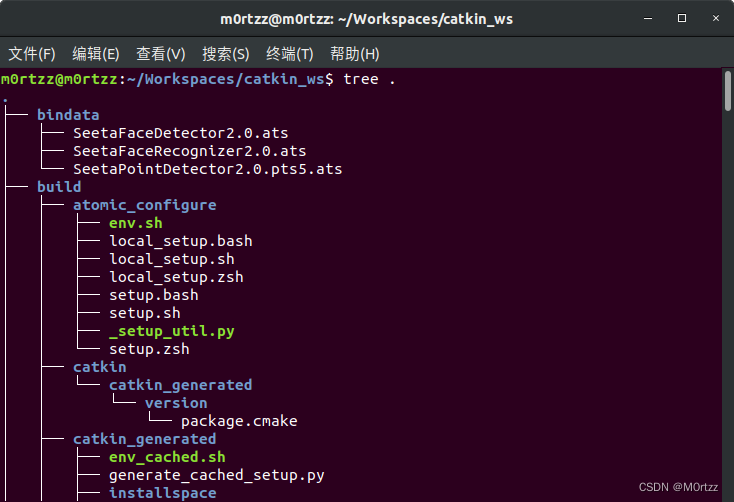
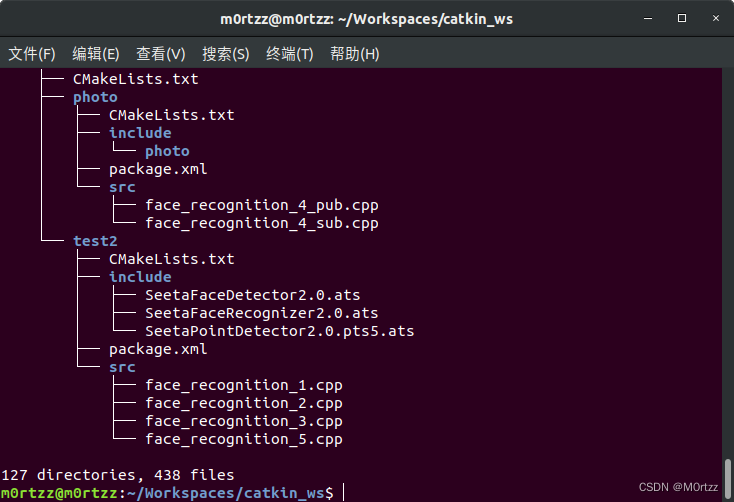
查看系统信息:
sudo apt-get install neofetch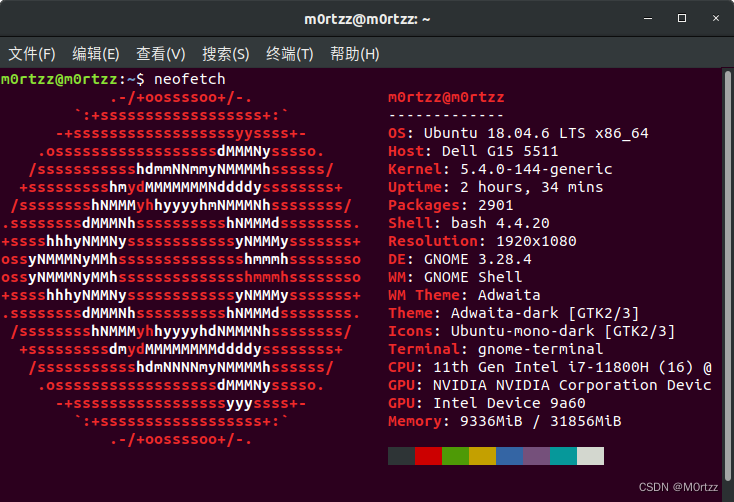
rar文件解压工具:
sudo apt-get install unrar
解决不能观看MP4文件:
sudo apt-get update
sudo apt-get install libdvdnav4 libdvdread4 gstreamer1.0-plugins-bad gstreamer1.0-plugins-ugly libdvd-pkgsudo apt-get install ubuntu-restricted-extrassudo dpkg-reconfigure libdvd-pkg 系统优化:
sudo apt-get update
sudo apt-get install gnome-tweak-tool 火狐浏览器优化:
地址栏输入:
about:config
full-screen-api.warning.timeout 设置为0~
full-screen-api.transition-duration.enter 和
full-screen-api.transition-duration.leave 都设置为0 0~
browser.search.openintabbrowser.urlbar.openintabbrowser.tabs.loadBookmarksInTabs都设置为true~


