
热门标签
热门文章
当前位置: article > 正文
C#代码添加脚本头
作者:IT思考机器 | 2024-02-04 00:08:54
赞
踩
C#代码添加脚本头
目录
前言
创建脚本的时候添加脚本的介绍
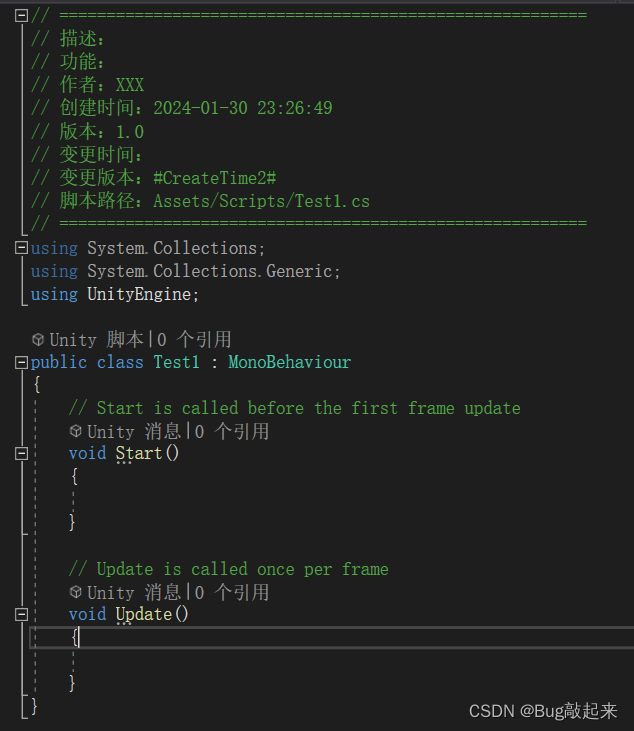
代码展示
- using System.IO;
-
- /// <summary>
- /// 创建脚本自动添加头注
- /// </summary>
- public class CommentFirst : UnityEditor.AssetModificationProcessor
- {
- /// <summary>
- /// 在资源创建生成.meta时调用
- /// </summary>
- /// <param name="path">自动传入资源路径</param>
- public static void OnWillCreateAsset(string path)
- {
- path = path.Replace(".meta", "");
- if (!path.EndsWith(".cs")) return;
- string allText = "// ========================================================\r\n"
- + "// 描述:\r\n"
- + "// 功能:\r\n"
- + "// 作者:XXX \r\n"
- + "// 创建时间:#CreateTime#\r\n"
- + "// 版本:1.0\r\n"
- + "// 变更时间:\r\n"
- + "// 变更版本:#CreateTime2#\r\n"
- + "// 脚本路径:#ScripsPath#\r\n"
- + "// ========================================================\r\n";
- allText += File.ReadAllText(path);
- allText = allText.Replace("#CreateTime#", System.DateTime.Now.ToString("yyyy-MM-dd HH:mm:ss"));
- allText = allText.Replace("#ScripsPath#", path);
- File.WriteAllText(path, allText);
- }
- }

声明:本文内容由网友自发贡献,不代表【wpsshop博客】立场,版权归原作者所有,本站不承担相应法律责任。如您发现有侵权的内容,请联系我们。转载请注明出处:https://www.wpsshop.cn/article/detail/58471
推荐阅读
相关标签

