
- 1vi或vim命令 报错:Can‘t open file for writing_vim can't open file for writing
- 2指针的取值_指针取值
- 3Leetcode 416:分割等和子集(最详细的解法!!!)_等和分割子集解题思路
- 4Stable Diffusion学习指南【安装篇】_秋叶aaaki是谁
- 5命令行查看端口号被哪个进程占用_占用了端口号,用以下命令查看进程名称
- 6100多个经典常用的PHP功能插件大全实例演示和下载_php 常用案例
- 7python库中的ssl.py_python 311 tlsv1_2
- 8什么是GraalVM_graalvm for jdk 中 graalvm什么意思
- 9Linux服务指南_lvm2-lvmetad
- 10【Python】QtDesigner PyUIC PyRcc最新配置方法(PyQt5)_pyrcc配置
如何使用springboot搭建项目图文教程_怎么用springboot写项目
赞
踩
一.快速启动一个springboot项目
(1)打开idea,新建一个项目
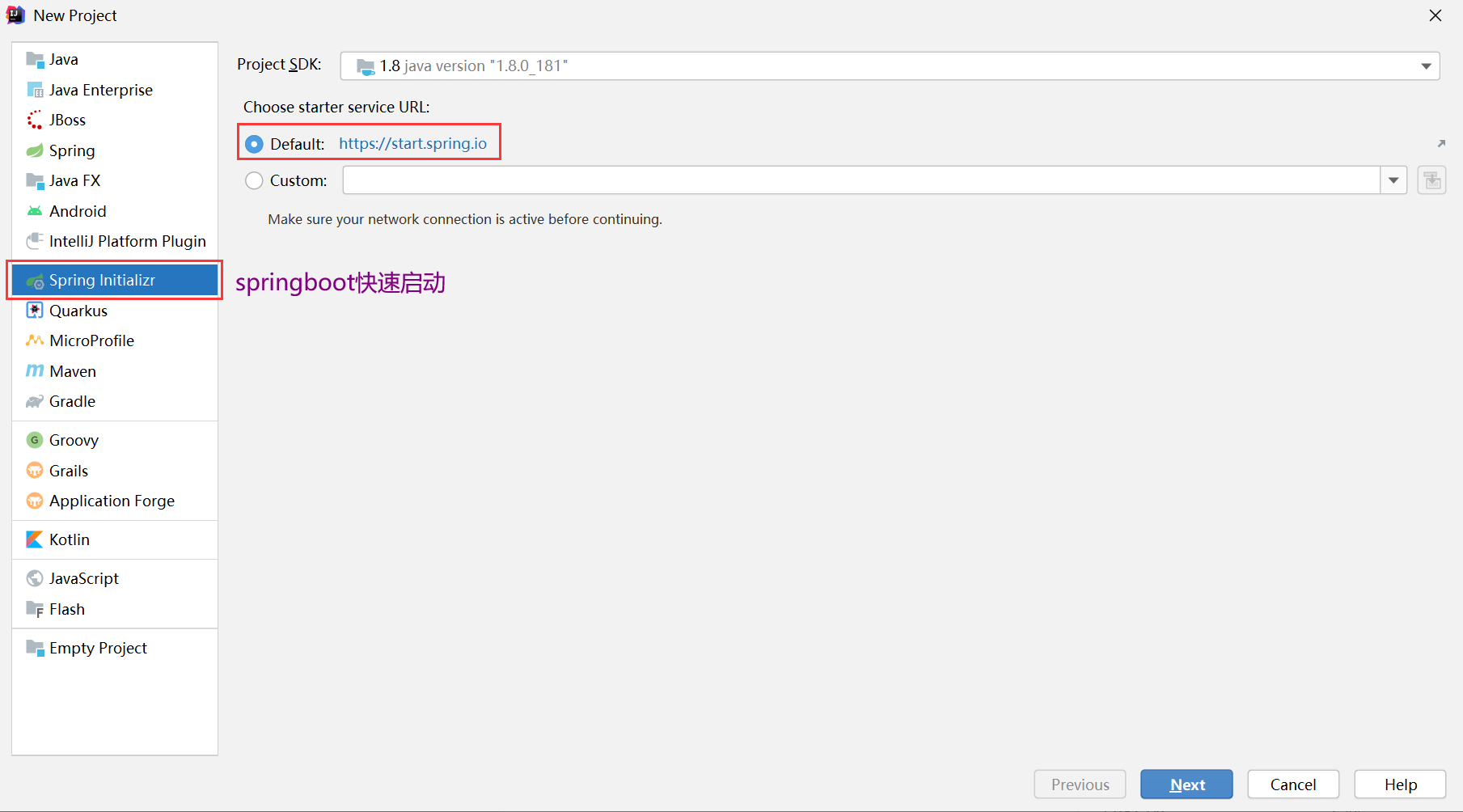
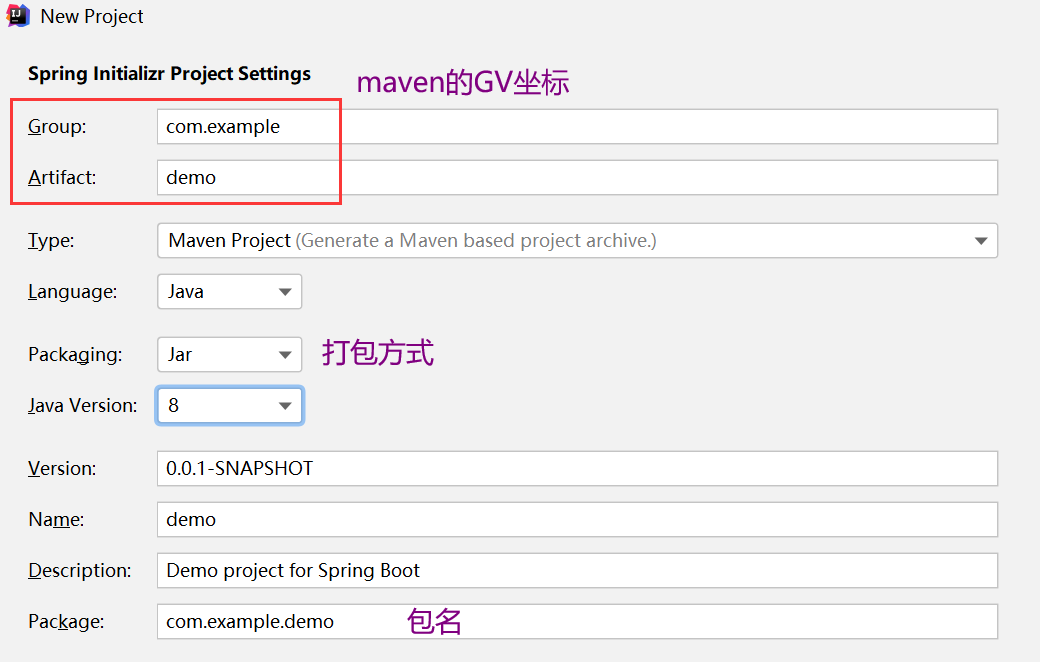
勾选SpringWeb的依赖包。这个依赖包里含有web开发的基本组件(Tomcat容器,jackson:处理json字符串的类库,spring和springmvc的依赖)

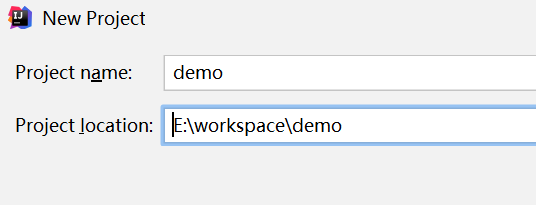
选择项目存放路径,下一步
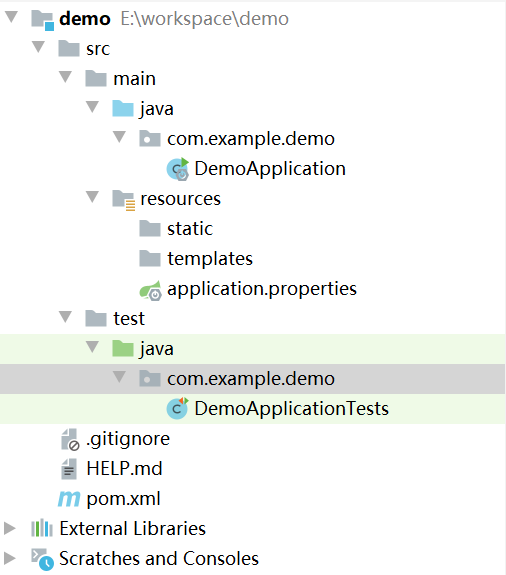
项目的结构如图所示
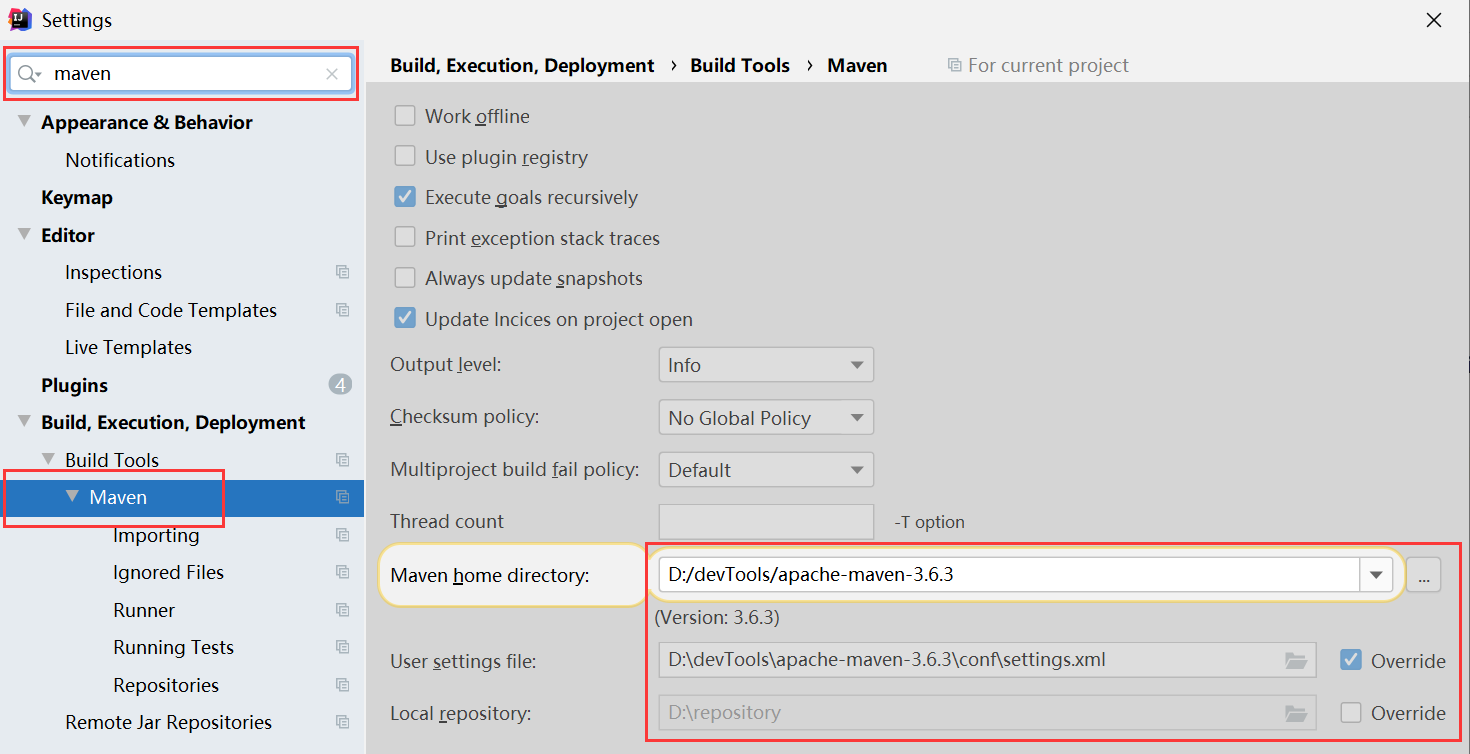
(2)setting里确保maven配置成功
检查maven是做项目的第一步
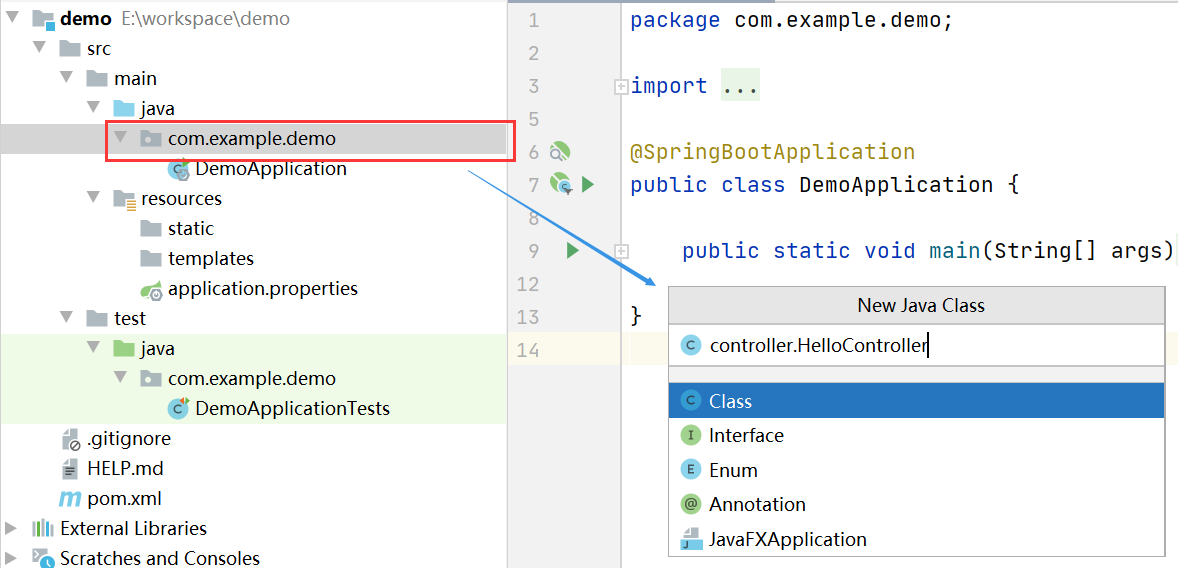
(3)新建HelloController类
(4)编写如下代码
- package com.example.demo.controller;
-
- import org.springframework.web.bind.annotation.GetMapping;
- import org.springframework.web.bind.annotation.RestController;
-
- @RestController
- public class HelloController {
-
- @GetMapping("/helloworld")
- public String Hello(){
- return "Hello";
- }
- }
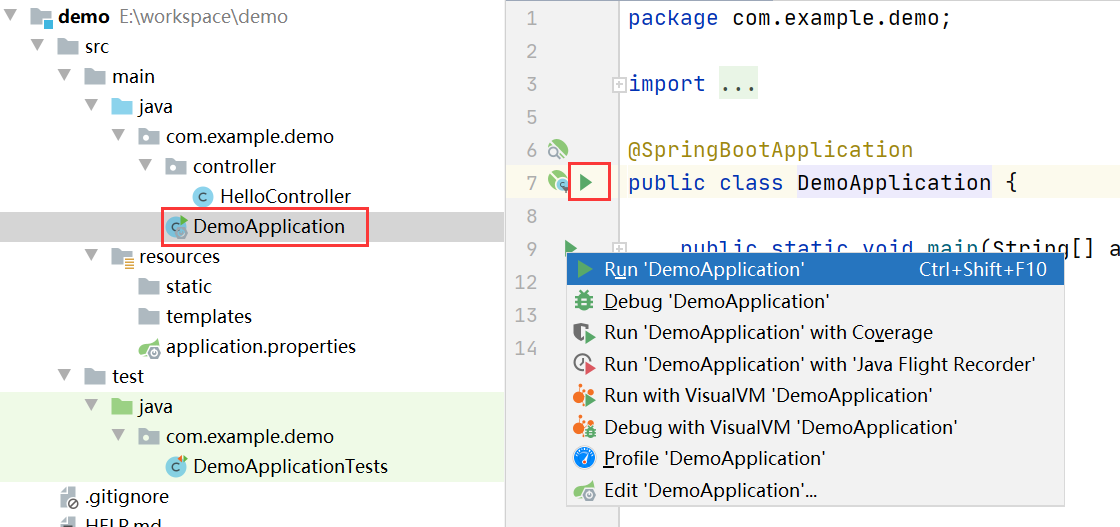
(5)运行启动类
(6)测试效果
浏览器中输入http://localhost:8080/helloworld
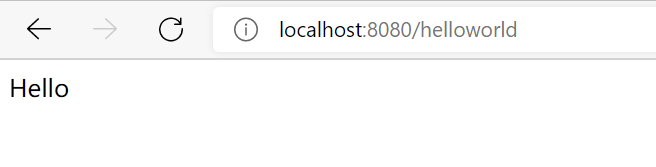
打印出Hello说明springboot项目搭建已完成~
(二)探究该项目的真面目
pom文件
现在再回过头看看pom.xml文件,很明显可以看到,pom文件自带了四个部分parent ,本项目gav坐标,依赖,build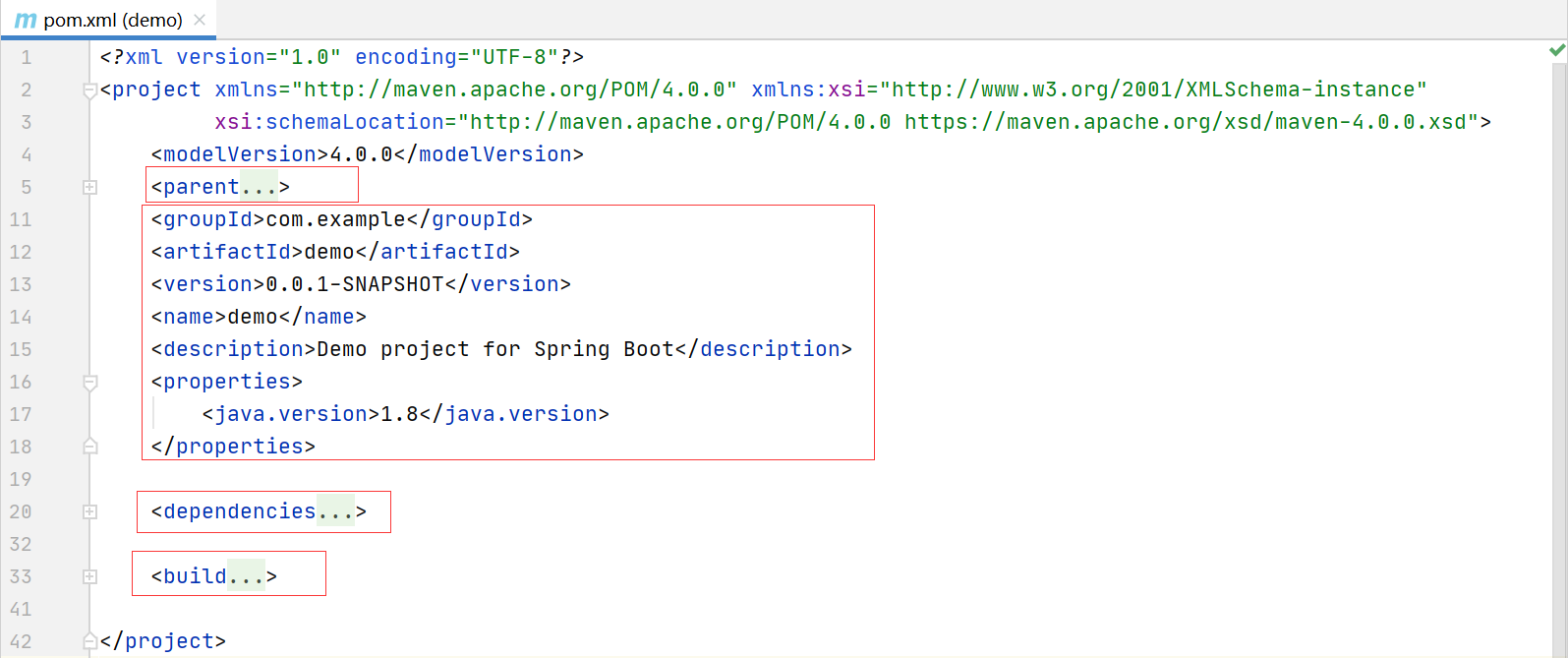
- <parent>
- <groupId>org.springframework.boot</groupId>
- <artifactId>spring-boot-starter-parent</artifactId>
- <version>2.5.0</version>
- <relativePath/> <!-- lookup parent from repository -->
- </parent>
使用parent标签来引入父依赖的坐标,更好的管理项目jar包的版本,查看下parent项目里有什么?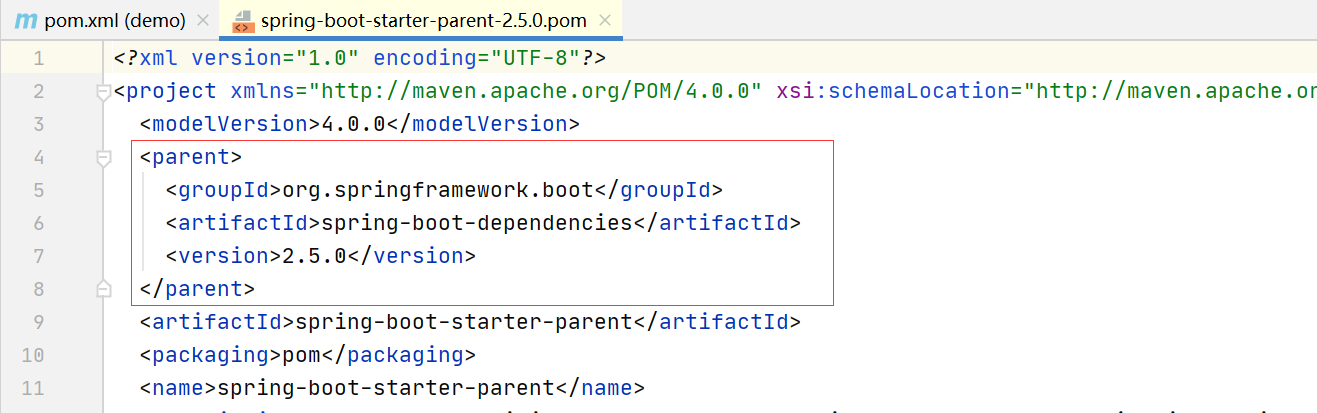
parent项目中也引入了一个项目依赖,它就是版本仲裁中心。
spring-boot-dependencies,它里面管理了常用组件的版本号,子项目中使用maven坐标gav就无需添加版本号了
第二部分
项目自己的gav坐标,使用maven将项目打成jar包时,就会用到这些信息。除了maven坐标的gav是必写的,其他的是可选项。比如name,项目的名字,description关于项目的描述。
- <groupId>com.example</groupId>
- <artifactId>demo</artifactId>
- <version>0.0.1-SNAPSHOT</version>
- <name>demo</name>
- <description>Demo project for Spring Boot</description>
第三部分 dependencies
- <dependencies>
- <dependency>
- <groupId>org.springframework.boot</groupId>
- <artifactId>spring-boot-starter-web</artifactId>
- </dependency>
-
- <dependency>
- <groupId>org.springframework.boot</groupId>
- <artifactId>spring-boot-starter-test</artifactId>
- <scope>test</scope>
- </dependency>
- </dependencies>
spring-boot-starter-test
此包就是springboot集成的junit单元测试,在test包下就可以写方法来测试接口,不是本文的重点,直接无视。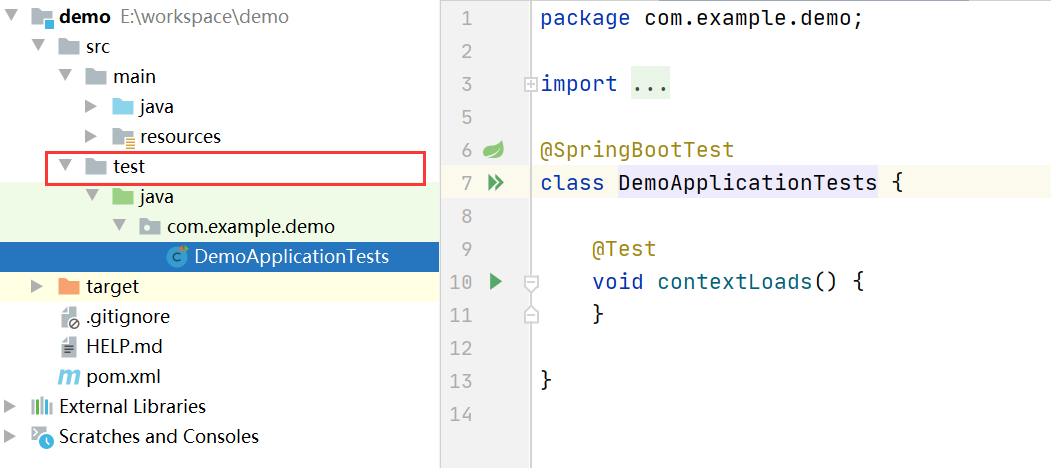
spring-boot-starter-web
可以思考下,前面我们HelloController可以正常返回Hello,项目的运行是需要jar包的支持的,可是依赖是从哪里来的?
@RestController注解中包含@Controller和@ResponseBody
- @Controller和@ResponseBody是springmvc的功能,肯定需要springmvc的依赖。
- @ResponseBody是将java对象转成json,需要json库相关的依赖
- springboot项目启动需要容器,比如tomcat
- @RestController注解标在类上,使用了spring的ioc功能,所以也需要spring的依赖
- springboot为什么可以自动读取application.yml文件而不需要做任何配置?其中肯定有自动配置的相关依赖jar包
验证一下以上观点:在yaml文件中,修改端口号,再次运行启动类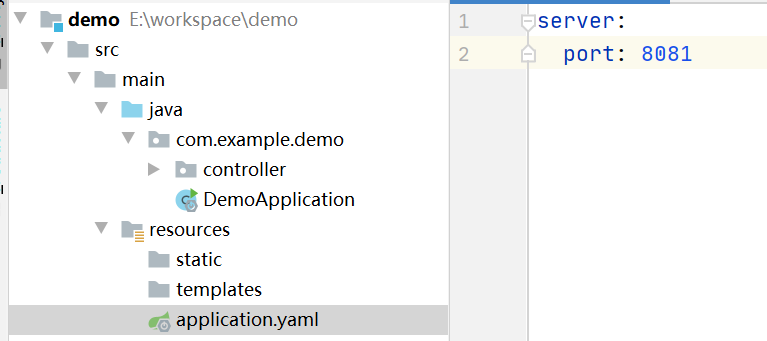

说明springboot的依赖中有相关的自动配置的jar包
查看maven依赖
spring-boot-starter-web包下有五个直接依赖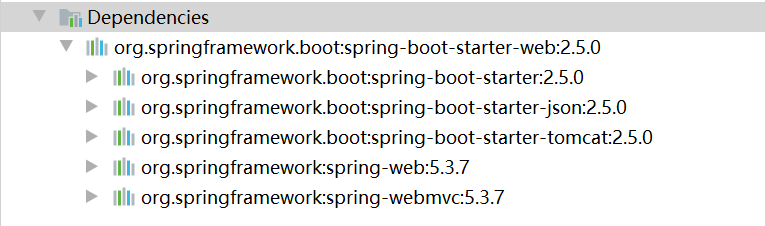
关键词:
- boot-starter
- json
- tomcat
- spring-web
- spring-webmvc
1.org.springframework.boot:spring-boot-starter:2.5.0
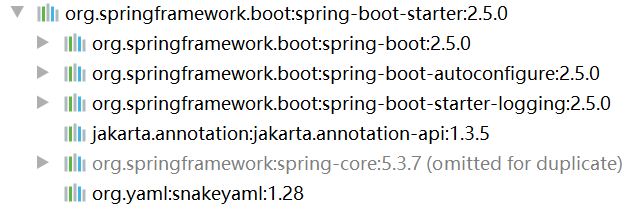
org.springframework.boot:spring-boot:2.5.0
它是一个空项目,里面没有java代码,只用一个pom文件引入其他依赖(spring,log4j,自动配置类相关依赖),具体就不深究了。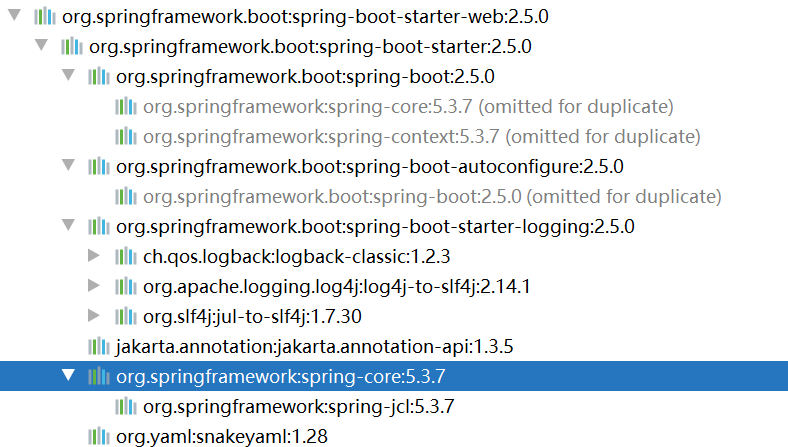
spring-webmvc

跟servlet有关的包
在pom.xml中引入spring-boot-starter-web依赖启动器时,就可以实现Web场景开发,而不需要额外导入Tomcat服务器以及其他Web依赖文件等。当然,这些引入的依赖文件的版本号还是由spring-boot-starter-parent父依赖进行的统一管理
但是mybatis依赖是没有的,需要手动添加
- <dependency>
- <groupId>org.springframework.boot</groupId>
- <artifactId>spring-boot-starter-jdbc</artifactId>
- </dependency>
- <dependency>
- <groupId>mysql</groupId>
- <artifactId>mysql-connector-java</artifactId>
- <scope>runtime</scope>
- </dependency>



