
- 1torch.cuda.OutOfMemoryError_torch.cuda.outofmemoryerror: cuda out of memory.
- 22023年全国职业院校技能大赛(高职组)“云计算应用”赛项赛卷8_任务二、私有云服务运维任务
- 3docker registry详解
- 4Avalonia基础学习_avalonia groupbox
- 5【Linux | 网络编程】TCP的服务端(守护进程) + 客户端_linux tcp服务器
- 6神经网络初认识——BP神经网络(7月18,再次认识)_最速下降法和最速下降bp法区别
- 7【第十届“泰迪杯”数据挖掘挑战赛】B题:电力系统负荷预测分析 Baseline_数据分析电力系统负荷高短期负荷预测管理水平客户样本数据
- 8python离线录音转文字_python3实现语音转文字(语音识别)和文字转语音(语音合成)...
- 9python+flask+django农产品供销展销电子商务系统lkw43
- 10CARLA和LGSVL坐标系差异_lgsvl和carla
基于springboot校园二手书交易管理系统源码和论文
赞
踩
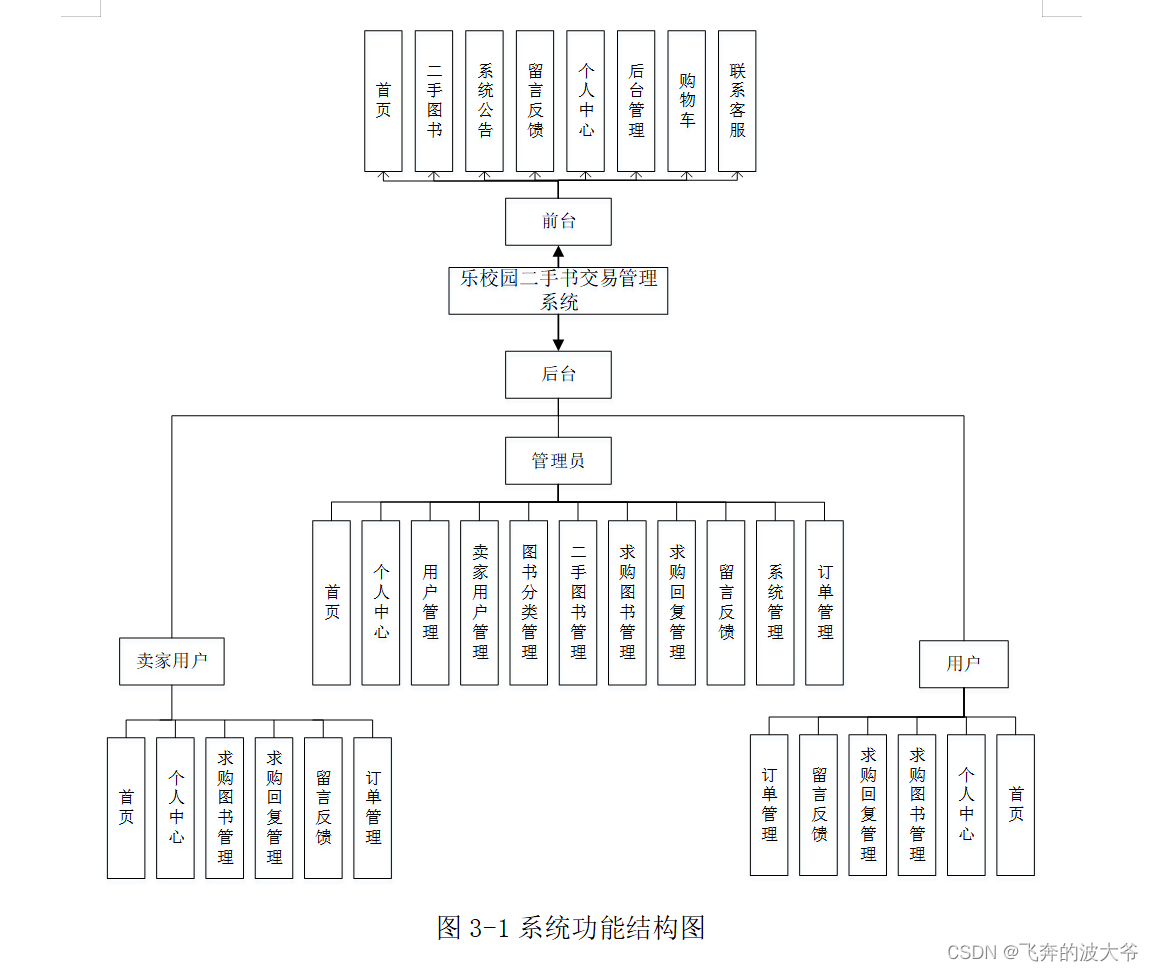
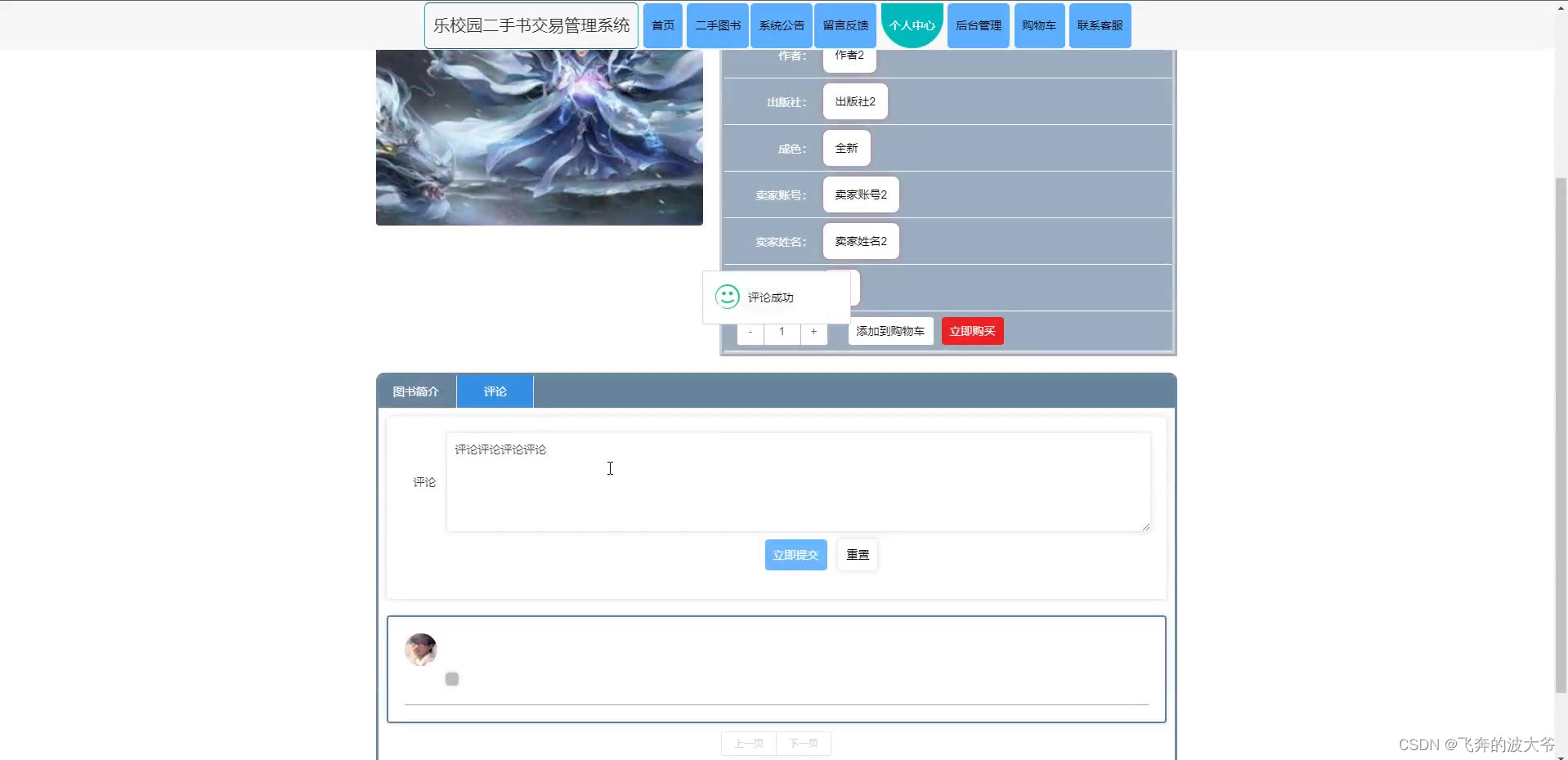
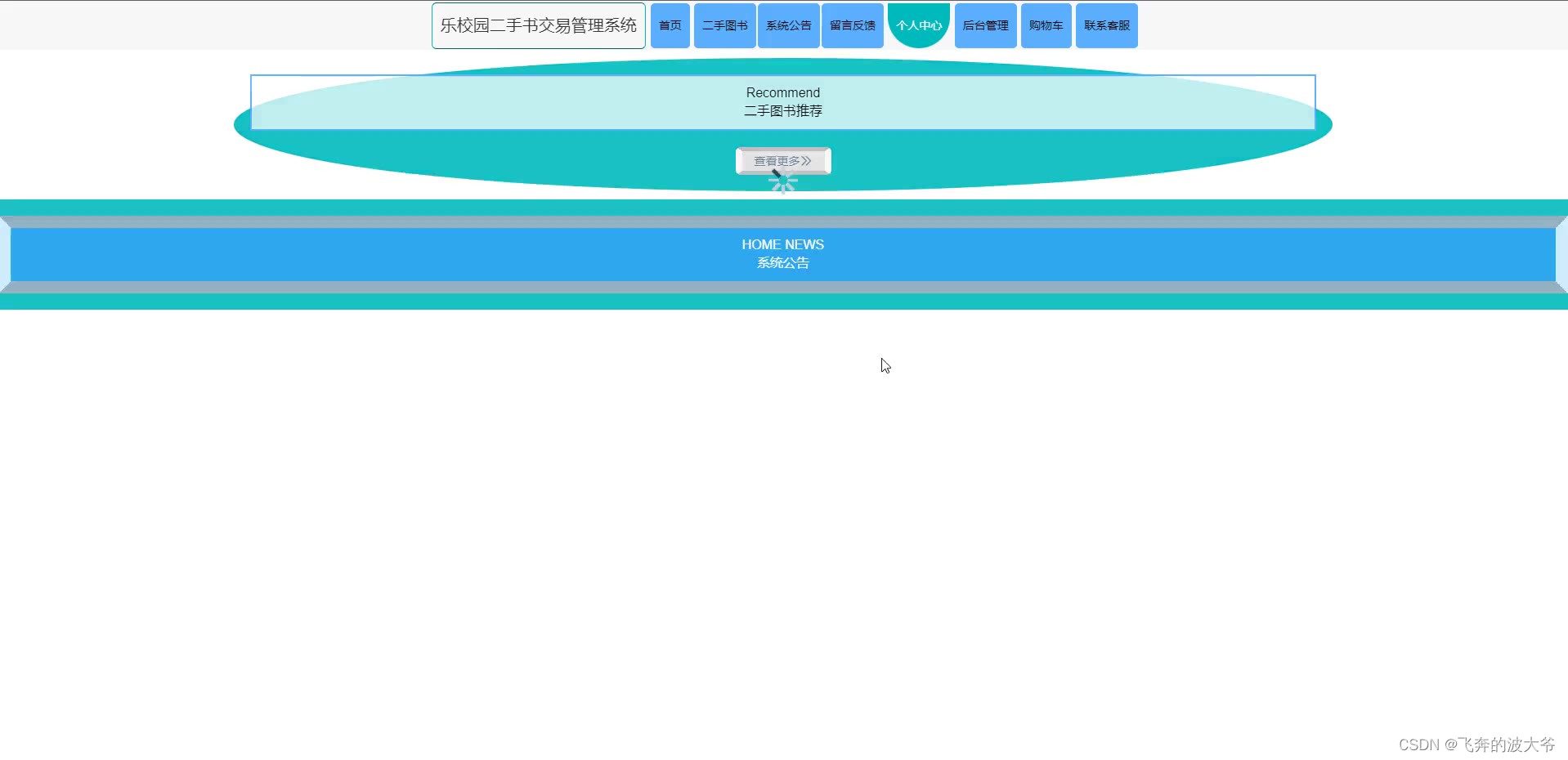
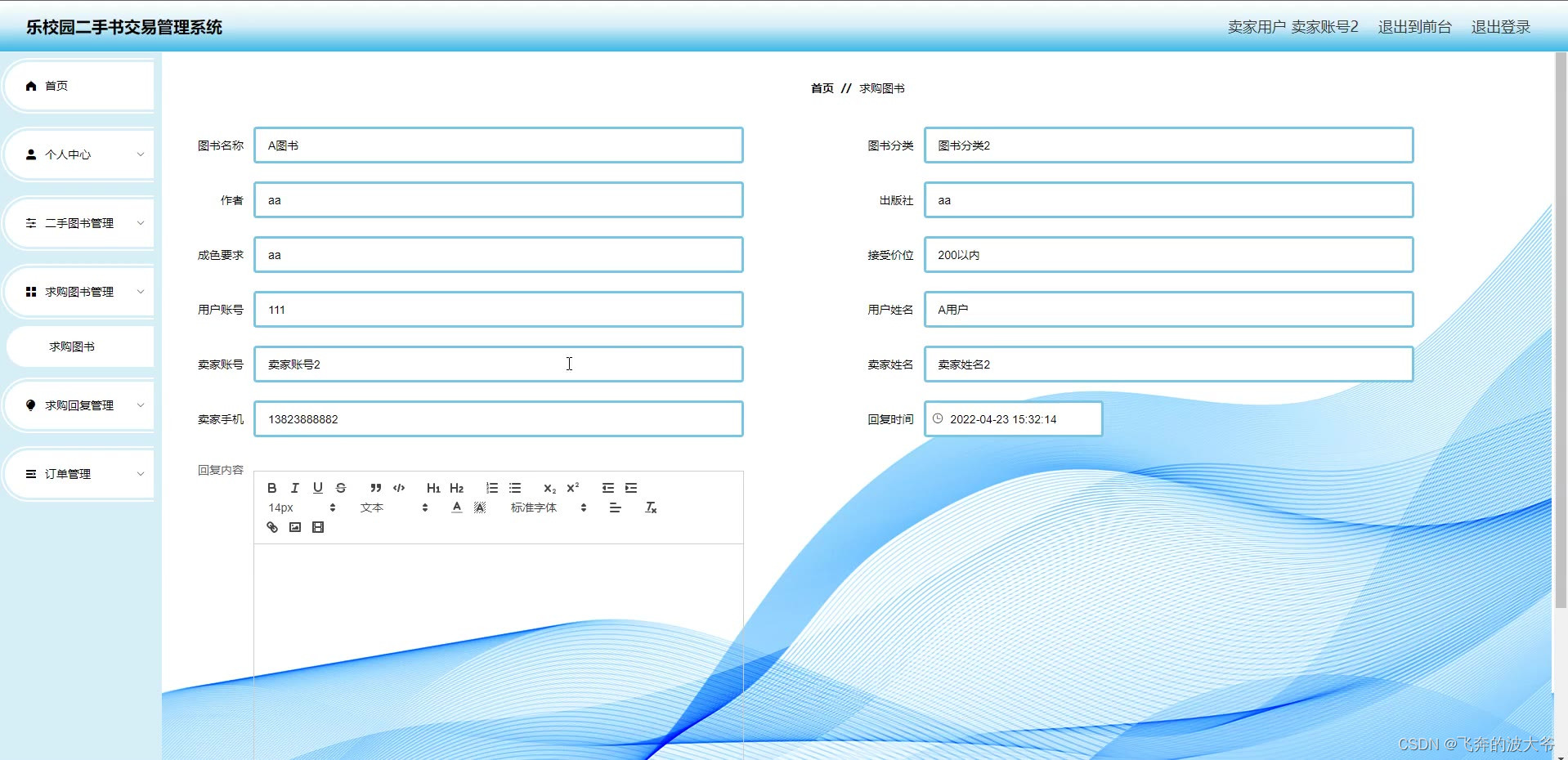
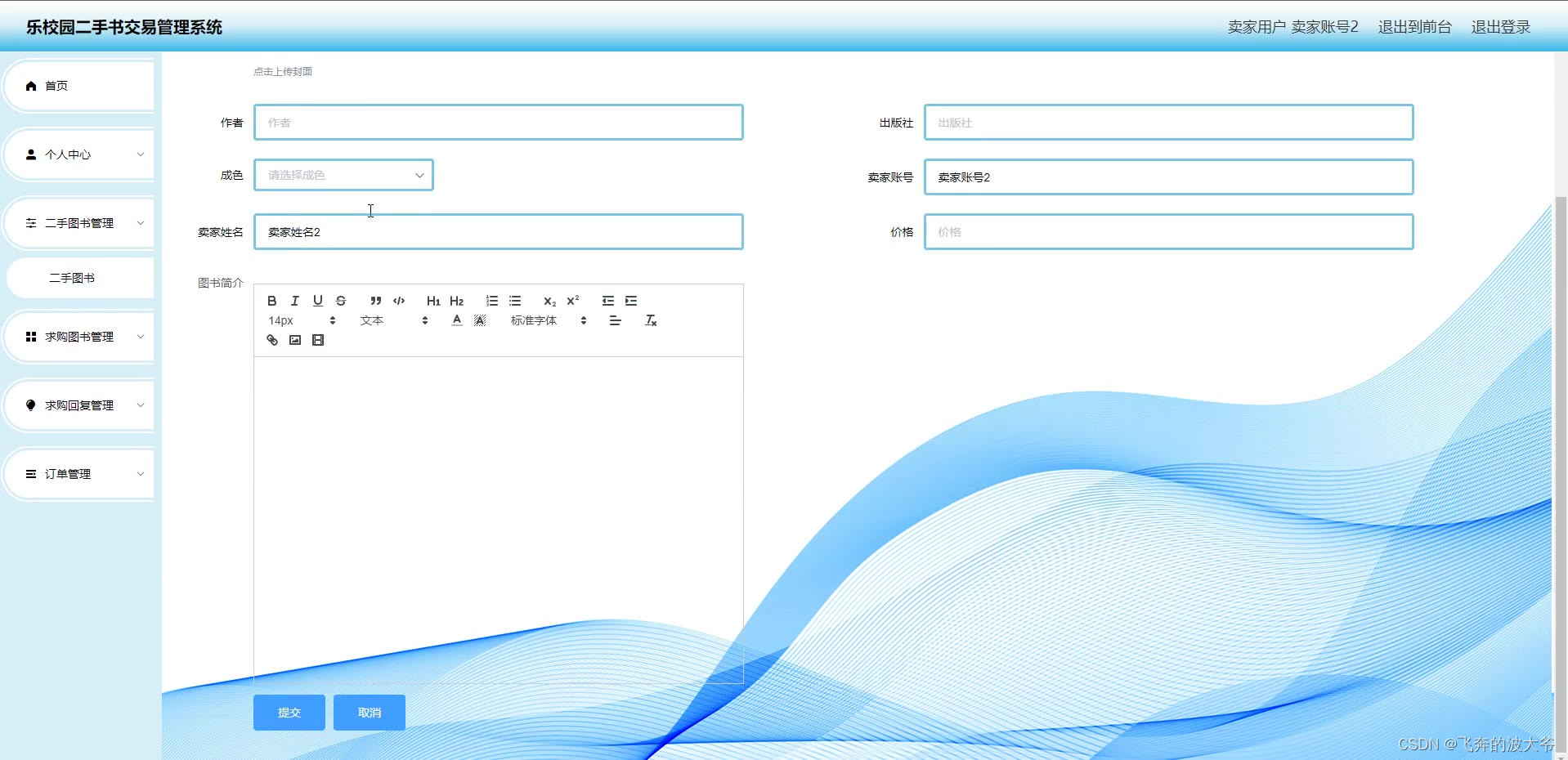
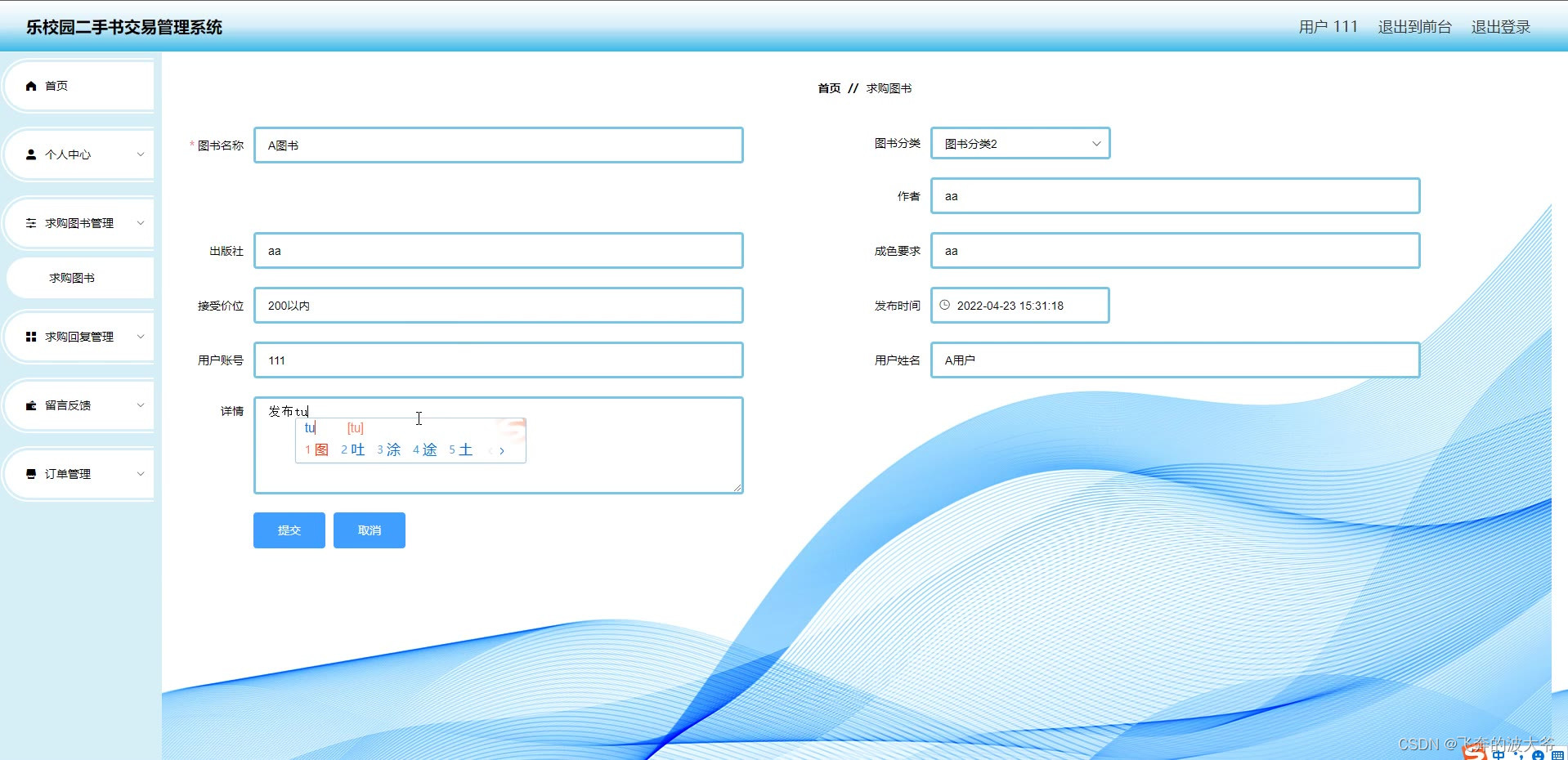
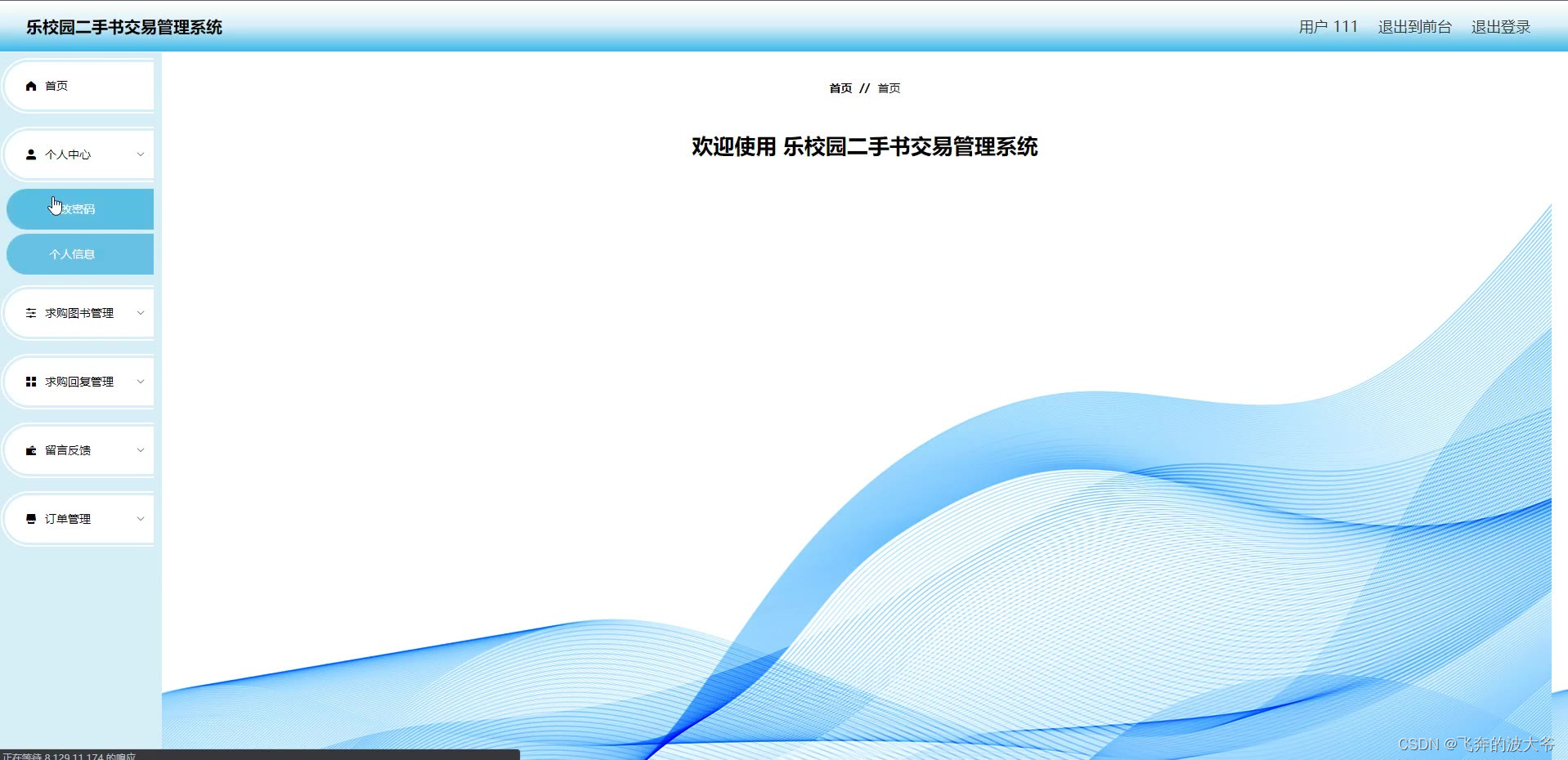
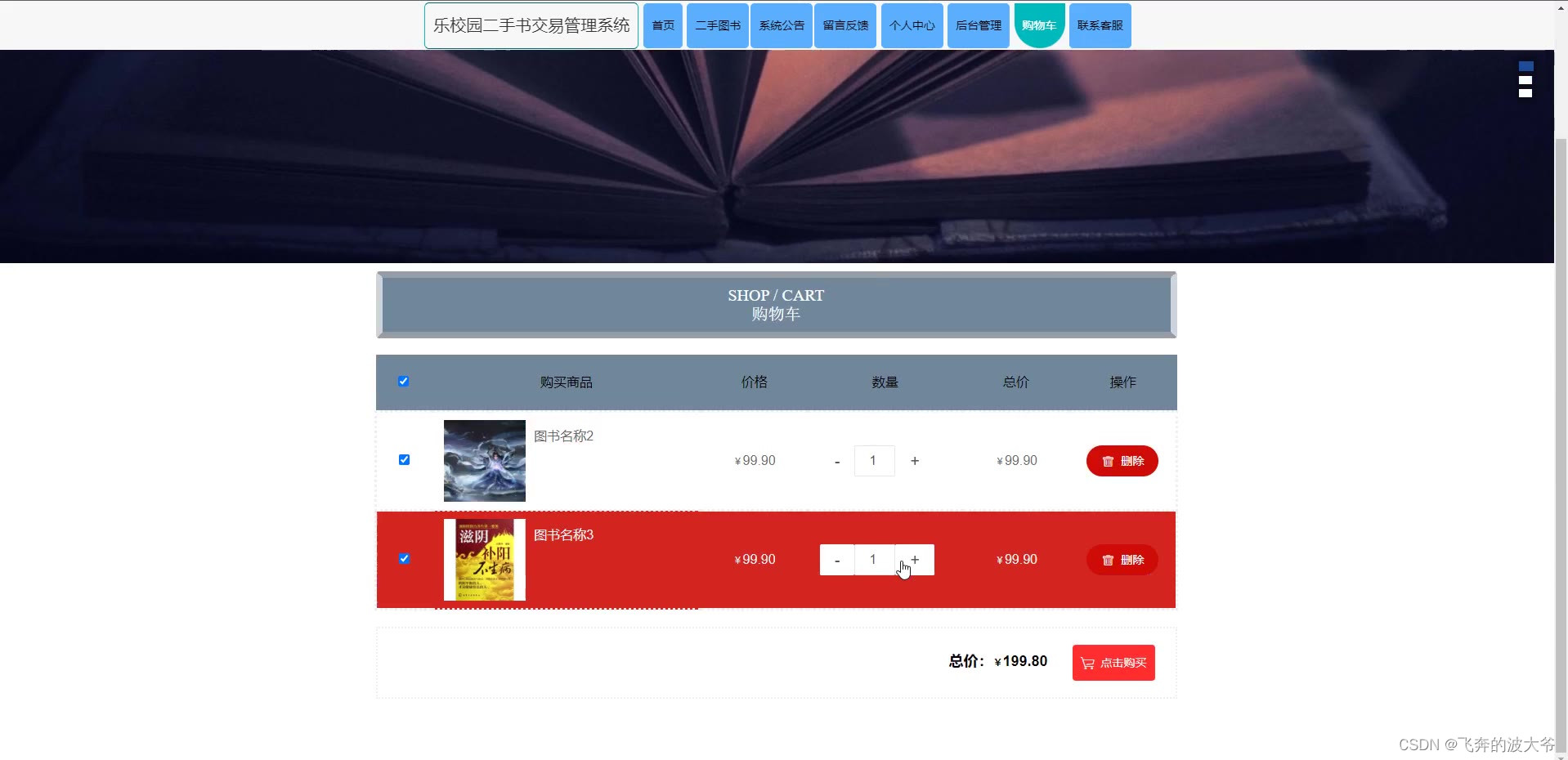
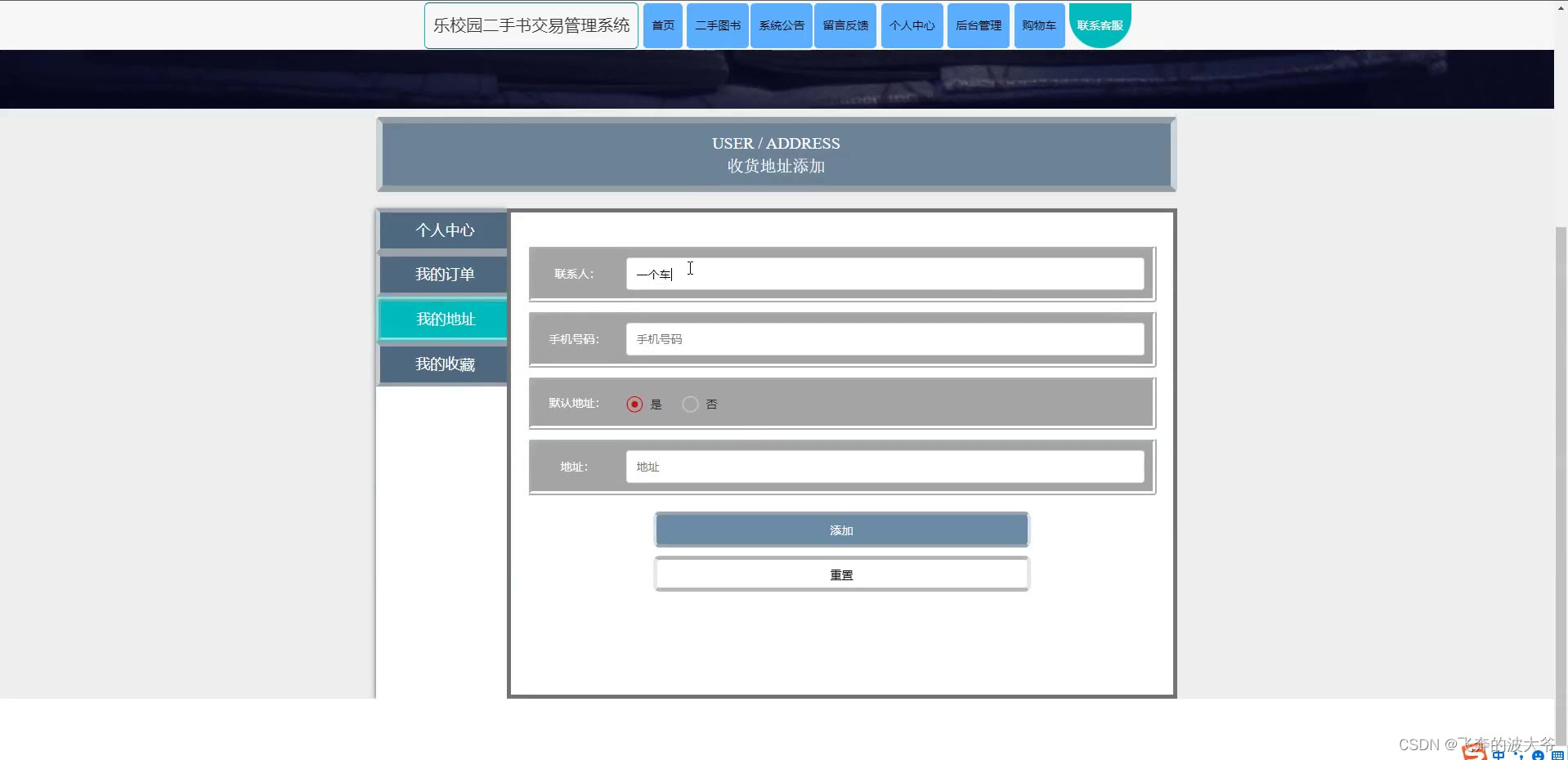
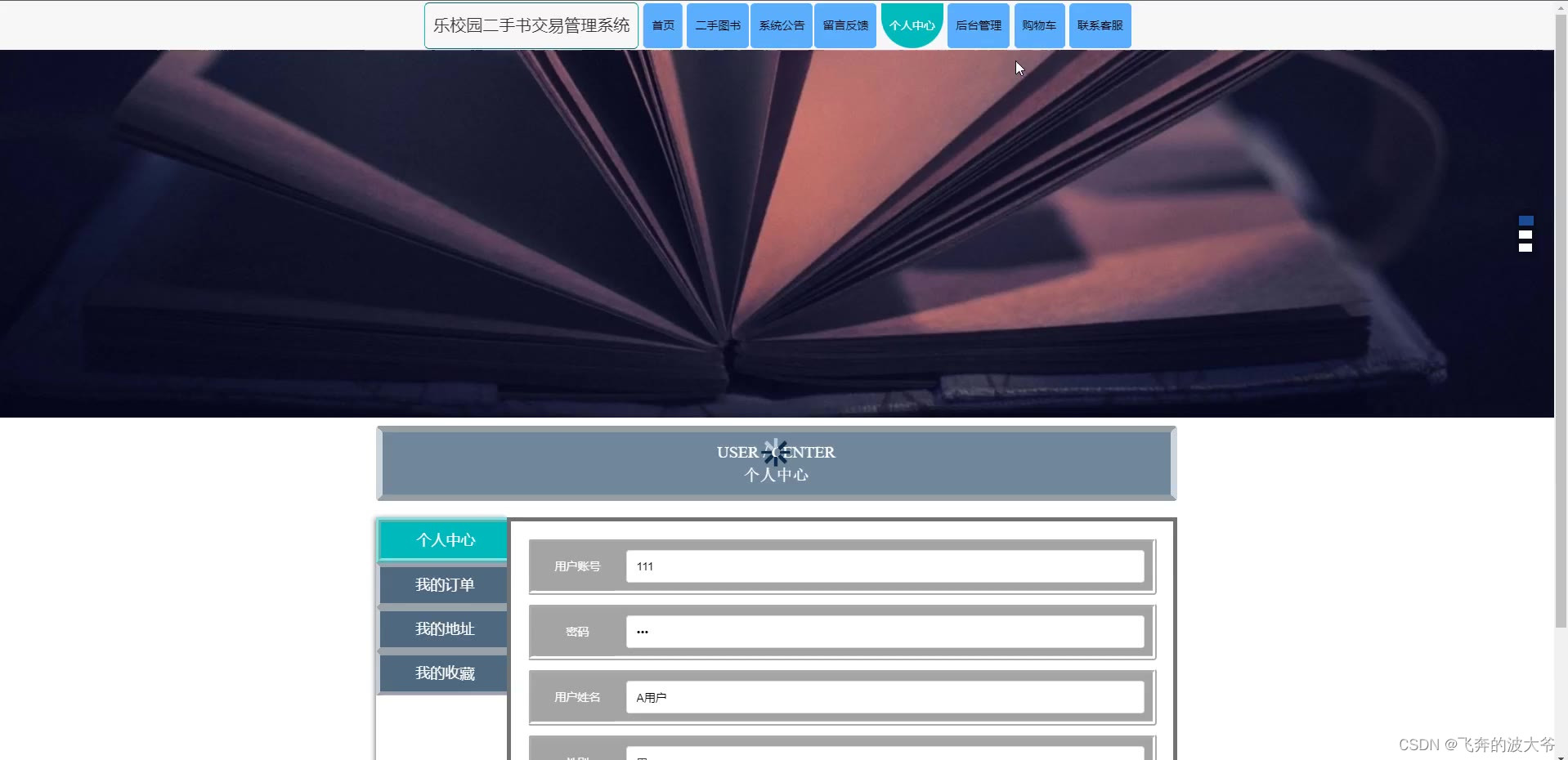
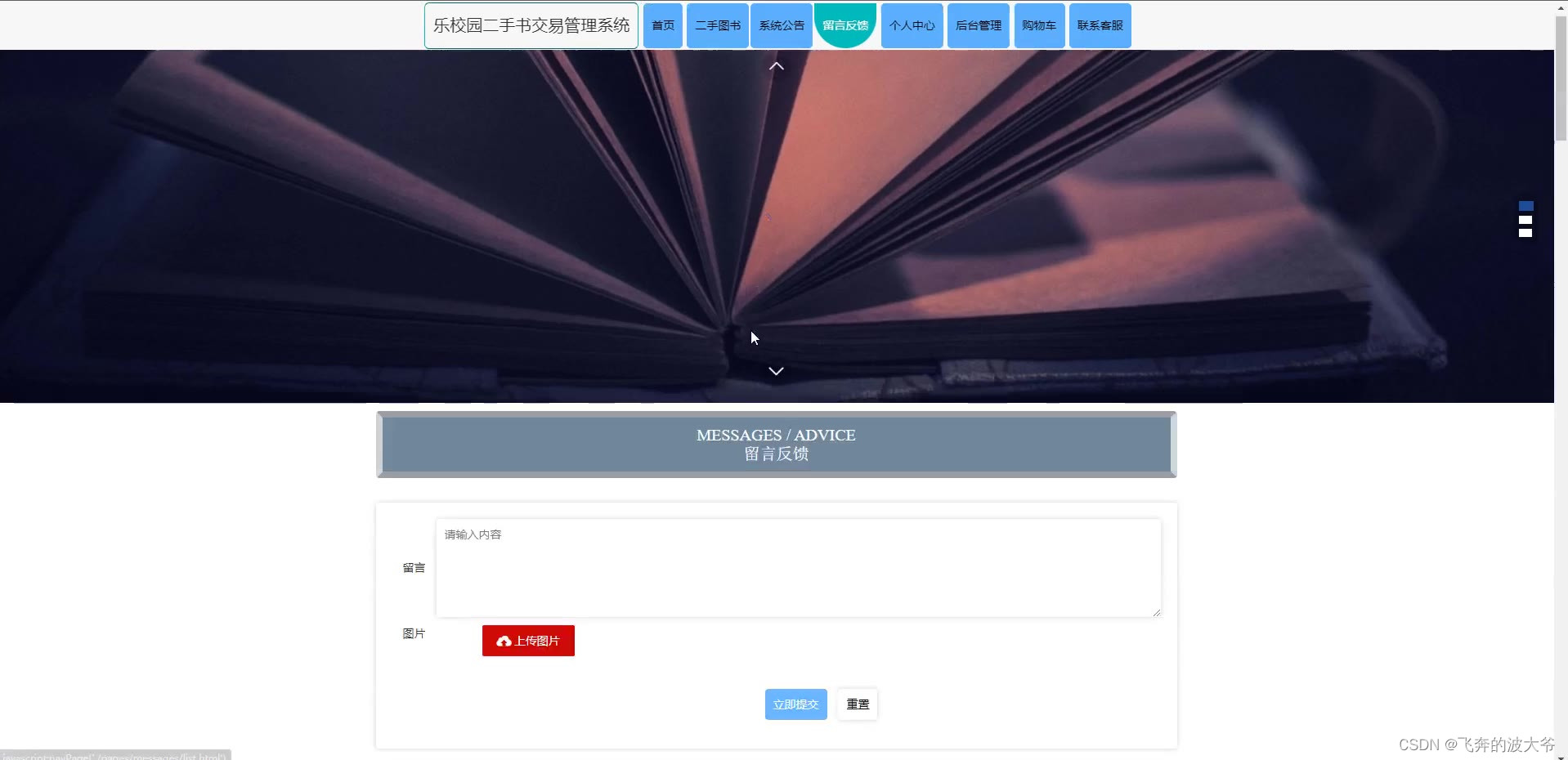
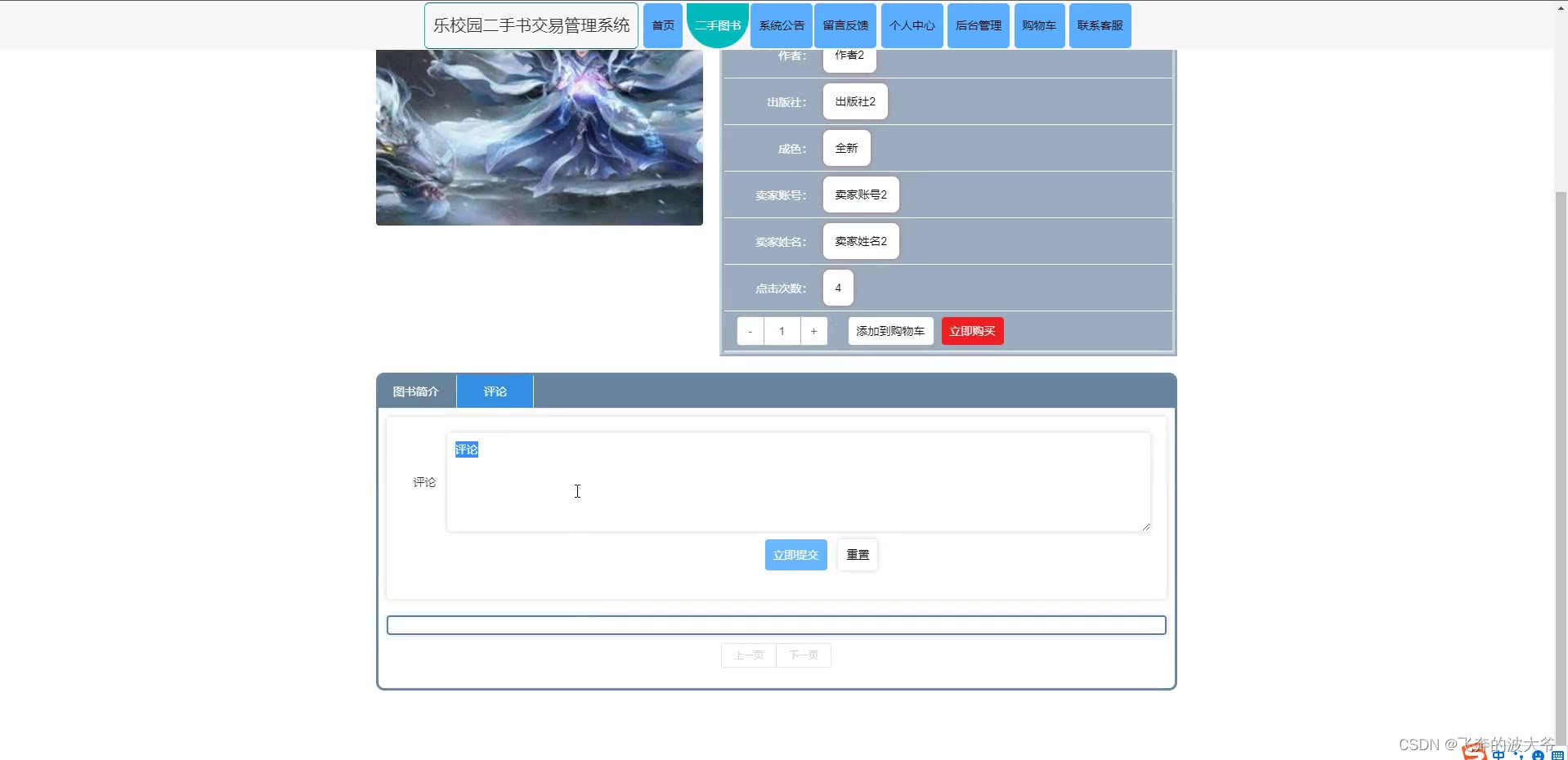
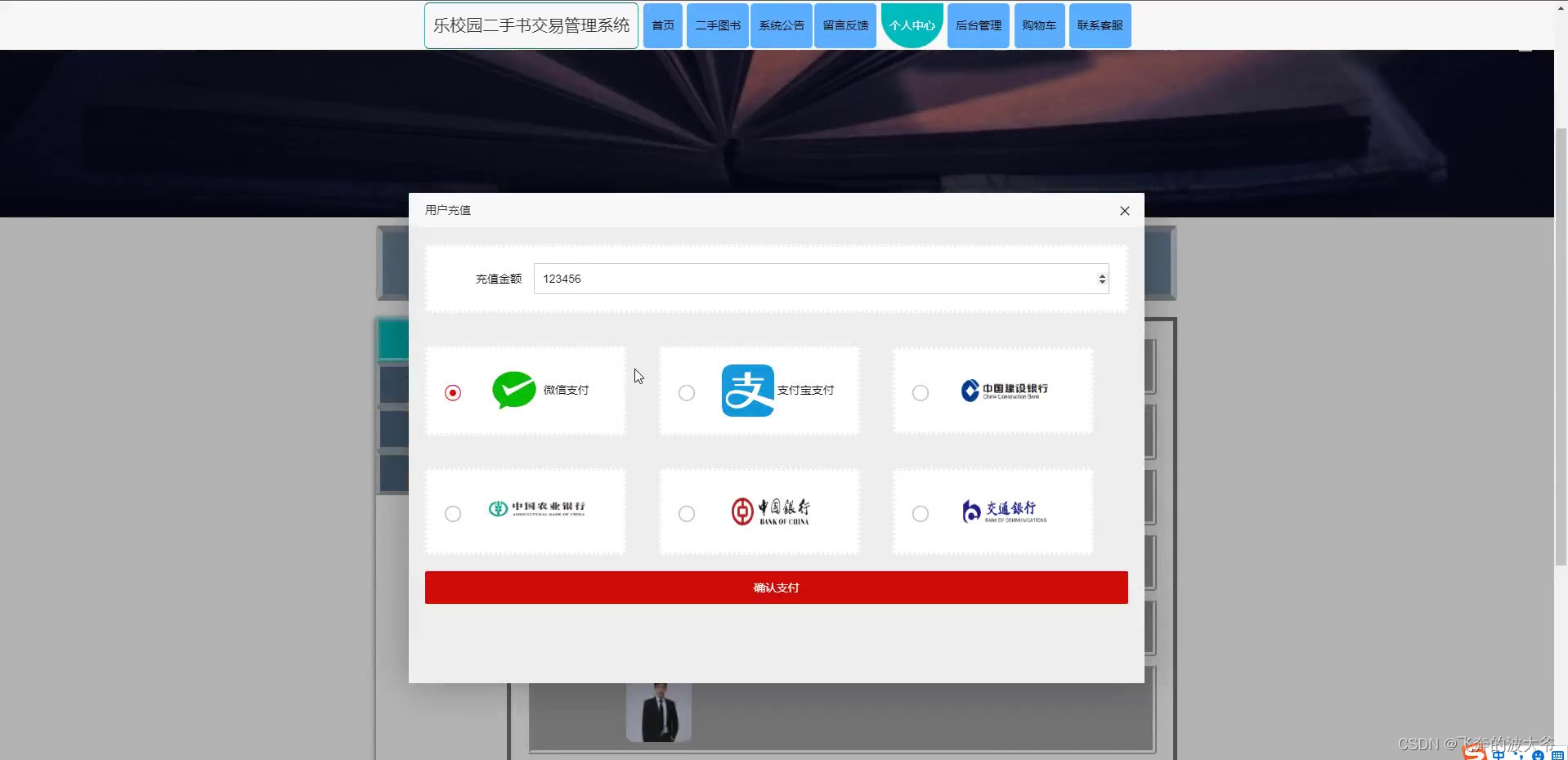
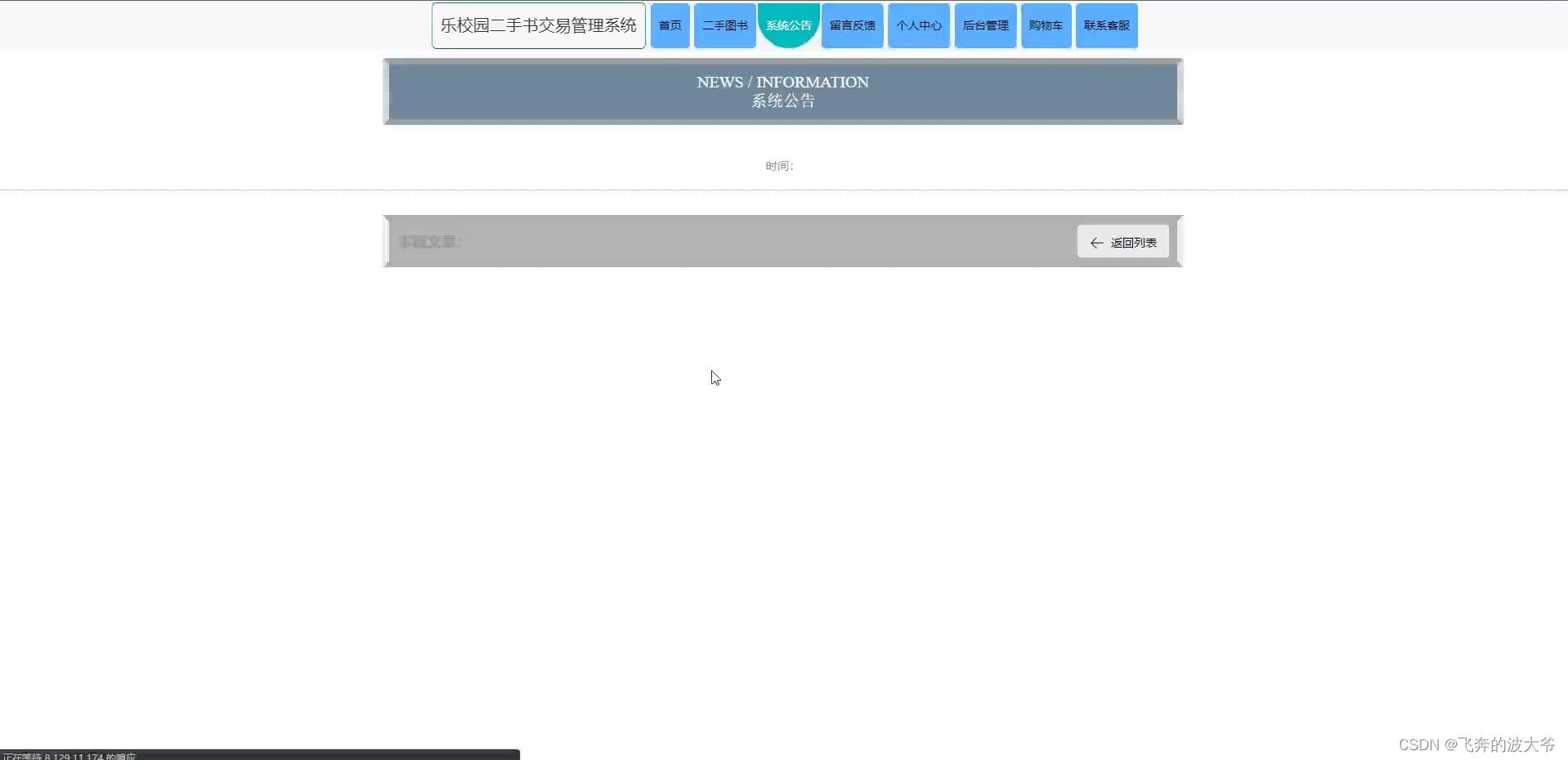
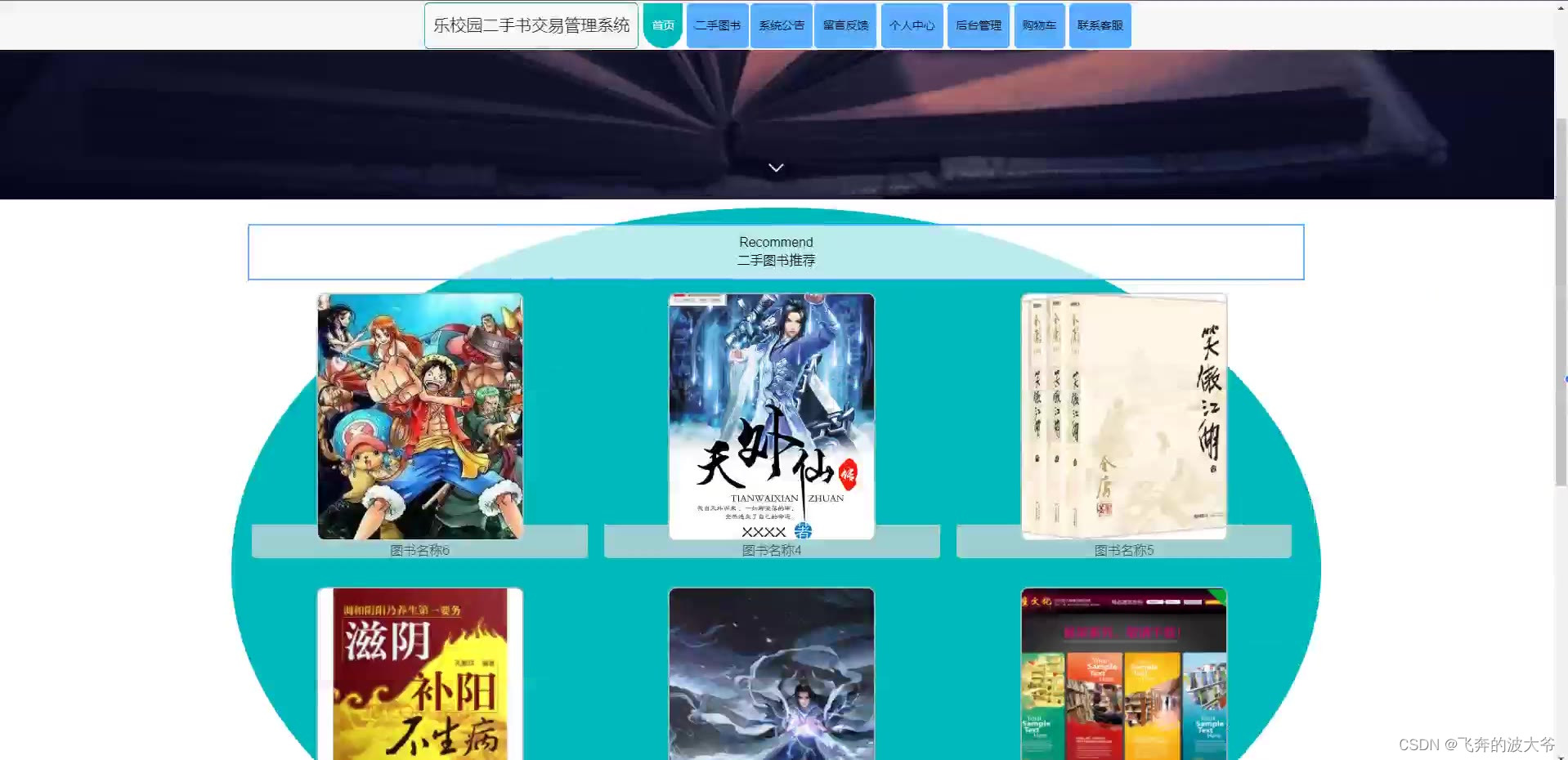
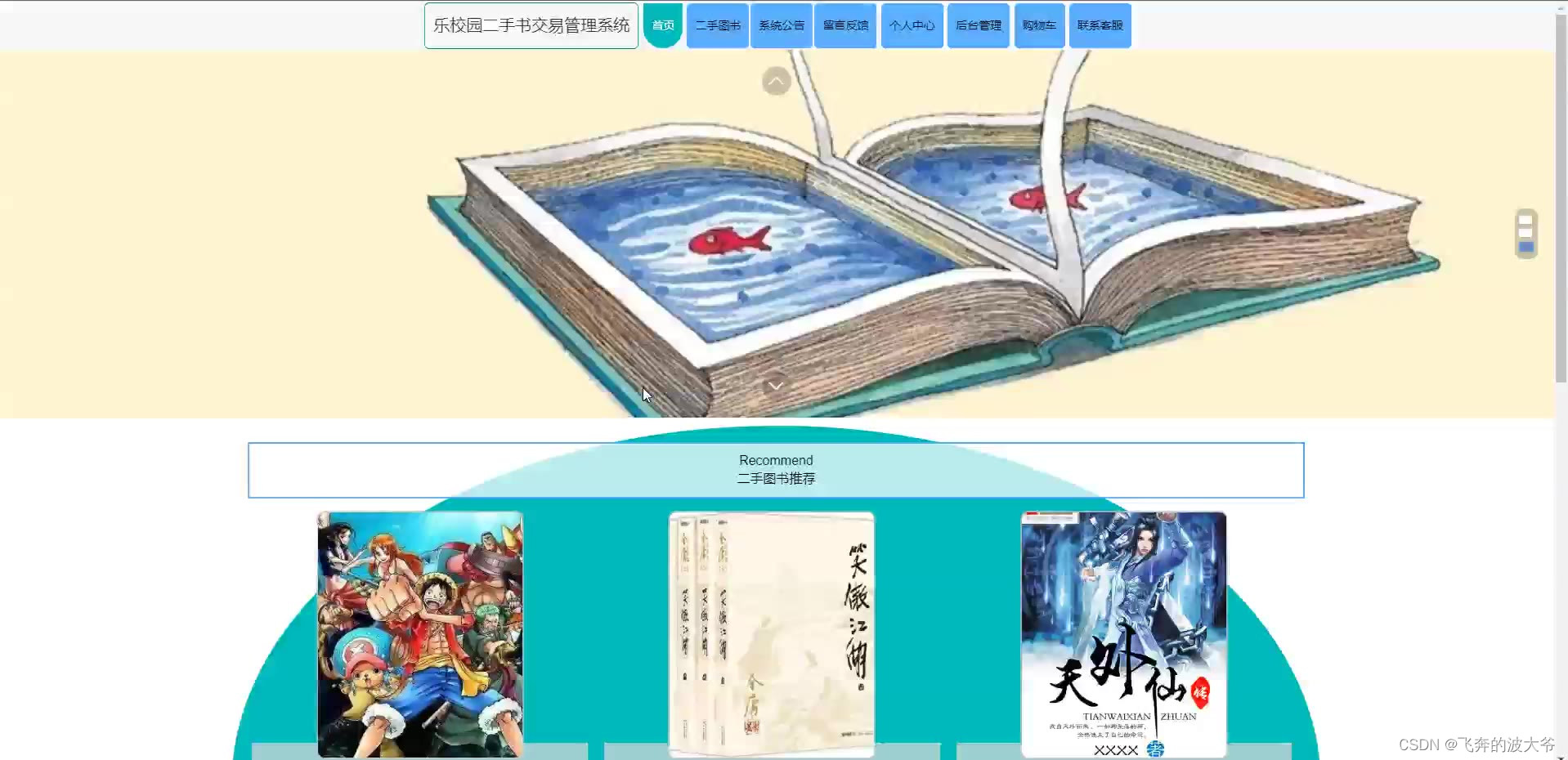
在Internet高速发展的今天,我们生活的各个领域都涉及到计算机的应用,其中包括乐校园二手书交易管理系统的网络应用,在外国二手书交易管理系统已经是很普遍的方式,不过国内的管理系统可能还处于起步阶段。乐校园二手书交易管理系统具有二手书交易管理功能的选择。乐校园二手书交易管理系统采用java技术,基于springboot框架,mysql数据库进行开发,实现了首页、个人中心、用户管理、卖家用户管理、图书分类管理、二手图书管理、求购图书管理、求购回复管理、留言反馈、系统管理、订单管理等内容进行管理,本系统具有良好的兼容性和适应性,为用户提供更多的乐校园二手书交易信息,也提供了良好的平台,从而提高系统的核心竞争力。
本文首先介绍了设计的背景与研究目的,其次介绍系统相关技术,重点叙述了系统功能分析以及详细设计,最后总结了系统的开发心得。
关键词:java技术;二手书交易;mysql
基于springboot校园二手书交易管理系统源码和论文355
基于springboot校园二手书交易管理系统源码和论文
Abstract
In the rapid development of the Internet today, all areas of our life are involved in computer applications, including le Campus second-hand book trading management system network application, in foreign second-hand book trading management system is a very common way, but the domestic management system may still be in its infancy. Le campus second-hand book trading management system has the choice of second-hand book trading management function. Le Campus second-hand book trading management system using Java technology, based on springboot framework, mysql database development, Implements the home page, personal center, user management, user management, books classification management seller, second-hand books management, purchasing books management, purchasing management responses, message feedback management, system management, order management, and other content, this system has good compatibility and adaptability, to provide users with more second-hand book trade information, also provide a good platform, Thus improve the core competitiveness of the system.
This paper first introduces the design background and research purpose, then introduces the system related technology, focuses on the system function analysis and detailed design, and finally summarizes the development experience of the system.
Key words: Java technology; Second-hand book trade; mysql






-
- package com.controller;
-
- import java.io.File;
- import java.math.BigDecimal;
- import java.net.URL;
- import java.text.SimpleDateFormat;
- import com.alibaba.fastjson.JSONObject;
- import java.util.*;
- import org.springframework.beans.BeanUtils;
- import javax.servlet.http.HttpServletRequest;
- import org.springframework.web.context.ContextLoader;
- import javax.servlet.ServletContext;
- import com.service.TokenService;
- import com.utils.*;
- import java.lang.reflect.InvocationTargetException;
-
- import com.service.DictionaryService;
- import org.apache.commons.lang3.StringUtils;
- import com.annotation.IgnoreAuth;
- import org.slf4j.Logger;
- import org.slf4j.LoggerFactory;
- import org.springframework.beans.factory.annotation.Autowired;
- import org.springframework.stereotype.Controller;
- import org.springframework.web.bind.annotation.*;
- import com.baomidou.mybatisplus.mapper.EntityWrapper;
- import com.baomidou.mybatisplus.mapper.Wrapper;
- import com.entity.*;
- import com.entity.view.*;
- import com.service.*;
- import com.utils.PageUtils;
- import com.utils.R;
- import com.alibaba.fastjson.*;
-
- /**
- * 公告资讯
- * 后端接口
- * @author
- * @email
- */
- @RestController
- @Controller
- @RequestMapping("/news")
- public class NewsController {
- private static final Logger logger = LoggerFactory.getLogger(NewsController.class);
-
- private static final String TABLE_NAME = "news";
-
- @Autowired
- private NewsService newsService;
-
-
- @Autowired
- private TokenService tokenService;
-
- @Autowired
- private DictionaryService dictionaryService;//字典
- @Autowired
- private ForumService forumService;//论坛
- @Autowired
- private HuodongService huodongService;//活动
- @Autowired
- private HuodongCollectionService huodongCollectionService;//活动收藏
- @Autowired
- private HuodongLiuyanService huodongLiuyanService;//活动留言
- @Autowired
- private HuodongYuyueService huodongYuyueService;//活动报名
- @Autowired
- private SucaiService sucaiService;//图片素材
- @Autowired
- private SucaiCollectionService sucaiCollectionService;//图片素材收藏
- @Autowired
- private SucaiLiuyanService sucaiLiuyanService;//图片素材留言
- @Autowired
- private SucaishipinService sucaishipinService;//视频素材
- @Autowired
- private SucaishipinCollectionService sucaishipinCollectionService;//视频素材收藏
- @Autowired
- private SucaishipinLiuyanService sucaishipinLiuyanService;//视频素材留言
- @Autowired
- private YonghuService yonghuService;//用户
- @Autowired
- private UsersService usersService;//管理员
-
-
- /**
- * 后端列表
- */
- @RequestMapping("/page")
- public R page(@RequestParam Map<String, Object> params, HttpServletRequest request){
- logger.debug("page方法:,,Controller:{},,params:{}",this.getClass().getName(),JSONObject.toJSONString(params));
- String role = String.valueOf(request.getSession().getAttribute("role"));
- if(false)
- return R.error(511,"永不会进入");
- else if("用户".equals(role))
- params.put("yonghuId",request.getSession().getAttribute("userId"));
- CommonUtil.checkMap(params);
- PageUtils page = newsService.queryPage(params);
-
- //字典表数据转换
- List<NewsView> list =(List<NewsView>)page.getList();
- for(NewsView c:list){
- //修改对应字典表字段
- dictionaryService.dictionaryConvert(c, request);
- }
- return R.ok().put("data", page);
- }
-
- /**
- * 后端详情
- */
- @RequestMapping("/info/{id}")
- public R info(@PathVariable("id") Long id, HttpServletRequest request){
- logger.debug("info方法:,,Controller:{},,id:{}",this.getClass().getName(),id);
- NewsEntity news = newsService.selectById(id);
- if(news !=null){
- //entity转view
- NewsView view = new NewsView();
- BeanUtils.copyProperties( news , view );//把实体数据重构到view中
- //修改对应字典表字段
- dictionaryService.dictionaryConvert(view, request);
- return R.ok().put("data", view);
- }else {
- return R.error(511,"查不到数据");
- }
-
- }
-
- /**
- * 后端保存
- */
- @RequestMapping("/save")
- public R save(@RequestBody NewsEntity news, HttpServletRequest request){
- logger.debug("save方法:,,Controller:{},,news:{}",this.getClass().getName(),news.toString());
-
- String role = String.valueOf(request.getSession().getAttribute("role"));
- if(false)
- return R.error(511,"永远不会进入");
-
- Wrapper<NewsEntity> queryWrapper = new EntityWrapper<NewsEntity>()
- .eq("news_name", news.getNewsName())
- .eq("news_types", news.getNewsTypes())
- ;
-
- logger.info("sql语句:"+queryWrapper.getSqlSegment());
- NewsEntity newsEntity = newsService.selectOne(queryWrapper);
- if(newsEntity==null){
- news.setInsertTime(new Date());
- news.setCreateTime(new Date());
- newsService.insert(news);
- return R.ok();
- }else {
- return R.error(511,"表中有相同数据");
- }
- }
-
- /**
- * 后端修改
- */
- @RequestMapping("/update")
- public R update(@RequestBody NewsEntity news, HttpServletRequest request) throws NoSuchFieldException, ClassNotFoundException, IllegalAccessException, InstantiationException {
- logger.debug("update方法:,,Controller:{},,news:{}",this.getClass().getName(),news.toString());
- NewsEntity oldNewsEntity = newsService.selectById(news.getId());//查询原先数据
-
- String role = String.valueOf(request.getSession().getAttribute("role"));
- // if(false)
- // return R.error(511,"永远不会进入");
- if("".equals(news.getNewsPhoto()) || "null".equals(news.getNewsPhoto())){
- news.setNewsPhoto(null);
- }
-
- newsService.updateById(news);//根据id更新
- return R.ok();
- }
-
-
-
- /**
- * 删除
- */
- @RequestMapping("/delete")
- public R delete(@RequestBody Integer[] ids, HttpServletRequest request){
- logger.debug("delete:,,Controller:{},,ids:{}",this.getClass().getName(),ids.toString());
- List<NewsEntity> oldNewsList =newsService.selectBatchIds(Arrays.asList(ids));//要删除的数据
- newsService.deleteBatchIds(Arrays.asList(ids));
-
- return R.ok();
- }
-
-
- /**
- * 批量上传
- */
- @RequestMapping("/batchInsert")
- public R save( String fileName, HttpServletRequest request){
- logger.debug("batchInsert方法:,,Controller:{},,fileName:{}",this.getClass().getName(),fileName);
- Integer yonghuId = Integer.valueOf(String.valueOf(request.getSession().getAttribute("userId")));
- SimpleDateFormat sdf = new SimpleDateFormat("yyyy-MM-dd HH:mm:ss");
- try {
- List<NewsEntity> newsList = new ArrayList<>();//上传的东西
- Map<String, List<String>> seachFields= new HashMap<>();//要查询的字段
- Date date = new Date();
- int lastIndexOf = fileName.lastIndexOf(".");
- if(lastIndexOf == -1){
- return R.error(511,"该文件没有后缀");
- }else{
- String suffix = fileName.substring(lastIndexOf);
- if(!".xls".equals(suffix)){
- return R.error(511,"只支持后缀为xls的excel文件");
- }else{
- URL resource = this.getClass().getClassLoader().getResource("static/upload/" + fileName);//获取文件路径
- File file = new File(resource.getFile());
- if(!file.exists()){
- return R.error(511,"找不到上传文件,请联系管理员");
- }else{
- List<List<String>> dataList = PoiUtil.poiImport(file.getPath());//读取xls文件
- dataList.remove(0);//删除第一行,因为第一行是提示
- for(List<String> data:dataList){
- //循环
- NewsEntity newsEntity = new NewsEntity();
- // newsEntity.setNewsName(data.get(0)); //公告标题 要改的
- // newsEntity.setNewsTypes(Integer.valueOf(data.get(0))); //公告类型 要改的
- // newsEntity.setNewsPhoto("");//详情和图片
- // newsEntity.setInsertTime(date);//时间
- // newsEntity.setNewsContent("");//详情和图片
- // newsEntity.setCreateTime(date);//时间
- newsList.add(newsEntity);
-
-
- //把要查询是否重复的字段放入map中
- }
-
- //查询是否重复
- newsService.insertBatch(newsList);
- return R.ok();
- }
- }
- }
- }catch (Exception e){
- e.printStackTrace();
- return R.error(511,"批量插入数据异常,请联系管理员");
- }
- }
-
-
-
-
- /**
- * 前端列表
- */
- @IgnoreAuth
- @RequestMapping("/list")
- public R list(@RequestParam Map<String, Object> params, HttpServletRequest request){
- logger.debug("list方法:,,Controller:{},,params:{}",this.getClass().getName(),JSONObject.toJSONString(params));
-
- CommonUtil.checkMap(params);
- PageUtils page = newsService.queryPage(params);
-
- //字典表数据转换
- List<NewsView> list =(List<NewsView>)page.getList();
- for(NewsView c:list)
- dictionaryService.dictionaryConvert(c, request); //修改对应字典表字段
-
- return R.ok().put("data", page);
- }
-
- /**
- * 前端详情
- */
- @RequestMapping("/detail/{id}")
- public R detail(@PathVariable("id") Long id, HttpServletRequest request){
- logger.debug("detail方法:,,Controller:{},,id:{}",this.getClass().getName(),id);
- NewsEntity news = newsService.selectById(id);
- if(news !=null){
-
-
- //entity转view
- NewsView view = new NewsView();
- BeanUtils.copyProperties( news , view );//把实体数据重构到view中
-
- //修改对应字典表字段
- dictionaryService.dictionaryConvert(view, request);
- return R.ok().put("data", view);
- }else {
- return R.error(511,"查不到数据");
- }
- }
-
-
- /**
- * 前端保存
- */
- @RequestMapping("/add")
- public R add(@RequestBody NewsEntity news, HttpServletRequest request){
- logger.debug("add方法:,,Controller:{},,news:{}",this.getClass().getName(),news.toString());
- Wrapper<NewsEntity> queryWrapper = new EntityWrapper<NewsEntity>()
- .eq("news_name", news.getNewsName())
- .eq("news_types", news.getNewsTypes())
- // .notIn("news_types", new Integer[]{102})
- ;
- logger.info("sql语句:"+queryWrapper.getSqlSegment());
- NewsEntity newsEntity = newsService.selectOne(queryWrapper);
- if(newsEntity==null){
- news.setInsertTime(new Date());
- news.setCreateTime(new Date());
- newsService.insert(news);
-
- return R.ok();
- }else {
- return R.error(511,"表中有相同数据");
- }
- }
-
- }
-

- package com.controller;
-
- import java.io.*;
- import java.sql.Connection;
- import java.sql.DriverManager;
- import java.sql.SQLException;
- import java.text.SimpleDateFormat;
- import java.util.*;
-
- import javax.servlet.http.HttpServletRequest;
-
- import com.alibaba.fastjson.JSON;
- import com.utils.StringUtil;
- import org.apache.commons.lang3.StringUtils;
- import org.json.JSONObject;
- import org.slf4j.Logger;
- import org.slf4j.LoggerFactory;
- import org.springframework.beans.factory.annotation.Autowired;
- import org.springframework.beans.factory.annotation.Value;
- import org.springframework.util.ResourceUtils;
- import org.springframework.web.bind.annotation.PathVariable;
- import org.springframework.web.bind.annotation.RequestBody;
- import org.springframework.web.bind.annotation.RequestMapping;
- import org.springframework.web.bind.annotation.RequestParam;
- import org.springframework.web.bind.annotation.RestController;
-
- import com.annotation.IgnoreAuth;
- import com.baidu.aip.face.AipFace;
- import com.baidu.aip.face.MatchRequest;
- import com.baidu.aip.util.Base64Util;
- import com.baomidou.mybatisplus.mapper.EntityWrapper;
- import com.baomidou.mybatisplus.mapper.Wrapper;
- import com.entity.ConfigEntity;
- import com.service.CommonService;
- import com.service.ConfigService;
- import com.utils.BaiduUtil;
- import com.utils.FileUtil;
- import com.utils.R;
-
- /**
- * 通用接口
- */
- @RestController
- public class CommonController {
- private static final Logger logger = LoggerFactory.getLogger(CommonController.class);
- @Autowired
- private CommonService commonService;
-
-
- /**
- * Java代码实现MySQL数据库导出
- *
- * @param mysqlUrl MySQL安装路径
- * @param hostIP MySQL数据库所在服务器地址IP
- * @param userName 进入数据库所需要的用户名
- * @param hostPort 数据库端口
- * @param password 进入数据库所需要的密码
- * @param savePath 数据库文件保存路径
- * @param fileName 数据库导出文件文件名
- * @param databaseName 要导出的数据库名
- * @return 返回true表示导出成功,否则返回false。
- */
- @IgnoreAuth
- @RequestMapping("/beifen")
- public R beifen(String mysqlUrl, String hostIP, String userName, String hostPort, String password, String savePath, String fileName, String databaseName) {
- File saveFile = new File(savePath);
- if (!saveFile.exists()) {// 如果目录不存在
- saveFile.mkdirs();// 创建文件夹
- }
- if (!savePath.endsWith(File.separator)) {
- savePath = savePath + File.separator;
- }
- PrintWriter printWriter = null;
- BufferedReader bufferedReader = null;
- try {
- Runtime runtime = Runtime.getRuntime();
- String cmd = mysqlUrl + "mysqldump -h" + hostIP + " -u" + userName + " -P" + hostPort + " -p" + password + " " + databaseName;
- runtime.exec(cmd);
- Process process = runtime.exec(cmd);
- InputStreamReader inputStreamReader = new InputStreamReader(process.getInputStream(), "utf8");
- bufferedReader = new BufferedReader(inputStreamReader);
- printWriter = new PrintWriter(new OutputStreamWriter(new FileOutputStream(savePath + fileName), "utf8"));
- String line;
- while ((line = bufferedReader.readLine()) != null) {
- printWriter.println(line);
- }
- printWriter.flush();
- } catch (Exception e) {
- e.printStackTrace();
- return R.error("备份数据出错");
- } finally {
- try {
- if (bufferedReader != null) {
- bufferedReader.close();
- }
- if (printWriter != null) {
- printWriter.close();
- }
- } catch (Exception e) {
- e.printStackTrace();
- }
- }
- return R.ok();
- }
-
- /**
- * Java实现MySQL数据库导入
- *
- * @param mysqlUrl MySQL安装路径
- * @param hostIP MySQL数据库所在服务器地址IP
- * @param userName 进入数据库所需要的用户名
- * @param hostPort 数据库端口
- * @param password 进入数据库所需要的密码
- * @param savePath 数据库文件保存路径
- * @param fileName 数据库导出文件文件名
- * @param databaseName 要导出的数据库名
- */
- @IgnoreAuth
- @RequestMapping("/huanyuan")
- public R huanyuan(String mysqlUrl, String hostIP, String userName, String hostPort, String password, String savePath, String fileName, String databaseName) {
- try {
- Runtime rt = Runtime.getRuntime();
- Process child1 = rt.exec(mysqlUrl+"mysql.exe -h" + hostIP + " -u" + userName + " -P" + hostPort + " -p" + password + " " + databaseName);
- OutputStream out = child1.getOutputStream();//控制台的输入信息作为输出流
- String inStr;
- StringBuffer sb = new StringBuffer("");
- String outStr;
- BufferedReader br = new BufferedReader(new InputStreamReader(new FileInputStream(savePath+"/"+fileName), "utf-8"));
- while ((inStr = br.readLine()) != null) {
- sb.append(inStr + "\r\n");
- }
- outStr = sb.toString();
- OutputStreamWriter writer = new OutputStreamWriter(out, "utf8");
- writer.write(outStr);
- // 注:这里如果用缓冲方式写入文件的话,会导致中文乱码,用flush()方法则可以避免
- writer.flush();
- out.close();
- br.close();
- writer.close();
- } catch (Exception e) {
- e.printStackTrace();
- return R.error("数据导入出错");
- }
- return R.ok();
- }
-
-
- /**
- * 饼状图求和
- * @return
- */
- @RequestMapping("/pieSum")
- public R pieSum(@RequestParam Map<String,Object> params) {
- logger.debug("饼状图求和:,,Controller:{},,params:{}",this.getClass().getName(),params);
- List<Map<String, Object>> result = commonService.pieSum(params);
- return R.ok().put("data", result);
- }
-
- /**
- * 饼状图统计
- * @return
- */
- @RequestMapping("/pieCount")
- public R pieCount(@RequestParam Map<String,Object> params) {
- logger.debug("饼状图统计:,,Controller:{},,params:{}",this.getClass().getName(),params);
- List<Map<String, Object>> result = commonService.pieCount(params);
- return R.ok().put("data", result);
- }
-
- /**
- * 柱状图求和单列
- * @return
- */
- @RequestMapping("/barSumOne")
- public R barSumOne(@RequestParam Map<String,Object> params) {
- logger.debug("柱状图求和单列:,,Controller:{},,params:{}",this.getClass().getName(),params);
- List<Map<String, Object>> result = commonService.barSumOne(params);
- List<String> xAxis = new ArrayList<>();//报表x轴
- List<List<String>> yAxis = new ArrayList<>();//y轴
- List<String> legend = new ArrayList<>();//标题
- List<String> yAxis0 = new ArrayList<>();
- yAxis.add(yAxis0);
- legend.add("");
- for(Map<String, Object> map :result){
- String oneValue = String.valueOf(map.get("name"));
- String value = String.valueOf(map.get("value"));
- xAxis.add(oneValue);
- yAxis0.add(value);
- }
- Map<String, Object> resultMap = new HashMap<>();
- resultMap.put("xAxis",xAxis);
- resultMap.put("yAxis",yAxis);
- resultMap.put("legend",legend);
- return R.ok().put("data", resultMap);
- }
- /**
- * 柱状图统计单列
- * @return
- */
- @RequestMapping("/barCountOne")
- public R barCountOne(@RequestParam Map<String,Object> params) {
- logger.debug("柱状图统计单列:,,Controller:{},,params:{}",this.getClass().getName(),params);
- List<Map<String, Object>> result = commonService.barCountOne(params);
- List<String> xAxis = new ArrayList<>();//报表x轴
- List<List<String>> yAxis = new ArrayList<>();//y轴
- List<String> legend = new ArrayList<>();//标题
-
- List<String> yAxis0 = new ArrayList<>();
- yAxis.add(yAxis0);
- legend.add("");
- for(Map<String, Object> map :result){
- String oneValue = String.valueOf(map.get("name"));
- String value = String.valueOf(map.get("value"));
- xAxis.add(oneValue);
- yAxis0.add(value);
- }
- Map<String, Object> resultMap = new HashMap<>();
- resultMap.put("xAxis",xAxis);
- resultMap.put("yAxis",yAxis);
- resultMap.put("legend",legend);
- return R.ok().put("data", resultMap);
- }
-
- /**
- * 柱状图统计双列
- * @return
- */
- @RequestMapping("/barSumTwo")
- public R barSumTwo(@RequestParam Map<String,Object> params) {
- logger.debug("柱状图统计双列:,,Controller:{},,params:{}",this.getClass().getName(),params);
- List<Map<String, Object>> result = commonService.barSumTwo(params);
- List<String> xAxis = new ArrayList<>();//报表x轴
- List<List<String>> yAxis = new ArrayList<>();//y轴
- List<String> legend = new ArrayList<>();//标题
-
- Map<String, HashMap<String, String>> dataMap = new LinkedHashMap<>();
- for(Map<String, Object> map :result){
- String name1Value = String.valueOf(map.get("name1"));
- String name2Value = String.valueOf(map.get("name2"));
- String value = String.valueOf(map.get("value"));
- if(!legend.contains(name2Value)){
- legend.add(name2Value);//添加完成后 就是最全的第二列的类型
- }
- if(dataMap.containsKey(name1Value)){
- dataMap.get(name1Value).put(name2Value,value);
- }else{
- HashMap<String, String> name1Data = new HashMap<>();
- name1Data.put(name2Value,value);
- dataMap.put(name1Value,name1Data);
- }
-
- }
-
- for(int i =0; i<legend.size(); i++){
- yAxis.add(new ArrayList<String>());
- }
-
- Set<String> keys = dataMap.keySet();
- for(String key:keys){
- xAxis.add(key);
- HashMap<String, String> map = dataMap.get(key);
- for(int i =0; i<legend.size(); i++){
- List<String> data = yAxis.get(i);
- if(StringUtil.isNotEmpty(map.get(legend.get(i)))){
- data.add(map.get(legend.get(i)));
- }else{
- data.add("0");
- }
- }
- }
- System.out.println();
-
- Map<String, Object> resultMap = new HashMap<>();
- resultMap.put("xAxis",xAxis);
- resultMap.put("yAxis",yAxis);
- resultMap.put("legend",legend);
- return R.ok().put("data", resultMap);
- }
- /**
- * 柱状图统计双列
- * @return
- */
- @RequestMapping("/barCountTwo")
- public R barCountTwo(@RequestParam Map<String,Object> params) {
- logger.debug("柱状图统计双列:,,Controller:{},,params:{}",this.getClass().getName(),params);
- List<Map<String, Object>> result = commonService.barCountTwo(params);
- List<String> xAxis = new ArrayList<>();//报表x轴
- List<List<String>> yAxis = new ArrayList<>();//y轴
- List<String> legend = new ArrayList<>();//标题
-
- Map<String, HashMap<String, String>> dataMap = new LinkedHashMap<>();
- for(Map<String, Object> map :result){
- String name1Value = String.valueOf(map.get("name1"));
- String name2Value = String.valueOf(map.get("name2"));
- String value = String.valueOf(map.get("value"));
- if(!legend.contains(name2Value)){
- legend.add(name2Value);//添加完成后 就是最全的第二列的类型
- }
- if(dataMap.containsKey(name1Value)){
- dataMap.get(name1Value).put(name2Value,value);
- }else{
- HashMap<String, String> name1Data = new HashMap<>();
- name1Data.put(name2Value,value);
- dataMap.put(name1Value,name1Data);
- }
-
- }
-
- for(int i =0; i<legend.size(); i++){
- yAxis.add(new ArrayList<String>());
- }
-
- Set<String> keys = dataMap.keySet();
- for(String key:keys){
- xAxis.add(key);
- HashMap<String, String> map = dataMap.get(key);
- for(int i =0; i<legend.size(); i++){
- List<String> data = yAxis.get(i);
- if(StringUtil.isNotEmpty(map.get(legend.get(i)))){
- data.add(map.get(legend.get(i)));
- }else{
- data.add("0");
- }
- }
- }
- System.out.println();
-
- Map<String, Object> resultMap = new HashMap<>();
- resultMap.put("xAxis",xAxis);
- resultMap.put("yAxis",yAxis);
- resultMap.put("legend",legend);
- return R.ok().put("data", resultMap);
- }
-
- /**
- tableName 查询表
- condition1 条件1
- condition1Value 条件1值
- average 计算平均评分
-
- 取值
- 有值 Number(res.data.value.toFixed(1))
- 无值 if(res.data){}
- * */
- @IgnoreAuth
- @RequestMapping("/queryScore")
- public R queryScore(@RequestParam Map<String, Object> params) {
- logger.debug("queryScore:,,Controller:{},,params:{}",this.getClass().getName(),params);
- Map<String, Object> queryScore = commonService.queryScore(params);
- return R.ok().put("data", queryScore);
- }
-
- /**
- * 查询字典表的分组统计总条数
- * tableName 表名
- * groupColumn 分组字段
- * @return
- */
- @RequestMapping("/newSelectGroupCount")
- public R newSelectGroupCount(@RequestParam Map<String,Object> params) {
- logger.debug("newSelectGroupCount:,,Controller:{},,params:{}",this.getClass().getName(),params);
- List<Map<String, Object>> result = commonService.newSelectGroupCount(params);
- return R.ok().put("data", result);
- }
-
- /**
- * 查询字典表的分组求和
- * tableName 表名
- * groupColumn 分组字段
- * sumCloum 统计字段
- * @return
- */
- @RequestMapping("/newSelectGroupSum")
- public R newSelectGroupSum(@RequestParam Map<String,Object> params) {
- logger.debug("newSelectGroupSum:,,Controller:{},,params:{}",this.getClass().getName(),params);
- List<Map<String, Object>> result = commonService.newSelectGroupSum(params);
- return R.ok().put("data", result);
- }
-
- /**
- * 柱状图求和 老的
- */
- @RequestMapping("/barSum")
- public R barSum(@RequestParam Map<String,Object> params) {
- logger.debug("barSum方法:,,Controller:{},,params:{}",this.getClass().getName(), com.alibaba.fastjson.JSONObject.toJSONString(params));
- Boolean isJoinTableFlag = false;//是否有级联表相关
- String one = "";//第一优先
- String two = "";//第二优先
-
- //处理thisTable和joinTable 处理内容是把json字符串转为Map并把带有,的切割为数组
- //当前表
- Map<String,Object> thisTable = JSON.parseObject(String.valueOf(params.get("thisTable")),Map.class);
- params.put("thisTable",thisTable);
-
- //级联表
- String joinTableString = String.valueOf(params.get("joinTable"));
- if(StringUtil.isNotEmpty(joinTableString)) {
- Map<String, Object> joinTable = JSON.parseObject(joinTableString, Map.class);
- params.put("joinTable", joinTable);
- isJoinTableFlag = true;
- }
-
- if(StringUtil.isNotEmpty(String.valueOf(thisTable.get("date")))){//当前表日期
- thisTable.put("date",String.valueOf(thisTable.get("date")).split(","));
- one = "thisDate0";
- }
- if(isJoinTableFlag){//级联表日期
- Map<String, Object> joinTable = (Map<String, Object>) params.get("joinTable");
- if(StringUtil.isNotEmpty(String.valueOf(joinTable.get("date")))){
- joinTable.put("date",String.valueOf(joinTable.get("date")).split(","));
- if(StringUtil.isEmpty(one)){
- one ="joinDate0";
- }else{
- if(StringUtil.isEmpty(two)){
- two ="joinDate0";
- }
- }
- }
- }
- if(StringUtil.isNotEmpty(String.valueOf(thisTable.get("string")))){//当前表字符串
- thisTable.put("string",String.valueOf(thisTable.get("string")).split(","));
- if(StringUtil.isEmpty(one)){
- one ="thisString0";
- }else{
- if(StringUtil.isEmpty(two)){
- two ="thisString0";
- }
- }
- }
- if(isJoinTableFlag){//级联表字符串
- Map<String, Object> joinTable = (Map<String, Object>) params.get("joinTable");
- if(StringUtil.isNotEmpty(String.valueOf(joinTable.get("string")))){
- joinTable.put("string",String.valueOf(joinTable.get("string")).split(","));
- if(StringUtil.isEmpty(one)){
- one ="joinString0";
- }else{
- if(StringUtil.isEmpty(two)){
- two ="joinString0";
- }
- }
- }
- }
- if(StringUtil.isNotEmpty(String.valueOf(thisTable.get("types")))){//当前表类型
- thisTable.put("types",String.valueOf(thisTable.get("types")).split(","));
- if(StringUtil.isEmpty(one)){
- one ="thisTypes0";
- }else{
- if(StringUtil.isEmpty(two)){
- two ="thisTypes0";
- }
- }
- }
- if(isJoinTableFlag){//级联表类型
- Map<String, Object> joinTable = (Map<String, Object>) params.get("joinTable");
- if(StringUtil.isNotEmpty(String.valueOf(joinTable.get("types")))){
- joinTable.put("types",String.valueOf(joinTable.get("types")).split(","));
- if(StringUtil.isEmpty(one)){
- one ="joinTypes0";
- }else{
- if(StringUtil.isEmpty(two)){
- two ="joinTypes0";
- }
- }
-
- }
- }
-
- List<Map<String, Object>> result = commonService.barSum(params);
- List<String> xAxis = new ArrayList<>();//报表x轴
- List<List<String>> yAxis = new ArrayList<>();//y轴
- List<String> legend = new ArrayList<>();//标题
-
- if(StringUtil.isEmpty(two)){//不包含第二列
- List<String> yAxis0 = new ArrayList<>();
- yAxis.add(yAxis0);
- legend.add("");
- for(Map<String, Object> map :result){
- String oneValue = String.valueOf(map.get(one));
- String value = String.valueOf(map.get("value"));
- xAxis.add(oneValue);
- yAxis0.add(value);
- }
- }else{//包含第二列
- Map<String, HashMap<String, String>> dataMap = new LinkedHashMap<>();
- if(StringUtil.isNotEmpty(two)){
- for(Map<String, Object> map :result){
- String oneValue = String.valueOf(map.get(one));
- String twoValue = String.valueOf(map.get(two));
- String value = String.valueOf(map.get("value"));
- if(!legend.contains(twoValue)){
- legend.add(twoValue);//添加完成后 就是最全的第二列的类型
- }
- if(dataMap.containsKey(oneValue)){
- dataMap.get(oneValue).put(twoValue,value);
- }else{
- HashMap<String, String> oneData = new HashMap<>();
- oneData.put(twoValue,value);
- dataMap.put(oneValue,oneData);
- }
-
- }
- }
-
- for(int i =0; i<legend.size(); i++){
- yAxis.add(new ArrayList<String>());
- }
-
- Set<String> keys = dataMap.keySet();
- for(String key:keys){
- xAxis.add(key);
- HashMap<String, String> map = dataMap.get(key);
- for(int i =0; i<legend.size(); i++){
- List<String> data = yAxis.get(i);
- if(StringUtil.isNotEmpty(map.get(legend.get(i)))){
- data.add(map.get(legend.get(i)));
- }else{
- data.add("0");
- }
- }
- }
- System.out.println();
- }
-
- Map<String, Object> resultMap = new HashMap<>();
- resultMap.put("xAxis",xAxis);
- resultMap.put("yAxis",yAxis);
- resultMap.put("legend",legend);
- return R.ok().put("data", resultMap);
- }
-
- /**
- * 柱状图统计 老的
- */
- @RequestMapping("/barCount")
- public R barCount(@RequestParam Map<String,Object> params) {
- logger.debug("barCount方法:,,Controller:{},,params:{}",this.getClass().getName(), com.alibaba.fastjson.JSONObject.toJSONString(params));
- Boolean isJoinTableFlag = false;//是否有级联表相关
- String one = "";//第一优先
- String two = "";//第二优先
-
- //处理thisTable和joinTable 处理内容是把json字符串转为Map并把带有,的切割为数组
- //当前表
- Map<String,Object> thisTable = JSON.parseObject(String.valueOf(params.get("thisTable")),Map.class);
- params.put("thisTable",thisTable);
-
- //级联表
- String joinTableString = String.valueOf(params.get("joinTable"));
- if(StringUtil.isNotEmpty(joinTableString)) {
- Map<String, Object> joinTable = JSON.parseObject(joinTableString, Map.class);
- params.put("joinTable", joinTable);
- isJoinTableFlag = true;
- }
-
- if(StringUtil.isNotEmpty(String.valueOf(thisTable.get("date")))){//当前表日期
- thisTable.put("date",String.valueOf(thisTable.get("date")).split(","));
- one = "thisDate0";
- }
- if(isJoinTableFlag){//级联表日期
- Map<String, Object> joinTable = (Map<String, Object>) params.get("joinTable");
- if(StringUtil.isNotEmpty(String.valueOf(joinTable.get("date")))){
- joinTable.put("date",String.valueOf(joinTable.get("date")).split(","));
- if(StringUtil.isEmpty(one)){
- one ="joinDate0";
- }else{
- if(StringUtil.isEmpty(two)){
- two ="joinDate0";
- }
- }
- }
- }
- if(StringUtil.isNotEmpty(String.valueOf(thisTable.get("string")))){//当前表字符串
- thisTable.put("string",String.valueOf(thisTable.get("string")).split(","));
- if(StringUtil.isEmpty(one)){
- one ="thisString0";
- }else{
- if(StringUtil.isEmpty(two)){
- two ="thisString0";
- }
- }
- }
- if(isJoinTableFlag){//级联表字符串
- Map<String, Object> joinTable = (Map<String, Object>) params.get("joinTable");
- if(StringUtil.isNotEmpty(String.valueOf(joinTable.get("string")))){
- joinTable.put("string",String.valueOf(joinTable.get("string")).split(","));
- if(StringUtil.isEmpty(one)){
- one ="joinString0";
- }else{
- if(StringUtil.isEmpty(two)){
- two ="joinString0";
- }
- }
- }
- }
- if(StringUtil.isNotEmpty(String.valueOf(thisTable.get("types")))){//当前表类型
- thisTable.put("types",String.valueOf(thisTable.get("types")).split(","));
- if(StringUtil.isEmpty(one)){
- one ="thisTypes0";
- }else{
- if(StringUtil.isEmpty(two)){
- two ="thisTypes0";
- }
- }
- }
- if(isJoinTableFlag){//级联表类型
- Map<String, Object> joinTable = (Map<String, Object>) params.get("joinTable");
- if(StringUtil.isNotEmpty(String.valueOf(joinTable.get("types")))){
- joinTable.put("types",String.valueOf(joinTable.get("types")).split(","));
- if(StringUtil.isEmpty(one)){
- one ="joinTypes0";
- }else{
- if(StringUtil.isEmpty(two)){
- two ="joinTypes0";
- }
- }
-
- }
- }
-
- List<Map<String, Object>> result = commonService.barCount(params);
- List<String> xAxis = new ArrayList<>();//报表x轴
- List<List<String>> yAxis = new ArrayList<>();//y轴
- List<String> legend = new ArrayList<>();//标题
-
- if(StringUtil.isEmpty(two)){//不包含第二列
- List<String> yAxis0 = new ArrayList<>();
- yAxis.add(yAxis0);
- legend.add("");
- for(Map<String, Object> map :result){
- String oneValue = String.valueOf(map.get(one));
- String value = String.valueOf(map.get("value"));
- xAxis.add(oneValue);
- yAxis0.add(value);
- }
- }else{//包含第二列
- Map<String, HashMap<String, String>> dataMap = new LinkedHashMap<>();
- if(StringUtil.isNotEmpty(two)){
- for(Map<String, Object> map :result){
- String oneValue = String.valueOf(map.get(one));
- String twoValue = String.valueOf(map.get(two));
- String value = String.valueOf(map.get("value"));
- if(!legend.contains(twoValue)){
- legend.add(twoValue);//添加完成后 就是最全的第二列的类型
- }
- if(dataMap.containsKey(oneValue)){
- dataMap.get(oneValue).put(twoValue,value);
- }else{
- HashMap<String, String> oneData = new HashMap<>();
- oneData.put(twoValue,value);
- dataMap.put(oneValue,oneData);
- }
-
- }
- }
-
- for(int i =0; i<legend.size(); i++){
- yAxis.add(new ArrayList<String>());
- }
-
- Set<String> keys = dataMap.keySet();
- for(String key:keys){
- xAxis.add(key);
- HashMap<String, String> map = dataMap.get(key);
- for(int i =0; i<legend.size(); i++){
- List<String> data = yAxis.get(i);
- if(StringUtil.isNotEmpty(map.get(legend.get(i)))){
- data.add(map.get(legend.get(i)));
- }else{
- data.add("0");
- }
- }
- }
- System.out.println();
- }
-
- Map<String, Object> resultMap = new HashMap<>();
- resultMap.put("xAxis",xAxis);
- resultMap.put("yAxis",yAxis);
- resultMap.put("legend",legend);
- return R.ok().put("data", resultMap);
- }
- }



