
热门标签
热门文章
- 1springboot下mongodb 与 redis 数据同步(实现事物同步)_redis的数据如何同步到mongodb
- 2python零基础入门教程(非常详细),从零基础入门到精通,看完这一篇就够了_python从入门到精通
- 3chatgpt赋能python:量化交易软件:探索Python的无限可能_chatgpt量化交易平台
- 4【git 实用指南】Git提交指南:如何制定团队友好的提交规则_git提交规则
- 5jdk1.8&jdk1.7以及所有jdk&jre历史版本_jdk1.8.0.43的jvm版本是多少
- 6docker windows镜像_以运维和开发的视角纵观Docker
- 7Zookeeper连接超时或者无法连接_org.apache.zookeeper.clientcnxn zookeeper的超时异常
- 8python 之 web3 与智能合约的交互、编译等使用_python web3
- 9java8的函数式接口的好处_Java8 最重要的四种函数式接口及其作用
- 10Android 12 进程native crash流程分析_system_app_native_crash
当前位置: article > 正文
中文语音朗读网站_阅读app朗读引擎url链接
作者:机器笔尖舞者 | 2024-02-02 13:31:50
赞
踩
阅读app朗读引擎url链接
预览地址:https://yubin.applinzi.com
预览图片:
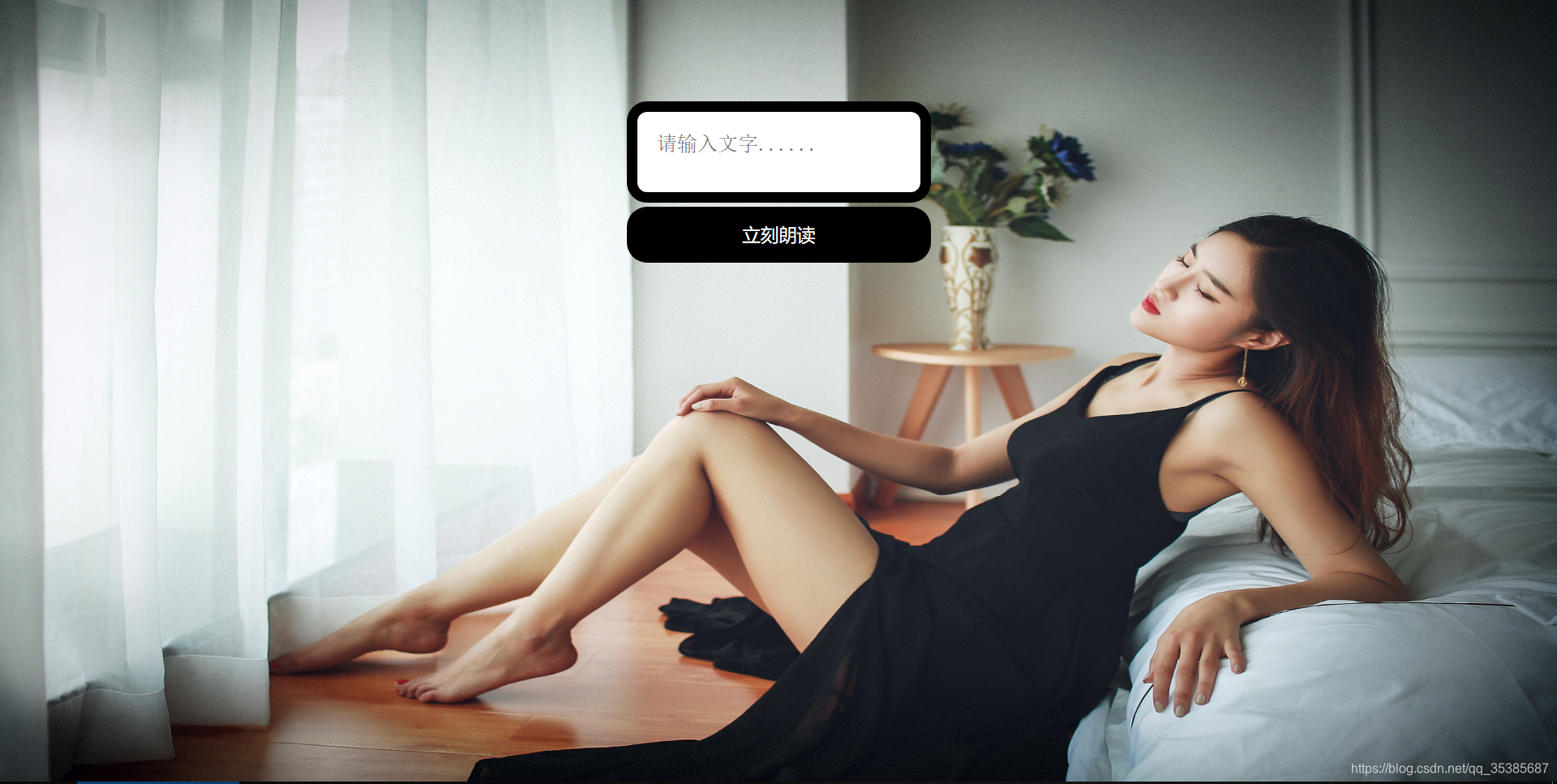
详细代码:
<!DOCTYPE html>
<html>
<head>
    <title>myweb</title>
    <style>
        html{
            height: 100%;
           	background:url(https://cdn.nlark.com/yuque/0/2019/jpeg/124897/1558635287060-assets/web-upload/074f3bf7-9354-464a-985a-282167e3d212.jpeg);
			background-size:100% 100%;
			background-repeat:no-repeat;
        }

        div{
            width: 300px;
            margin: 100px auto 0;
        }

        .input_box{
            width: 100%;
            height: 100px;
            outline: none; /*去掉轮廓线*/
            border: 10px solid #000;
            box-sizing: border-box;/*怪异盒模型*/
            resize: none;/*禁止拖拽*/
            border-radius: 20px;/*圆角*/
            padding: 20px;
            background-color: rgba(255,255,255,5);
            font-size: 20px;
        }

        .speech{
            height: 55px;
            width: 100%;
            font-size: 18px;
            outline: none;
            border: none;
            background-color:#000;
            color: #fff;
            cursor: pointer;/*鼠标样式,小手*/
            border-radius: 20px;
        }
        .speech:hover{/*hover伪类选择器 当鼠标滑过speech改变背景颜色*/
            background-color: #ea4c89
        }

    </style>
</head>
<body >

    <div>
        <textarea class="input_box" placeholder="请输入文字......"></textarea>
        <input class="speech" type="submit" value="立刻朗读">
    </div>

    <script>/*JavaScript代码*/
        function speeching(inputBox,speechBtn) {
            var inputBox = document.querySelector(inputBox),
                speechBtn = document.querySelector(speechBtn);

            var inputText = '';

            speechBtn.onclick = function(){
                var message = null;/*默认文本框为空*/
                var text = inputBox.value;/*接收按钮得到的值*/
                message = new SpeechSynthesisUtterance(text);/*传给message*/
                window.speechSynthesis.speak(message);/*利用电脑本身应用读取输入内容*/
            }
        }
    </script>

    <script>
        speeching('.input_box','.speech');
    </script>

</body>
</html>

- 1
- 2
- 3
- 4
- 5
- 6
- 7
- 8
- 9
- 10
- 11
- 12
- 13
- 14
- 15
- 16
- 17
- 18
- 19
- 20
- 21
- 22
- 23
- 24
- 25
- 26
- 27
- 28
- 29
- 30
- 31
- 32
- 33
- 34
- 35
- 36
- 37
- 38
- 39
- 40
- 41
- 42
- 43
- 44
- 45
- 46
- 47
- 48
- 49
- 50
- 51
- 52
- 53
- 54
- 55
- 56
- 57
- 58
- 59
- 60
- 61
- 62
- 63
- 64
- 65
- 66
- 67
- 68
- 69
- 70
- 71
- 72
- 73
- 74
- 75
- 76
- 77
声明:本文内容由网友自发贡献,不代表【wpsshop博客】立场,版权归原作者所有,本站不承担相应法律责任。如您发现有侵权的内容,请联系我们。转载请注明出处:https://www.wpsshop.cn/article/detail/55450
推荐阅读
相关标签

