
热门标签
热门文章
- 1matlab学习指南(2):安装工具箱Toolbox的方法(详细图解)_matlab toolbox
- 2【数据分析大作业 爬虫+数据清洗+可视化分析】Python抓取视频评论并生成词云、情感指数柱状图、性别比例饼图及评论信息表格_python数据分析大作业
- 3【IDEA】idea一直处于scanning files to index状态然后闪退_idea indexing 闪退
- 4Android 样式小结_在程序的res/values/styles.xml文件中创建一个名为hline的样式与一个名为vli
- 5YOLOv7教程系列:一、基于自定义数据集训练专属于自己的目标检测模型(保姆级教程,含数据集预处理),包含对train.py/test.py/detect.py/export.py详细说明_yolov7 export.py
- 6【AIGC】一款离线版的AI智能换脸工具V2.0分享(支持图片、视频、直播)
- 7mysql命令练习_mysql查询年龄大于18
- 8ENFP型人格的特征分析(mbti性格测试)_怎么测自己是enfp
- 9单元测试系列 | 如何更好地测试依赖外部接口的方法_单元测试依赖
- 10【Golang】go编程语言适合哪些项目开发?
当前位置: article > 正文
HanLP 基于SVM支持向量机 训练 文本分类_搜狗文本分类语料库迷你版
作者:编程挑战者 | 2024-02-01 11:01:35
赞
踩
搜狗文本分类语料库迷你版
一、HanLP 基于SVM支持向量机分类器
上篇文章通过朴素贝叶斯文本分类器,训练测试了 搜狗文本分类语料库迷你版 ,本篇继续测试SVM支持向量机分类器。
由于HanLP 官方给出的 SVM 分类器依赖了第三方库,没有集成在主项目中,需要拉取 text-classification-svm 项目:
git clone https://github.com/hankcs/text-classification-svm.git
拉取项目后,发现 pom 依赖的 hanlp 版本是 portable-1.5.2,前面我们用的都是portable-1.8.3,这里就保持保本一致,将 pom 中 hannlp 的版本升级为 portable-1.8.3:
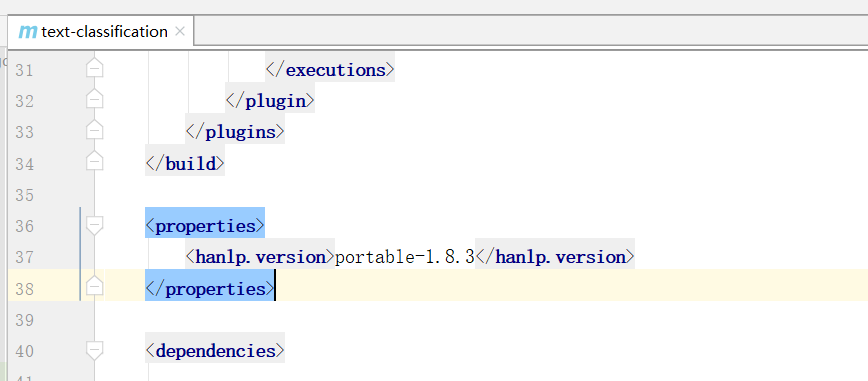
升级后会有两点不兼容,需要修改 LinearSVMClassifier 类:
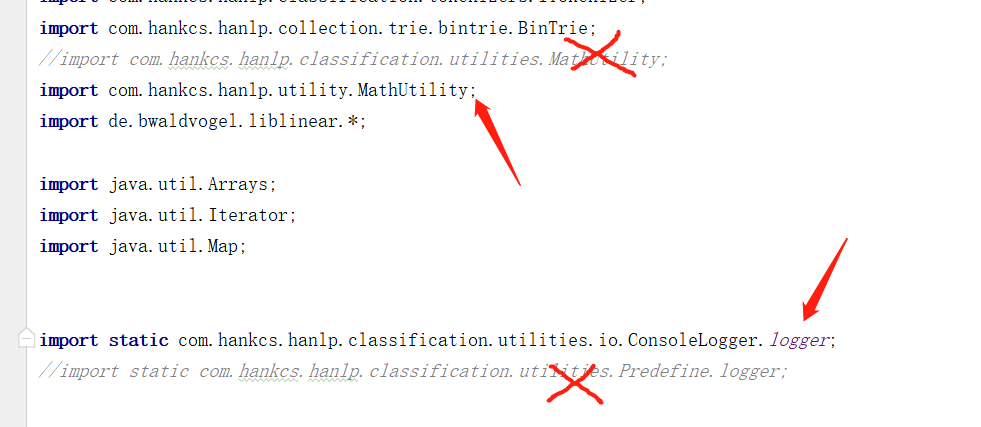
然后将该项目打包到本地 Maven 中方便其他项目使用:
mvn clean install -DskipTests
- 1
下面在自己的 Maven 项目中添加依赖:
<!-- svm 分类器扩展包-->
<dependency>
   <groupId>com.hankcs.nlp</groupId>
   <artifactId>text-classification</artifactId>
   <version>1.0.1</version>
</dependency>
<!-- svm 依赖 liblinear-->
<dependency>
   <groupId>de.bwaldvogel</groupId>
   <artifactId>liblinear</artifactId>
   <version>1.95</version>
</dependency>
- 1
- 2
- 3
- 4
- 5
- 6
- 7
- 8
- 9
- 10
- 11
- 12
有关于 HanLP 环境的搭建,可以参考下面这篇文章:
SVM 文本分类器,利用liblinear实现HanLP中的文本分类接口,因此对预料库的要求还是 将数据集根据分类放到不同的目录中:
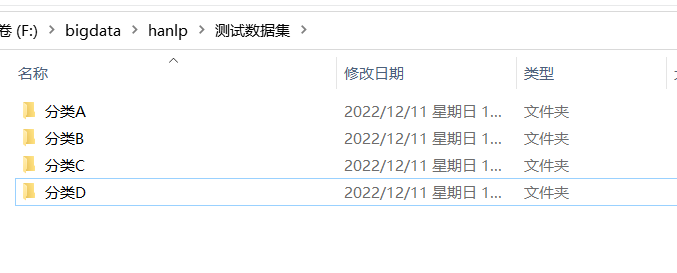
下面还是使用 搜狗文本分类语料库迷你版 进行测试。
准备语料库
下载数据集:
http://file.hankcs.com/corpus/sogou-text-classification-corpus-mini.zip
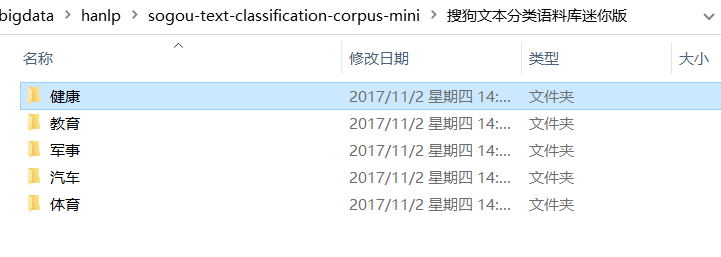
下载加压后数据格式:
文本样例:
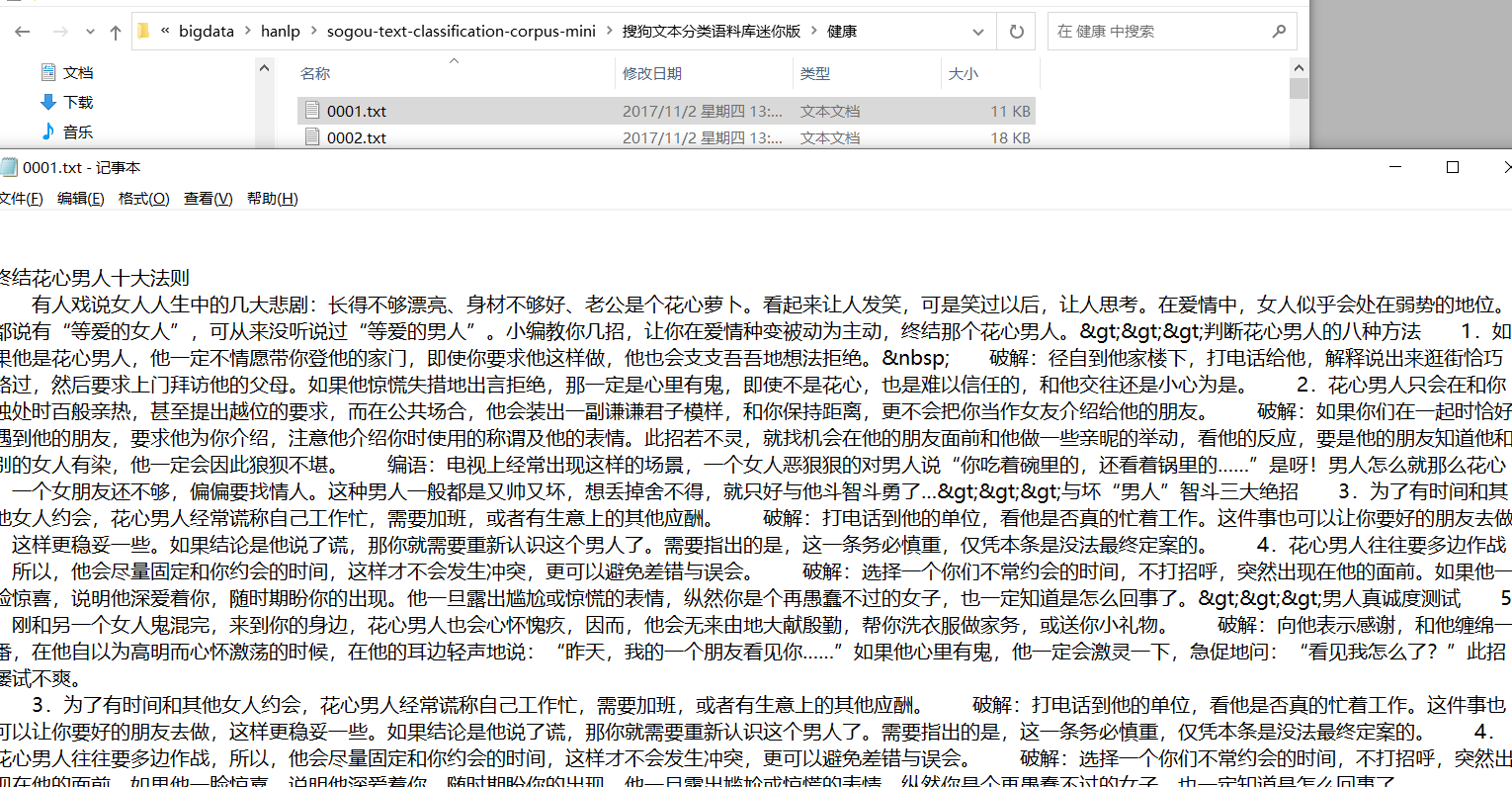
训练数据
public class ClassifyTrain {

    public static void main(String[] args) throws IOException {
        //语料库的地址
        String dataPath = "F:/bigdata/hanlp/sogou-text-classification-corpus-mini/搜狗文本分类语料库迷你版";
        //模型保存路径
        String modelPath = "F:/bigdata/hanlp/sogou-text-classification-corpus-mini/svm-classification-model.ser";
        //训练数据
        trainData(dataPath, modelPath);
    }

    private static void trainData(String dataPath, String modelPath) throws IOException {
        File corpusFolder = new File(dataPath);
        if (!corpusFolder.exists() || !corpusFolder.isDirectory())  {
            System.err.println("没有文本分类语料");
            return;
        }
        // FileDataSet省内存,可加载大规模数据集,支持不同的ITokenizer,详见源码中的文档
        // 使用前90% 的数据作为训练集
        IDataSet trainingCorpus = new FileDataSet()
                .setTokenizer(new HanLPTokenizer())
                .load(dataPath, "UTF-8", 0.9);
        // 创建SVM分类器
        IClassifier classifier = new LinearSVMClassifier();
        // 训练数据
        classifier.train(trainingCorpus);
        // 获取训练模型
        AbstractModel model = classifier.getModel();
        // 使用后10% 的数据作为测试集
        IDataSet testingCorpus = new MemoryDataSet(model)
                .load(dataPath, "UTF-8", -0.1);
        // 计算准确率
        FMeasure result = Evaluator.evaluate(classifier, testingCorpus);
        System.out.println("测试集准确度:");
        System.out.println(result);
        // 保存模型
        IOUtil.saveObjectTo(model, modelPath);
    }

}
- 1
- 2
- 3
- 4
- 5
- 6
- 7
- 8
- 9
- 10
- 11
- 12
- 13
- 14
- 15
- 16
- 17
- 18
- 19
- 20
- 21
- 22
- 23
- 24
- 25
- 26
- 27
- 28
- 29
- 30
- 31
- 32
- 33
- 34
- 35
- 36
- 37
- 38
- 39
- 40
查看训练日志:
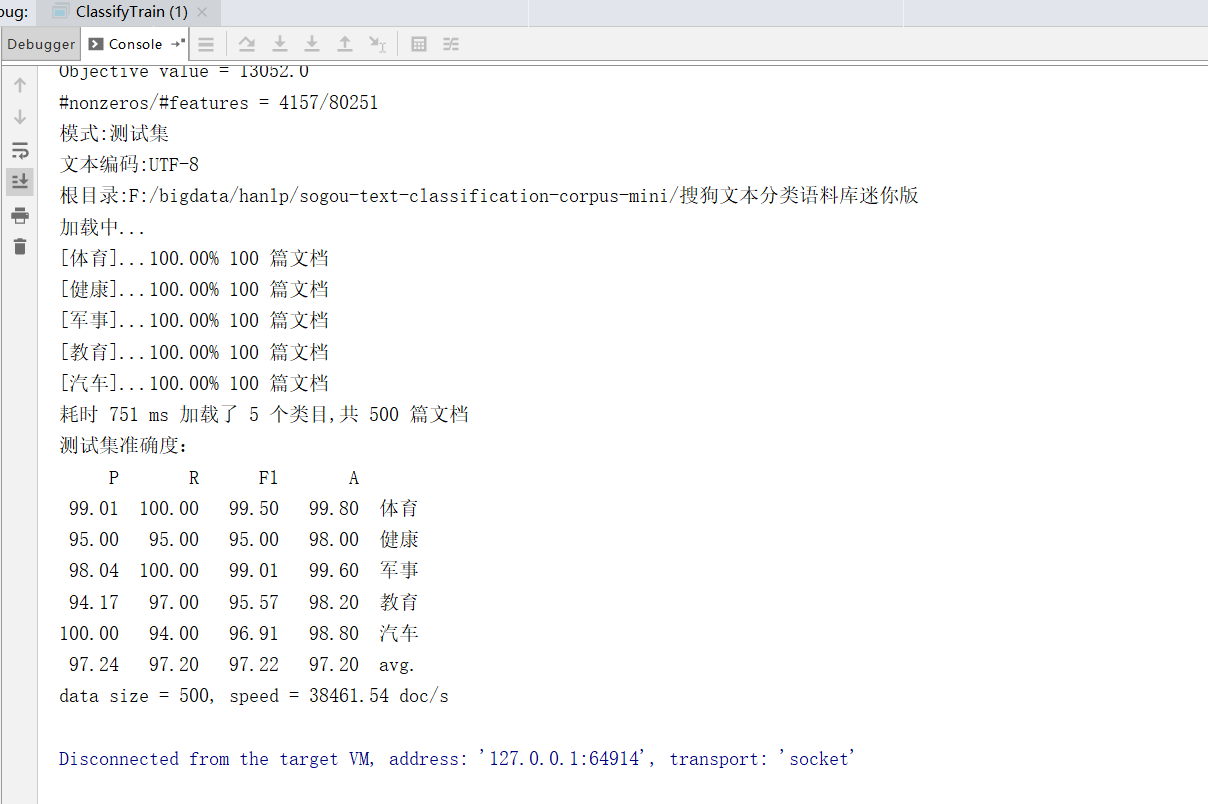
查看训练模型:
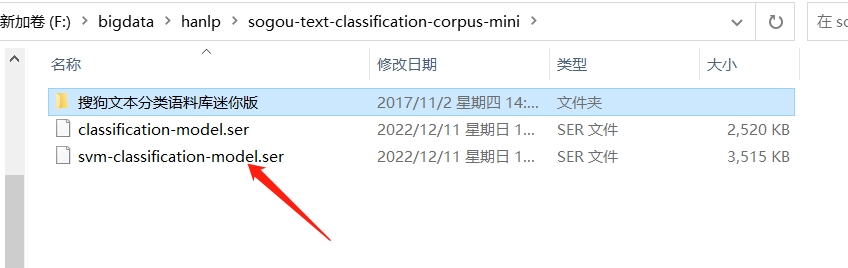
测试模型
public class TestClassify {

    public static void main(String[] args) {
        String modelPath = "F:/bigdata/hanlp/sogou-text-classification-corpus-mini/svm-classification-model.ser";
        testModel(modelPath);
    }

    private static void testModel(String modelPath){
        LinearSVMModel model = (LinearSVMModel) IOUtil.readObjectFrom(modelPath);
        IClassifier classifier = new LinearSVMClassifier(model);
        // 测试分类
        String text1 = "研究生考录模式亟待进一步专业化";
        System.out.printf("《%s》 属于分类 【%s】\n", text1, classifier.classify(text1));

        String text2 = "C罗获2018环球足球奖最佳球员 德尚荣膺最佳教练";
        System.out.printf("《%s》 属于分类 【%s】\n", text2, classifier.classify(text2));

        String text3 = "英国造航母耗时8年仍未服役 被中国速度远远甩在身后";
        System.out.printf("《%s》 属于分类 【%s】\n", text3, classifier.classify(text3));

        String text4 = "如果真想用食物解压,建议可以食用燕麦";
        System.out.printf("《%s》 属于分类 【%s】\n", text4, classifier.classify(text4));

    }

}
- 1
- 2
- 3
- 4
- 5
- 6
- 7
- 8
- 9
- 10
- 11
- 12
- 13
- 14
- 15
- 16
- 17
- 18
- 19
- 20
- 21
- 22
- 23
- 24
- 25
- 26
测试结果:
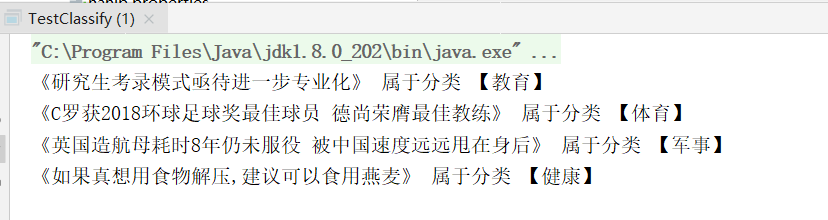
声明:本文内容由网友自发贡献,不代表【wpsshop博客】立场,版权归原作者所有,本站不承担相应法律责任。如您发现有侵权的内容,请联系我们。转载请注明出处:https://www.wpsshop.cn/article/detail/53448
推荐阅读
相关标签

