
热门标签
热门文章
- 1kafka集群搭建与使用_启动kafka时会使用linux主机名关联的ip地址,所以需要把主机名和linux的ip映射配置
- 2Vuepress码云部署及自动跳转404 的问题_vuepress 部署后 切换路由404
- 3vue事件对象$event
- 4ElasticSearch RestHighLevelClient 教程(一)通用操作_resthighlevelclient插入数据
- 5几种统计一段字符串中所有字符出现次数的方法_写方法得到段字符串在长字符串中出现的次数
- 6python模拟windows启动,在Windows启动时自动运行Python脚本?
- 7使用vscode编译器,&运行c++程序_vscode怎么运行c++
- 8sqli-labs-master靶场训练笔记(54-65|决战紫禁之巓)
- 9IAAS平台运维_设置控制节点主机名controller;计算节点主机名:compute。执行命令以及执行结果截
- 10python 节气计算_python 生成 1900-2100 的二十四节气文件
当前位置: article > 正文
用Python处理PDF
作者:笔尖舞者 | 2024-01-31 19:29:31
赞
踩
out_pdf.addpage(
本文转载自蛰虫始航 ,详情可以扫描下方二维码:

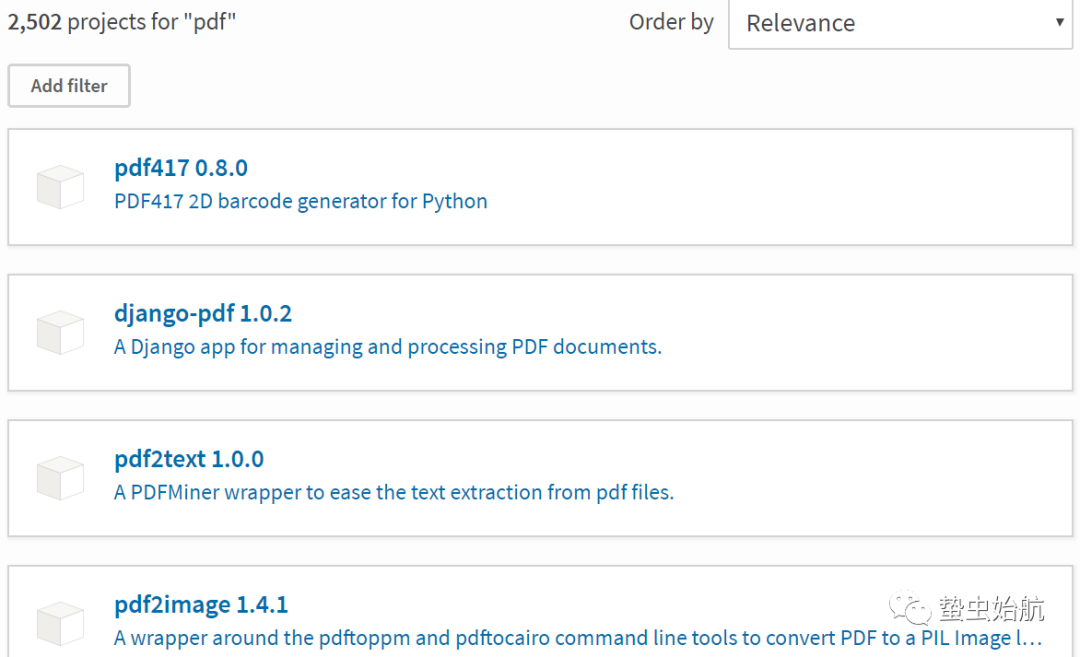
PDF作为可移植文档格式(Portable Document Format),在日常生活中经常接触到,最近处理一些数据更是频繁接触一些需要批量处理pdf文件的需求,因此便想整理一下自己实践的用Python处理PDF格式数据的笔记。本文会保持更新。PDF处理的高频需求有:读取、写入、格式转换(pdf提取文本写入txt、根据url写入pdf等) 、批处理(多个pdf合并为1个、切分pdf)等等。查了下相关资料,Python操作PDF的库有(只是应用的话肯定不至于造轮子从二进制数据开始读):pdfminer、pdfminer3k、PyPDF、PyPDF2、pdf2htmlex、pdf2image、pdf2xlsx等。
用pdf2合并和切分PDF
比较几个库之后打算先从PyPDF2快速实现一些功能。其官方文档为PyPDF2 Documentation[1],根据文档,PDF2库包含了 PdfFileReader PdfFileMerger PageObject PdfFileWriter 四个常用的主要的调用类,意思也很明确。先用pip install PyPDF2安装库。
批量合并pdf
- import os
- from PyPDF2 import PdfFileReader, PdfFileWriter #导入需要的类(库)
- wp='D:/doc_of_pdf/' #work_path
-
-
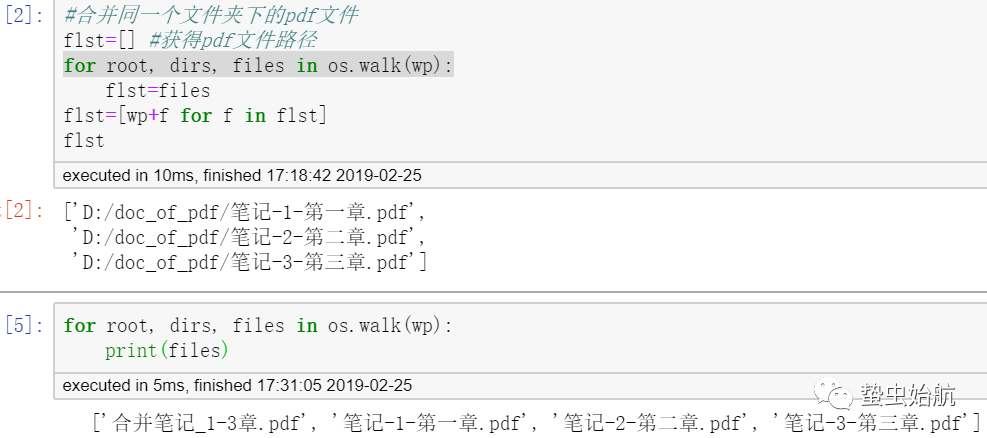
- #合并同一个文件夹下的pdf文件
- flst=[] #获得pdf文件路径
- for root, dirs, files in os.walk(wp):
- flst=files
- flst=[wp+f for f in flst]
- out_pdf=PdfFileWriter()
- for pf in flst:
- in_pdf=PdfFileReader(open(pf, 'rb')) #二进制打开
- page_count=in_pdf.getNumPages() #输入pdf的页数
- for pc in range(page_count):
- out_pdf.addPage(in_pdf.getPage(pc)) #逐页循环
- with open(wp+'合并笔记_1-3章.pdf','wb') as wf:
- out_pdf.write(wf)
- #out_pdf.getNumPages()

切分pdf为多个pdf
- #将一个pdf文件根据一定规则切分为多个
-
-
- sc_pdf=PdfFileReader(open(flst[0], 'rb')) #对第一章笔记进行处理
- count_sc=sc_pdf.getNumPages()
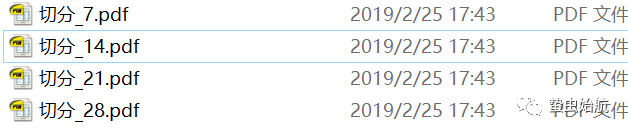
- #每7页切分为1个PDF文件
- out_pdf=PdfFileWriter() #用以输出pdf
- for c in range(count_sc):
- if c%7==0 and c>0:
- with open(wp+'切分_{0}.pdf'.format(c),'wb') as wf:
- out_pdf.write(wf)
- out_pdf=PdfFileWriter() #重建一个空对象
- else:
- out_pdf.addPage(sc_pdf.getPage(c))
通过上面的实践,可以看到实现这几个需求高频使用到的方法就是新建一个Reader或Writer对象,通过.getNumPages()获取一共的页码,通过.getPage(page)获取特定页,.addPage()写入页码。
图片转PDF
- #单张图片转pdf
- from PIL import Image
- from PyPDF2 import PdfFileReader, PdfFileWriter
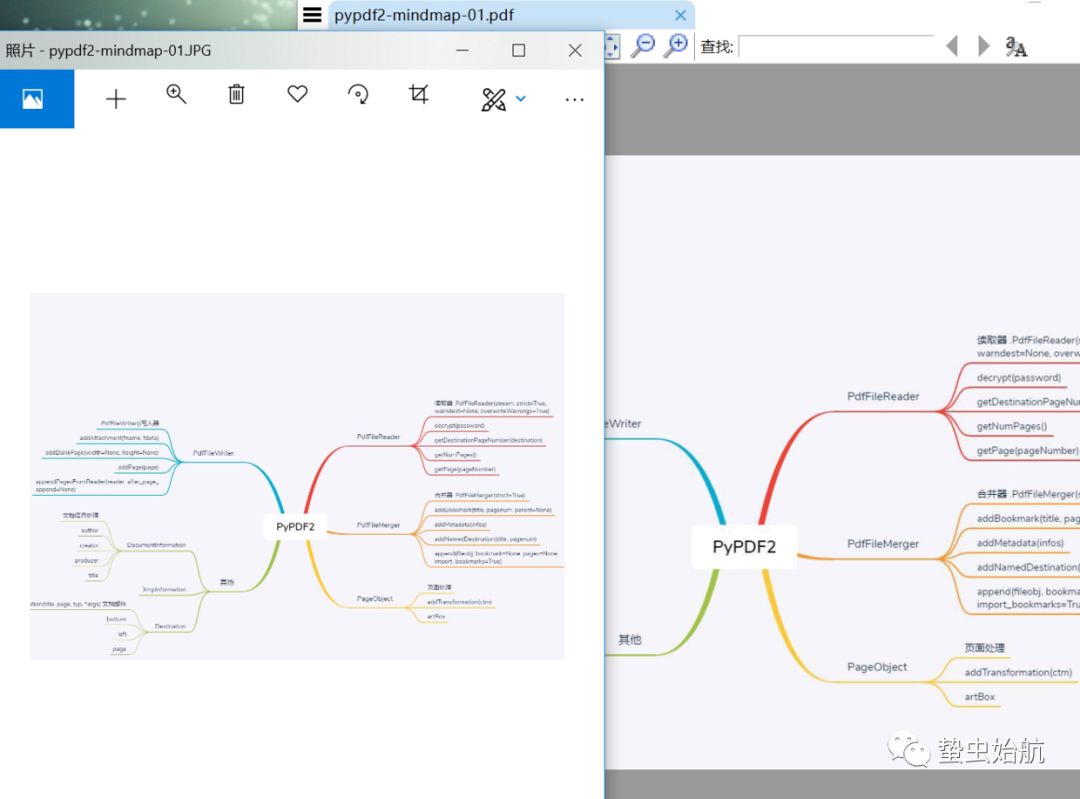
- img = Image.open('D:/docOfStu/pypdf2-mindmap-01.JPG')
- img.save('D:/docOfStu/pypdf2-mindmap-01.pdf', 'PDF') #通过PIL库保存为pdf格式
-
-
- #多张图片转pdf
- ilst=['D:/docOfStu/pypdf2-mindmap-01.jpg','D:/docOfStu/pypdf2-mindmap-02.jpg'] #图片列表
- # for root, dirs, files in os.walk(wpt): ilst=files #也可以通过os.walk(wpt) 读取文件夹wpt下所有图片
- out_pdf=PdfFileWriter()
- for f in ilst:
- img = Image.open(f)
- fw=f.replace('.jpg','.pdf')
- img.save(fw)
- out_pdf.appendPagesFromReader(PdfFileReader(open(fw,'rb'))) #也可拆这句为 sc_pdf=PdfFileReader(open(fw,'rb')); out_pdf.addPage(sc_pdf.getPage(0))
- out_pdf.write(open('D:/docOfStu/pypdf2-mindmap-04.pdf','wb'))
页面处理
过滤pdf中的的特定页面,只保留特定页面;另一方面,给pdf文件添加特定页面;
代码同步更新于:https://github.com/QLWeilcf/ Stack_lcf/blob/master/pdfProccWithpy.ipynb。
声明:本文内容由网友自发贡献,不代表【wpsshop博客】立场,版权归原作者所有,本站不承担相应法律责任。如您发现有侵权的内容,请联系我们。转载请注明出处:https://www.wpsshop.cn/article/detail/51701
推荐阅读

相关标签

