
热门标签
热门文章
- 1Linux中目录的操作和文件属性获取(opendir、readdir、close函数的使用)
- 2Transformer详解(附代码实现及翻译任务实现)
- 3本地部署 Whisper 及 WhisperDesktop
- 4第一次做项目经理总结_干货:项目结束后,哪些经验教训要总结?
- 5深入浅出Python量化交易实战--第1章 从零开始
- 6【MySQL】在 Centos7 环境下安装 MySQL
- 7Failed to load steamui.dll问题与解决方法详解,3分钟教你修复steamui.dll文件
- 8cvae-gan tensorflow实现_cvae-gan代码
- 9【华为OD机试真题 JAVA】篮球比赛_篮球(5v5)比赛中,每个球员拥有一个战斗力,每个队伍的所有球员战斗力之和为该队伍
- 10web3: 智能合约
当前位置: article > 正文
【使用python获取pdf所需数据】_python爬取pdf指定内容
作者:代码独立开发者 | 2024-01-31 18:59:13
赞
踩
python爬取pdf指定内容
一:本文思路
1 代码
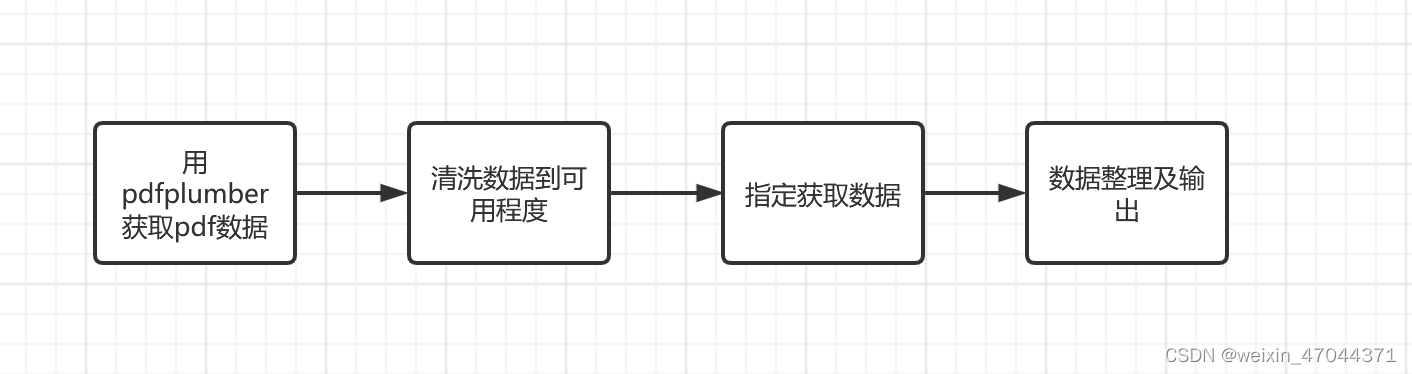
2 内容
采用代码、数据、结果结合的方式按操作顺序给出
二:正文
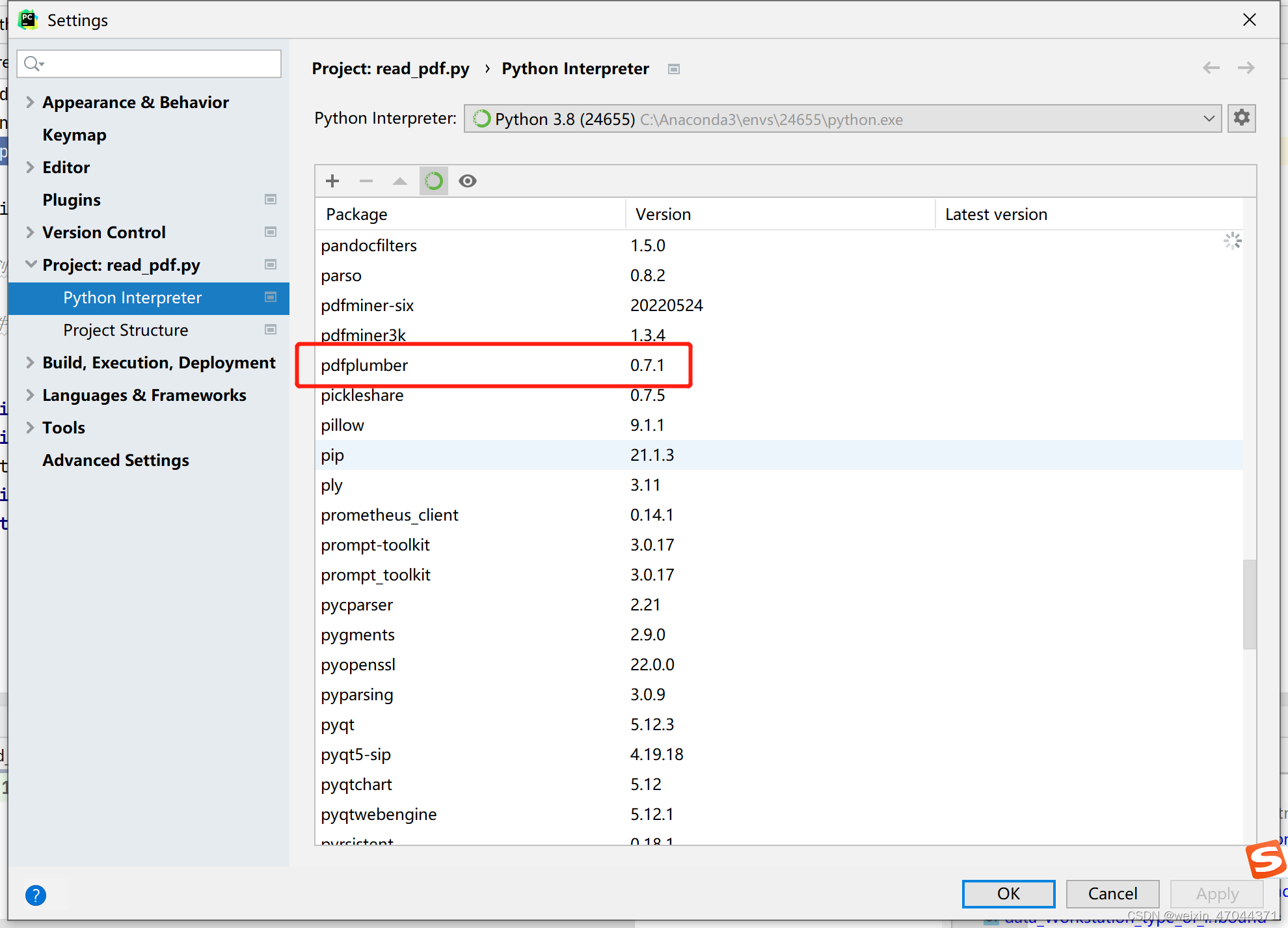
1 安装pdfplumber库
2 将pdf文件放入指定文件夹
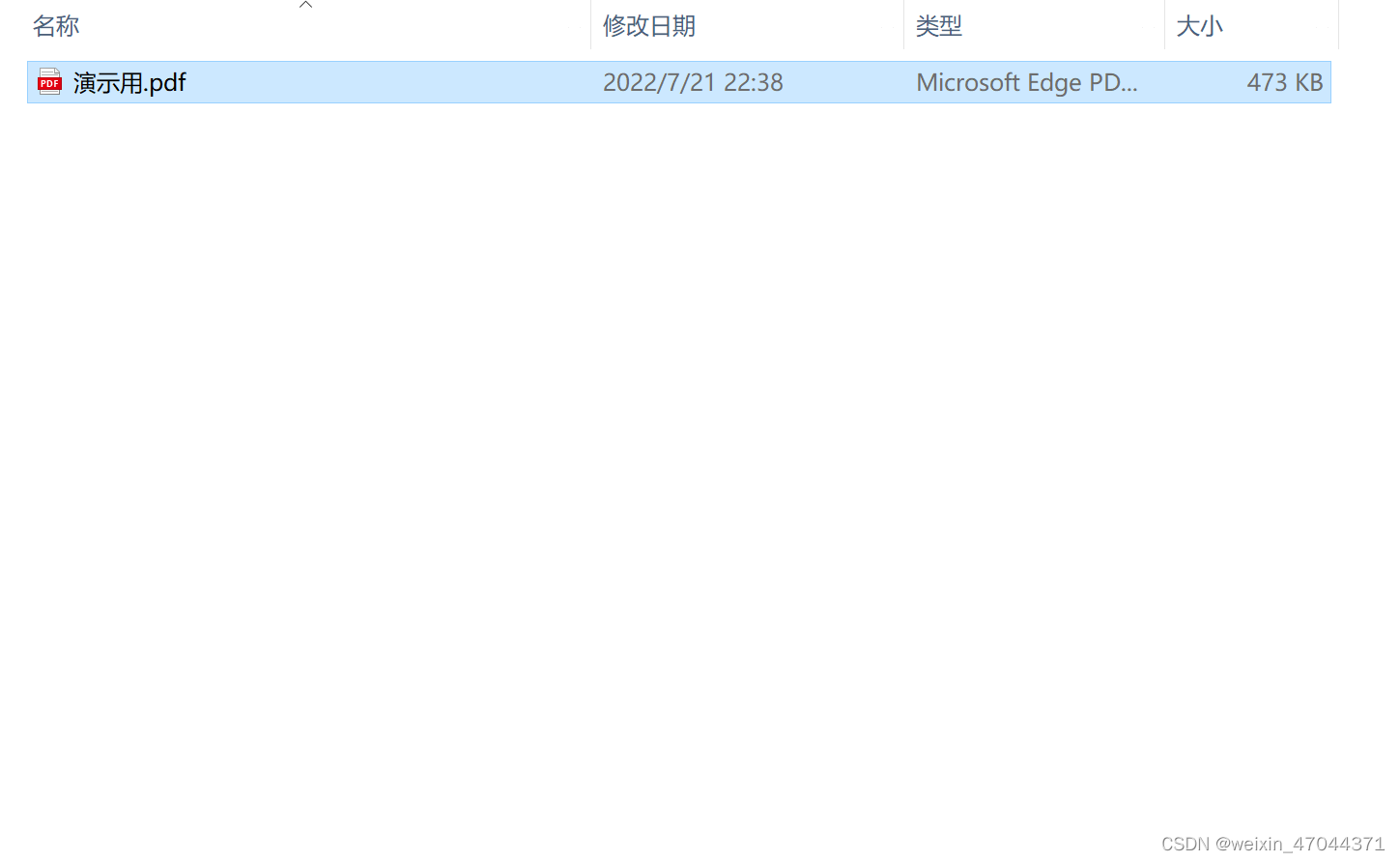 此文件夹只用于存储pdf文件
3 代码部分
tips:运行前需要修改文件存放与读取地址。此代码会生成pdf读取的初始数据进行存储,再读取初始数据进行数据处理。
import pandas as pd
import warnings
import pdfplumber
import os
warnings.filterwarnings("ignore")


#自动导出文件夹对应的PDF数据
dir_path = r'C:\Users\24655\Desktop\python知识管理\python脚本和算法\脚本\read_pdf\数据'
path = []
for i,j,k in os.walk(dir_path):
    for m in range(len(k)):
        path.append(str(i)+'\\'+str(k[m]))
    for l in range(len(k)):
        with pdfplumber.open(path[l]) as pdf:
            #输出pdf隐藏信息
            #print(pdf.metadata)
            # 第一页pdfplumber.Page实例
            first_page = pdf.pages[0]
            # second_page = pdf.pages[1]
            text = first_page.extract_text()
            with open(r'C:\Users\24655\Desktop\python知识管理\python脚本和算法\脚本\read_pdf\数据\{}.csv'.format(k[l]),'w') as file:
                        file.write(str(text)+'/n')
    df_final = pd.DataFrame()
    for im in range(len(k)):
        #PDF导出的数据清洗
        df = pd.read_csv(r'C:\Users\24655\Desktop\python知识管理\python脚本和算法\脚本\read_pdf\数据\{}.csv'.format(k[im]),encoding = 'gbk')
        # print(df)
        df = df.loc[2:11]
        # print(df)
        len_df_loc = df.loc[3].str.split(' ')[0] #解决pdf读取数据时,4s在与不在同一行导致的删除列错误
        # print(len(len_df_loc))
        if len(len_df_loc) <= 2:
            df.loc[3] = df.loc[3]+' '+df.loc[4]
            df.drop(index = [4,5,6,9],inplace = True)
        else:
            df.loc[3] = df.loc[3]+' '+df.loc[4]
            df.drop(index = [4,5,8],inplace = True)
        # print(df)
        df = df.admin.reset_index()
        df = df['admin'].str.split(' ',expand = True) #以表格形式切割数据
        # print(df)
        #清洗完的数据精准获取
        data_cell = []
        data_cell.append(k[im]) #地图名称
        split_df_1 = df.loc[3] #解决pdf读取数据时,4s在与不在同一行导致的删除列错误
        if len(split_df_1) <= 14:
            data_case_type = df.loc[3,2]
            data_cell.append(data_case_type) #项目类型
        else:
            data_case_type = df.loc[3,3]
            data_cell.append(data_case_type) #项目类型
        data_efficiency_of_the_car = df.loc[1,0]
        data_cell.append(data_efficiency_of_the_car) #车效
        data_efficiency_of_the_warehouse = df.loc[1,1]
        data_cell.append(data_efficiency_of_the_warehouse) #整仓效率
        data_Processing_time_for_a_single_container = df.loc[1,2]
        data_cell.append(data_Processing_time_for_a_single_container) #单箱处理时间
        data_the_number_of_car = df.loc[5,0]
        data_cell.append(data_the_number_of_car) #车数
        data_the_number_of_mc = df.loc[3,11]
        data_cell.append(data_the_number_of_mc) #任务数
        data_Workstation_type_of_inbound = df.loc[5,6]
        data_cell.append(data_Workstation_type_of_inbound) #出库工作站类型
        data_Workstation_number_of_inbound = df.loc[5,5]
        data_cell.append(data_Workstation_number_of_inbound) #出库工作站数量
        data_Conveyor_line = df.loc[5,9]
        data_cell.append(data_Conveyor_line) #是否有输送线
        # 解决pdf识别问题导致报告编码与任务名称粘在一起的问题
        split_df_1 = df.loc[3] #解决pdf读取数据时,4s在与不在同一行导致的删除列错误
        if len(split_df_1) <= 14:
            data_Pick_up_time_of_outbound = df.loc[3,8]
            data_cell.append(data_Pick_up_time_of_outbound) #出库拣货时间(h)
            data_total_time_of_Perform_a_task = df.loc[3,12]
            data_cell.append(data_total_time_of_Perform_a_task) #执行任务总时长(h)
            data_Times_the_speed = df.loc[3,3]
            data_cell.append(data_Times_the_speed) #倍速
        else:
            data_Pick_up_time_of_outbound = df.loc[3,9]
            data_cell.append(data_Pick_up_time_of_outbound) #出库拣货时间(h)
            data_total_time_of_Perform_a_task = df.loc[3,13]
            data_cell.append(data_total_time_of_Perform_a_task) #执行任务总时长(h)
            data_Times_the_speed = df.loc[3,4]
            data_cell.append(data_Times_the_speed) #倍速
        data_cell = pd.Series(data_cell)
        data_cell = pd.DataFrame(data_cell.T)
        data_cell = data_cell.T
        data_cell.columns = ['地图', '项目类型', '车效(箱//车)', '整仓效率(箱/)', '单箱处理耗时', '车数', '任务数', '出库工作站类型',
           '出库工作站数量', '是否有输送线', '出库拣货时间(h)', '执行任务总时长(h)', '倍速']
        df_final = pd.concat([df_final,data_cell])
    df_final = df_final.sort_values(by = '倍速',axis = 0,ascending = True)
    df_final.to_csv(r'C:\Users\24655\Desktop\python知识管理\python脚本和算法\脚本\read_pdf\数据\{}个pdf文件数据汇总.csv'.format(len(k)),index = False,encoding='gbk')

- 1
- 2
- 3
- 4
- 5
- 6
- 7
- 8
- 9
- 10
- 11
- 12
- 13
- 14
- 15
- 16
- 17
- 18
- 19
- 20
- 21
- 22
- 23
- 24
- 25
- 26
- 27
- 28
- 29
- 30
- 31
- 32
- 33
- 34
- 35
- 36
- 37
- 38
- 39
- 40
- 41
- 42
- 43
- 44
- 45
- 46
- 47
- 48
- 49
- 50
- 51
- 52
- 53
- 54
- 55
- 56
- 57
- 58
- 59
- 60
- 61
- 62
- 63
- 64
- 65
- 66
- 67
- 68
- 69
- 70
- 71
- 72
- 73
- 74
- 75
- 76
- 77
- 78
- 79
- 80
- 81
- 82
- 83
- 84
- 85
- 86
- 87
- 88
- 89
- 90
- 91
- 92
声明:本文内容由网友自发贡献,不代表【wpsshop博客】立场,版权归原作者所有,本站不承担相应法律责任。如您发现有侵权的内容,请联系我们。转载请注明出处:https://www.wpsshop.cn/article/detail/51452
推荐阅读

相关标签

