
热门标签
热门文章
- 1【CSDN表情包大全】
- 2API接口文档 - 自动生成_apifox自动生成接口文档
- 3MacOS配置Python开发环境和Pycharm的详细步骤(完整版)_mac python环境搭建
- 4【多模态大模型】BLIP-2:低计算视觉-语言预训练大模型
- 5Git合并两次commit(重复push)为一次_commit两次再push会怎么样
- 6leetcode:统计编码的总数_合法的编码数量leetcode
- 7【Spring连载】使用Spring Data访问Redis(十)----Lua脚本支持Scripting
- 8蓝桥杯2023年第十四届省赛真题-矩形总面积_第十四届蓝桥杯省赛py第五题矩形面积题解
- 98天Python从入门到精通 第四章 Python循环语句 4.10 综合案例_某公司,账户余额有1w元,给20名员工发工资
- 10Java on Azure Tooling 2024年1月更新|Azure Key Vault 支持、示例项目创建支持及更多
当前位置: article > 正文
Could not find the required component ‘tf2_geometry_msgs‘. The following CMake error indicates that_ros2 the passed package name 'tf2_geometry_msgs' w
作者:itrstu | 2024-01-31 16:45:45
赞
踩
ros2 the passed package name 'tf2_geometry_msgs' was not found before
| 报错信息 |
|---|
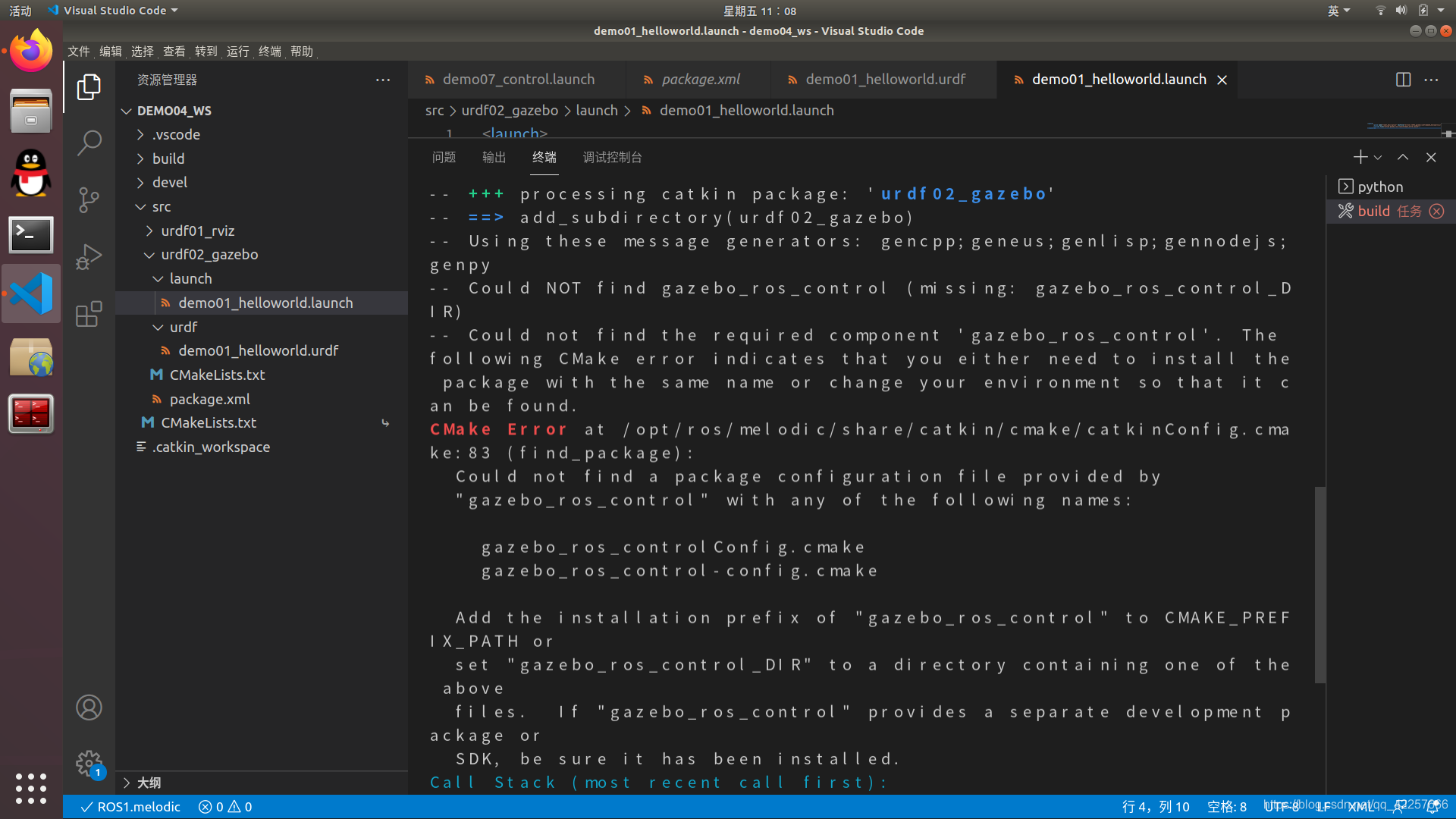
 Could NOT find tf2_geometry_msgs(missing: tf2_geometry_msgs_DIR)
-- Could not find the required component 'tf2_geometry_msgs'.
The following CMake error indicates that you either need to
install the package with the same name or change your environment so that it can be found.

CMake Error at /opt/ros/kinetic/share/catkin/cmake/catkinConfig.cmake:83 (find_package):
  Could not find a package configuration file provided by
  "tf2_geometry_msgs" with any of the following names:

    tf2_geometry_msgsConfig.cmake
    tf2_geometry_msgs-config.cmake

  Add the installation prefix of "tf2_geometry_msgs" to CMAKE_PREFIX_PATH or
  set "tf2_geometry_msgs_DIR" to a directory containing one of the above
  files.  If "tf2_geometry_msgs" provides a separate development package or
  SDK, be sure it has been installed.
- 1
- 2
- 3
- 4
- 5
- 6
- 7
- 8
- 9
- 10
- 11
- 12
- 13
- 14
- 15
- 16
| 解决方案 |
|---|
sudo apt install ros-melodic-tf2-geometry-msgs
- 1
ps:如果是ros的其他版本,只需要将melodic换成你的版本即可,然后将后面替换成你缺少的包名,注意要把包名中的 _ 换成 -才可以。这句我全网只找到一篇,还是外网的一个问答。
声明:本文内容由网友自发贡献,不代表【wpsshop博客】立场,版权归原作者所有,本站不承担相应法律责任。如您发现有侵权的内容,请联系我们。转载请注明出处:https://www.wpsshop.cn/article/detail/51114
推荐阅读
相关标签

