
热门标签
热门文章
- 1SpringBoot【运维实用篇】---- 配置高级_配置项compatibility.override main response version: t
- 2数据结构.栈
- 3在eclipse中报找不到或加载到某类的错误解决办法_eclipse错误: 在模块 wekstest 中找不到或无法加载主类 weka.classifie
- 4纯净安装 Windows 11 官方原版系统的方法图解(适用强迫症患者)_winntsetup4.2 win11
- 5Unity引擎的打包Player Settings设置介绍_unity palyer 设置install location
- 6PDF与Base64的相互转换以及操作_pdf转base64
- 7【Python 第2篇】如何用Python设计简单的“猜数字”小游戏_用python输入数字,猜测输的对不对
- 8【Java进阶】Java线程池ThreadPoolExecutor的使用详解以及SpringBoot下如何使用线程池_threadpoolexecutor 实现类注册进bean
- 9stm32 hal库 RCC初始化函数SystemClock_Config()梳理分析、初步细致学习(一)
- 10ubuntu 12.04 使用纪要 -- 持续更新
当前位置: article > 正文
免费分享一套Python俄罗斯方块源码 PyQt5俄罗斯方块源码,太好玩了~
作者:程序性能提升者 | 2024-01-31 08:25:24
赞
踩
免费分享一套Python俄罗斯方块源码 PyQt5俄罗斯方块源码,太好玩了~
大家好,我是java1234_小锋老师,看到一个不错的Python俄罗斯方块源码 PyQt5俄罗斯方块源码,分享下哈。
项目视频演示
 https://www.bilibili.com/video/BV1Pe411n7w8/
项目介绍
《俄罗斯方块》原本是前苏联科学家阿列克谢·帕基特诺夫所开发的教育用软件,之后开始提供授权给各个游戏公司,造成各平台上软件大量发行的现象。
Game Boy版的俄罗斯方块在日本卖出424万套,是Game Boy史上卖最好的游戏。海湾战争时,也是前线美军最常拿消磨时间的游戏之一。
由于俄罗斯方块具有的数学性、动态性与知名度,也经常拿来作为游戏程序设计的练习题材。
系统展示
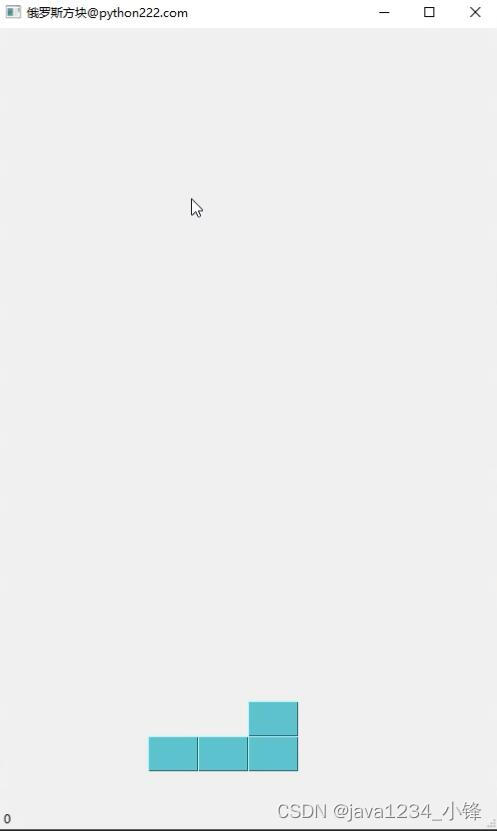
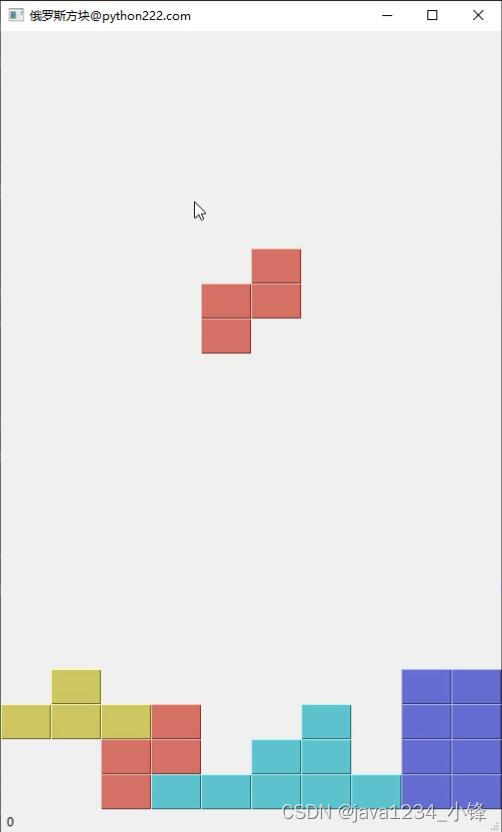
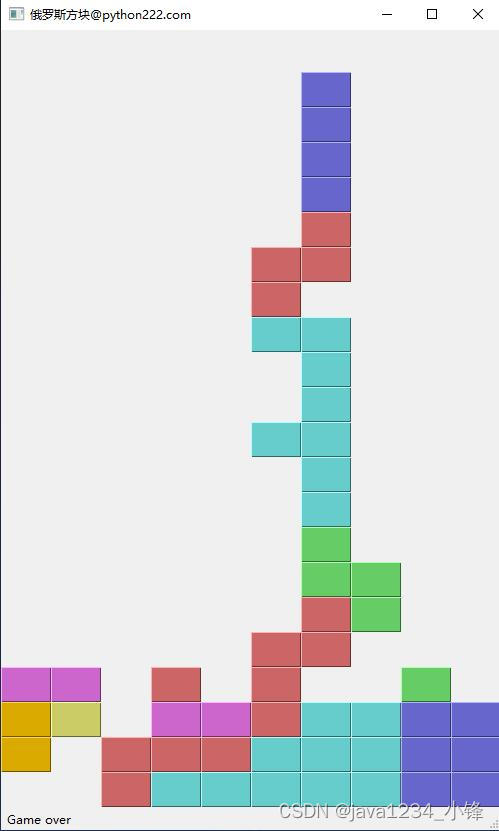
部分代码
- import sys, random
- from PyQt5.QtWidgets import QMainWindow, QFrame, QDesktopWidget, QApplication
- from PyQt5.QtCore import Qt, QBasicTimer, pyqtSignal
- from PyQt5.QtGui import QPainter, QColor
-
-
- class Tetris(QMainWindow):
- def __init__(self):
- super().__init__()
-
- self.initUI()
-
-
-
-
- class Board(QFrame):
- msg2Statusbar = pyqtSignal(str)
-
- BoardWidth = 10
- BoardHeight = 22
- Speed = 300
-
- def __init__(self, parent):
- super().__init__(parent)
-
- self.initBoard()
-
- def initBoard(self):
-
- self.timer = QBasicTimer()
- self.isWaitingAfterLine = False
-
- self.curX = 0
- self.curY = 0
- self.numLinesRemoved = 0
- self.board = []
-
- self.setFocusPolicy(Qt.StrongFocus)
- self.isStarted = False
- self.isPaused = False
- self.clearBoard()
-
- def shapeAt(self, x, y):
- return self.board[(y * Board.BoardWidth) + x]
-
- def setShapeAt(self, x, y, shape):
- self.board[(y * Board.BoardWidth) + x] = shape
-
- def squareWidth(self):
- return self.contentsRect().width() // Board.BoardWidth
-
- def squareHeight(self):
- return self.contentsRect().height() // Board.BoardHeight
-
- def start(self):
-
- if self.isPaused:
- return
-
- self.isStarted = True
- self.isWaitingAfterLine = False
- self.numLinesRemoved = 0
- self.clearBoard()
-
- self.msg2Statusbar.emit(str(self.numLinesRemoved))
-
- self.newPiece()
- self.timer.start(Board.Speed, self)
-
- def pause(self):
-
- if not self.isStarted:
- return
-
- self.isPaused = not self.isPaused
-
- if self.isPaused:
- self.timer.stop()
- self.msg2Statusbar.emit("paused")
-
- else:
- self.timer.start(Board.Speed, self)
- self.msg2Statusbar.emit(str(self.numLinesRemoved))
-
- self.update()
-
- def paintEvent(self, event):
-
- painter = QPainter(self)
- rect = self.contentsRect()
-
- boardTop = rect.bottom() - Board.BoardHeight * self.squareHeight()
-
- for i in range(Board.BoardHeight):
- for j in range(Board.BoardWidth):
- shape = self.shapeAt(j, Board.BoardHeight - i - 1)
-
- if shape != Tetrominoe.NoShape:
- self.drawSquare(painter,
- rect.left() + j * self.squareWidth(),
- boardTop + i * self.squareHeight(), shape)
-
- if self.curPiece.shape() != Tetrominoe.NoShape:
-
- for i in range(4):
- x = self.curX + self.curPiece.x(i)
- y = self.curY - self.curPiece.y(i)
- self.drawSquare(painter, rect.left() + x * self.squareWidth(),
- boardTop + (Board.BoardHeight - y - 1) * self.squareHeight(),
- self.curPiece.shape())
-
- def keyPressEvent(self, event):
-
- if not self.isStarted or self.curPiece.shape() == Tetrominoe.NoShape:
- super(Board, self).keyPressEvent(event)
- return
-
- key = event.key()
-
- if key == Qt.Key_P:
- self.pause()
- return
-
- if self.isPaused:
- return
-
- elif key == Qt.Key_Left:
- self.tryMove(self.curPiece, self.curX - 1, self.curY)
-
- elif key == Qt.Key_Right:
- self.tryMove(self.curPiece, self.curX + 1, self.curY)
-
- elif key == Qt.Key_Down:
- self.tryMove(self.curPiece.rotateRight(), self.curX, self.curY)
-
- elif key == Qt.Key_Up:
- self.tryMove(self.curPiece.rotateLeft(), self.curX, self.curY)
-
- elif key == Qt.Key_Space:
- self.dropDown()
-
- elif key == Qt.Key_D:
- self.oneLineDown()
-
- else:
- super(Board, self).keyPressEvent(event)
-
- def timerEvent(self, event):
-
- if event.timerId() == self.timer.timerId():
-
- if self.isWaitingAfterLine:
- self.isWaitingAfterLine = False
- self.newPiece()
- else:
- self.oneLineDown()
-
- else:
- super(Board, self).timerEvent(event)
-
- def clearBoard(self):
-
- for i in range(Board.BoardHeight * Board.BoardWidth):
- self.board.append(Tetrominoe.NoShape)
-
- def dropDown(self):
-
- newY = self.curY
-
- while newY > 0:
-
- if not self.tryMove(self.curPiece, self.curX, newY - 1):
- break
-
- newY -= 1
-
- self.pieceDropped()
-
- def oneLineDown(self):
-
- if not self.tryMove(self.curPiece, self.curX, self.curY - 1):
- self.pieceDropped()
-
- def pieceDropped(self):
-
- for i in range(4):
- x = self.curX + self.curPiece.x(i)
- y = self.curY - self.curPiece.y(i)
- self.setShapeAt(x, y, self.curPiece.shape())
-
- self.removeFullLines()
-
- if not self.isWaitingAfterLine:
- self.newPiece()
-
- def removeFullLines(self):
-
- numFullLines = 0
- rowsToRemove = []
-
- for i in range(Board.BoardHeight):
-
- n = 0
- for j in range(Board.BoardWidth):
- if not self.shapeAt(j, i) == Tetrominoe.NoShape:
- n = n + 1
-
- if n == 10:
- rowsToRemove.append(i)
-
- rowsToRemove.reverse()
-
- for m in rowsToRemove:
-
- for k in range(m, Board.BoardHeight):
- for l in range(Board.BoardWidth):
- self.setShapeAt(l, k, self.shapeAt(l, k + 1))
-
- numFullLines = numFullLines + len(rowsToRemove)
-
- if numFullLines > 0:
- self.numLinesRemoved = self.numLinesRemoved + numFullLines
- self.msg2Statusbar.emit(str(self.numLinesRemoved))
-
- self.isWaitingAfterLine = True
- self.curPiece.setShape(Tetrominoe.NoShape)
- self.update()
-
- def newPiece(self):
-
- self.curPiece = Shape()
- self.curPiece.setRandomShape()
- self.curX = Board.BoardWidth // 2 + 1
- self.curY = Board.BoardHeight - 1 + self.curPiece.minY()
-
- if not self.tryMove(self.curPiece, self.curX, self.curY):
- self.curPiece.setShape(Tetrominoe.NoShape)
- self.timer.stop()
- self.isStarted = False
- self.msg2Statusbar.emit("Game over")
-
- def tryMove(self, newPiece, newX, newY):
-
- for i in range(4):
-
- x = newX + newPiece.x(i)
- y = newY - newPiece.y(i)
-
- if x < 0 or x >= Board.BoardWidth or y < 0 or y >= Board.BoardHeight:
- return False
-
- if self.shapeAt(x, y) != Tetrominoe.NoShape:
- return False
-
- self.curPiece = newPiece
- self.curX = newX
- self.curY = newY
- self.update()
-
- return True
-
- def drawSquare(self, painter, x, y, shape):
-
- colorTable = [0x000000, 0xCC6666, 0x66CC66, 0x6666CC,
- 0xCCCC66, 0xCC66CC, 0x66CCCC, 0xDAAA00]
-
- color = QColor(colorTable[shape])
- painter.fillRect(x + 1, y + 1, self.squareWidth() - 2,
- self.squareHeight() - 2, color)
-
- painter.setPen(color.lighter())
- painter.drawLine(x, y + self.squareHeight() - 1, x, y)
- painter.drawLine(x, y, x + self.squareWidth() - 1, y)
-
- painter.setPen(color.darker())
- painter.drawLine(x + 1, y + self.squareHeight() - 1,
- x + self.squareWidth() - 1, y + self.squareHeight() - 1)
- painter.drawLine(x + self.squareWidth() - 1,
- y + self.squareHeight() - 1, x + self.squareWidth() - 1, y + 1)
-
-
- class Tetrominoe(object):
- NoShape = 0
- ZShape = 1
- SShape = 2
- LineShape = 3
- TShape = 4
- SquareShape = 5
- LShape = 6
- MirroredLShape = 7
-
-
- class Shape(object):
- coordsTable = (
- ((0, 0), (0, 0), (0, 0), (0, 0)),
- ((0, -1), (0, 0), (-1, 0), (-1, 1)),
- ((0, -1), (0, 0), (1, 0), (1, 1)),
- ((0, -1), (0, 0), (0, 1), (0, 2)),
- ((-1, 0), (0, 0), (1, 0), (0, 1)),
- ((0, 0), (1, 0), (0, 1), (1, 1)),
- ((-1, -1), (0, -1), (0, 0), (0, 1)),
- ((1, -1), (0, -1), (0, 0), (0, 1))
- )
-
- def __init__(self):
-
- self.coords = [[0, 0] for i in range(4)]
- self.pieceShape = Tetrominoe.NoShape
-
- self.setShape(Tetrominoe.NoShape)
-
- def shape(self):
- return self.pieceShape
-
- def setShape(self, shape):
-
- table = Shape.coordsTable[shape]
-
- for i in range(4):
- for j in range(2):
- self.coords[i][j] = table[i][j]
-
- self.pieceShape = shape
-
- def setRandomShape(self):
- self.setShape(random.randint(1, 7))
-
- def x(self, index):
- return self.coords[index][0]
-
- def y(self, index):
- return self.coords[index][1]
-
- def setX(self, index, x):
- self.coords[index][0] = x
-
- def setY(self, index, y):
- self.coords[index][1] = y
-
- def minX(self):
-
- m = self.coords[0][0]
- for i in range(4):
- m = min(m, self.coords[i][0])
-
- return m
-
- def maxX(self):
-
- m = self.coords[0][0]
- for i in range(4):
- m = max(m, self.coords[i][0])
-
- return m
-
- def minY(self):
-
- m = self.coords[0][1]
- for i in range(4):
- m = min(m, self.coords[i][1])
-
- return m
-
- def maxY(self):
-
- m = self.coords[0][1]
- for i in range(4):
- m = max(m, self.coords[i][1])
-
- return m
-
- def rotateLeft(self):
-
- if self.pieceShape == Tetrominoe.SquareShape:
- return self
-
- result = Shape()
- result.pieceShape = self.pieceShape
-
- for i in range(4):
- result.setX(i, self.y(i))
- result.setY(i, -self.x(i))
-
- return result
-
- def rotateRight(self):
-
- if self.pieceShape == Tetrominoe.SquareShape:
- return self
-
- result = Shape()
- result.pieceShape = self.pieceShape
-
- for i in range(4):
- result.setX(i, -self.y(i))
- result.setY(i, self.x(i))
-
- return result
-
-
- if __name__ == '__main__':
- app = QApplication([])
- tetris = Tetris()
- sys.exit(app.exec_())

源码下载
CSDN 1积分下载:https://download.csdn.net/download/caofeng891102/88765569
或者免费领取加小锋老师wx:java9266
热门推荐
声明:本文内容由网友自发贡献,不代表【wpsshop博客】立场,版权归原作者所有,本站不承担相应法律责任。如您发现有侵权的内容,请联系我们。转载请注明出处:https://www.wpsshop.cn/article/detail/49996
推荐阅读

相关标签

