
一:搭建项目
1.框架
在原有的基础上
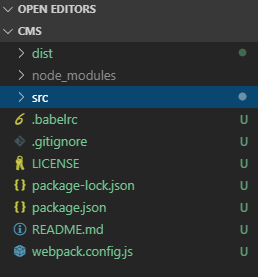
src:
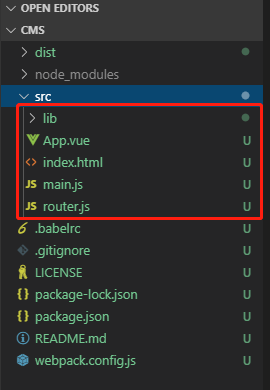
2.index.html
- <!DOCTYPE html>
- <html lang="en">
- <head>
- <meta charset="UTF-8">
- <meta name="viewport" content="width=device-width, initial-scale=1.0">
- <meta http-equiv="X-UA-Compatible" content="ie=edge">
- <title>Document</title>
- </head>
- <body>
- <div id="app">
- <p>222</p>
- </div>
-
- </body>
- </html>
3.main.js
- // js的主要入口
- console.log("ok")
-
- //导入vue
- import Vue from 'vue'
-
- //引入App.vue
- import app from './App.vue'
-
- //按需导入mint-mi下的Hearer
- import { Header } from 'mint-ui';
- Vue.component(Header.name, Header);
-
- //导入mui的样式
- import './lib/mui/css/mui.min.css'
-
- //Vue实例新建
- var vue = new Vue({
- el:'#app',
- render:c=>c(app)
- })

4.App.js
- <template>
- <div class="app-container">
- <!-- 顶部 Header 区域 -->
- <!-- 使用mint-ui -->
- <mt-header fixed title="程序员的项目"></mt-header>
-
- <!-- 中间的 路由 router-view 区域 -->
-
- <!-- 底部 Tabbar 区域 -->
- <nav class="mui-bar mui-bar-tab">
- <a class="mui-tab-item mui-active" href="#tabbar">
- <span class="mui-icon mui-icon-home"></span>
- <span class="mui-tab-label">首页</span>
- </a>
- <a class="mui-tab-item" href="#tabbar-with-chat">
- <span class="mui-icon mui-icon-email">
- <span class="mui-badge">9</span>
- </span>
- <span class="mui-tab-label">消息</span>
- </a>
- <a class="mui-tab-item" href="#tabbar-with-contact">
- <span class="mui-icon mui-icon-contact"></span>
- <span class="mui-tab-label">通讯录</span>
- </a>
- <a class="mui-tab-item" href="#tabbar-with-map">
- <span class="mui-icon mui-icon-gear"></span>
- <span class="mui-tab-label">设置</span>
- </a>
- </nav>
- </div>
- </template>
-
- <script>
- </script>
-
-
- <style lang="scss" scoped>
- .app-container {
- padding-top: 40px;
- overflow-x: hidden;
- }
- </style>
5.效果
二:修改框架的其他部分
1..gitignore
- node_modules
- .idea
- .vscode
- .git
2.README.md
- # 这是一个测试的项目
- ## vue项目
- ### CJ
3.拷贝一个Lincese
三:Git
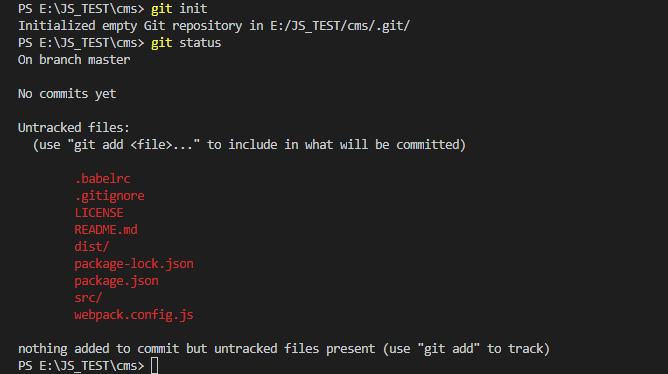
1.初始化
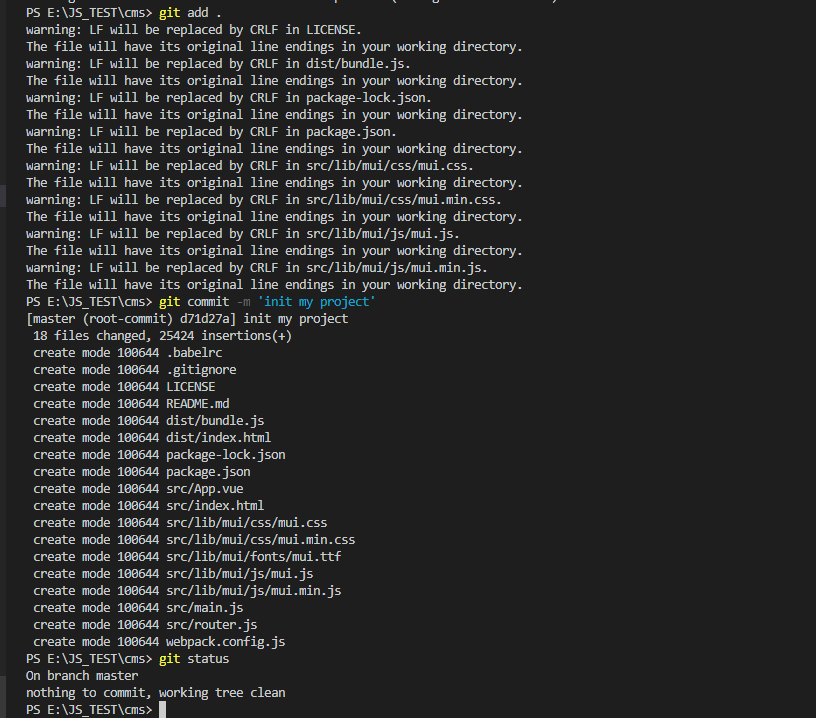
2.添加项目
提交在本地了
3.

