
热门标签
热门文章
- 1最最普通程序员,如何利用工资攒够彩礼,成为人生赢家_程序员怎么快速赚到人生第一桶金
- 2卷积神经网络CNN-全连接层_卷积神经网络全连接层
- 3【STM32】软件I2C的使用 —— 看这一篇就够了(附代码)
- 4模型评估:压力测试 模拟对手 对齐 智能对抗 CAPTCHA(全自动区分计算机和人类的公共图灵测试)
- 5【网络奇幻之旅】那年我与区块链技术的邂逅
- 6互联网中的商品超卖问题及其解决方案:Java中Redis结合UUID的应用_java超卖问题解决方案
- 7wireshark:什么是wireshark
- 8js 模拟回车 模拟键盘,给input框输入值 触发回车事件_js模拟键盘输入
- 9【人工智能】AI写作能力大比拼:《人工智能的数学基础》写下这本书的目录。
- 10通用分页详解(前端)_前端分页
当前位置: article > 正文
基于Linux+6818开发板实现普通电子相册翻页功能_6818开发板显示图片百叶窗动画效果c语言
作者:数据灵魂 | 2024-01-30 18:35:42
赞
踩
6818开发板显示图片百叶窗动画效果c语言
更多资料请点击:我的目录
本篇仅用于记录自己所学知识及应用,代码仍可优化,仅供参考,如果发现有错误的地方,尽管留言于我,谢谢。
首先是外部进程传参,传进的是某目录文件的路径(绝对路径/相对路径)。接着打开目录文件,遍历目录内所有的文件,将后缀名为“.bmp”的普通文件全部找出来,并拼接保存它们的路径到双向循环链表里,一个节点存放一个bmp图片的路径。再通过触摸屏返回的坐标值进行逻辑判断,例如返回坐标值 < 400,触摸了左边的显示屏,我们应该让双向循环链表的当前节点 p 指向 p->prev节点,最后输出显示。
后续更新:
加上音频、视频后:基于ARM的LCD(800*480)触摸屏实现音频、视频播放、图像显示功能
加入百叶窗基本效果:LCD显示屏加入百叶窗特效显示BMP图片
#include <stdio.h>
#include <string.h>
#include <stdlib.h>
#include <sys/types.h>
#include <sys/stat.h>
#include <fcntl.h>
#include <unistd.h>
#include <stdbool.h>
#include <sys/mman.h>
#include <linux/input.h>
#include <errno.h>
#include <dirent.h>

int tsfd ;//触摸屏驱动
int dst;  //显示屏驱动

//显示任意位置任意大小的BMP图片
bool showbmp(char *bmppath)
{
	int w = 0;
	int h = 0;
	int src = open(bmppath , O_RDWR);
	if(src == -1)
	{
		printf("到头了!\n");
	}

	lseek(src, 18 ,SEEK_SET);	//获取BMP图片的宽w信息
	read(src, &w, 4);
	lseek(src, 22 ,SEEK_SET);	//获取BMP图片的高h信息
	read(src, &h, 4);

	char bmpbuf[w*h*3];
	int  lcdbuf[w*h];
	int  tempbuf[w*h];

	dst = open("/dev/fb0",O_RDWR);	//打开显示屏驱动
	if(dst == -1)
	{
		printf("显示屏打开失败!\n");
		return -1;
	}

	lseek(src, 54, SEEK_SET);		//跳过BMP图片头信息字节

	int rubbish = (4-(w*3)%4)%4;	//BMP图片字节不能被4整除时,加入的垃圾字节数
	for(int i = 0; i < h; i++)
	{
		read(src, &bmpbuf[w*i*3],w*3);
		lseek(src, rubbish, SEEK_CUR);	//在字节读入时,跳过垃圾字节
	}

	for(int i = 0; i < w*h; i++)		//将RGB转换成BGR
	{
		lcdbuf[i] = 0x00<<24 | bmpbuf[i*3+2]<<16 | bmpbuf[i*3+1]<<8 | bmpbuf[i*3];
	}

	for(int i = 0; i < w; i++)
	{
		for(int j = 0; j < h; j++)
		{
			tempbuf[(h-1-j)*w+i] = lcdbuf[j*w+i];	//BMP像素点上下反转
		}
	}

	//内存映射
	int *mmap_bmp = mmap(NULL, 800*480*4, PROT_READ|PROT_WRITE, MAP_SHARED, dst, 0);

	for(int i = 0; i < h; i++)
	{
		for(int j = 0; j < w; j++)
		{
			//				 自定义y偏移量	自定义x偏移量
			*(mmap_bmp+800*(((480-h)/2)+i)+((800-w)/2)+j) = tempbuf[i*w+j];
		}
	}
	//解除内存映射
	munmap(mmap_bmp, 800*480*4);

	close(src);
	close(dst);
}

//打开触摸屏
int touch_open()
{
	tsfd=open("/dev/input/event0",O_RDWR);	//打开触摸屏驱动

	if(tsfd==-1)
	{
		perror("打开触摸屏失败!\n");
		return -1;
	}
	return 0;

}

int get_xy(int *x, int *y)		//获取触摸屏的坐标值
{
	struct input_event myevent;
	int count = 0;
	while(1)
	{
		read(tsfd,&myevent,sizeof(myevent));

		if(myevent.type==EV_ABS) //说明触发的是触摸屏事件
		{
			if(myevent.code==ABS_X) //x坐标
			{
				*x = (myevent.value*800)/1024;
				count ++;
			}

			if(myevent.code==ABS_Y) //y坐标
			{
				*y = (myevent.value*480)/600;
				count ++;
			}
		}
		if(count == 2)break;
	}
}

//关闭触摸屏
int touch_close()
{
	close(tsfd);
	return 0;
}

//设置节点
struct node
{
	char *data;
	struct node *next;
	struct node *prev;
};

//初始化链表
struct node *list_init()
{
	struct node *head = malloc(sizeof(struct node));
	head->next = head;
	head->prev = head;
	return head;
}

//创建新节点
struct node *newnode(char *newdata)
{
	struct node *new = malloc(sizeof(struct node));
	new->data = newdata;
	new->next = NULL;
	new->prev = NULL;
}

//加入新节点
int addnode(struct node *new,struct node *list)
{
	struct node *p = list;
	while(p->next != list)
	{
		p = p->next;
	}
	new->prev = list->prev;
	new->next = list;
	list->prev = new;
	new->prev->next = new;
}


int main(int argc,char **argv)
{
	struct node *list = list_init();//初始化双向循环链表
	DIR *dp = opendir(argv[1]);		//打开目录文件argv[1]
	struct dirent *p;

	while(p = readdir(dp))		//遍历目录文件
	{
		if(p->d_type == DT_REG)
		{
			if(strstr(p->d_name,".bmp")) //判断是否为.bmp文件
			{
				struct node *new = newnode(p->d_name); //创建新节点
				addnode(new,list);  //插入新节点
			}
		}
	}

	char buf[20];
	struct node *head = list->next;

	int tx = 0,ty = 0;
	touch_open();//打开触摸屏

	while(1)
	{
		get_xy(&tx, &ty);//获取触摸屏的坐标
		if(ty > 190 && ty < 290)
		{
			if(tx > 700 && tx < 800)	//右翻
			{
				//printf("你点击的坐标位置X坐标是:%d\n", tx);
				//printf("你点击的坐标位置Y坐标是:%d\n", ty);
				head = head->next;
				bzero(buf,20);
				sprintf(buf,"%s/%s",argv[1],head->data);
			}
			if(tx < 100 && tx > 0)		//左翻
			{
				//printf("你点击的坐标位置X坐标是:%d\n", tx);
				//printf("你点击的坐标位置Y坐标是:%d\n", ty);
				head = head->prev;
				bzero(buf,20);
				sprintf(buf,"%s/%s",argv[1],head->data);
			}
			showbmp("background.bmp");//开发板下,可执行文件目录下存放的背景图(可以使用绝对路径!)
			showbmp(buf);	//显示BMP图片
		}

		if(tx > 700 && ty < 100)
		{
			showbmp("background.bmp");
			break;
		}
	}
	//关闭触摸屏
	touch_close();
}

- 1
- 2
- 3
- 4
- 5
- 6
- 7
- 8
- 9
- 10
- 11
- 12
- 13
- 14
- 15
- 16
- 17
- 18
- 19
- 20
- 21
- 22
- 23
- 24
- 25
- 26
- 27
- 28
- 29
- 30
- 31
- 32
- 33
- 34
- 35
- 36
- 37
- 38
- 39
- 40
- 41
- 42
- 43
- 44
- 45
- 46
- 47
- 48
- 49
- 50
- 51
- 52
- 53
- 54
- 55
- 56
- 57
- 58
- 59
- 60
- 61
- 62
- 63
- 64
- 65
- 66
- 67
- 68
- 69
- 70
- 71
- 72
- 73
- 74
- 75
- 76
- 77
- 78
- 79
- 80
- 81
- 82
- 83
- 84
- 85
- 86
- 87
- 88
- 89
- 90
- 91
- 92
- 93
- 94
- 95
- 96
- 97
- 98
- 99
- 100
- 101
- 102
- 103
- 104
- 105
- 106
- 107
- 108
- 109
- 110
- 111
- 112
- 113
- 114
- 115
- 116
- 117
- 118
- 119
- 120
- 121
- 122
- 123
- 124
- 125
- 126
- 127
- 128
- 129
- 130
- 131
- 132
- 133
- 134
- 135
- 136
- 137
- 138
- 139
- 140
- 141
- 142
- 143
- 144
- 145
- 146
- 147
- 148
- 149
- 150
- 151
- 152
- 153
- 154
- 155
- 156
- 157
- 158
- 159
- 160
- 161
- 162
- 163
- 164
- 165
- 166
- 167
- 168
- 169
- 170
- 171
- 172
- 173
- 174
- 175
- 176
- 177
- 178
- 179
- 180
- 181
- 182
- 183
- 184
- 185
- 186
- 187
- 188
- 189
- 190
- 191
- 192
- 193
- 194
- 195
- 196
- 197
- 198
- 199
- 200
- 201
- 202
- 203
- 204
- 205
- 206
- 207
- 208
- 209
- 210
- 211
- 212
- 213
- 214
- 215
- 216
- 217
- 218
- 219
- 220
- 221
- 222
- 223
- 224
- 225
- 226
- 227
- 228
- 229
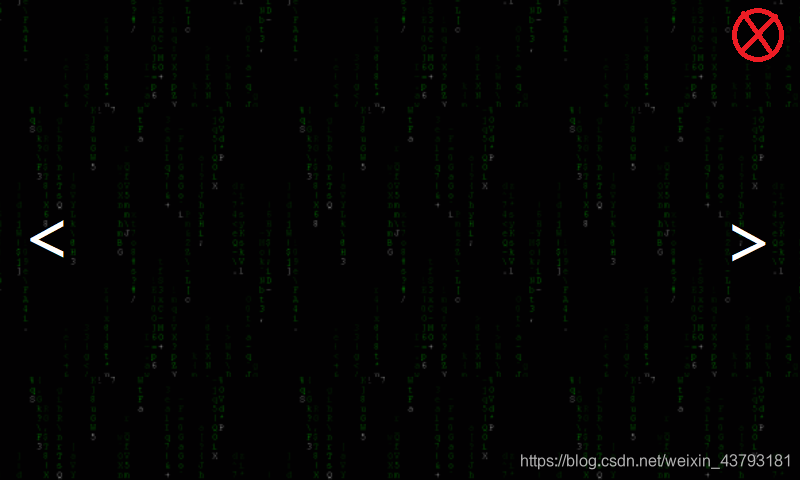
我的background图:
声明:本文内容由网友自发贡献,不代表【wpsshop博客】立场,版权归原作者所有,本站不承担相应法律责任。如您发现有侵权的内容,请联系我们。转载请注明出处:https://www.wpsshop.cn/article/detail/47764
推荐阅读

相关标签

