
热门标签
热门文章
- 1zseob6jv7jq3dz.html,Open H.323 — [OpenH323]Intel codecs G729 A AB B, G723.1 6.3, G723.1 5.3 plugin f...
- 2C++中传值参数和引用参数和指针怎样区别?_c++引用传参与指针的区别
- 3Java Web开发Tomcat中三种部署项目的方法_通过什么部署项目,有哪几种方法,把什么传输上去(java--jar包 web—war包)
- 4操作系统——并发相关问题_max critical sections
- 5Vue开发实例(15)之动态路由_vue中的动态路由
- 6javaweb简单登录验证功能_esplise在项目src目录下创建目录
- 7springboot自帶线程池ThreadPoolTaskExecutor使用
- 8R语言及Rstudio入门小建议(一)
- 9ubuntu手动编译安装MySQL_ubunt编译安装 mysql
- 10设置Java开发环境_配置java开发环境
当前位置: article > 正文
教你如何在Windows10环境下顺利安装minepy并成功运行!_no module named 'minepy
作者:算法编织者2 | 2024-01-30 15:44:41
赞
踩
no module named 'minepy
在学习使用sklearn做单机特征工程这篇文章时,发现在计算互信息时from minepy import MINE代码运行出错ModuleNotFoundError: No module named 'minepy'
尝试解决错误第一步
根据ModuleNotFoundError: No module named 'minepy'提示,缺少minepy模块,于是到Anaconda环境下执行命令pip install minepy:
Looking in indexes: https://pypi.tuna.tsinghua.edu.cn/simple
Collecting minepy
  Using cached https://pypi.tuna.tsinghua.edu.cn/packages/84/92/84b624219daa189a44a06641a165e1099ec9a2c8e2dff24f748025d798e2/minepy-1.2.6.tar.gz (496 kB)
  Preparing metadata (setup.py) ... done
Requirement already satisfied: numpy>=1.3.0 in f:\anaconda\envs\sklearn-env\lib\site-packages (from minepy) (1.23.0)
Building wheels for collected packages: minepy
  Building wheel for minepy (setup.py) ... error
  error: subprocess-exited-with-error

  × python setup.py bdist_wheel did not run successfully.
  │ exit code: 1
  ╰─> [10 lines of output]
      running bdist_wheel
      running build
      running build_py
      creating build
      creating build\lib.win-amd64-cpython-39
      creating build\lib.win-amd64-cpython-39\minepy
      copying minepy\__init__.py -> build\lib.win-amd64-cpython-39\minepy
      running build_ext
      building 'minepy.mine' extension
      error: Microsoft Visual C++ 14.0 or greater is required. Get it with "Microsoft C++ Build Tools": https://visualstudio.microsoft.com/visual-cpp-build-tools/
      [end of output]

  note: This error originates from a subprocess, and is likely not a problem with pip.
  ERROR: Failed building wheel for minepy
  Running setup.py clean for minepy
Failed to build minepy
Installing collected packages: minepy
  Running setup.py install for minepy ... error
  error: subprocess-exited-with-error

  × Running setup.py install for minepy did not run successfully.
  │ exit code: 1
  ╰─> [12 lines of output]
      running install
      F:\anaconda\envs\sklearn-env\lib\site-packages\setuptools\command\install.py:34: SetuptoolsDeprecationWarning: setup.py install is deprecated. Use build and pip and other standards-based tools.
        warnings.warn(
      running build
      running build_py
      creating build
      creating build\lib.win-amd64-cpython-39
      creating build\lib.win-amd64-cpython-39\minepy
      copying minepy\__init__.py -> build\lib.win-amd64-cpython-39\minepy
      running build_ext
      building 'minepy.mine' extension
      error: Microsoft Visual C++ 14.0 or greater is required. Get it with "Microsoft C++ Build Tools": https://visualstudio.microsoft.com/visual-cpp-build-tools/
      [end of output]

  note: This error originates from a subprocess, and is likely not a problem with pip.
error: legacy-install-failure

× Encountered error while trying to install package.
╰─> minepy

note: This is an issue with the package mentioned above, not pip.
hint: See above for output from the failure.

- 1
- 2
- 3
- 4
- 5
- 6
- 7
- 8
- 9
- 10
- 11
- 12
- 13
- 14
- 15
- 16
- 17
- 18
- 19
- 20
- 21
- 22
- 23
- 24
- 25
- 26
- 27
- 28
- 29
- 30
- 31
- 32
- 33
- 34
- 35
- 36
- 37
- 38
- 39
- 40
- 41
- 42
- 43
- 44
- 45
- 46
- 47
- 48
- 49
- 50
- 51
- 52
- 53
- 54
- 55
- 56
- 57
安装失败!
尝试解决错误第二步
进入minepy的官网:
https://www.lfd.uci.edu/~gohlke/pythonlibs/
这个网站包含了很多Python扩展包的非官方Windows二进制文件,还真有minepy:
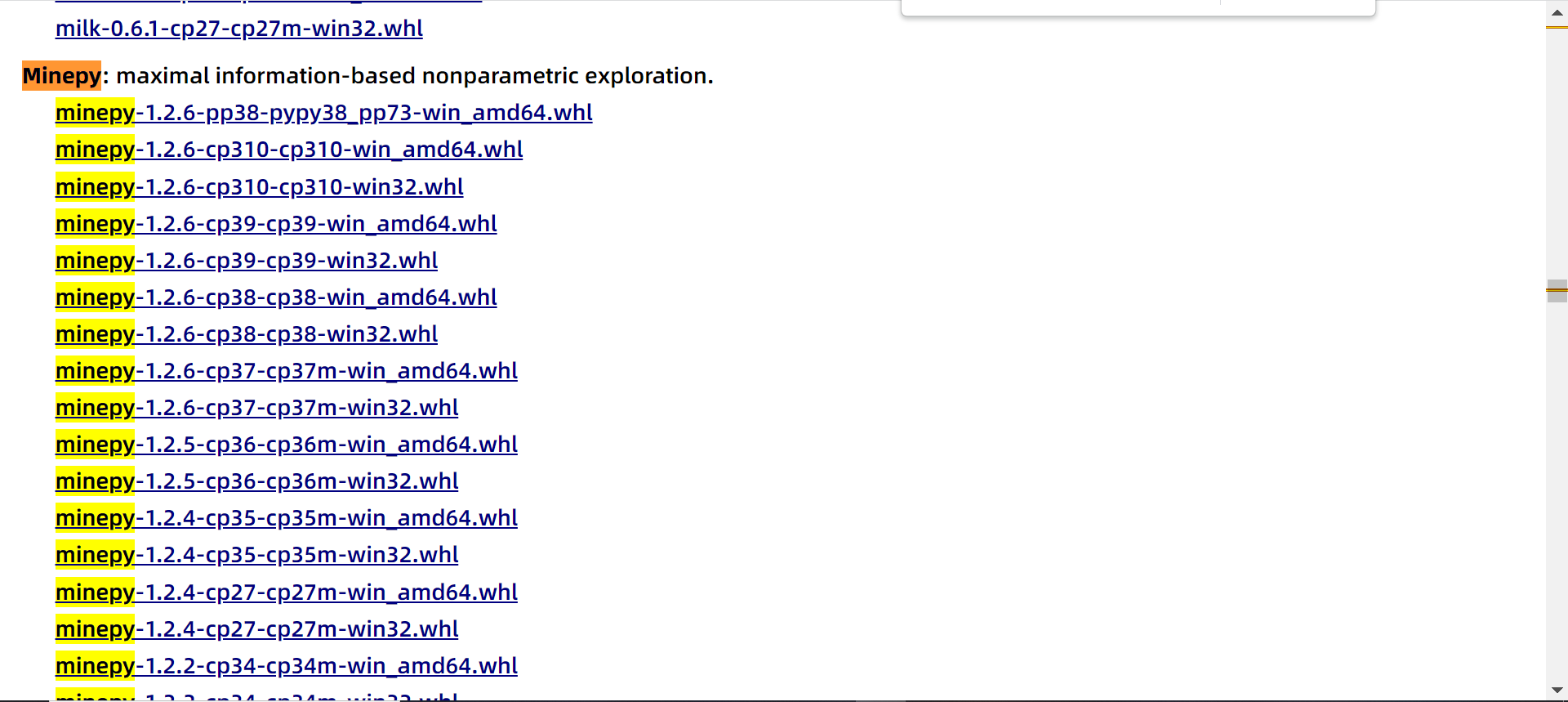
结合自己的Python版本,我下载的是:
minepy-1.2.6-cp39-cp39-win_amd64.whl
- 1
把它下载下来后,我把它拷贝到了:
F:\anaconda\envs\sklearn-env\Scripts
- 1
文件夹里面。
在Anaconda的Prompt中直接用命令:
pip install F:\anaconda\envs\sklearn-env\Scripts\minepy-1.2.6-cp39-cp39-win_amd64.whl
- 1
最后的结果为:
Looking in indexes: https://pypi.tuna.tsinghua.edu.cn/simple
Processing f:\anaconda\envs\sklearn-env\scripts\minepy-1.2.6-cp39-cp39-win_amd64.whl
Requirement already satisfied: numpy>=1.3.0 in f:\anaconda\envs\sklearn-env\lib\site-packages (from minepy==1.2.6) (1.23.0)
Installing collected packages: minepy
Successfully installed minepy-1.2.6
- 1
- 2
- 3
- 4
- 5
安装成功!
测试
我们常用的代码如下:
from sklearn.feature_selection import SelectKBest
from minepy import MINE
from sklearn.datasets import load_iris
iris=load_iris()
# 由于MINE的设计不是函数式的,定义mic方法将其为函数式的,返回一个二元组,二元组的第2项设置成固定的P值0.5
def mic(x, y):
    m = MINE()
    m.compute_score(x, y)
    return (m.mic(), 0.5)
#选择K个最好的特征,返回特征选择后的数据
SelectKBest(lambda X, Y: np.array(map(lambda x:mic(x, Y), X.T)).T, k=2).fit_transform(iris.data,iris.target)
- 1
- 2
- 3
- 4
- 5
- 6
- 7
- 8
- 9
- 10
- 11
我们跑出来的结果错误:
float() argument must be a string or a number, not 'map'
- 1
解决办法:
将获取到的map值放入list列表中,然后再使用。
即:
SelectKBest(lambda X, Y: np.array(list(map(lambda x:mic(x, Y), X.T))).T[0], k=2).fit_transform(iris.data,iris.target)
- 1
我们的运行结果为:
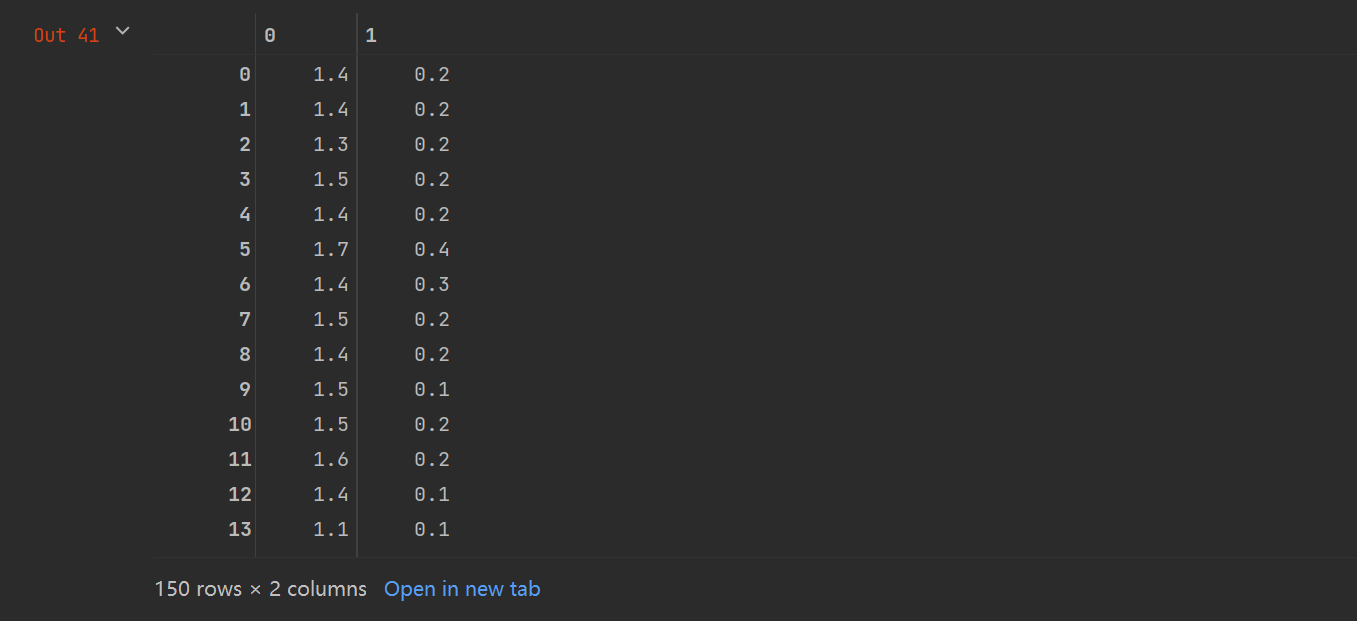
运行成功,全部搞定!
声明:本文内容由网友自发贡献,不代表【wpsshop博客】立场,版权归原作者所有,本站不承担相应法律责任。如您发现有侵权的内容,请联系我们。转载请注明出处:https://www.wpsshop.cn/article/detail/47333
推荐阅读

相关标签

