
热门标签
热门文章
- 1判断日期是否合法(Java精练版)_java判断日期是否合法
- 2力扣每日一题:80. 删除有序数组中的重复项 II_力扣删除有序数组中的重复项
- 3对称美学:如何判断一颗二叉树是否对称?_判断二叉树是否对称c语言
- 4idea控制台出现乱码的解决方案
- 538. 【农产品溯源项目前后端Demo】概述 + 环境准备_溯源demo
- 6python爬取漫画_漫画:正好满足我
- 7docker: Error response from daemon: could not select device driver的原因及解决办法
- 8手把手教你流畅访问Github
- 949个Python实战项目,附完整源代码!_puthon人工智能实战案例 附源码
- 10SpringBoot学习(一(1),【2021Java最新学习路线_springboot 学习路线
当前位置: article > 正文
Mysql Druid配置_servlet 项目 mysql druid 配置
作者:编程谜题解决者 | 2024-01-30 12:24:26
赞
踩
servlet 项目 mysql druid 配置
第一步:通过start.spring.io新建一个spring boot项目
第二步:配置pom.xml文件
		<dependency>
			<groupId>org.springframework.boot</groupId>
			<artifactId>spring-boot-starter-data-jdbc</artifactId>
		</dependency>
		<dependency>
			<groupId>com.alibaba</groupId>
			<artifactId>druid-spring-boot-starter</artifactId>
			<version>1.1.20</version>
		</dependency>
		<dependency>
			<groupId>mysql</groupId>
			<artifactId>mysql-connector-java</artifactId>
			<scope>runtime</scope>
		</dependency>
		<dependency>
			<groupId>org.springframework.boot</groupId>
			<artifactId>spring-boot-starter-web</artifactId>
		</dependency>
		<dependency>
			<groupId>org.springframework.boot</groupId>
			<artifactId>spring-boot-starter-test</artifactId>
			<scope>test</scope>
			<exclusions>
				<exclusion>
					<groupId>org.junit.vintage</groupId>
					<artifactId>junit-vintage-engine</artifactId>
				</exclusion>
			</exclusions>
		</dependency>

- 1
- 2
- 3
- 4
- 5
- 6
- 7
- 8
- 9
- 10
- 11
- 12
- 13
- 14
- 15
- 16
- 17
- 18
- 19
- 20
- 21
- 22
- 23
- 24
- 25
- 26
- 27
- 28
- 29
第三步:配置application.properties
##database##
spring.datasource.type=com.alibaba.druid.pool.DruidDataSource
# JDBC 配置(驱动类自动从url的mysql识别,数据源类型自动识别)
# 或spring.datasource.url=
spring.datasource.druid.url=jdbc:mysql://192.168.0.1:3306/hzq_test?useUnicode=true&characterEncoding=UTF8
# 或spring.datasource.username=
spring.datasource.druid.username=root
# 或spring.datasource.password=
spring.datasource.druid.password=1234
#或 spring.datasource.driver-class-name=
spring.datasource.druid.driver-class-name=com.mysql.cj.jdbc.Driver

#连接池配置(通常来说,只需要修改initialSize、minIdle、maxActive
# 如果用Oracle,则把poolPreparedStatements配置为true,mysql可以配置为false。分库分表较多的数据库,建议配置为false。
# removeabandoned不建议在生产环境中打开如果用SQL Server,建议追加配置)
# 初始化大小,最小,最大
spring.datasource.druid.initial-size=1
spring.datasource.druid.min-idle=1
spring.datasource.druid.max-active=20
# 配置获取连接等待超时的时间
spring.datasource.druid.max-wait=60000
#打开PSCache,并且指定每个连接上PSCache的大小
spring.datasource.druid.pool-prepared-statements=true
spring.datasource.druid.max-pool-prepared-statement-per-connection-size=20
#spring.datasource.druid.max-open-prepared-statements=和上面的等价
spring.datasource.druid.validation-query=SELECT 'x'
#spring.datasource.druid.validation-query-timeout=
spring.datasource.druid.test-on-borrow=false
spring.datasource.druid.test-on-return=false
spring.datasource.druid.test-while-idle=true
#配置间隔多久才进行一次检测,检测需要关闭的空闲连接,单位是毫秒
spring.datasource.druid.time-between-eviction-runs-millis=60000
#配置一个连接在池中最小生存的时间,单位是毫秒
spring.datasource.druid.min-evictable-idle-time-millis=300000
#spring.datasource.druid.max-evictable-idle-time-millis=
# 通过connectProperties属性来打开mergeSql功能;慢SQL记录
spring.datasource.connectionProperties=druid.stat.mergeSql=true;druid.stat.slowSqlMillis=5000
# 合并多个DruidDataSource的监控数据
#spring.datasource.useGlobalDataSourceStat=true
#配置多个英文逗号分隔
# 配置监控统计拦截的filters,去掉后监控界面sql无法统计,'wall'用于防火墙
spring.datasource.filters=stat,wall,log4j

# WebStatFilter配置,说明请参考Druid Wiki,配置_配置WebStatFilter
#是否启用StatFilter默认值true
spring.datasource.druid.web-stat-filter.enabled=true
spring.datasource.druid.web-stat-filter.profile-enable=true
spring.datasource.druid.web-stat-filter.url-pattern=/*
spring.datasource.druid.web-stat-filter.exclusions=*.js,*.gif,*.jpg,*.bmp,*.png,*.css,*.ico,/druid/*
spring.datasource.druid.stat-view-servlet.enabled=true
spring.datasource.druid.stat-view-servlet.url-pattern=/druid/*
spring.datasource.druid.stat-view-servlet.allow=
spring.datasource.druid.stat-view-servlet.deny=192.168.1.73
spring.datasource.druid.stat-view-servlet.reset-enable=false
#登录的账号密码
spring.datasource.druid.stat-view-servlet.login-username=admin
spring.datasource.druid.stat-view-servlet.login-password=123456
- 1
- 2
- 3
- 4
- 5
- 6
- 7
- 8
- 9
- 10
- 11
- 12
- 13
- 14
- 15
- 16
- 17
- 18
- 19
- 20
- 21
- 22
- 23
- 24
- 25
- 26
- 27
- 28
- 29
- 30
- 31
- 32
- 33
- 34
- 35
- 36
- 37
- 38
- 39
- 40
- 41
- 42
- 43
- 44
- 45
- 46
- 47
- 48
- 49
- 50
- 51
- 52
- 53
- 54
- 55
- 56
- 57
- 58
第四步:访问http://localhost:8080/druid/login.html
密码用application.properties里面配置的login-username,login-password
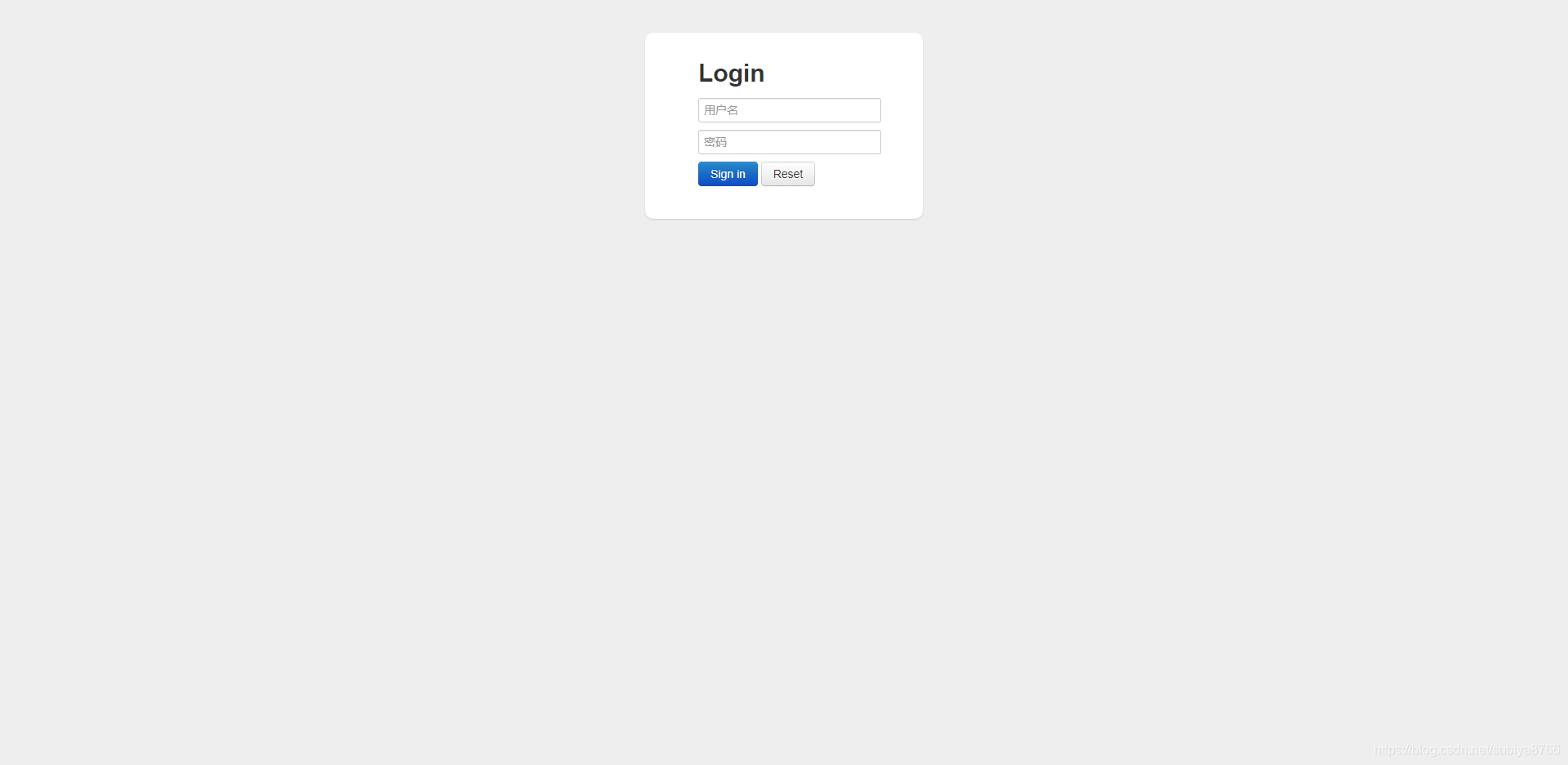
显示
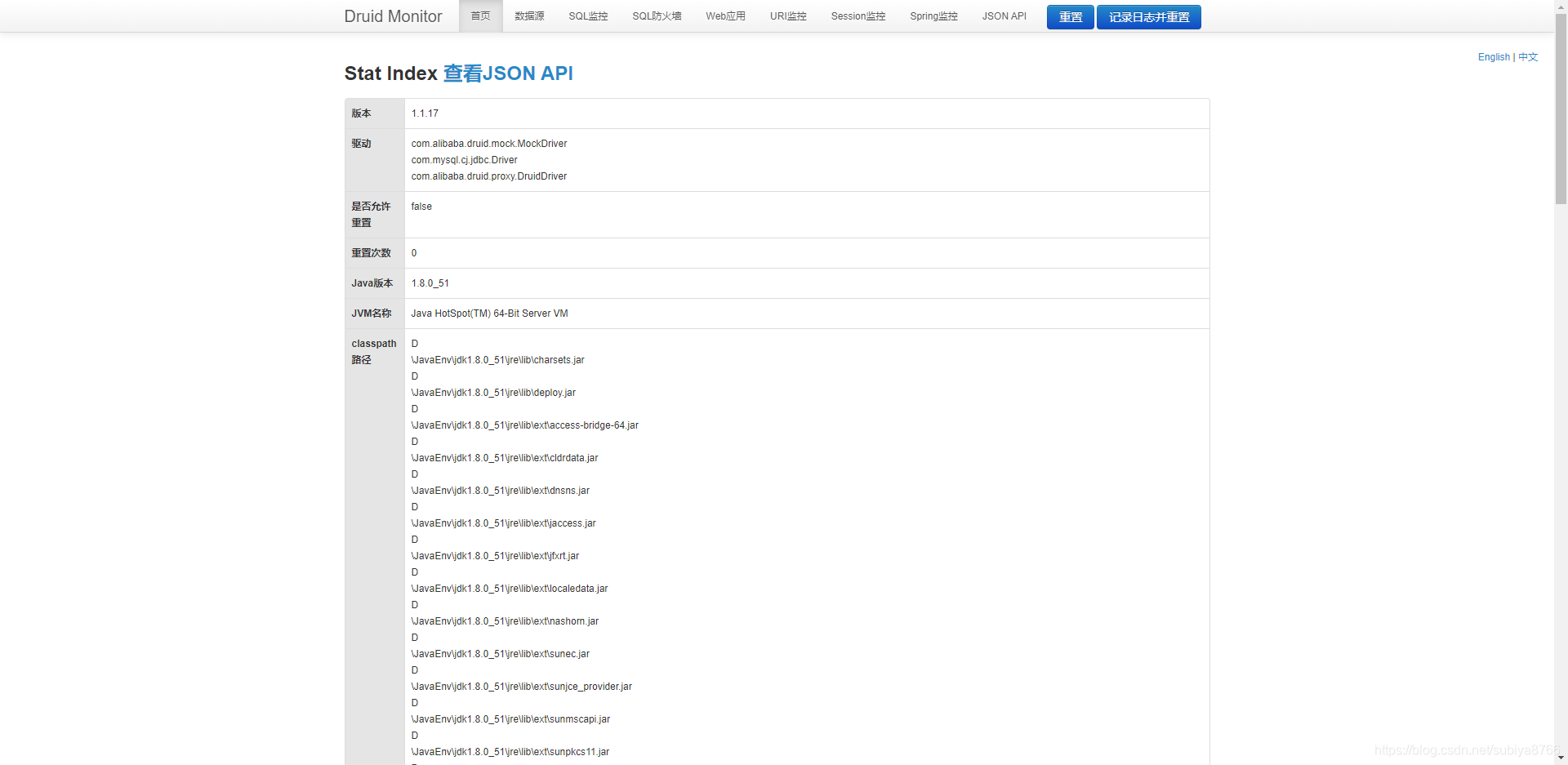
源码地址
声明:本文内容由网友自发贡献,不代表【wpsshop博客】立场,版权归原作者所有,本站不承担相应法律责任。如您发现有侵权的内容,请联系我们。转载请注明出处:https://www.wpsshop.cn/article/detail/46421
推荐阅读




相关标签

