
热门标签
热门文章
- 1c语言引用详解
- 2docker(上)
- 3没有项目管理经验如何转岗项目经理?【万千项目】_岗位需要项目管理经验嘛
- 4解决Eclipse报错:The superclass javax.servlet.http.HttpServlet was not found on the Java Build Path_eclipse建过滤器filter遇到the super class does not exist.
- 5【已解决】致命错误:Python.h:没有那个文件或目录_致命错误:python.h:没有那个文件或目录
- 6双非本科准备秋招(12.1)—— JVM4:类文件结构与加载机制
- 7PyTorch中的动态计算图与张量
- 8机房及设备安全智慧监管AI+视频方案的设计和应用
- 9消息队列ActiveMQ, RabbitMQ, Kafka, MSMQ等对比介绍_msmq和kafka
- 10C# 在矩形内获取一个指定大小的矩形(两个矩形的中心点是重合的)
当前位置: article > 正文
vue预览pdf文件的几种方法
作者:编程革命者 | 2024-01-29 22:54:51
赞
踩
vue预览pdf文件的几种方法
vue预览pdf集中方法
我这里主要是用在vue3项目中,但是vue2或者react可以借鉴这里面的包依赖,应该也可以,可以尝试着写写,或者找其他方法。
方法一:
iframe:这种方法显示有点丑
展示效果就不展示了,就iframe,主要看你浏览器怎么识别了,你可以想象得到;
      <iframe
        src="E:\\1.pdf"
        frameborder="0"
        style="width: 80%; height: 100vh; margin: auto; display: block"
      ></iframe>
- 1
- 2
- 3
- 4
- 5
方法二:
展示效果:
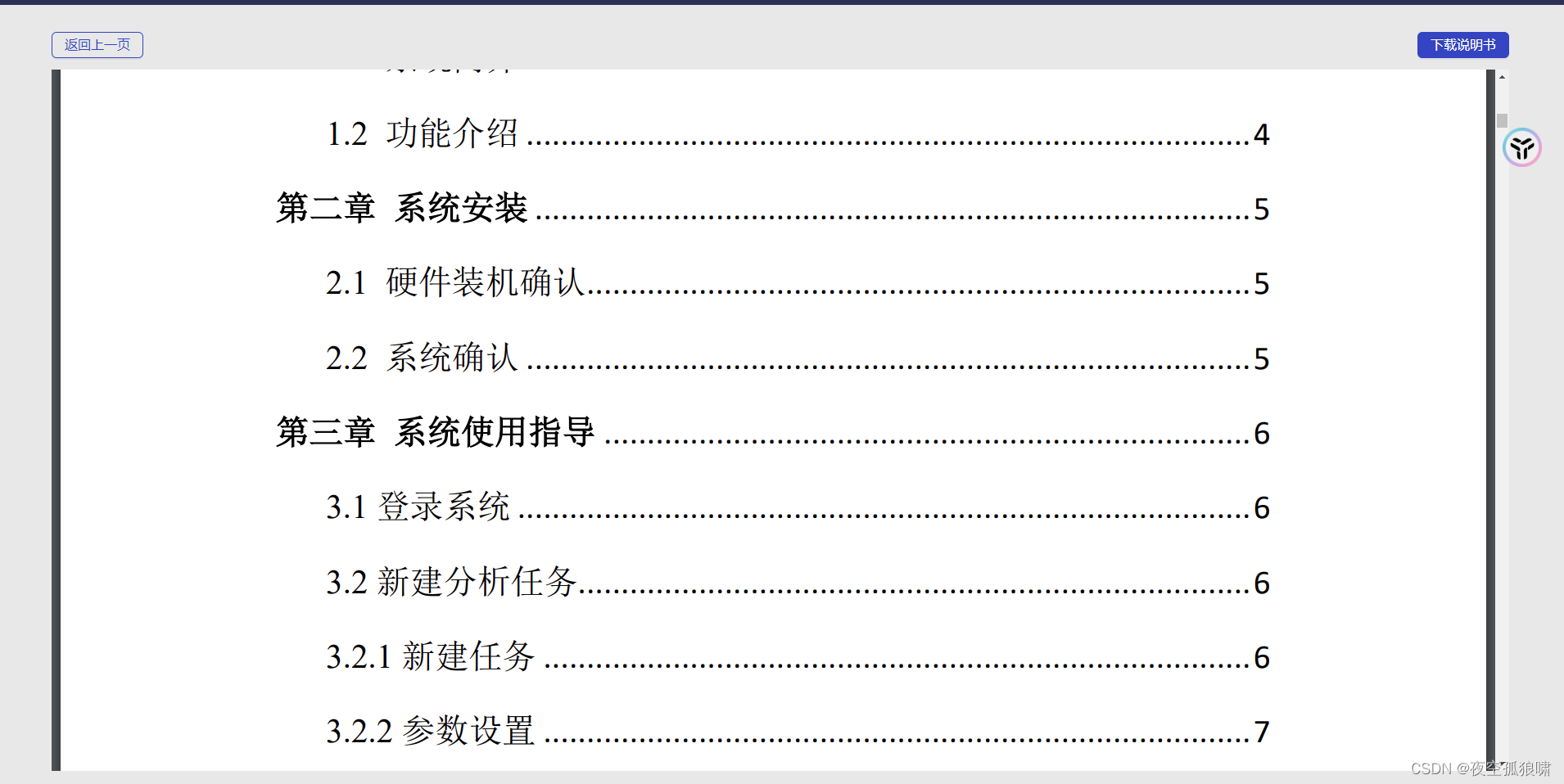
需要包依赖:
"pdfobject": "^2.2.12",
- 1
代码:
<template>
  <a-layout class="layout">
    <Header />
    <a-layout-content class="main-container">
      <div class="topBtn">
        <div>
          <a-button type="primary" @click="handleBack" ghost>返回上一页</a-button>
        </div>
        <div>
          <a-button type="primary" @click="downPdf">下载说明书</a-button>
        </div>
      </div>
      <div id="example1"></div>
    </a-layout-content>
  </a-layout>
</template>

<script lang="ts" setup>
import { getCurrentInstance, ref, onMounted, onUnmounted } from 'vue';
import { useRouter, useRoute, createWebHistory } from 'vue-router';
import Header from '/@/components/Header/index.vue';
const router = useRouter();
import { serverAddress } from '/@/serve/index';
const VITE_APP_URL = serverAddress();
import { download } from '/@/libs/utils/download';

const handleBack = () => {
  router.go(-1);
};
var pdfobject = require('pdfobject');
// 参考网址, https://blog.csdn.net/liang_wf/article/details/101453932
let pdfPath = ref('http://192.168.11.50:8102/database/bio/load_file/BYimage/ncov.pdf');
const downPdf = () => {
  download(pdfPath.value, 'PDF报告.pdf');
};
onMounted(() => {
  var options = {
    height: '100%',
    pdfOpenParams: {
      view: 'FitH',
      page: '1',
      toolbar: '0',
      //   toolbar: '1',
      // pagemode: 'none',
    },
  };
  pdfobject.embed(pdfPath.value, '#example1', options);
});
</script>

<style lang="less" scoped>
#example1 {
  //   border: 1px solid red;
  //   width: 100%;
  //   display: block;
  //   margin: auto;
  height: calc(100vh - 146px - 19px);
}

.layout {
  //   min-width: 1400px;
  min-height: 100vh;
}

.main-container {
  flex-direction: row;
  padding: 19px 70px;
  background-color: @bg-color;
  .topBtn {
    // border: 1px solid red;

    height: 60px;
    line-height: 60px;
    display: flex;
    justify-content: space-between;
  }
}
</style>
- 1
- 2
- 3
- 4
- 5
- 6
- 7
- 8
- 9
- 10
- 11
- 12
- 13
- 14
- 15
- 16
- 17
- 18
- 19
- 20
- 21
- 22
- 23
- 24
- 25
- 26
- 27
- 28
- 29
- 30
- 31
- 32
- 33
- 34
- 35
- 36
- 37
- 38
- 39
- 40
- 41
- 42
- 43
- 44
- 45
- 46
- 47
- 48
- 49
- 50
- 51
- 52
- 53
- 54
- 55
- 56
- 57
- 58
- 59
- 60
- 61
- 62
- 63
- 64
- 65
- 66
- 67
- 68
- 69
- 70
- 71
- 72
- 73
- 74
- 75
- 76
- 77
- 78
- 79
方法三:
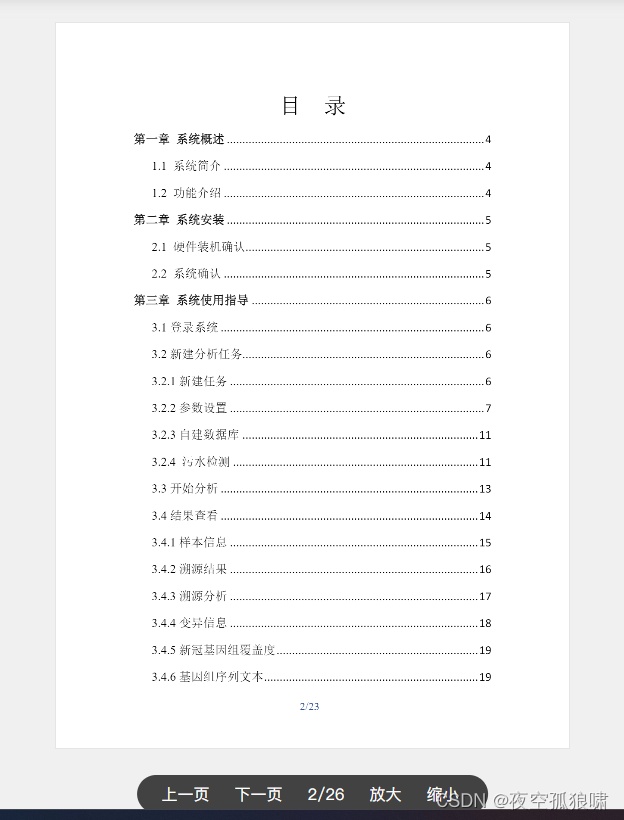
展示效果:
效果一:分页
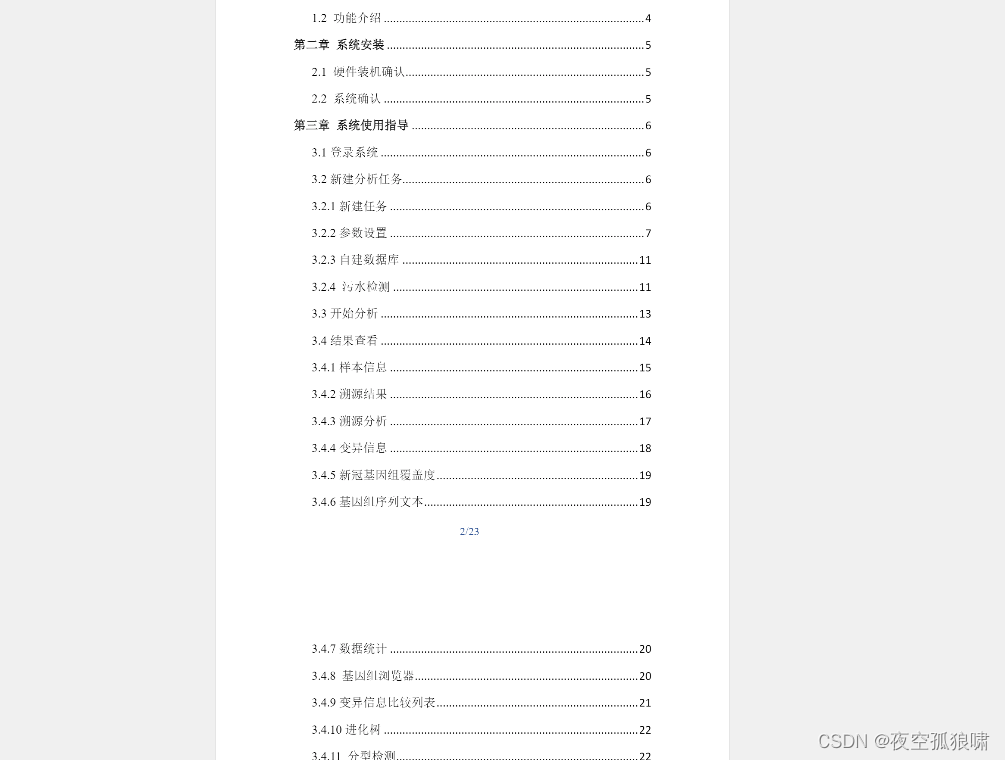
效果二:不分页
需要包依赖:
    "vue-pdf-embed": "^1.1.6",
    "vue3-pdfjs": "^0.1.6",
- 1
- 2
代码:
自己调参数,选择符合自己的
<template>
  <div class="pdf-preview">
    <div class="page-tool">
      <div class="page-tool-item" @click="lastPage">上一页</div>
      <div class="page-tool-item" @click="nextPage">下一页</div>
      <div class="page-tool-item">{{ state.pageNum }}/{{ state.numPages }}</div>
      <div class="page-tool-item" @click="pageZoomOut">放大</div>
      <div class="page-tool-item" @click="pageZoomIn">缩小</div>
    </div>
    <div class="pdf-wrap">
      <vue-pdf-embed :source="state.source" :style="scale" class="vue-pdf-embed" :page="state.pageNum" />
    </div>
  </div>
</template>
<script setup lang="ts">
import { reactive, computed } from "vue";
import VuePdfEmbed from "vue-pdf-embed/dist/vue3-pdf-embed";
import { createLoadingTask } from "vue3-pdfjs";

const props = defineProps({
  pdfUrl: {
    type: String,
    required: true
  }
})

// const emit = defineEmits<{ (event: 'getPdfUrl', name: string): void }>()
// const getPdfUrl = ()=>{
//   emit('getPdfUrl', props.pdfUrl)
// }

const state = reactive({
  source: `http://192.168.11.50:8102/database/bio/load_file/BYimage/ncov.pdf`, // 预览pdf文件地址
  pageNum: 1, // 当前页面
  scale: 1, // 缩放比例
  numPages: 0, // 总页数
});

const loadingTask = createLoadingTask(state.source);
loadingTask.promise.then((pdf: { numPages: number }) => {
  state.numPages = pdf.numPages;
});

const scale = computed(() => `transform:scale(${state.scale})`)
function lastPage() {
  if (state.pageNum > 1) {
    state.pageNum -= 1;
  }
}
function nextPage() {
  if (state.pageNum < state.numPages) {
    state.pageNum += 1;
  }
}
function pageZoomOut() {
  if (state.scale < 2) {
    state.scale += 0.1;
  }
}
function pageZoomIn() {
  if (state.scale > 1) {
    state.scale -= 0.1;
  }
}

</script>
<style lang="css" scoped>
.pdf-preview {
  position: relative;
  height: 100vh;
  padding: 20px 0;
  box-sizing: border-box;
  background-color: e9e9e9;
}

.pdf-wrap {
  overflow-y: auto;
}

.vue-pdf-embed {
  text-align: center;
  width: 515px;
  border: 1px solid #e5e5e5;
  margin: 0 auto;
  box-sizing: border-box;
}

.page-tool {
  position: absolute;
  bottom: 35px;
  padding-left: 15px;
  padding-right: 15px;
  display: flex;
  align-items: center;
  background: rgb(66, 66, 66);
  color: white;
  border-radius: 19px;
  z-index: 100;
  cursor: pointer;
  margin-left: 50%;
  transform: translateX(-50%);
}

.page-tool-item {
  padding: 8px 15px;
  padding-left: 10px;
  cursor: pointer;
}
</style>
- 1
- 2
- 3
- 4
- 5
- 6
- 7
- 8
- 9
- 10
- 11
- 12
- 13
- 14
- 15
- 16
- 17
- 18
- 19
- 20
- 21
- 22
- 23
- 24
- 25
- 26
- 27
- 28
- 29
- 30
- 31
- 32
- 33
- 34
- 35
- 36
- 37
- 38
- 39
- 40
- 41
- 42
- 43
- 44
- 45
- 46
- 47
- 48
- 49
- 50
- 51
- 52
- 53
- 54
- 55
- 56
- 57
- 58
- 59
- 60
- 61
- 62
- 63
- 64
- 65
- 66
- 67
- 68
- 69
- 70
- 71
- 72
- 73
- 74
- 75
- 76
- 77
- 78
- 79
- 80
- 81
- 82
- 83
- 84
- 85
- 86
- 87
- 88
- 89
- 90
- 91
- 92
- 93
- 94
- 95
- 96
- 97
- 98
- 99
- 100
- 101
- 102
- 103
- 104
- 105
- 106
- 107
- 108
- 109
<template>
  <div class="pdf-preview">
    <!-- <div class="page-tool">
      <div class="page-tool-item" @click="lastPage">上一页</div>
      <div class="page-tool-item" @click="nextPage">下一页</div>
      <div class="page-tool-item">{{ state.pageNum }}/{{ state.numPages }}</div>
      <div class="page-tool-item" @click="pageZoomOut">放大</div>
      <div class="page-tool-item" @click="pageZoomIn">缩小</div>
    </div> -->
    <div class="pdf-wrap">
      <vue-pdf-embed :source="state.source" :style="scale" class="vue-pdf-embed" :page="state.pageNum" />
    </div>
  </div>
</template>
<script setup lang="ts">
import { reactive, computed } from "vue";
import VuePdfEmbed from "vue-pdf-embed/dist/vue3-pdf-embed";
import { createLoadingTask } from "vue3-pdfjs";

const props = defineProps({
  pdfUrl: {
    type: String,
    required: true
  }
})

// const emit = defineEmits<{ (event: 'getPdfUrl', name: string): void }>()
// const getPdfUrl = ()=>{
//   emit('getPdfUrl', props.pdfUrl)
// }

const state = reactive({
  source: `http://192.168.11.50:8102/database/bio/load_file/BYimage/ncov.pdf`, // 预览pdf文件地址

});

const loadingTask = createLoadingTask(state.source);
loadingTask.promise.then((pdf: { numPages: number }) => {
  state.numPages = pdf.numPages;
});

const scale = computed(() => `transform:scale(${state.scale})`)
function lastPage() {
  if (state.pageNum > 1) {
    state.pageNum -= 1;
  }
}
function nextPage() {
  if (state.pageNum < state.numPages) {
    state.pageNum += 1;
  }
}
function pageZoomOut() {
  if (state.scale < 2) {
    state.scale += 0.1;
  }
}
function pageZoomIn() {
  if (state.scale > 1) {
    state.scale -= 0.1;
  }
}

</script>
<style lang="css" scoped>
.pdf-preview {
  position: relative;
  height: 100vh;
  padding: 20px 0;
  box-sizing: border-box;
  background-color: e9e9e9;
}

.pdf-wrap {
  overflow-y: auto;
}

.vue-pdf-embed {
  text-align: center;
  width: 515px;
  border: 1px solid #e5e5e5;
  margin: 0 auto;
  box-sizing: border-box;
}

.page-tool {
  position: absolute;
  bottom: 35px;
  padding-left: 15px;
  padding-right: 15px;
  display: flex;
  align-items: center;
  background: rgb(66, 66, 66);
  color: white;
  border-radius: 19px;
  z-index: 100;
  cursor: pointer;
  margin-left: 50%;
  transform: translateX(-50%);
}

.page-tool-item {
  padding: 8px 15px;
  padding-left: 10px;
  cursor: pointer;
}
</style>
- 1
- 2
- 3
- 4
- 5
- 6
- 7
- 8
- 9
- 10
- 11
- 12
- 13
- 14
- 15
- 16
- 17
- 18
- 19
- 20
- 21
- 22
- 23
- 24
- 25
- 26
- 27
- 28
- 29
- 30
- 31
- 32
- 33
- 34
- 35
- 36
- 37
- 38
- 39
- 40
- 41
- 42
- 43
- 44
- 45
- 46
- 47
- 48
- 49
- 50
- 51
- 52
- 53
- 54
- 55
- 56
- 57
- 58
- 59
- 60
- 61
- 62
- 63
- 64
- 65
- 66
- 67
- 68
- 69
- 70
- 71
- 72
- 73
- 74
- 75
- 76
- 77
- 78
- 79
- 80
- 81
- 82
- 83
- 84
- 85
- 86
- 87
- 88
- 89
- 90
- 91
- 92
- 93
- 94
- 95
- 96
- 97
- 98
- 99
- 100
- 101
- 102
- 103
- 104
- 105
- 106
- 107
声明:本文内容由网友自发贡献,不代表【wpsshop博客】立场,版权归原作者所有,本站不承担相应法律责任。如您发现有侵权的内容,请联系我们。转载请注明出处:https://www.wpsshop.cn/article/detail/45524
推荐阅读
相关标签

