
热门标签
热门文章
- 1100道软件测试练习题,看看你能有多少分_软件测试题
- 2【开源、应用】QT—TCP网络上位机的设计_qt上位机
- 3【腾讯云 HAI域探秘】StableDiffusionWebUI 让我找到了宫崎骏动漫里的夏天
- 42023年最新Kali安装教程(超详细,手把手教你下载安装kali虚拟机)_kali下载
- 5111个Python数据分析实战项目,代码已跑通,数据可下载_python数据分析项目案例
- 6Pytorch1.7复现PointNet++点云分割(含Open3D可视化)(文末有一个自己做的书缝识别项目代码)_pointnet++复现
- 703. Python中的语句
- 8计算机相关专业混体制的解决方案(国企之垄断行业)
- 9猫头虎博主深度探索:Amazon Q——2023 re:Invent大会的AI革新之星
- 10注册Github账号详细教程【超详细篇 适合新手入门】_github注册
当前位置: article > 正文
python使用selenium模块实现可视化QQ邮箱自动登陆_python如何实现qq邮箱滑块验证登录
作者:思考机器3 | 2024-01-29 19:31:58
赞
踩
python如何实现qq邮箱滑块验证登录
注意点
- 进入页面后,切换到登录frame(必须先切换!!!)
dr.switch_to_frame('login_frame')
- 1
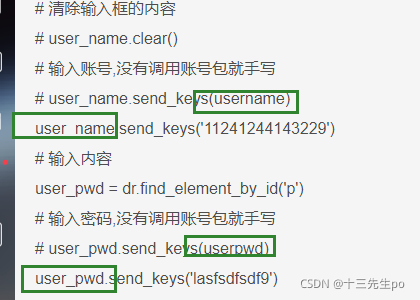
- 没有调用账号包就手写
# 输入账号,没有调用账号包就手写
# user_name.send_keys(username)
user_name.send_keys('11241244143229')
# 输入内容
user_pwd = dr.find_element_by_id('p')
# 输入密码,没有调用账号包就手写
# user_pwd.send_keys(userpwd)
user_pwd.send_keys('lasfsdfsdf9')
- 1
- 2
- 3
- 4
- 5
- 6
- 7
- 8
- 调用包时,实参名字尽量不要和被调用的代码里面的实参重名,否则会报错
TypeError: object of type 'WebElement' has no len()
- 1
实战代码
import time
from selenium import  webdriver
# 没有调用账号包就手写
# from user_information import user- 1
- 2
- 3
推荐阅读


相关标签

