
热门标签
热门文章
- 1Python安装.whl文件_python sonwnlp .whl
- 2java 将时间戳(毫秒ms)转为对应的日期格式,将毫秒转为时分秒等格式,及获取多少天之前的日期_毫秒转换为年月日时分秒
- 3随机信号处理----实验一:利用MATLAB生成均匀分布,二项分布,正态分布的概率密度曲线,并求期望和方差_均匀分布的概率密度 matlab
- 4Java的命名规范_java 枚举命名规范
- 5vue+echarts——实现3D地图+3D柱状图 效果——粗糙代码记录——技能提升_echarts3d地图
- 6龟兔赛跑预测
- 7[论文笔记] 2019-AAAI-Hypergraph Neural Networks
- 8R语言:spdep包(空间数据分析与R语言实践)
- 9python的环境变量配置方法 详细教程_python 环境变量
- 10初涉三元环
当前位置: article > 正文
基于python的微信自动发消息脚本_python脚本定时推送微信群
作者:算法创新者 | 2023-12-30 23:12:50
赞
踩
python脚本定时推送微信群
由于轮到我每天在支部群里发学习强国打卡的提醒消息,而我擅长忘记事情。而且微信好像没有可以自动发群消息的机器人,并且这方面的微信小程序的使用都要收费。
所以直接写一个python脚本,实现自动化微信信息发送。
有两个代码,一个是我写的,用pc的电脑客户端,通过模拟键盘的方式发送消息(并且是正在使用的);另一个是让gpt写的,没有进行修改,但也是可以用的。
本文的方法都是基于pc的微信客户端,需要电脑打开,并微信打开(可以挂在后台)
我写的代码:
# -*- coding: utf-8 -*-
"""
实现定时自动发送消息
"""

import time
import pyperclip
import pywintypes
import win32api
import win32con
import win32gui
import os
import sys
import pygetwindow as gw


# 获取焦点
def set_focus_to_wechat():
    wechat_window_name = "WeChat"  # 请根据实际情况修改
    wechat_window = win32gui.FindWindow(None, wechat_window_name)

    if not wechat_window:
        print(f"找不到标题为 {wechat_window_name} 的窗口。")
        return

    win32gui.ShowWindow(wechat_window, win32con.SW_RESTORE)
    win32gui.SetForegroundWindow(wechat_window)


while True:
    time.sleep(300)  # 每5分钟检测一次,防止访问太多,过度占据cpu资源
    time_now = time.strftime("%H:%M:%S", time.localtime())  # 获取当前时间
    # sent_time = time.strftime("%H:%M:%S", time.localtime())  # 发送时间
    # sent_time = "23:30:00"
    if '23:25:00' <= time_now <= '23:35:00':  # 时间窗内
        def open_app(app_dir):
            os.startfile(app_dir)


        # 打开微信
        if __name__ == "__main__":
            app_dir = r'D:\tengxun\WeChat\WeChat.exe'  # 此处为微信的绝对路径
            open_app(app_dir)
            time.sleep(1)
            # 设置焦点
            set_focus_to_wechat()

            # 进入微信,模拟按键Ctrl+F
        win32api.keybd_event(17, 0, 0, 0)  # Ctrl
        win32api.keybd_event(70, 0, 0, 0)  # F
        win32api.keybd_event(17, 0, win32con.KEYEVENTF_KEYUP, 0)
        win32api.keybd_event(70, 0, win32con.KEYEVENTF_KEYUP, 0)
        time.sleep(1)

        # 复制需要查找的人,按回车,进入聊天输入框
        pyperclip.copy('xxxxx')  # 联系人昵称
        # pyperclip.copy('xxx')  # 联系人昵称
        spam = pyperclip.paste()
        win32api.keybd_event(17, 0, 0, 0)  # Ctrl
        win32api.keybd_event(86, 0, 0, 0)  # 86→V;
        win32api.keybd_event(17, 0, win32con.KEYEVENTF_KEYUP, 0)
        win32api.keybd_event(86, 0, win32con.KEYEVENTF_KEYUP, 0)
        time.sleep(1)
        win32api.keybd_event(13, 0, 0, 0)  # 13→Enter
        win32api.keybd_event(13, 0, win32con.KEYEVENTF_KEYUP, 0)
        time.sleep(1)

        # 聊天输入框复制聊天内容,然后按回车发送消息
        pyperclip.copy('学习强国 家人们')  # 聊天的内容
        # pyperclip.copy('测试小仔')  # 联系人昵称
        spam = pyperclip.paste()
        win32api.keybd_event(17, 0, 0, 0)  # Ctrl
        win32api.keybd_event(86, 0, 0, 0)  # 86→V
        win32api.keybd_event(86, 0, win32con.KEYEVENTF_KEYUP, 0)
        win32api.keybd_event(17, 0, win32con.KEYEVENTF_KEYUP, 0)
        win32api.keybd_event(13, 0, 0, 0)
        win32api.keybd_event(13, 0, win32con.KEYEVENTF_KEYUP, 0)
        time.sleep(1)  # 确保程序只执行一次,防止重复执行

        sys.exit()  # 退出程序

- 1
- 2
- 3
- 4
- 5
- 6
- 7
- 8
- 9
- 10
- 11
- 12
- 13
- 14
- 15
- 16
- 17
- 18
- 19
- 20
- 21
- 22
- 23
- 24
- 25
- 26
- 27
- 28
- 29
- 30
- 31
- 32
- 33
- 34
- 35
- 36
- 37
- 38
- 39
- 40
- 41
- 42
- 43
- 44
- 45
- 46
- 47
- 48
- 49
- 50
- 51
- 52
- 53
- 54
- 55
- 56
- 57
- 58
- 59
- 60
- 61
- 62
- 63
- 64
- 65
- 66
- 67
- 68
- 69
- 70
- 71
- 72
- 73
- 74
- 75
- 76
- 77
- 78
- 79
- 80
代码写好,并调试好之后。
使用pyinstaller进行打包,命令:
Pyinstaller -F -w -D XXQG.py
- 1
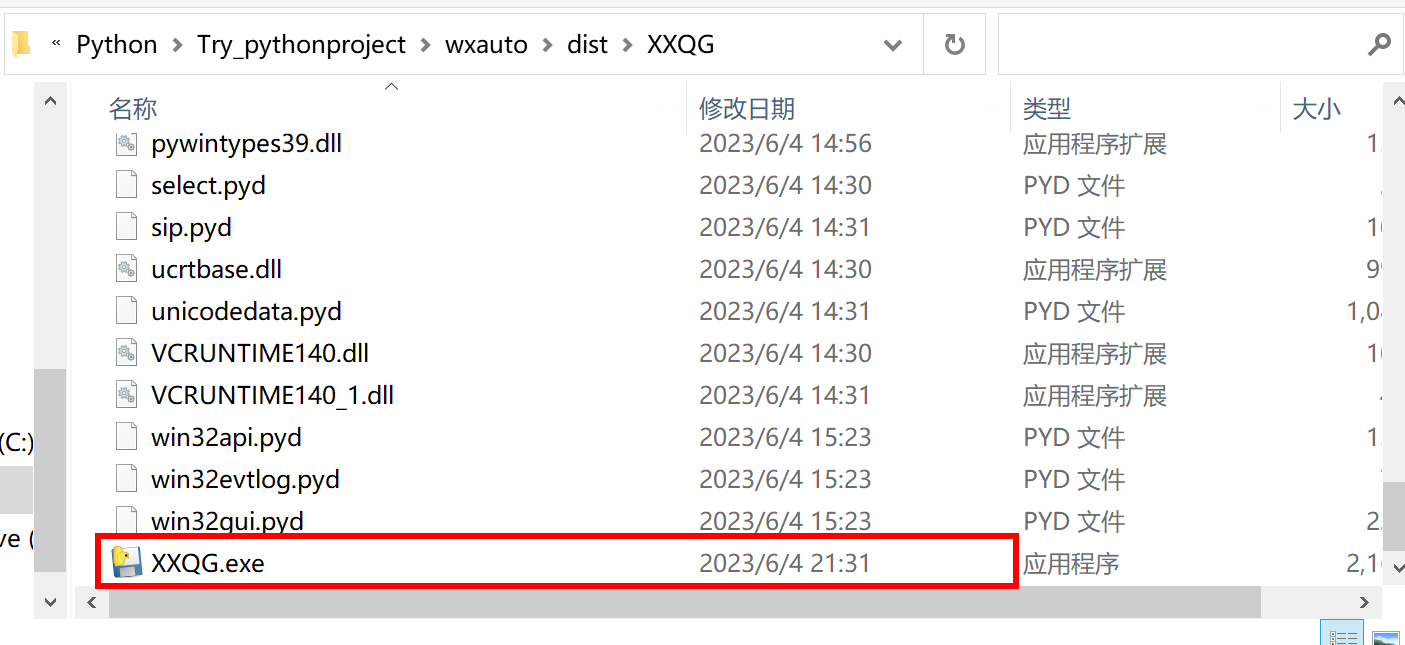
在当前目录会出现一个dist文件夹,里面就有可执行的exe文件。
然后想运行可以直接运行这个exe文件。
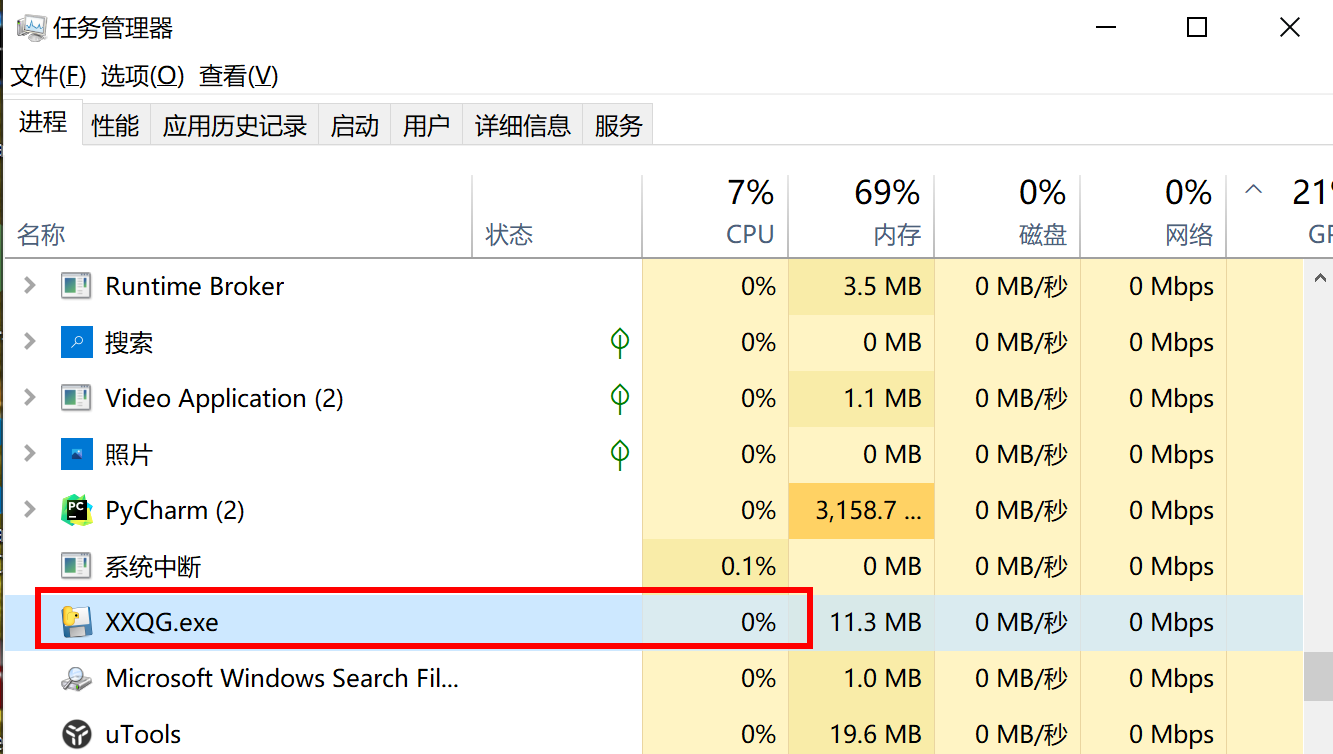
在任务管理器中就会看到它一直在运行,
如果想让这个脚本程序开机自启动,就把这个exe文件的快捷方式放到自启动文件夹中,
在运行输入命令,打开自启动文件夹,新建一个快捷方式,
shell:startup
- 1
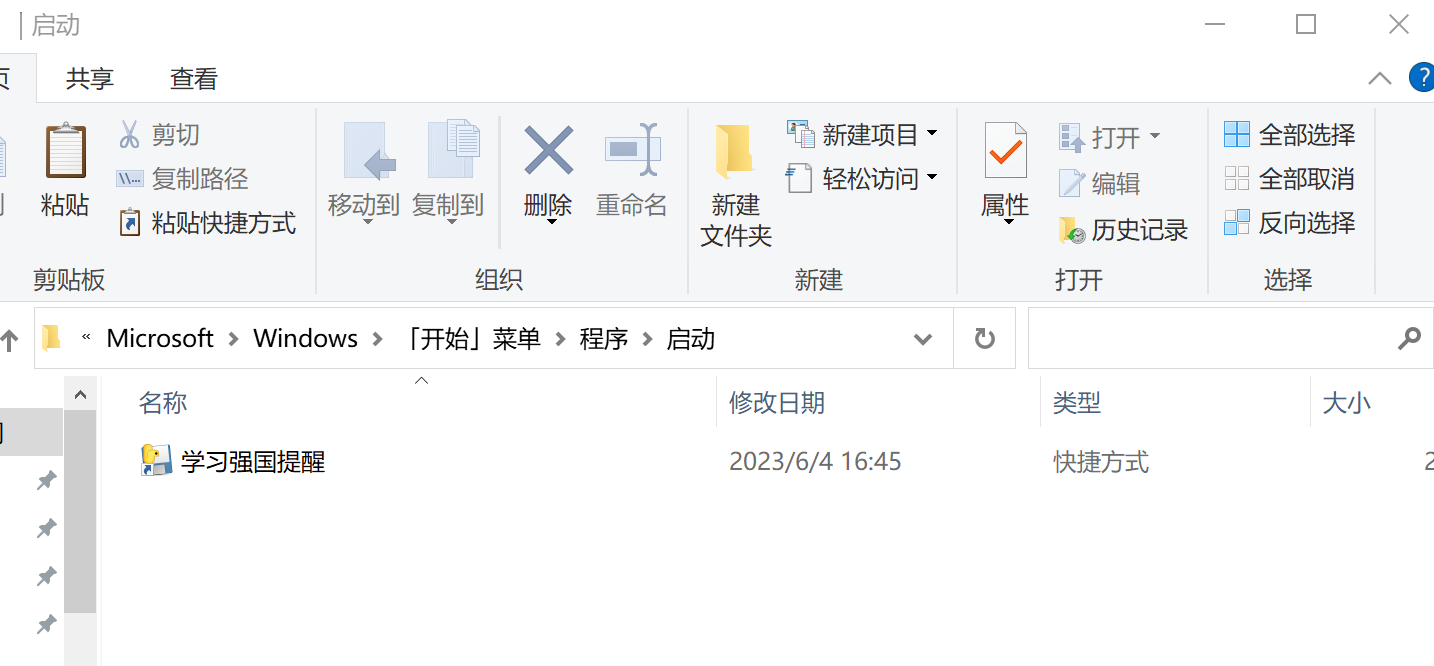
这样子就会开机自启动了,毕竟设置的每五分钟判断一次时间是否符合,对cpu的影响几乎没有,一天就执行一次,执行结束后,进程会退出。
gpt的代码:
# -*- coding: utf-8 -*-
"""
实现自动发送消息
"""

import time
import pygetwindow as gw
import pyautogui

def send_wechat_message(group_name, message_content):
    # 将当前活动窗口切换到微信客户端
    try:
        wechat_window = gw.getWindowsWithTitle('微信')[0]
        wechat_window.activate()
    except IndexError:
        print("请确保微信客户端已打开")
        return

    time.sleep(1)  # 等待窗口切换完成

    # 在搜索框中输入群聊名称并按回车键选择第一个结果
    pyautogui.hotkey('ctrl', 'f')
    time.sleep(1)
    pyautogui.write(group_name)
    time.sleep(1)
    pyautogui.press('enter')

    # 输入并发送消息内容
    time.sleep(1)
    pyautogui.write(message_content)
    time.sleep(1)
    pyautogui.press('enter')

# 示例:每天定时向指定群聊发送消息(例如:每天9点)
from apscheduler.schedulers.blocking import BlockingScheduler

def scheduled_send_message():
    group_name = "YourGroupName"
    message_content = "Hello, this is an automatic message."
    send_wechat_message(group_name, message_content)

scheduler = BlockingScheduler()
scheduler.add_job(scheduled_send_message, 'cron', hour='9')
scheduler.start()

# 若要立即发送一条消息,可以直接调用:
# send_wechat_message("YourGroupName", "Hello, this is an automatic message.")
- 1
- 2
- 3
- 4
- 5
- 6
- 7
- 8
- 9
- 10
- 11
- 12
- 13
- 14
- 15
- 16
- 17
- 18
- 19
- 20
- 21
- 22
- 23
- 24
- 25
- 26
- 27
- 28
- 29
- 30
- 31
- 32
- 33
- 34
- 35
- 36
- 37
- 38
- 39
- 40
- 41
- 42
- 43
- 44
- 45
- 46
- 47
声明:本文内容由网友自发贡献,版权归原作者所有,本站不承担相应法律责任。如您发现有侵权的内容,请联系我们。转载请注明出处:【wpsshop博客】
推荐阅读


相关标签

